





This blog covers the important part of Kubernetes which is Network Policies in Kubernetes. One important configuration that demands attention from a security perspective is the Kubernetes network policy feature.
In a server farm, network security is dealt with by at least one firewall apparatuses.
In this blog we will cover,
- What Are Kubernetes Network Policies?
- How Does Network Policy Work?
- Network Policy In Pods
- Network Policy Specification
- Composing Kubernetes Network Policy
- The Default Network Policies In Kubernetes
- Why Network Policy?
- Popular CNI Plugins
- Conclusion
What Are Kubernetes Network Policies?
This is Kubernetes assets that control the traffic between pods. Kubernetes network policy lets developers secure access to and from their applications. This is how we can restrict a user for access.
Any request that is successfully authenticated (including an anonymous request) is then authorized. The default authorization mode is always allowed, which allows all requests. In Kubernetes, you must be authenticated (logged in) before your request can be authorized (granted permission to access).
Also Read: Our blog post on Kubernetes Probes. Click here
How Does Network Policy Work?
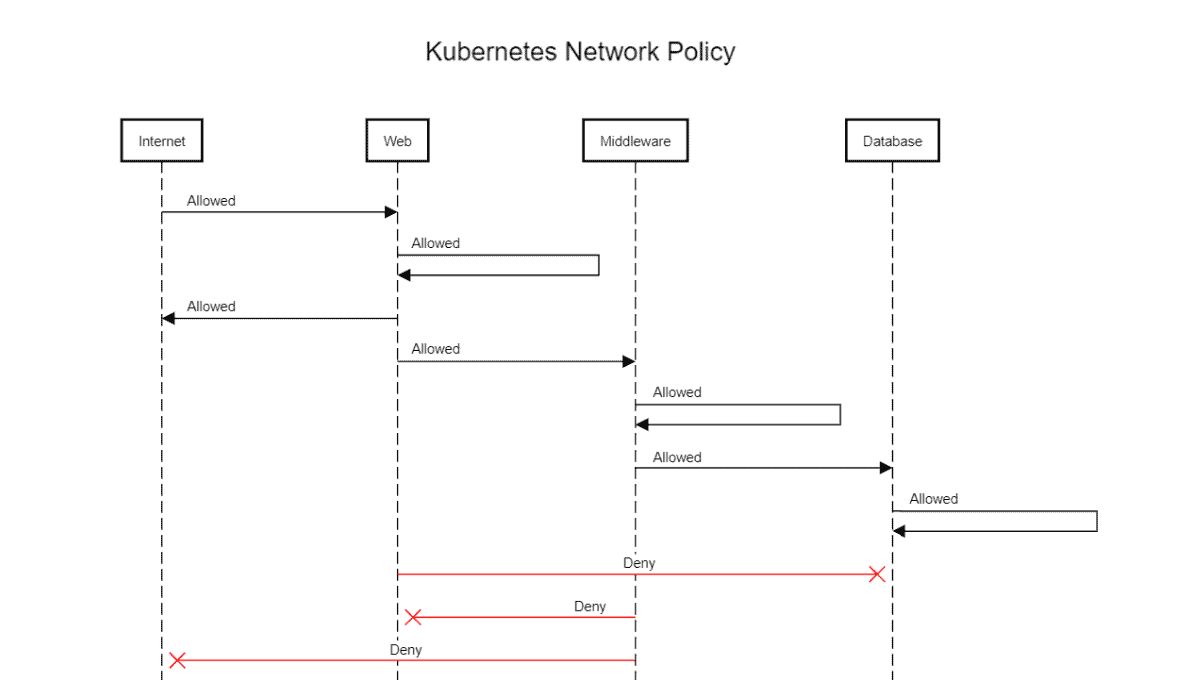
There are unlimited situations where you need to permit or deny traffic from specific or different sources. This is utilized in Kubernetes to indicate how gatherings of pods are permitted to speak with one another and with outside endpoints.
Rules:
- Traffic is allowed unless there is a Kubernetes network policy selecting a pod.
- Communication is denied if policies are selecting the pod but none of them have any rules allowing it.
- Traffic is allowed if there is at least one policy that allows it.
Read about the Docker Networking overview, different types of networking i.e bridge networking, host networking, overlay networking, and Macvlan networking.
Network Policy In Pods
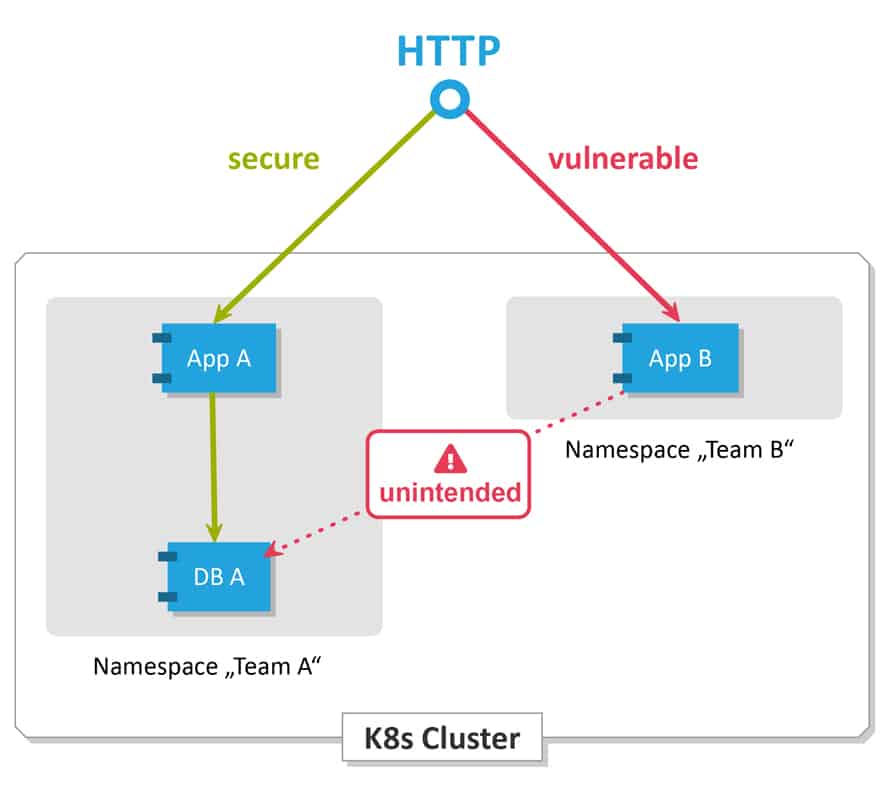
All Pods in Kubernetes communicate with each other which are present in the cluster. By default all Pods are non-isolated however Pods become isolated by having a Kubernetes Network Policy in Kubernetes. Once we have it in a namespace choosing a specific pod, that will restrict all the incoming and outing traffic of the pods.
Pod traffic is not restricted if If there are no network policies that exist.
Note: Know more about Kubernetes Pods
Also read: What is the difference between Container vs VM
Network Policy Specification
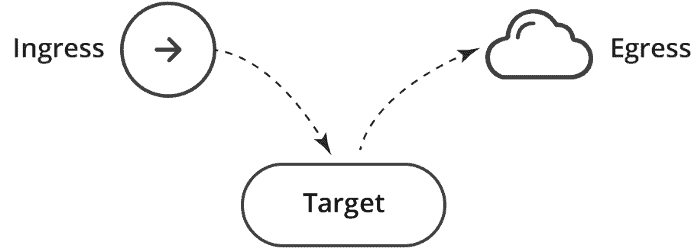
PodSelector – Each of these includes a pod selector that selects the grouping of pods to which the policy applies. This selects particular Pods in the same namespace as the Kubernetes Network Policy which should be allowed as ingress sources or egress destinations.
Policy Types – indicates which sorts of arrangements are remembered for this approach, Ingress, or Egress.
Ingress – Each Network Policies may include a list of allowed ingress rules. This includes inbound traffic whitelist rules.
Egress – Each Network Policy may include a list of allowed egress rules. This includes outbound traffic whitelist rules.
Also Check: What is Configmap in Kubernetes. Click here
Composing Kubernetes Network Policy
Like different Kubernetes assets, this can be defined by utilizing a language called YAML. For this, you will require a basic knowledge of YAML. Yaml depends on indentation.
When you’ve composed the YAML, use kubectl to make the strategy:
kubertl create -f policy.yaml
The Kubernetes Network Policy resource uses labels to determine which pods it will manage. Kubernetes objects, like pods and namespaces, can have user-defined labels attached to them.
Also read: our blog on Kubernetes Networking Services
The Default Network Policies In Kubernetes
At the point when no policy is defined, The default Kubernetes policy permits pods to get traffic from anyplace. Every Pod can communicate with one another freely.
Default deny all ingress traffic
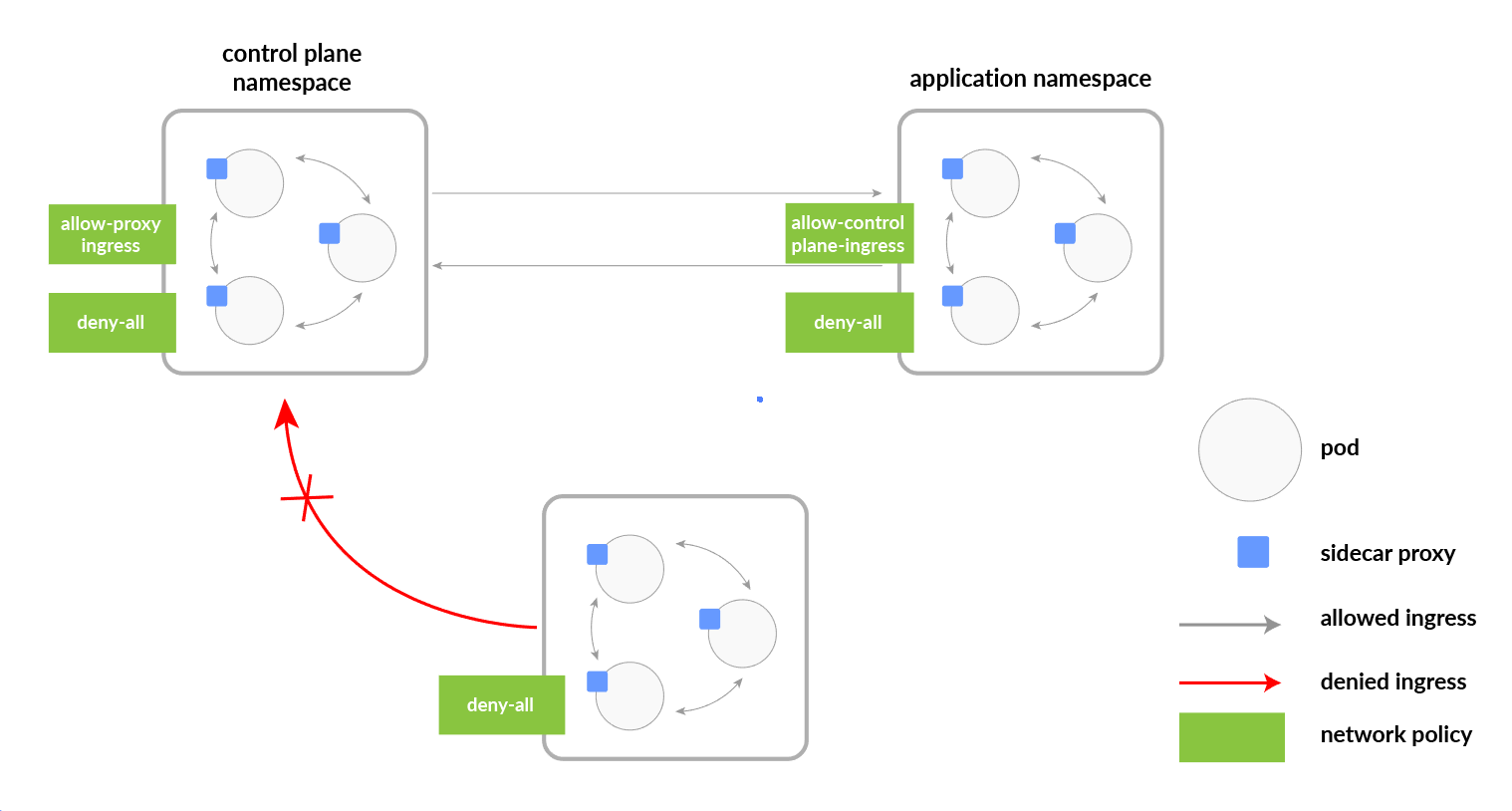
You can create a “default” isolation policy for a namespace by creating a Network Policy that selects all pods but does not allow any ingress traffic to those pods.
apiVersion: networking.k8s.io/v1
kind: NetworkPolicy
metadata:
  name: default-deny-ingress
spec:
  podSelector: {}
  policyTypes:
  - Ingress
Default permit all ingress traffic
If you want to allow all traffic to all pods in a namespace. You can create a policy that explicitly allows all traffic in that namespace.
apiVersion: networking.k8s.io/v1
kind: NetworkPolicy
metadata:
  name: allow-all-ingress
spec:
  podSelector: {}
  ingress:
  - {}
  policyTypes:
  - Ingress
Also Read: Our previous blog post on helm Kubernetes
Default deny all Egress traffic
You can create a “default” egress isolation for a namespace by creating a Network Policy that selects all pods but does not allow any egress traffic from those pods.
apiVersion: networking.k8s.io/v1
kind: NetworkPolicy
metadata:
  name: default-deny-egress
spec:
  podSelector: {}
  policyTypes:
  - Egress
Also Read: Our previous blog post on Kubernetes cka certification
Default permit all Egress traffic
If you want to allow all traffic from all pods in a namespace. You can create a policy that explicitly allows all egress traffic in that namespace.
apiVersion: networking.k8s.io/v1
kind: NetworkPolicy
metadata:
  name: allow-all-egress
spec:
  podSelector: {}
  egress:
  - {}
  policyTypes:
  - Egress
To know more about Kubernetes Scheduler. Click here
Default deny all Ingress and all Egress traffic
You can create a “default” policy for a namespace that prevents all ingress and egress traffic by creating the following Network Policies in that namespace.
apiVersion: networking.k8s.io/v1
kind: NetworkPolicy
metadata:
  name: default-deny-all
spec:
  podSelector: {}
  policyTypes:
  - Ingress
  - Egress
Why Network Policy?
- This can be thought of as the Kubernetes likeness a firewall.
- They are used in Kubernetes to indicate how gatherings of pods are allowed to speak with one another and with external network endpoints.
- For restricting the traffic between the pods we need network policies in Kubernetes, by default all traffic is allowed.
Check Out: Different types of persistent storage for Kubernetes. Click here
Popular CNI Plugins
Container Network Interface, a Cloud Native Computing Foundation venture, comprises of detail and libraries for writing plugins to configure network interfaces in Linux containers
Kubernetes utilizes CNI as an interface between network suppliers and Kubernetes pods networking. Below are some examples:
Calico
It enables networking and network policies in the Kubernetes cluster over the cloud.

Weave
Weave enables networking and network policy in the Kubernetes cluster over the cloud. Also, it supports encoding traffic between peers.

Cilium
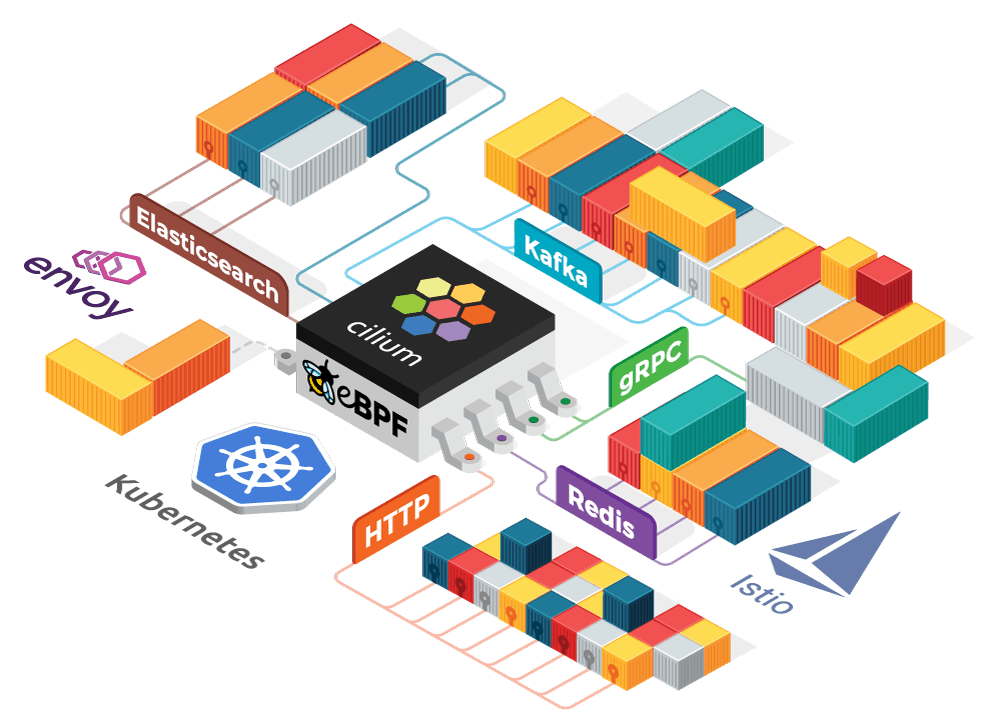
Cluster Mesh creates a single zone of connectivity for load-balancing, observability, and security between nodes across multiple clusters, enabling simple, high-performance cross-cluster connectivity.
Conclusion
In summary, Kubernetes Network Policies are essential for securing communication between pods within a cluster. They allow developers to define specific rules for incoming and outgoing traffic, reducing the risk of unauthorized access. By implementing these policies, teams can enhance their applications’ security while maintaining control over network interactions.
Frequently Asked Questions
What is a Kubernetes Network Policy?
A Kubernetes Network Policy is a specification that defines how pods can communicate with each other and with other network endpoints. It allows you to control traffic flow at the IP address or port level.
Why should I use Network Policies?
Network Policies enhance security by restricting traffic between pods, ensuring that only authorized pods can communicate with each other. This helps to prevent unauthorized access and reduce the attack surface.
What are ingress and egress rules in Network Policies?
Ingress rules control incoming traffic to the selected pods, while egress rules control outgoing traffic from the selected pods. You can define specific ports and protocols for both.
What happens if no Network Policy is defined for a namespace?
If no Network Policy is defined, all pods in that namespace can communicate with each other and with pods in other namespaces, assuming there are no other network restrictions in place.
Can I apply multiple Network Policies to the same pod?
Yes, you can apply multiple Network Policies to the same pod. All policies will be evaluated together, and if any policy allows traffic, it will be permitted.
Are Network Policies enforced at the pod level or the node level?
Network Policies are enforced at the pod level by the CNI plugin. They control traffic based on pod selectors, ensuring that only allowed traffic can reach or leave the specified pods.
Related / References:
- The Certified Kubernetes Security Specialist(CKS) Certification Exam
- Visit our YouTube channel on “Docker & Kubernetes”
- Certified Kubernetes Administrator (CKA) Certification Exam
- (CKA) Certification: Step By Step Activity Guides/Hands-On Lab Exercise & Learning Path
- Kubernetes Architecture | An Introduction to Kubernetes Components
Join FREE Masterclass of Kubernetes
Discover the Power of Kubernetes, Docker & DevOps – Join Our Free Masterclass. Unlock the secrets of Kubernetes, Docker, and DevOps in our exclusive, no-cost masterclass. Take the first step towards building highly sought-after skills and securing lucrative job opportunities. Click on the below image to Register Our FREE Masterclass Now!


![Microsoft Agentic AI Business Solutions Architect [AB-100] | K21 Academy](https://test.k21academy.com/wp-content/uploads/2025/11/Microsoft-Agentic-AI-Business-Solutions-Architect-AB-100-Exam-Overview1.png)



