Microsoft Certified Training Program

Azure Job-Oriented Program with 6 Certifications

Master Microsoft Azure with comprehensive training designed for career success. Get certified, get hired, and advance your cloud computing career with industry-recognized credentials.

15 Weeks

Intensive Training

Live Sessions

Expert Instructors

100% Job

Placement Support

6 Certificates

Microsoft Official

4.5 ( 141 Ratings )
Learners
40000 +

About Our Course

The Azure Job-Oriented Program with 6 Certifications is your step-by-step path to becoming job-ready in Microsoft Azure. You’ll start with the basics and then move into administration, development, security, architecture, and DevOps—all while practicing on real-world projects and hands-on labs. Along the way, you’ll prepare for six of the most in-demand Microsoft certifications (AZ-900, AZ-104, AZ-204, AZ-305, AZ-400, AZ-500). By the end, you won’t just have certifications—you’ll have the practical skills and confidence to land roles like Cloud Engineer, Azure Administrator, Developer, Security Engineer, or DevOps Engineer.

Who Should Enroll in This Program?

IT Professionals

Looking to upgrade their skills and transition into roles like Azure Administrator, Cloud Engineer, or DevOps Engineer.

Software Developers

Who want to build, deploy, and scale applications using Azure services and DevOps practices.

Aspiring Cloud Engineers

Who want to start a career in Microsoft Azure with globally recognized certifications

System & Network Administrators

Aiming to strengthen their expertise in cloud infrastructure, networking, and security.

Fresh Graduates & Career Switchers

Eager to enter the high-demand cloud computing field with a structured, job-ready training path.

Tools Covered

Key Outcomes of This Program

6 Globally Recognized Certifications

Earn Microsoft credentials (AZ-900, AZ-104, AZ-204, AZ-305, AZ-400, AZ-500) that validate your expertise and make your resume stand out to employers.

Hands-On Experience

Gain practical skills by working directly on Azure tools like Portal, CLI, Active Directory, Networking, Virtual Machines, Kubernetes, DevOps, and Monitoring.

Real-World Projects

Build a portfolio with projects that mirror real industry scenarios, giving you proof of work that hiring managers look for.

Job-Ready Skills

Master high-demand cloud skills across administration, security, DevOps, and architecture, preparing you for multiple career paths in Azure.

Career Support & Extras

Go beyond technical learning with personalized resume reviews, LinkedIn profile optimization, and mock interviews so you can confidently showcase your skills and secure offers.

Expert Mentorship & Lifetime Access

Get 24/7 support from certified cloud experts, plus lifetime access to course content and updates so you never fall behind.

60+ Labs

Practice Labs

100+ Videos

Video Course

13 Projects

Projects Course

250+ QA's

Q&A Exams

Course Break-Down

Lessons:
  • Lesson 1: Cloud Overview
  • Lesson 2: Cloud Service Models 
  • Lesson 3: Cloud Deployment Models
  • Lesson 4: Azure Account and Subscription
  • Lesson 5: Azure Services Overview
Labs:
  • Lab 1: Create Free Azure Cloud Account
  • Lab 2: Create Billing Alert using Portal
  • Lab 3 (Optional): Prerequisite – Azure CLI & VS Code
FAQ: Billing Alert
Lessons:
  • Lesson 1: What is Active Directory?
  • Lesson 2: Understanding Azure AD & Subscriptions
  • Lesson 3: Privileged Identity Management (PIM)
  • Lesson 4: IAM, Azure AD, Users & Groups
Labs:
  • Lab 1: Entra ID (Azure AD) Sync with On-Prem AD
  • Lab 2: Role-Based Access Control (RBAC) in Azure
  • Lab 3: Configure a VM to log in using Entra ID
FAQ: Entra ID
Lessons:
  • Lesson 1: VNet, CIDR, Public & Private IP
  • Lesson 2: Virtual Networks & Subnetting
  • Lesson 3: NSG, Route Table & ASG
  • Lesson 4: DNS
  • Lesson 5: Application Security Group
  • Lesson 6: Azure Firewall & Firewall Manager
  • Lesson 7: Bastion Host
  • Lesson 8: VNet Peering & Transit Gateway
  • Lesson 9: Azure Networking – VNet & CIDR
  • Lesson 10: Create a Virtual Network in the Azure Portal
Labs:
  • Lab 1: Create Resource Group, VNet, Subnet, and VM
  • Lab 2: Create Hub & Spoke Topology Using Azure Portal
  • Lab 3: Create an Azure Bastion Host
  • Lab 4: Create & Configure VNet Peering
  • Lab 5: Create Azure Firewall with DDoS Protection
FAQ: Resource Group, VNet
Lessons:
  • Lesson 1: Load Balancer
  • Lesson 2: Application Gateway
  • Lesson 3: Azure Traffic Manager
  • Lesson 4: VPN Gateway, S2S & P2S, WAN
  • Lesson 5: Express Route
Labs:
  • Lab 1: High Availability with Azure Load Balancer
  • Lab 2: VPN Gateway Connection
  • Lab 3: Create Azure Front Door
  • Lab 4: Deploy App Service and Traffic Manager
  • Lab 5: Azure Private DNS Zone
  • Lab 6: Create & Manage Application Gateway
FAQ: Load Balancer
Lessons:
  • Lesson 1: Service Endpoint
  • Lesson 2: Managed Identity and Service Principal
Labs:
  • Lab 1: Secure Storage with Service Endpoint
  • Lab 2: User-assigned Managed Identities for Azure
  • Lab 3: Filter Network Traffic using NSG & ASG
Lessons:
  • Lesson 1: What is Compute
  • Lesson 2: Compute – Virtual Machines
  • Lesson 3: Compute – App Service
Labs:
  • Lab 1: Create & Connect to Windows VM
  • Lab 2: Create a VM with a Linux Image
  • Lab 3: Creation of Web App in Azure Cloud
  • Lab 4: Deploy & Test Virtual Machine Scale Sets
FAQ: Windows VM
Lessons:
  • Lesson 1: What is Storage?
  • Lesson 2: Storage Data Types
  • Lesson 3: Managed & Unmanaged Storage
  • Lesson 4: Key Vault
Labs:
  • Lab 1: Implement Secure Data using Key Vault
  • Lab 2: Azure File Share
  • Lab 3: Create Azure Storage & Containers
  • Lab 4: Create Blob Lifecycle Management
  • Lab 5: Create Unmanaged & Managed Disks
Lessons:
  • Lesson 1: Docker & Kubernetes (ACR, ACI, AKS)
  • Lesson 2: Container Images, Instance & Registry
  • Lesson 3: Azure Kubernetes Service
  • Lesson 4: AKS Cluster Architecture
Labs:
  • Lab 1: Create & Test Azure Container Registry
  • Lab 2: Implement Azure Container Instance (ACI)
  • Lab 3: AKS Cluster Creation & Access
  • Lab 4: SQL as PaaS in AKS
  • Lab 5: Deploy Docker Containers to App Service
  • Lab 6: Configure & Secure ACR & AKS
Lessons:
  • Lesson 1: Introduction to Azure DevOps
  • Lesson 2: Azure Pipelines
  • Lesson 3: Infrastructure as Code (IaC) & Configuration Management
Labs:
  • Lab 1: Create Free Microsoft Azure DevOps Account
  • Lab 2: Enable Parallelism in Azure DevOps
  • Lab 3: Implement GitHub Actions for CI/CD
  • Lab 4: Create Service Principal for Applications
  • Lab 5: Deploy Multi-Container App to AKS
Lessons:
  • Lesson 1: Azure Monitoring
  • Lesson 2: Monitoring with Log Analytics 
  • Lesson 3: Network Watcher, Log Analytics
  • Lesson 4: Microsoft Defender for Cloud (MDC) vs Sentinel
Labs:
  • Lab 1: Monitor App Performance via Azure Load Testing
  • Lab 2: Azure Monitoring using Log Analytics
  • Lab 3: Azure Network Watcher
  • Lab 4: Microsoft Defender for Cloud
Lessons:
  • Lesson 1: Backup
  • Lesson 2: Overview of Azure Migrate
Labs:
  • Lab 1: Back up the Azure VM into the Backup Vault
  • Lab 2: VM Replication via Azure Site Recovery
  • Lab 3: Backup On-Prem Server into Backup Vault
Labs:
  • Lab 1: Build a Web App on Azure PaaS
  • Lab 2: Retrieve Azure Storage Data with .NET SDK
  • Lab 3: Construct a Polyglot Data Solution
  • Lab 4: Deploy Workloads with Images & Containers
  • Lab 5: Authenticate with OpenID, MSAL & .NET SDKs
  • Lab 6: Secure Resource Secrets Across Services
  • Lab 7: Build a Multi-Tier Solution with Azure
  • Lab 8: Azure Service Bus Queue Messaging
  • Lab 9: Enhance a Web App with Azure CDN
  • Lab 10: Monitor Services Deployed to Azure
  • Lab 11: Publish & Subscribe to Event Grid Events
  • Lab 12: API Management
Labs:
  • Lab 1: Create Resource Group & VM via Azure CLI
  • Lab 2: Create & Deploy ARM Templates using Azure Portal
  • Lab 3: Configure AWS SSO with Microsoft Entra ID
  • Lab 4: Configure SAML & SCIM with Entra ID & IAM

Project works

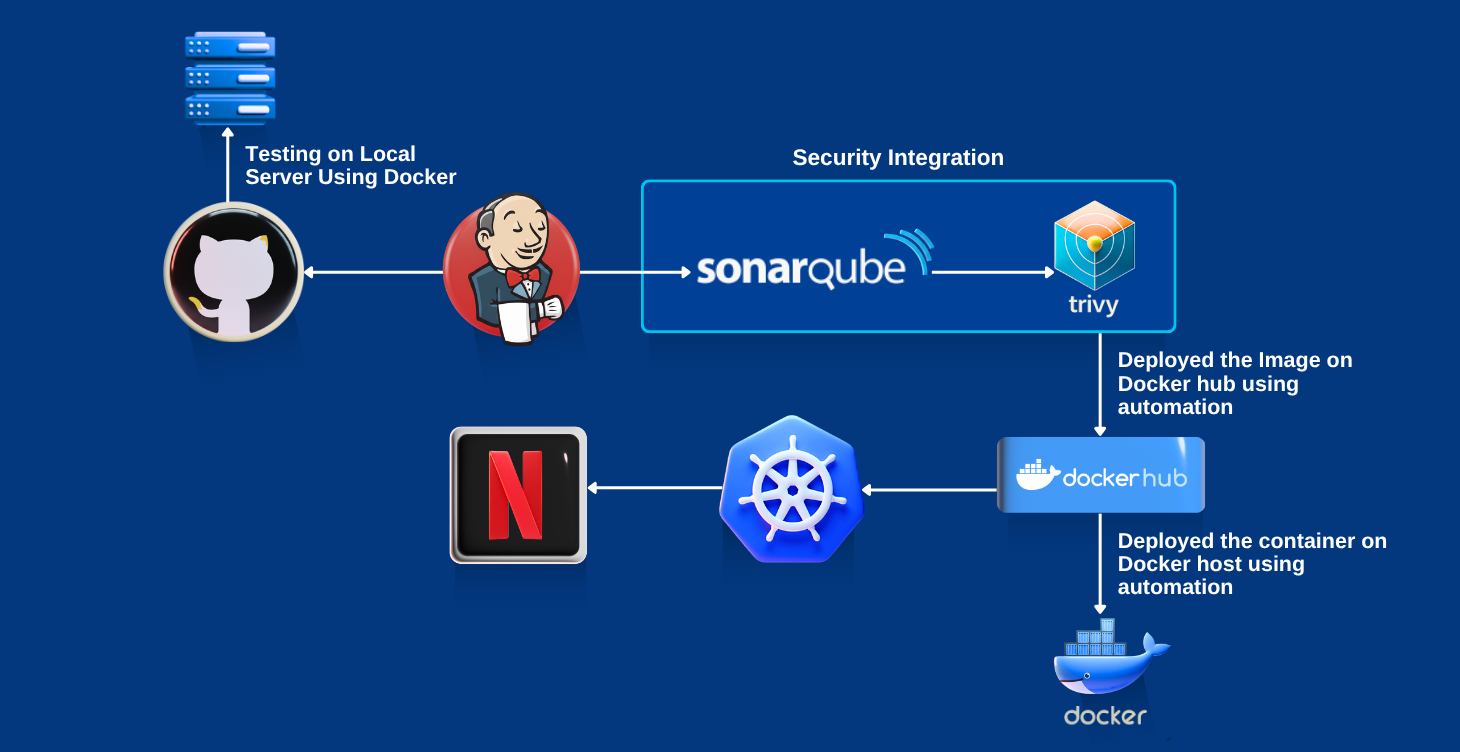
Deploy Netflix Clone App on Kubernetes using CI/CD (Jenkins, SonarQube & Trivy)

This project automates the deployment of a Netflix clone app on Kubernetes using Jenkins CI/CD pipelines. It integrates SonarQube for code quality checks and Trivy for vulnerability scanning, ensuring security and reliability. The solution demonstrates how to achieve scalable, secure, and automated cloud-native deployments.
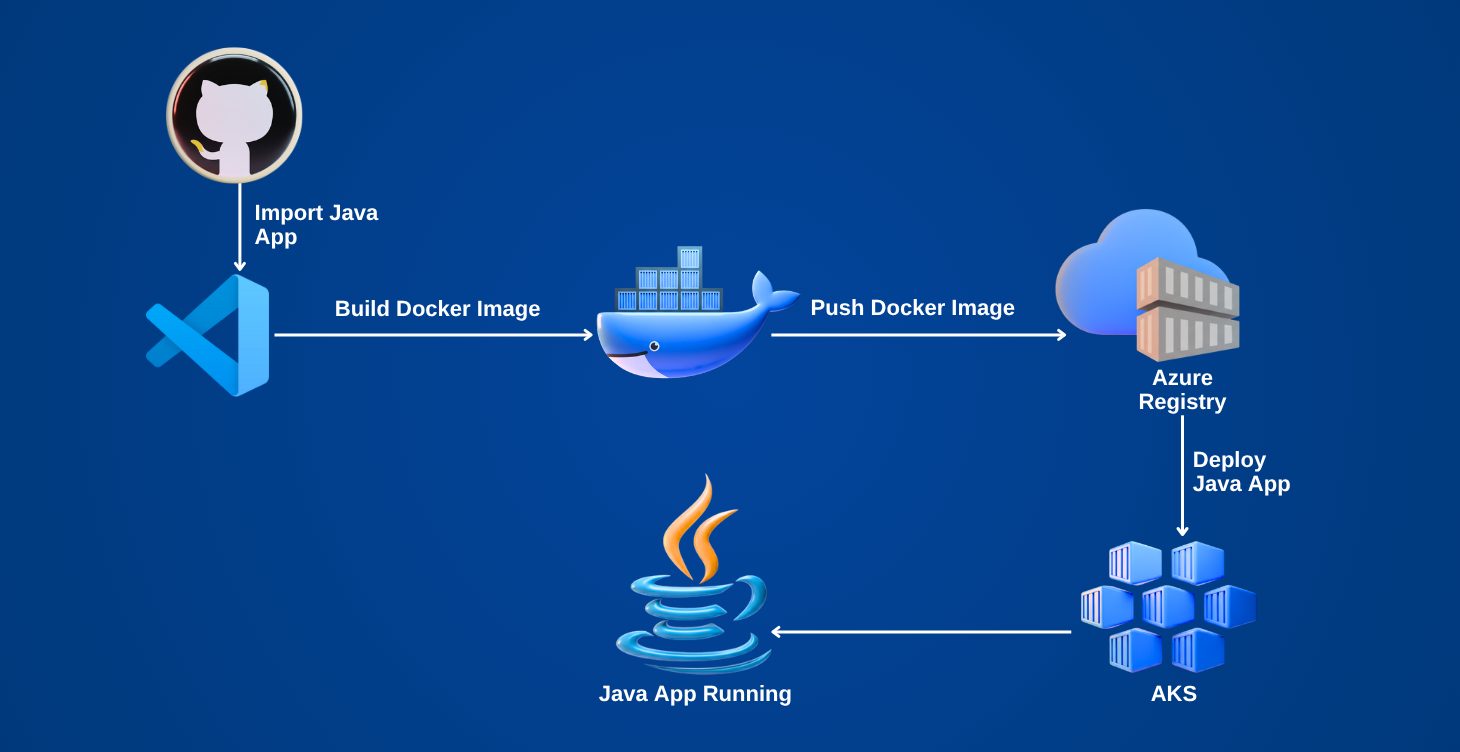
Containerize and Deploy a Java Application to Azure

In this project, a Java application is containerized with Docker and deployed on Azure. It highlights how containers simplify deployment by eliminating environment dependencies and ensuring portability across platforms. Learners gain hands-on experience with containerization and cloud deployment.
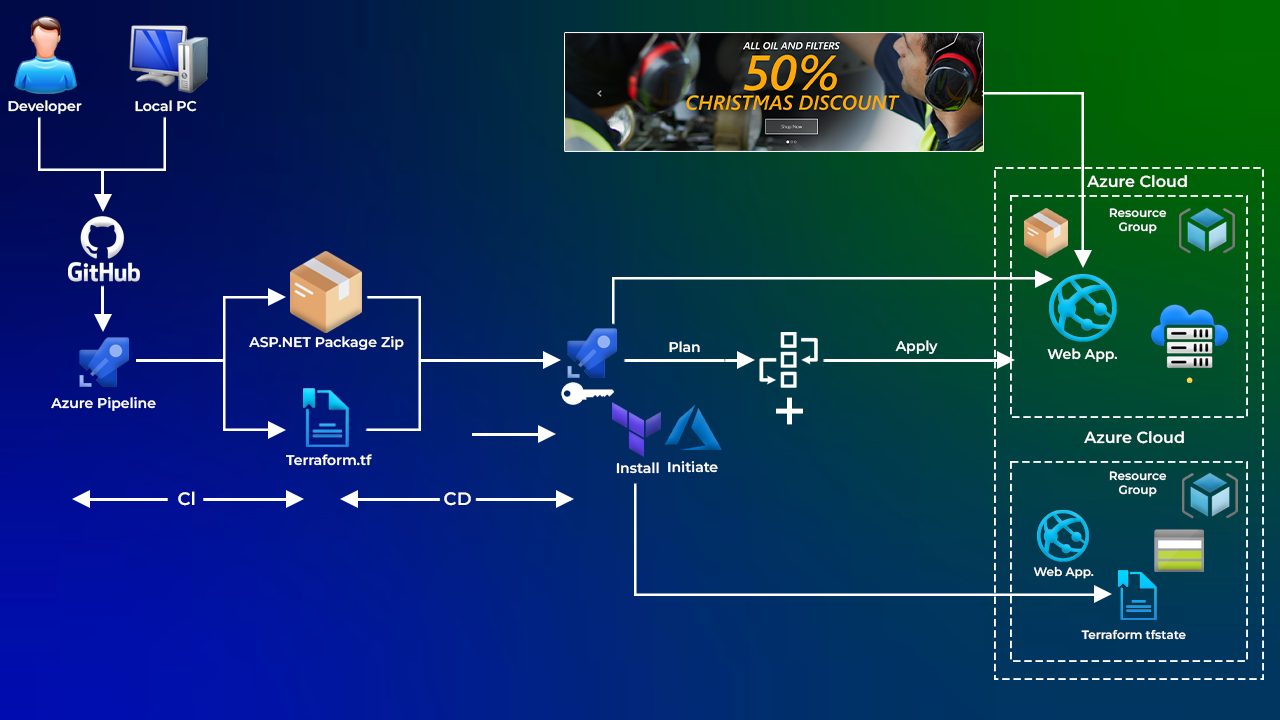
Automating Infrastructure Deployment with Terraform & Azure Pipelines.

This project demonstrates how to use Infrastructure as Code (IaC) with Terraform to automate the provisioning of Azure resources. Azure Pipelines is integrated to deploy applications seamlessly. The approach reduces manual effort, ensures consistency, and speeds up application delivery.
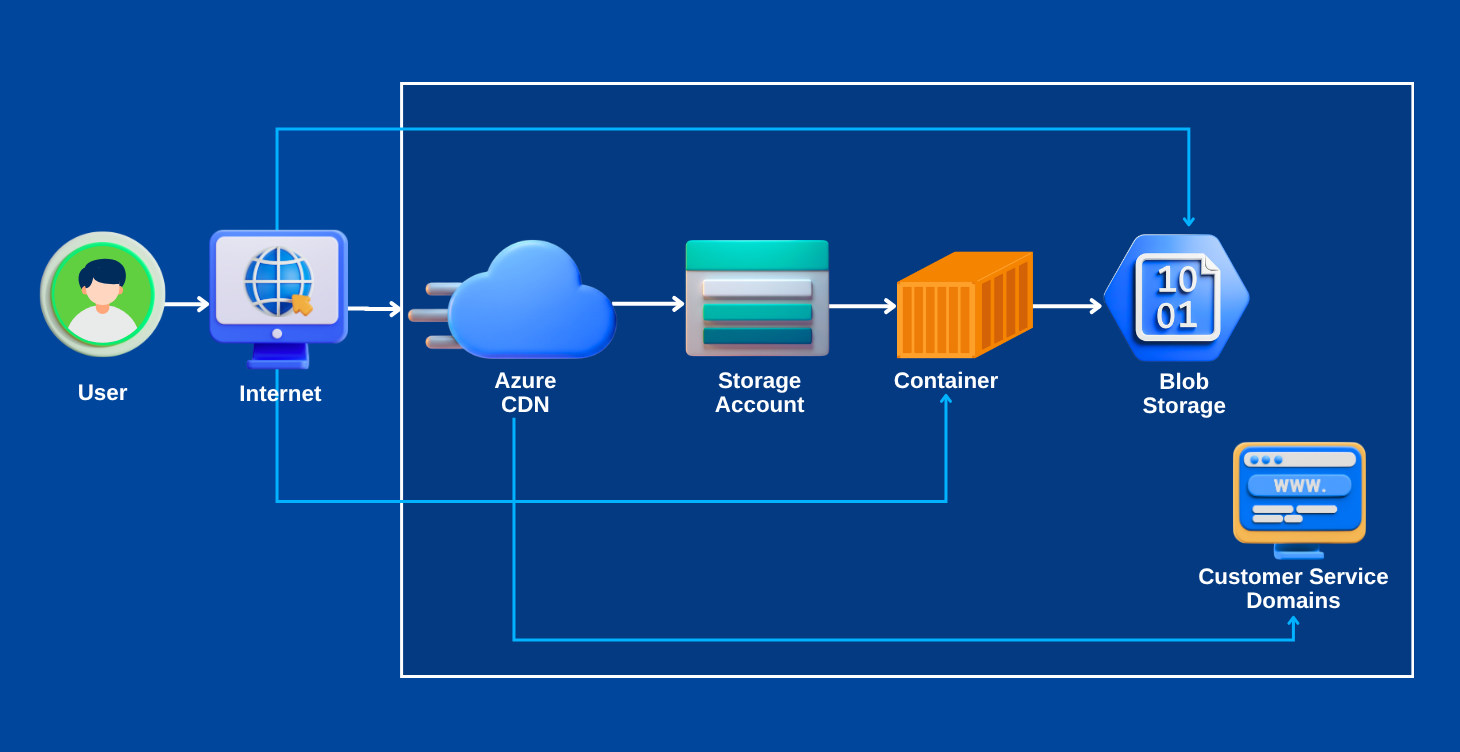
Host Your Portfolio on Azure Storage (Static Website Hosting)

Instead of sending resumes as PDFs, this project shows how to host a personal portfolio or resume as a static website using Azure Blob Storage. It helps job seekers stand out by showcasing their skills in a practical, creative way using Azure services.
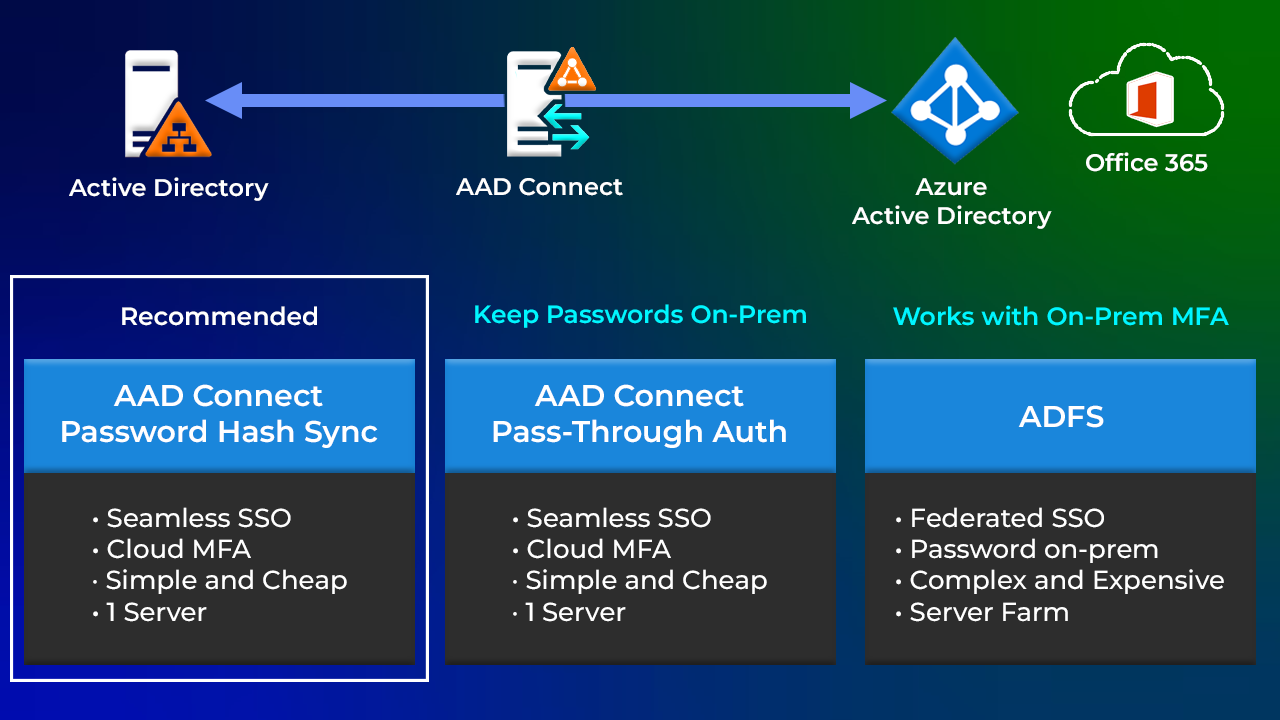
Microsoft Entra ID Synchronization with On-Premise AD.

This project sets up synchronization between an on-premises Active Directory and Microsoft Entra ID(Azure AD) using Entra Connect (AD Connect). It enables hybrid identity management, allowing users to seamlessly access cloud and on-premises resources.
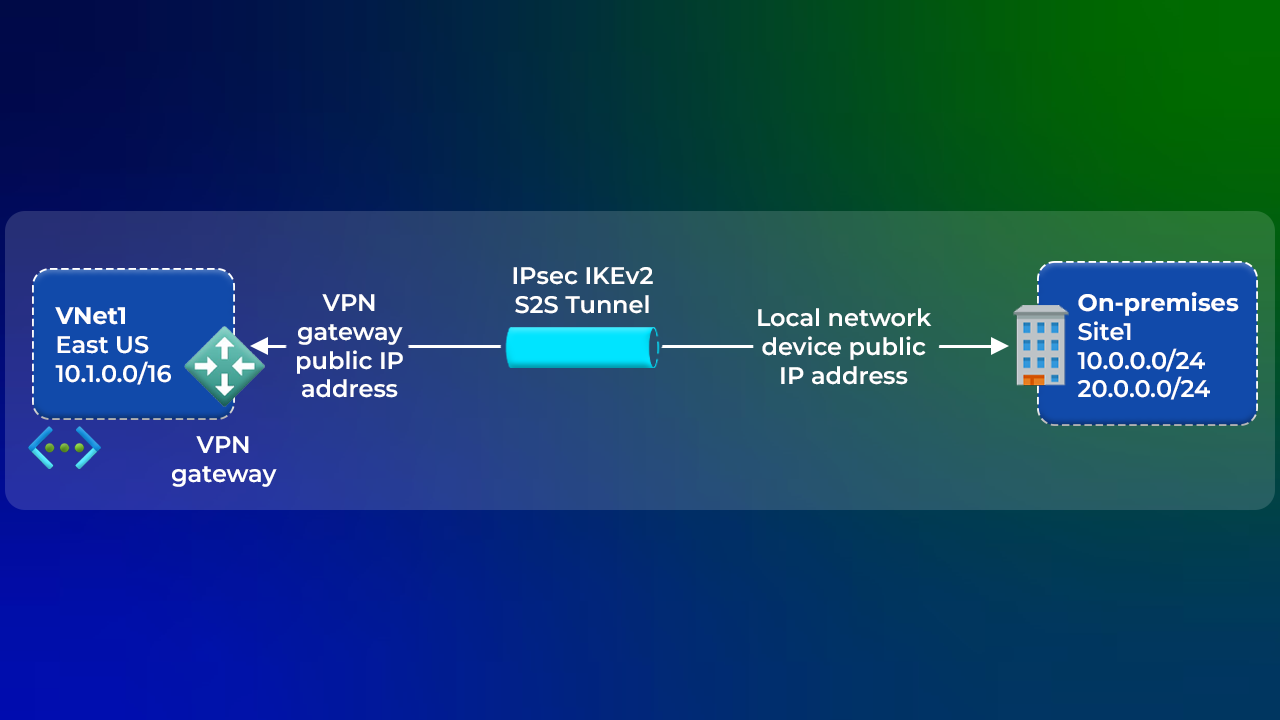
Site-to-Site Connection using Azure Portal

In this project, learners create a secure Site-to-Site VPN connection between on-premises infrastructure and Azure. It demonstrates hybrid cloud networking, ensuring reliable communication between local data centers and Azure resources.
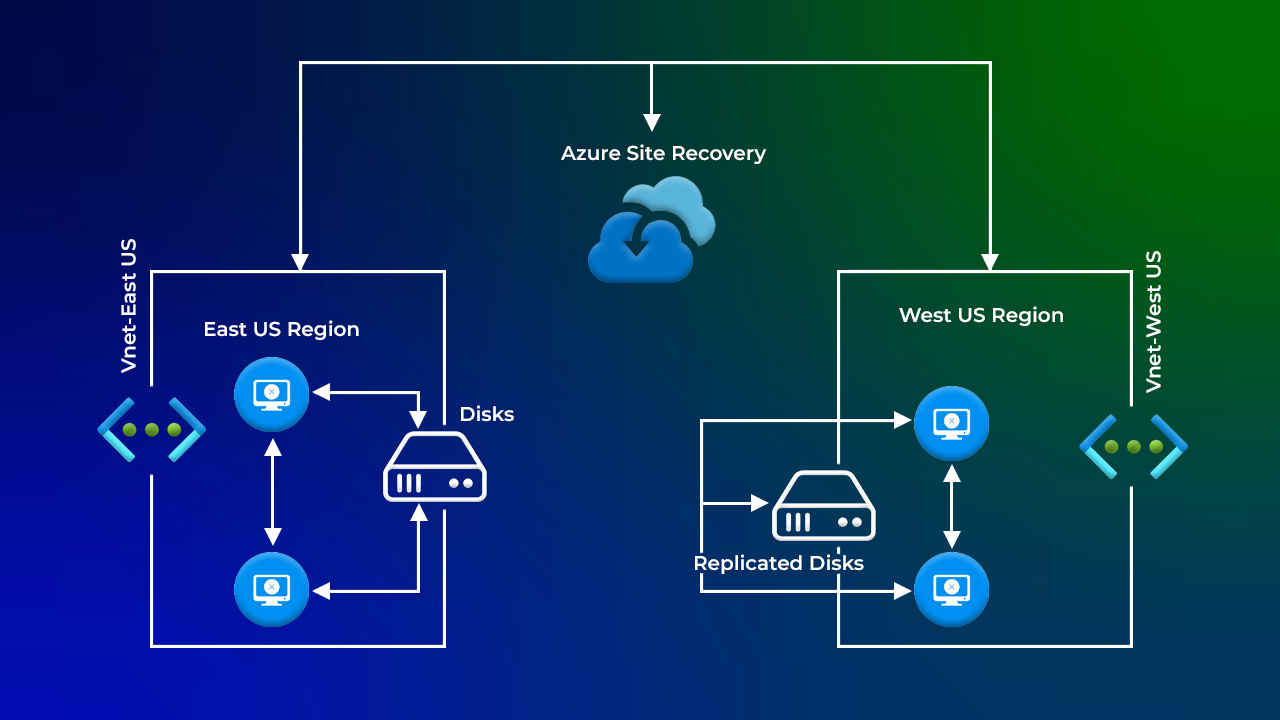
Migration from One Azure Region to Another

This project focuses on migrating applications and workloads from one Azure region to another. It reflects real-world scenarios where organizations move resources for compliance, performance, or business continuity reasons.
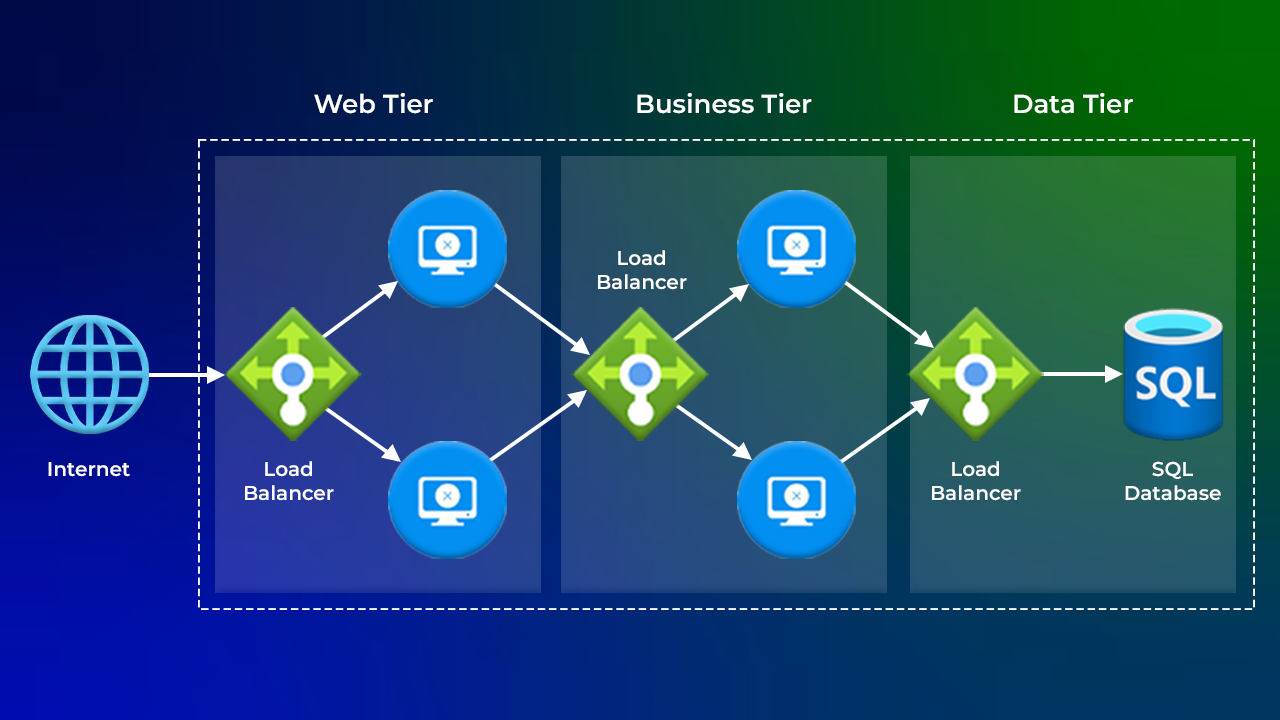
Deploy a 3-Tier Architecture in Azure.

Learners design and deploy a 3-tier architecture (presentation, application, and database layers) in Azure. This project demonstrates how to build scalable, modular, and fault-tolerant applications using Azure services.
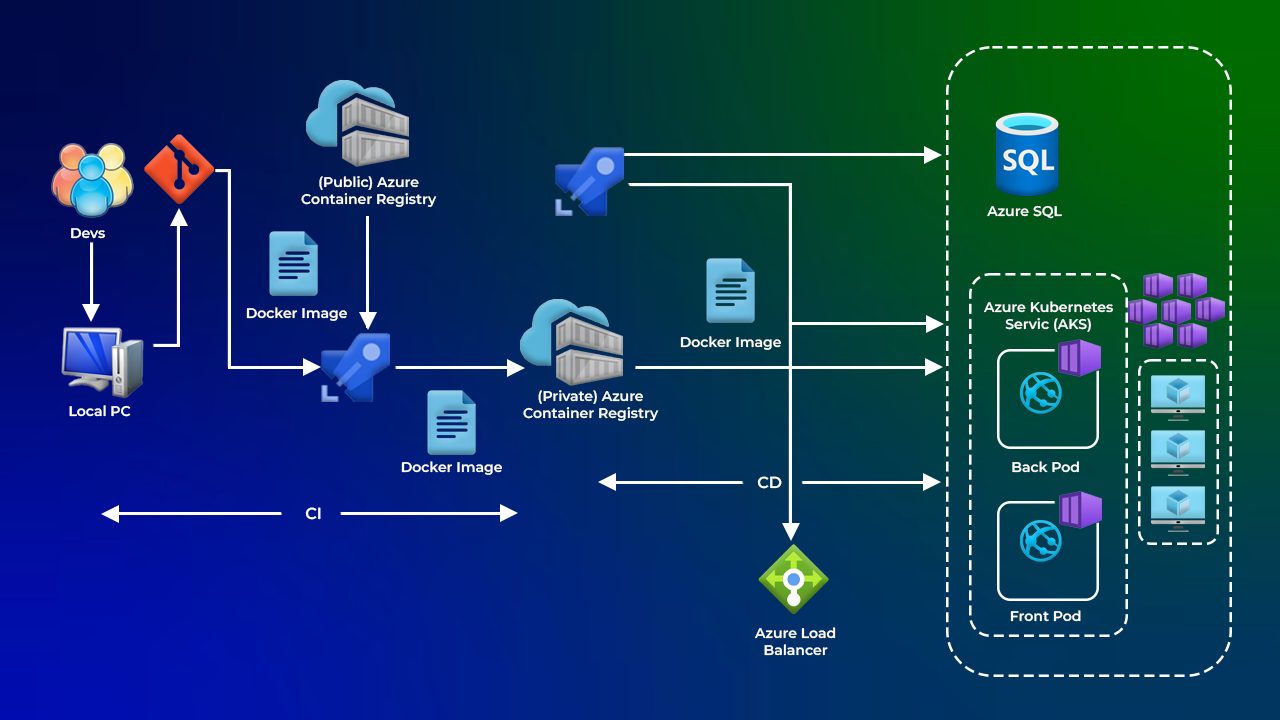
Deploy a Multi-Container Application to AKS.

This project deploys a multi-container application to Azure Kubernetes Service (AKS). It showcases how different application services can run in isolated containers while communicating seamlessly within a Kubernetes-managed environment.
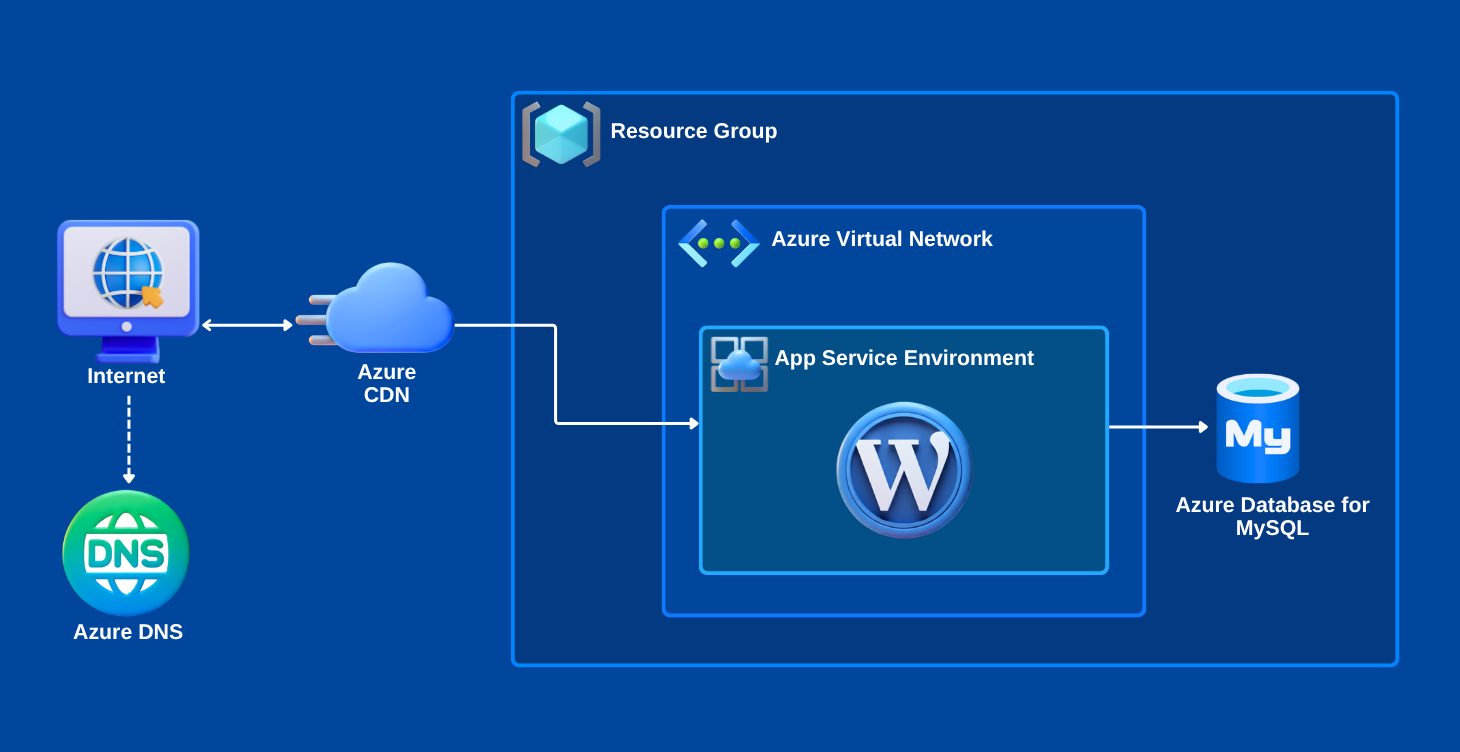
Create a WordPress Site on Azure Portal

In this project, WordPress, a popular CMS platform, is deployed using Azure App Service. Learners get hands-on experience in setting up a scalable blogging or website platform on the cloud.
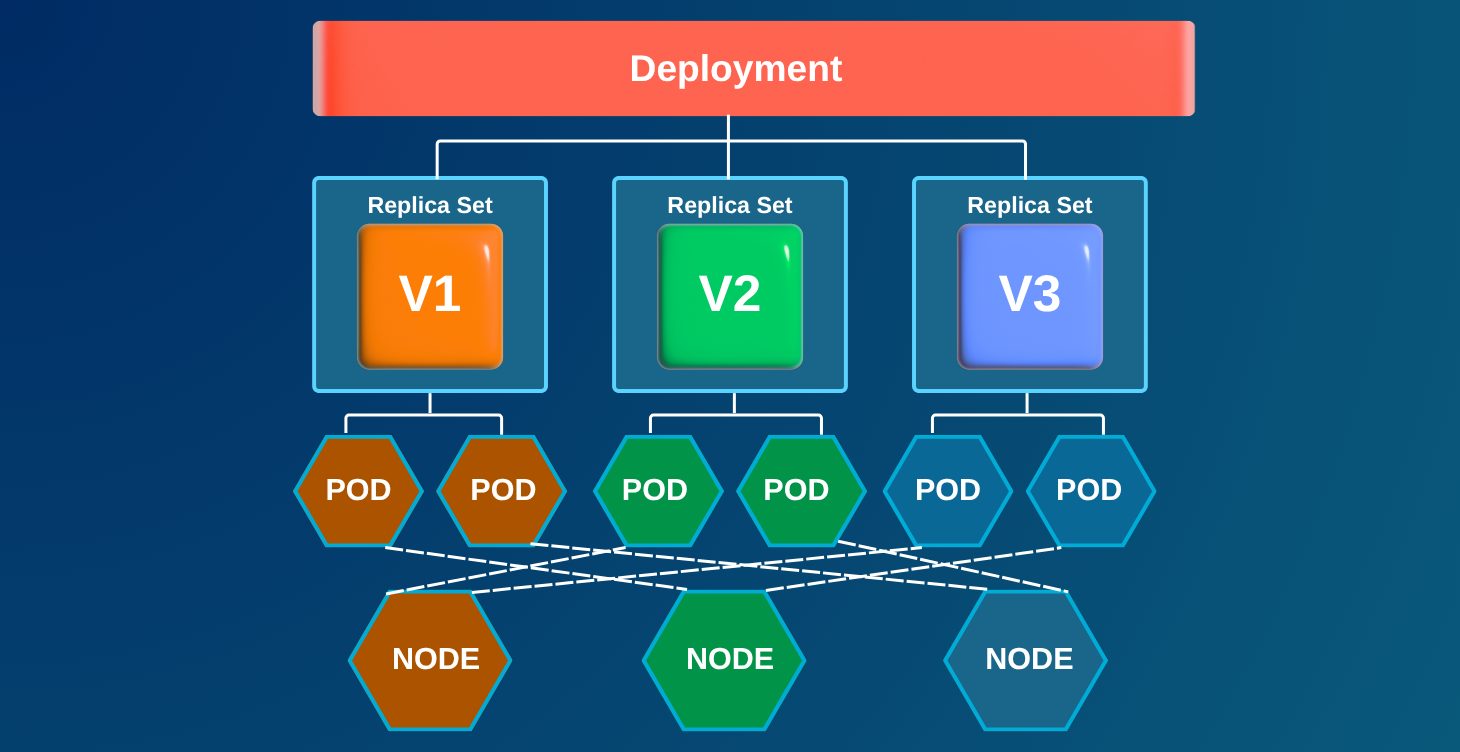
Create a Containerized Application using AKS.

This project involves containerizing a web application and deploying it to Azure Kubernetes Service. The deployed app becomes accessible via a public IP, demonstrating cloud-native hosting in action.
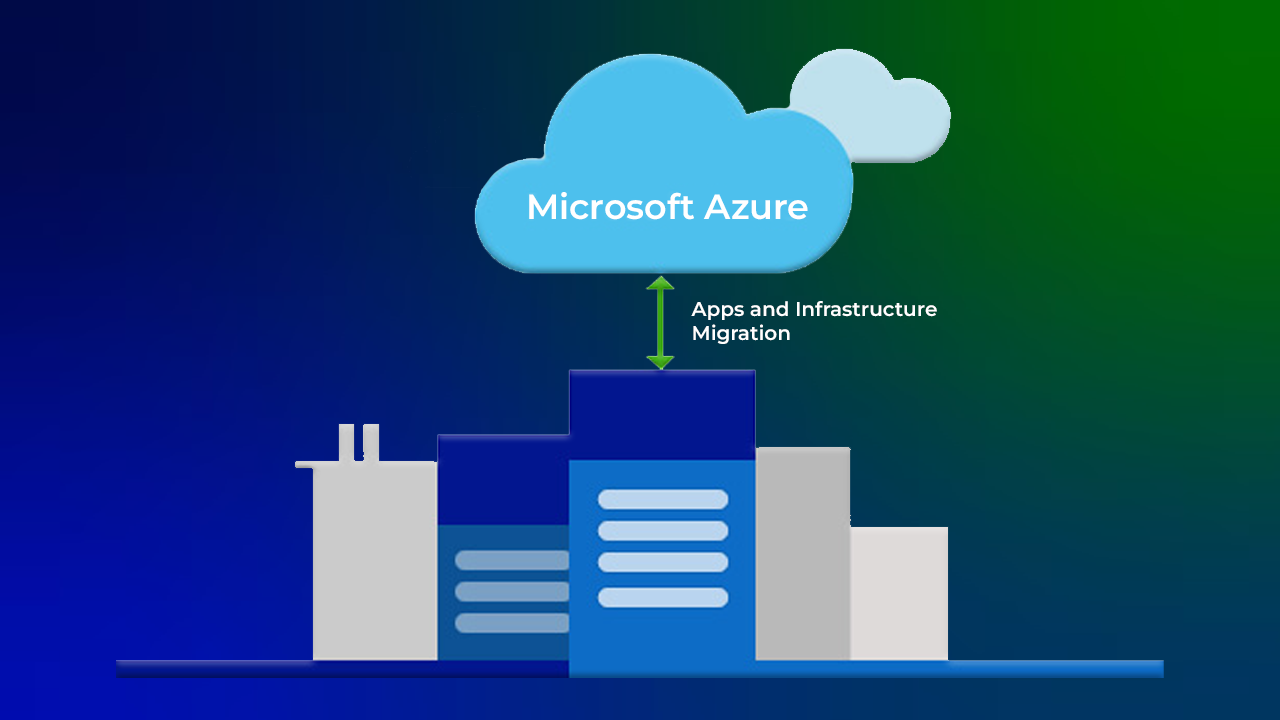
Migration from On-Premises to Azure

This project walks through migrating workloads from traditional on-premises servers to the Azure cloud. Learners understand the steps, tools, and strategies involved in moving to a more scalable and cost-efficient cloud environment.

Skills You Need to Get Started

No Prior Experience Required

The program begins with the fundamentals, making it suitable for beginners.

Cloud Basics First

Understand cloud computing concepts and how Azure works.

Step-by-Step Learning

Progress from fundamentals to administration, development, security, DevOps, and architecture.

Hands-On Tools

Gain practical experience with Azure Portal, CLI, Virtual Machines, Networking, Storage, Kubernetes, and Azure DevOps.

Certification Preparation

Be fully prepared for 6 globally recognized Azure certifications.

Job-Ready Skills

Build practical expertise aligned with real industry requirements.

Why You Should Enroll

6 Industry Certifications

Earn globally recognized Azure certifications (AZ-900 to AZ-500) that prove your skills and open doors to high-paying roles.

Hands-On Experience

Practice on 100+ labs and real-world projects using Azure DevOps, Kubernetes, Virtual Machines, and Networking.

Career Support

Get personalized help with resumes, mock interviews, and job strategies designed to fast-track your career.

Higher Earning Potential

Position yourself for promotions, career transitions, and top salaries with in-demand Azure cloud expertise.

Flexible Learning

Learn at your own pace with full access to training materials, labs, and recordings.

Why Choose Us for the Azure Job-Oriented Program with 6 Certifications?

Hands-On Learning

We focus on practical training with 100+ labs and projects—no boring theory.

Query Support Anytime

Get your doubts cleared quickly via WhatsApp, Ticketing System, or during live Q&A sessions.

Weekly Live Interactive Sessions

Learn directly from experts, ask questions, and stay on track with your learning.

Proven Roadmap

Designed by Atul, who has 20+ years of IT experience (a century in cloud years), our structured path takes you from beginner to certified professional.

Ongoing Guidance

Even after getting a job, you’ll continue to receive mentorship and support to succeed in real-world projects.

Course Validity

Get 1-year unlimited access to training materials, labs, and recordings. Learn at your own pace and revisit topics whenever needed.

Testimonials/Feedback

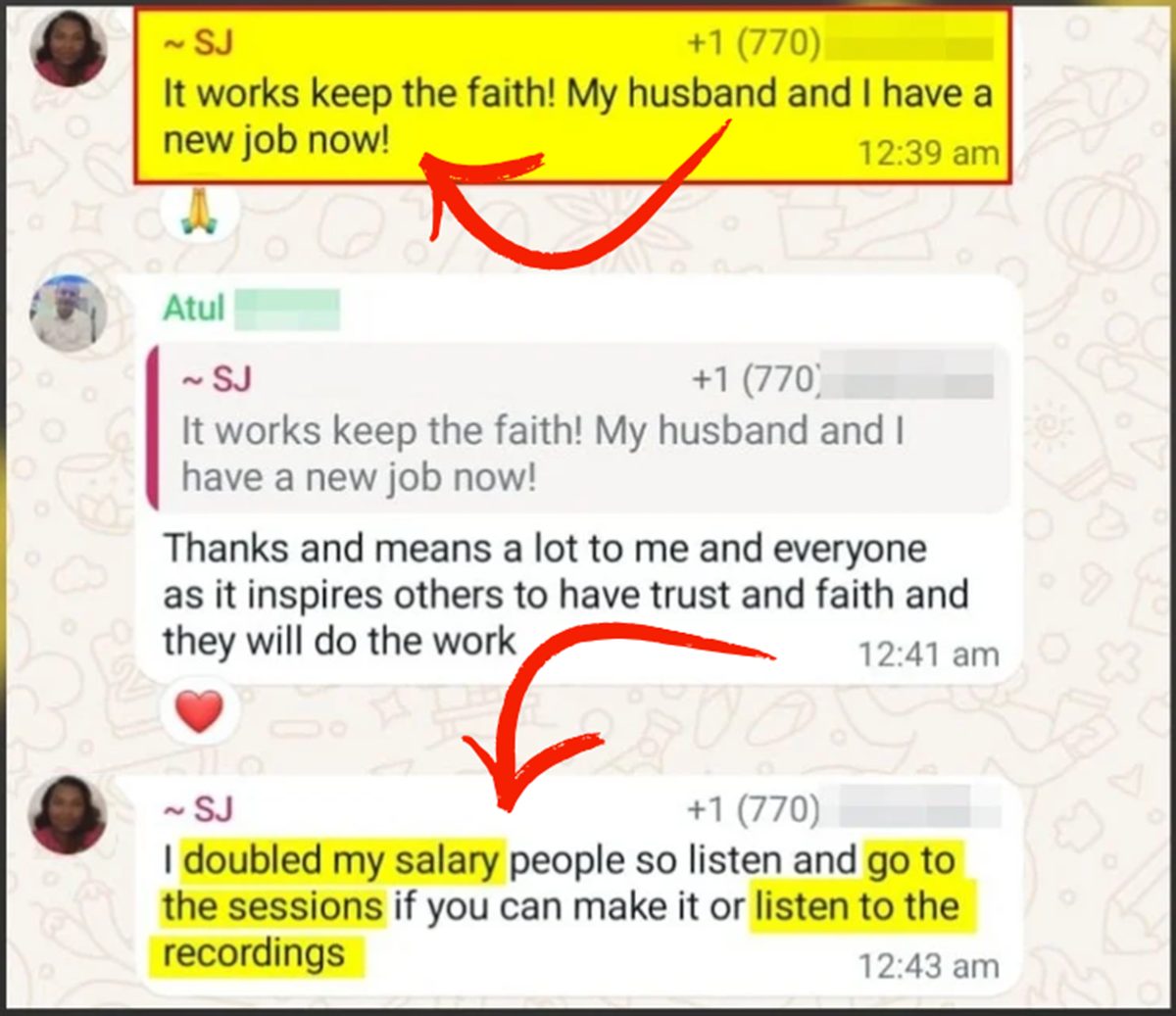
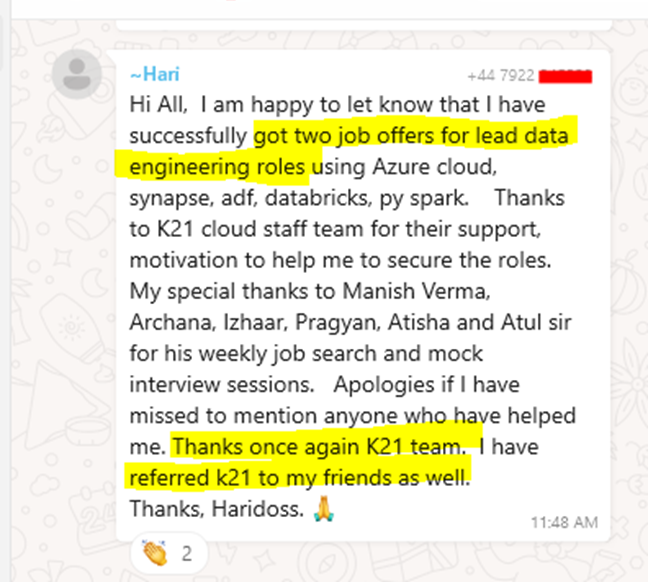
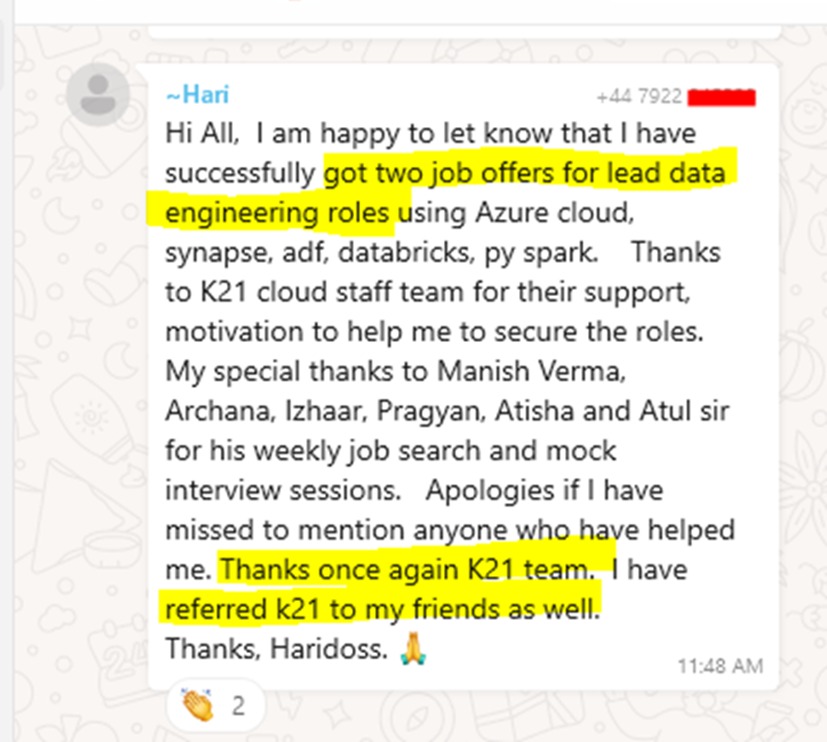
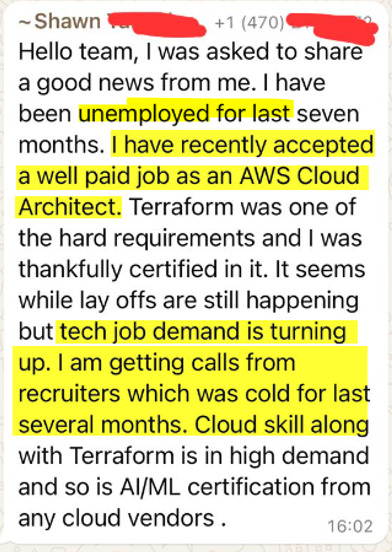
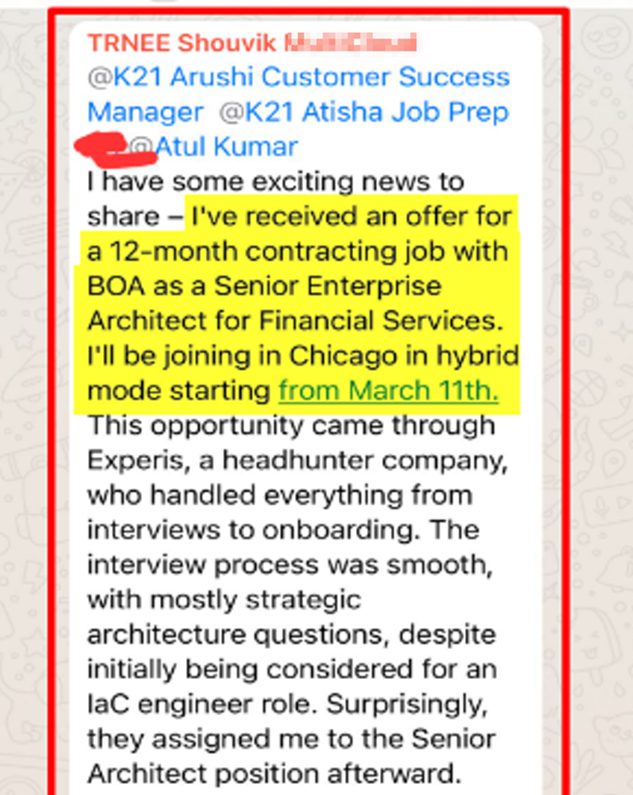
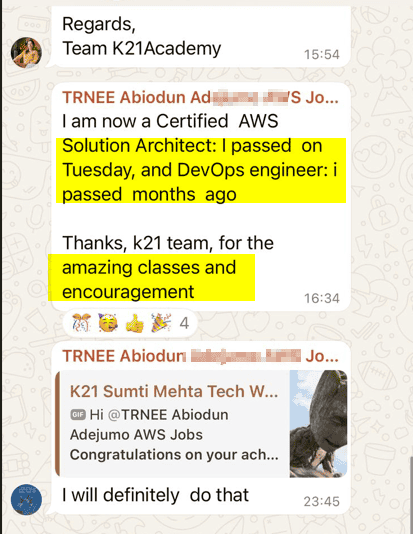
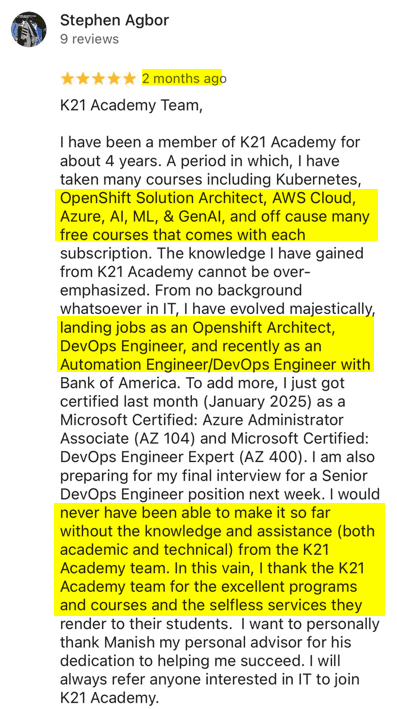
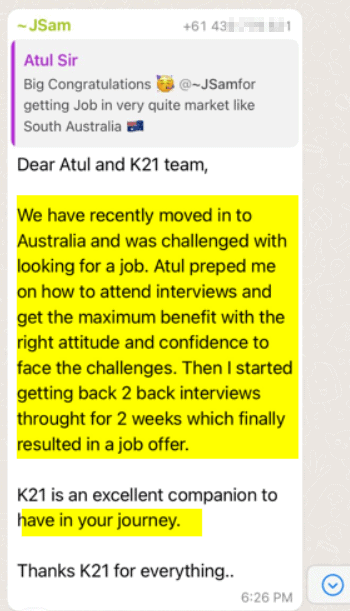
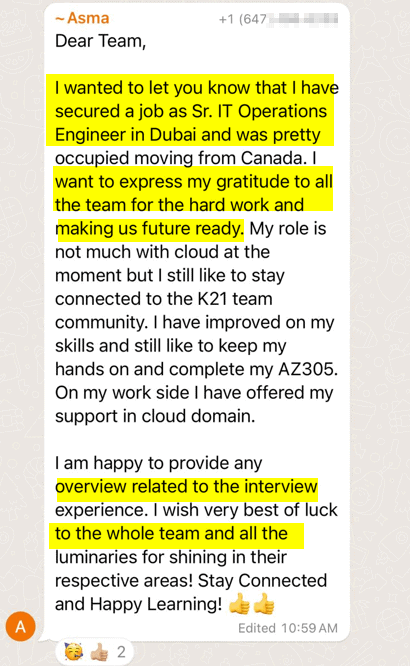
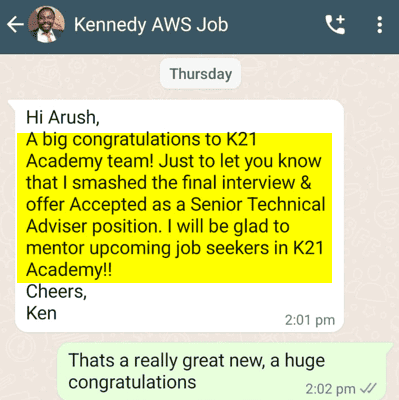
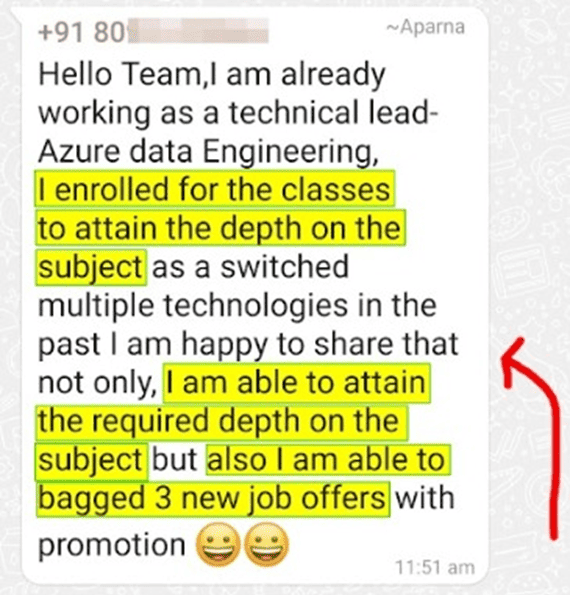
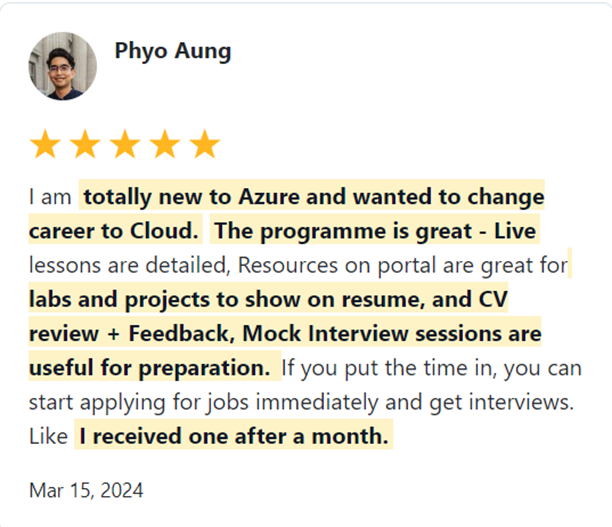
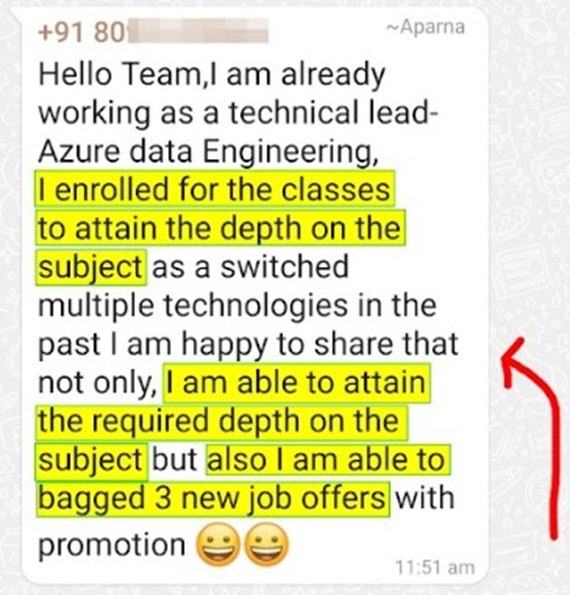
Join 45,000+ learners worldwide who have upskilled with us, transformed their careers, and landed high-paying cloud and data roles. Learn from their success stories—and start creating your own.

What Our Trainees Say

Trusted by thousands of satisfied trainees across multiple platforms

Insights from Our Achievers..

FAQs – Frequently Asked Questions

Who is the Instructor?

Our instructors are certified experts (Microsoft, DevOps, AWS, Google) with real-world experience in multi-cloud and DevOps. They are trained to deliver engaging online sessions to ensure a great learning experience.

Yes! Many of our learners started with zero experience. With 6 certifications, hands-on projects, and interview preparation, you’ll be job-ready even if you’re a beginner. 

Absolutely. You get 1-year unlimited access to recordings, labs, and materials. Learn at your own pace and revisit anytime. The more you wait and don’t upgrade your skills, the more you’re likely to fall behind.

This is for your dream goals, be it a high-paying job, earning more, getting promoted, working on prestigious projects, or getting certified.

Yes. Many learners with career gaps successfully transitioned into Azure roles. The program covers fundamentals to advanced, helping you confidently restart your career.

This is for your dream goals, be it a high-paying job, earning more, getting promoted, working on prestigious projects, or getting certified.

No. You don’t need prior coding knowledge.

You’ll get expert support and a dedicated community to resolve your doubts quickly.

Yes! Thousands of learners have landed jobs in top companies. Many have moved into roles like Azure Cloud Engineer, DevOps Engineer, and Security Engineer with higher salaries. Don’t just take our word for it—check real stories of people like you here: k21academy.com/review.

You’ll prepare for 6 in-demand certifications – AZ-900, AZ-104, AZ-204, AZ-305, AZ-400, and AZ-500.

Certifications aren’t mandatory, but they add huge value to your resume and help you stand out in interviews. But anyway, we recommend applying for jobs as soon as you feel ready and not waiting for certifications for that.

That’s why we designed this program with a step-by-step, proven roadmap that we follow. It begins with the basics (no prior knowledge required) and gradually moves to advanced concepts with hands-on practice.

Yes. Even non-IT professionals with no prior cloud knowledge have transitioned successfully into Azure roles after this program.

Yes! You’ll work on 100+ hands-on labs and real-world projects like deploying apps, networking, security, and automation.

We provide interview prep sessions, mock interviews, and practice questions specific to Azure roles.

While salaries depend on skills and company, learners who completed this program saw significant salary hikes after transitioning into Azure roles.

While we can’t guarantee a job, we provide job placement support, including interview prep, CV assistance, and job application guidance to help you succeed in the job market. With 6 certifications, hands-on labs, and real-world projects, you’ll gain the skills needed for roles like Cloud Engineer, Azure Administrator, Developer, Security Engineer, or DevOps Engineer. Many learners have successfully transitioned into cloud careers after completing this program. 

6 Months Money Back Guarantee

When you join the K21Academy, you are fully protected by our 100% Money back guarantee.

We strive to provide the best training programs, but if you don’t get the desired results even after following every step of our learning style, you can claim your money back! 100% money-back guarantee covers the price of online training.

You have 6 Months from the date of the original purchase, to claim a refund. All you will be required to do is, show us the proof that you took action and attended sessions, completing the hands-on labs, Projects & applying to at least 50 jobs & get CV Reviewed (share proof) & you feel that the program is not worth the money you invested, you will receive a full refund.

$1197 x 4 ONLY

Get Immediate Access
to Training & Support

Payment Methods:

$3997 only

Get Immediate Access
to Training & Support

Payment Methods:

This FREE and highly valuable 1:1 Call team of Experts about the Program.

My 24+ Years of Experience with over 45,000+ trainees

I started my IT career in 2000 as an Oracle DBA/Apps DBA. The first few years were tough (<$100/month), with very little growth.

In 2004, I moved to the UK. After working really hard, I landed a job that paid me £2700 per month.

In February 2005, I saw a job that was £450 per day, which was nearly 4 times of my then salary.

So I looked at training from Oracle for 5 days. In November, I successfully transitioned to Oracle Security & IAM, and my career took off.

Around 2012–13, Cloud, DevOps & Cloud Automation were gaining popularity & there were many job opportunities in these fields.

So, I decided to make a change in my career path, and I transitioned from working on On-premises (Security, Infrastructure & Databases) to focusing on Cloud & DevOps.
Learning Cloud & DevOps gave me the opportunity to work with some of the world’s largest and most prestigious clients.

I then used the same roadmap with 45,000+ individuals (like you) to help them get their dream jobs.

If they can do it, you can do it too!