



Oracle Integration Cloud has constantly been updating different features since the launch of OIC Gen 2. The latest improvement that Oracle Integration Cloud has undergone is the newly designed home page. The new home page comes with some new features which are very eye-catching as compared to the earlier home page of Oracle Integration Cloud which was very simple.
In this blog, I am going to give you a walk-through of the new User Interface (UI) that Oracle Integration Cloud OIC has included and what new features are brought with this update on the home page.
You can also check our previous blog on Oracle Integration User Interface to get familiar with the OIC UI.
With Oracle Integration, you have the power to integrate your cloud and on-premises applications, automate business processes, gain insight into your business processes, and develop visual applications—all in one place.
In this blog we will be discussing about the new features that have been included on the OIC New Homepage which include:
Homepage Of Oracle Integration Cloud
The new User Interface of the Oracle Integration Cloud has been built using Oracle JET and complies with to latest UX standards with consistent layout and User Interface across the whole Integration Instance.
It also comes with new features like Accelerators, Recipes, and Go To, whereas the previous home page was very much boring as it did not provide these features. The navigation has also become much easier as now you can directly navigate to any application straight away from the home page.
At the top, you will find a summary, where you can monitor every process that is running. Like in Integration you can monitor run time health, system health, agent health, integrations, scheduling, design metrics, and even the daily and hourly histories and in Insights, you can create models.

Read this blog if you are a beginner who has started to learn Oracle Integration Cloud (OIC) and want to get familiar with Process Cloud Service (PCS).
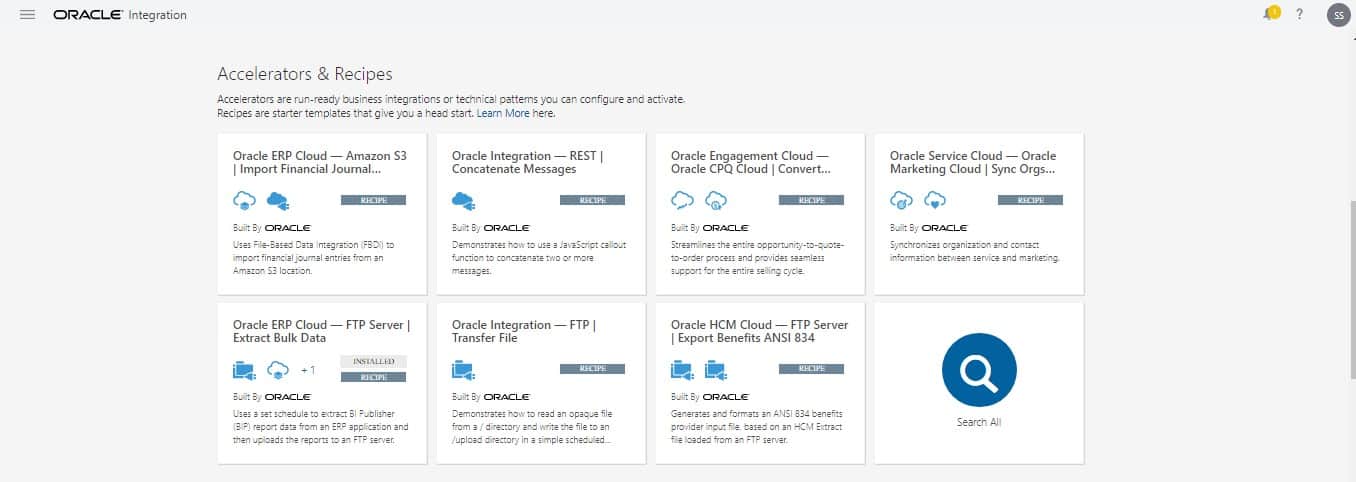
Accelerators And Recipes Tab
Accelerators are run-ready business integrations or technical patterns that you can configure and activate. These are managed and supported by the producer and are configurable as well as extendable. Certain upgrades are also provided. Accelerators are paid offerings and the price is decided by the producer.
The recipe is a template that gives you a head start. They can be fully edited in the Oracle Integration Designer but cannot auto-upgrade to a new version. Recipes are always free and there are no charges for using them, unlike Accelerators.
Check Out : The Difference Between ADF vs VBCS
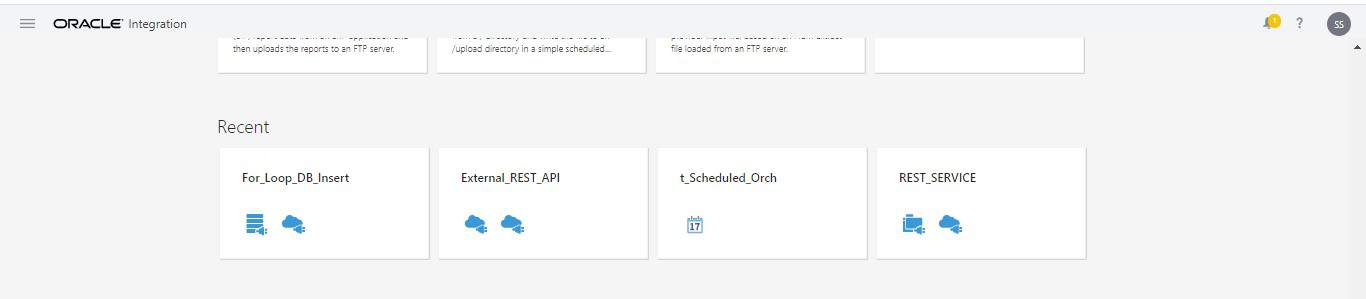
Recent Tab
Here you can check your most recent activities as if you have created an integration or a connection that will be displayed under this Recent menu. It is a very helpful feature and was also present in the previous home page of the Oracle Integration Cloud OIC. It is very helpful as we can quickly get to know our recent activities that too on the home page but this time in a more organized way.
Go through this oracle integration cloud Blog to get a clear understanding of How To Change Visual Builder Tenant DB To Oracle ATP
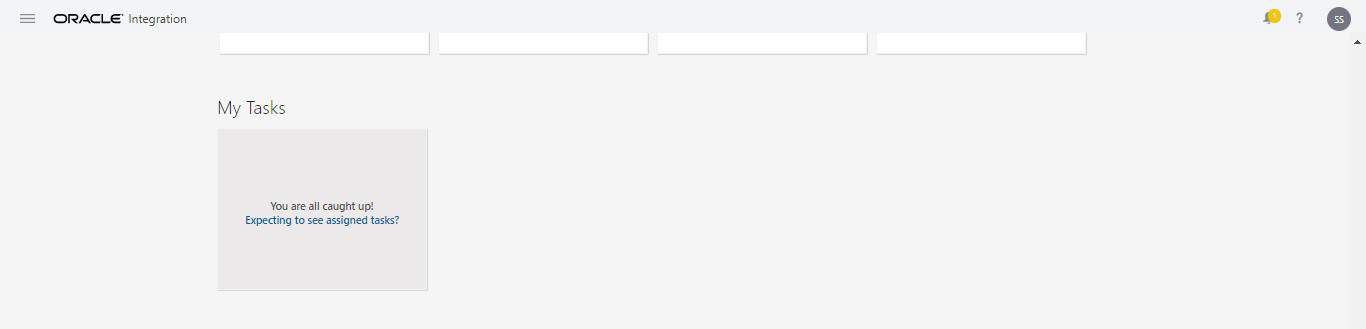
My Tasks Tab
Depending on your role, the My Tasks feature is used to work on, monitor, troubleshoot, or administer process tasks. In the earlier version of the Oracle Integration home page, this feature was on the sidebar and we could not see our pending tasks on the home page. We had to click on My Tasks and then monitor the tasks but with this new home page, we can see the tasks lined up on the home page.
Check Out : Our Previous Blog On Advantages Of HDL For HCM Data Integration
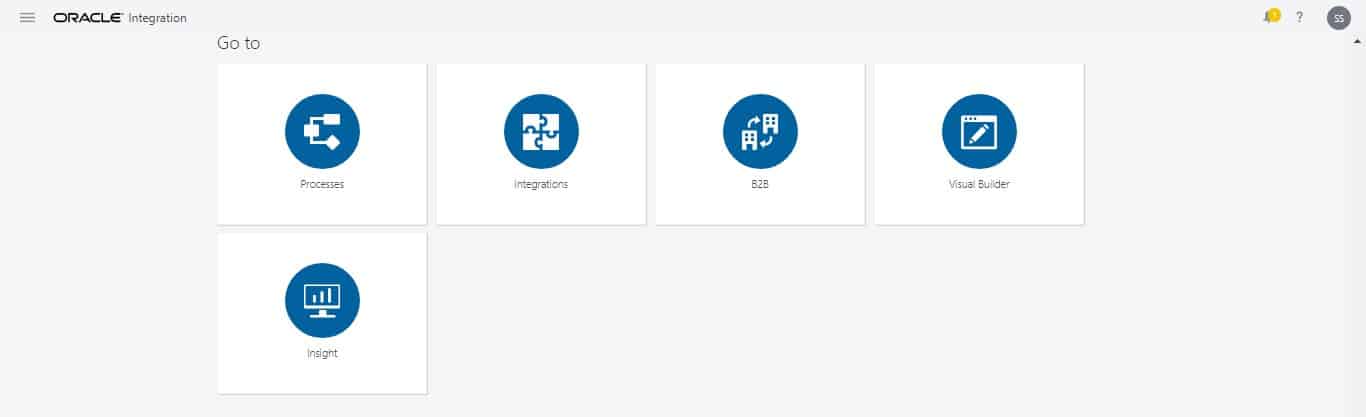
Go To Tab
Go To is a new feature that has been included in the new home page of the Oracle Integration Cloud OIC. It provides quick navigation to any service and also saves time. It is a very beneficial feature that has been incorporated in the new home page as it directly takes you wherever you want to go on the console, as is suggested by its name. This feature is sure of great use.
I hope you find this blog useful and are now familiar with the new UI of Oracle Integration Cloud and its new features.
This is all in nutshell about Oracle Integration Cloud new home page. We cover this in the introduction module of our Oracle Integration Cloud Services Training (To register for a FREE Masterclass, click here) where we also cover about configuring Adaptors and connections, Configuring integrations, Data Mapping, Lookups, SaaS, On-premises integration agents, Security, Schedules, Versioning, Activating, Monitoring integrations and much more.
Read this to know more about what is Web service, API and the difference between SOAP Vs REST API (Simple Object Access Protocol & REST Representational State Transfer) and how are they related.
Related Links/References:
- Oracle Integration Cloud (OIC) For Beginners Overview
- Oracle Integration Cloud (OIC) Notification Activity
- Our best blogs for Oracle Integration Cloud – OIC
- Managing & Monitoring Integration Errors in Oracle Integration Cloud (OIC)
- 6 Docs Every Oracle Cloud Integrator Must Read
- What’s New for Oracle Integration
- SOAP Vs REST APIs In Oracle Integration Cloud (OIC)
Next Task For You
Begin your journey towards becoming an Oracle [1Z0-1042] Certified Cloud Integration Expert by joining our FREE Masterclass.


![Microsoft Agentic AI Business Solutions Architect [AB-100] | K21 Academy](https://test.k21academy.com/wp-content/uploads/2025/11/Microsoft-Agentic-AI-Business-Solutions-Architect-AB-100-Exam-Overview1.png)


