



This blog post acts as your gateway to unlocking a rewarding career in Terraform, empowering you to become an expert in infrastructure as code. Immerse yourself in our engaging Step-By-Step Activity Guides and Real-time Projects, meticulously designed not only to enhance your CV but to pave the way for your dream job. Acquire the skills sought after by employers, build an impressive CV, and position yourself for success in job interviews.
Additionally, these resources are tailored to help you confidently tackle certification exams such as HashiCorp Certified: Terraform Associate (TCA). Your journey to a fulfilling job in the dynamic world of infrastructure automation with Terraform starts here!
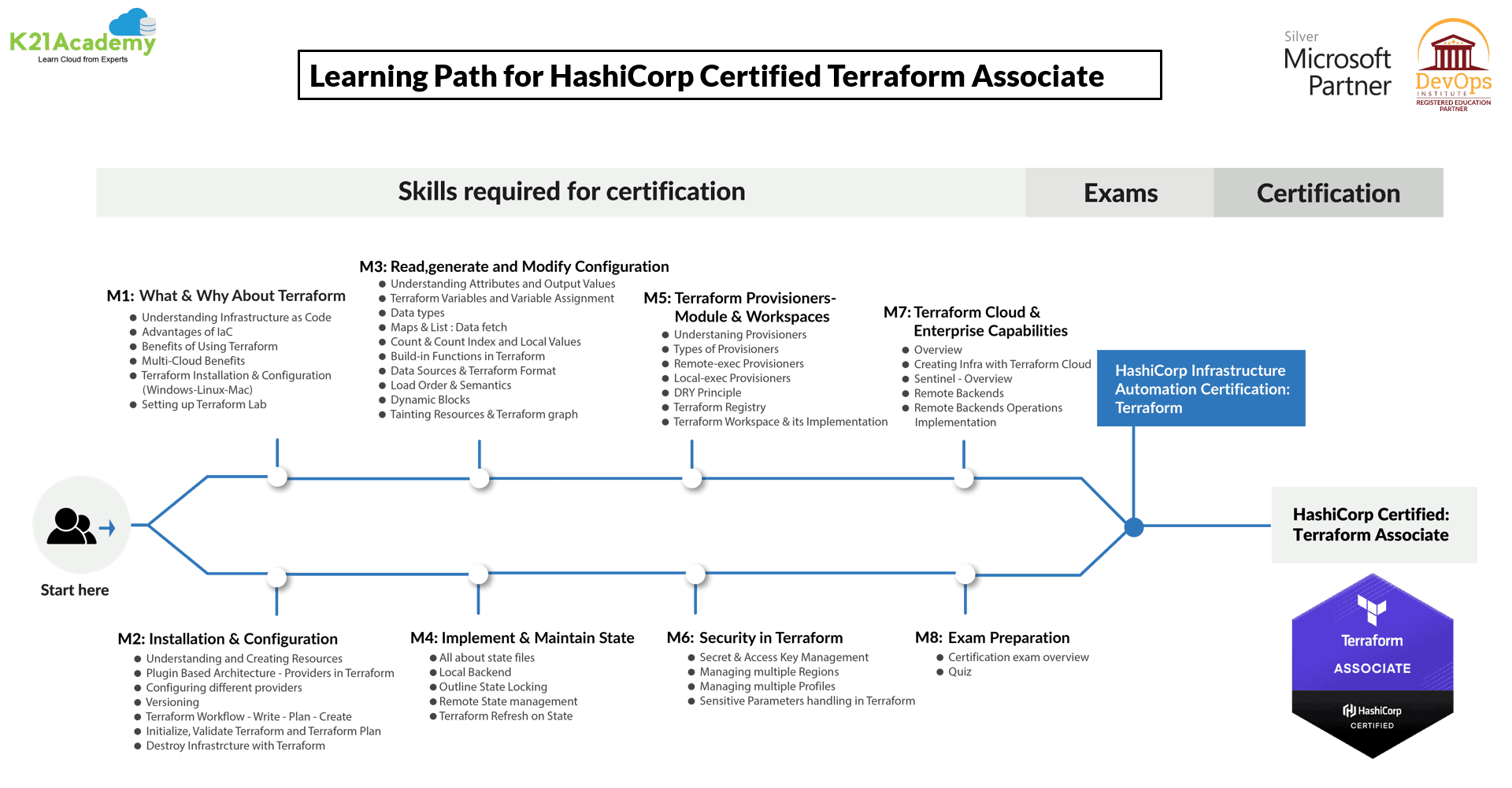
The Activity Guides are divided on the basis of different Cloud Providers, Customer Case Study and Projects:
- Register For a Free Azure Cloud Account
- Installing Terraform with Azure
- Create A Resource Group
- Define Input & Output Variables
- DataSources
- Dynamic Blocks
- Provisioners – local-exec, remote-exec, file
- Remote State with Azure Storage Account
- Terraform Modules
- Create & Manage Workspaces
- Terraform CLI Commands
- Create Virtual Network & Virtual Machine
- Register for AWS Free Tier Account Amazon Web Services
- Installing Terraform with AWS
- Create VMs (EC2) on AWS Cloud Shell Using Terraform: Quick Start
- Creating An EC2 Instance
- Modifying and Deleting Resources
- Creating VPC and Subnet
- Building a small Infrastructure
- Input & Output Variables
- Functions, DataSource & Dynamic Block
- Terraform Provisioners
- Modules & Workspaces
- Terraform Remote State With AWS
- Security Primer
- Register For Oracle Cloud Trial Account
- Installing Terraform on a Linux Instance on OCI
- Adding API Keys and creating a VCN
- Installing OCI CLI
- How to Define Input & Output Variables
- Fetch Data Using Datasource
- Creating a WebServer using Provisioner
5) Projects
- AWS Projects
- Azure Projects
Read about types of input Terraform variables, output variables, and how to define them in terraform configuration.
Terraform on Azure
Activity Guide I: Register For a Free Azure Cloud Account
The first thing you must do is to get a Trial Account for Microsoft Azure. (You get 200 USD FREE Credit from Microsoft to practice)
Microsoft Azure is one of the top choices for any organization due to its freedom to build, manage, and deploy applications. Here, we will look at how to register for the Microsoft Azure FREE Trial Account, click here.
Check out our blog to learn how to create a Free Azure account.

Activity Guide II: Installing Terraform with Azure
This guide walks you through installing the Azure CLI, Microsoft Azure’s command-line interface, and adding the Azure provider to Terraform while initiating it with the Terraform init command. These steps are essential for preparing your environment to manage Azure resources using Terraform.
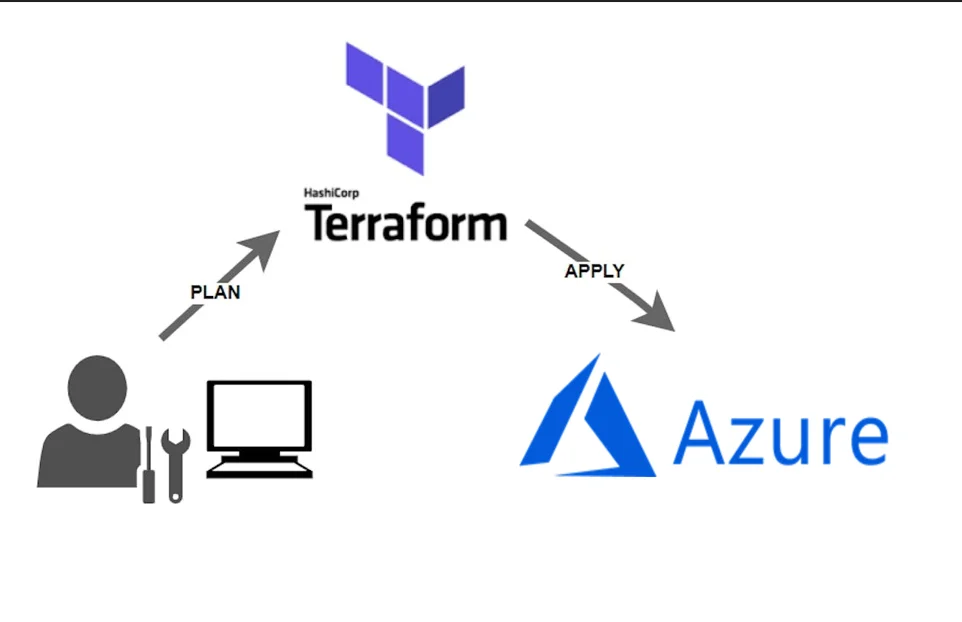
Also see A basic introduction of Terraform providers and some major Terraform cloud providers such as AWS, Azure, and OCI.
Activity Guide III: Create A Resource Group
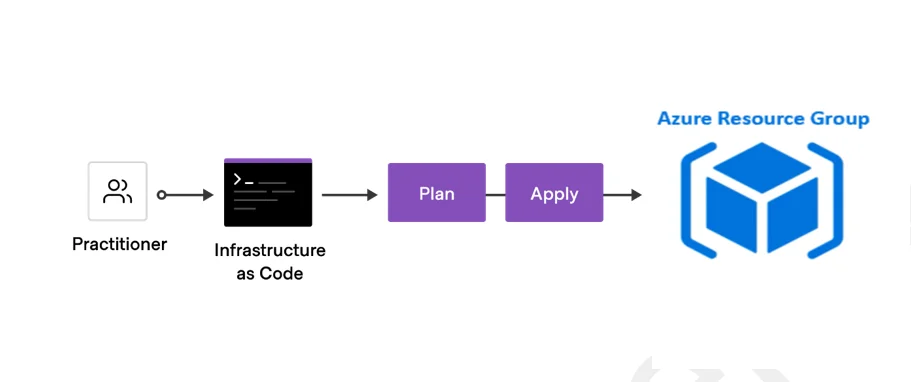
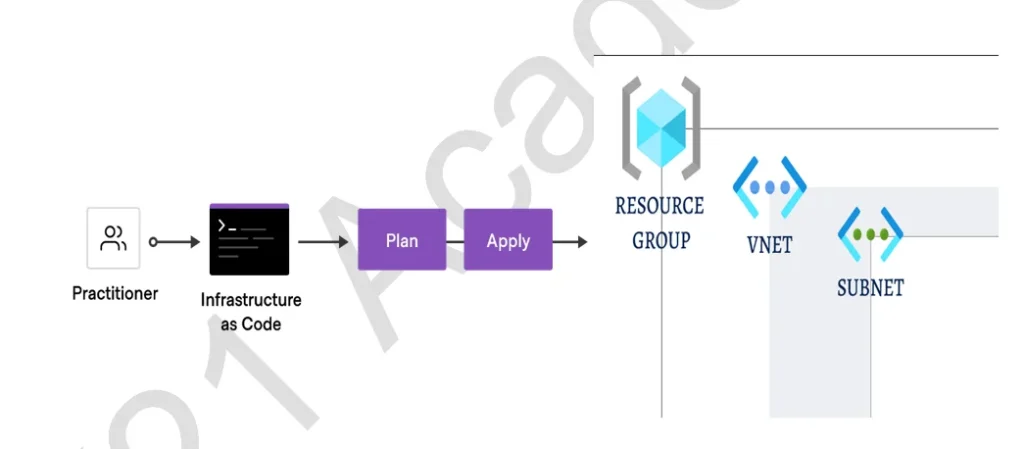
This activity guide explains the process of creating a Resource Group in Azure using a Terraform Configuration File. It provides instructions for running essential Terraform commands, including terraform init, terraform plan, and terraform apply, to facilitate the creation and management of the Resource Group efficiently.
Activity Guide IV: Define Input & Output Variables
This guide teaches how to define and use different types of input variables (lists, tuples, maps, objects) in Terraform configurations. It demonstrates how to reference these variables in your code and execute it, enabling flexible infrastructure management.
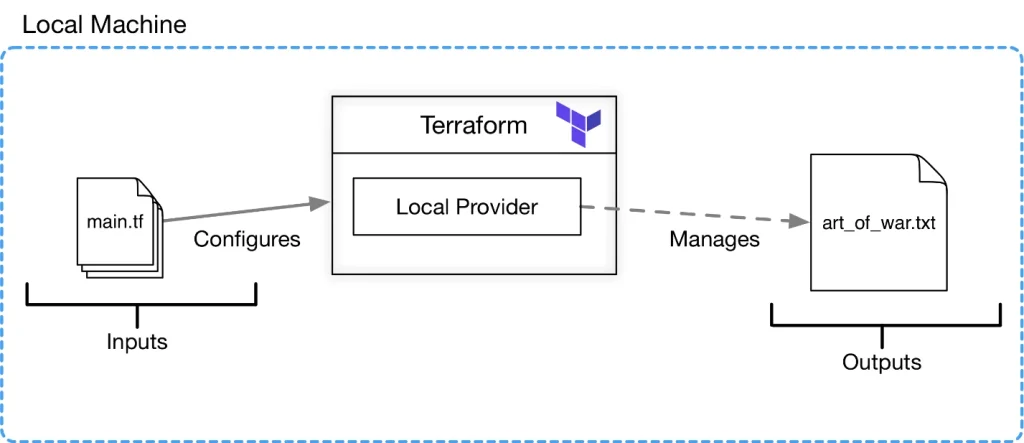
Check Out: What is Terraform? Click here
Activity Guide V: DataSources
Data sources allow a Terraform configuration to make use of information defined outside of Terraform or defined by another separate Terraform configuration. In this section, you will Create a VNet by fetching the information of an existing resource group using Terraform Data Source.
This guide focuses on utilizing Terraform DataSources to fetch resource group data from an Azure environment. It demonstrates how to create Terraform configurations that extract valuable information about Azure resource groups, such as their names, locations, and associated tags.
Activity Guide VI: Dynamic Blocks
This activity guide focuses on the creation of a Virtual Network (VNet) within the context of infrastructure provisioning using Terraform. Specifically, it illustrates the process of creating a VNet with three dynamically generated subnets, employing dynamic blocks in Terraform configurations.
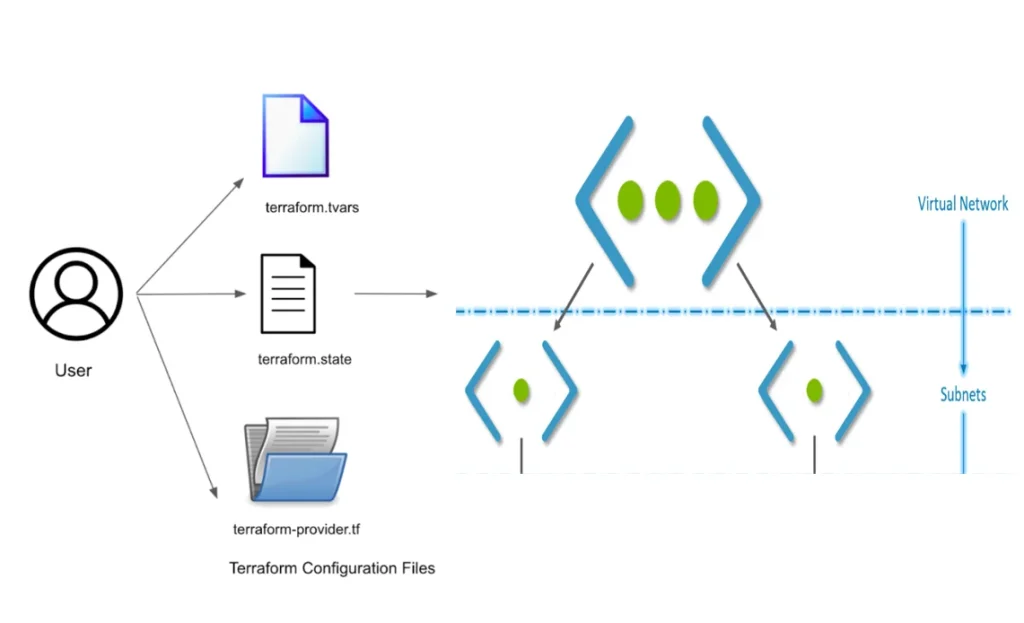
Check Out: Our blog post on Terraform Workflow. Click here
Activity Guide VII: Provisioners – local-exec, remote-exec, file
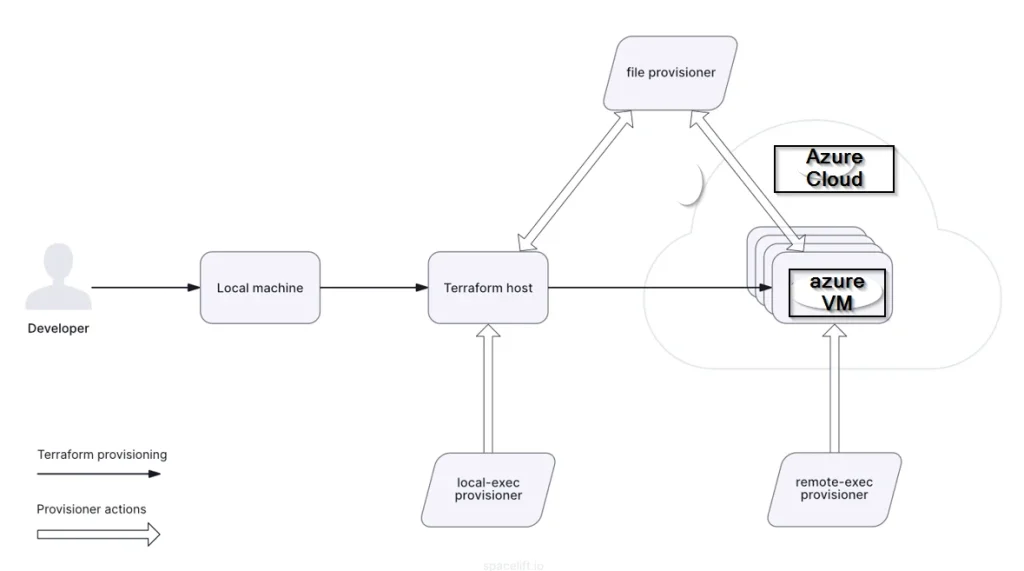
This activity guide demonstrates the creation of a Virtual Network (VNet) and a Virtual Machine (VM) using Terraform. It also showcases the utilization of Terraform’s provisioners for enhanced VM configuration. Specifically, it covers the addition of a local-exec provisioner to record the VM’s public IP address in a local file, a remote-exec provisioner for installing Git on the VM, and a file provisioner for copying a local file to the VM’s directory in Azure.
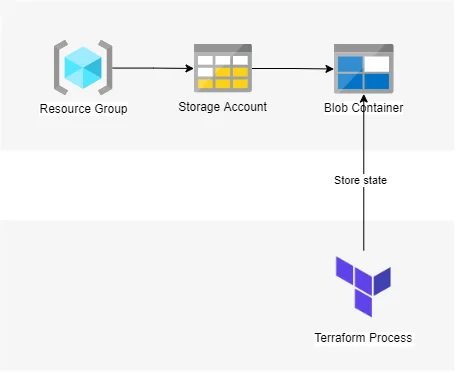
Activity Guide VIII: Remote State with Azure Storage Account
This guide covers three key tasks: creating an Azure Storage Account using the Azure Command-Line Interface (az cli), setting up remote Terraform state storage in the Azure Storage Account, and understanding the functionality of Terraform’s ‘terraform refresh’ command. It equips users to manage infrastructure efficiently while securely storing Terraform state in Azure Storage.
Check Out: Terraform Commands Cheat Sheet. Click here
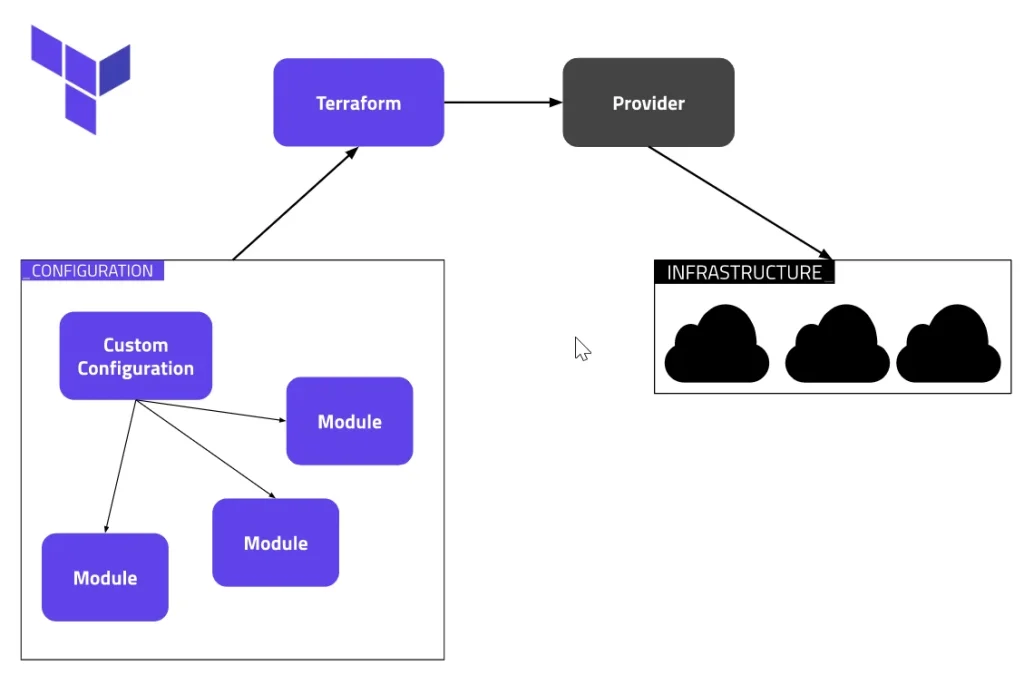
Activity Guide IX: Terraform Modules
This activity guide provides instructions for creating and using Terraform modules to streamline infrastructure management in Azure. It demonstrates how to create modules for Azure Storage Accounts and Virtual Networks, then integrate these modules into a root module. The guide follows a directory structure, with ‘Modules_Demo’ serving as the root directory.
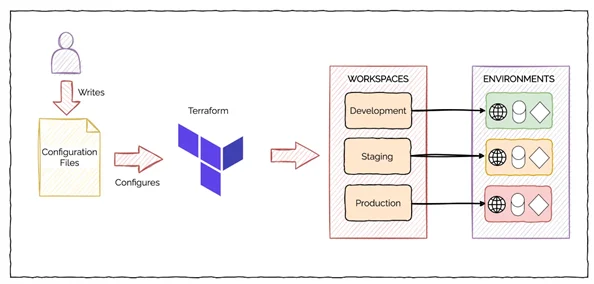
Activity Guide X: Create & Manage Workspaces
This activity guide provides instructions for working with Terraform workspaces, focusing on key actions such as creating multiple workspaces, managing them using Terraform workspace commands (show, new, list, select, delete), and implementing workspaces through a straightforward configuration file.
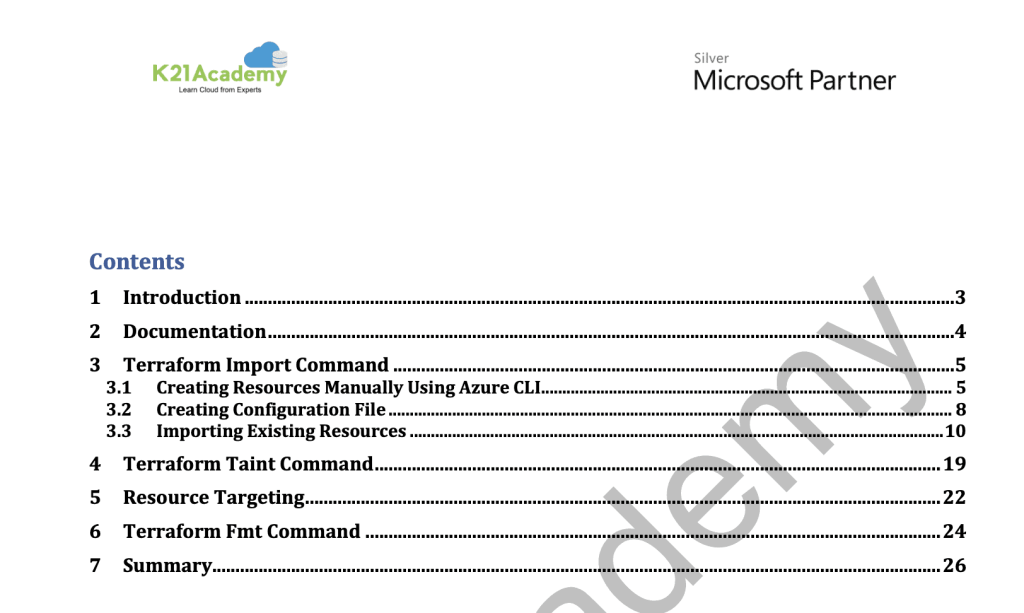
Activity Guide XI: Terraform CLI Commands
This guide focuses on three critical Terraform CLI commands. Firstly, ‘terraform import’ enables the incorporation of existing resources into Terraform’s management. Secondly, ‘terraform fmt’ automates the formatting of Terraform configuration files, ensuring consistent and readable code.
The Terraform import command is used to import existing resources into Terraform. Using terraform fmt command is used to rewrite Terraform configuration files to a canonical format and style. Using Terraform taint command to manually mark a Terraform-managed resource as tainted, forcing it to be destroyed and recreated on the next apply.
Activity Guide XII: Create a Virtual Network & Virtual Machine
In this guide, we demonstrate how to build a small Azure infrastructure using Terraform. This includes creating a Virtual Network (VNet) with subnets, public IP, network security, and a network interface. Afterward, we set up a virtual machine within this configured environment.
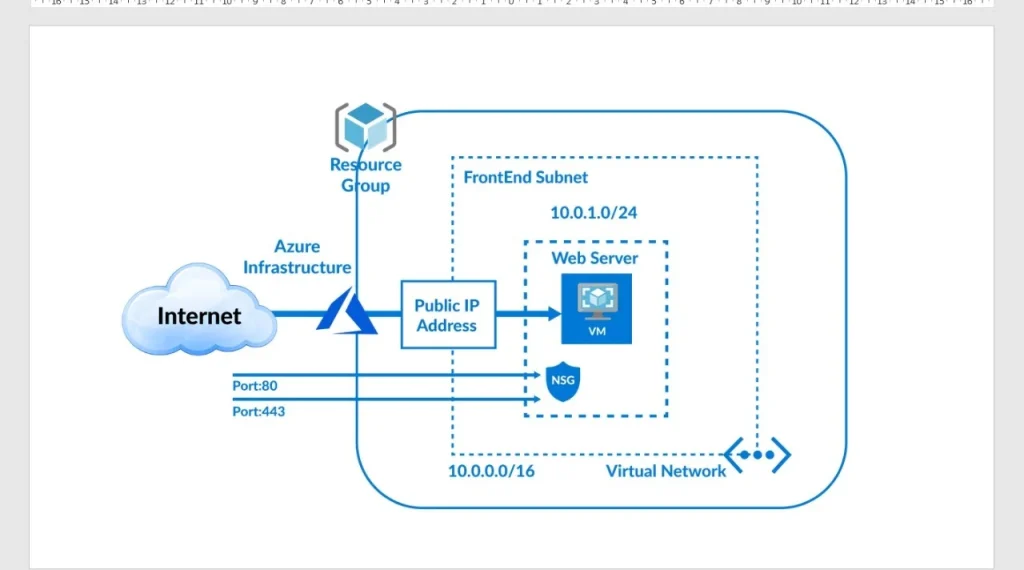
Terraform on AWS
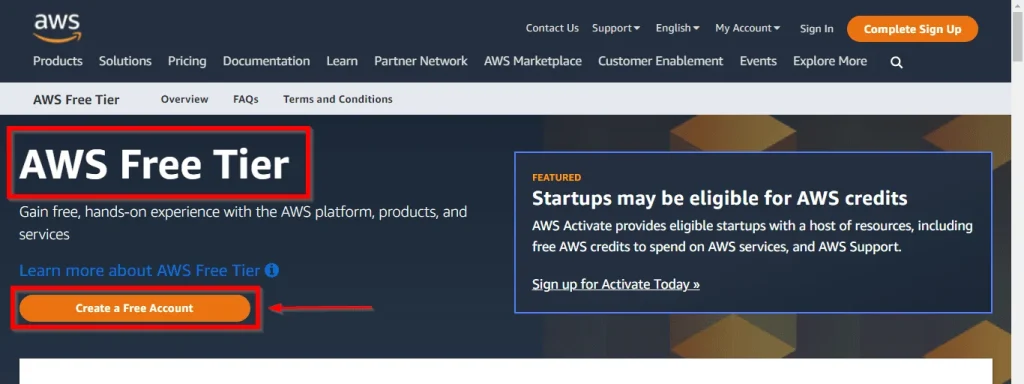
Activity Guide I: Register for AWS Free Tier Account Amazon Web Services
This activity guide cover steps to how to create a new AWS Free Tier Account | Amazon Web Services and Login To AWS Console
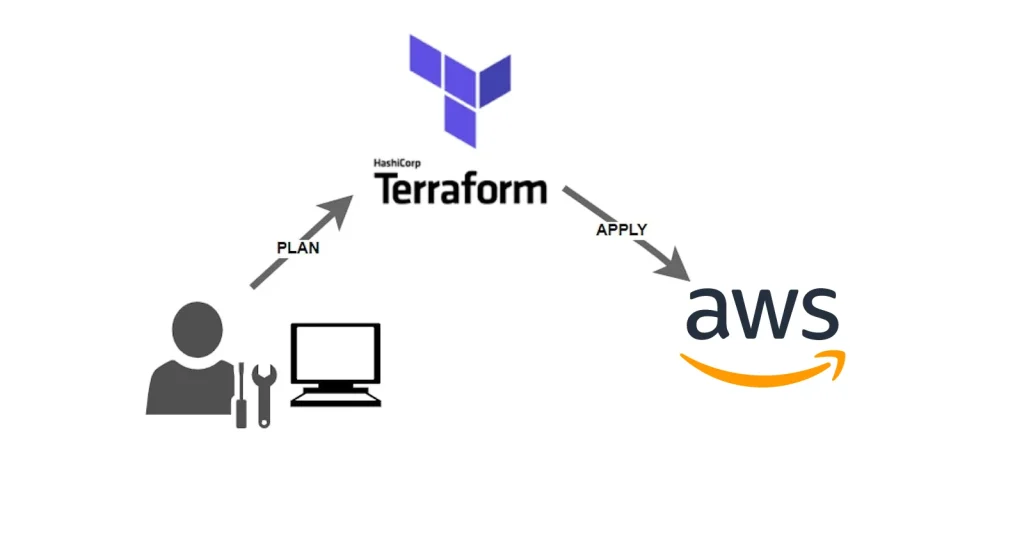
Activity Guide II: AWS Installing Terraform
This activity guide provides a concise overview of three key aspects when using Terraform to manage AWS resources. It outlines the process of adding an AWS provider to establish a connection with your AWS account. It also highlights the importance of securing your AWS credentials to validate Terraform operations, and lastly, it explains how to generate and manage AWS secret credentials, an essential step in ensuring the security of your infrastructure provisioning and management with Terraform.
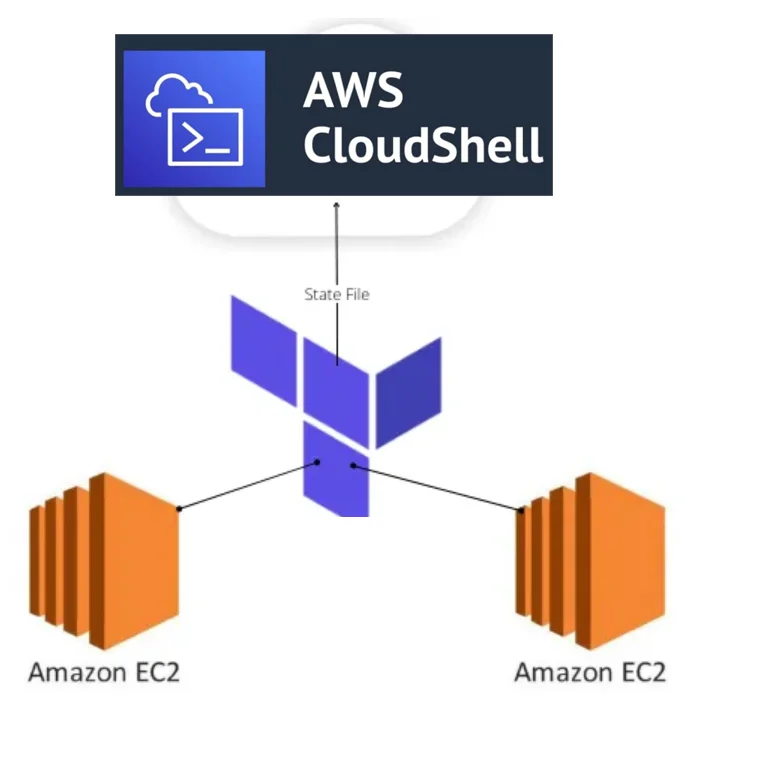
Activity Guide III: Create VMs (EC2) on AWS Cloud Shell Using Terraform: Quick Start
In this activity guide, we will provide a concise walkthrough of a specific task: setting up two virtual machines (VMs) within the AWS Cloud Shell environment using Terraform. This guide will focus on the essential steps to create and manage these VM instances, offering a practical solution for provisioning resources in an AWS cloud environment.
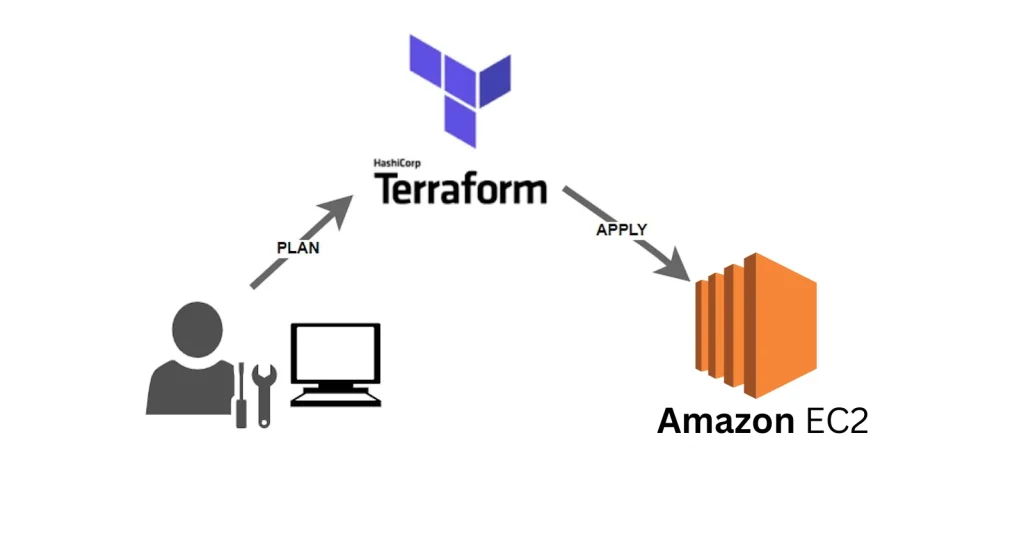
Activity Guide IV: AWS Creating an EC2 instance
This activity guide provides a concise overview of essential aspects when using Terraform to create an EC2 instance on AWS. It introduces the syntax involved in defining an EC2 instance within a Terraform configuration. It also guides you through fundamental Terraform commands, including terraform init for initialization, terraform plan for infrastructure preview, and terraform apply for actual resource provisioning.
Check out: How to Install Terraform in Linux, Mac, Windows
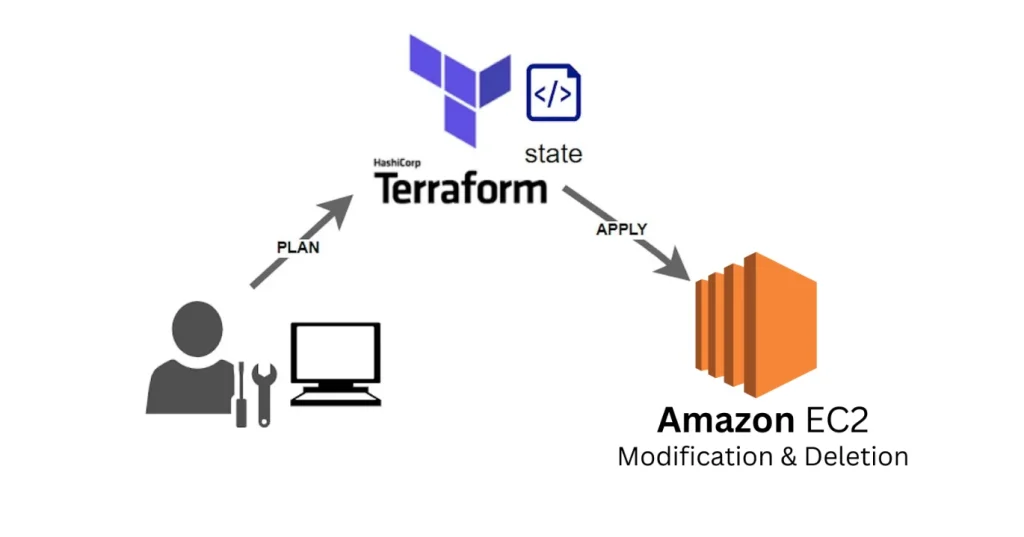
Activity Guide V: AWS Modifying and Deleting Resources
This activity guide provides a concise overview of essential tasks when using Terraform to manage AWS EC2 instances. It encompasses the process of modifying a resource, which allows you to adapt to changing infrastructure needs, and the removal of specific resources to streamline your environment. Additionally, it explains the procedure for destroying all resources, a vital step when resources are no longer required, enabling you to efficiently manage your AWS infrastructure with Terraform.
Activity Guide VI: AWS Creating VPC And Subnet
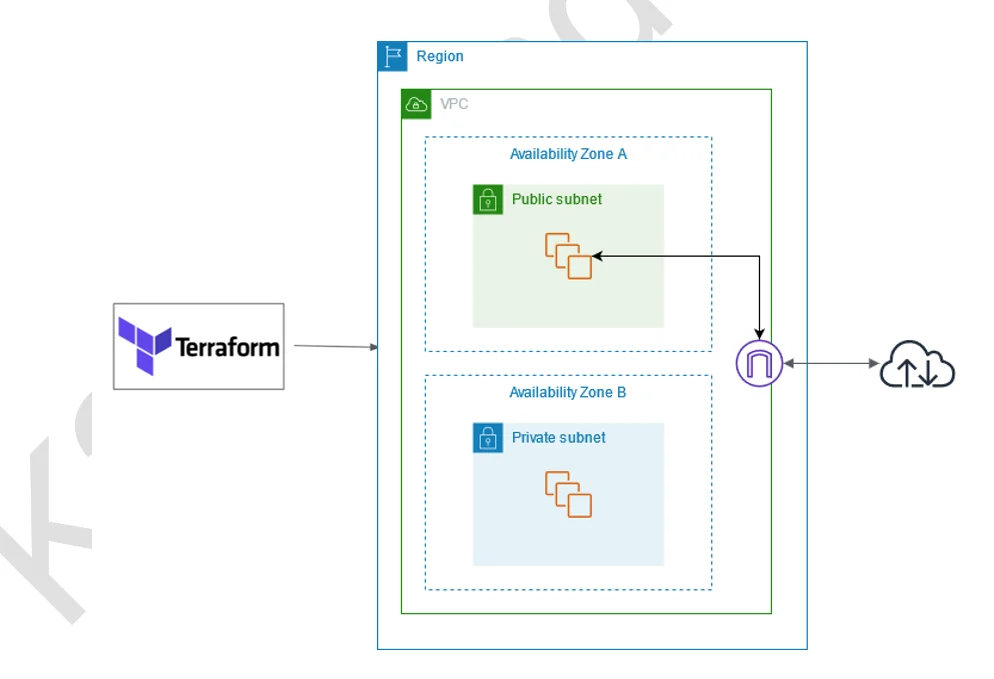
This activity guide provides a concise overview of fundamental tasks when utilizing Terraform to establish an AWS Virtual Private Cloud (VPC) and its associated subnets. It outlines the process of creating the VPC, which serves as a secure network environment, and creating subnets within it. These subnets are essential for segmenting your network resources, achieving isolation, and aligning with specific architectural requirements, making it a crucial starting point for building robust cloud infrastructure using Terraform.
Activity Guide VII: Building a Small Infrastructure
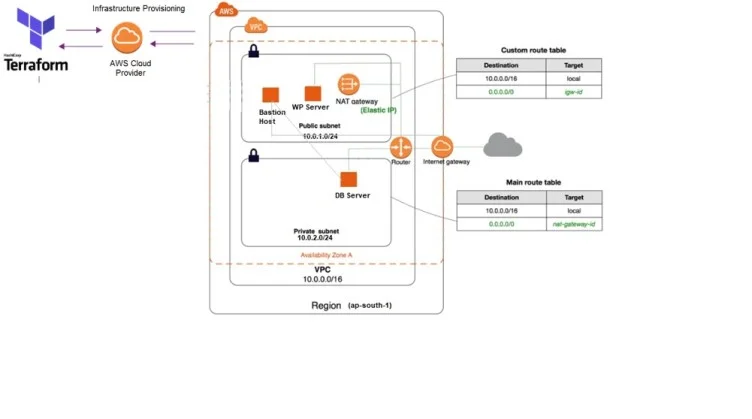
This activity guide provides a concise overview of essential tasks for building a comprehensive AWS infrastructure using Terraform. It covers the creation of a Virtual Private Cloud (VPC), Internet Gateway, custom route table, subnets, and the association of subnets with route tables. Additionally, it outlines the configuration of security groups, network interfaces, and Elastic IP addresses, all culminating in the launch of an Ubuntu instance. These tasks collectively form the foundation for establishing a versatile and secure cloud environment using Terraform.
Activity Guide VIII: Input & Output Variables
This activity guide offers a concise overview of key tasks when working with Terraform variables. It covers the creation of input and output variables, providing insights into various approaches to assign values to variables. It also explains different variable types and the implementation of validation rules for ensuring data integrity in your infrastructure configurations. This guide equips you with fundamental knowledge to effectively utilize Terraform’s variable capabilities in managing cloud infrastructure.
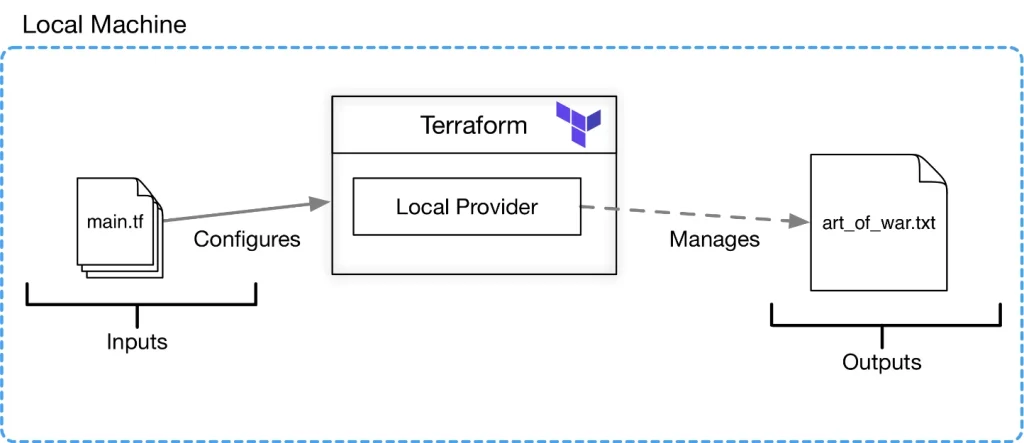
Activity Guide IX: Functions, DataSource & Dynamic Block
This activity guide offers a concise overview of fundamental aspects when working with Terraform variables. It includes creating input and output variables, providing insights into different methods for assigning values to these variables, and an explanation of various variable types. Understanding these core concepts will enable you to effectively harness Terraform’s variable capabilities when managing and provisioning resources in your infrastructure configurations.
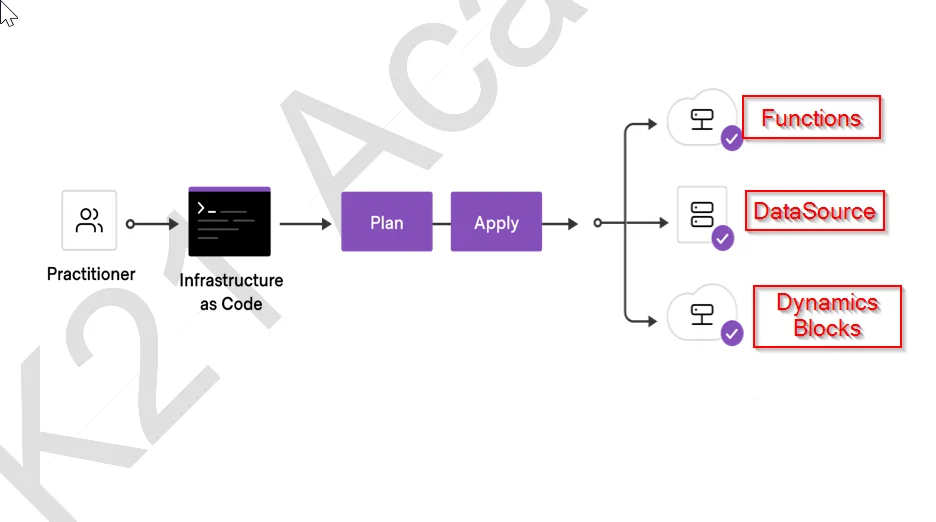
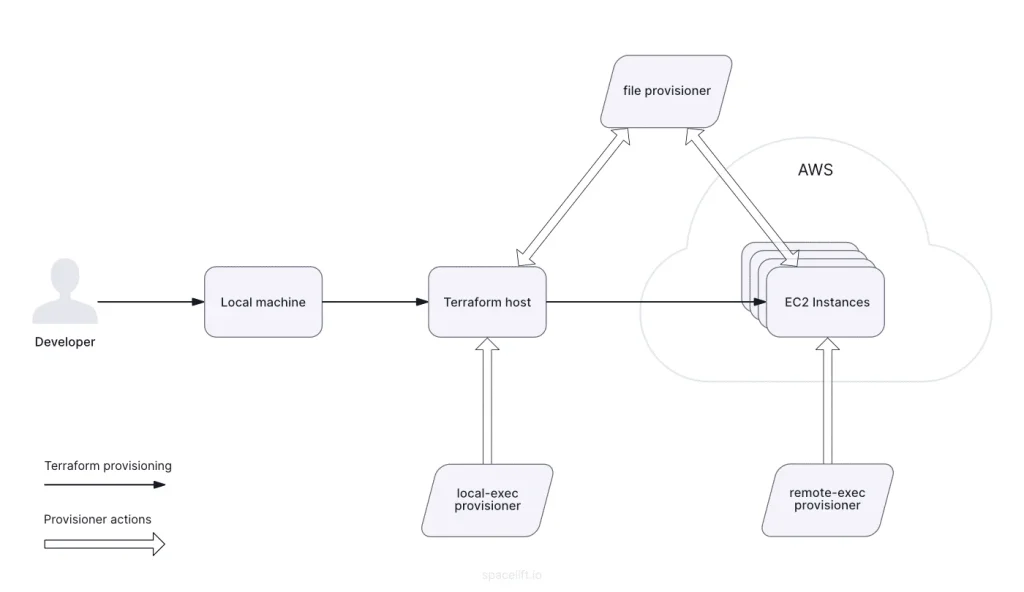
Activity Guide X: Terraform Provisioners
The guide explores the Terraform provisioning process, emphasizing the use of these provisioners to execute commands, scripts, and files during infrastructure deployment. It delves into the intricacies of each provisioner type, highlighting their unique features, benefits, and best practices.
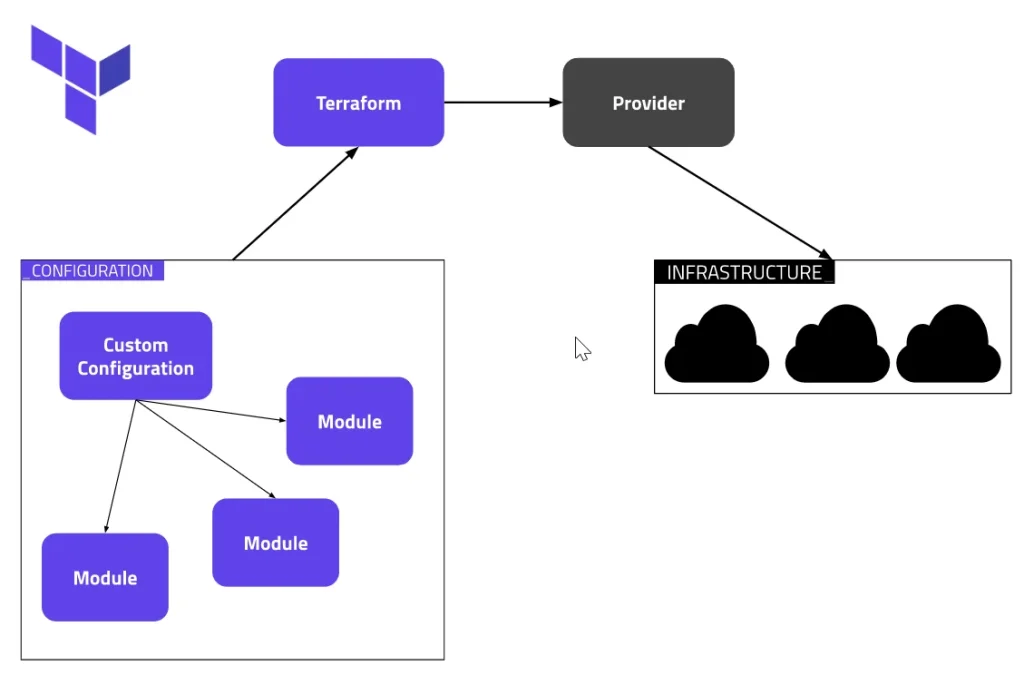
Activity Guide XI: Modules & Workspaces
This guide aims to provide a comprehensive understanding of Terraform modules and workspaces. It covers essential topics such as the fundamental concepts of Terraform modules and best practices for structuring and utilizing them within your configurations. Additionally, it delves into the usage of Terraform workspaces, offering insights into creating and managing multiple workspaces. You will also learn how to implement workspace-specific configurations for virtual machines, allowing for customization of virtual machine sizes to cater to the unique requirements of each workspace.
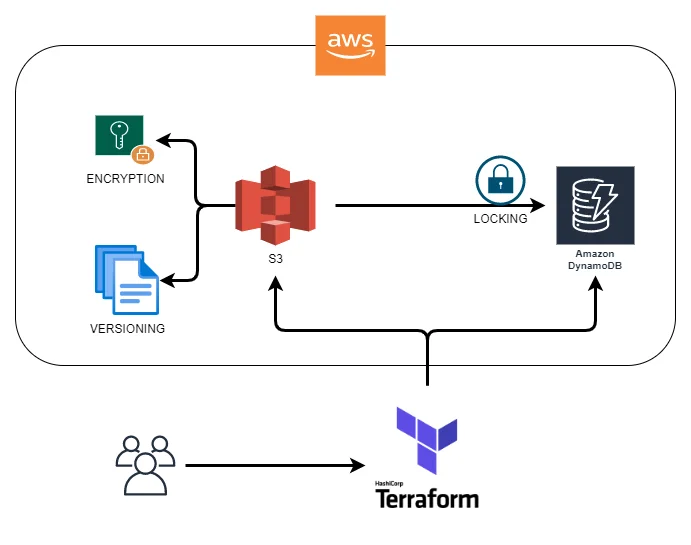
Activity Guide XII: Terraform Remote State With AWS
This guide is designed to help you achieve a comprehensive understanding of critical Terraform practices in AWS. Firstly, you will explore Terraform Remote State, its significance in maintaining infrastructure state, and the practical steps to configure and leverage this feature within an AWS environment. Next, you’ll delve into Terraform State Locking using DynamoDB, gaining insight into its role in conflict prevention when multiple users or processes collaborate on the same infrastructure.
Activity Guide XIII: Security Primer
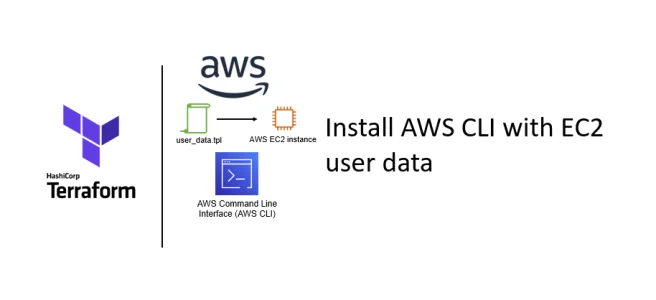
In this activity guide, you’ll find a concise overview of essential security practices for Terraform in an AWS environment. It covers the steps for setting up the AWS Command Line Interface (CLI) and demonstrates how to manage authentication securely using environment variables. These practices are crucial for enforcing robust security measures and access control when working with Terraform in an AWS infrastructure.
Also read: Step-by-step guide on Terraform Certification
Terraform on OCI
Activity Guide I: Register For Oracle Cloud Trial Account
This activity guide cover steps to
- Create a FREE Trial account on Oracle Cloud
- Access other cloud services
- OCI Console Walkthrough
- OCI Direct Login Process
- Raise SR for Oracle Support
- Requesting a Service Limit Increase in OCI
Activity Guide II: Installing Terraform on a Linux Instance on OCI
Oracle Cloud Infrastructure Compute lets you provision and manages to compute hosts, known as instances. You can launch instances as needed to meet your compute and application requirements.
In this activity guide, you will learn how to Create a Linux Compute and Install Terraform on the compute on Oracle cloud
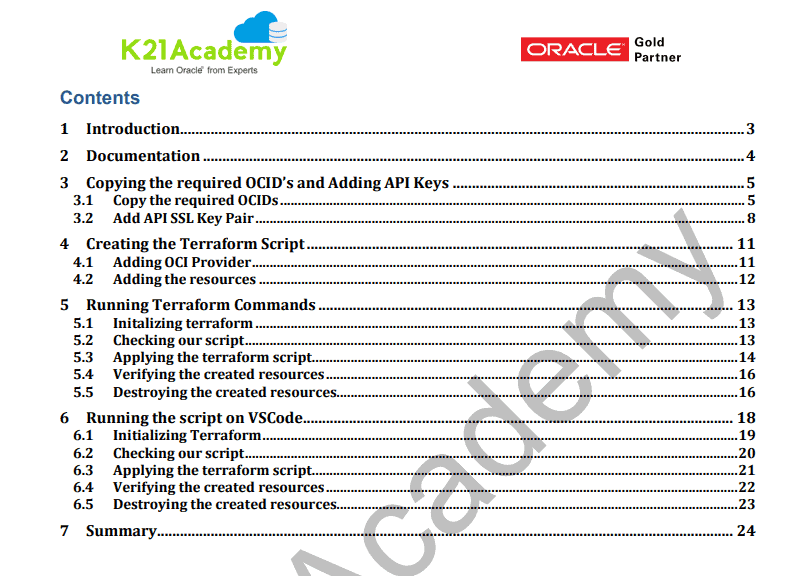
Activity Guide III: Adding API Keys and creating a VCN
Once you created an instance, you need to set up a Terraform Environment on the local computer as well as on Linux.
After that:
- Run a basic terraform apply to create a VCN.
- Destroy the created VCN
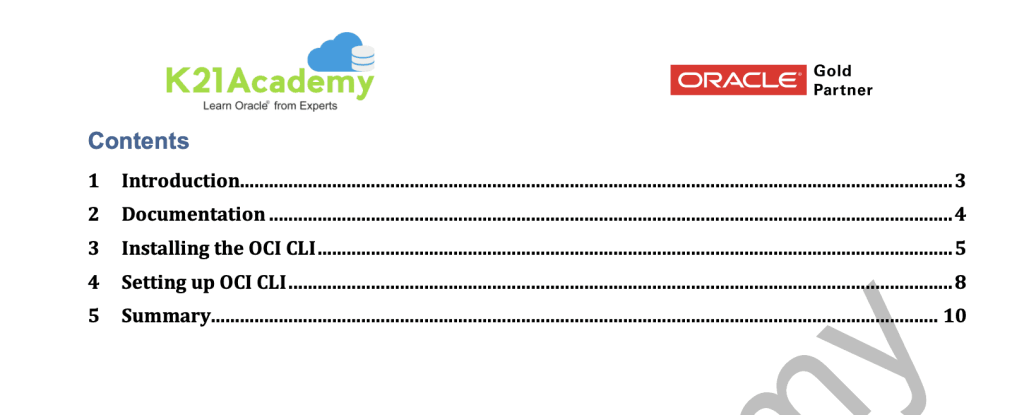
Activity Guide IV: Installing OCI CLI
This activity guide you will learn about Installing OCI CLI on your local machine. and Configuring the installed CLI.
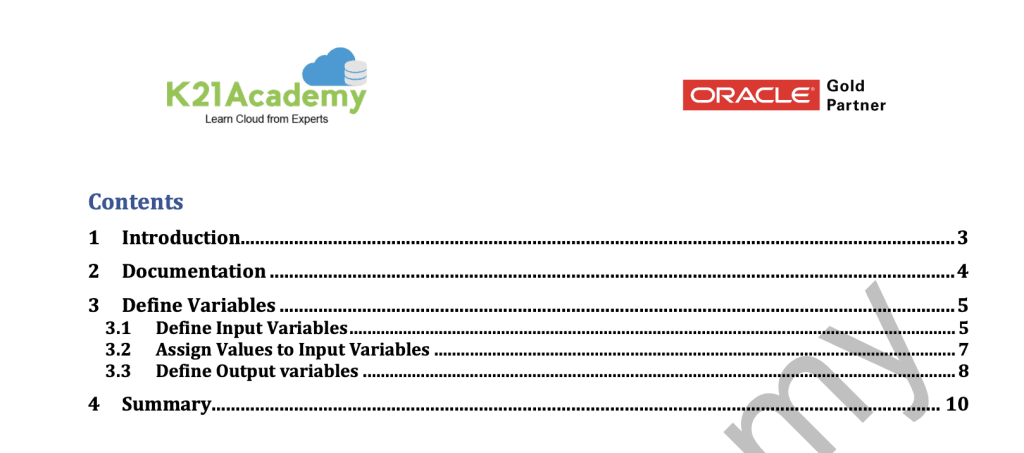
Activity Guide V: How to Define Input & Output Variables
Defining different types of input variables such as lists, strings, and output variables in Terraform configuration.
Initializing these Variables and providing value to the variables.
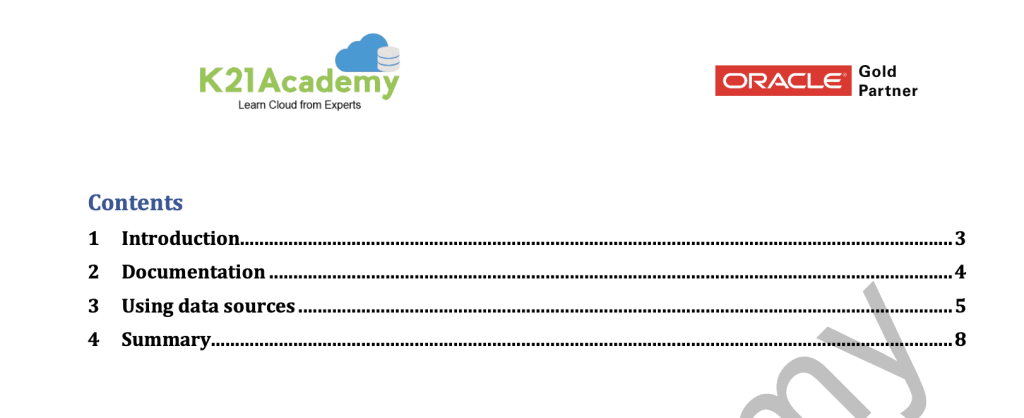
Activity Guide VI: Fetch Data Using Datasource
Fetching data to get a list of Availability Domains, get the ID of OS Image, VNIC Attachments and VNIC.
Activity Guide VII: Creating a WebServer using Provisioner
In this activity guide we will look at
- Using Resource blocks
- Creating a Webserver.
- Using provisioner.
 Customer Case Study
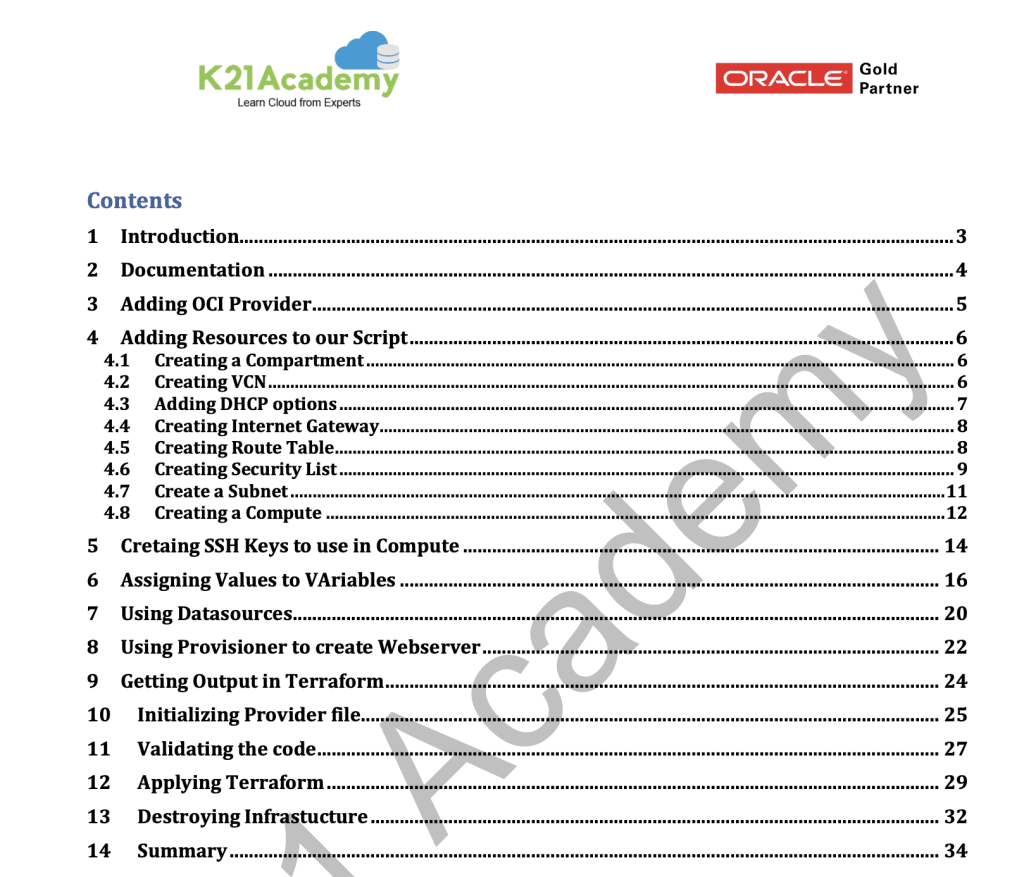
In this guide, we have covered the actual Architectural setup on how to build the infrastructure on OCI by using terraform that we did for one of our Clients.
Projects
AWS Projects
Building a Flexible and Scalable Load Balancer in AWS with Terraform
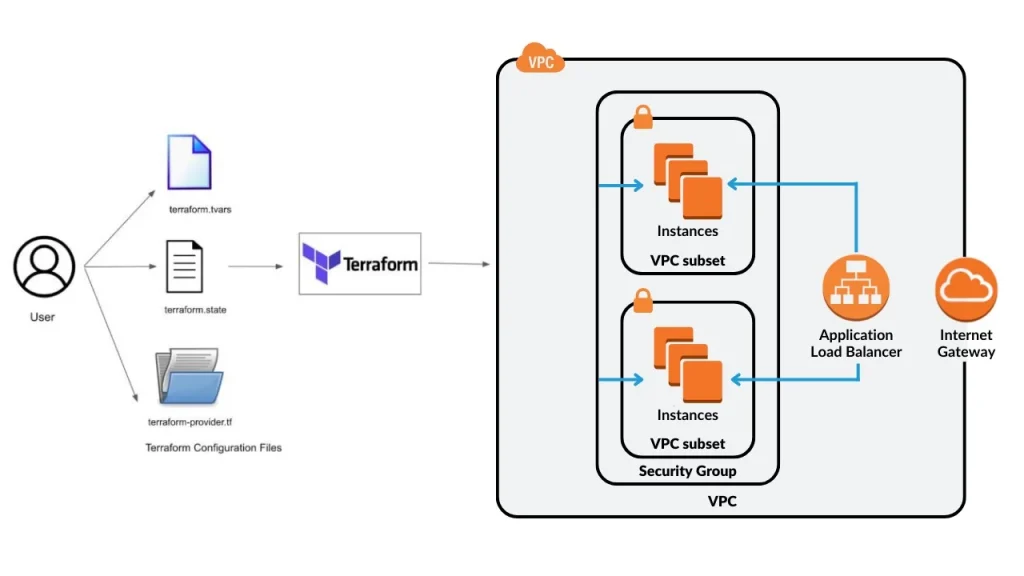
In this guide, we will be using Terraform to build a Virtual Private Cloud (VPC) in AWS. The VPC will include 2 subnets, route tables, internet gateways, and security groups. The code will be flexible enough to accommodate opening ports in an easy way.
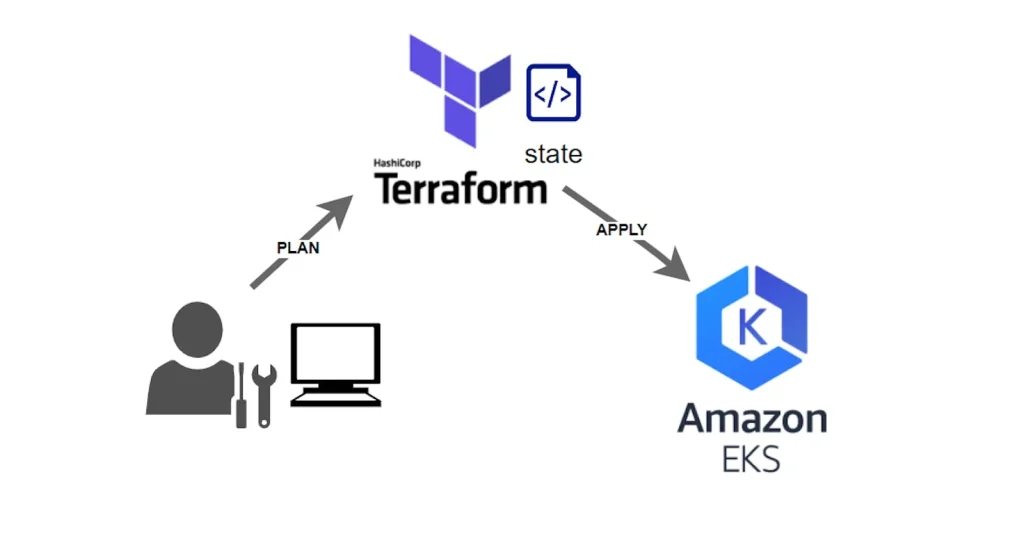
Deploy Elastic Kubernetes Service (EKS) With Terraform (Bonus)
In this guide we covered:
Setting up AWS Kubernetes Cluster (EKS)
– Setup EKS Cluster using Terraform
– Install kubectl
– Setup kubectl configuration
– Check worker node status
– Delete the EKS cluster using terraform
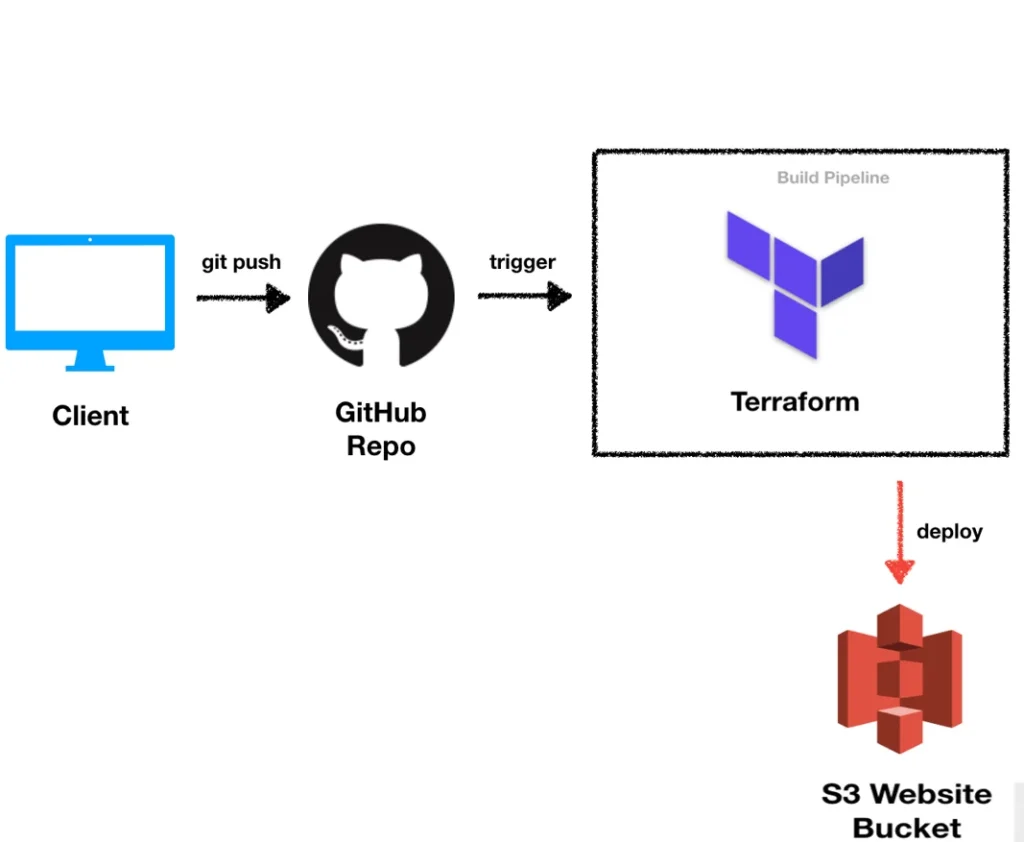
Building an Automated CI/CD Pipeline for Terraform with GitHub Actions and S3
In this comprehensive guide, you will learn how to set up an automated CI/CD pipeline for your Terraform infrastructure using GitHub Actions and AWS S3. This includes creating a GitHub repository, managing AWS credentials securely, configuring secrets, and developing Terraform scripts to provision resources. By following these steps, you will achieve one-touch infrastructure automation, ensuring efficient and reliable deployment of your infrastructure-as-code projects.
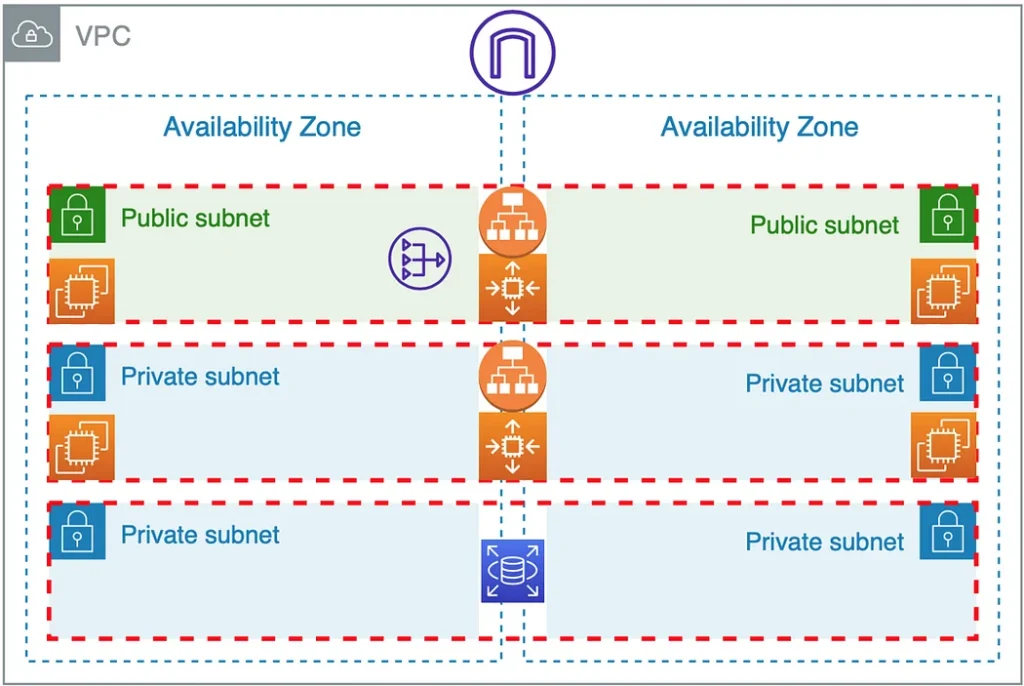
Create & Deploying a 3-Tier AWS VPC Architecture Using Terraform
In this Guide, we have created
- A Virtual Private Cloud (VPC) with the IP address range 10.0.0.0/16, consisting of:
- Two public subnets with IP address ranges 10.0.1.0/24 and 10.0.2.0/24.
- One private subnet with the IP address range 10.0.3.0/24.
- An Amazon RDS (Relational Database Service) MySQL instance, utilizing the t3.micro instance type.
- An Elastic Load Balancer (ELB) is configured to route and distribute incoming network traffic to the public subnets within your VPC.
Azure Projects
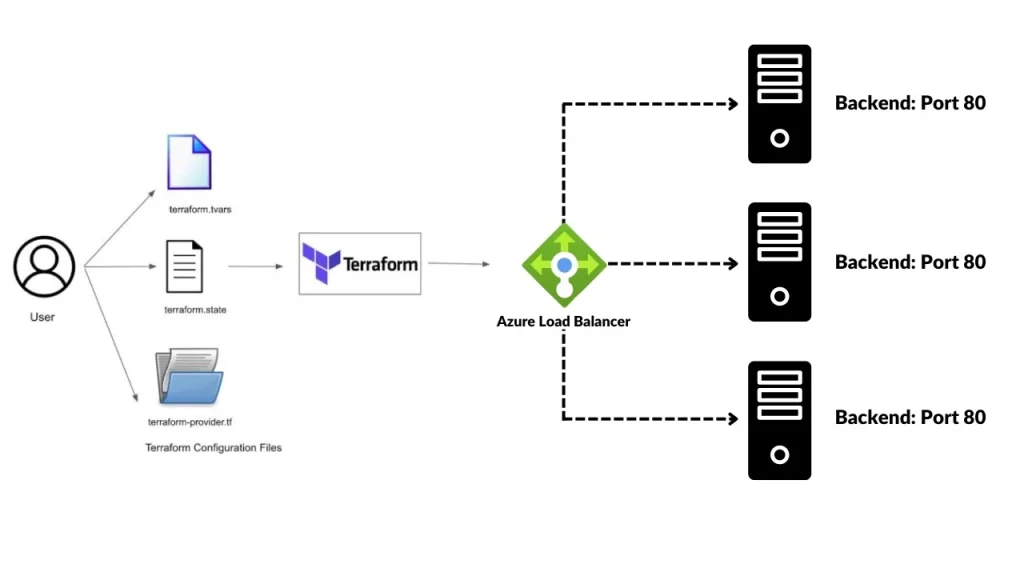
Automating Azure Infrastructure(Virtual Network, Subnet, and Load Balancer) Setup with Terraform
In this use case, we will be utilizing Terraform, an infrastructure-as-code tool, to create an Application Load Balancer (ALB) in Azure. The ALB plays a crucial role in distributing incoming network traffic across multiple backend resources to enhance availability and scalability of applications. By automating the ALB deployment process with Terraform, we can ensure consistent infrastructure provisioning and simplify the management of our Azure resources.
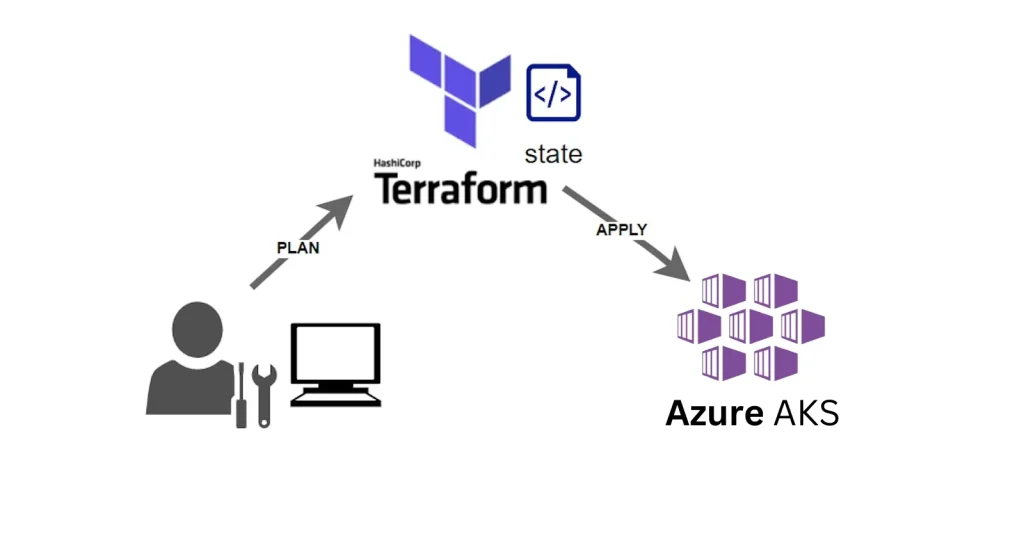
Deploy Azure Kubernetes Service (AKS) With Terraform
This guide covers essential steps for setting up and managing an Azure Kubernetes Service (AKS) cluster using Terraform. It includes instructions on installing Terraform, configuring Azure CLI, creating Terraform code for AKS cluster deployment, executing the Terraform code, installing kubectl for cluster access, and finally, how to safely destroy the Kubernetes cluster when it’s no longer needed. These steps provide a comprehensive overview of the AKS provisioning and management process with Terraform.
Certification
HashiCorp Terraform Associate Certification (003)
The HashiCorp Terraform Associate Certification (003) signifies expertise in infrastructure as code using Terraform. Developed by HashiCorp, this certification validates skills in Terraform syntax, configuration, and resource management. It serves as a valuable credential, demonstrating a professional’s proficiency in automating infrastructure deployment. Employers recognize and trust this certification as a standard for assessing a candidate’s ability to contribute effectively to Terraform projects, making it a key asset for those navigating the evolving landscape of cloud computing and DevOps practices.
Related/References
- HashiCorp Infrastructure Automation Certification: Terraform Training
- Everything you need to know about Terraform Certification
- [AZ-400] Microsoft Azure DevOps Certification Exam: Everything You Need To Know
- 1Z0-1072-20 | Oracle Cloud Infrastructure 2020 Architect Associate
- Terraform Providers Overview
- Terraform Variables – Terraform Variable Types
Join FREE Class
🚀 Master Terraform & DevOps to get High-Paying Jobs! 🔥 Join our EXCLUSIVE Free class! 🚀
Get your hands dirty with lots of projects and labs based on Terraform and DevOps in our Program.Click on the below image to Register for Our FREE Class Now!


![Microsoft Agentic AI Business Solutions Architect [AB-100] | K21 Academy](https://test.k21academy.com/wp-content/uploads/2025/11/Microsoft-Agentic-AI-Business-Solutions-Architect-AB-100-Exam-Overview1.png)


