
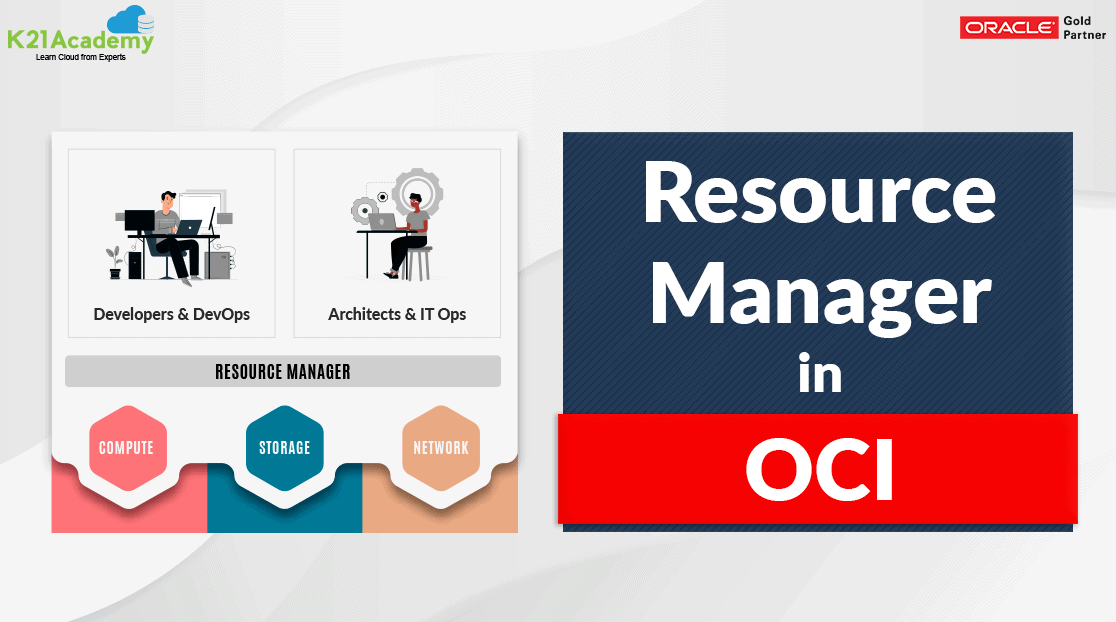



The Resource Manager is a fully managed service that lets you provision infrastructure on OCI. You can bring in your Terraform template definition and easily create and manage your infrastructure resources. It allows you to use “infrastructure as a code” to automate the provisioning process across all OCI resources.
To know more about Terraform in details, please check our previous blog at here
Resource Manager also integrates with Identity and Access Management(IAM). So you can define granular permission for Terraform operation. To know more about IAM, please check our previous blog at here
This blog post covers:
- Benefits Of Resource Manager
- Key Concepts
- Components
- Generalized Workflow
- Access To Resource Manager
Benefits Of Resource Manager
- Resource Manager unlocks the infrastructure automation capabilities such that it automates and the standardize your infrastructure and easily replicate the environment
- Resource Manager allows you to share and manage infrastructure and state files across multiple team and platform improving collaboration
- Resource Manager has a deep integration with OCI and its services and enables developers to leverage an entire OCI API catalog.
- Fully managed service for the Terraform Engine.
- You only pay for the underlying computing, storage, network, or any other resources provision using Resource Manager Automation.
Key Concepts
This section covers the basic concepts that you need to be aware of the Resource Manager, before proceeding into the workflow.
Configuration
It is information to codify your infrastructure and can store configuration files locally or remotely using the Source Code Control System(SCCS). Terraform configuration file can use two formats: Terraform Domain Specific Language(HashiCorp Configuration Language Format), which is the most suitable approach, or JSON format if the file needs to be a machine-readable format.
Configuration files use two formats:
- .tf – HCL format, which is human-readable
- .tf.json – JSON format, which is machine-readable.
Read this to get the details of what free Oracle Cloud certifications are available for FREE & how you can book them.
Drift
It is the difference between the real-world state of your infrastructure and the stack’s last executed configuration. Like we say, when a team member adds a production tag to your resources, or when a resource fails then drift occurs.
You can detect drift for stacks where the last job run was Apply or Import State.
Module
It is a group of related resources, used to create lightweight and reusable abstractions so that you can describe your infrastructure in terms of its architecture.
Sample Solution
It is a pre-built Terraform configuration that provisions a set of resources used in the common scenario provided by Oracle.
State
The resource configuration state stored in JSON format in a state file(.tfstate). The stored file map your stack’s resource to your configuration and also maintains essential configuration metadata like resource dependencies. The Resource manager support state locking by allowing on a given stack only one job run at a time.
Note:- The Resource Manager service is available in all Oracle Cloud Infrastructure commercial regions.
Components
In this topic, we will see the main components of the Resource Manager, what and how they work.
Stack
It represents a set of OCI resources that are created in the Compartment. Each stack has a configuration, which is a set of Terraform file that specify the resources you want to manage together with the Resource Manager. Stacks are attached to specific compartments and regions however the resource of a given stack can be deployed in different regions and compartments.
Note:- Creation of stack supported from a single compartment, not from nested compartments.
These are the following lifecycle state of stack:
- Creating: The stack is being created.
- Active: The stack is available for use.
- Deleting: The stack is being deleted.
- Deleted: The stack was deleted.
- Failed: The stack could not be created.
Job
It represents a request to take a Terraform action on a state. It performed the actions that are defined in the configuration file. Only one job at a time can run on a given stack.
When you have to run a job to provide a different set of resources, it is recommended to create a separate stack and use a different configuration.
Generalized Workflow
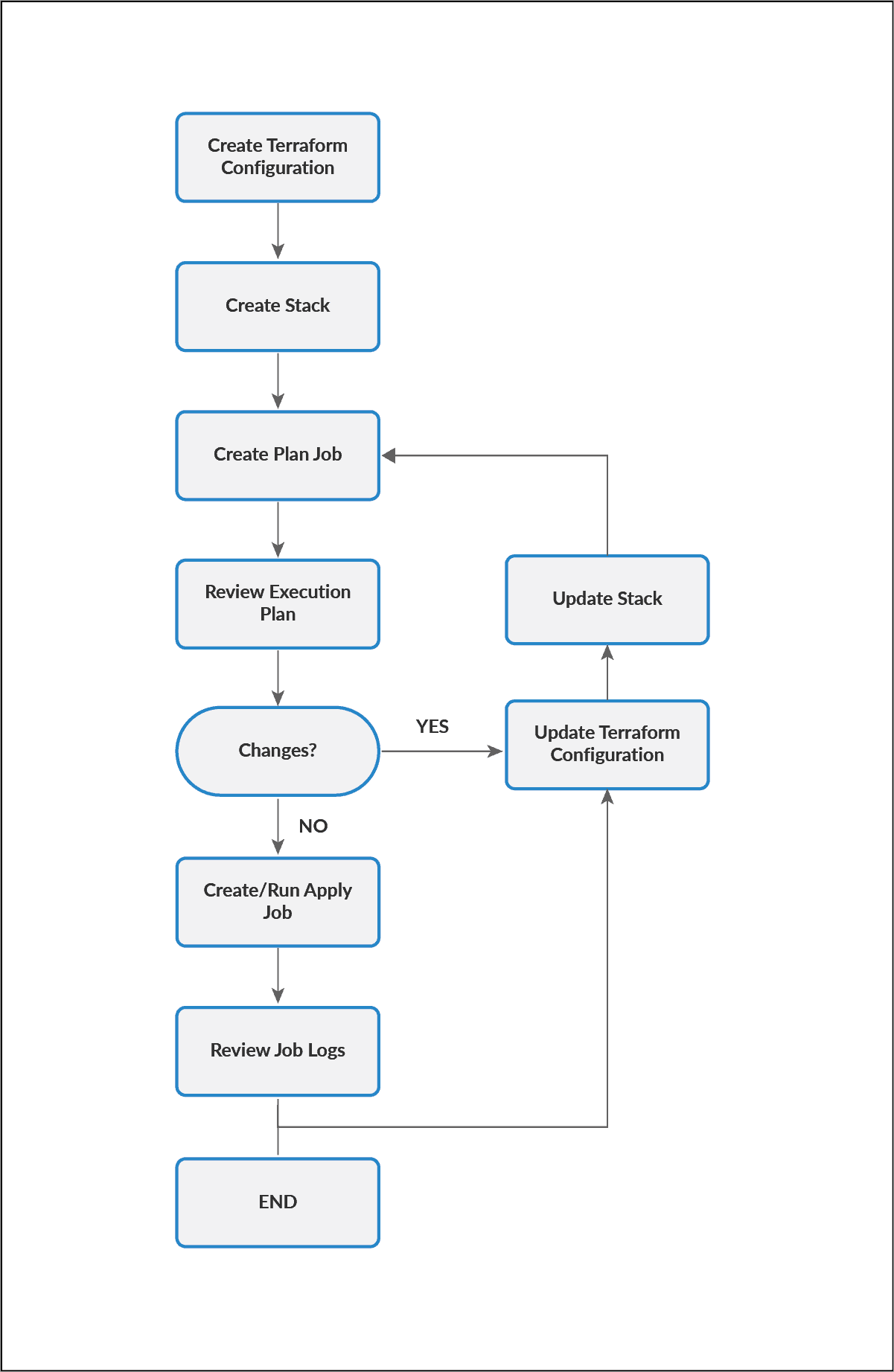
The following image represents a generalized view of the Resource Manager workflow.
 Steps to follow:
- First, create a Terraform configuration.
- After that, create a stack.
- Once stack created, run a plan job, it produces an execution plan
- Need to Review the execution plan to make changes if any.
- After review, If changes are needed in the execution plan, update the configuration, and again run a planned job.
- Once changes are done, run an apply job to provision resources.
- After that need to “review state file(.tfstate) and log file”.
- You can optionally reapply your configuration, with or without making changes, by running an apply job again.
- To release the resources running on a stack, run a destroy job (Optional).
Access To Resource Manager
The Resource Manager can be accessed using the REST API or using the Console(browser-based interface)
API: Use Resource Manager API, to access Resource Manager through APIs. Use the OCI resource-manager designation, to access this API using the Command Line Interface (CLI).
Console:
1. Go to https://www.oracle.com/cloud/sign-in.html.
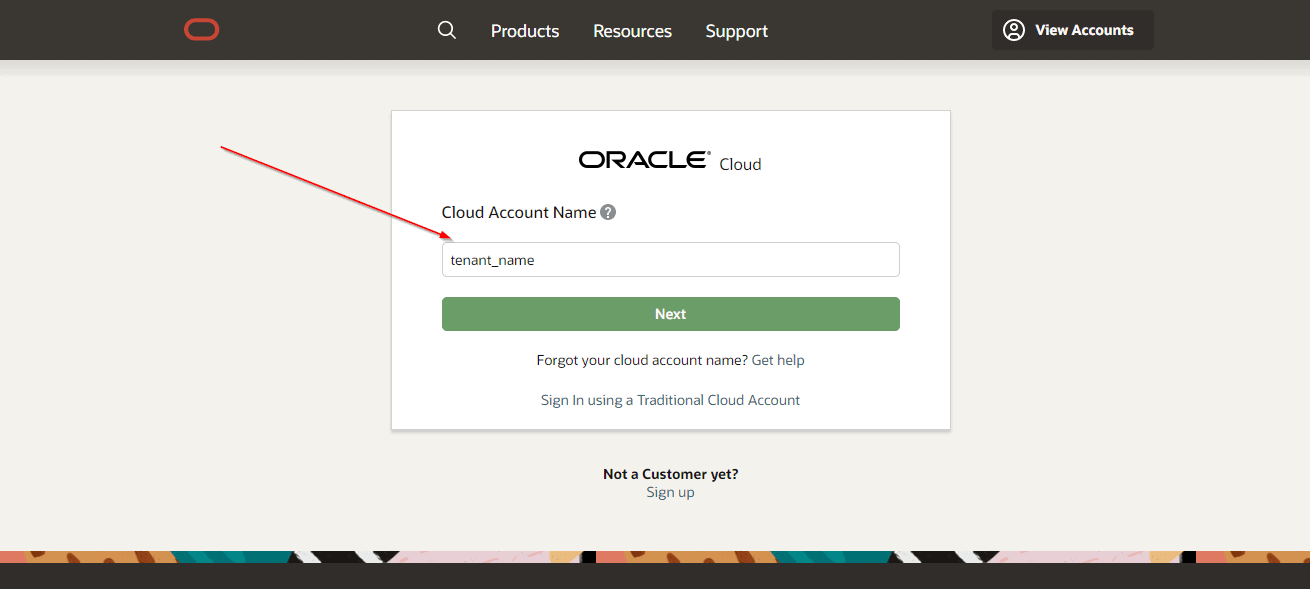
2. Enter your cloud tenant.
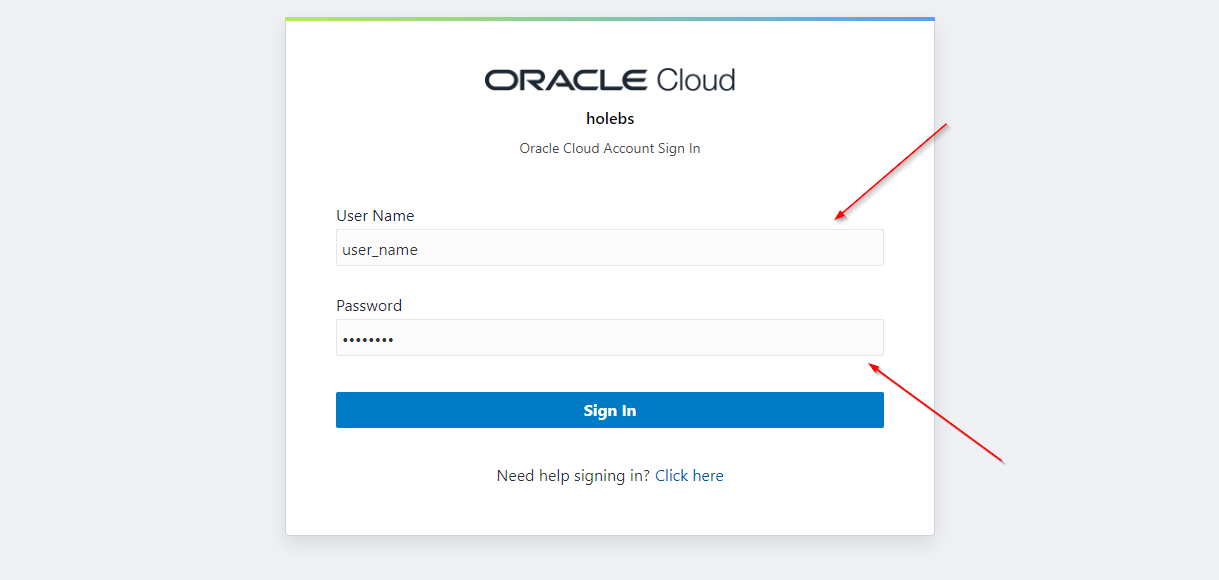
3. Enter your user name, your password.
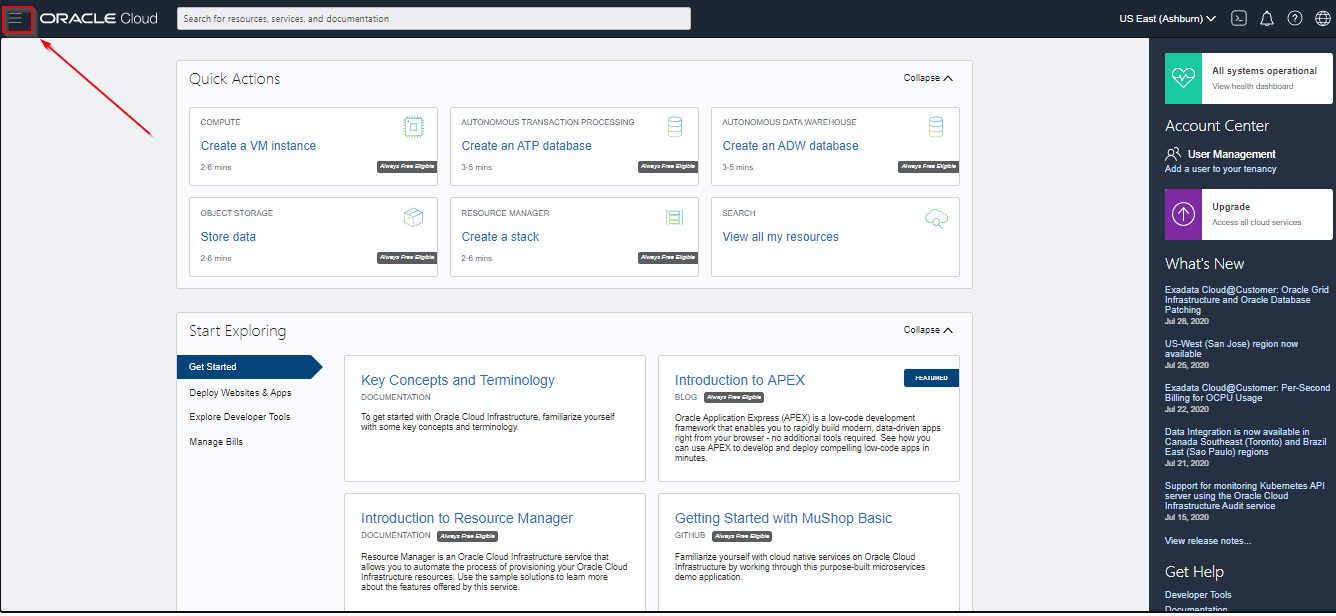
4. Open the navigation menu
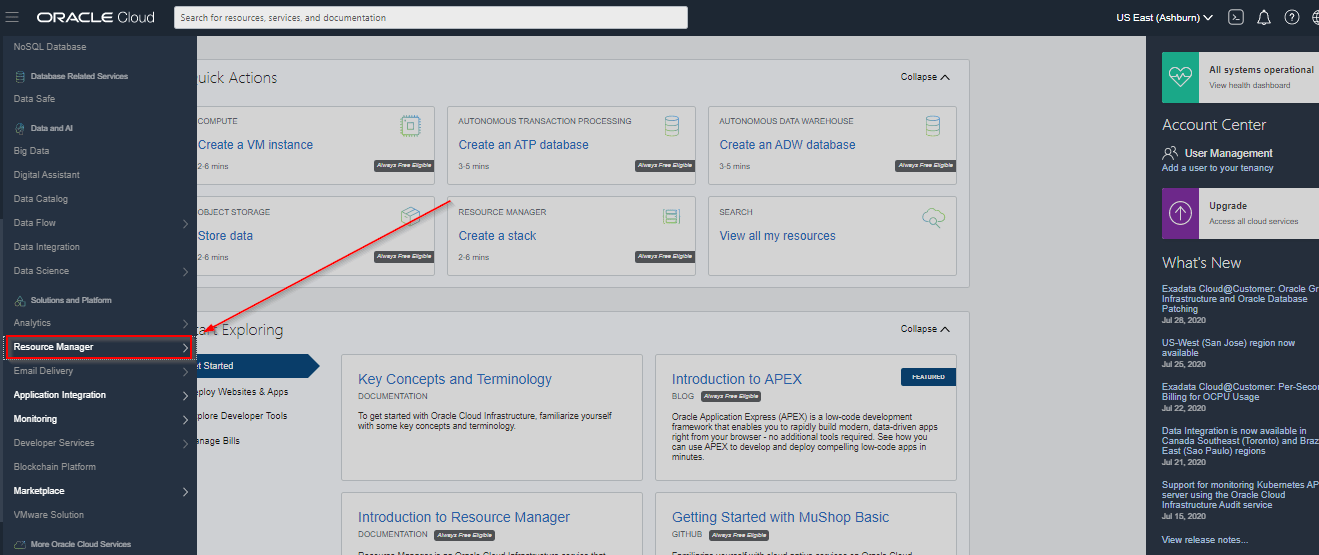
 5. Under the Solutions and Platform option, Select the Resource Manager option.
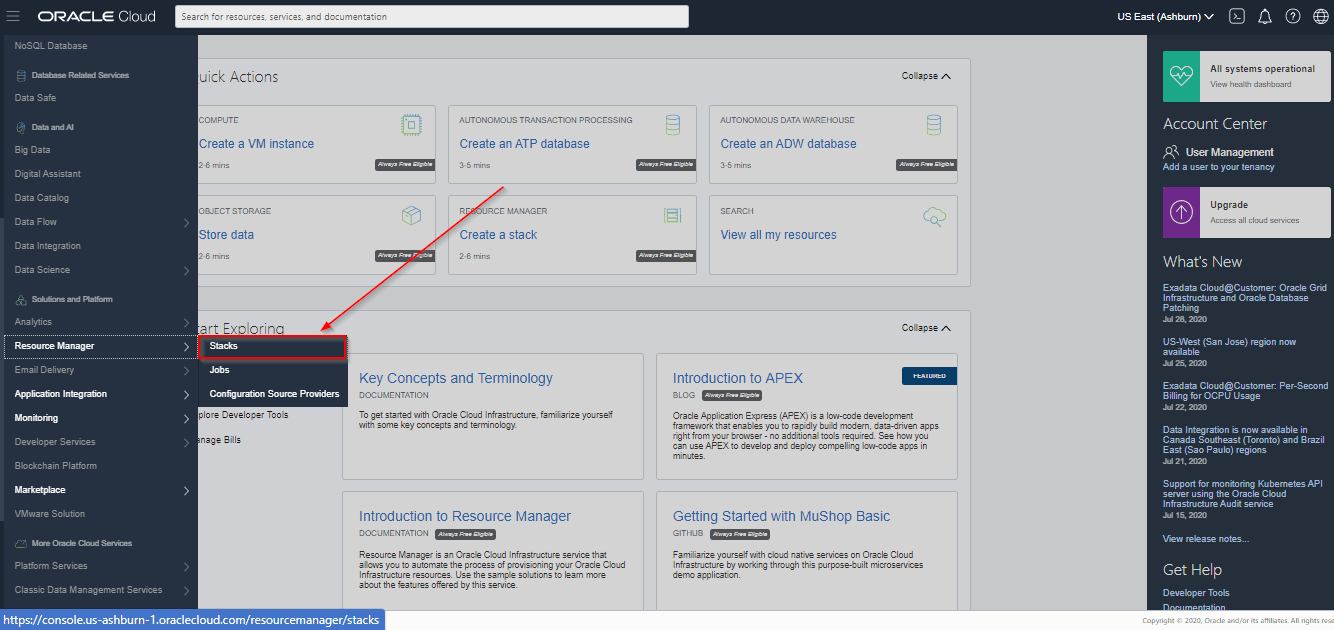
6. Click Stacks.
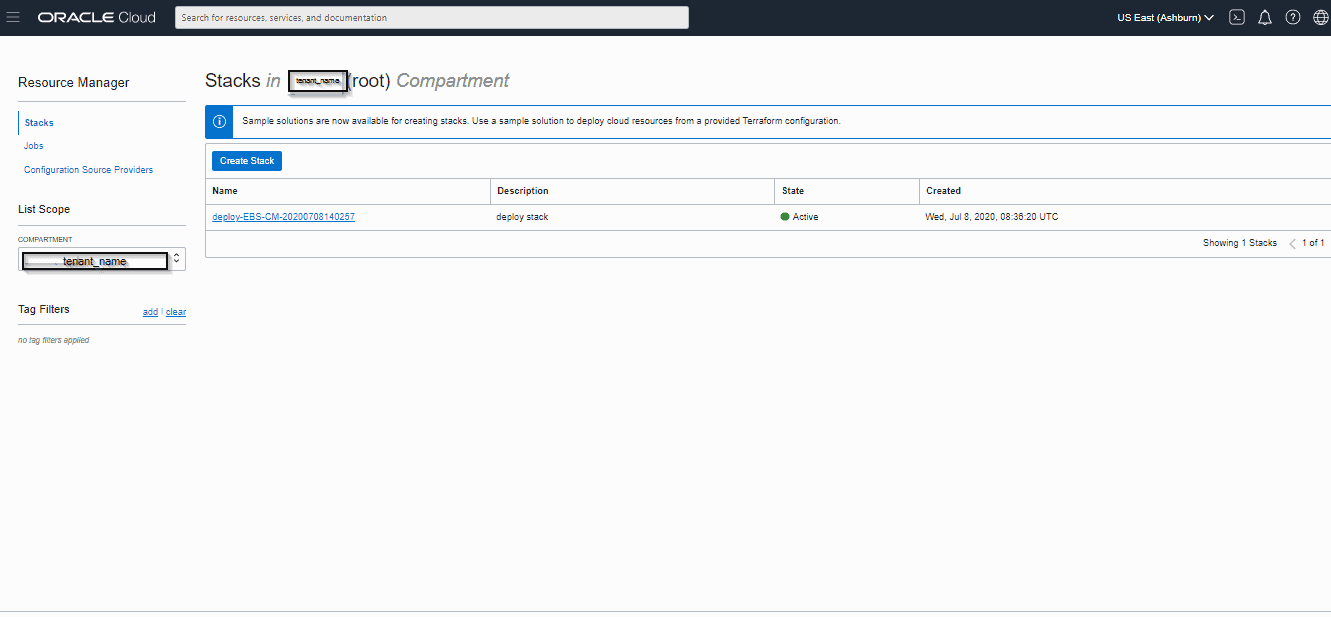
6. Redirected to the stack creation page.
Related/References
- IAM In OCI – User, Groups, Compartment, Policy, Tags, Federation & MFA
- HashiCorp Infrastructure Automation Certification: Terraform Associate
Join FREE Masterclass
To know about Terraform and what to study Including Hands-On labs you must perform to clear Terraform Certified Associate certification exam by registering for our FREE Masterclass.
Click on the below image to Register Our FREE Masterclass Now!


![Microsoft Agentic AI Business Solutions Architect [AB-100] | K21 Academy](https://test.k21academy.com/wp-content/uploads/2025/11/Microsoft-Agentic-AI-Business-Solutions-Architect-AB-100-Exam-Overview1.png)


