





In this post, We will cover the AWS Management Console Tutorial of AWS Amazon Web Services.
This will provide a short introduction for those who are starting with the console and want to learn how to work with individual services in the console.
AWS Certification helps you build credibility and confidence by validating your cloud skills with industry-recognized credentials. Learn more about AWS SAA CO3 Certificate, why get certified, and what topics the certification includes.
- What is AWS Console
- AWS Management Console
- Amazon Console Login
- How to access AWS Services?
- Adding And Removing Favorites
- Selecting Region
- My Billing Dashboard
- Console AWS Mobile App
What is AWS Console
Console AWS Amazon is a browser-based graphical user interface for Amazon Web Services (AWS). The AWS Management Console is written in client-side languages such as Javascript, CSS, and HTML. AWS console is a web browser interface to Amazon Web Services. You can use console amazon AWS to launch Amazon EC2 instances, work with Amazon S3 buckets, set CloudWatch alarms, and much more.
What is AWS Management Console?
The Amazon Management console comprises a broad collection of services for managing Amazon Web Services. When you first sign in, you see the Management console home page.
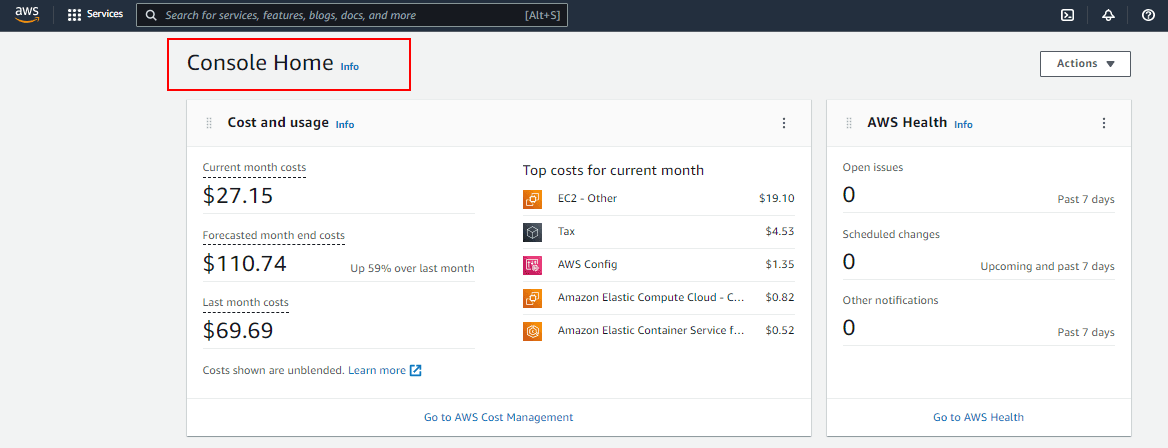 In the console you will find tools for working with Amazon S3 buckets, launching and connecting to Amazon EC2 instances, setting Amazon CloudWatch alarms, and getting information about your account and about billing.
Read: How to Create AWS Free account
How to Login in Amazon Console?
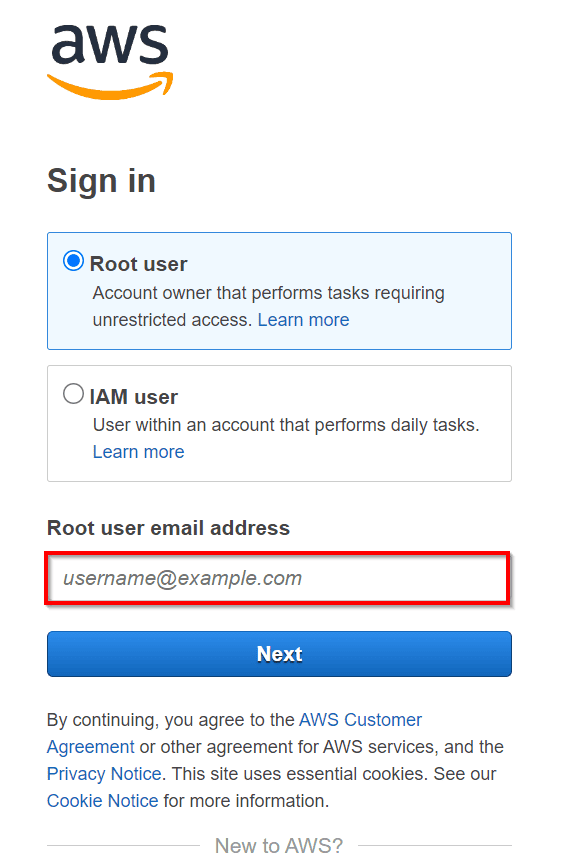
AWS offers a number of ways to sign in to the AWS Management Console:
- Signing in as the AWS account root user
- Signing in with another IAM user
- Signing in as the AWS Identity and Access Management (IAM)
 How to access AWS Services?
To open a console for a service, you have three ways to achieve this
- Enter the name of the service in the search box. Then choose the service that you want from the list of search results.
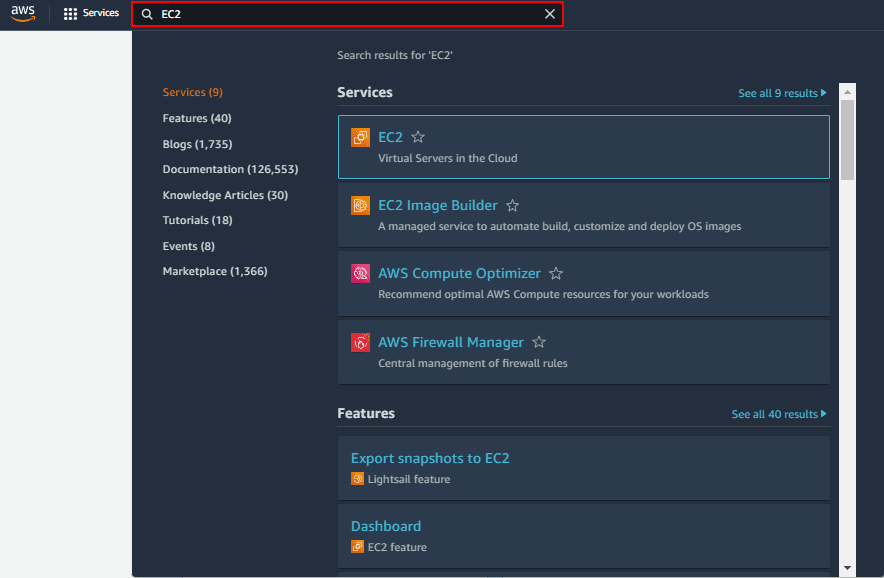
- AWS lists all your recently visited services under the search box. This reduces the time to find and open service.
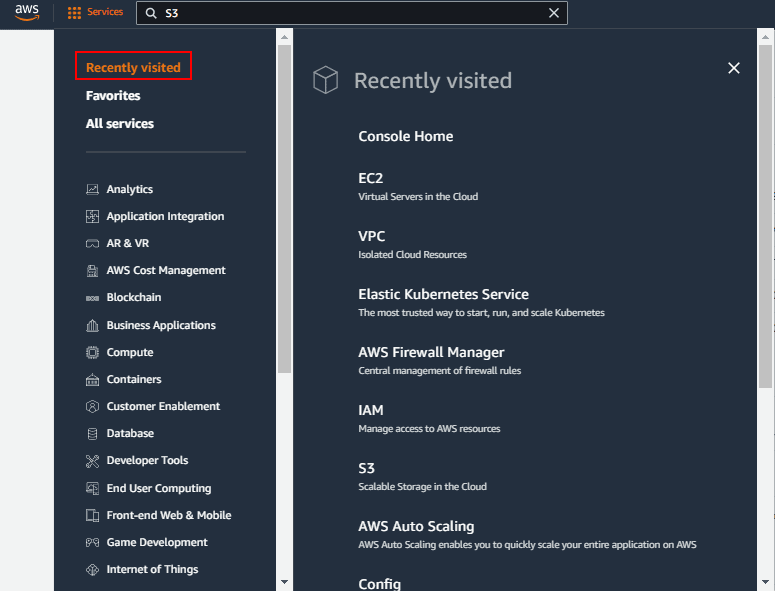
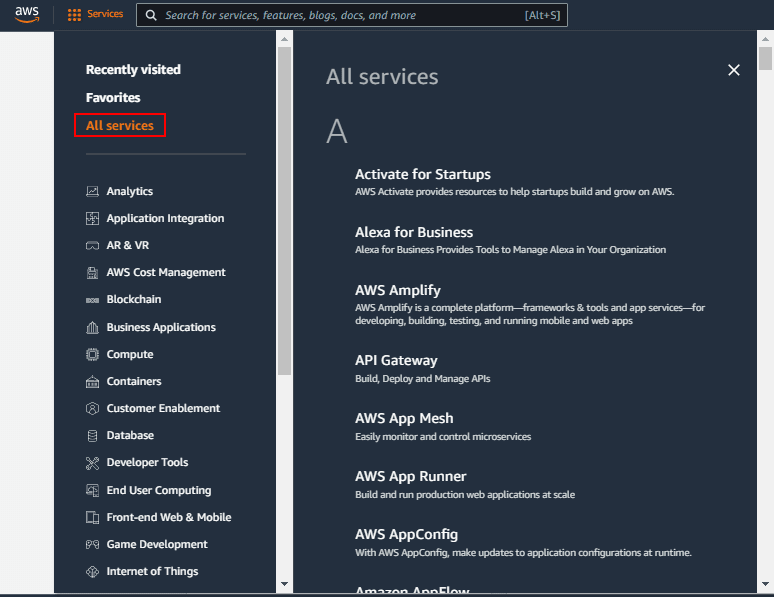
- Click on All services open a full list of services. Then choose the service that you want. All the services are categorized by the type and the service type is arranged in alphabetical order.
Adding And Removing Favorites
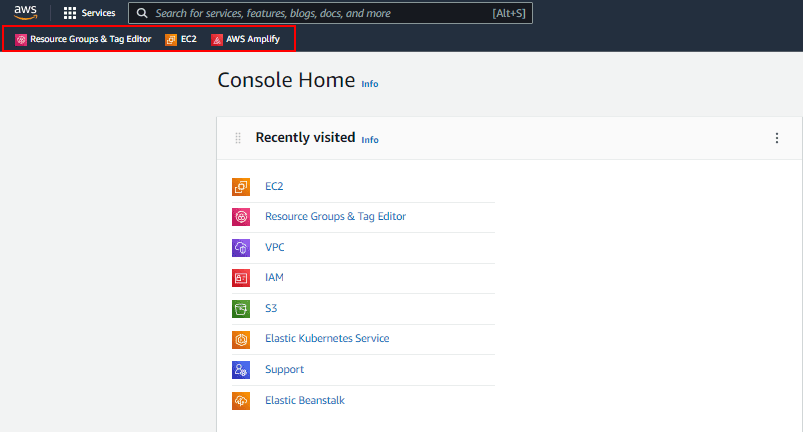
Adding Favorites features, allows services to be pinned on the top navigation bar itself. this allows to quickly switch between services without needing to so to all services or searching.
1. On the top Search bar click on All Services, this will open the list of all the services that you can add on the navigation bar.
Read: AWS CloudFormation.
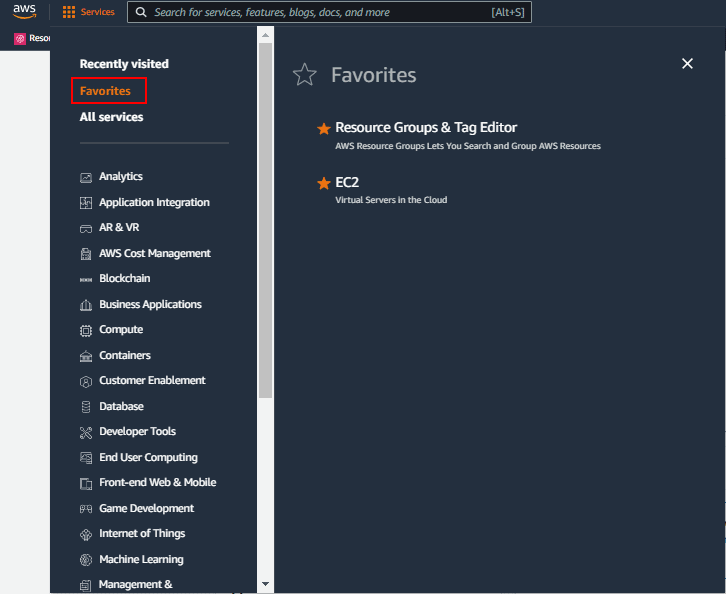
2. Select the services that you want to add Favourites by Clikcing in the Star.
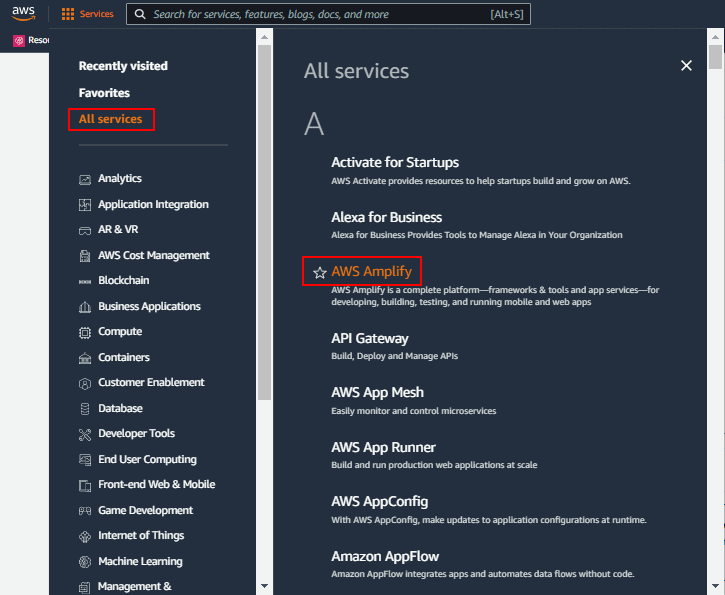
3. Now you can see all your Favorites on the Navigation Bar.
Read: 13 Reasons to Why Learn AWS
Selecting Region
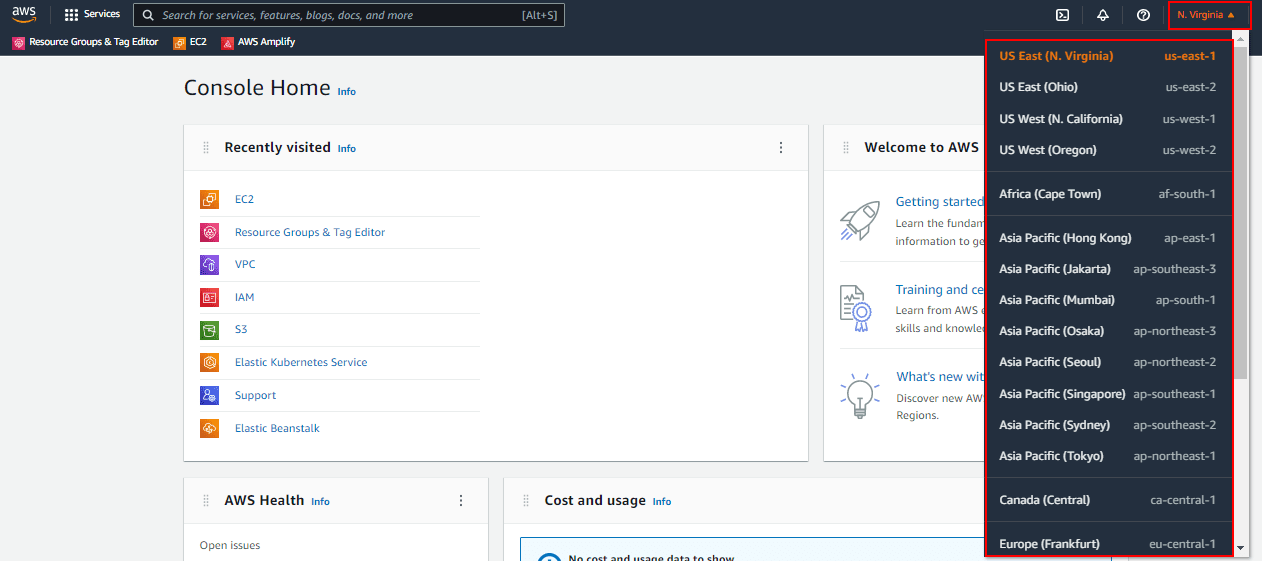
Some Services in AWS are region-specific and to access the complete service, you need to choose the region that offers all components of the service.
To change a region, simply click on the current region to open a drop-down menu and select the required region.
My Billing Dashboard
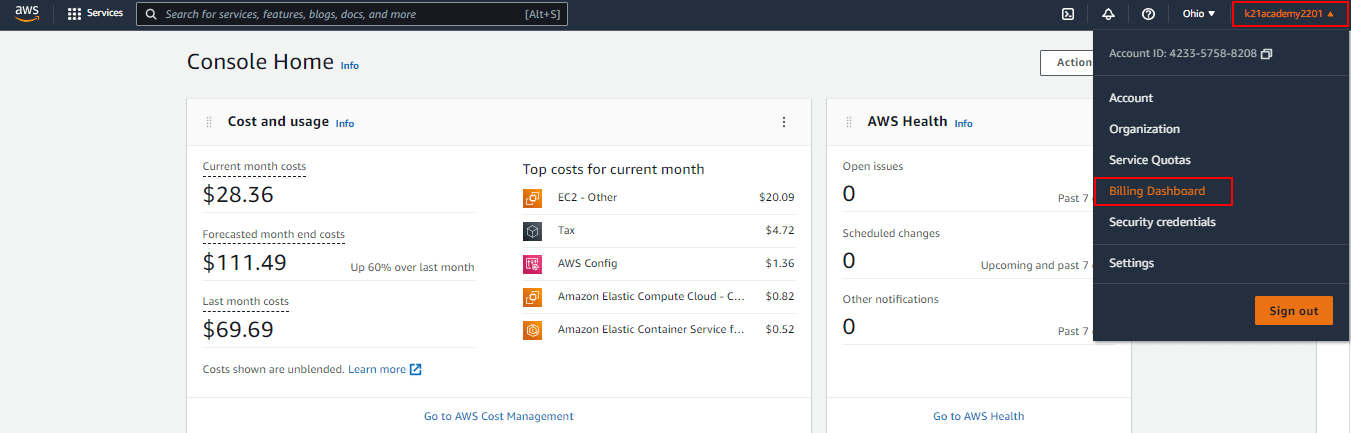
1. On the navigation bar, choose your account name.
2. Choose My Billing Dashboard from the drop-down.
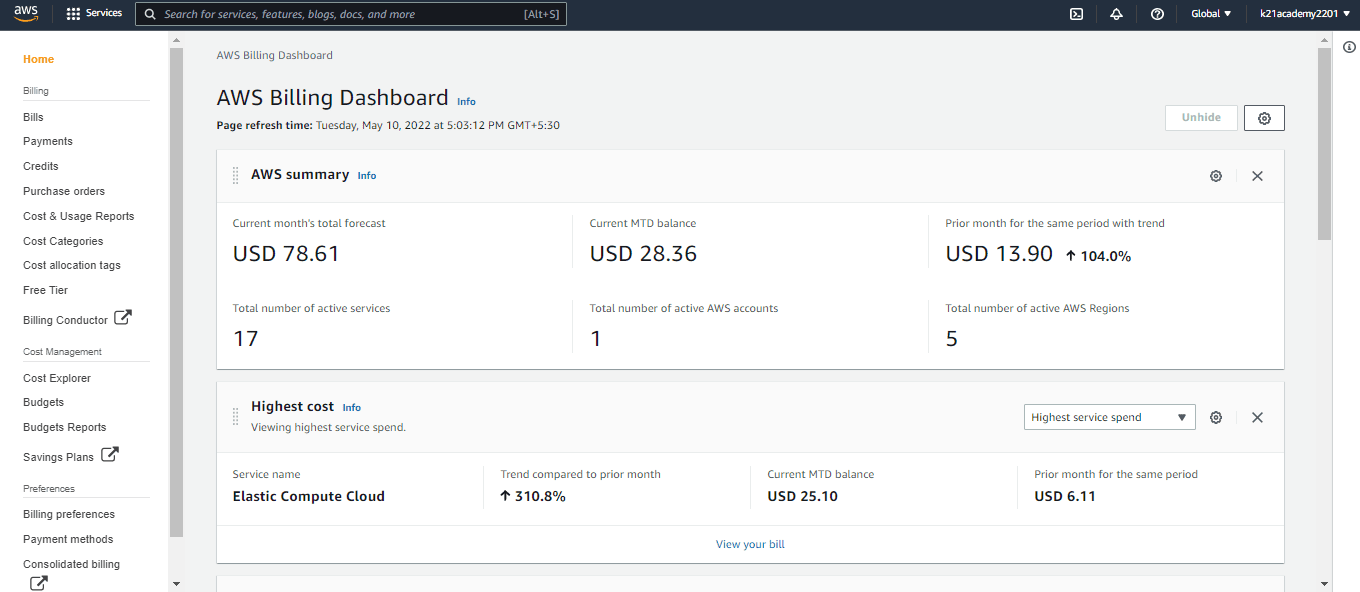
3. AWS Billing and Cost Management dashboard provide a summary and a breakdown of your monthly spending.
Console AWS Mobile App
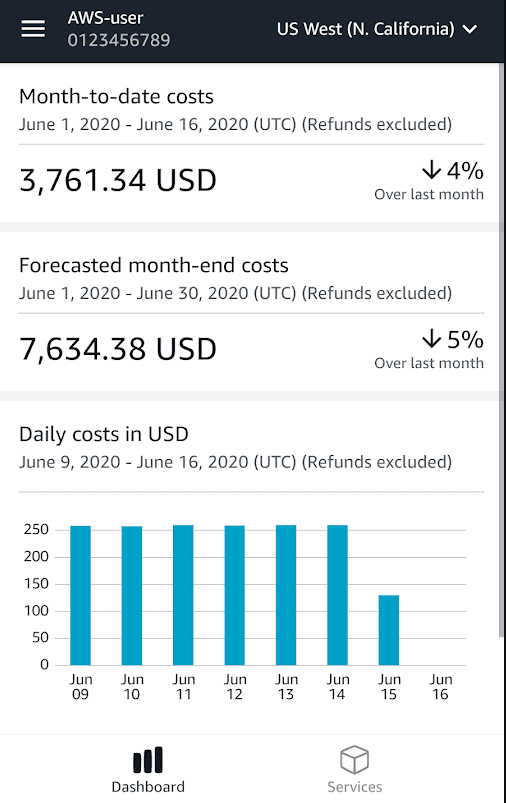
The AWS Management Console can also be used on Mobiles and tablets. This app provides mobile-relevant tasks that are a good companion to the full web experience.
Within the application, you can view and manage your existing Amazon EC2 instances and Amazon CloudWatch alarms from your phone.
You can download the AWS Console mobile app from Amazon Appstore, Google Play, or iTunes
Related Links/References:
- AWS Certified Solutions Architect Associate SAA-CO3
- Overview of Amazon Web Services & Concepts
- How to create free tier account in AWS
- AWS For Testers And AWS Quality Assurance (QA)
- AWS EFS, EBS and S3: Best AWS Storage Option
Next Task For You
Begin your journey towards an AWS Cloud by joining our FREE Informative Class on Amazon Cloud Free Class by clicking on the below image.


![Microsoft Agentic AI Business Solutions Architect [AB-100] | K21 Academy](https://test.k21academy.com/wp-content/uploads/2025/11/Microsoft-Agentic-AI-Business-Solutions-Architect-AB-100-Exam-Overview1.png)



