



This blog entry provides a full technical run of the AZ-204 step-by-step activity guides and labs of the Microsoft Azure Developer Certification training programme that you must perform to gain proficiency with this course.
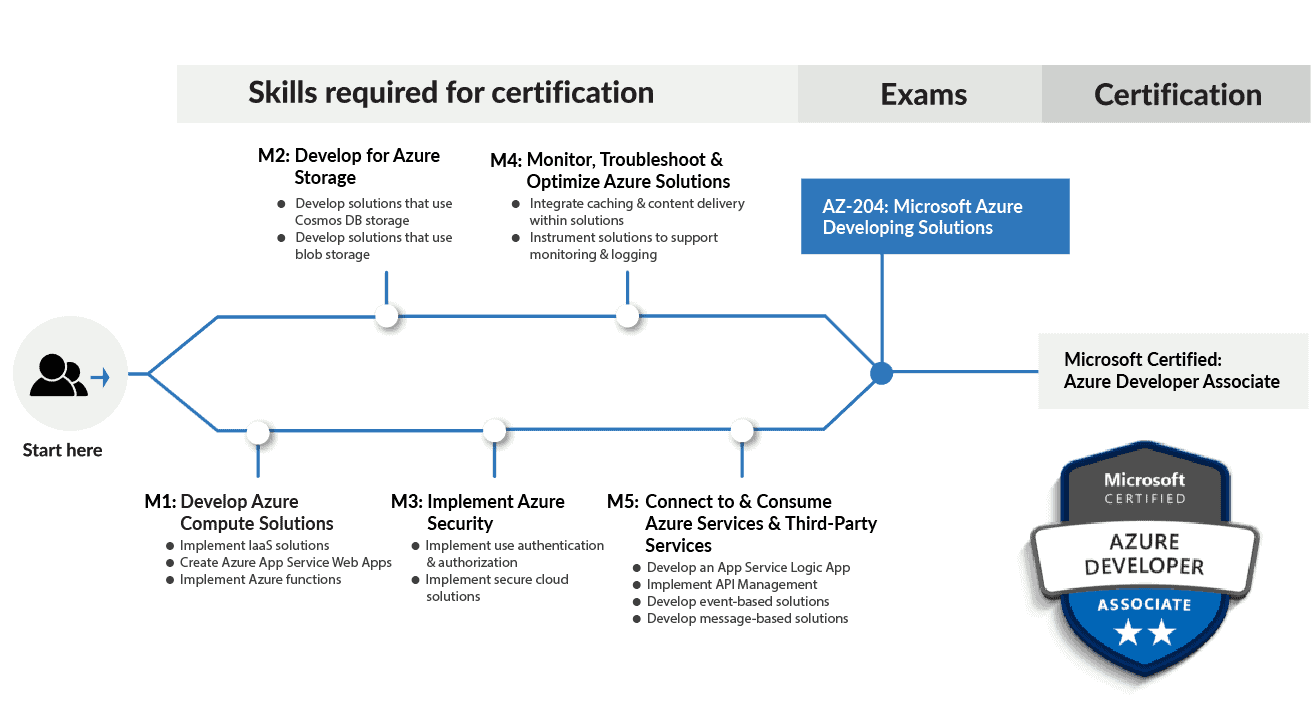
Further in this post we will talk about what you’ll learn in each activity guide, but before that, here’s a quick preview of all the activity guides which we’re going to cover in this course:
- Register for Azure Free Trial Account
- Building a web application on the Azure platform as a service offerings
- Retrieving Azure Storage resources and metadata by using the Azure Storage SDK for .NET
- Constructing a polyglot data solution
- Deploying compute workloads by using images and containers
- Authenticating to and querying Microsoft Graph by using MSAL and .NET SDKs
- Access resource secrets more securely across services
- Creating a multi-tier solution by using services in Azure
- Publishing and subscribing to Event Grid events
- Asynchronously processing messages by using Azure Storage Queues
- Monitoring services that are deployed to Azure
- Enhancing a web application by using the Azure Content Delivery Network
Read our AZ 204 certification training blog to know more about the exam.
1. Register For Microsoft Azure Free Trial Account
The first thing you must do is to get a free trial account for Microsoft Azure. (You get 200 USD FREE Credit from Microsoft to practice.)
Microsoft Azure is one of the top choices for any organisation due to its freedom to build, manage, and deploy applications. Now, we will look at how to register for the Microsoft Azure FREE Trial Account.
After you register for a Microsoft Cloud Trial Account, you should get an email like the one below from Microsoft:

2. Building A Web Application On Microsoft Azure Platform As A Service Offerings
Suppose you’re the owner of a company and you’re building an app to share pictures of great food! Therefore, to get your app to the market as soon as possible, you decide to use Microsoft Azure App Service to host your web apps and APIs.
In conclusion, you’ll learn how to create various apps using App Service and how to configure application settings. Furthermore, you’ll master deploying apps using Kudu, Azure CLI, and ZIP files.
Related Readings: Azure Cloud Fundamentals, App Services, and Scaling Strategies
3. Retrieving Azure Storage Resources And Metadata By Using The Azure Storage SDK For .NET
The objective of this activity guide is to create containers and upload blobs. And then we’ll enumerate Blobs and containers by using the Microsoft Azure Storage SDK for dotNET. In addition, we’ll learn how to pull Blob metadata using the Storage SDK.
Related Readings: Azure development tools
4. Constructing A Polyglot Data Solution
Let’s assume that you decide to migrate your inventory database from Azure SQL Database to Azure Cosmos DB. Why? This is in order to facilitate your web application’s use of more than one data service & to take advantage of the best data service for each application component.
After completing this guide, you’ll be able to create instances of various database services and write C# code to connect to SQL Database and Azure Cosmos DB. <aid=”deploying-compute-workloads”>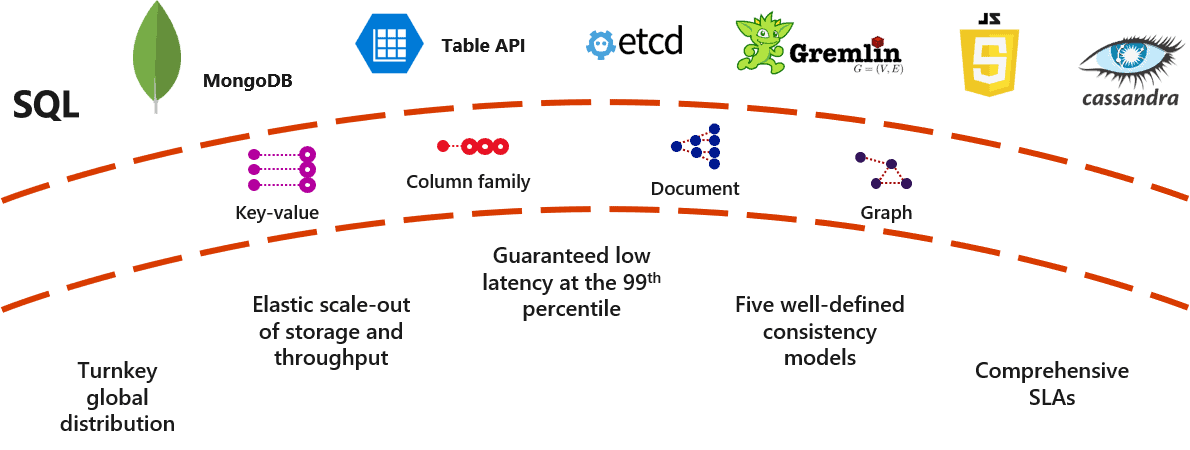
5. Deploying Compute Workloads By Using Images And Containers
Here, we’ll create a VM by using Azure CLI and then deploy a Docker container image to Azure Container Registry (ACR). Moreover, you’ll be able to deploy a container from a container image in ACR by using Container Instances.
6. Authenticating To And Querying Microsoft Graph By using MSAL And .NET SDKs
This activity guide provides an opportunity to learn the Microsoft identity platform. You’ll grasp how to use different libraries such as the Microsoft Authentication Library (MSAL) and the Microsoft Graph SDK to change values programmatically.
7. Access Resource Secrets More Securely Across Services
In this activity guide, we cover how to create Azure key vault and store secrets in it. Additionally, we’ll create a system-assigned managed identity for an Azure App Service Instance. In addition, we will create a Key Vault access policy for an Azure AD identity or application.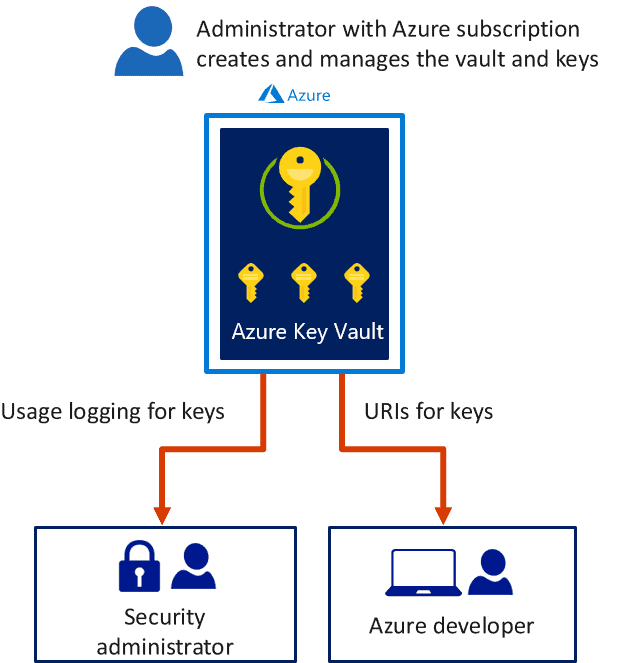
Related Readings: Microsoft Azure Security Services | Security Center | Azure Key Vault | AIP and ATP | Sentinel
8. Creating A Multi-tier Solution By Using Services In Microsoft Azure
To create a multi-tier solution, we’ll first grasp how to create a web application from a Docker Hub container image. After that, we’ll fabricate an API management account. Moreover, we’ll configure an API as a proxy for another Azure service with header and payload manipulation. We’ll cover all the above topics in this activity guide.
9. Publishing And Subscribing To Event Grid Events
As the developer who manages component communication, you have decided to introduce Microsoft Azure Event Grid as your solution-wide messaging platform.
The above includes creating an Event Grid topic and using an Event Grid viewer to subscribe to a topic and illustrate published messages. In addition, you’ll also learn to publish a message from a .NET application. 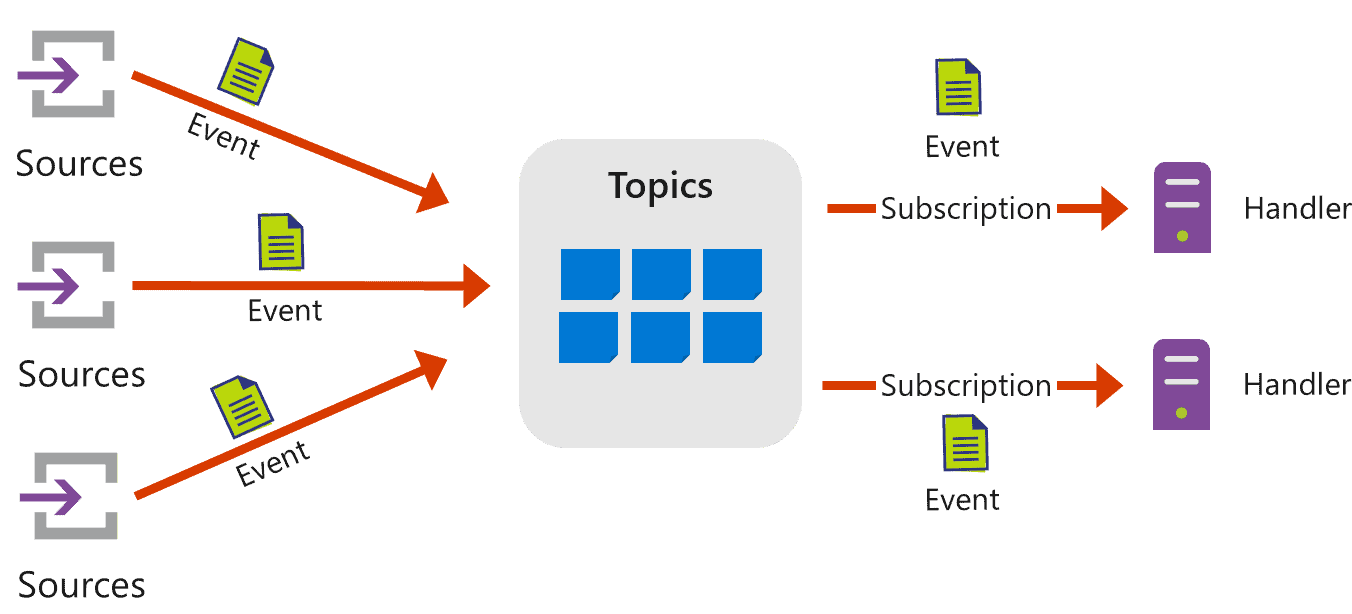
10. Asynchronously Processing Messages By Using Azure Storage Queues
After completing this activity guide, you’ll obtain clarity on adding libraries from NuGet and creating a queue in dotNET. Moreover, we’ll produce and consume from the queue using dotNET and also manage the queue using Storage Explorer. 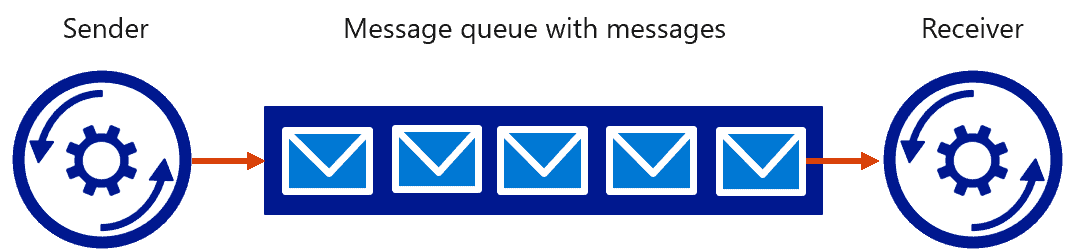
11. Monitoring Services That Are Deployed To Azure
Here, we’ll learn to take advantage of the Application Insights resource by creating it. And, integrating Application Insights telemetry tracking into an ASP .NET web app along with a resource built using the Web Apps feature of Azure App Service.
Related Readings: Azure Cloud Infrastructure Monitoring Overview And Step By Step
12. Enhancing A Web Application By Using The Azure Content Delivery Network
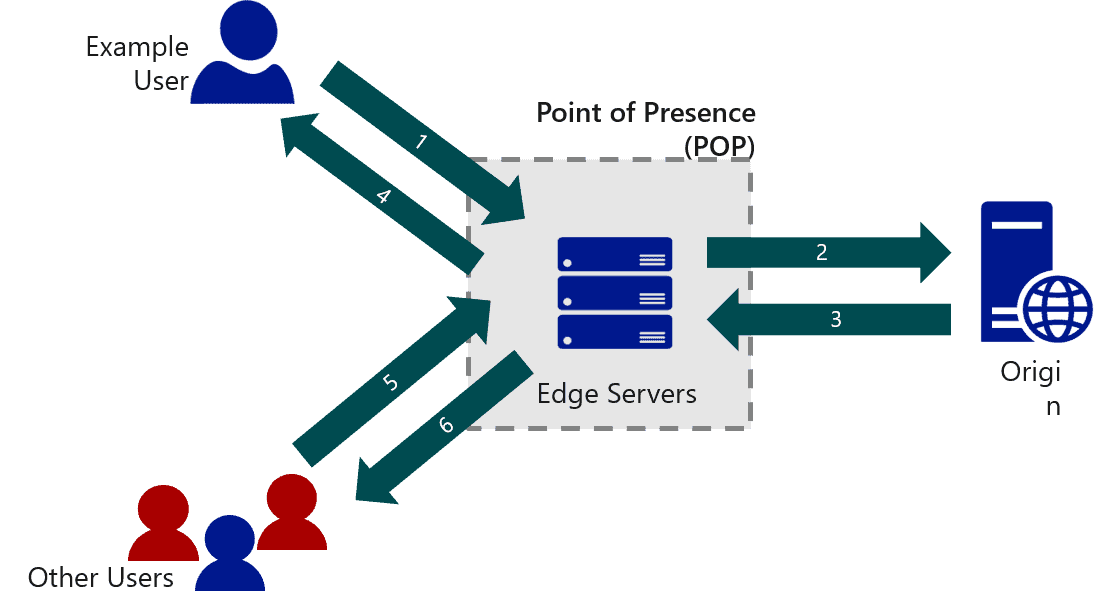
A Content Delivery Network (CDN) helps you to provide fast delivery of Internet content. Here, you’ll register with a Microsoft CDN resource provider and create CDN resources. In addition, you’ll learn to create & configure CDN endpoints that are bound to various Azure services.
Next Task For You
Begin your journey towards becoming a Microsoft Azure Developer Associate [AZ-204] and earn a lot more in 2025 by joining our FREE Masterclass.
Click on the image below to register for the free masterclass now!


![Microsoft Agentic AI Business Solutions Architect [AB-100] | K21 Academy](https://test.k21academy.com/wp-content/uploads/2025/11/Microsoft-Agentic-AI-Business-Solutions-Architect-AB-100-Exam-Overview1.png)


