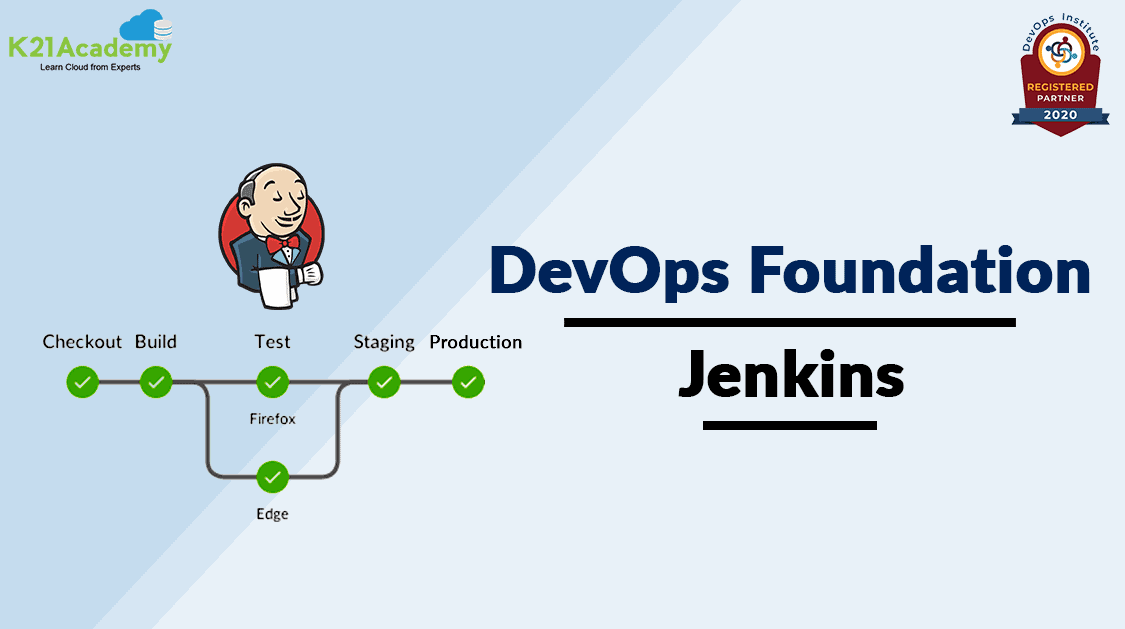



Jenkins, originally developed for continuous integration, is the most widely adopted solution for software process automation, continuous integration, and continuous delivery.
In this blog, we are going to cover Jenkins Overview, the installation prerequisites, its features, and various concepts of Jenkins.
If you want to know more about DevOps certification please go through our previous blog on [DOFD] DevOps Foundation Certification Exam and everything you need to know about it.
Index:
Jenkins Overview
Jenkins is an open-source automation tool written in Java built for Continuous Integration. It helps organizations accelerate the software development process through automation. Jenkins can be integrated with all sorts of tasks related to building, testing, and delivering or deploying software.
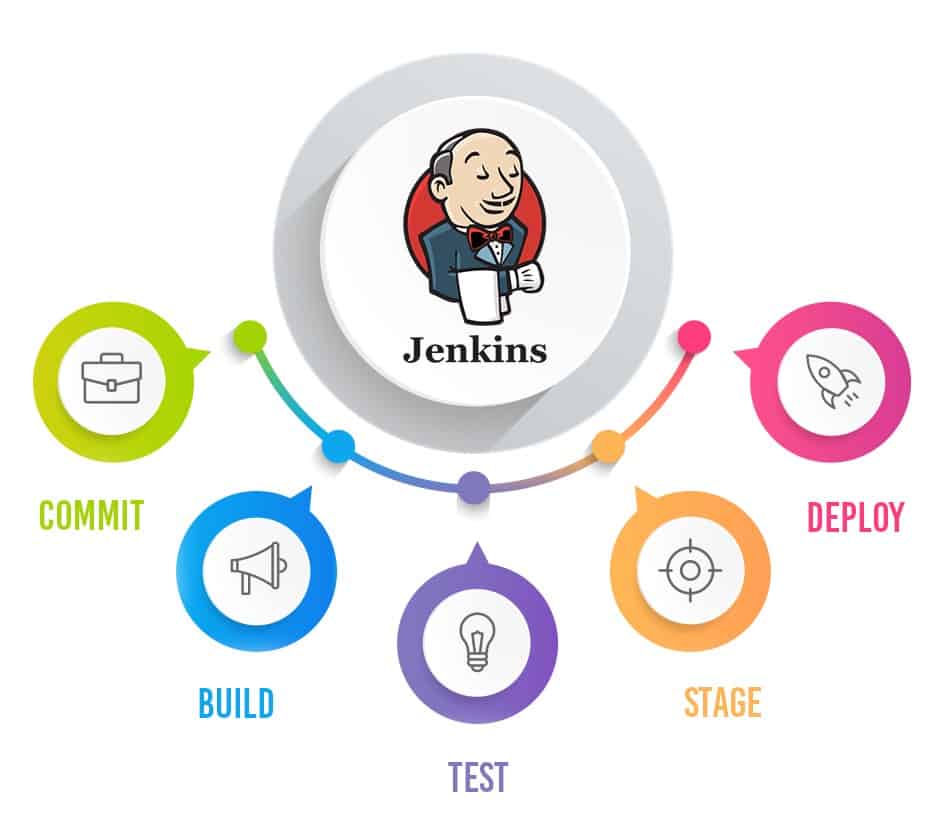
Jenkins takes over with the help of a frontend tool to help define the job or task. Jenkins then pulls the code and moves it to the commit phase. Next comes the build phase where the code is compiled and tested. Finally, the code moves on to the staging area with the help of Docker to deploy it.
Jenkins Features
The following are the main features provided by Jenkins:
- Continuous Integration and Continuous Delivery: Jenkins can be used as a simple CI server or turned into a continuous delivery hub for any project.
- Plugins: With hundreds of plugins, Jenkins can be integrated with practically every tool in a continuous integration and continuous delivery toolchain.
- Easy installation: Jenkins can be installed through native system packages, Docker, or even run standalone by any machine with a Java Runtime Environment (JRE) installed.
- Easy configuration: Jenkins can be easily set up and configured via its web interface.
- Extensible: Jenkins can be extended to provide infinite possibilities for what Jenkins can do, with plugins.
- Distributed: Jenkins can easily distribute work across multiple machines.
Jenkins Installation Pre-requisites
There are certain pre-requisites to have Jenkins up and running in your system:
- Since Jenkins is a Java-based application, Java’s latest version(JDK) should be installed on your system.
- Apache Tomcat’s latest version is required to deploy applications.
- Good internet connectivity to download Jenkins war File, is required to install Jenkins.
- 1 GB of free disk space to install and run the applications.
- Depending on your applications, required software should be installed on your systems such as Apache Ant, Maven, or Gradle.
Also Check: CloudOps vs DevOps, to know the major differences between them.
Initial Setup
After installing Jenkins, open a web browser and access it at http://localhost:8080. You’ll be prompted to enter an initial admin password, which you can find in the Jenkins server logs. Follow the on-screen instructions to complete the initial setup.
Also Read: Connection to Localhost Failed
Securing Jenkins
Securing Jenkins is crucial to protect your projects and data:
- Enable Security: Go to Jenkins settings and enable security.
- Set Up User Authentication: Use a built-in user database, LDAP, or integrate with an external system.
- Assign Roles and Permissions: Assign roles to users and define their permissions within Jenkins.
- Use SSL: Configure Jenkins to use SSL for secure communication.
Creating Your First Jenkins Job
- Navigate to Jenkins Dashboard:
- Open your web browser and go to
http://<your_server_ip_or_domain>:8080.
- Open your web browser and go to
- Create a New Job:
- Click on “New Item,” enter a name for your job, and select “Freestyle project.”
- Configure Job:
- Set up the job configuration including source code repository, build triggers, and build steps.
- Save and Run:
- Save your job configuration and click “Build Now” to run the job.
Adding Plugins
Jenkins has a vast library of plugins that extend its functionality. You can easily add and manage plugins through the Jenkins web interface.
Plugins enhance Jenkins functionality:
- Go to Manage Jenkins:
- Click on “Manage Jenkins” from the dashboard.
- Manage Plugins:
- Click on “Manage Plugins,” then go to the “Available” tab.
- Select and Install Plugins:
- Choose the plugins you need and click “Install without restart.”
Integrating Jenkins with Version Control Systems
Integrating Jenkins with VCS like Git, SVN, or Mercurial ensures seamless CI/CD:
- Install VCS Plugin:
- Install the appropriate plugin for your VCS.
- Configure VCS in Job:
- In the job configuration, set the repository URL and credentials.
- Set Build Triggers:
- Configure build triggers like polling the repository or webhook-based triggers.
Troubleshooting Jenkins Installation
Common issues and solutions:
- Port Conflicts:
- Change the default port from 8080 to another port if it’s already in use.
- Java Issues:
- Ensure the correct version of JDK is installed and configured.
- Permission Problems:
- Verify that Jenkins has the necessary permissions to read/write in the required directories.
Tips for Effective Jenkins Usage
To optimize your use of Jenkins, consider the following tips:
- Regularly update Jenkins and its plugins to access new features and security updates.
- Implement automated tests to ensure the quality of your code.
- Document your build and deployment processes for future reference.
Jenkins Concepts
- Basic Configuration and Overview: You should have a basic understanding of Jenkins and what are all the configuration options available.
- Jenkins pipeline Implementation: Jenkins has two concepts, one is pipeline as code and another is Freestyle projects.
- Jenkins CI/CD Implementation: Jenkins implements the entire CI/CD pipeline from committing the code to deploying the software.
- Backup and Restore: Jenkins provides a backup plugin that can be used to back up critical configuration settings related to Jenkins and restore them later.
- Resetting the admin password: You should know how to reset the admin password.
- Upgradation: While using Jenkins, it is very critical to keep it up-to-date with the latest version.
- Tool Integration: There are various tools available such as Ant, Git, Docker, and Jira. You should know how to integrate these tools as part of Jenkins.
- Management: Jenkins provides a lot of options in the Jenkins Management page, such as users, groups, roles, LDAP, plugins, server maintenance, and much more.
- Master and Slave: The Jenkins master, which is your main server, schedules the jobs, assigns slaves, and sends builds to slaves to execute the jobs.
- Metrics and Trends: There are various plugins that show metrics for builds, a build is compiling source code into an executable. These metrics help understand how frequently the builds pass/fail over time, Mean Time To Failure(MTTF), Mean Time To Recovery(MTTR), and much more.
- Security: Not every person is able to define jobs or other administrative tasks in Jenkins. So Jenkins has the ability to have a security configuration in place, such as ensuring role-based access.
FAQs
What is Jenkins used for?
Jenkins is primarily used for automating various stages of the software development lifecycle, including building, testing, and deploying applications.
Is Jenkins difficult to install?
Jenkins installation is straightforward if you follow the official documentation and ensure that your system meets the pre-requisites.
Can Jenkins be integrated with cloud services?
Yes, Jenkins can be integrated with various cloud platforms and services to enhance its capabilities.
What are some popular Jenkins plugins?
Popular Jenkins plugins include Git, Docker, Maven, and JIRA.
How can I secure my Jenkins server?
You can secure your Jenkins server by setting up user accounts, access controls, and regularly updating Jenkins and its plugins to patch security vulnerabilities.
Related/References
- What Is DevOps | DevOps Principles | Advantages Of DevOps | Why DevOps?
- [DOFD] DevOps Foundation Certification Exam: Everything You Need To Know
- Git | Version Control System | Git Workflow | Advantages
- CI/CD Pipeline | Continuous Integration | Continuous Deployment
- [AZ-400] Microsoft Azure DevOps Certification Exam: Everything You Need To Know
- Certified Kubernetes Administrator (CKA) Certification Exam: Everything You Must Know
Next Task For You
Begin your journey towards becoming a DevOps Expert and earn a lot more by landing a high-paying job.
Join FREE CLASS to learn more about the DevOps Roles and Responsibilities, Job opportunities related to DevOps in the market, and what to study Including Hands-On labs and projects you must perform to get your Dream job.
Click on the below image to Register for Our FREE Class on Mastering DevOps on Cloud: How to Build In-Demand Skills and Land High-Paying Jobs


![Microsoft Agentic AI Business Solutions Architect [AB-100] | K21 Academy](https://test.k21academy.com/wp-content/uploads/2025/11/Microsoft-Agentic-AI-Business-Solutions-Architect-AB-100-Exam-Overview1.png)