Microsoft Certified Training Program

Azure Data Job-Oriented Program with 6 Certifications

Accelerate your career with the Azure Data Job-Oriented Program. Gain hands-on experience, earn 6 industry-recognized certifications, and become job-ready in the cloud data field 

15 Weeks

Intensive Training

Live Sessions

Expert Instructors

100% Job

Placement Support

6 Certificates

Microsoft Official

4.5 ( 141 Ratings )
Learners
40000 +

About Our Course

In today’s fast-changing tech world, data is what drives business success. But as cloud technologies evolve quickly, professionals who don’t learn Azure Data Engineering might fall behind.

Our Azure Data Job-Oriented Program is designed to help you become a skilled Azure Data Engineer. This program gives you hands-on training, plus 6 certifications recognized by the industry, to prepare you for real-world tasks. Whether you’re building data lakes, creating data pipelines, or using advanced analytics, this course will boost your career and help you stand out in the job market.

Who Should Enroll in This Program?

Aspiring Data Engineers

who want to learn how to use Azure's Microsoft Fabric for data-related jobs.

Cloud professionals

who want to specialize in Microsoft Fabric and its data tools.

Data Engineers

looking to level up their skills and build scalable data solutions using Azure Fabric.

Tech professionals

who are looking to switch to Fabric Data Engineering and want hands-on experience.

Fresh Graduates & Career Switchers

who are eager to start a career in Fabric Data Engineering with a clear, job-focused training path.

Tools Covered

Key Outcomes of This Program

6 Certifications

Get certified with Azure’s recognized credentials, boosting your chances in the job market.

Hands-On Experience

Build cloud-based data solutions using Azure Fabric, Databricks, Microsoft Fabric, and Synapse, preparing you for top data engineering roles.

Real-World Projects

Work on real industry challenges to gain experience and be ready for the job.

Job-Ready Training

Learn key skills like building data pipelines, data lakes, and analytics solutions—skills companies are looking for.

Career Support & Extras

Go beyond technical learning with personalized resume reviews, LinkedIn profile optimization, and mock interviews so you can confidently showcase your skills and secure offers.

Expert Mentorship & Lifetime Access

Get 24/7 support from certified cloud experts, plus lifetime access to course content and updates so you never fall behind.

60+ Labs

Practice Labs

100+ Videos

Video Course

8 Projects

Projects Course

250+ QA's

Q&A Exams

Course Break-Down

Lessons:
  • Lesson 1: Cloud Service Models
  • Lesson 2: Introduction to Azure
  • Lesson 3: Azure Account and Subscription
  • Lesson 4: Azure Services
Labs:
  • Create Azure Free Trial Account

Lessons:
  • Lesson 1: Azure Data Fundamental Overview
  • Lesson 2: Explore Core Data Concepts
  • Lesson 3: Data Roles and Services
Lessons:
  • Lesson 1: Explore Azure Services for Relational Data
  • Lesson 2: Explore Relational Data Concepts
Labs:
  • Lab 1: Explore Azure SQL Database
  • Lab 2: Explore Azure Database for PostgreSQL
  • Lab 3: Explore Azure Database for MySQL
Lessons:
  • Lesson 1: Fundamentals of Azure Storage
  • Lesson 2: Fundamentals of Azure Cosmos DB
Labs:
  • Lab 1: Explore Azure Storage
  • Lab 2: Explore Azure Cosmos DB
Lessons:
  • Lesson 1: Large-Scale Data Analytics
  • Lesson 2: Streaming and Real-Time Analytics
  • Lesson 3: Data Visualization
Labs:
  • Lab 1: Explore Data Analytics in Microsoft Fabric
  • Lab 2: Explore Azure Stream Analytics
  • Lab 3: Explore Real-Time Analytics in MS Fabric
  • Lab 4: Visualize Data with Power BI
  • Lab 5: Explore Spark Streaming in AS Analytics
  • Lab 6: Explore Data Analytics in Azure with AS
  • Lab 7: Explore Azure Synapse Data Explorer
Lessons:
  • Lesson 1: Introduction to Azure Synapse Analytics
  • Lesson 2: Use Azure Synapse Serverless SQL Pools
  • Lesson 3: Create a Lake DB in Azure Synapse Analytics
Labs:
  • Lab 1: Explore Azure Synapse Analytics
  • Lab 2: Query Files Using Serverless SQL
  • Lab 3: Transform Files Using a Serverless SQL Pool
  • Lab 4: Analyze Data in Lake Database
Lessons:
  • Lesson 1: Analyze Data with Apache Spark in Azure Synapse
  • Lesson 2: Transform Data with Spark in Azure Synapse Analytics
  • Lesson 3: Use Delta Lake in Azure Synapse Analytics
Labs:
  • Lab 1: Analyze Data in a Data Lake with Spark
  • Lab 2: Transform Data with Spark in Synapse Analytics
  • Lab 3: Use Delta Lake with Spark in Azure Synapse Analytics
Lessons:
  • Lesson 1: Explore Azure Databricks
  • Lesson 2: Use Apache Spark in Azure Databricks
  • Lesson 3: Run Azure Databricks Notebooks in Azure Data Factory
Labs:
  • Lab 1: Explore Azure Databricks
  • Lab 2: Use Apache Spark in Azure Databricks
  • Lab 3: Automate Azure Databricks Notebooks with Azure Data Factory
  • Lab 4: Use Delta Lake in Azure Databricks
  • Lab 5: Use SQL Warehouse in Azure Databricks
Lessons:
  • Lesson 1: Introduction to Lakehouse Architecture
  • Lesson 2: Working with Delta Lake in Microsoft Fabric
  • Lesson 3: Managing Data in Lakehouse Environments
  • Lesson 4: Implementing Medallion Architecture in Fabric
Labs:
  • Lab 1: Create Fabric Free Trial Account
  • Lab 2: Workspaces Management in Fabric
  • Lab 3: Use Delta Tables in Apache Spark
Lessons:
  • Lesson 1: Introduction to Data Ingestion in Fabric
  • Lesson 2: Building Pipelines with Dataflow Gen2
  • Lesson 3: Organizing Data with Medallion Architecture
  • Lesson 4: Real-Time Data Ingestion and Processing in Microsoft Fabric
Labs:
  • Lab 1: Create & Use Dataflow Gen2 in Fabric
  • Lab 2: Ingest Data with a Pipeline in Microsoft Fabric
  • Lab 3: Analyze Data with Apache Spark
  • Lab 4: Organize Lakehouse via Medallion Architecture
  • Lab 5: Explore Real-Time Intelligence in Fabric
  • Lab 6: Ingest Real-Time Data via Eventstream in Fabric
  • Lab 7: Work with Data in a Microsoft Fabric Eventhouse
Lessons:
  • Lesson 1: Introduction to Microsoft Fabric Environment Management
  • Lesson 2: Managing Deployment Pipelines in Microsoft Fabric
  • Lesson 3: Monitoring Fabric Activity and Performance
  • Lesson 4: Securing Data Access in Microsoft Fabric
Labs:
  • Lab 1: Implement Deployment Pipelines in Microsoft Fabric
  • Lab 2: Monitor Fabric Activity in the Monitoring Hub
  • Lab 3: Secure Data Access in Microsoft Fabric
Lessons:
  • Lesson 1: Introduction to Data Warehousing in Microsoft Fabric
  • Lesson 2: Loading and Transforming Data in Fabric Data Warehouse
  • Lesson 3: Monitoring and Optimizing Data Warehouse Performance
  • Lesson 4: Securing and Managing Data in Microsoft Fabric
Labs:
  • Lab 1: Analyze Data in a Data Warehouse
  • Lab 2: Load Data into Fabric Warehouse Using T-SQL
  • Lab 3: Monitor a Data Warehouse in Microsoft Fabric
  • Lab 4: Secure a Microsoft Fabric Data Warehouse
Lessons:
  • Lesson 1: Introduction to Power BI
  • Lesson 2: Discover Data Analysis
  • Lesson 3: Get Started Building with Power BI
  • Lesson 4: Get Data into Power BI
  • Lesson 5: Data Modeling
  • Lesson 6: Resolve Data Errors
  • Lesson 7: Shaping the Data
  • Lesson 8: Profiling the Data
  • Lesson 9: Enhance the Data Structure
Labs:
  • Lab 1: Setup Local Lab Environment
  • Lab 2: VM Setup
  • Lab 3: Create VM Using ARM Template
  • Lab 4: Get Started with Microsoft Data Analytics
  • Lab 5: Get Data into Power BI
  • Lab 6: Clean, Transform, and Load Data into Power BI
Lessons:
  • Lesson 1: Introduction to Data Modeling
  • Lesson 2: Working with Tables
  • Lesson 3: Dimensions and Hierarchies
  • Lesson 4: Introduction to DAX
  • Lesson 5: DAX Context
  • Lesson 6: Advanced DAX
  • Lesson 7: Creating Reports
Labs:
  • Lab 1: Configure a Semantic Model in Power BI
  • Lab 2: Create DAX Calculations in Semantic Models
  • Lab 3: Modify DAX Filter Context in Power BI
  • Lab 4: Time Intelligence with DAX in Power BI
Lessons:
  • Lesson 1: Design a Report
  • Lesson 2: Enhance a Report
  • Lesson 3: Introduction to Paginated Reports
  • Lesson 4: Advanced Analytics
  • Lesson 5: Data Insights through AI Visuals
  • Lesson 6: Work with Visuals
  • Lesson 7: Advanced Visuals
Labs:
  • Lab 1: Design Power BI Reports
  • Lab 2: Enhance Power BI Report Design
  • Lab 3: Perform Analysis in Power BI
  • Lab 4: Create Dashboards in Power BI
  • Lab 5: Secure Data Access in Power BI
  • Lab 6: Create Visual Calculations in Power BI
Lessons:
  • Lesson 1: Introduction to End-to-End Analytics in Microsoft Fabric
  • Lesson 2: Building a Lakehouse in Microsoft Fabric
  • Lesson 3: Data Ingestion with Pipelines and Dataflow Gen2
  • Lesson 4: Analyzing Data with Apache Spark in Fabric
Labs:
  • Lab 1: Create Microsoft Fabric Lakehouse
  • Lab 2: Create & Use Dataflow Gen2 in Fabric
  • Lab 3: Ingest Data with a Pipeline in Microsoft Fabric
  • Lab 4: Analyze Data with Apache Spark
Lessons:
  • Lesson 1: Introduction to Data Warehouses in Microsoft Fabric
  • Lesson 2: Loading Data into Fabric Data Warehouses
  • Lesson 3: Querying and Analyzing Data in a Microsoft Fabric Data Warehouse
  • Lesson 4: Managing and Securing Data in Microsoft Fabric
Labs:
  • Lab 1: Analyze Data in a Data Warehouse
  • Lab 2: Load Data into Fabric Warehouse Using T-SQL
  • Lab 3: Query a Data Warehouse in Microsoft Fabric
  • Lab 4: Monitor a Data Warehouse in Microsoft Fabric
  • Lab 5: Secure a Microsoft Fabric Data Warehouse
Lessons:
  • Lesson 1: Introduction to Data Modeling with Power BI
  • Lesson 2: DAX Calculations and Measures in Power BI
  • Lesson 3: Designing Scalable and Reusable Power BI Models
  • Lesson 4: Building Advanced Data Models with Power BI
Labs:
  • Lab 1: Create DAX Calculations in Power BI Desktop
  • Lab 2: Design Scalable Data Models in Power BI
  • Lab 3: Create Reusable Power BI Assets
Lessons:
  • Lesson 1: Introduction to Real-Time Intelligence in Microsoft Fabric
  • Lesson 2: Data Ingestion and Processing for Real-Time Analytics
  • Lesson 3: Securing Real-Time Data in Microsoft Fabric
  • Lesson 4: Implementing Real-Time Intelligence Solutions in Fabric
Labs:
  • Lab 1: Explore Real-Time Intelligence in Fabric
  • Lab 2: Secure Data Access in Microsoft Fabric

Project works

Tokyo Olympics Insights

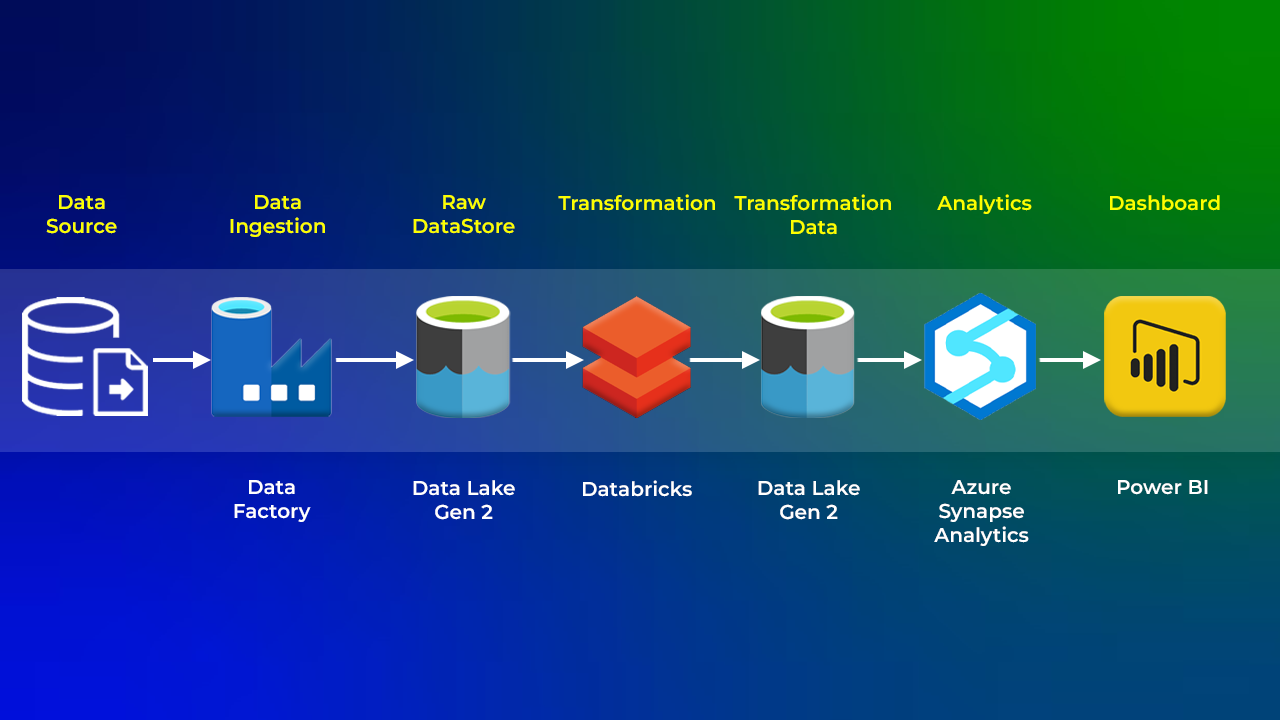
As data engineers, we are expected to convert this raw data into information that can be interpreted by data scientists and business analysts. We need to create a power BI report that will help us gain insights about details such as:
– Gender distribution across various Olympic disciplines
– Medals distribution across the countries
– Discipline distribution across the countries.
Formula One (F1) Insights: Data Engineering Data Pipeline

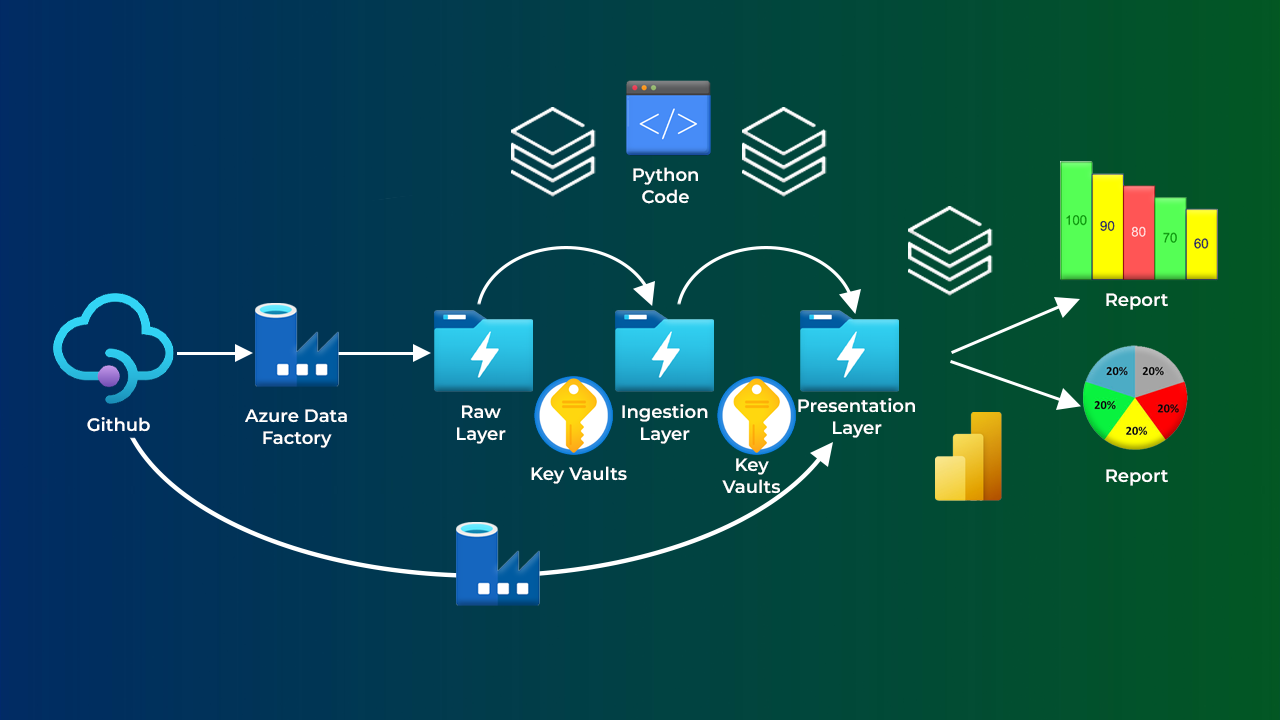
This project uses data engineering to analyze Formula One races. We’ll build a system to collect race data, clean it up, and transform it to uncover hidden trends. By analyzing driver performance, car effectiveness, and track characteristics, we’ll gain valuable insights to inform race strategies and improve car development.
Transform Data using Azure Data Factory

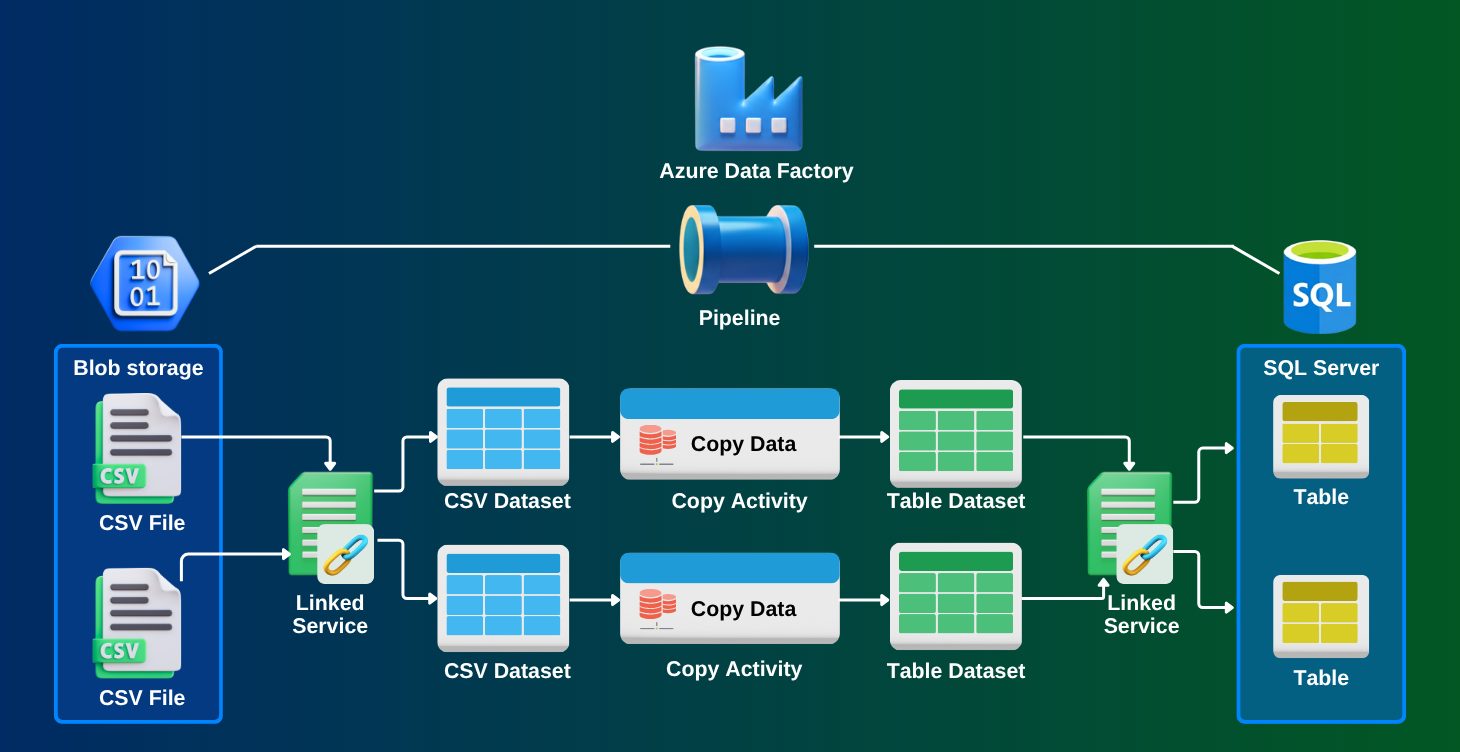
In this Project, you will design a batch processing solution, and then you will add directories to a storage account that uses a Data Lake Storage hierarchical namespace. Next, you will deploy an Azure Data Factory, and then you will createa data pipeline. Finally, you will author a copy data activity that will transform data into a blob data file, and then you will test and publish the data pipeline.
Design dashboard with set of visualizations and DAX queries

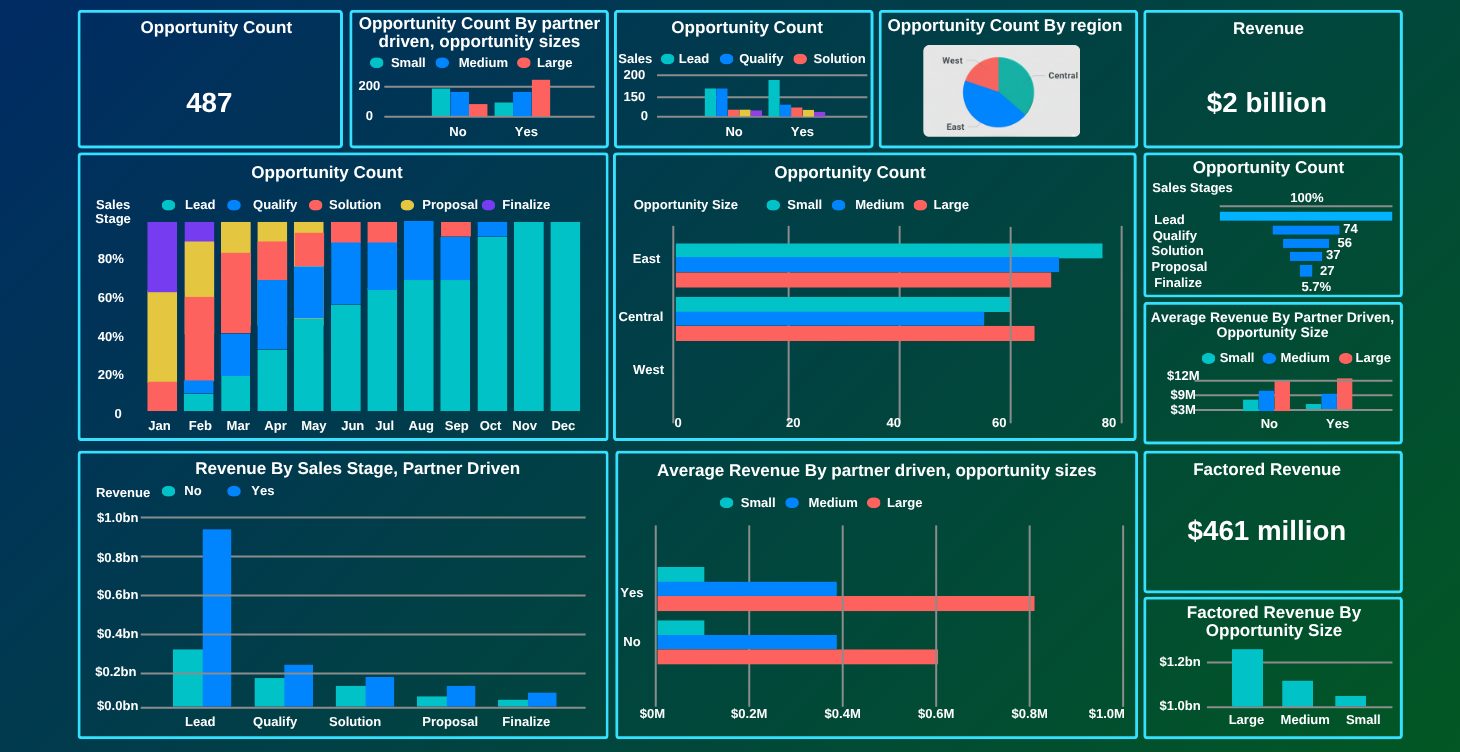
1.In this project, We will cover
2.KPIs for Total Miles, Revenue, Cost
3.Revenue Vs Miles by Shipping State [Trend]
4.Revenue Vs Miles by Shipping City [Map]
5.Total Trips Vs Trips Types
6.% of Trips by Shipping State
7.Revenue Miles vs Total Miles
Toys Sales Revenue Analysis

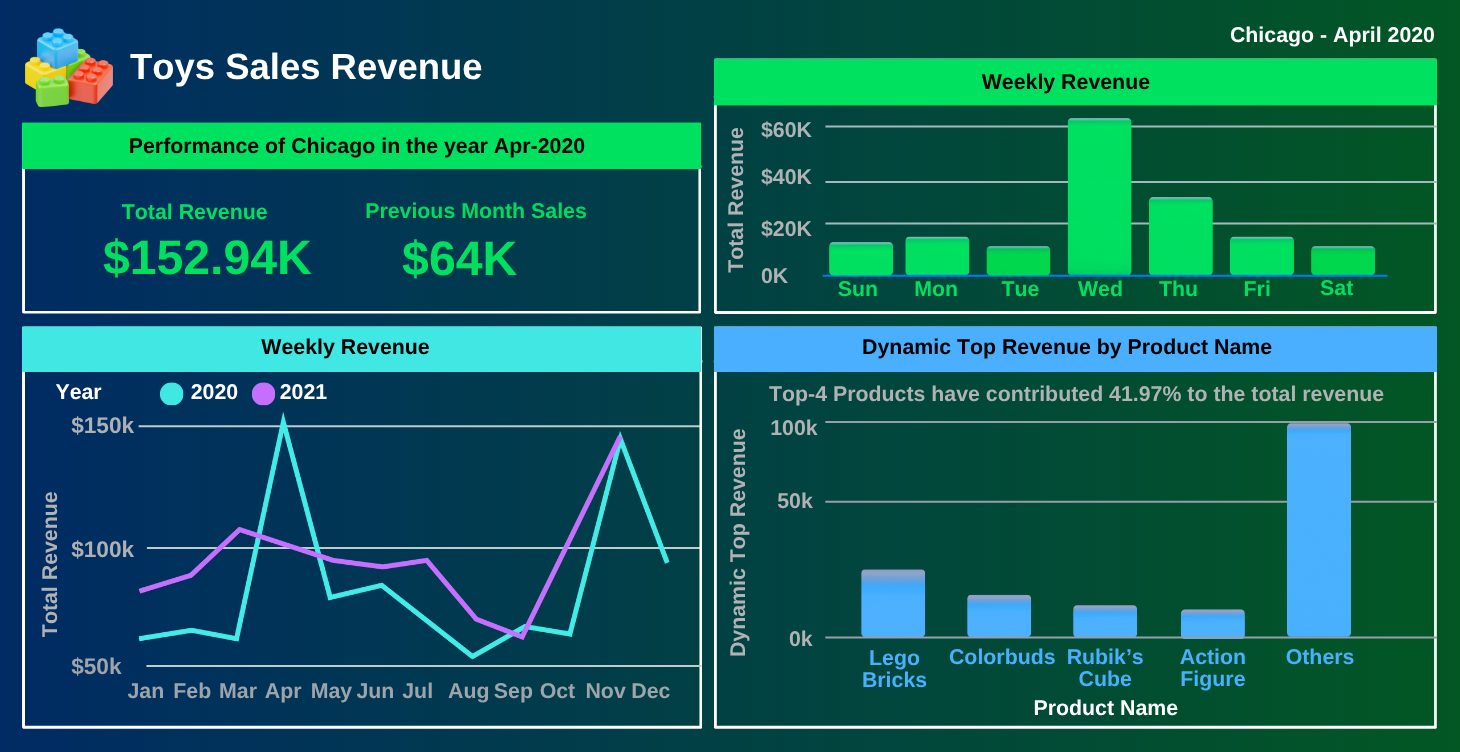
The Toy Sales Revenue Analysis project uses Power BI to transform sales data into actionable insights. It evaluates toy sales across categories, channels, regions, and time periods to identify trends, revenue drivers, and growth opportunities.
COVID-19 Data Insights using ADF & Power BI

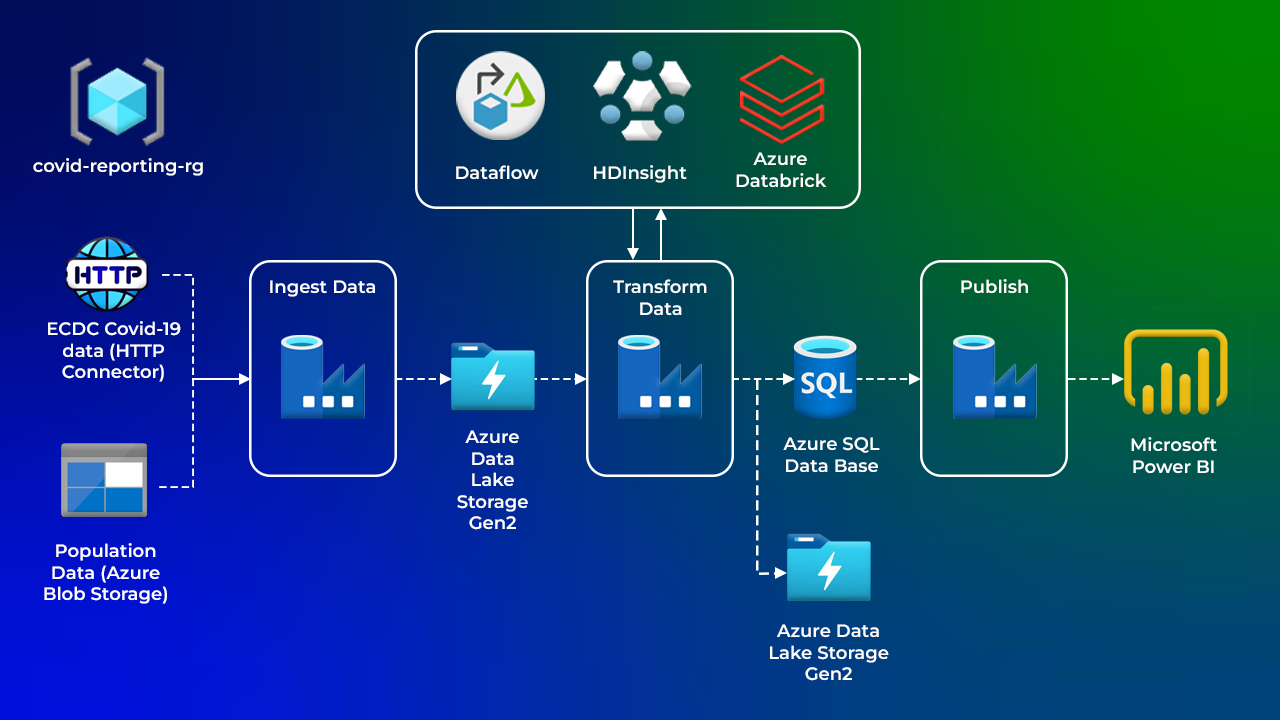
This project analyzes COVID-19 spread and impact across Europe in 2020 using ECDC data. Cloud tools like Azure Data Factory, HDInsight, and Databricks process and transform the data, which is stored in a SQL Data Warehouse. Key metrics include cases, deaths, hospitalizations, ICU admissions, and testing. The analytics team uses this data for insights and predictive modeling to support pandemic management.
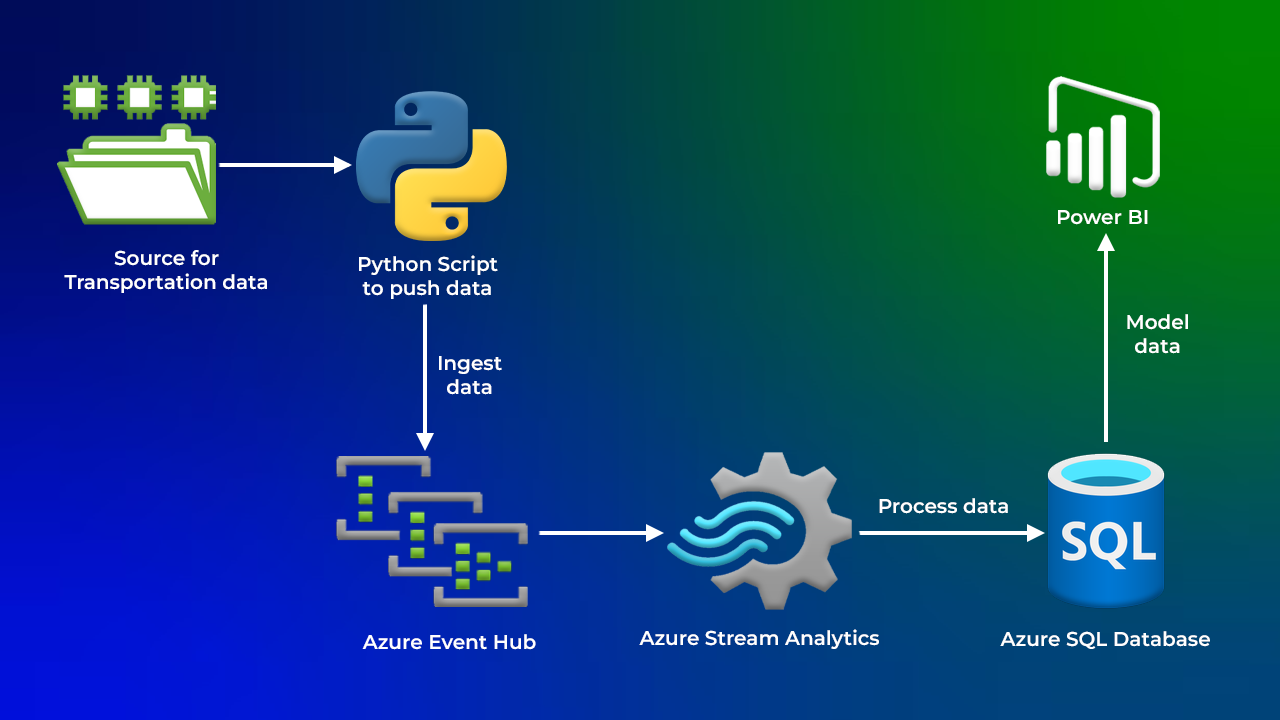
Analyse the Streaming Transportation Data

The Project aims to analyse streaming transportation data across various regions, ethnicities, and transport modes. Need to find the process of creating a Python script to read data from a CSV file, send it to an event hub, and transform it into insights using Power BI. The importance of using SQL databases for stream analytics and members should try processing the data independently before watching the solution.
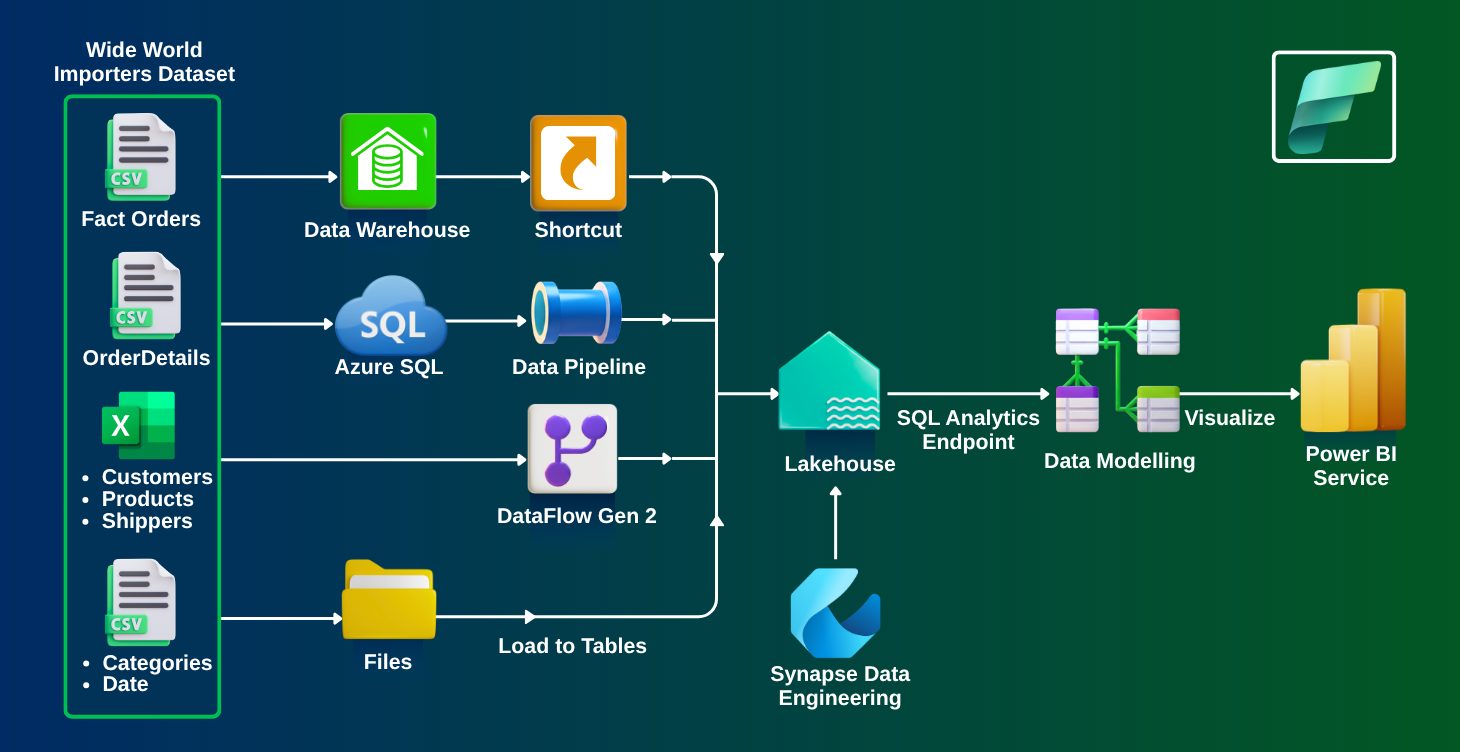
Build an End-to-End Data Pipeline with Microsoft Fabric

In this project, you’ll design and implement a complete data pipeline using Microsoft Fabric. You will explore data ingestion, transformation, and storage using Dataflow Gen2 and Apache Spark. By creating an automated pipeline, you’ll gain hands-on experience in managing data workflows, integrating real-time analytics, and ensuring seamless data flow across multiple environments. This project will help you develop practical skills to build scalable and efficient data pipelines, empowering you for real-world data engineering roles.

Skills You Need to Get Started

No Prior Experience Required

The program begins with the fundamentals, making it suitable for beginners.

Cloud Basics First

Understand cloud computing concepts and how Azure works.

Step-by-Step Learning

Start with Data fundamentals basics, then advance your cloud data skills..

Hands-On Tools

You'll also get hands-on experience with data pipelines, ETL processes, data analytics, data warehousing, and Power BI visualizations

Certification Preparation

Be fully prepared for 6 globally recognized Azure certifications.

Job-Ready Skills

Build practical expertise aligned with real industry requirements.

Why You Should Enroll

6 Industry Certifications

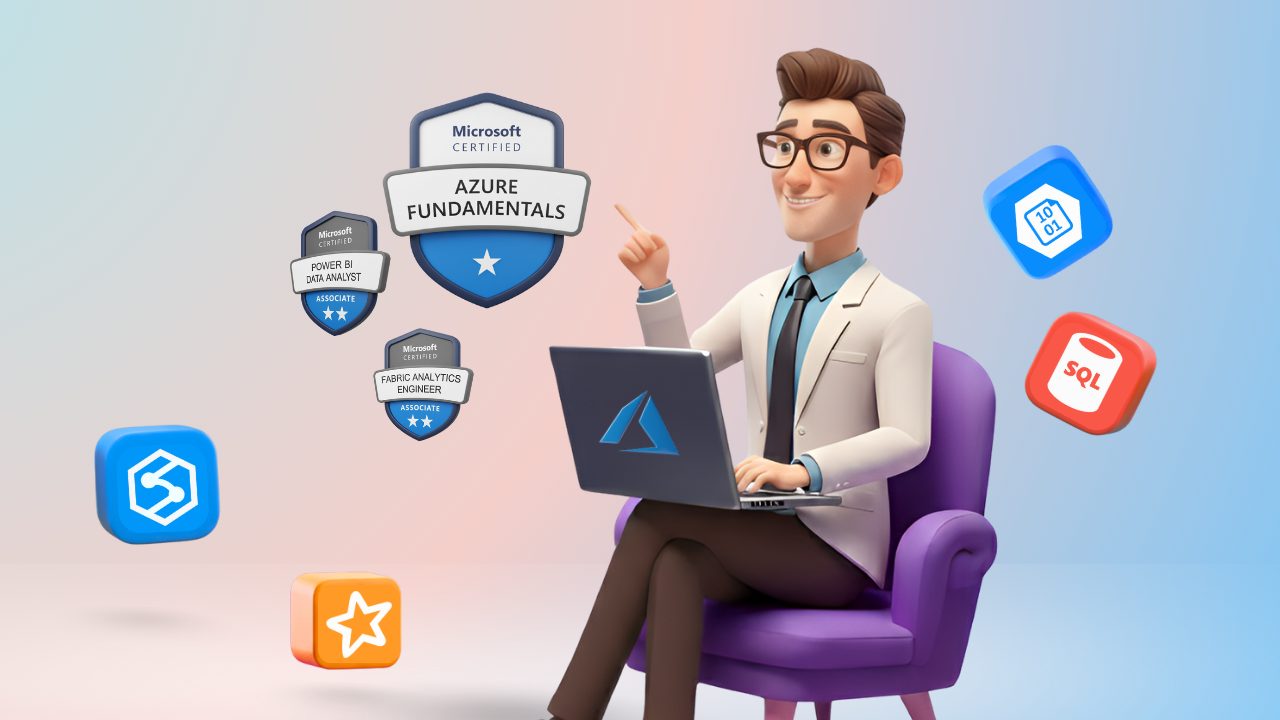
Earn globally recognized Azure certifications (AZ-900, DP-900, DP-700, DP-600, Pl-300, DP-300) that prove your skills and open doors to high-paying roles.

Hands-On Experience

Practice on 60+ labs and real-world projects using Microsoft Fabric, Azure synapse, Power BI

Career Support

Get personalized help with resumes, mock interviews, and job strategies designed to fast-track your career.

Higher Earning Potential

Position yourself for promotions, career transitions, and top salaries with in-demand Azure Data expertise.

Flexible Learning

Learn at your own pace with full access to training materials, labs, and recordings.

Why Choose Us for the Azure Data Job-Oriented Program with 6 Certifications?

Practice Questions

Get access to Azure Data-specific questions, with full-length and topic-wise quizzes, to help you prepare for certifications and interviews.

Online Courses

Enjoy 70+ hours of in-depth, structured training. From the basics to advanced topics, we cover everything, including Azure Data Services, Databricks, data lakes, and real-world data engineering scenarios.

Hands-on Labs

Work on 100+ practical labs and projects that simulate real-world challenges. Gain valuable hands-on experience by implementing Azure Data solutions like Azure SQL Database, Azure Synapse, and Azure Databricks.

Expert Support

Get personalized guidance from Azure Data experts. Clear your doubts and learn best practices to excel in the real world.

Job Aspects

Understand the Azure Data job market, in-demand skills, and key services. Learn how to align your learning with what employers want, prepare for interviews, and improve your chances of getting hired.

On-Job Support

Once you land a job, continue receiving support from our experts. They’ll help you apply what you’ve learned and troubleshoot challenges in real-world situations.

Course Validity

Enjoy 1-year unlimited access to all training materials. Learn at your own pace and come back to revise anytime until you're ready for the job.

Testimonials/Feedback

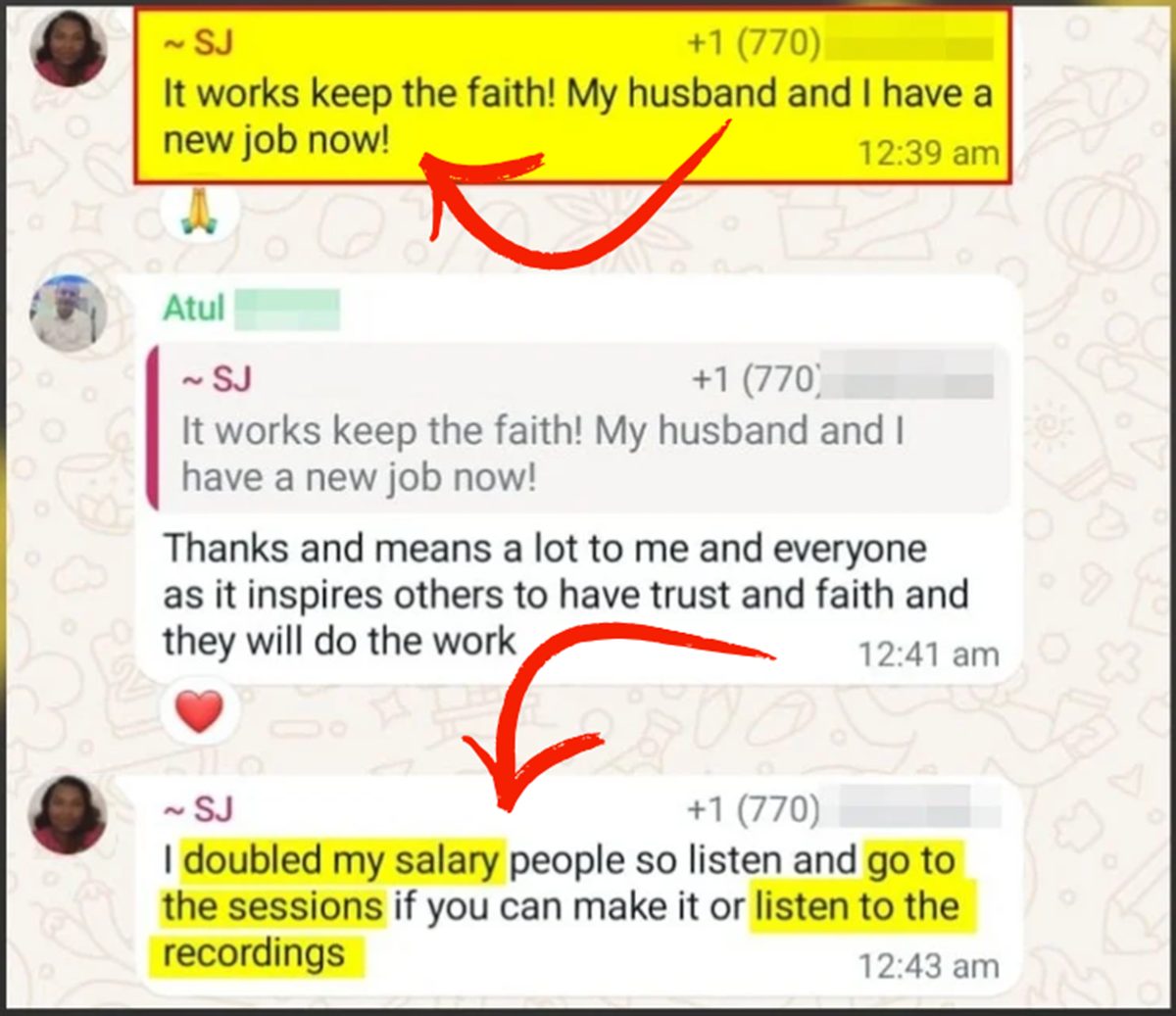
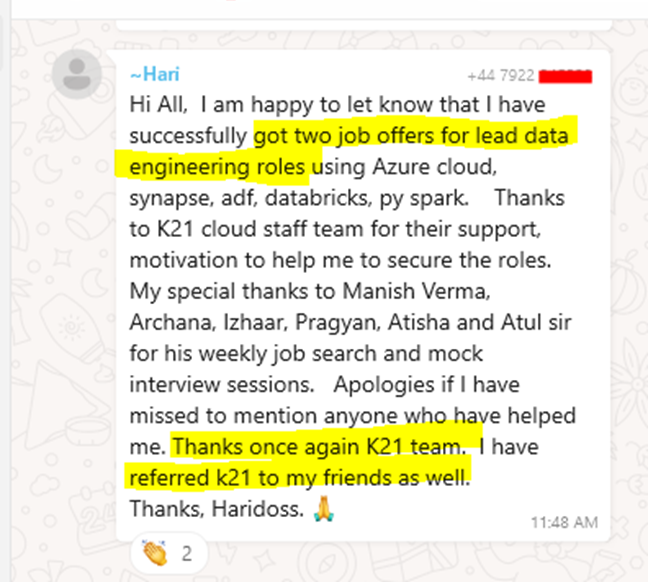
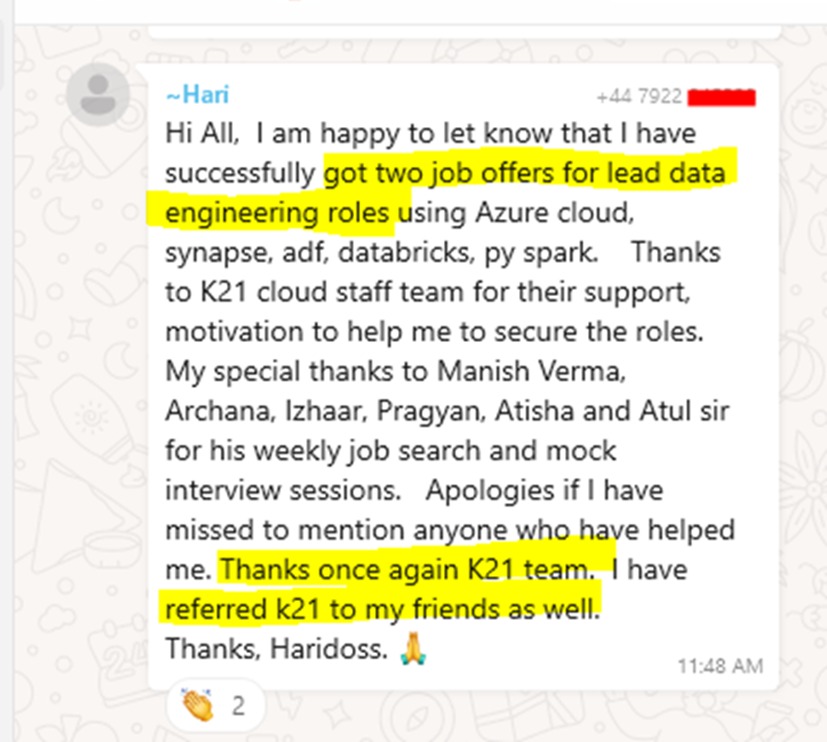
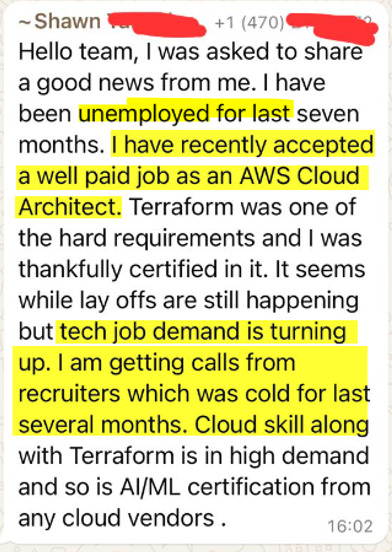
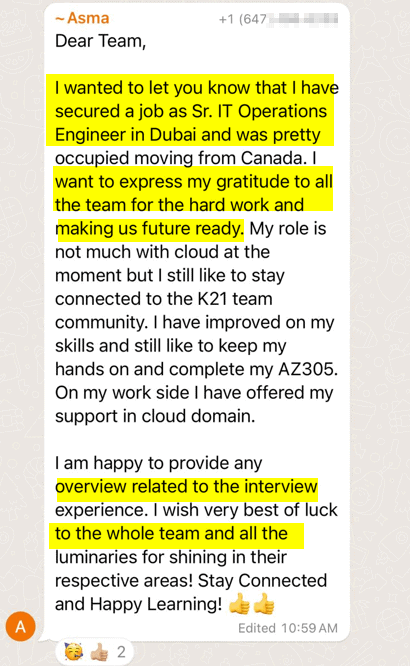
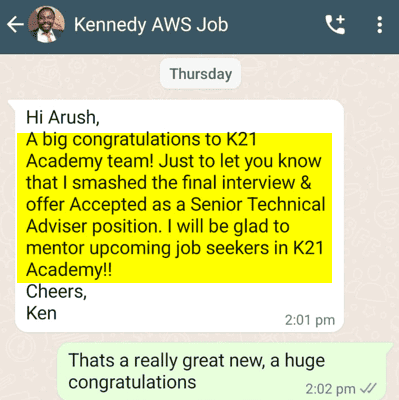
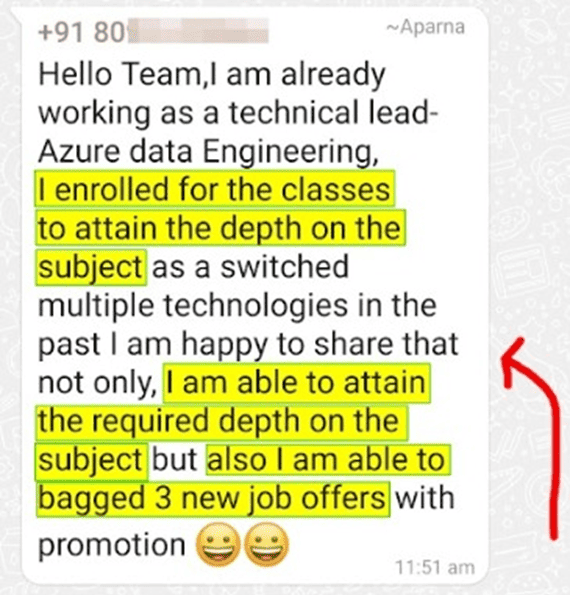
Join over 45,000 learners who have successfully transitioned into Azure-focused Data Engineering roles. Hear their success stories and learn how our program helped them achieve their career goals.

Additional Perks

Plus, hands-on experience is highly valued by employers, so by the end of the course, you’ll be ready to impress in interviews and on the job!

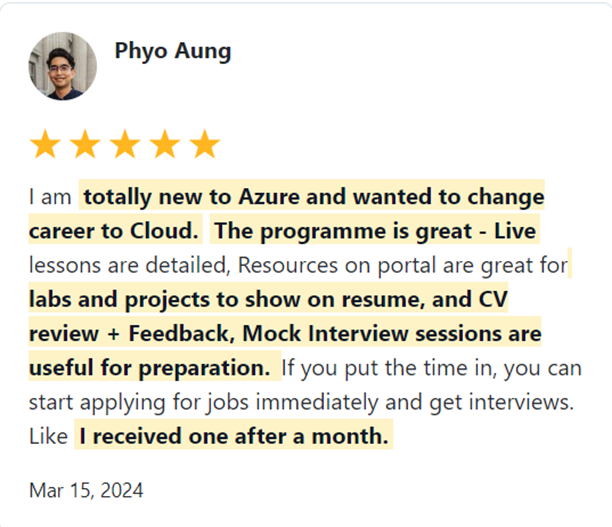
What Our Trainees Say

Trusted by thousands of satisfied trainees across multiple platforms

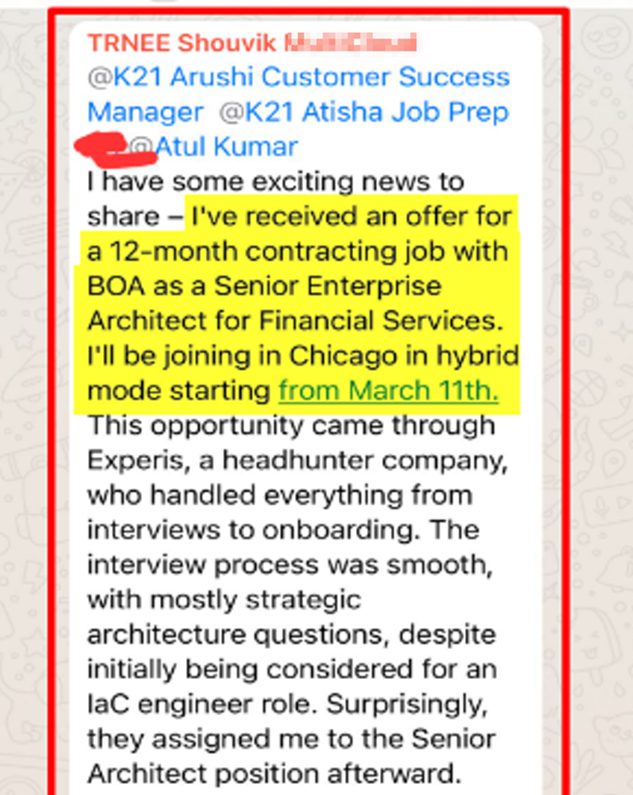
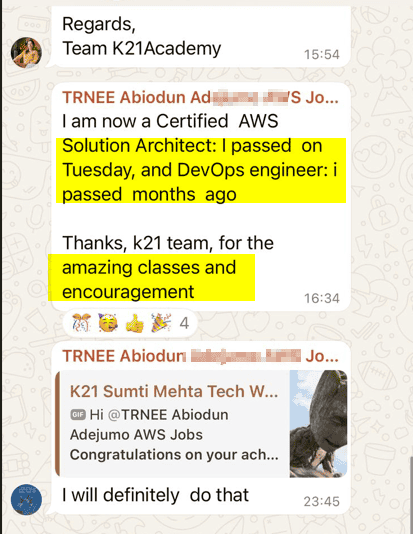
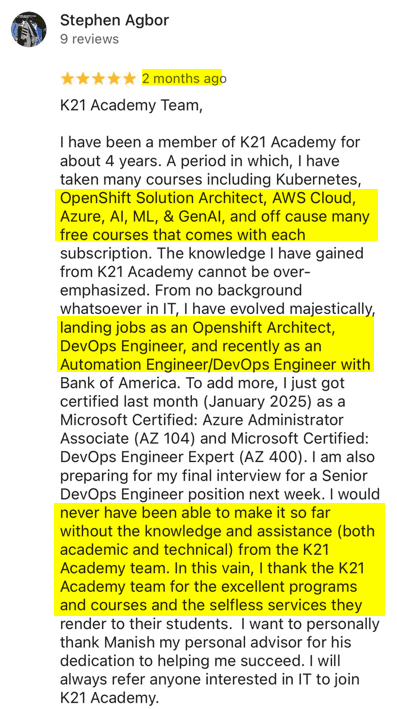
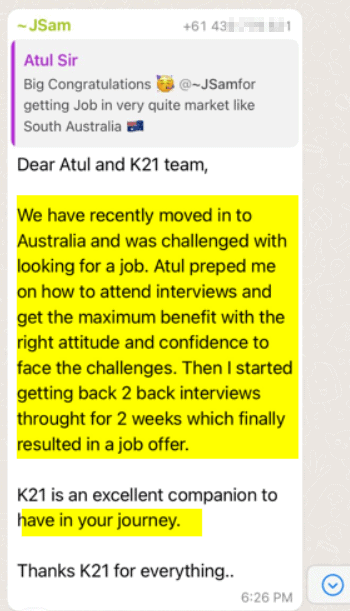
Insights from Our Achievers..

FAQs – Frequently Asked Questions

How long is the program?

The program lasts for approximately 2 – 3 months.

You’ll earn 6 industry-recognized certifications(AZ-900/DP-900/DP-700/DP-600/PL-300/DP-300)  in Azure Data-related technologies.

Yes, beginners are welcome, and the program starts with foundational concepts.

You can apply for roles like Fabric Data Engineer, Data Analyst, Power BI Developer, and Database Administrator

Please refer to our terms and conditions or contact support for details.

It includes both live sessions and recorded content for flexibility.

Yes, the program is designed to cater to beginners.

You get 24/7 access to materials, expert guidance, and job support.

All live sessions are recorded and available to watch later.

Yes, flexible payment plans are available.

Yes, we provide study materials and exam prep.

While we can’t guarantee a job, our program significantly boosts your employability. Many of our learners have successfully landed jobs after completing the program. For example, Monika Ahuja transitioned into a Principal Data Architect role, and Sreeja secured a high-paying job as an Azure Data Engineer. 

Our hands-on approach, expert support, and real-world experience prepare you for the job market, helping you stand out to potential employers.

6 Months Money Back Guarantee

When you join the K21Academy, you are fully protected by our 100% Money back guarantee.

We strive to provide the best training programs, but if you don’t get the desired results even after following every step of our learning style, you can claim your money back! 100% money-back guarantee covers the price of online training.

You have 6 Months from the date of the original purchase, to claim a refund. All you will be required to do is, show us the proof that you took action and attended sessions, completing the hands-on labs, Projects & applying to at least 50 jobs & get CV Reviewed (share proof) & you feel that the program is not worth the money you invested, you will receive a full refund.

$1197 x 4 ONLY

Get Immediate Access
to Training & Support

Payment Methods:

$3997 only

Get Immediate Access
to Training & Support

Payment Methods:

This FREE and highly valuable 1:1 Call team of Experts about the Program.

My 24+ Years of Experience with over 45,000+ trainees

I started my IT career in 2000 as an Oracle DBA/Apps DBA. The first few years were tough (<$100/month), with very little growth.

In 2004, I moved to the UK. After working really hard, I landed a job that paid me £2700 per month.

In February 2005, I saw a job that was £450 per day, which was nearly 4 times of my then salary.

So I looked at training from Oracle for 5 days. In November, I successfully transitioned to Oracle Security & IAM, and my career took off.

Around 2012–13, Cloud, DevOps & Cloud Automation were gaining popularity & there were many job opportunities in these fields.

So, I decided to make a change in my career path, and I transitioned from working on On-premises (Security, Infrastructure & Databases) to focusing on Cloud & DevOps.
Learning Cloud & DevOps gave me the opportunity to work with some of the world’s largest and most prestigious clients.

I then used the same roadmap with 45,000+ individuals (like you) to help them get their dream jobs.

If they can do it, you can do it too!