



In this blog, we are going to discuss, How to use Oracle Integration Cloud Service’s Call Integration Action feature to invoke an integration from another integration.
It is particularly useful when you need to have multiple small nested integrations rather than having one large integration.
It is easier to diagnose errors when you have multiple small nested integrations. If you want to know more about How to Managing & Monitoring Integration Errors in Oracle Integration Cloud (OIC) check our blog.
If you are new to OIC and want to get familiarise then check our blog Oracle Integration Cloud (OIC) For Beginners Overview
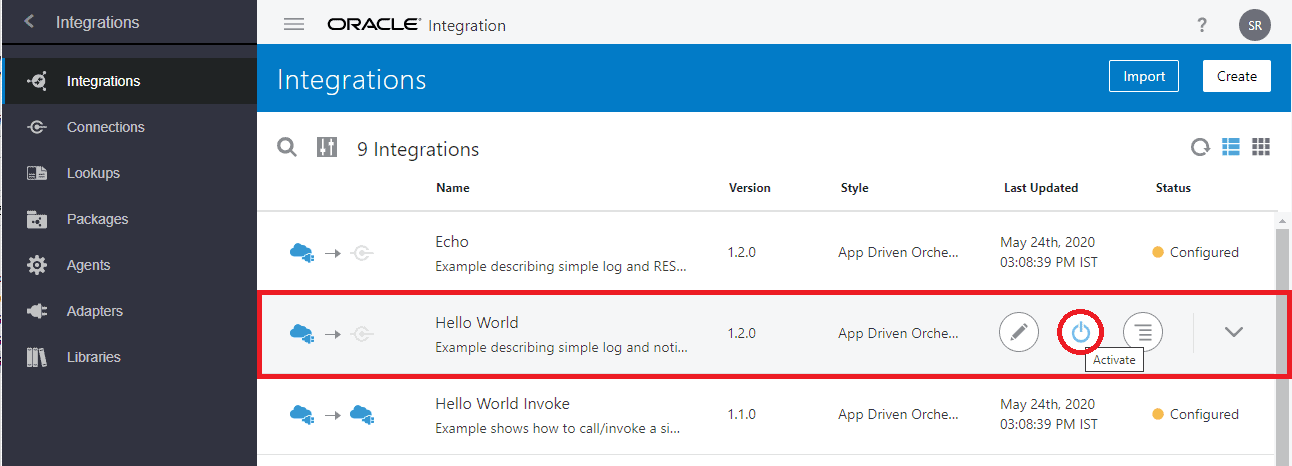
Activate and Test Sample Hello World Integration
We will be using the sample Hello World integration as the integration to be invoked (Child Integration) and Hello World Invoke integration will be used as the parent integration that will invoke the child integration. Both the integrations are provided as a sample but we will simplify the Invoke integration part for easy understanding.
- Click on Activate Button to activate the integration.
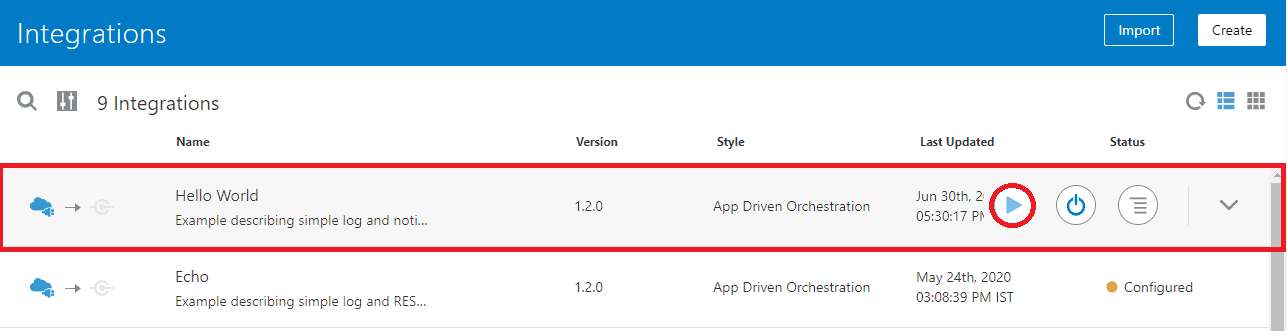
- Click on the play button.
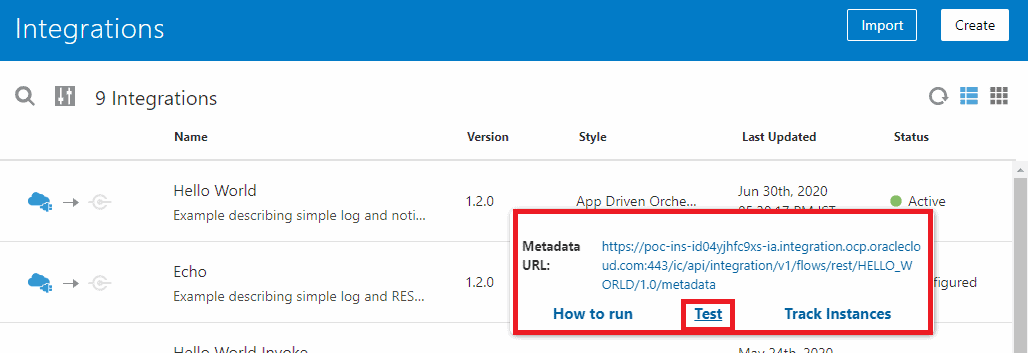
- A new Popup will open. Click on the Test.
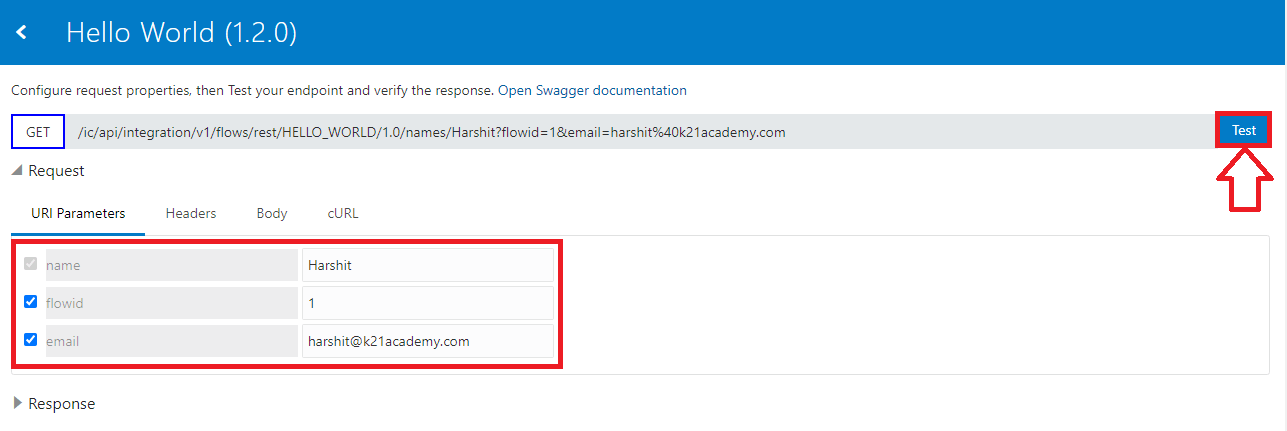
- A new page will open that will be used to test the integration provide Details Like Name, Flowid, and Email. Then click on the Test button.
- You will get a welcome message as a response and you will also receive a mail with similar information.
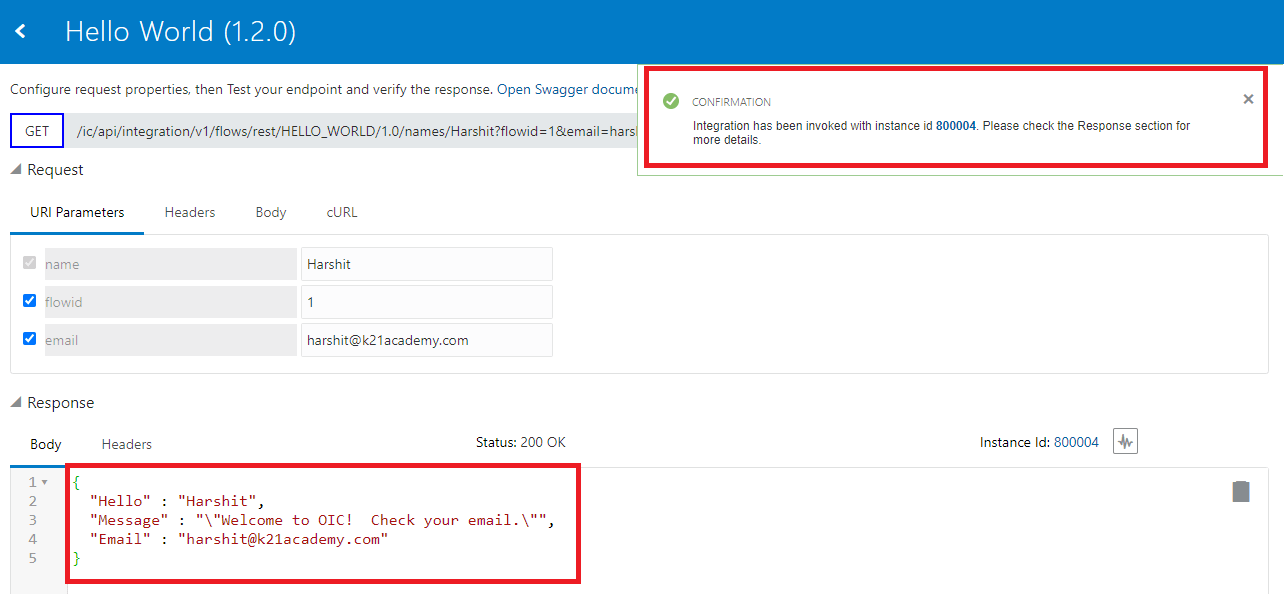
Response in Email

- We are targeting to get a similar response by using another integration as a trigger point.
Also read: SOAP Vs REST API In Oracle Integration Cloud (OIC)
Hello World Invoke Integration
For Demo purposes, Oracle includes sample Hello World Invoke Integration. This integration is capable of invoking Hello World Integration.
However, we will not use the integration as it is, we will remove the invoke rest connection from the integration to simplify the process as both the integration are in the same instance. If the integrations were to be in separate instances then we will need to use the REST connection with Swager URL for invoking Purpose.
We cover topics like this and many more advanced topics in our Oracle Integration Cloud [OIC] course.
Modifying Hello World Invoke Integration
We are modifying Hello world Invoke integration
- Edit Hello World Invoke integration.
- For convenience, I have changed the layout to horizontal.
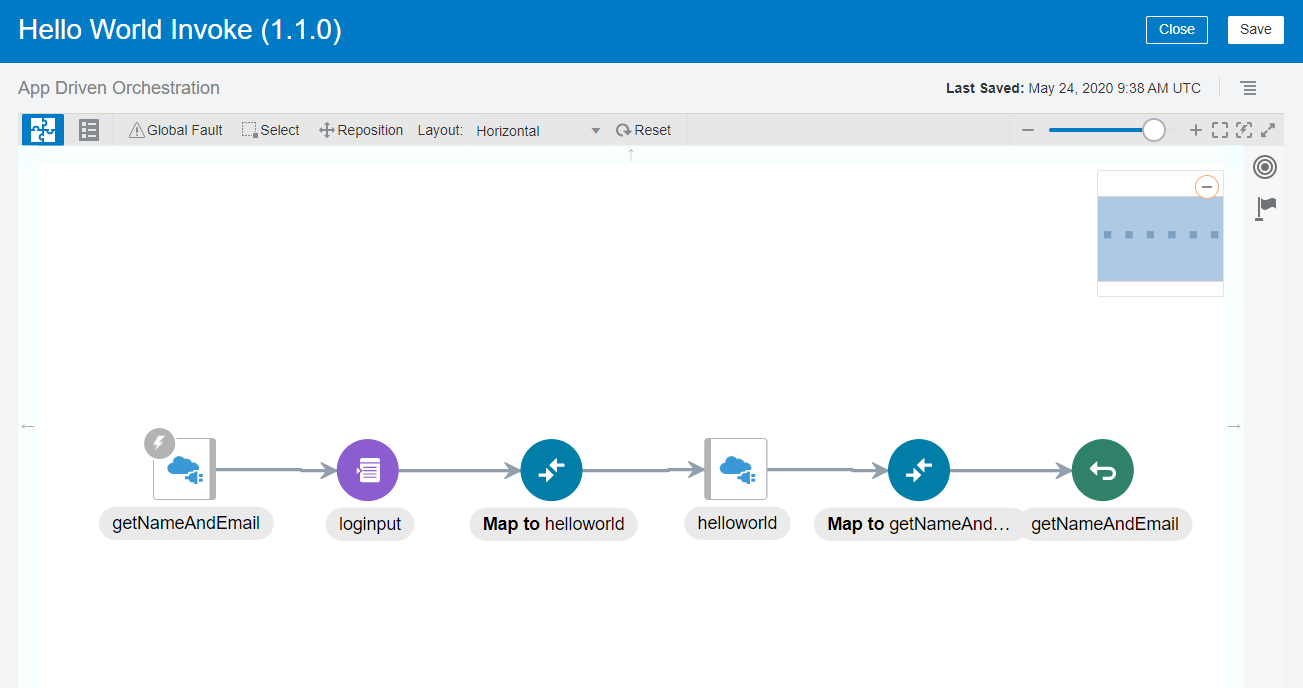
- For invoking the Integration we need to add call integration action. But this integration uses a invoke rest connection which is all good but why use something that is complicated.
- So Delete helloworld invoke REST connection.
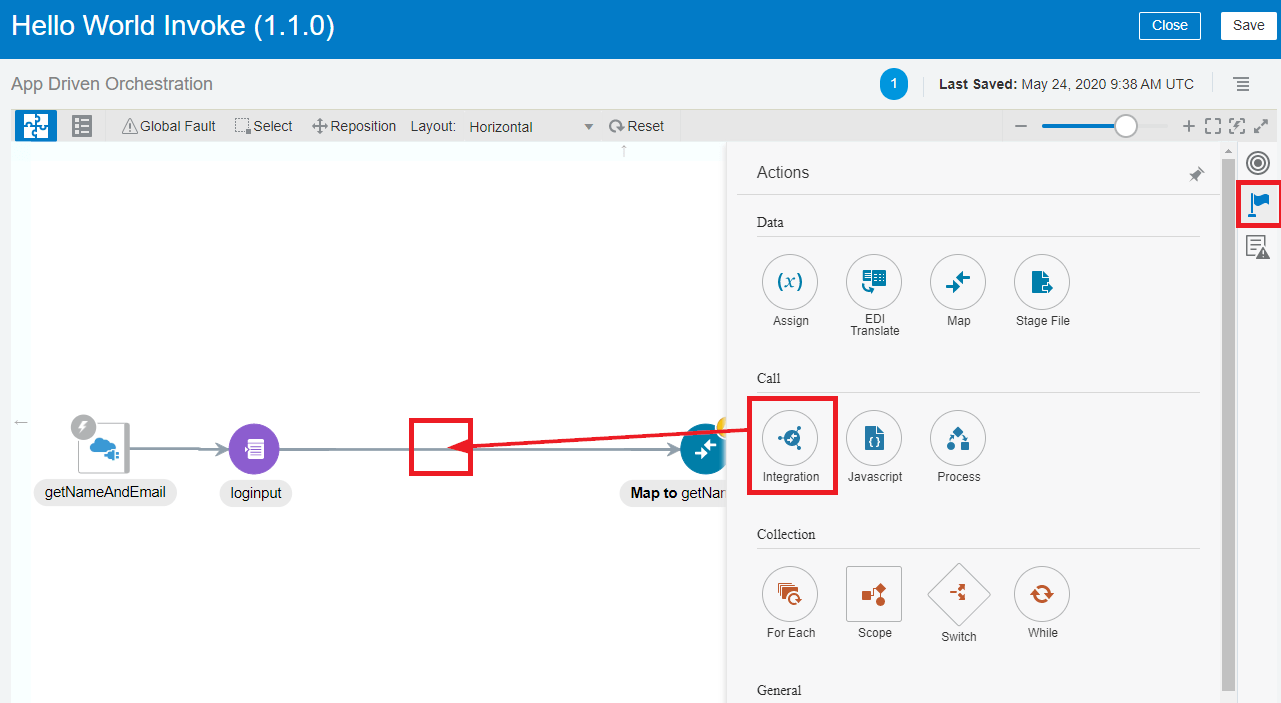
- Now we will add a call Integration Action. Open the Actions by clicking on the flag then drag and drop Integration after the trigger.
- Provide a logical name such as InvokeHelloWorld.
- Select the integration as Hello Word then click on the Next button.
- Select the Operation as Get then clicks on the Next button.
- Click on Done.
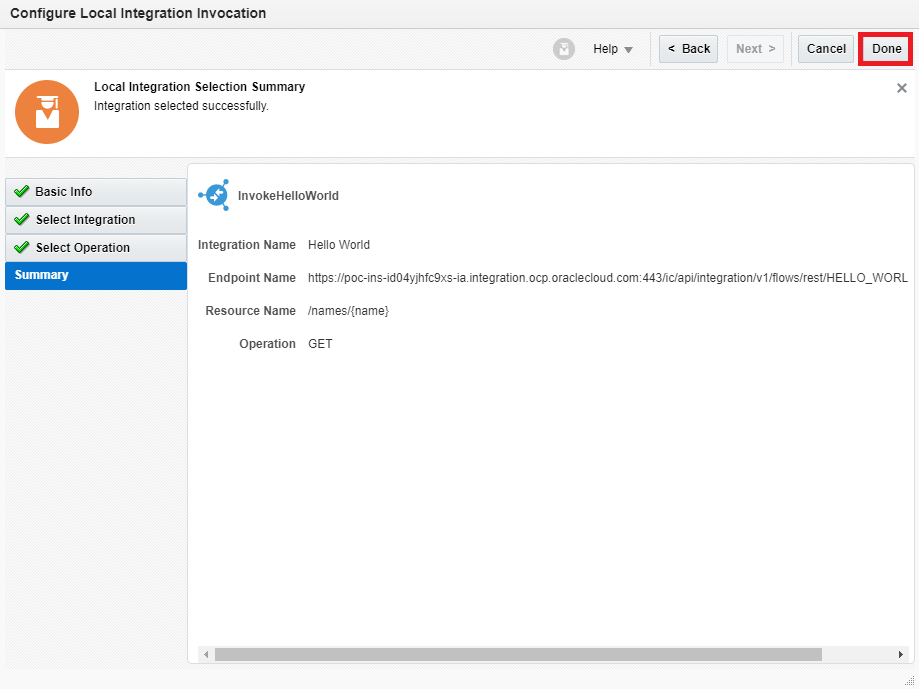
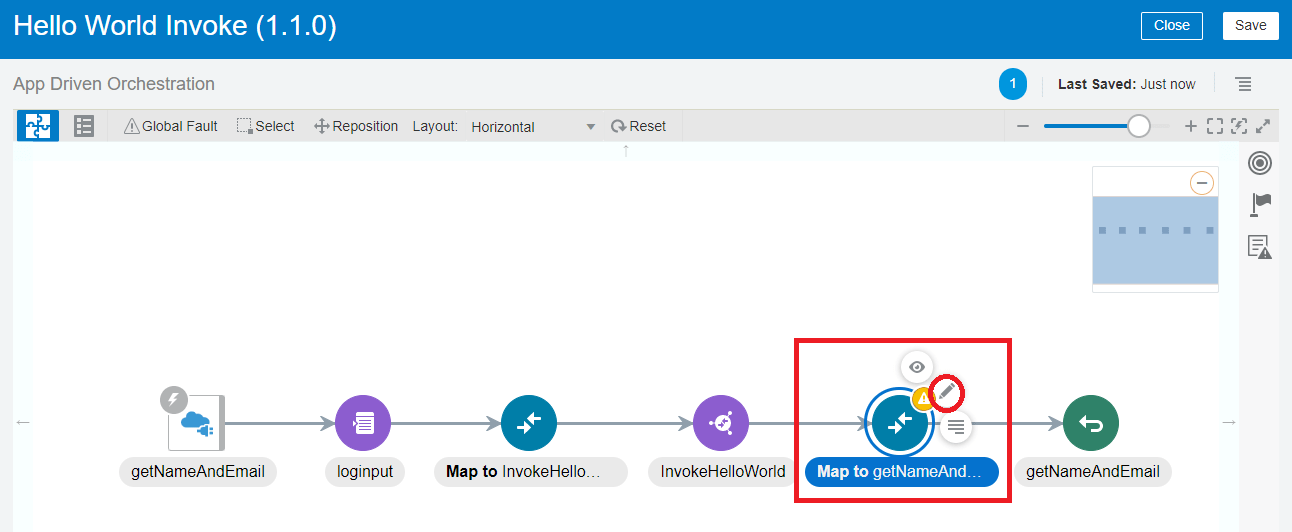
Note: We have simplified the process by removing the invoke REST connection and using Call Integration action instead. - Provide mapping for InvokeHelloWorld so click on the edit button for the map.
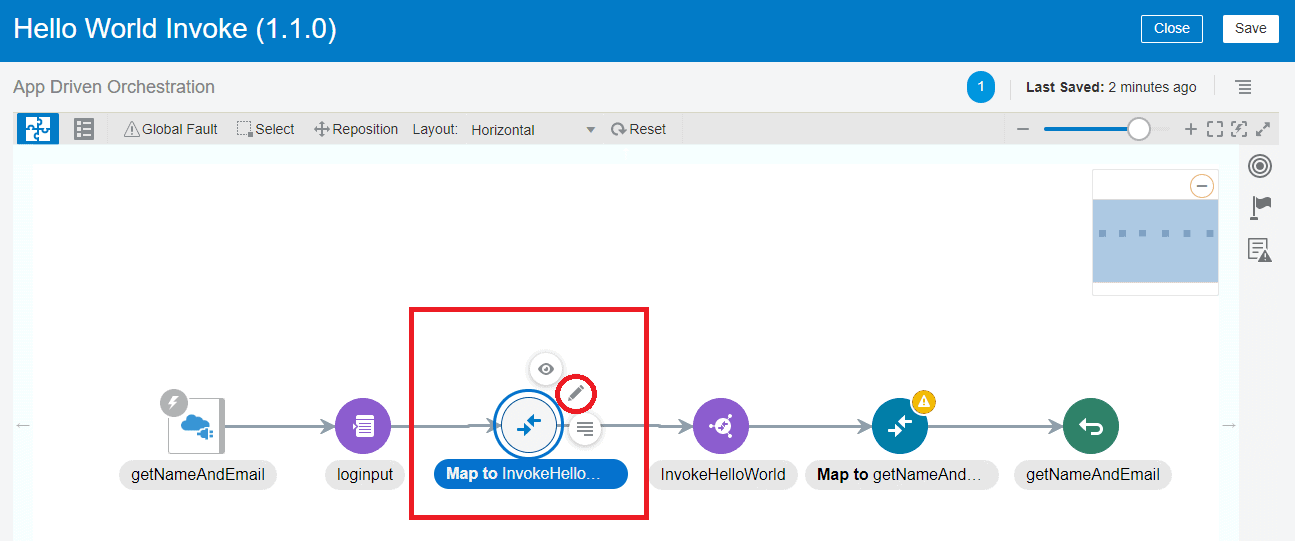
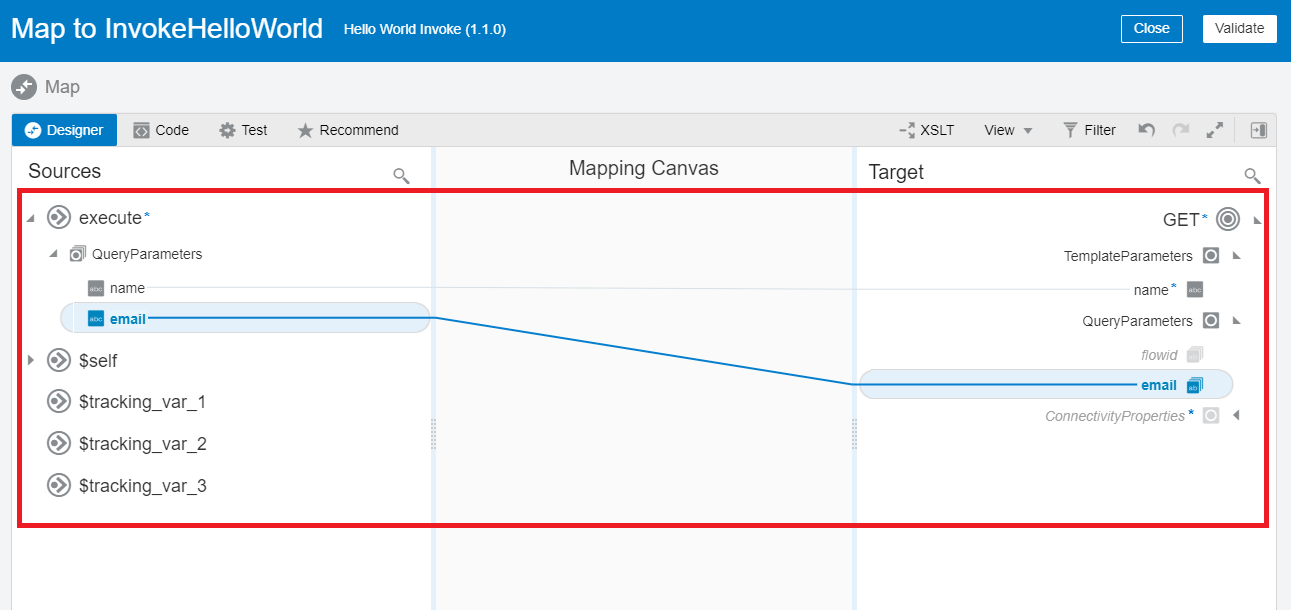
- Map source to target as shown in the screenshot. Then Validate and close mapper.
- Map getNameAndEmail so click on the edit button for the map.
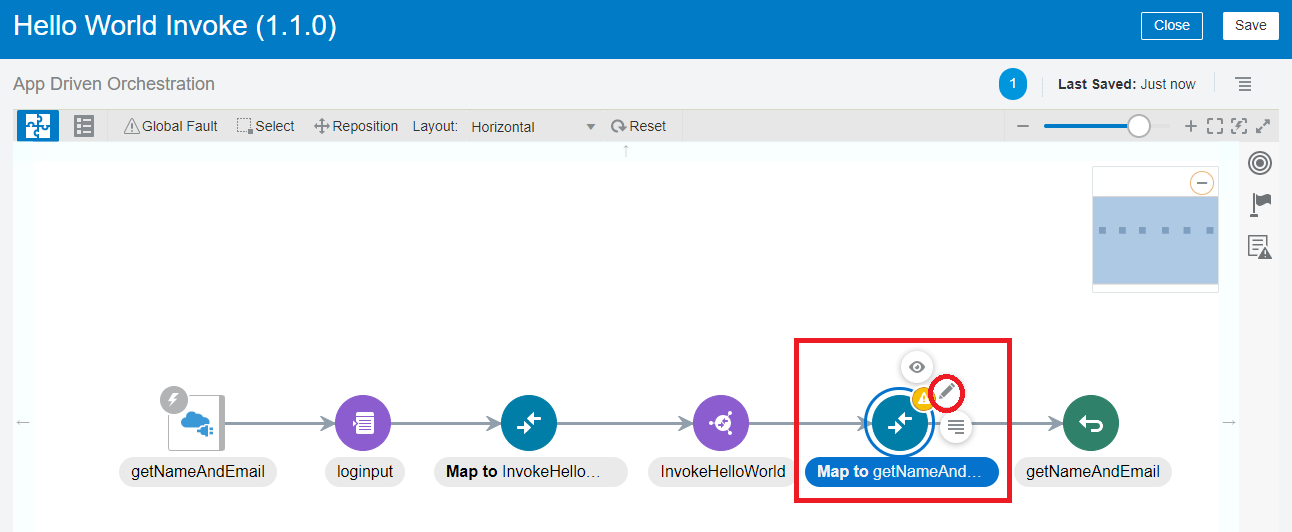
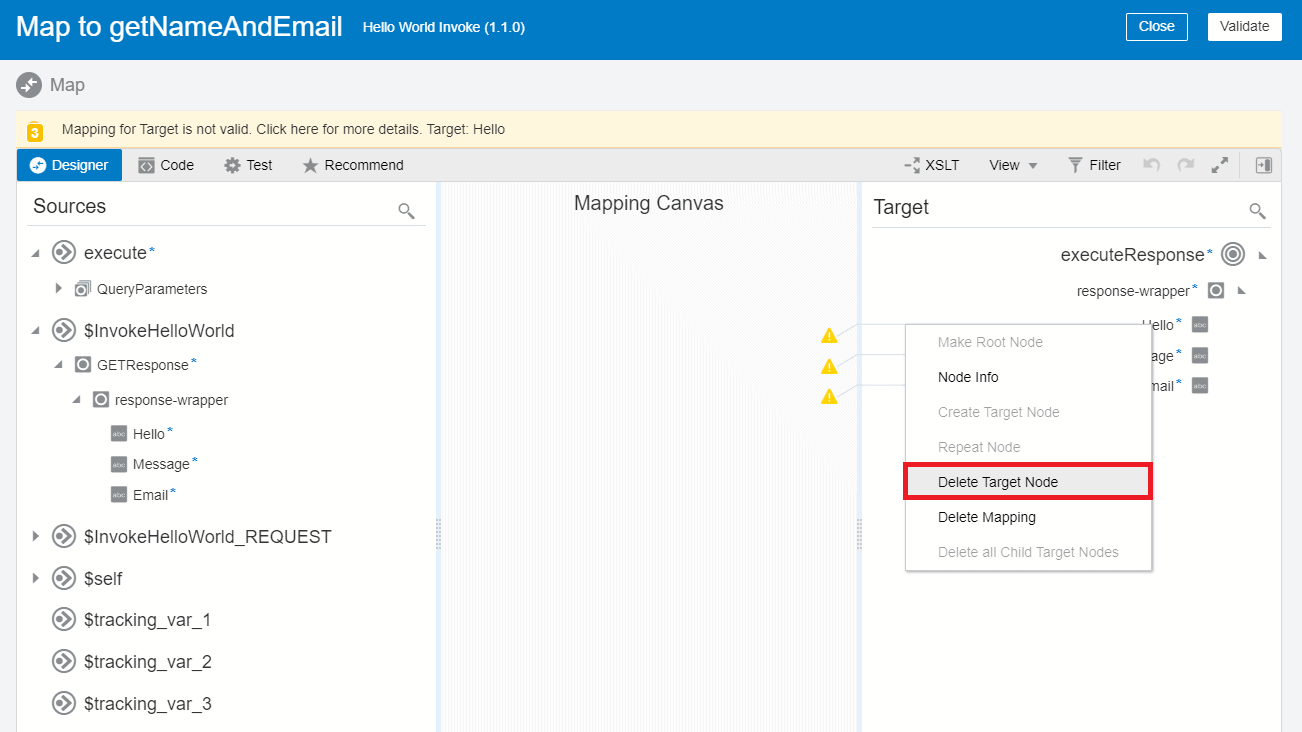
- Expand response Wrapper on the target side You will notice that the target nodes show error so we need to delete the target node from Hello message and Email first.
- Right-click on Hello the select click on Delete Target Node, Similarly repeat these steps for Message and.
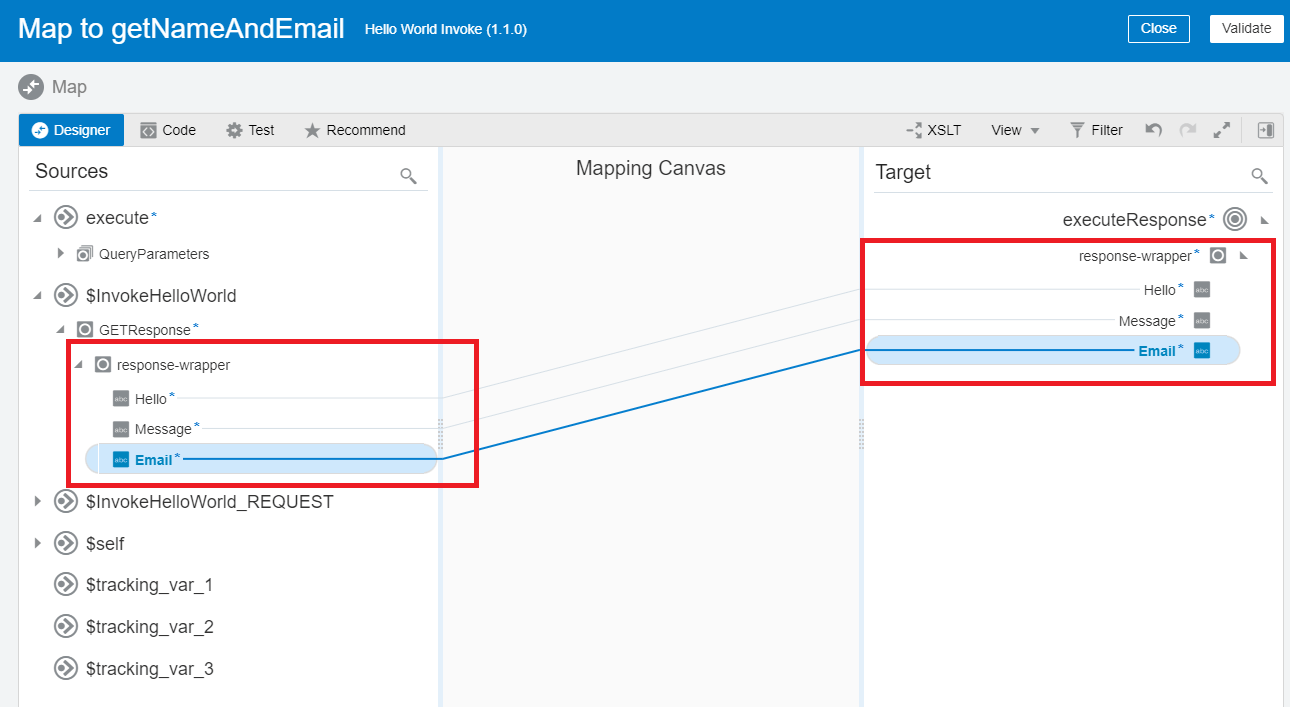
- Map source to target as shown in the screenshot. Then Validate and Close the mapper.
- Now you Integration is complete Click on Save then close the integration.
Check Out: New Homepage of Oracle Integration Cloud.
Test Hello World Invoke Integration
- Activate the integration.
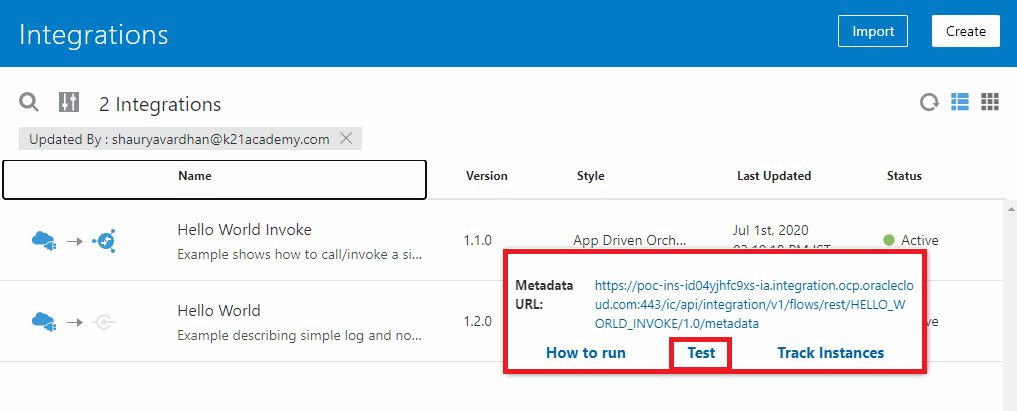
- Click on the play button. Then click on Test
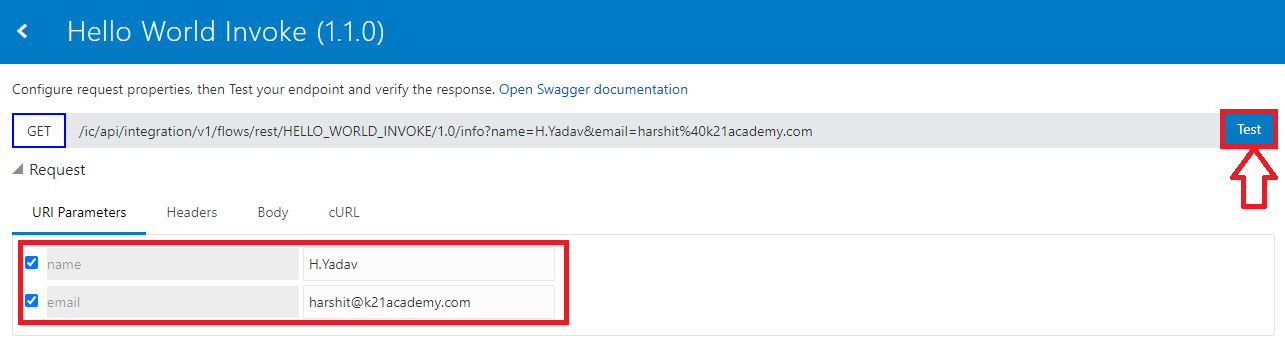
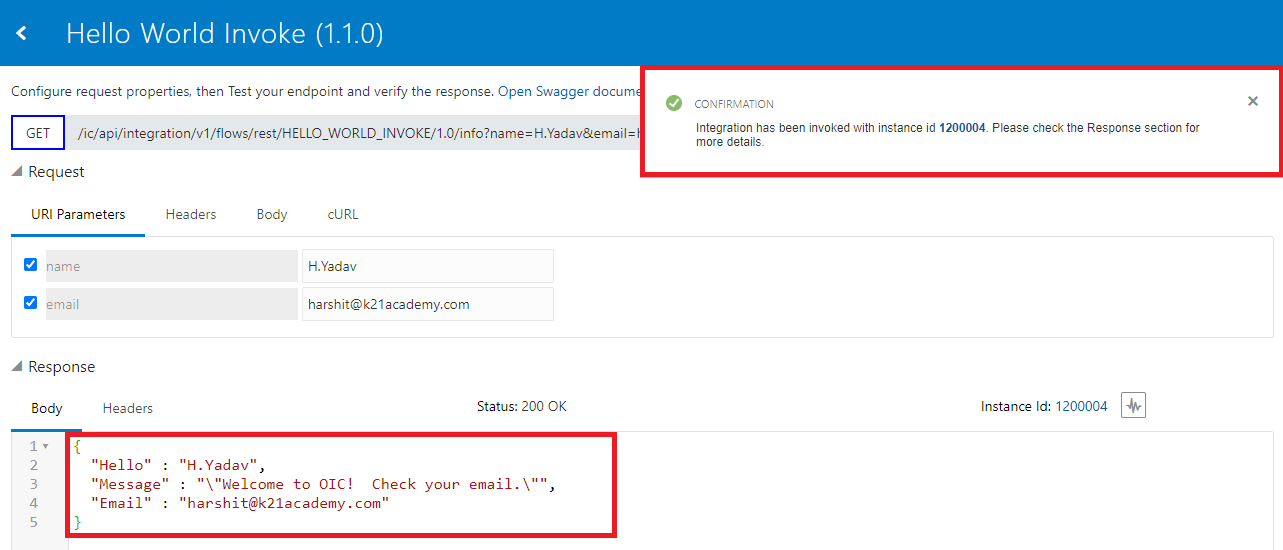
- A new page will open that will be used to test the integration, provide Details Like Name and Email. Then click on the Test button.
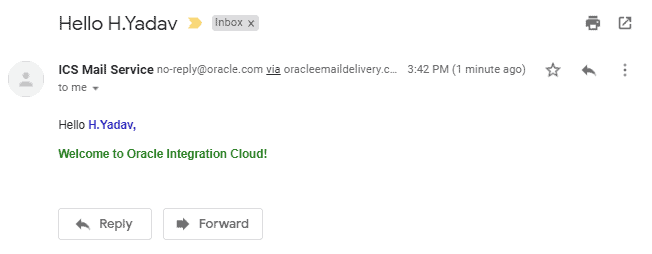
- You will get a welcome message in response and you will also receive a mail with similar information.
 Response In Email
Check Out: What is Oracle Process Cloud Service?
Summary
I hope you find this blog post useful.
This is how you invoke an integration from another integration by using the Local Integration action to call another integration.
You can also invoke a scheduled orchestration from another integration. However, you can only call the scheduled orchestration as “Submit now”.
It is particularly useful when you need to have multiple small nested integrations rather than having one large integration.
It is easier to diagnose errors when you have multiple small nested integrations. If you want to know more about How to Managing & Monitoring Integration Errors in Oracle Integration Cloud (OIC) check our blog.
We Cover Oracle Integration Cloud OIC in our course where you will learn to Provisioning OIC | Connectors/Agents | SaaS Adapter | Troubleshooting | Customer Case Study | Security | Administration.
Related Links/References:
- Oracle Integration Cloud (OIC) For Beginners Overview
- Oracle Integration Cloud (OIC) ADW/ATP Adapter
- Oracle Integration Cloud (OIC) Notification Activity
- Our best blogs for Oracle Integration Cloud – OIC
- Managing & Monitoring Integration Errors in Oracle Integration Cloud (OIC)
- 6 Docs Every Oracle Cloud Integrator Must Read
- How to exporting Business Data and Visual Builder Cloud Service (VBCS)
Next Task For You
Do you want to learn more about Oracle and confuse where to start or which certification is right for you? Then, click on the register now button below to register for a Free Masterclass on Oracle [1Z0-1042] Certified Cloud Integration Expert, which will help you better understand and choose the right path and clear the certification exam.


![Microsoft Agentic AI Business Solutions Architect [AB-100] | K21 Academy](https://test.k21academy.com/wp-content/uploads/2025/11/Microsoft-Agentic-AI-Business-Solutions-Architect-AB-100-Exam-Overview1.png)


