



This blog gives a step by step walkthrough to create a subscription of Service Hooks in Azure DevOps.
This blog talks about technologies that are part of the Azure DevOps environment. If it’s something in which you have an interest or you want to learn it then you can visit our previous blog to know more about the [AZ-400] Microsoft Azure DevOps certification.
What Is Service Hooks?
Service hooks let you run tasks on other services when events happen in your Azure DevOps Services projects.
For example, build a CI in Azure DevOps and then start the CD on the Jenkins or we can send the notifications on the Slack channel or Teams channels if the build or deployment fails or even we can send the slack for Release approvals too.
Service hooks can also be used in custom apps and services as a more efficient way to drive activities when events happen in your projects.
Service hook publishers define a set of events. Subscriptions listen for the events and define actions to take based on the event. Subscriptions also target consumers, which are external services that can run their own actions, when an event occurs.

Creating A Subscription Of Service Hooks:
When you integrate one of these services with Azure DevOps Services, you have to create a new subscription. In many cases, you have to do some work in the other service, too. For specific details, look at the information on the service that you’re interested in.
Step 1: Open the admin page for a project in web access.
Step 2: Create a subscription by running the wizard.
Step 3: Select the service you want to integrate with.
Step 4: Select the event to trigger and any filters (if applicable).
Check Out: Our blog post on Azure DevOps Environments Kubernetes. Click here
Step 5: Select an action to run on the target service.
Note: The list of available actions may be limited based on the event type you selected.
Step 6: To confirm the settings are correct, test the subscription, and then finish the wizard.
Once after this is set up the service hooks will be always triggered whenever the specific actions are hit upon. We can see that on the logs on the service hooks location itself, like how many times it has been triggered.
Also Read: Our blog post on Azure Web App Docker Compose. Click here
Release Approvals:
Now, we can see how Release approvals are sent to the Slack channels so that the required people can approve it accordingly.
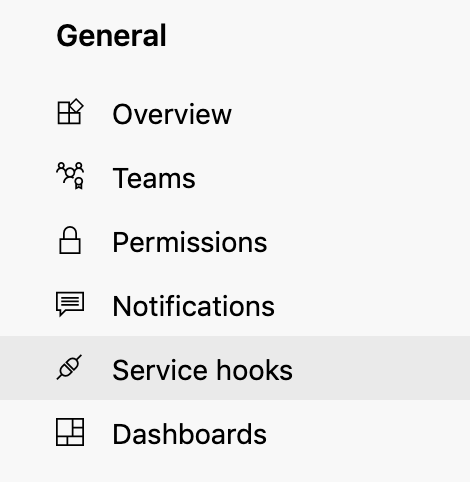
- Step 1: Go to the Service Hooks from the General project settings.
- Step 2: Choose the provider as Slack from the below menu.
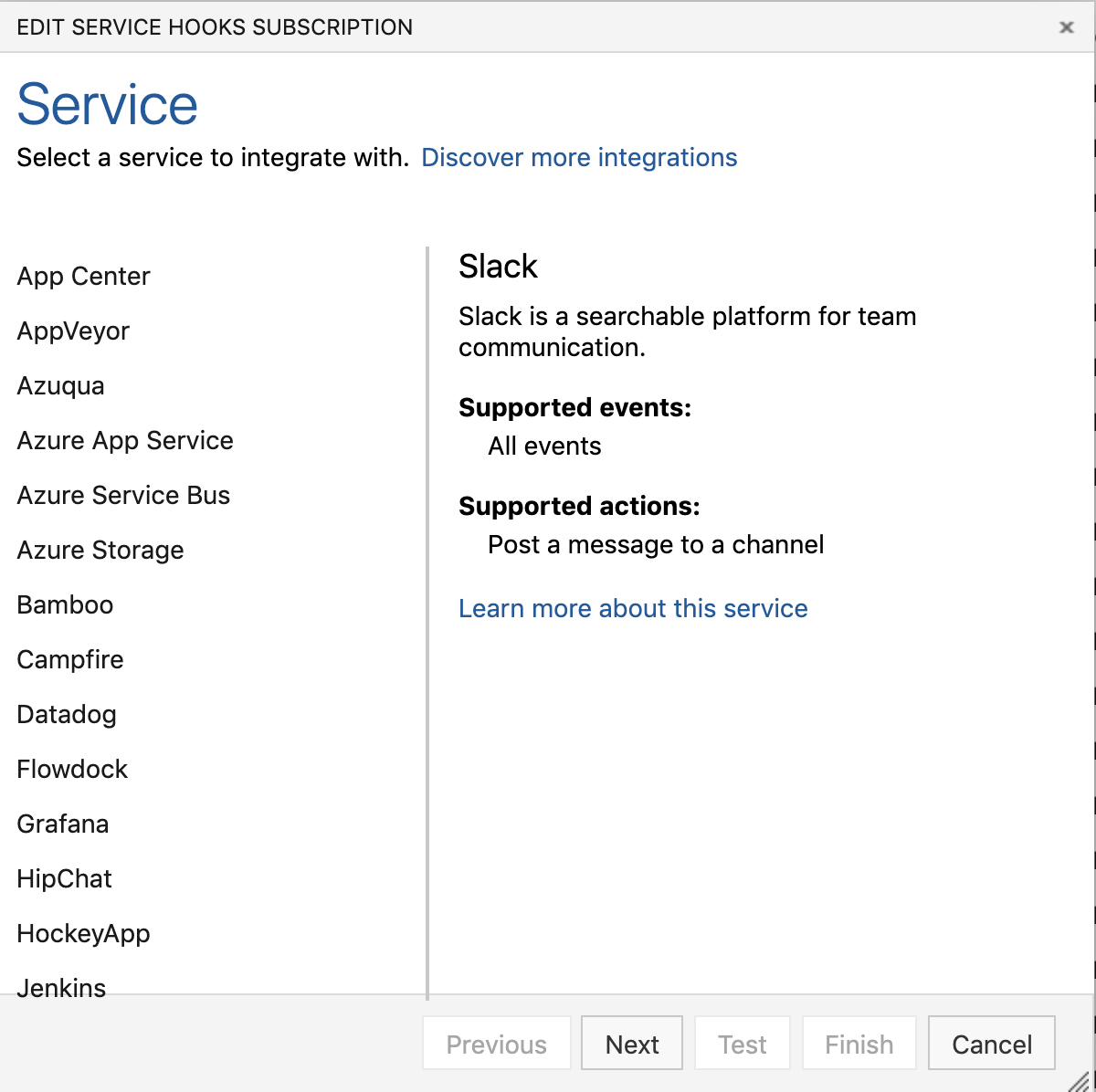
- Step 3: Choose Next and then choose which action we need to perform.
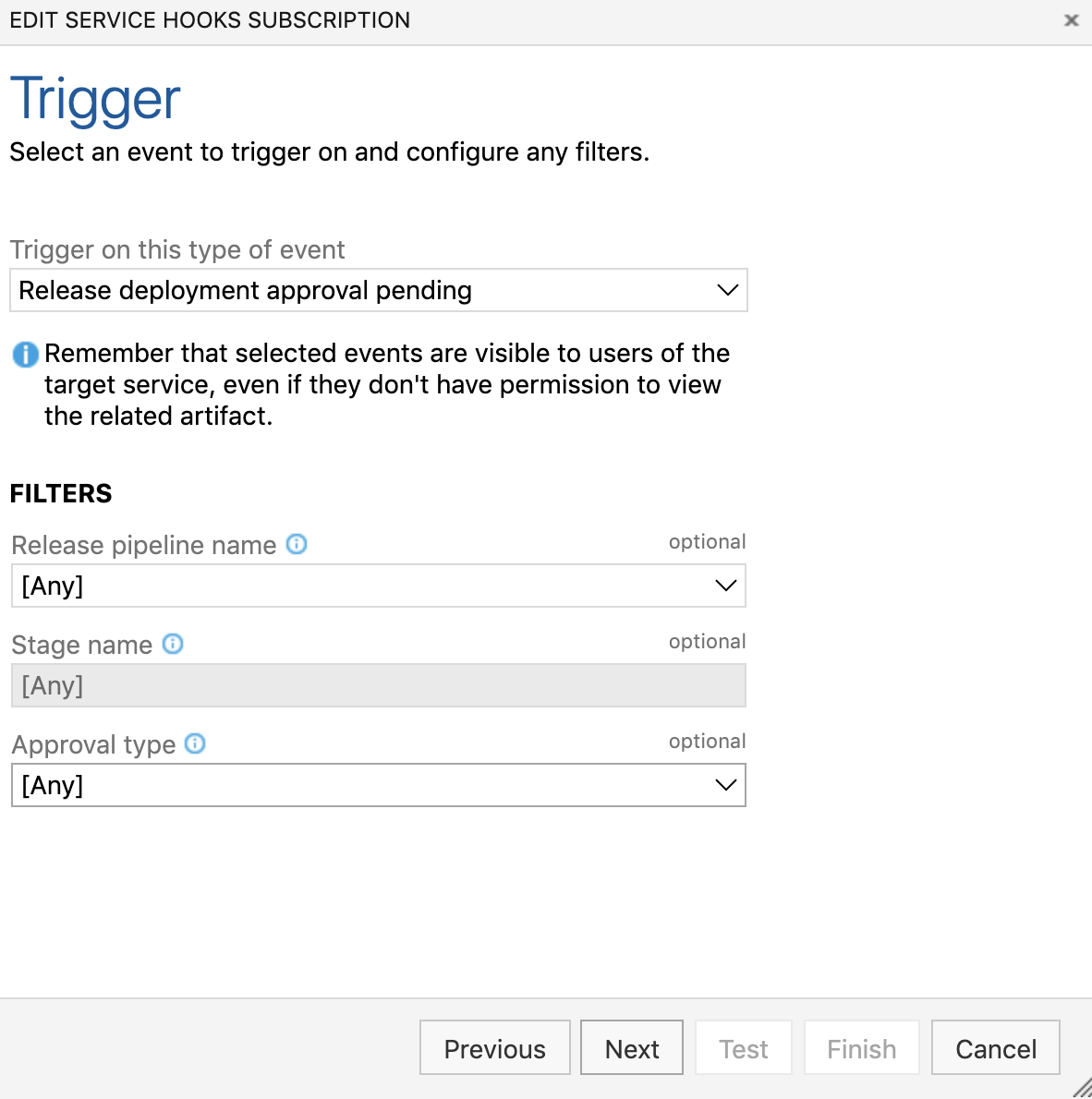
- Step 4: In the next step, we need to give the Slack Hooks that we prepared from the Slack channel.
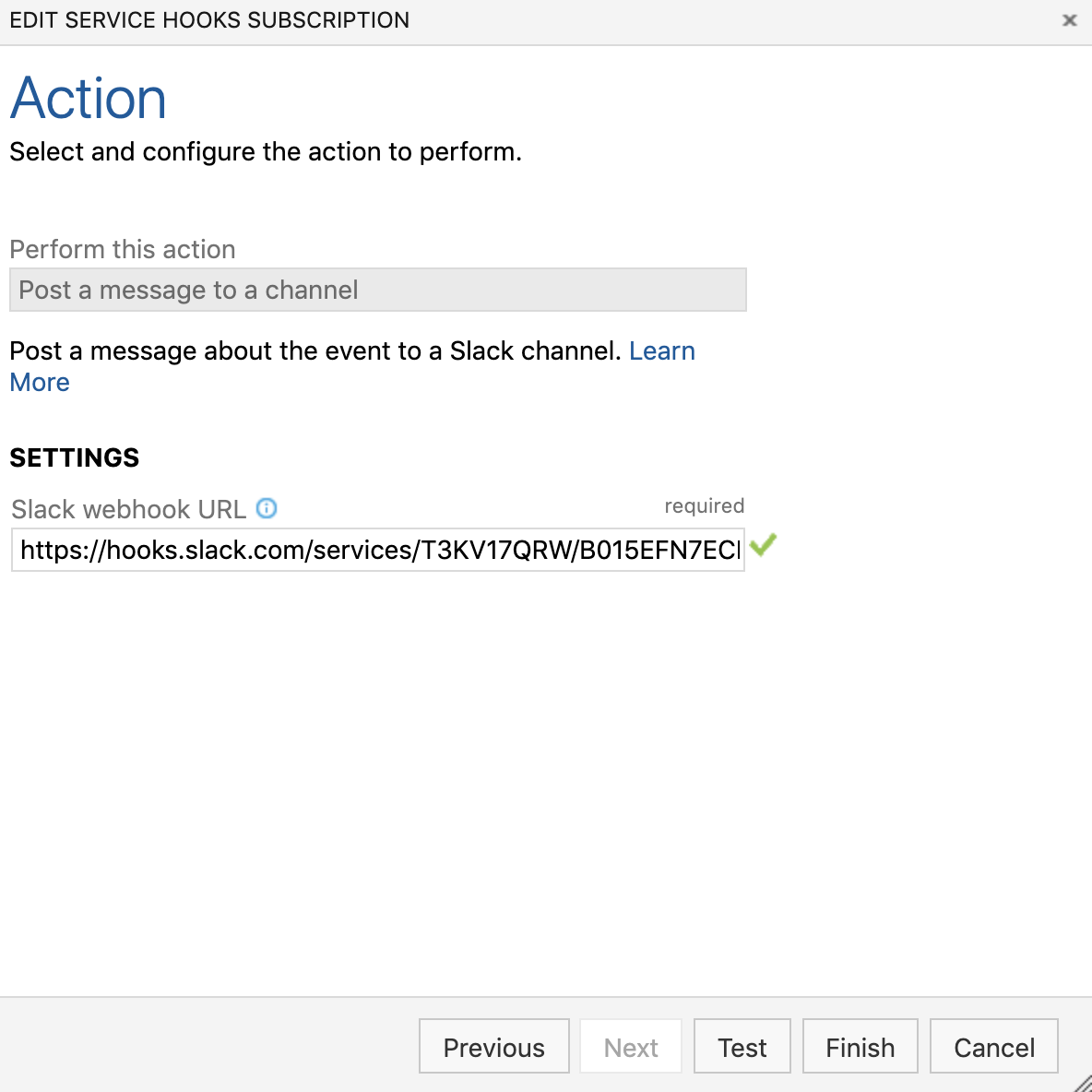
- Step 5: Click on the Test to check if we have setup everything correctly and we can see the test message from the slack channel as well.
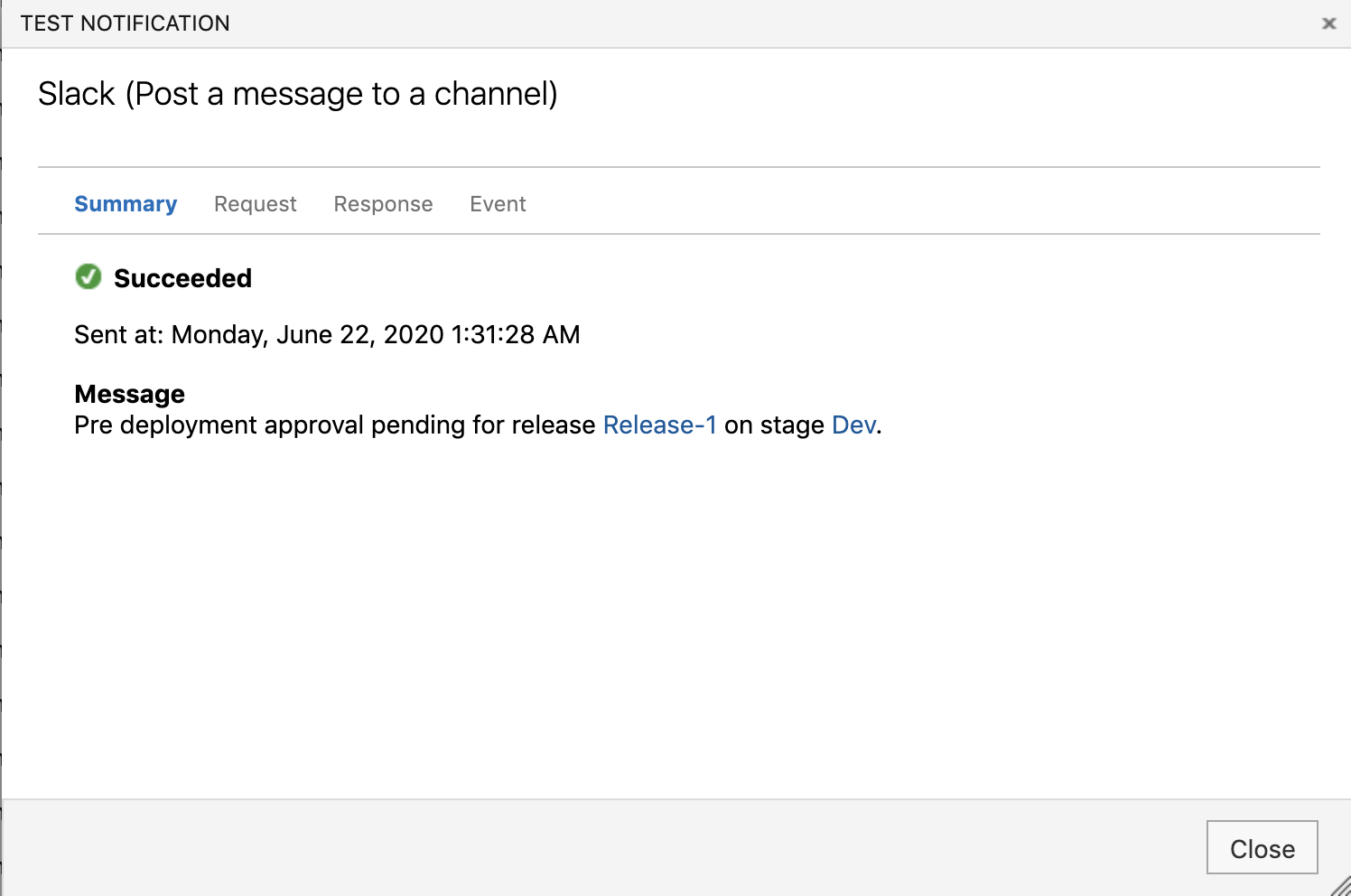
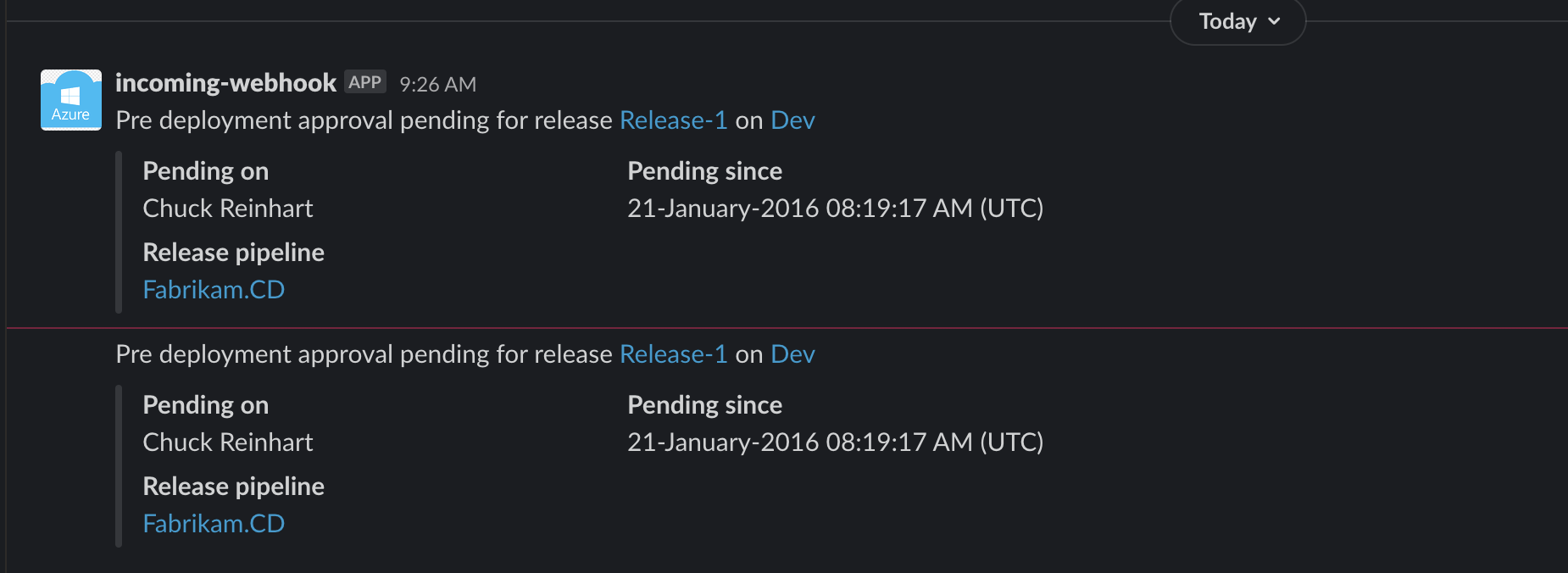
- Step 6: Now our test webhook is working perfectly. So we can set up the alerts and save it.

- Step 7: Now, we can go to the Release description and then start a deployment to check if we are getting the original approval.
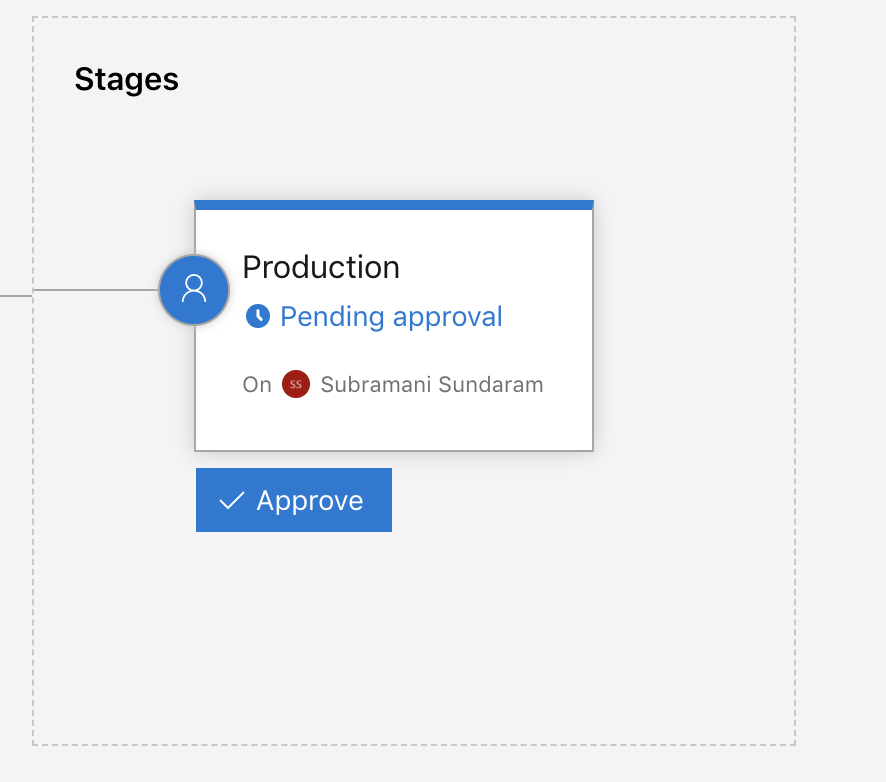
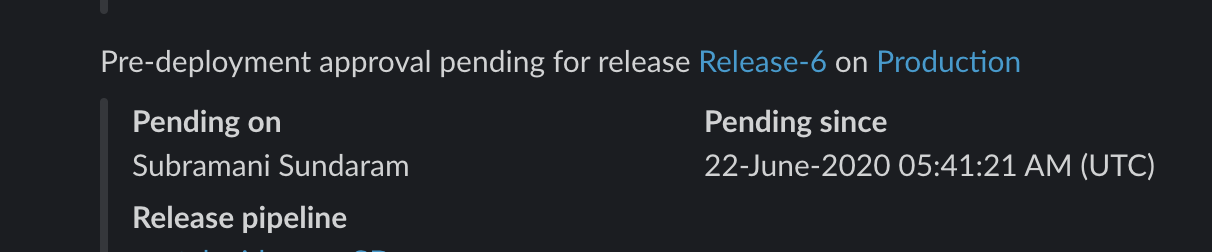
- Step 8: Now we can see the slack getting the approvals and then from this slack we can go to the pipeline and then log in to Azure DevOps to approve it.
Also Check: Jenkins vs Azure Pipelines, know their major differences!
Related/References
- [AZ-400] Azure DevOps Certification Path
- [AZ-400] Roles And Responsibilities As An Azure DevOps Engineer
- [AZ-400] Microsoft Azure DevOps Certification Exam: Everything You Need To Know
- [AZ-400] Microsoft Azure DevOps Training: Step By Step Activity Guides/Hands-On Lab Exercise
- [AZ-400] Azure DevOps Services for Beginners
Next Task For You
Begin your journey toward Mastering Azure Cloud and landing high-paying jobs. Just click on the register now button on the below image to register for a Free Class on Mastering Azure Cloud: How to Build In-Demand Skills and Land High-Paying Jobs. This class will help you understand better, so you can choose the right career path and get a higher paying job.


![Microsoft Agentic AI Business Solutions Architect [AB-100] | K21 Academy](https://test.k21academy.com/wp-content/uploads/2025/11/Microsoft-Agentic-AI-Business-Solutions-Architect-AB-100-Exam-Overview1.png)


