



If you are new to Oracle Integration Cloud (OIC), then check our previous blogs contain all the key points that a beginner should know about Oracle Integration Cloud (OIC), creating Oracle Integration Instance and Consoles walkthrough.
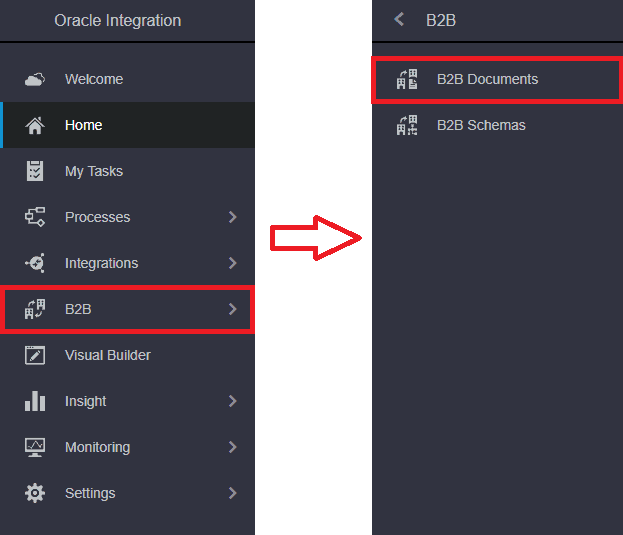
B2B for Oracle Integration provides for the secure and reliable exchange of business documents between Oracle Integration and a trading partner.
B2B works in Orchestrated integration through EDI translate action. EDI Translate action supports EDI X12 document standard for configuration.
Check Out : New Homepage of Oracle Integration Cloud.
EDI Translate Action
You can translate a message to or from the Electronic Data Interchange (EDI) format in an orchestrated integration with the EDI translate action.
EDI Translate action supports EDI X12 document standard for configuration. The EDI translate action translates an incoming EDI document into an XML message and translates an outgoing XML message into an EDI X12 document.
In layman’s terms, the X12 Document is a standard that companies use to do business with each other.
Read this blog if you are a beginner who has started to learn Oracle Integration Cloud (OIC) and want to get familiar with Process Cloud Service (PCS).
Why use B2B what problem does it solve
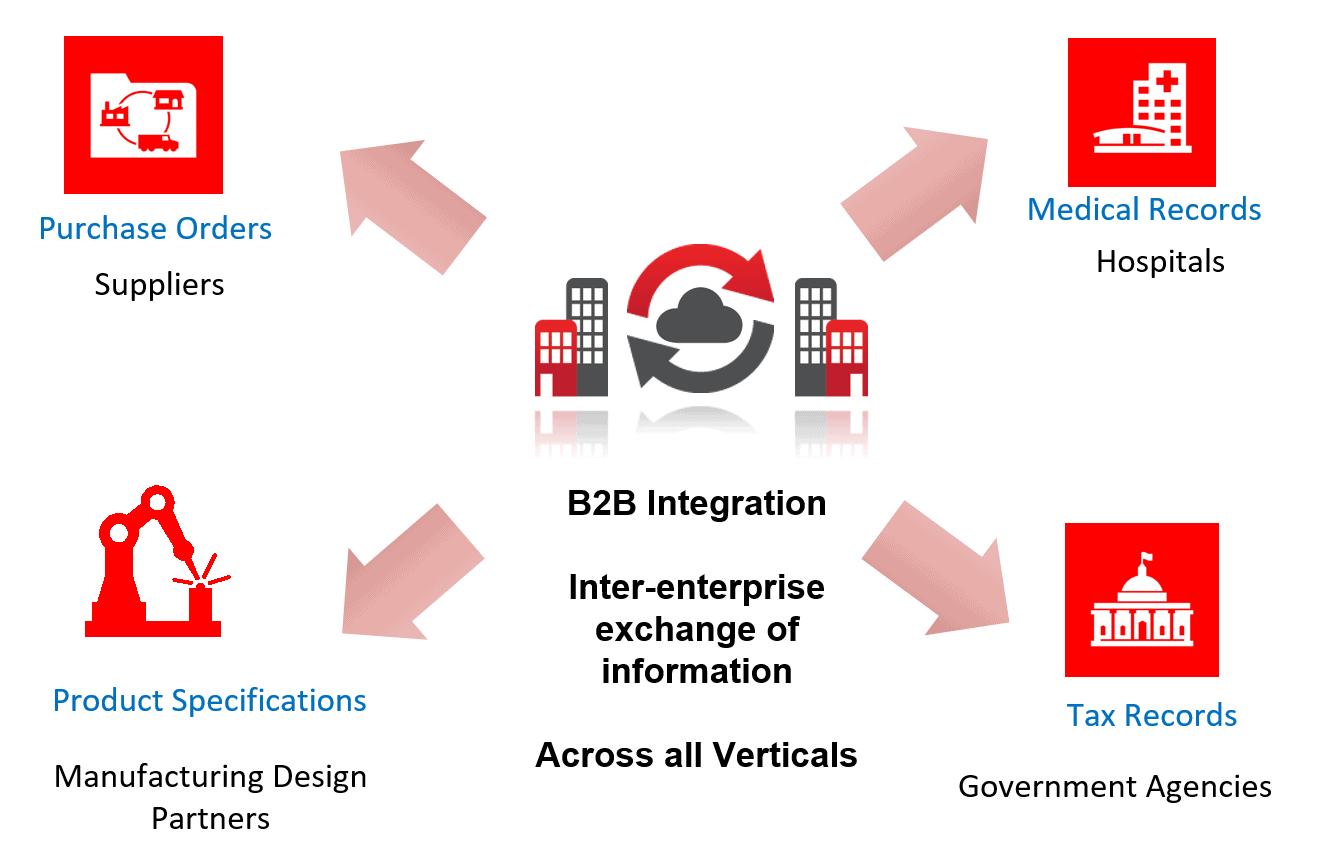
- Electronic exchange of business documents such as EDI purchase orders over standards such as AS2 and ebXML
- Secure exchange outside the enterprise with business partners in all verticals
- Enterprises adopting B2B solutions to automate exchanges, reduce costs and adhere to compliance requirements
Go through this Oracle Integration Cloud Blog to get a clear understanding of How To Change Visual Builder Tenant DB To Oracle ATP
Create A B2B Document To Define Custom Definitions
B2B Documents in OIC is used to create a custom document definition. This custom document definition is selected using the EDI Translate Action in an Integration. Custom documents are particularly used when your trading/business partner requires some specific customization for business needs.
Steps on Creating B2B Document
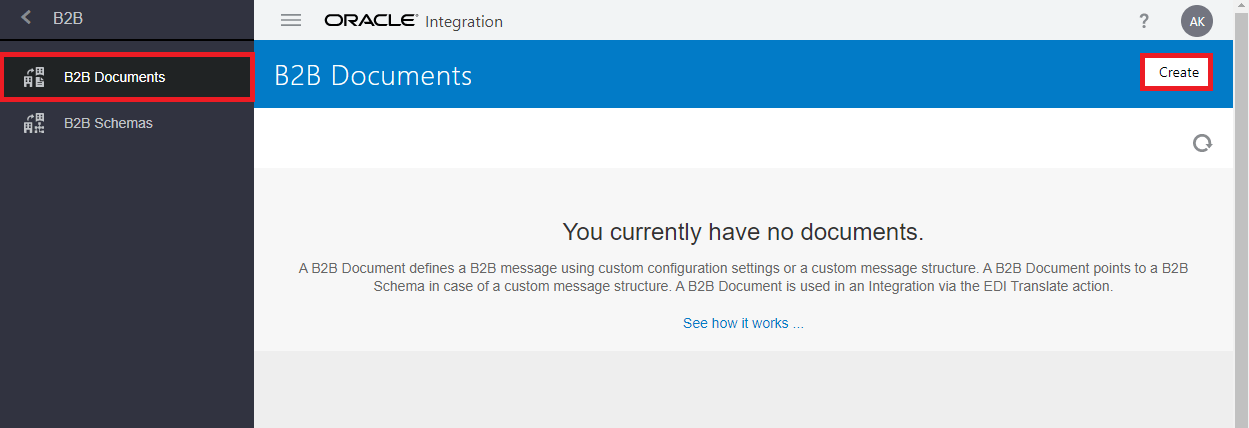
1. Go to B2B Documents and click on create to create a new document.
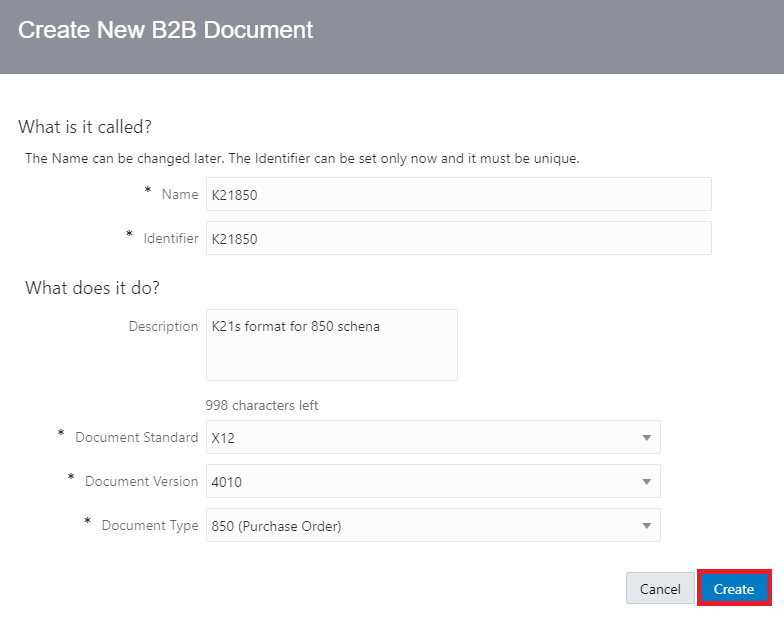
2. Provide details like Name, Description, Document Type, etc. Then click on create.
Check Out : the difference between ADF vs VBCS
3. Now the details page of the new B2B document will open. The Document Schema field shows Standard as the schema type by default. Click on Customize.
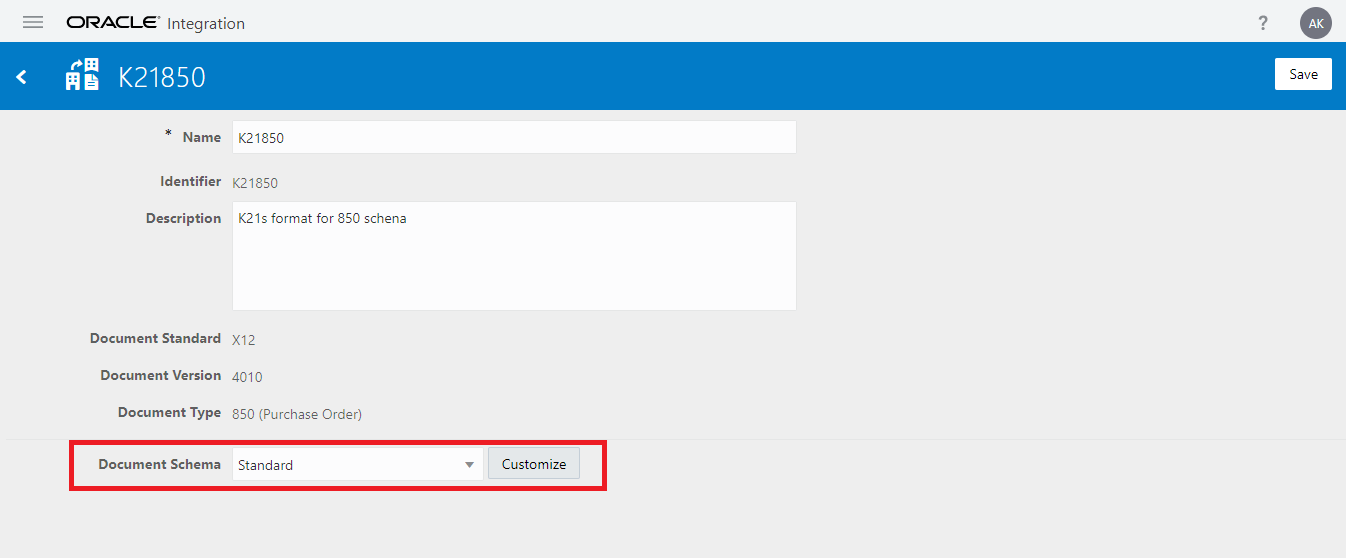
4. If you had previously created custom schemas, they are also displayed in the dropdown list. If you want, you can select those schemas to create further customizations.
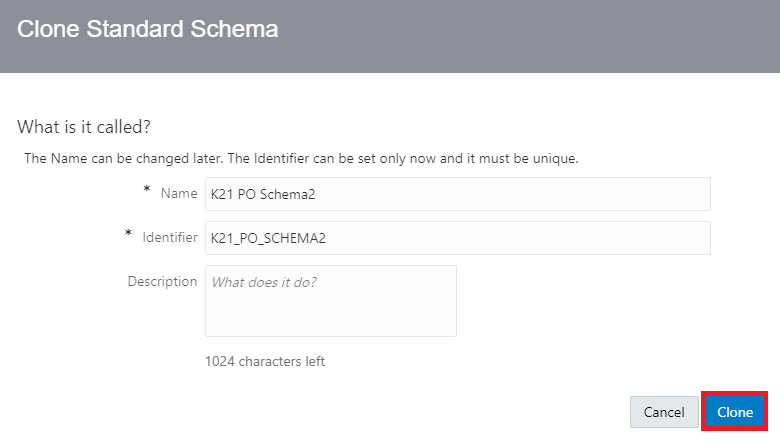
5. In the Clone Standard Schema, dialogue provides the name and optional description. This action creates a copy of the standard EDI X12 schema for you to use as a baseline to customize
Also Read: Our blog post on Oracle Cpq Integration with EBS.
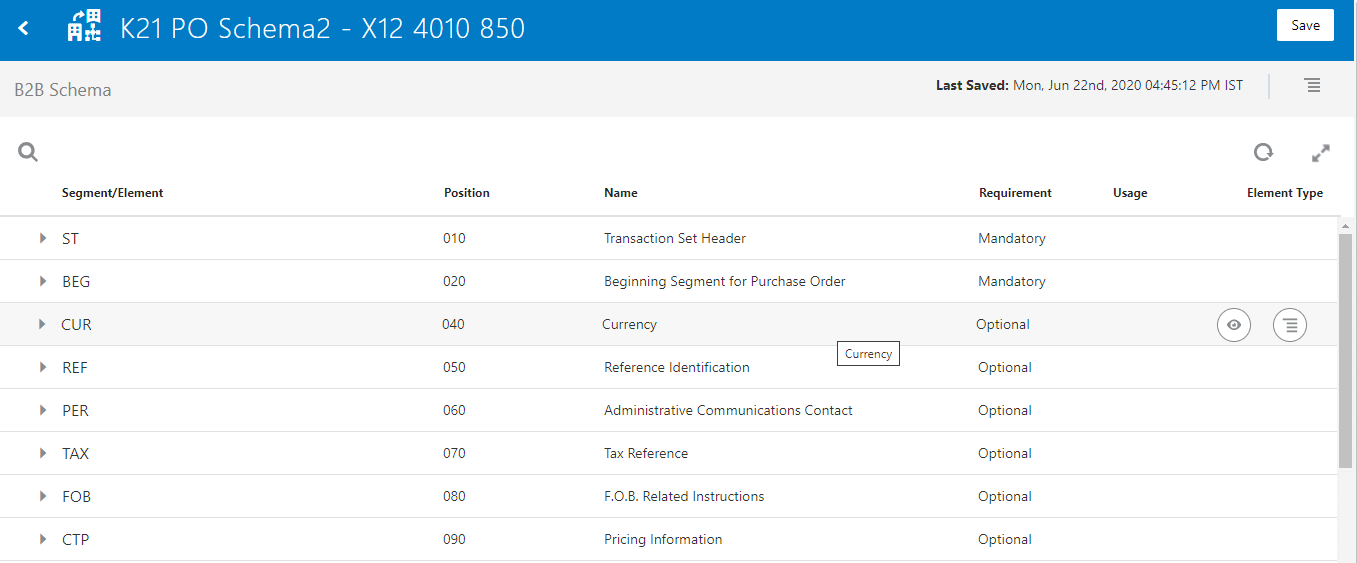
6. You will see the list of elements. From this screen, you can view the Element properties, and if you want you can delete the element.
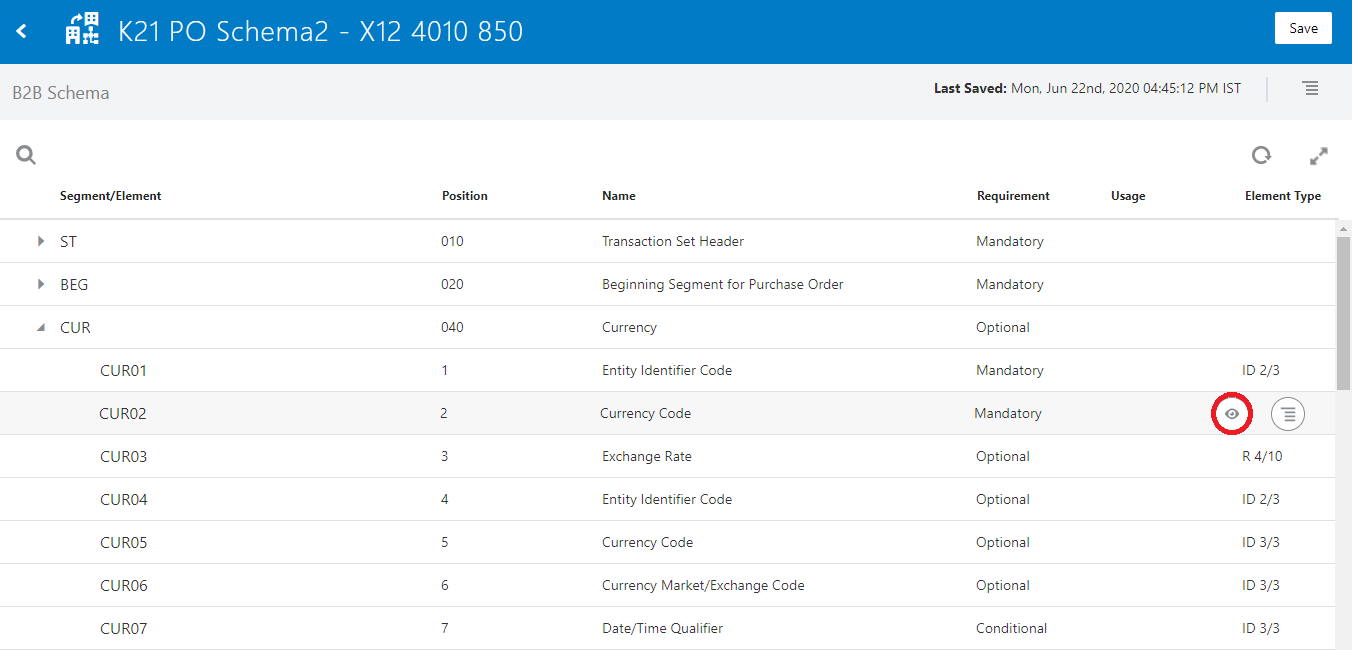
7. Find the element you want to customize and select View Details. For this example, expand the CUR element. Hover over CUR02 and click on view details to see the details for currency code.
Check Out: Our blog post on ATP Adapter.
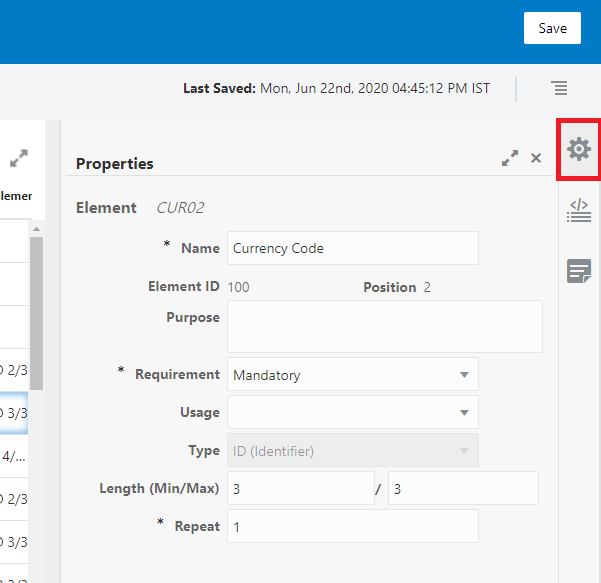
8. A property panel will be displayed on the right side of your screen. Edit properties as necessary for your business environment.
Properties of the following segment can be modified:
• Purpose of element
• Requirement (mandatory, optional, or conditional)
• Usage (must use, do not use, recommended, or not recommended)
• Minimum and maximum number of characters
• Number of times to repeat the element
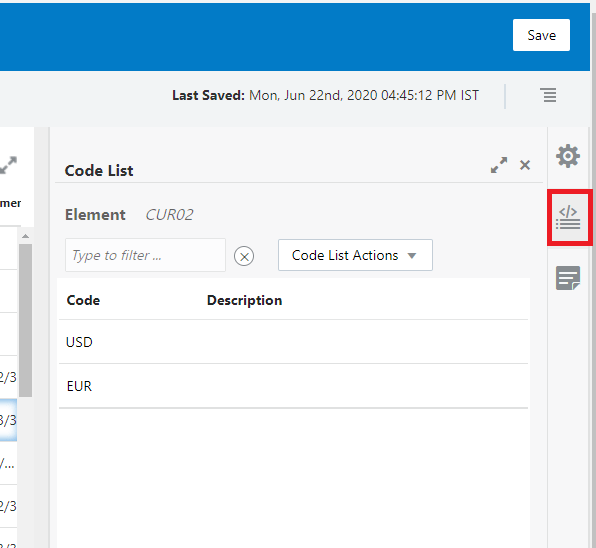
9. You can also view the code list for the element. A code list defines an enumeration of allowed values for the element. You can add code list by clicking on Add a New Code List button.
To know more about SOA Cloud Service vs OIC.
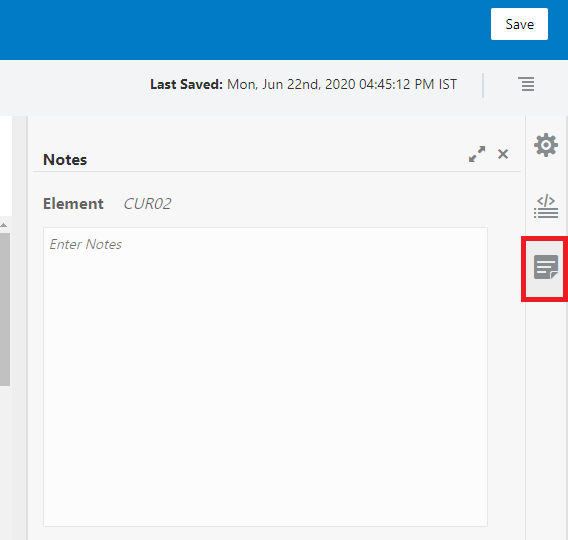
10. You can add Notes in this section.
11. Changes you make will be highlighted in the list.
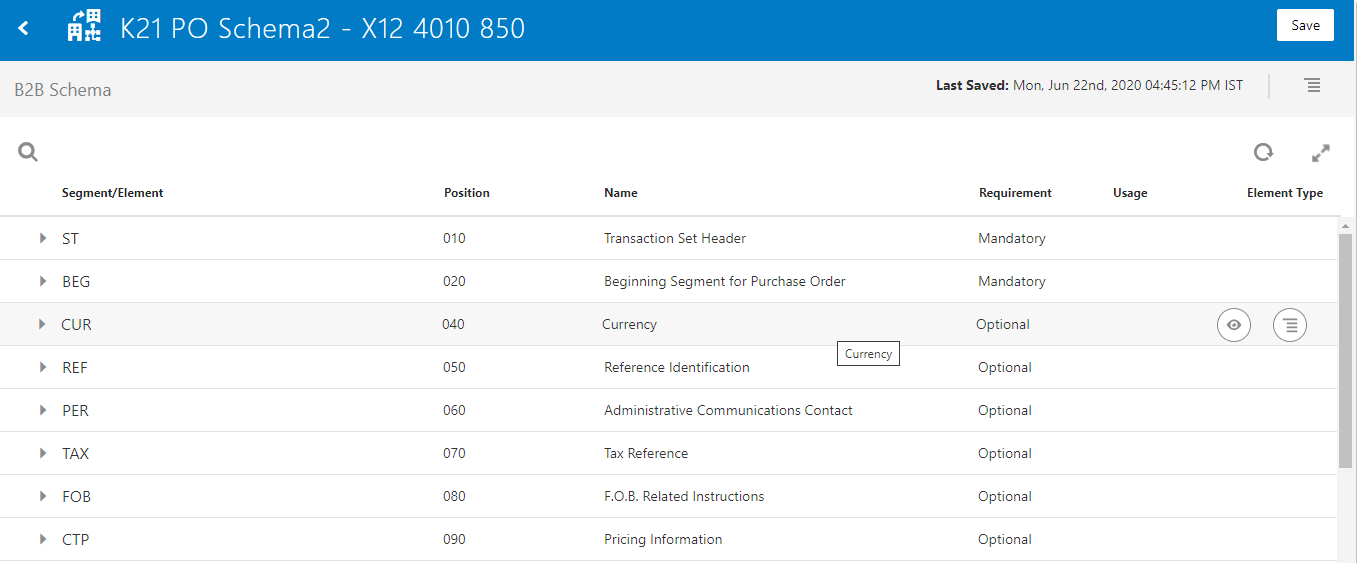
12. Once you have made all the changes click on Save.
Also Read: Our blog post on OIC Notification Activity.
13. Return to the B2B document’s page and select the desired schema and click on Save.
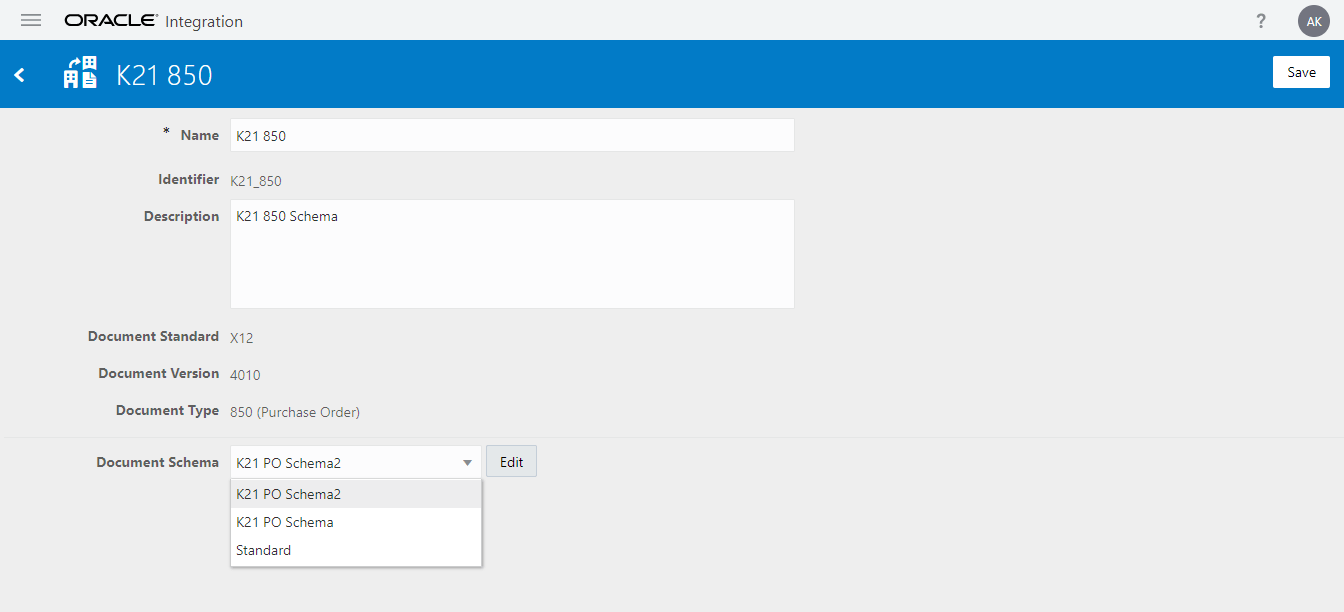
14. Now you can use this document in document definition.
Also Check: What is ERP Cloud Adapter in OIC.
Summary
This is how you create custom B2B Document Schema. Stay tuned for my next blog where you will learn to create a B2B Schema and how to use EDI Activity.
Note: If you want to enhance your knowledge and become a certified Oracle Cloud Platform Application Integration 2021 Associate then check on the blog on the certification exam [1Z0-1042].
Related/References
 Oracle Cloud Marketplace
- Oracle Integration Cloud (OIC) For Beginners Overview
- [Free Masterclass] Oracle Integration Cloud Services
- 6 Docs Every Oracle Cloud Integrator Must Read
- Oracle Cloud Documentation Links: OIC | SOA-CS | OCI
- Download Client Credentials (Wallets)
- Oracle Documentation: Clone an Integration
Next Task For You
Do you want to learn more about Oracle and confuse where to start or which certification is right for you? Then, click on the register now button below to register for a Free Masterclass on Oracle [1Z0-1042] Certified Cloud Integration Expert, which will help you better understand and choose the right path and clear the certification exam.


![Microsoft Agentic AI Business Solutions Architect [AB-100] | K21 Academy](https://test.k21academy.com/wp-content/uploads/2025/11/Microsoft-Agentic-AI-Business-Solutions-Architect-AB-100-Exam-Overview1.png)


