Microsoft Certified Training Program

AWS Job-Oriented Program (Infra) with 5 Certifications

Get certified and advance your career in cloud computing with AWS. Our job-oriented program offers hands-on experience, expert guidance, and industry-recognized certifications to help you get hired and succeed in AWS cloud roles.

15 Weeks

Intensive Training

Live Sessions

Expert Instructors

100% Job

Placement Support

5 Certificates

4.5 ( 141 Ratings )
Learners
40000 +

About Our Course

The AWS Job-Oriented Program with 5 Certifications is your comprehensive path to becoming job-ready in Amazon Web Services (AWS). You’ll start with the fundamentals and progress into areas like administration, development, security, and DevOps and Migration —all while working on real-world projects and hands-on labs. Along the way, you’ll prepare for five key AWS certifications (AWS Certified Cloud Practitioner, AWS Certified Solutions Architect, AWS Certified DevOps Engineer, AWS Certified Developer, AWS Certified Security Specialty). By the end of the program, you won’t just have certifications—you’ll possess the practical skills and confidence to land roles like Cloud Engineer, AWS Administrator, DevOps Engineer, or Security Engineer.

With 15 in-depth modules, 100+ lessons, and 50+ hands-on labs, you will not only learn theory but also obtain practical experience that can be used in interviews.

Who Should Take This Program?

IT Professionals

Looking to upgrade their skills and transition into roles like AWS Administrator, Cloud Engineer, or DevOps Engineer.

System & Network Administrators

Aiming to strengthen their expertise in cloud infrastructure, networking, and security, Devops, and migration.

Software Developers

Who want to build, deploy, and scale applications using AWS services and DevOps practices.

Aspiring Cloud Engineers

Who wants to start a career in Amazon Cloud with globally recognized certifications.

Fresh Graduates & Career Switchers

Eager to enter the high-demand cloud computing field with a structured, job-ready training path.

Tools Covered

Key Outcomes of This Program

5 Globally Recognized AWS Certifications

Learn AWS Services, which help in (AWS Certified Cloud Practitioner, AWS Certified Solutions Architect – Associate, AWS Certified Developer – Associate, AWS Certified DevOps Engineer – Professional, AWS Certified Security Specialty) that validate your expertise and significantly enhance your resume for employers.

Expert Mentorship & Lifetime Access

You’ll have access to all course materials for a year, allowing you to revisit lessons and stay updated with new AWS changes. Even after completing the course, ongoing assistance will be available to help apply your AWS expertise. Learn at your own pace with flexible options, including recorded lessons and live sessions.

Hands-On Experience

Gain practical skills by working directly on AWS tools like EC2, S3, IAM, VPC, Lambda, RDS, CloudFormation, and other core AWS services. Apply your knowledge in real-world scenarios to solidify your cloud computing expertise.

Job-Ready Skills

Master high-demand cloud skills across administration, security, DevOps, and architecture, preparing you for multiple career paths in AWS, such as Cloud Engineer, Solutions Architect, DevOps Engineer, and Security Engineer.

Real-World Projects

Build a portfolio with hands-on projects such as implementing 3-tier AWS Architecture, CI/CD pipelines with AWS DevOps tools, AWS Migration, creating the Netflix, Zometo, and Swiggy kind of Application using AWS and DevOps services, and managing storage and databases. These projects will give you concrete evidence of your skills for hiring managers.

Career Support & Extras

Go beyond technical learning with personalized resume reviews, LinkedIn profile optimization, job application assistance, and mock interviews to ensure you confidently showcase your skills and secure your ideal job.

60+ Labs

Practice Labs

160+ Videos

Video Course

15 Projects

Projects Course

250+ QA's

Q&A Exams

Course Break-Down

Lessons:
  • L1: Module & Cloud Overview
  • L2: AWS Overview Comparison
  • L3: AWS Global Infrastructure Region & AZ
  • L4: AWS Services
  • L5: IAM Users, Groups, Policy, & Roles
  • L6: Compute (EC2, Lambda, ECS, EKS, Fargate)
  • L7: Storage Service (Block, Object, File S3, EBS)
  • L8: Network Service (VPC, Subnet, Gateway, Load Balancer)
  • L9: Database Service (RDS, DynamoDB, ElastiCache)
  • L10: Automation & Configuration (CloudFormation)
  • L11: Audit & Monitoring (CloudWatch, CloudTrail)
  • L12: Application Services (SNS, SES, SQS, SWF)
  • L13: DevOps Tools (CodeCommit, CodeBuild)
  • L14: AWS Architecture Overview
  • L15: Ways to Access AWS
  • Q/A: AWS Service Categorized by Cloud Service Model
Labs:
  • Lab: Create an AWS Cloud Account
  • Lab: Create CloudWatch Billing Alerts
  • Lab: Managing AWS Costs (AWS Budgets & Credit)
  • Lab: Creating & Connecting Linux Machine on AWS
  • Lab: Creating a Windows Machine on AWS
  • Lab: Install & Configure AWS CLI
  • Lab: Create an Ubuntu EC2 Instance on AWS
  • Lab: Creating IAM User with Administrator Access
Learning Objectives:
  • Understand IAM components and how to manage access to AWS resources securely.
Lessons:
  • L1: Identity and Access Management (IAM)
  • L2: IAM Components
  • L3: IAM Roles
  • L4: IAM Federation & SSO
  • L5: IAM Best Practices
  • L6: IAM Delegation & Audit
  • L7: AWS Organization
  • L8: AWS Cognito
  • L9: Accessing Billing
  • L10: IAM Roles and Instance Profiles in AWS
  • L11: AWS Key Management Service
Labs:
  • Lab: Working with AWS IAM
  • Lab: Enable Multi-Factor Authentication
  • Lab: IAM Power User Setup
  • Q&A: Difference between inline and customer-managed policies
  • Q&A: Lost access to the authenticator app and how to reset MFA
Learning Objectives:
  • Learn about AWS’s storage options and how to manage data in S3, Glacier, and more.
Lessons:
  • L1: Object Storage Options
  • L2: Simple Storage Service
  • L3: S3 Bucket Policy
  • L4: Amazon S3 ACL
  • L5: S3 Object Versioning
  • L6: Cross-Region Replication
  • L7: Transfer Acceleration in AWS S3
  • L8: Storage Classes
  • L9: Requester Pays, Object Locks
  • L10: Content Delivery Network
  • L11: AWS Snow Family
  • L12: AWS Storage Gateway
  • L13: S3 Glacier Vault & S3 Object Lock
  • L14: S3 Batch Operation
  • L15: AWS DataSync
Labs:
  • Lab: Create S3 Bucket, Upload Files, and Access
  • Lab: S3 Cross-Region Replication
  • Lab: Lifecycle Management on S3 Bucket
  • Lab: Deliver Content Faster via Amazon CloudFront
  • Lab: Enable Data Transfer Acceleration
  • Lab: Create & Manage EBS Volumes & Snapshots
  • Lab: Attach & Mount EBS Volumes to Linux EC2 Instances
  • Lab: Attach & Mount EBS Volumes to Windows EC2 Instances
  • Lab: Create & Mount EFS on EC2 Instances
  • Lab: Create Windows File System Using Amazon FSx
Learning Objectives:
  • Understand how to deploy and manage EC2 instances effectively.
Lessons:
  • L1: Amazon EC2, Tags
  • L2: Metadata & User Data
  • L3: Amazon Machine Image
  • L4: Key Pair
  • L5: AWS Security Groups
  • L6: EC2 Hardware Tenancy
  • L7: EC2 Purchasing Options
  • L8: Amazon EC2 Networking Layer
  • L9: Amazon EC2 Placement Groups
  • L10: Load Balancer
  • L11: Features of LoadBalancer
  • L12: Elastic LoadBalancer
  • L13: Features of Elastic LoadBalancer
  • L14: Health Checks
  • L15: Types of Load Balancer
  • L16: LoadBalancer Troubleshooting
  • L17: Cross-Zone LoadBalancer
  • L18: AutoScaling
  • L19: AutoScaling Policies
Labs:
  • Lab: Launch EC2 Instances and Configure Security Groups
  • Lab: Set Up Load Balancers for EC2 Instances
  • Lab: Implement AutoScaling for EC2 Instances
Learning Objectives:
  • Understand and configure AWS networking components like VPC, VPN, and Route 53.
Lessons:
  • L1: AWS Default Infrastructure
  • L2: IP Addressing
  • L3: Virtual Private Cloud
  • L4: Private and Public Subnets
  • L5: Internet Gateway
  • L6: Route Table
  • L7: Security Group and NACL
  • L8: Network Address Translation
  • L9: NAT Gateway and Instance
  • L10: VPC Peering
  • L11: Bastion Host
  • L12: VPC Endpoint
  • L13: VPC Flow Logs
  • L14: Transit Gateway
  • L15: VPN – Virtual Private Network
  • L16: Client VPN
  • L17: Site-to-Site VPN
  • L18: AWS VPN CloudHub
  • L19: AWS Direct Connect
  • L20: AWS Route 53
Labs:
  • Lab: Create Custom Virtual Private Cloud
  • Lab: Work with VPC Peering Connection
  • Lab: AWS Elastic IP
  • Lab: Set Up Client-Side VPN
  • Lab: Register GoDaddy Domain and Map Using Route53
  • Lab: Working with Transit Gateways
Learning Objectives:
  • Learn to monitor AWS services using CloudWatch, CloudTrail, and more.
Lessons:
  • L1: What is Monitoring Services
  • L2: AWS Monitoring Service
  • L3: CloudWatch & its Working
  • L4: CloudWatch Terminologies
  • L5: CloudWatch Logs
  • L6: AWS CloudTrail
  • L7: Event-Driven Automated Actions
  • L8: Trusted Advisor
Labs:
  • Lab: Set Up CloudWatch to Notify Changes
  • Lab: Enable CloudTrail and Store Logs in S3
  • Lab: Set AWS Config to Assess Audit & Evaluate
Learning Objectives:
  • Learn to use and manage AWS’s database services, including RDS, DynamoDB, and others.
Lessons:
  • L1: Introduction to Databases
  • L2: Amazon RDS
  • L3: Amazon Aurora
  • L4: RDS & Aurora Backups and Security
  • L5: Amazon DynamoDB
  • L6: DynamoDB APIs
  • L7: Read Consistency in DynamoDB
  • L8: Throughput Capacity
  • L9: DynamoDB Benefits & Use Case
  • L10: Amazon ElastiCache
  • L11: Memcache & Redis
  • L12: Amazon RedShift
  • L13: AWS Glue
  • L14: Amazon Quicksight
  • L15: AWS Kinesis
  • L16: API Gateway
  • L17: AWS Neptune
  • L18: Amazon Cassandra
  • L19: AWS Timestream
  • L20: Amazon Athena
  • L21: Amazon OpenSearch Services
Labs:
  • Lab: Create & Query with Amazon DynamoDB
  • Lab: Configure MySQL DB Instance via RDS
  • Lab: Create RedisCache & Connect To EC2 Instance
  • Lab: Use AWS Glue to Run Crawler on S3 Bucket
Learning Objectives:
  • Learn how to build serverless applications and process data with analytics services.
Lessons:
  • L1: Simple Email Service (SES)
  • L2: Simple Notification Services (SNS)
  • L3: Simple Queue Service (SQS)
  • L4: Types of SQS
  • L5: Simple Workflow Service
  • L6: Amazon Pinpoint
  • L7: Amazon AppFlow
  • L8: Serverless Computing: Lambda
Labs:
  • Lab: Send Email through AWS SES
  • Lab: Event-Driven Architectures with AWS Lambda
  • Lab: Automate Start/Stop EC2 Instance Using Lambda
Learning Objectives:
  • Understand Infrastructure as Code (IaC) and automate infrastructure management.
Lessons:
  • L1: Infrastructure as Code
  • L2: CloudFormation
  • L3: CloudFormation Template
  • L4: Working of CloudFormation
  • L5: CloudFormation Stack
  • L6: CloudFormation Designer
  • L7: Advanced CloudFormation Concepts
  • L8: Intrinsic & Conditional Functions
  • L9: Nested Stack & CloudFormation Helper Script
  • L10: CloudFormation Custom Resources
  • L11: Stack Updates & Stack Policies
  • L12: CloudFormation Best Practices
  • L13: Elastic Beanstalk Overview
  • L14: Elastic Beanstalk Permissions
  • L15: Application Environment Components
  • L16: Concepts of Elastic Beanstalk
  • L17: Elastic Beanstalk using Docker
  • L18: What is Docker and why is it popular
  • L19: Docker in Beanstalk
  • L20: Elastic Beanstalk Deployment Options
  • L21: Blue-Green Deployment in Elastic Beanstalk
  • L22: Deployment Comparison (Elastic Beanstalk vs CloudFormation)
  • L23: Classification of Platform Updates
  • L24: Configuration Files for Beanstalk
  • L25: Alarms & Notifications in Beanstalk
  • L26: Troubleshooting in Elastic Beanstalk
  • L27: Beanstalk vs CloudFormation (Comparing Use Cases)
Labs:
  • Lab: Create, Update Stacks Using CloudFormation
  • Lab: Create S3 Bucket Using CloudFormation
  • Lab: Create & Configure EC2 Instances with Helper-Scripts
  • Lab: Deploy an Application in Elastic Beanstalk Using Docker
  • Lab: Immutable Deployment on Beanstalk Environment
  • Lab: Blue-Green Deployments via Elastic Beanstalk
  • Lab: AWS Serverless Application Model (SAM)
Learning Objectives:
  • Understand how to secure AWS services and protect your cloud infrastructure using AWS security tools.
Lessons:
  • L1: AWS Cognito
  • L2: AWS WAF
  • L3: AWS Shield
  • L4: AWS GuardDuty & Firewall Manager
  • L5: AWS Inspector
  • L6: AWS KMS
  • L7: AWS Certificate Manager
Labs:
  • Lab: Create and Use AWS KMS
  • Lab: Block Web Traffic with AWS WAF
  • Lab: Use AWS Inspector to Run Security Assessments
Lessons:
  • Learn how to design for high availability (HA) and disaster recovery (DR) using AWS services.
Lessons:
  • L1: Well-Architected Framework
  • L2: Security Pillar
  • L3: Reliability Pillar
  • L4: Performance Pillar
  • L5: Cost Optimization Pillar
  • L6: Operational Excellence Pillar
  • L7: Sustainability Pillar
  • L8: Design Resilient Architecture
  • L9: Design Multi-Tier Applications
  • L10: Disaster Recovery (DR)
  • L11: Design Solutions for Elasticity & Scalability
Labs:
  • Lab: Set Up AWS Organization and Service Control Policies
Learning Objectives:
  • Learn how to implement DevOps practices with AWS services for continuous integration and delivery.
Lessons:
  • DevOps Topics: Introduction to AWS DevOps tools like CodeBuild, CodeDeploy, and CodePipeline.
  • Key Concepts: Continuous Integration, Continuous Delivery, Version Control, Automation of Software Delivery Process.
Labs:
  • Lab: Build Application with AWS CodeBuild
  • Lab: Deploy Sample App Using AWS CodeDeploy
  • Lab: Set Up Sample CI/CD Pipeline Using AWS CodePipeline
  • Lab Automate Application Deployment with AWS CodeDeploy
Learning Objectives:
  • Understand how to manage containerized applications with ECS, EKS, and Docker.
Lessons:
  • L1: Introduction to Containers
  • L2: Amazon ECS (Elastic Container Service)
  • L3: Amazon EKS (Elastic Kubernetes Service)
  • L4: Docker Overview and Integration
  • L5: AWS Fargate
Labs:
  • Lab: Install Docker and Push Image to ECR (Elastic Container Registry)
  • Lab: Create Task Definition, Schedule Tasks Using ECS
  • Lab: Set Up EKS Cluster and Deploy Containers on Kubernetes
Learning Objectives:
  • Learn how to migrate applications, databases, and workloads to AWS cloud.
Lessons:
  • L1: Introduction to AWS Migration Tools
  • L2: AWS Database Migration Service (DMS)
  • L3: Application Migration
  • L4: Data Migration Strategies
  • L5: Using AWS Migration Hub
Labs:
  • Lab: Migrate Applications to AWS Using DMS
  • Lab: Migrate Data from On-Premises to AWS S3
  • Lab: Migrate RDS Database to AWS Aurora

Project works

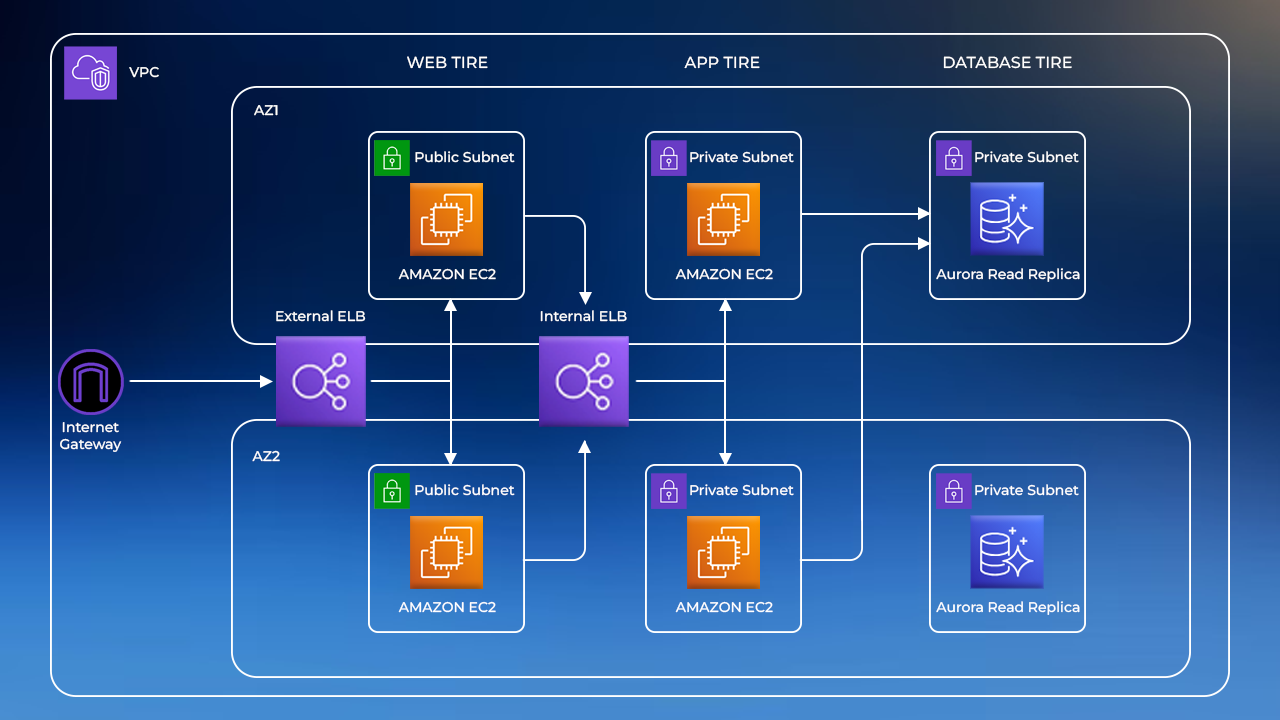
Deploy 3 Tier Architecture (Web, App, Database)

The project entails creating a three-tier web application architecture: a user-centric Web Tier, a versatile App Tier for business logic, and a secure Data Tier for data management. This architecture ensures seamless communication, scalability, and data integrity. The goal is to deliver a responsive user experience with robust data security.
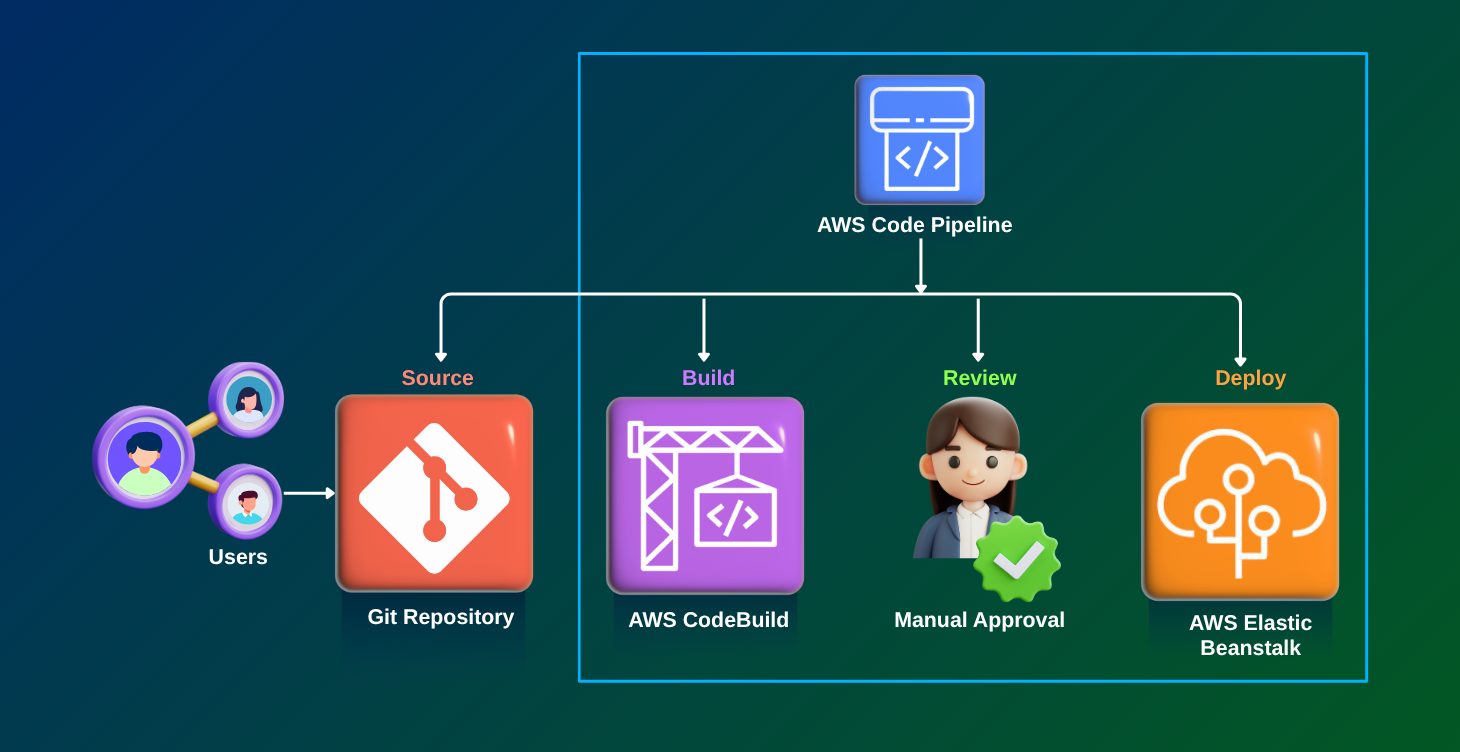
DevOps: Create end-to-end CI/CD Pipeline

This project involves creating a continuous delivery pipeline for an application that automates the entire software delivery process, from code changes to production deployment. It involves setting up a version control system and continuous integration, tools, and a deployment pipeline that automates the process of deploying new versions of the application.
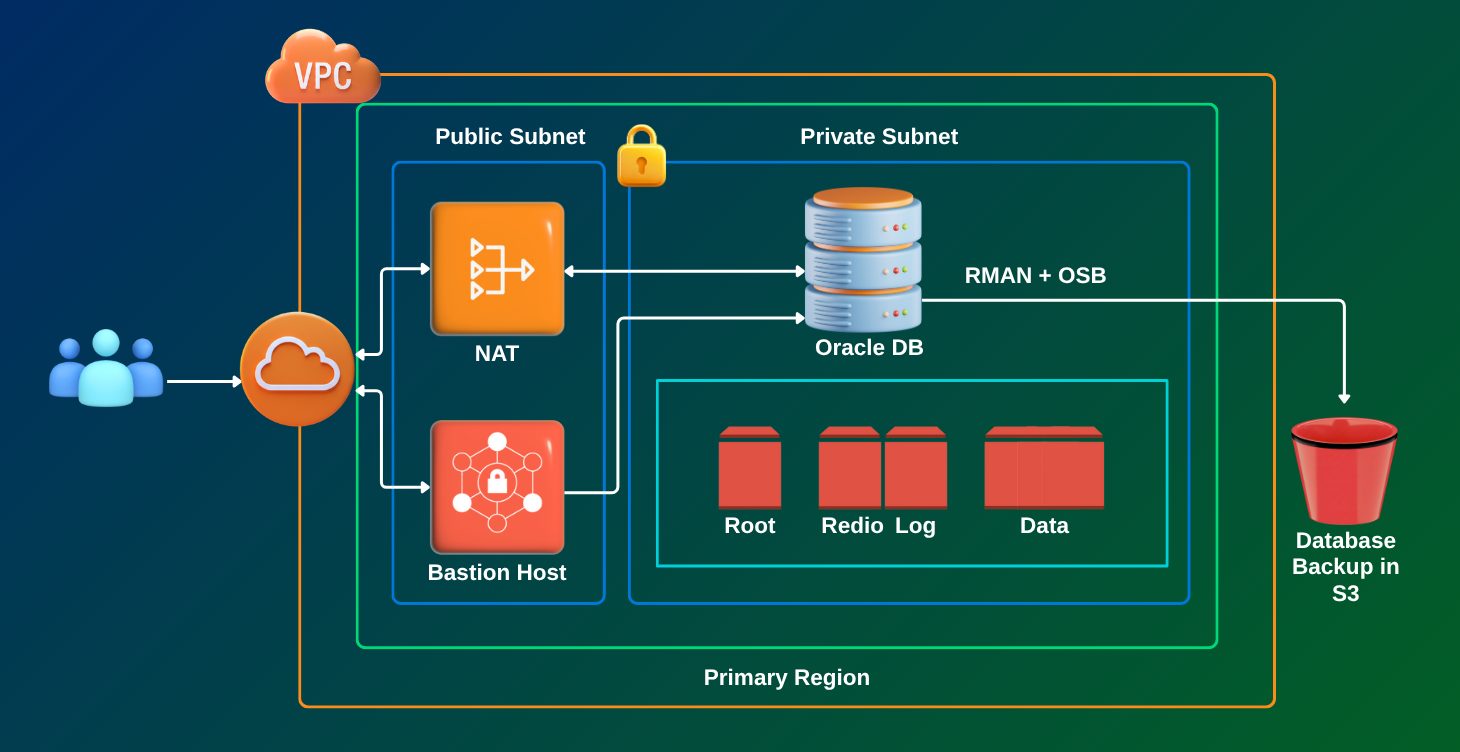
Database Migration to AWS (Oracle to AWS)

This project focuses on moving an on-premises Oracle database to AWS, using either Amazon RDS for Oracle or Amazon Aurora with PostgreSQL compatibility. It involves carefully planning the migration, converting the schema, migrating the data, and fine-tuning performance. To make the process smoother and more efficient, we use tools like the AWS Schema Conversion Tool (SCT) and the AWS Database Migration Service (DMS). The goal is to ensure a seamless transition with minimal downtime, maintaining data integrity, and tapping into the scalability, security, and managed services that AWS offers.
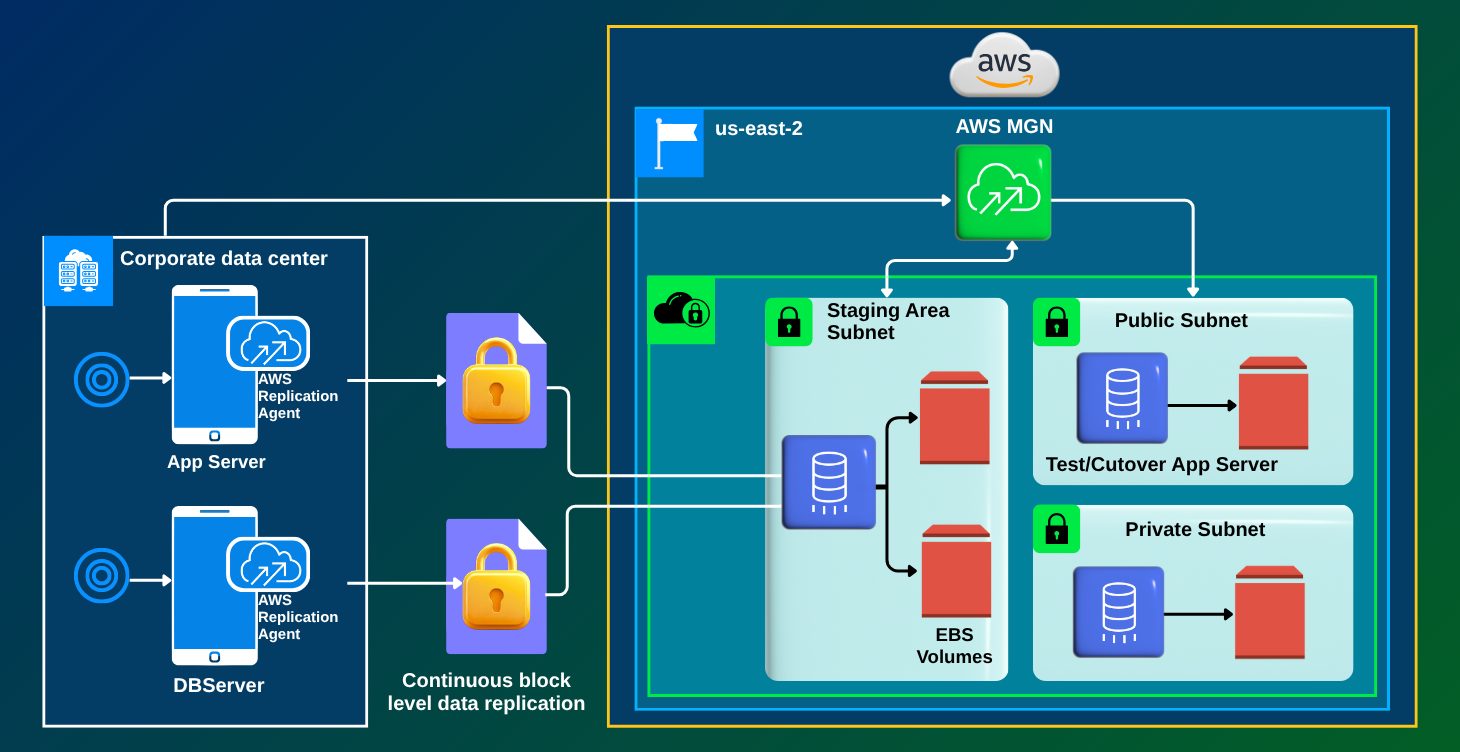
Migration: On-Premises to Cloud (App, VM, Database, Data)

The AWS Cloud Migration Project entails migrating on-premises assets to AWS, with phases such as Discovery, Grouping, Server, and Database Migration. It prioritizes testing, optimization, security, and documentation, with the end result being a seamless, scalable, and cost-effective cloud environment. For success, careful planning and execution are required.
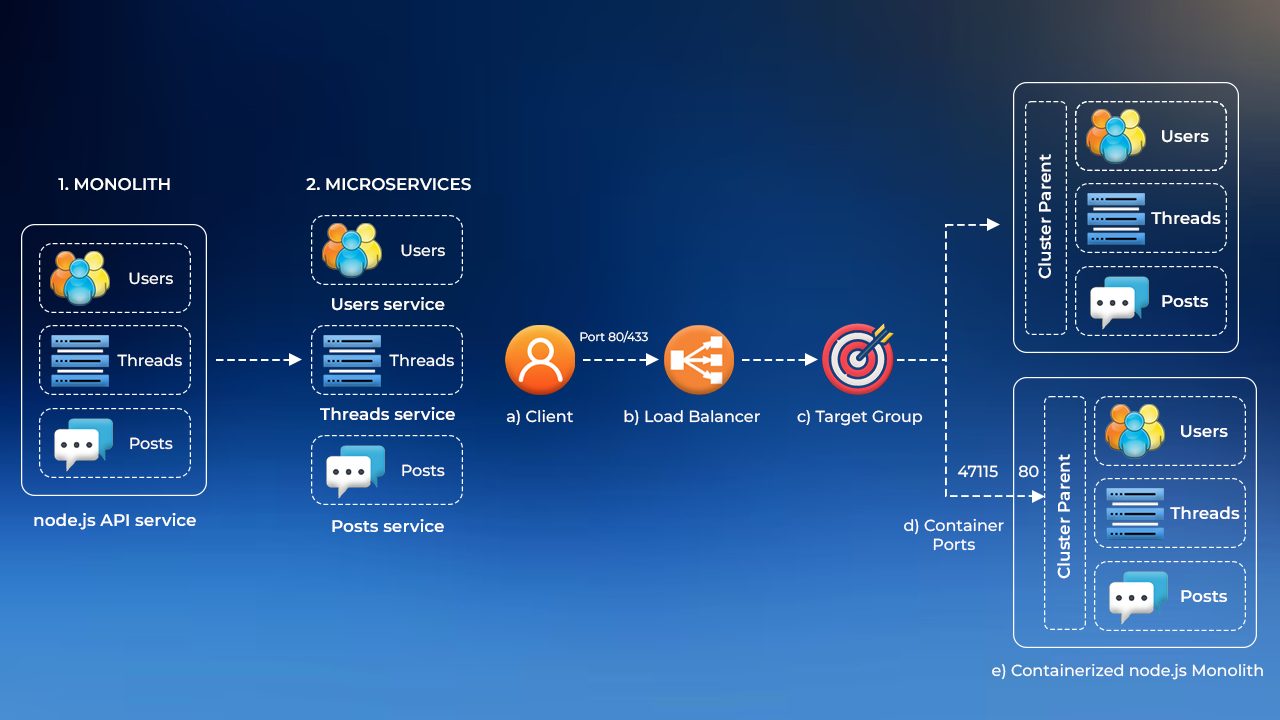
Migration: Monolithic App to Microservices

In this project, we will deploy a Node.js app as a monolith in a Docker container and later transition it seamlessly into microservices without downtime. Moving from monolithic to microservices is essential for scalability and maintenance. Microservices enable individual service scalability and independent updates, fostering flexibility and innovation in application development on AWS.
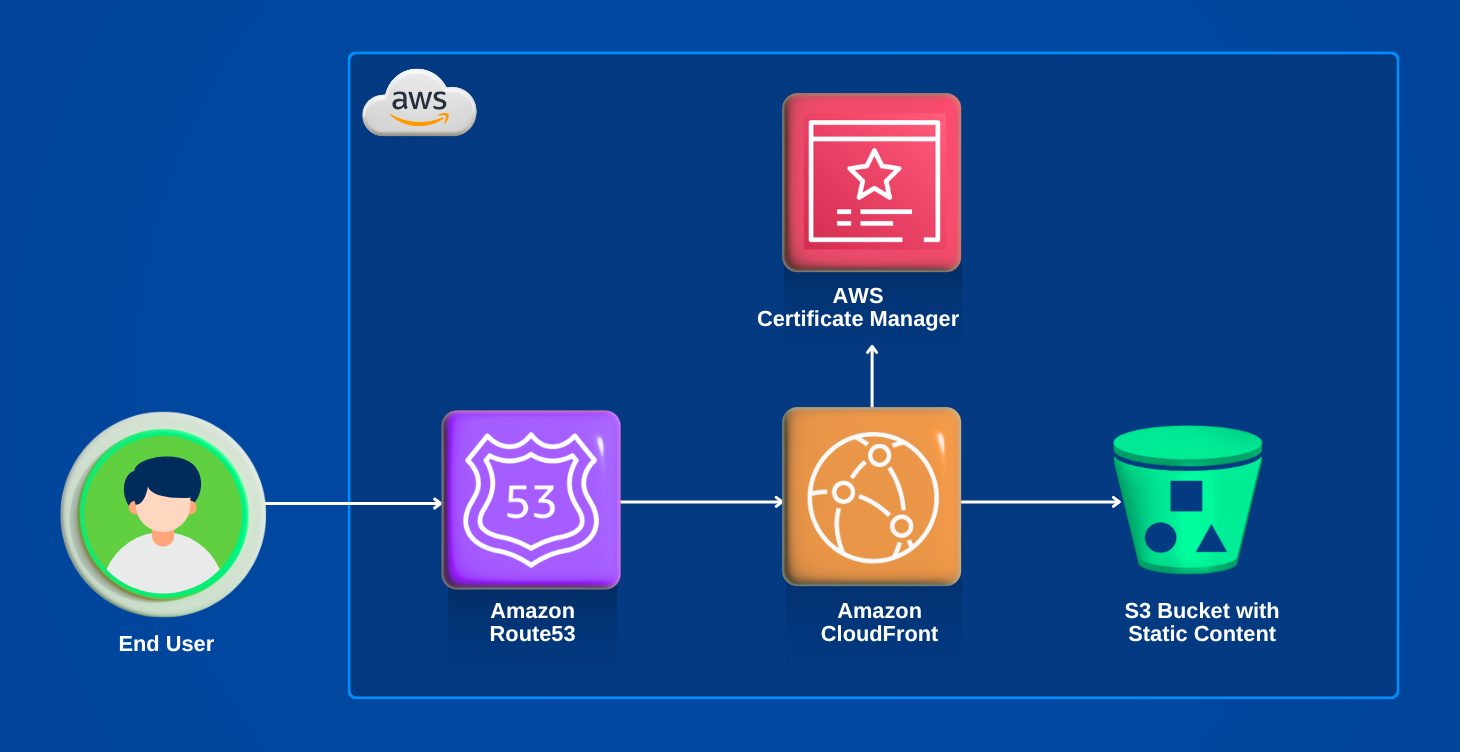
Security: SSL/TLS/Keys Certificate Management System

This project involves setting up and configuring SSL/TLS certificates using AWS Certificate Manager. SSL/TLS certificates are used to secure websites and ensure that all data transmitted between the website and its users is encrypted and secure.
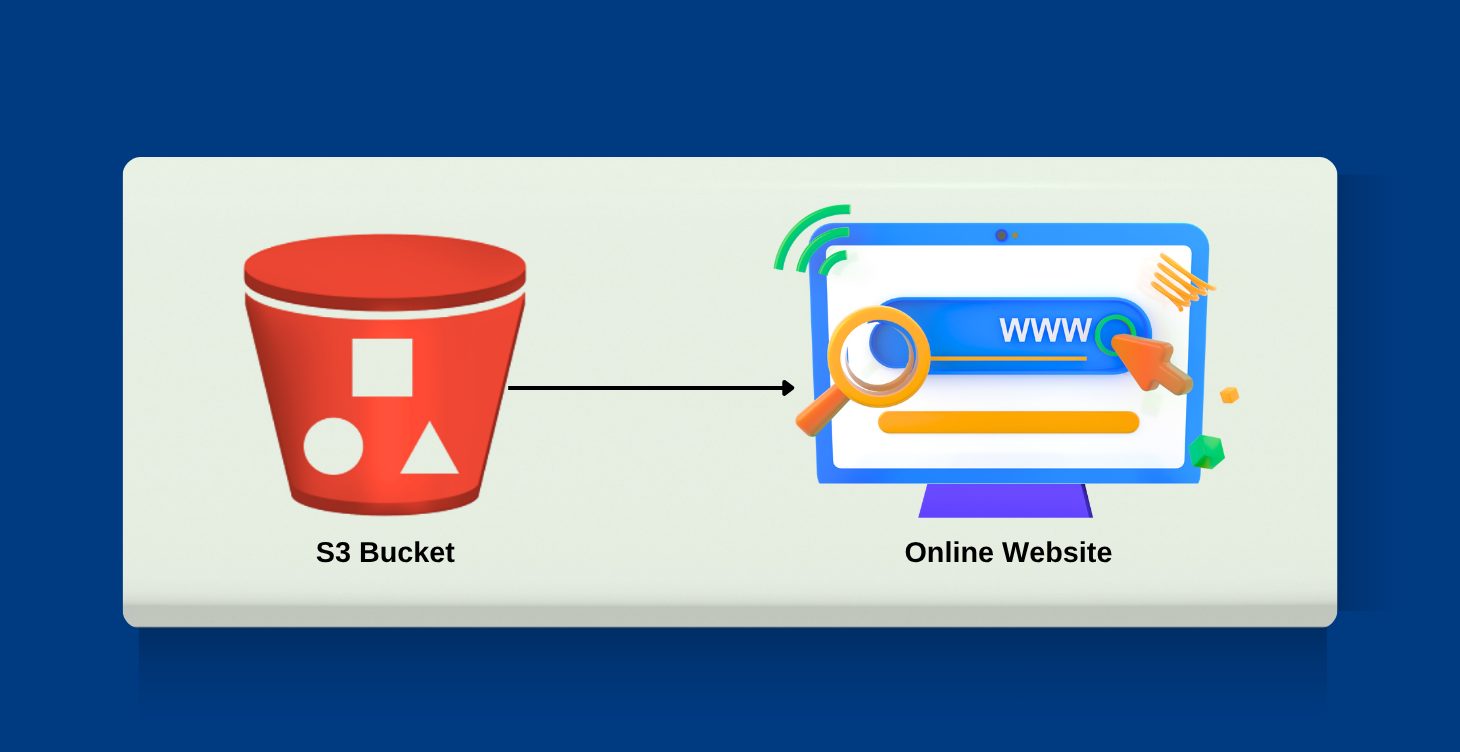
Host Static Website on AWS using S3 & Route53

In this project, the goal is to host your portfolio website using an Amazon S3 bucket. Amazon S3 (Simple Storage Service) is a scalable and reliable cloud storage service offered by Amazon Web Services (AWS). By utilizing S3 to host your portfolio, you can ensure high availability and durability.
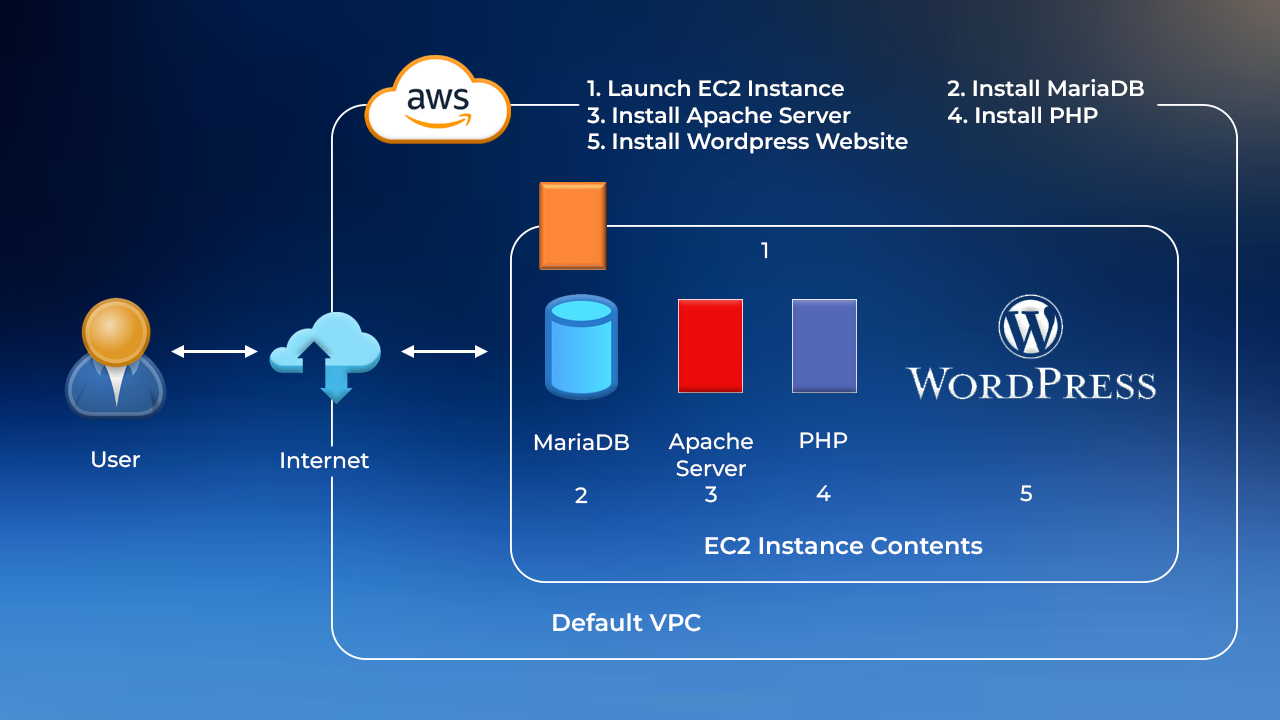
Host Dynamic Website on AWS: Apache, MariaDB, PHP

In this project, we will create a dynamic WordPress website on the AWS cloud platform by using the capabilities of a LAMP server and MySQL database. Achieve scalability and a robust online presence with this powerful combination. Deploy API Gateway, Application & Database This project deploys a basic web app on AWS Amplify for hosting static content, utilizes AWS Lambda for serverless functions, employs Amazon API Gateway to create a RESTful API, and stores data in Amazon DynamoDB with its schema-less, scalable architecture.
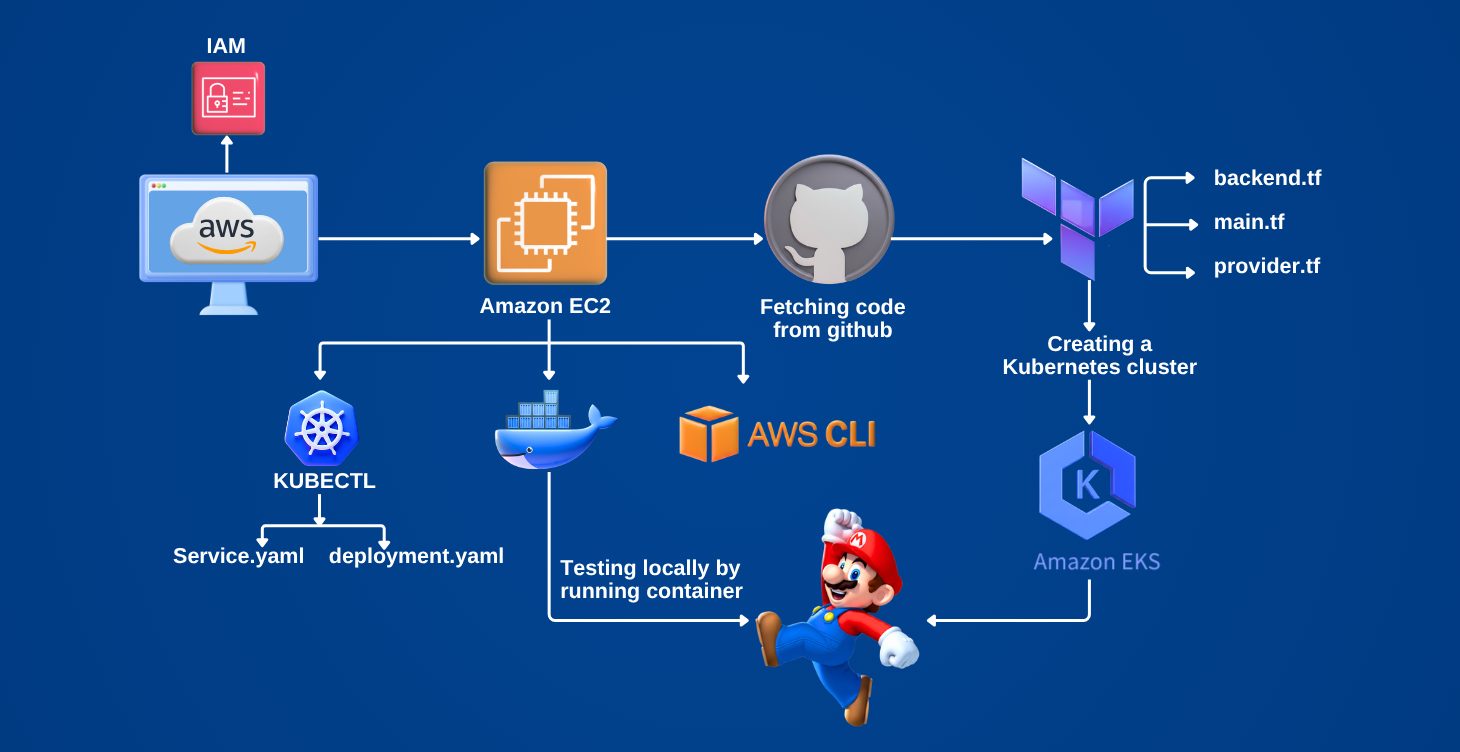
Deployment of Super Mario on Kubernetes using Terraform

This project focuses on deploying a containerized version of the Super Mario game application on a Kubernetes cluster using Terraform for infrastructure as code. The process includes defining the Kubernetes resources such as pods, services, and deployments in Terraform configuration files. Terraform scripts are used to provision the Kubernetes cluster, and Helm charts may be utilized for managing Kubernetes applications. The goal is to automate the deployment process, ensuring repeatability and consistency across different environments.
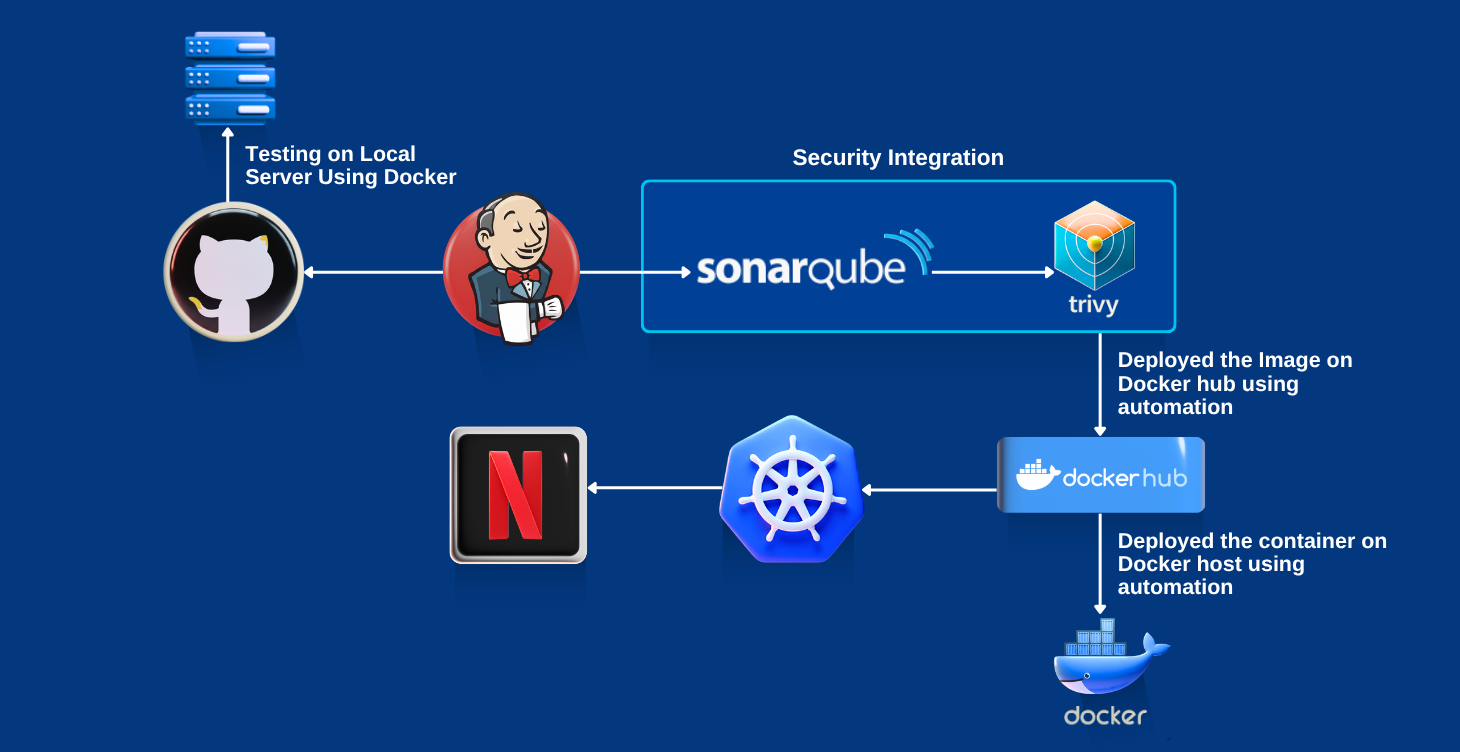
Deploy Netflix Clone Application on Kubernetes

This project involves deploying a Netflix clone application on a Kubernetes cluster. The Netflix clone is a microservices-based application that includes various components like user authentication, content streaming, and a recommendation engine. Each component is containerized and deployed as a separate service in the Kubernetes cluster. The project includes setting up Kubernetes manifests for deployments, services, and ingress controllers. CI/CD pipelines may be implemented using tools like Jenkins or GitLab CI to automate the deployment process. The objective is to achieve scalability, high availability, and efficient resource management for the application
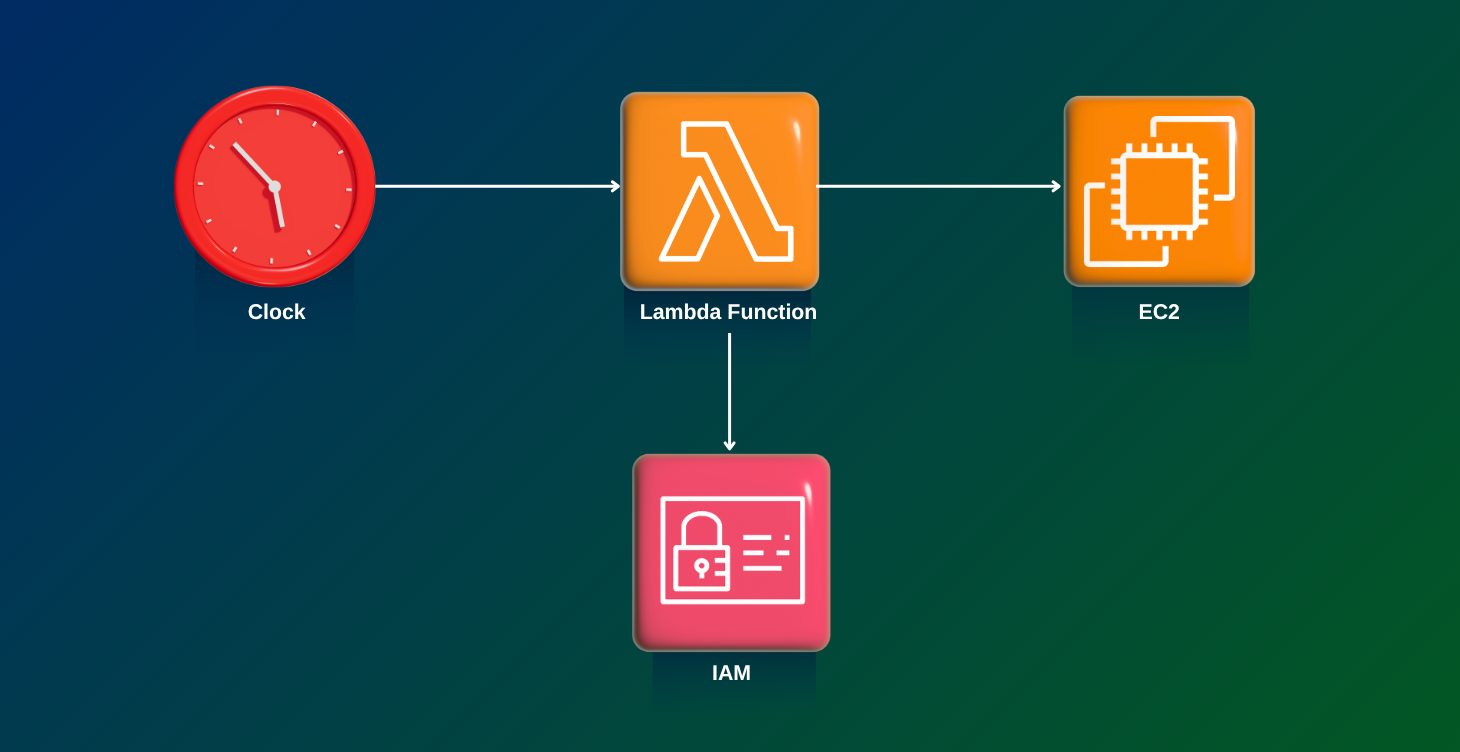
Automate the Start/Stop of EC2 Instances using Lambda

This project automates the start and stop of EC2 instances using AWS Lambda functions. The automation aims to optimize costs by ensuring that EC2 instances are only running when needed. The project involves creating Lambda functions to start and stop EC2 instances based on predefined schedules or triggers. AWS CloudWatch Events is used to schedule the Lambda functions. The project ensures secure and efficient management of EC2 instances, leveraging IAM roles and policies to grant the necessary permissions to the Lambda functions.
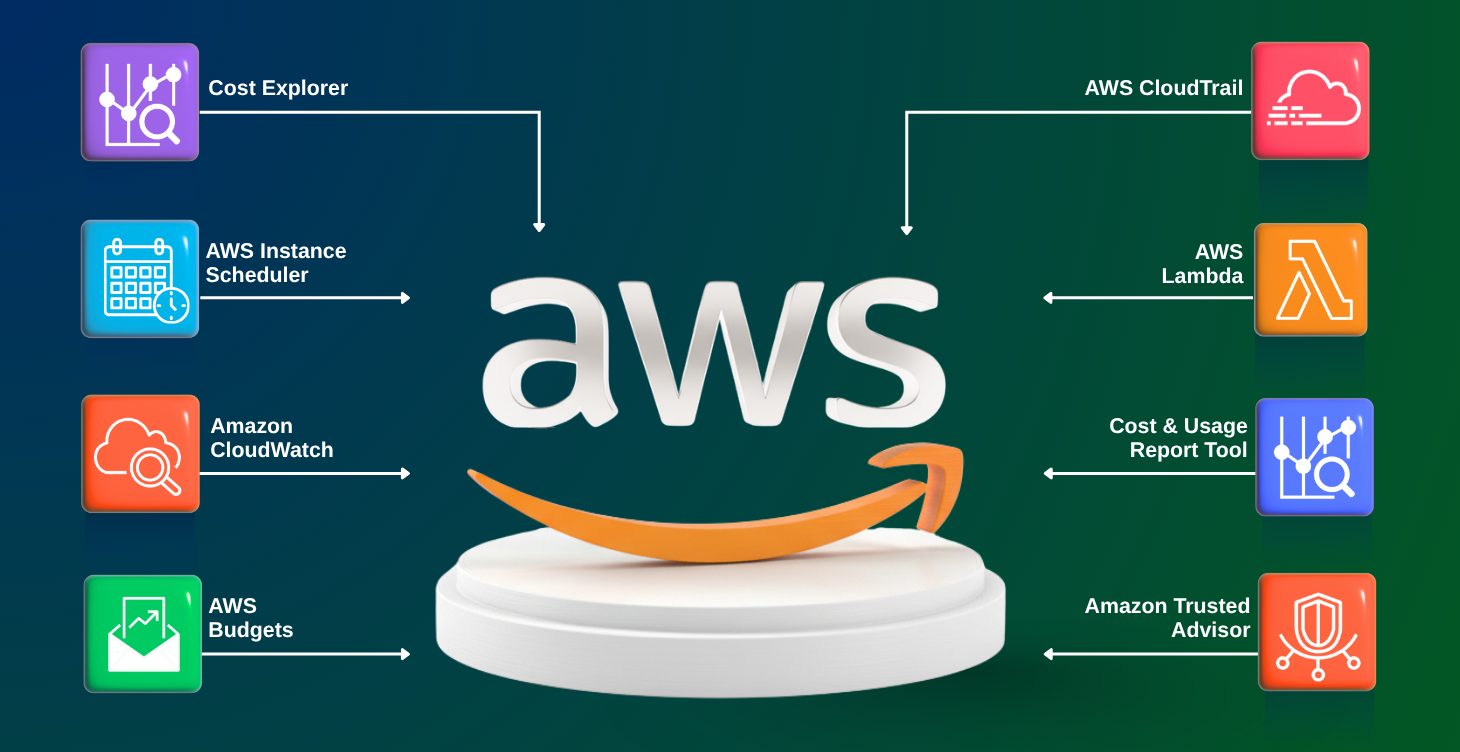
AWS Automation Troubleshooting & Cost Optimization

AWS Automation for Troubleshooting and Cost Optimization: In this project, we use AWS automation to troubleshoot issues and optimize costs. By leveraging services like EC2 Auto Scaling, Lambda, and S3, we ensure efficient resource management, enhance system performance, and minimize operational expenses. The goal is to create a cost-effective, scalable solution while maintaining optimal system functionality.
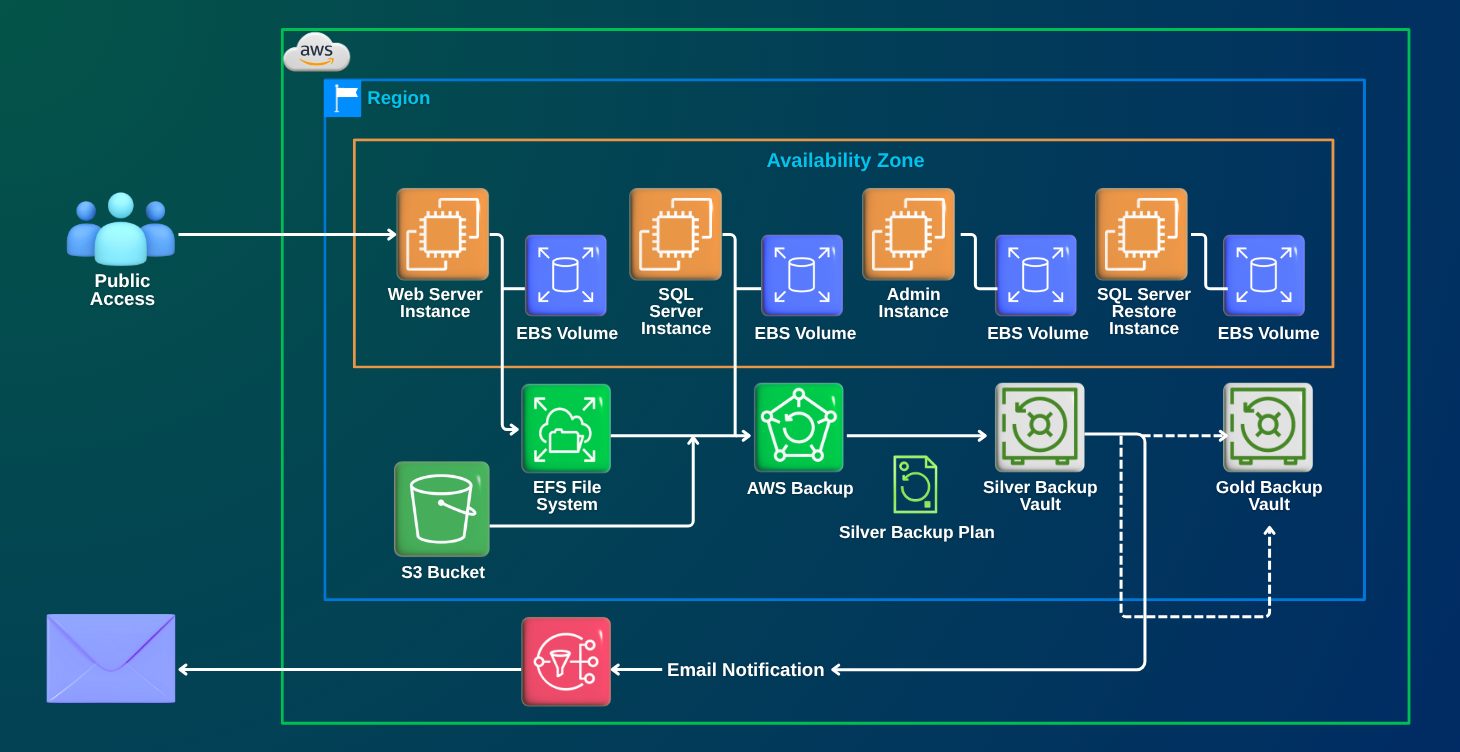
AWS Backup and Recovery: End-to-End Data Integrity Restoration on AWS

In this Project, you will use AWS Backup to create and manage backup plans for various AWS resources deployed via CloudFormation. Tasks include creating a backup plan to protect EC2 root volumes, performing on-demand backups of EC2, EBS, and EFS resources, and restoring backups. Additionally, the lab covers AWS Backup Audit Manager, where you will create a compliance framework to monitor backup activities, identify and resolve compliance issues, and generate daily compliance reports
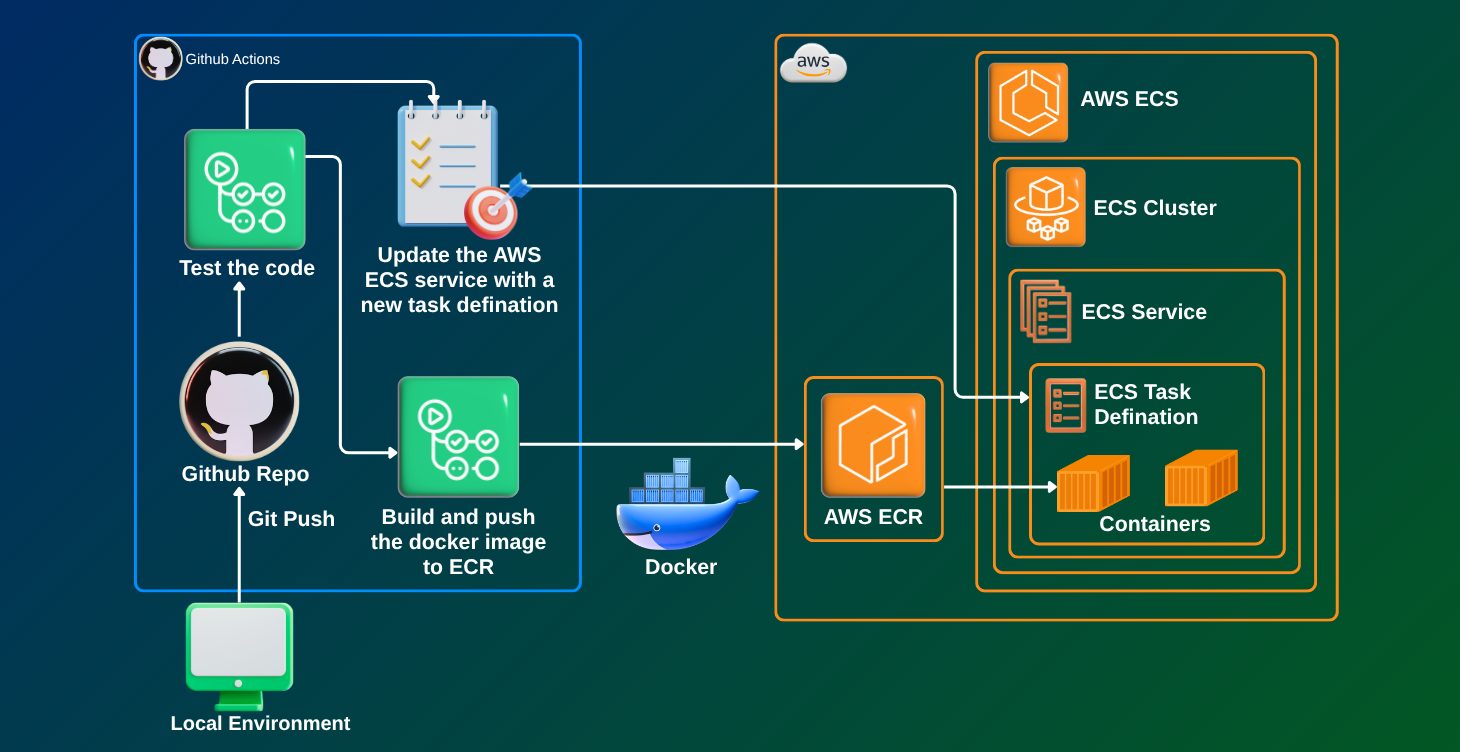
Deploy Web App on AWS ECS with GitHub Actions

This project focuses on deploying a web application on AWS Elastic Container Service (ECS) using GitHub Actions for continuous integration and delivery (CI/CD). You'll learn how to automate the deployment process using ECS, Docker containers, and GitHub Actions to ensure smooth, automated updates and scaling for your application.
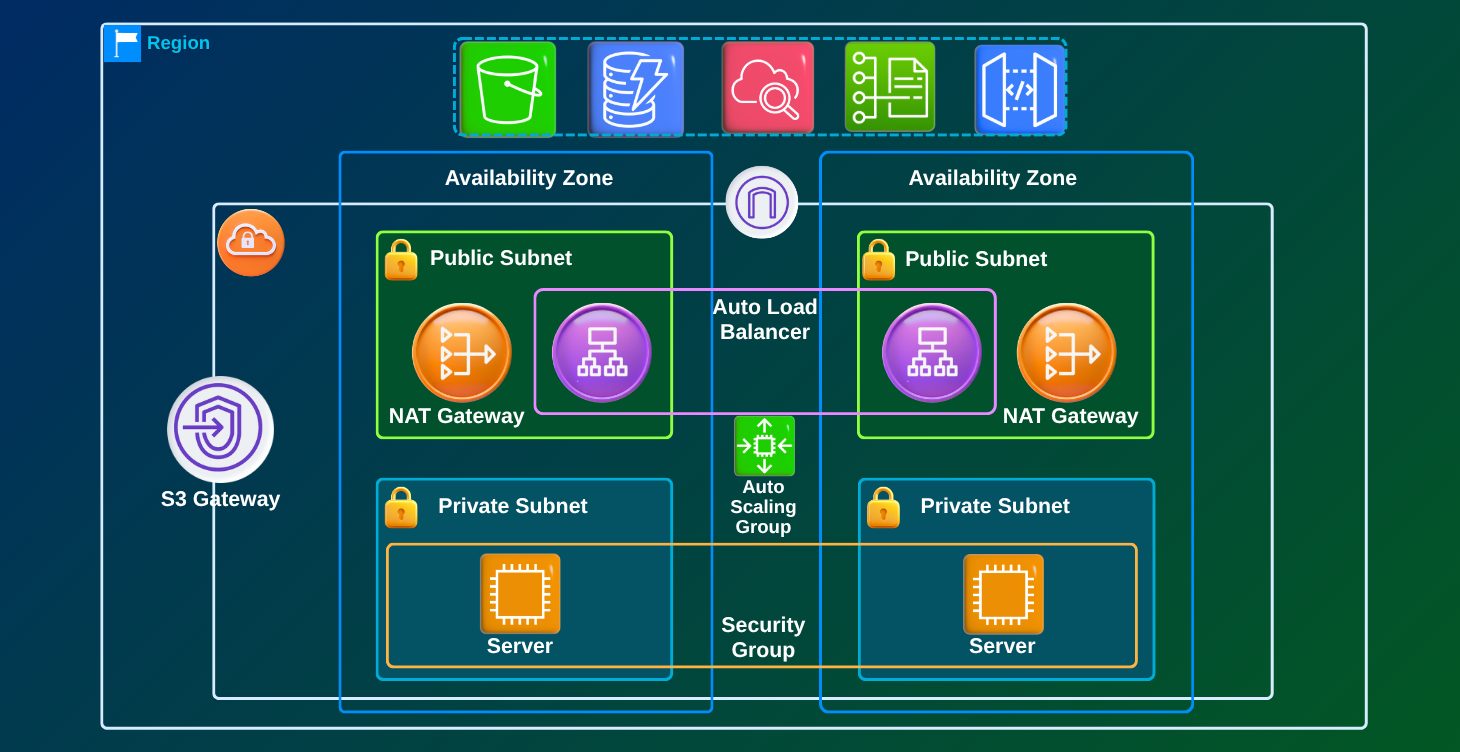
Secure VPC for Production Environment

This project involves creating a Virtual Private Cloud (VPC) on AWS with proper security configurations for a production environment. You will set up public and private subnets, configure security groups, and ensure that the VPC is secure and scalable for production-grade workloads. The project will focus on implementing industry best practices for VPC security.
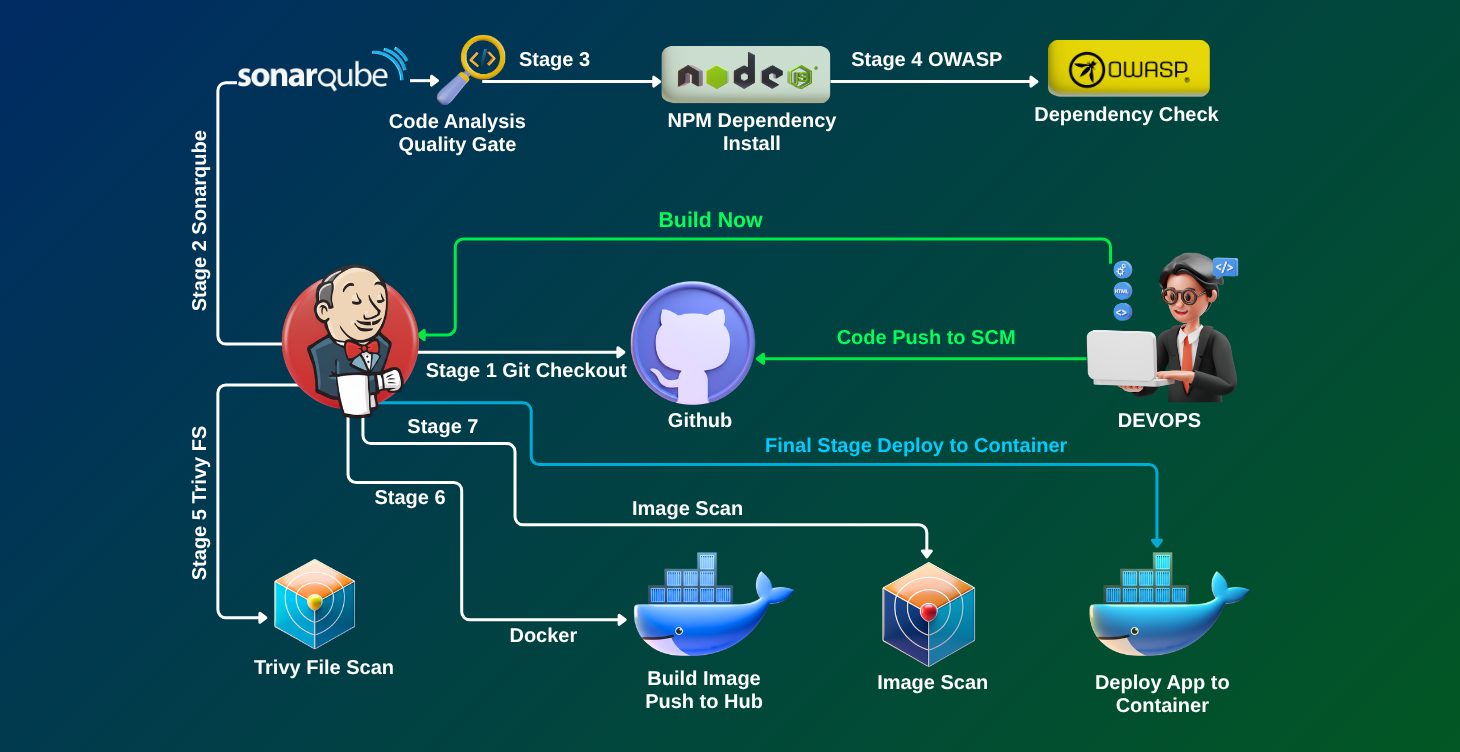
Zomato Clone Deployment (DevSecOps)

This project involves deploying a Zomato clone using DevSecOps principles. The focus is on automating the deployment pipeline while incorporating security best practices. You will use tools like GitLab CI/CD, AWS services, and integrate security checks into the CI/CD pipeline to ensure the app is secure from development to production.
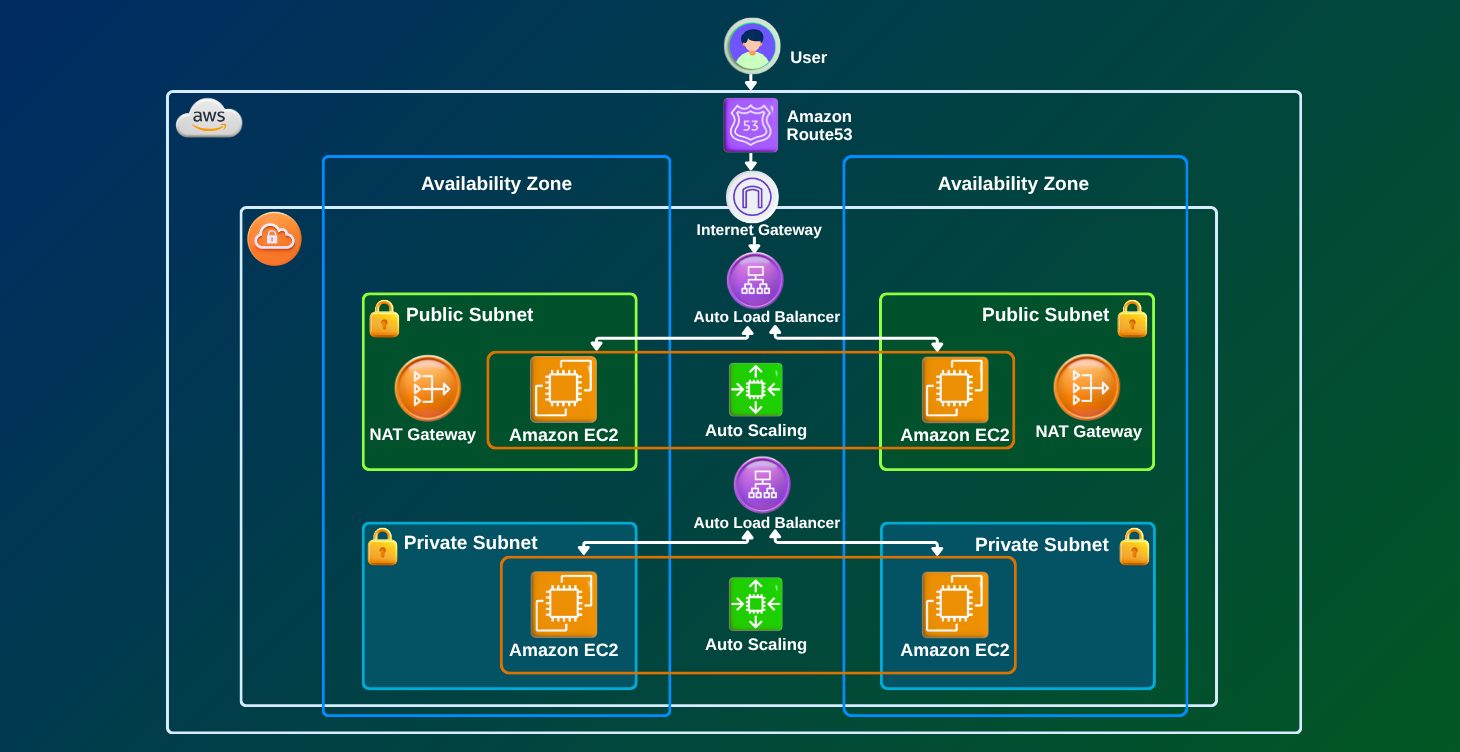
AWS Cloud - Dynamic Blood Bank Management System

This project aims to build a Dynamic Blood Bank Management System on AWS. The system will allow blood banks to track inventory, donor details, and requests efficiently. You will use AWS services like RDS, S3, and EC2 for database management, file storage, and compute resources, respectively, while ensuring that the system is highly available and scalable.
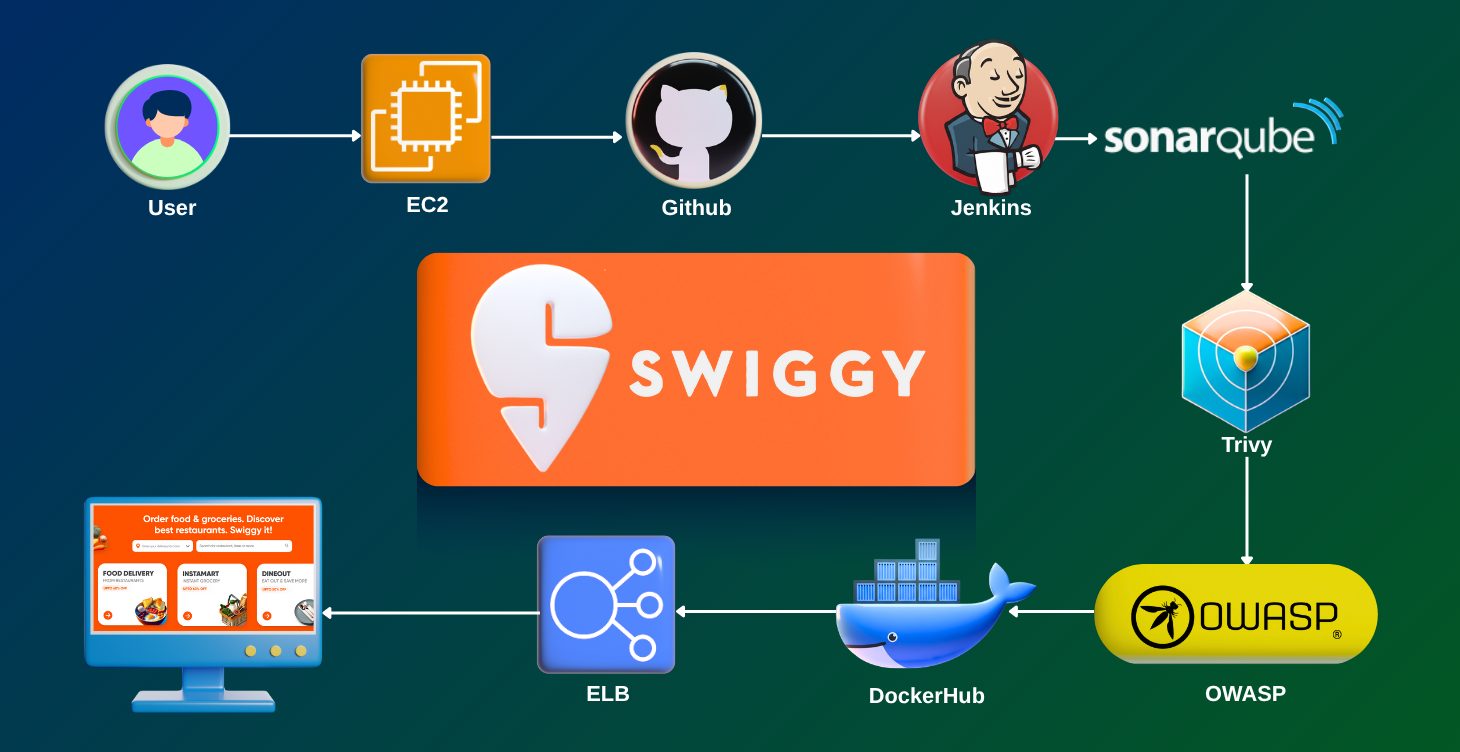
Implementing Deployment for Swiggy-Clone on EC2

This project involves setting up and deploying a Swiggy clone on AWS EC2 instances. You'll focus on creating and configuring EC2 instances, setting up a database (e.g., MySQL), and deploying the backend and frontend components. The project also involves configuring the necessary services (e.g., Elastic Load Balancer, Auto Scaling) for scalability and fault tolerance.
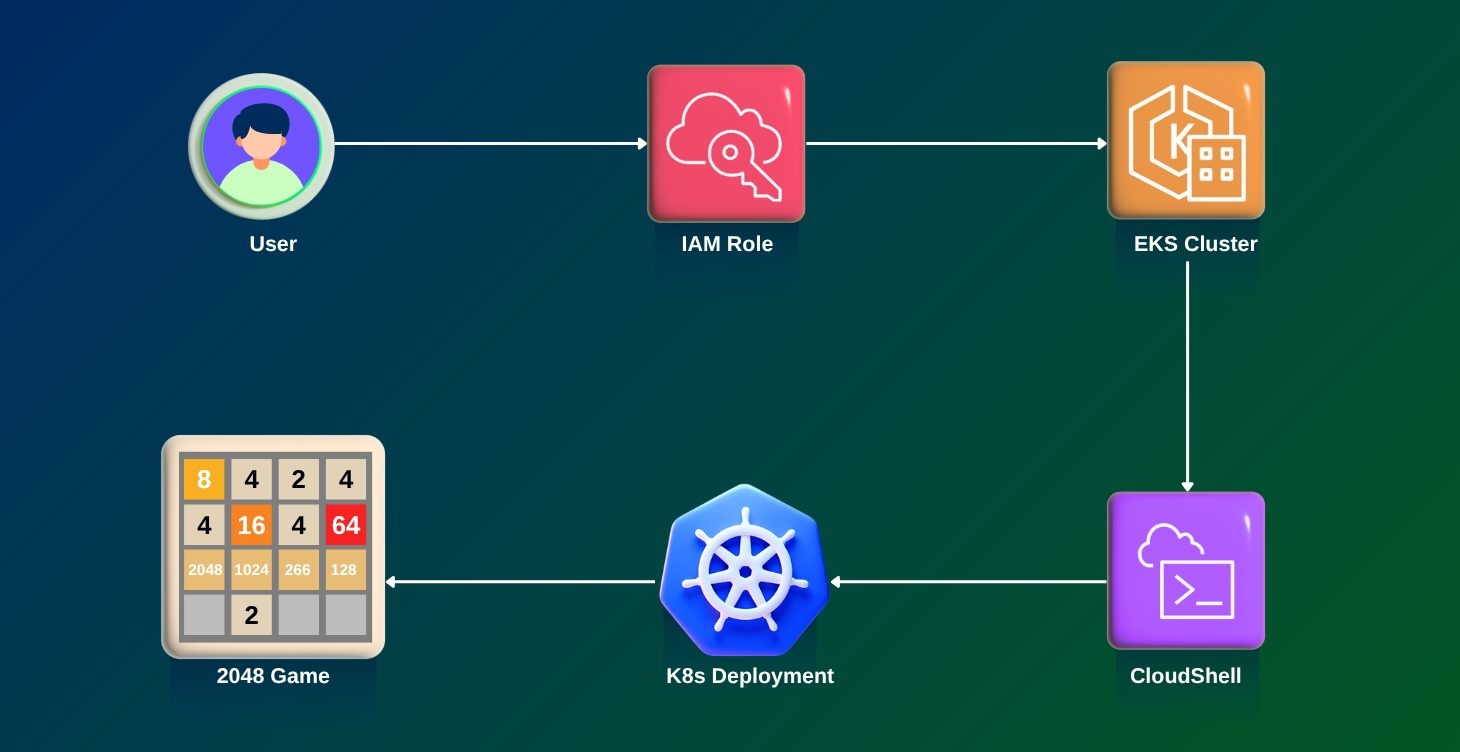
Kubernetes End-to-End Project on EKS

In this project, you will set up a Kubernetes cluster using AWS Elastic Kubernetes Service (EKS) and deploy an application with multiple containers. This end-to-end project will include configuring Kubernetes resources like pods, services, deployments, and ingress controllers. You’ll also integrate CI/CD pipelines for automated deployment and updates within the EKS environment.

Skills You Need to Get Started

A basic understanding of IT concepts is sufficient. This course is meant for those who want to build their knowledge in AWS and does not require any prior cloud experience.

Interest in cloud technologies: A strong desire to learn more about AWS services.

Desire to upskill: A willingness to learn new techniques and technology to advance a professional career.

Problem-solving mindset: The ability to think critically and creatively in a cloud setting.

No programming experience is required; however, knowledge of Python or another scripting language is an advantage.

Why You Should Enroll

5 Industry Certifications

Learn about globally recognized AWS certifications (AWS Practitioner to AWS DevOps) that prove your skills and open doors to high-paying roles.

Hands-On Experience

Practice on 60+ labs and real-world projects using AWS DevOps, Kubernetes, Virtual Machines, and Networking.

Career Support

Get personalized help with resumes, mock interviews, and job strategies designed to fast-track your career.

Higher Earning Potential

Position yourself for promotions, career transitions, and top salaries with in-demand AWS cloud expertise.

Flexible Learning

Learn at your own pace with full access to training materials, labs, and recordings.

Why Choose Us for the AWS Job-Oriented Program with 5 Certifications?

Hands-On Learning

We focus on practical training with 75+ labs and projects—no boring theory.

Query Support Anytime

Get your doubts cleared quickly via WhatsApp, Ticketing System, or during live Q&A sessions.

Weekly Live Interactive Sessions

Learn directly from experts, ask questions, and stay on track with your learning.

Proven Roadmap

Designed by Atul, who has 20+ years of IT experience (a century in cloud years), our structured path takes you from beginner to certified professional.

Ongoing Guidance

Even after getting a job, you’ll continue to receive mentorship and support to succeed in real-world projects.

Course Validity

Get 1-year unlimited access to training materials, labs, and recordings. Learn at your own pace and revisit topics whenever needed.

Testimonials/Feedback

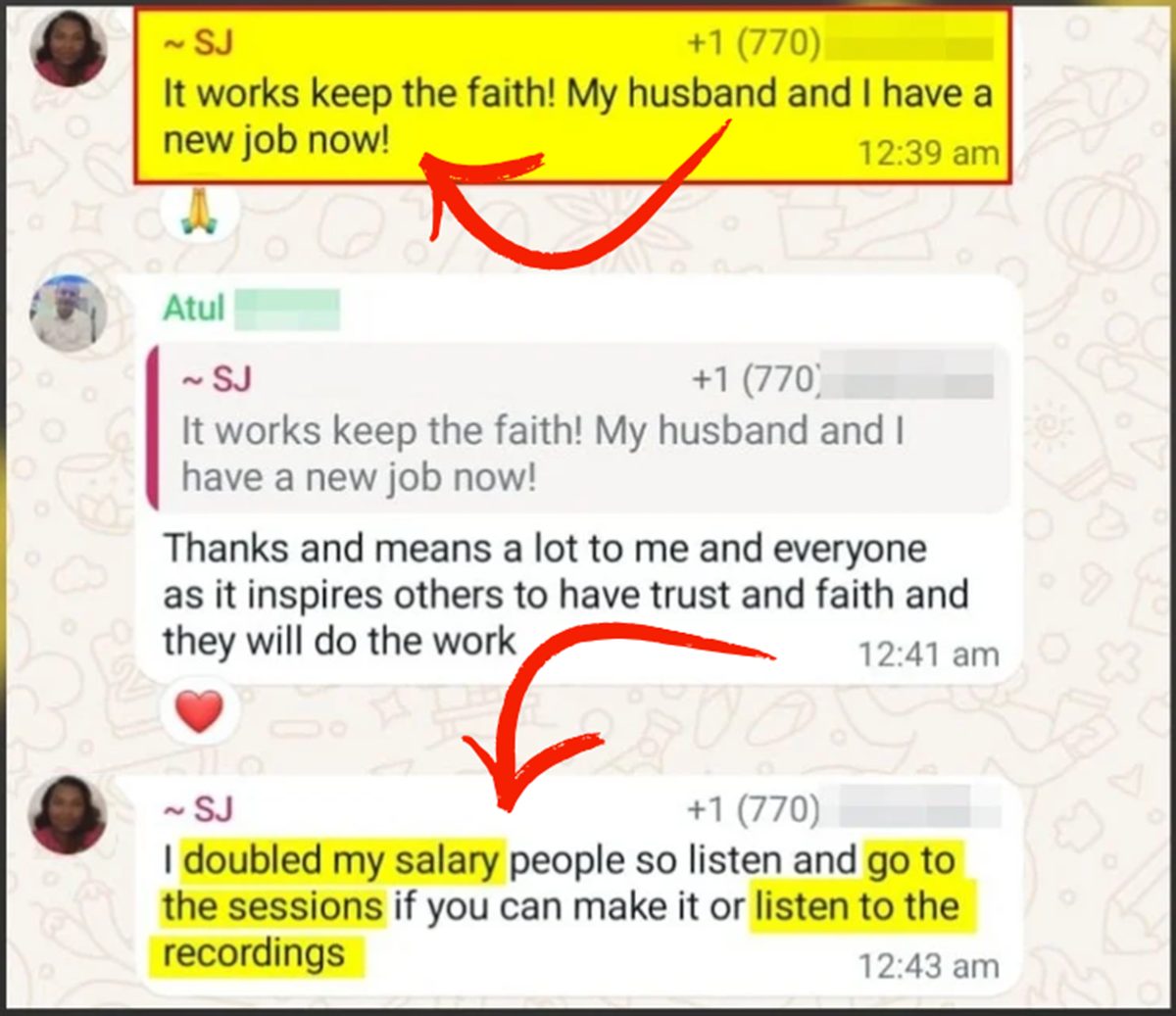
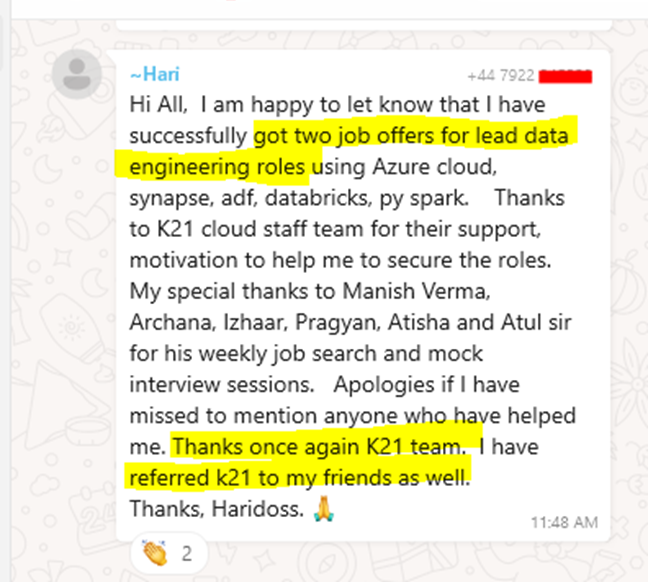
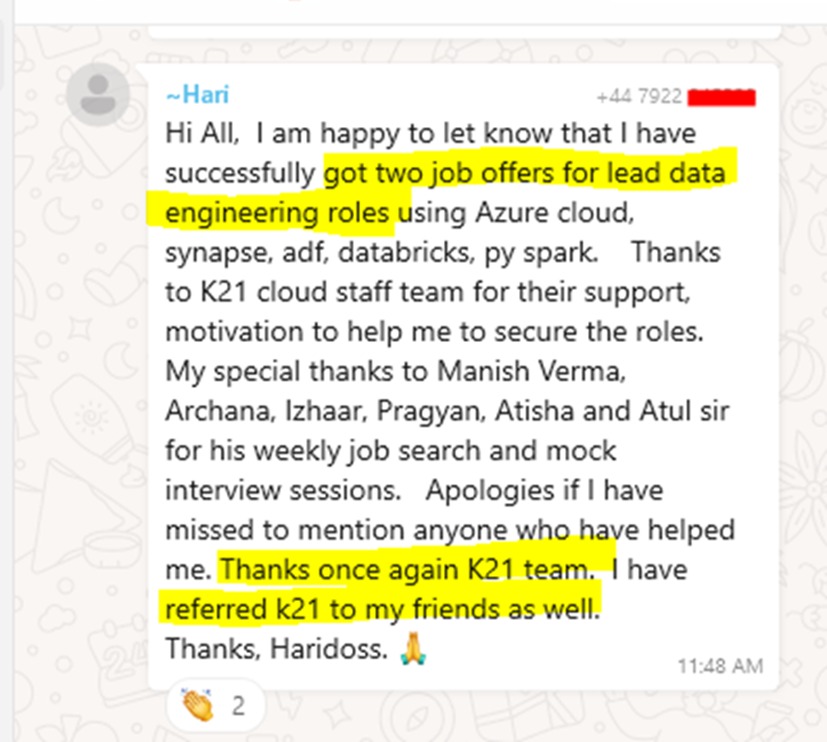
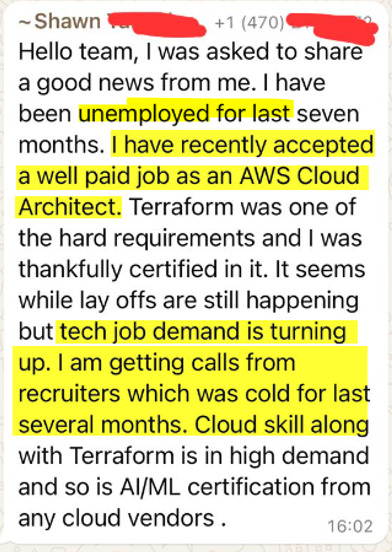
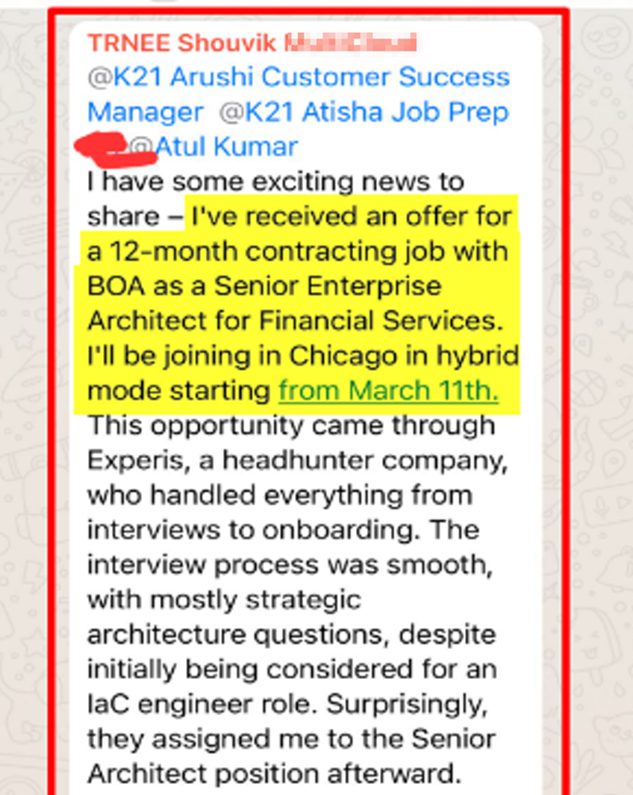
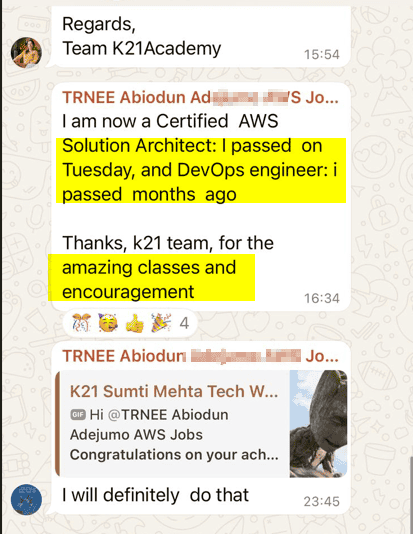
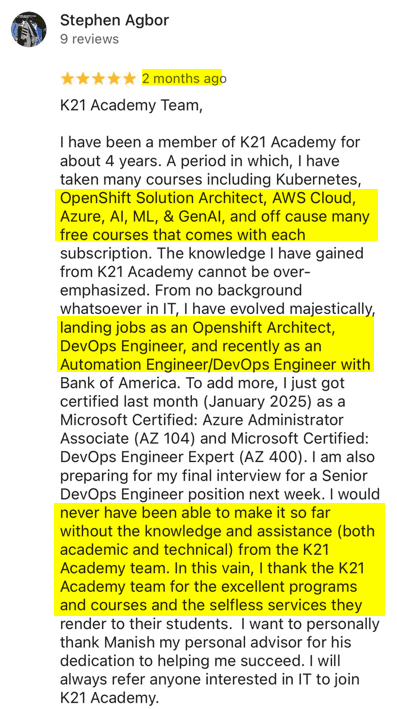
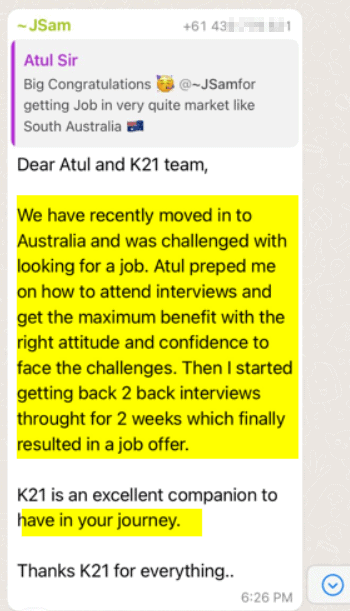
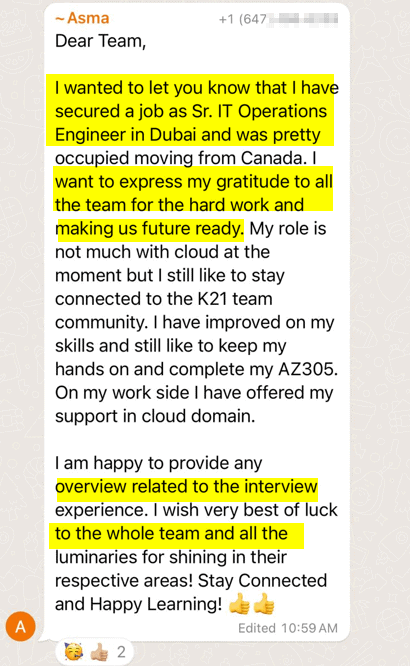
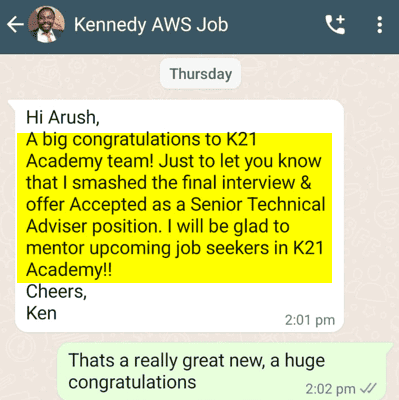
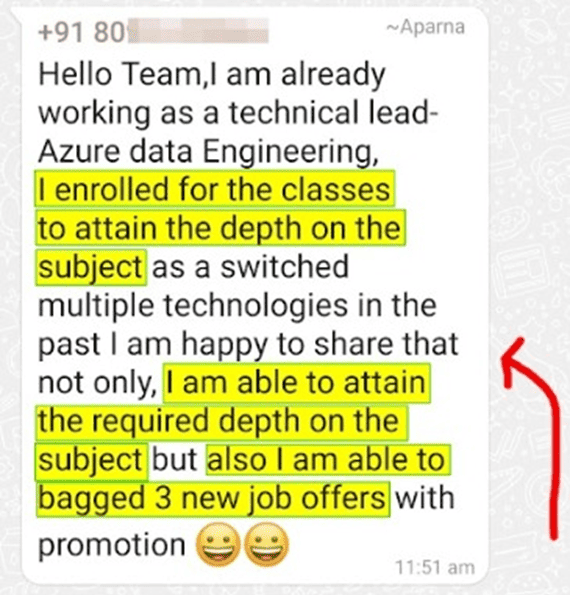
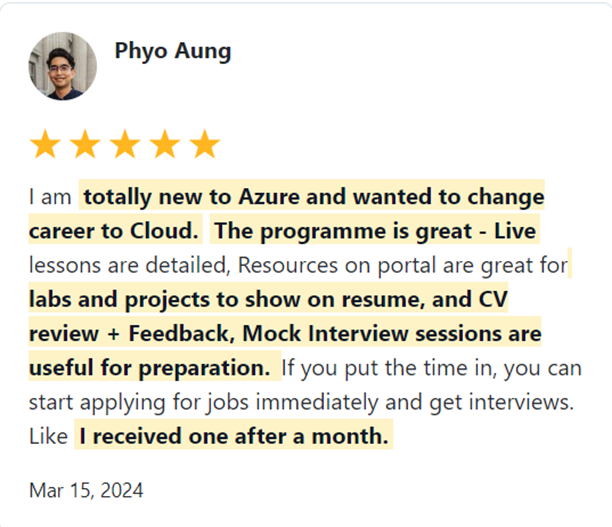
Join 45,000+ learners worldwide who have upskilled with us, transformed their careers, and landed high-paying cloud and data roles. Learn from their success stories—and start creating your own.

What Our Trainees Say

Trusted by thousands of satisfied trainees across multiple platforms

Insights from Our Achievers..

FAQs – Frequently Asked Questions

Who is the Instructor?

Our instructors are certified AWS experts with years of industry experience. They have a proven track record in cloud technologies and are passionate about helping students achieve their career goals. 

Yes! While prior IT experience is helpful, our program is designed for both beginners and professionals looking to transition into cloud roles. We cover everything from the basics to advanced topics, giving you the skills needed to land a job in AWS.

Absolutely! Our program offers flexible learning options. You can access recorded sessions and materials anytime, allowing you to learn at your own pace, even if you’re busy.

 We offer flexible payment plans to fit your budget. If you’re hesitant, book a free consultation call with our career coach to discuss how this program can help you achieve your career goals.

 Yes, this program is designed to help people from all backgrounds, including those with career gaps. We provide the knowledge and skills you need to re-enter the job market confidently.

No prior coding experience is required for most of the program. While some familiarity with scripting can help, we start with the fundamentals of cloud technologies and guide you through the entire learning process. You will get a hands-on understanding of cloud concepts.

You will have access 24/7 to our support channels such as Community, WhatsApp groups, and the ticketing system. You can reach out to the team anytime for clarifications or help with assignments. Additionally, you will be part of a learning community where you can discuss concepts and queries with peers.

Many of our past students have gone on to secure roles such as Cloud Engineers, AWS Architects, DevOps Engineers, and Security Engineers in companies like Amazon, Microsoft, and Deloitte. You can check out success stories and testimonials from our alumni on our website. 

After completing this program, you will be well-prepared to earn certifications such as:

  • AWS Certified Cloud Practitioner
  • AWS Certified Solutions Architect – Associate
  • AWS Certified DevOps Engineer – Professional
  • AWS Certified Developer – Associate
  • AWS Certified Security Specialty

Certifications significantly enhance your resume and showcase your commitment and knowledge. While they aren’t always required, they certainly help you stand out to employers and can give you a competitive edge in the job market.

Don’t worry! Our program is designed for both beginners and experienced professionals. We start with the basics and guide you step by step through the complexities. You’ll have expert instructors to help you along the way. 

Yes! Our program is beginner-friendly and is designed to accommodate people from non-technical backgrounds. We start with the basics, and you’ll gain a solid foundation in cloud technologies, which will help you transition to a cloud role. 

Yes! You will work on real-world projects that mirror industry scenarios. These projects help you build a strong portfolio that you can showcase to potential employers.

Throughout the program, we offer mock interview sessions and provide you with a collection of interview questions and answers based on real-world job requirements. Additionally, we help you with resume building, LinkedIn profile optimization, and job search strategies.

While job placement is not guaranteed, our program is designed to equip you with the skills and certifications required to apply for higher-paying cloud roles. Many of our alumni have successfully secured high-paying positions in top companies.

While we can’t guarantee a job, we provide job placement support, including interview prep, CV assistance, and job application guidance to help you succeed in the job market. With 5 certifications, hands-on labs, and real-world projects, you’ll gain the skills needed for roles like Cloud Engineer, AWS Administrator, AWS Solution Architect, Developer, Security Engineer, or DevOps Engineer. Many learners have successfully transitioned into cloud careers after completing this program. 

6 Months Money Back Guarantee

When you join the K21Academy, you are fully protected by our 100% Money back guarantee.

We strive to provide the best training programs, but if you don’t get the desired results even after following every step of our learning style, you can claim your money back! 100% money-back guarantee covers the price of online training.

You have 6 Months from the date of the original purchase, to claim a refund. All you will be required to do is, show us the proof that you took action and attended sessions, completing the hands-on labs, Projects & applying to at least 50 jobs & get CV Reviewed (share proof) & you feel that the program is not worth the money you invested, you will receive a full refund.

$1750 x 4 only

Get Immediate Access
to Training & Support

Payment Methods:

$6000 only

Get Immediate Access
to Training & Support

Payment Methods:

This FREE and highly valuable 1:1 Call team of Experts about the Program.

My 24+ Years of Experience with over 45,000+ trainees

I started my IT career in 2000 as an Oracle DBA/Apps DBA. The first few years were tough (<$100/month), with very little growth.

In 2004, I moved to the UK. After working really hard, I landed a job that paid me £2700 per month.

In February 2005, I saw a job that was £450 per day, which was nearly 4 times of my then salary.

So I looked at training from Oracle for 5 days. In November, I successfully transitioned to Oracle Security & IAM, and my career took off.

Around 2012–13, Cloud, DevOps & Cloud Automation were gaining popularity & there were many job opportunities in these fields.

So, I decided to make a change in my career path, and I transitioned from working on On-premises (Security, Infrastructure & Databases) to focusing on Cloud & DevOps.
Learning Cloud & DevOps gave me the opportunity to work with some of the world’s largest and most prestigious clients.

I then used the same roadmap with 45,000+ individuals (like you) to help them get their dream jobs.

If they can do it, you can do it too!