



With the release of EBS R12.2.9, we have a new version available for the installation and upgrade. But installing is a long process, which includes downloading the software from E-Delivery and then preparing the environment to unzip the software and then installing it.
In this blog, I will show you how to launch your EBS vision instance within 30 minutes on Oracle Cloud (OCI).
Things Good To Know About EBS 12.2.9
- Oracle E-Business Suite R12.2.9 is currently available on My Oracle Support as Patch 28840850.
- Document for the patch is available on My Oracle Support Note 2495027.1
- It is cumulative i.e. it includes the new updates as well as the updates made available in one-off patches on 11.5.10, 12.0, 12.1.3 and prior 12.2 releases.
- The 12.2.9 patch must be applied on top of Oracle E-Business Suite Release 12.2.x.
Steps To Launch EBS 12.2.9
1. Register For Free Cloud Account
Firstly you need to Register for a free cloud account in order to Launch an EBS Instance on the Cloud. You can simply follow the below steps:
- Go to the Oracle Cloud Home Page , On the top right click Oracle Cloud Free Tier, click on Start for Free
- Fill out all the mandatory information like Cloud account name, Default data region, Email Address, and Fill your address and all other details.
- Then in Verification Code Tab Provide your Mobile Number and click on Request Code
- On Credit Card detail Tab, Click on Add Payment Method, Click Complete to submit your request for a new Oracle Cloud account.
Also read: Upgrading your EBS base version to R12.2 can be quite a complicated task. Make it simpler with the free diagnostic tool called analyzers for Oracle E-Business Suite 12.2, 12.1, 12.0, and 11i.
2. Generating SSH Keys
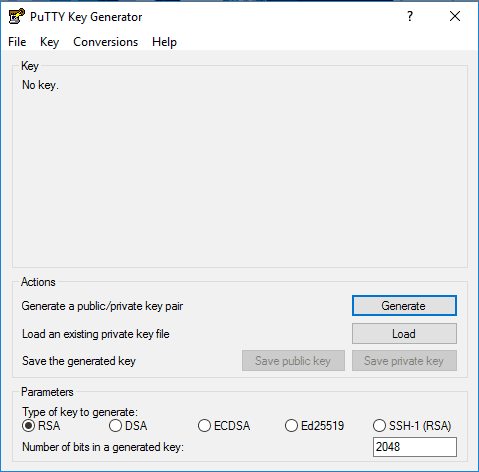
The SSH key pair is a combination of a private key and a public key. We keep the private key on your computer and provide the public key every time you launch an instance.
So, We need to generate the SSH keys to connect to the VM you are about to create. You can also use Putty. Simply run the “ssh-keygen” command as below and keep the SSH Key ready to be used while creating the VM.
Check Out: Our previous blog post on EBS Upgrade.
3. Create a Compute Instance Using EBS 12.2.9 Image
Now, we have to create one VM in which we will use Image as Oracle EBS 12.2.9.
1) First, click on Create VM Instance and Provide a name for the VM Instance.
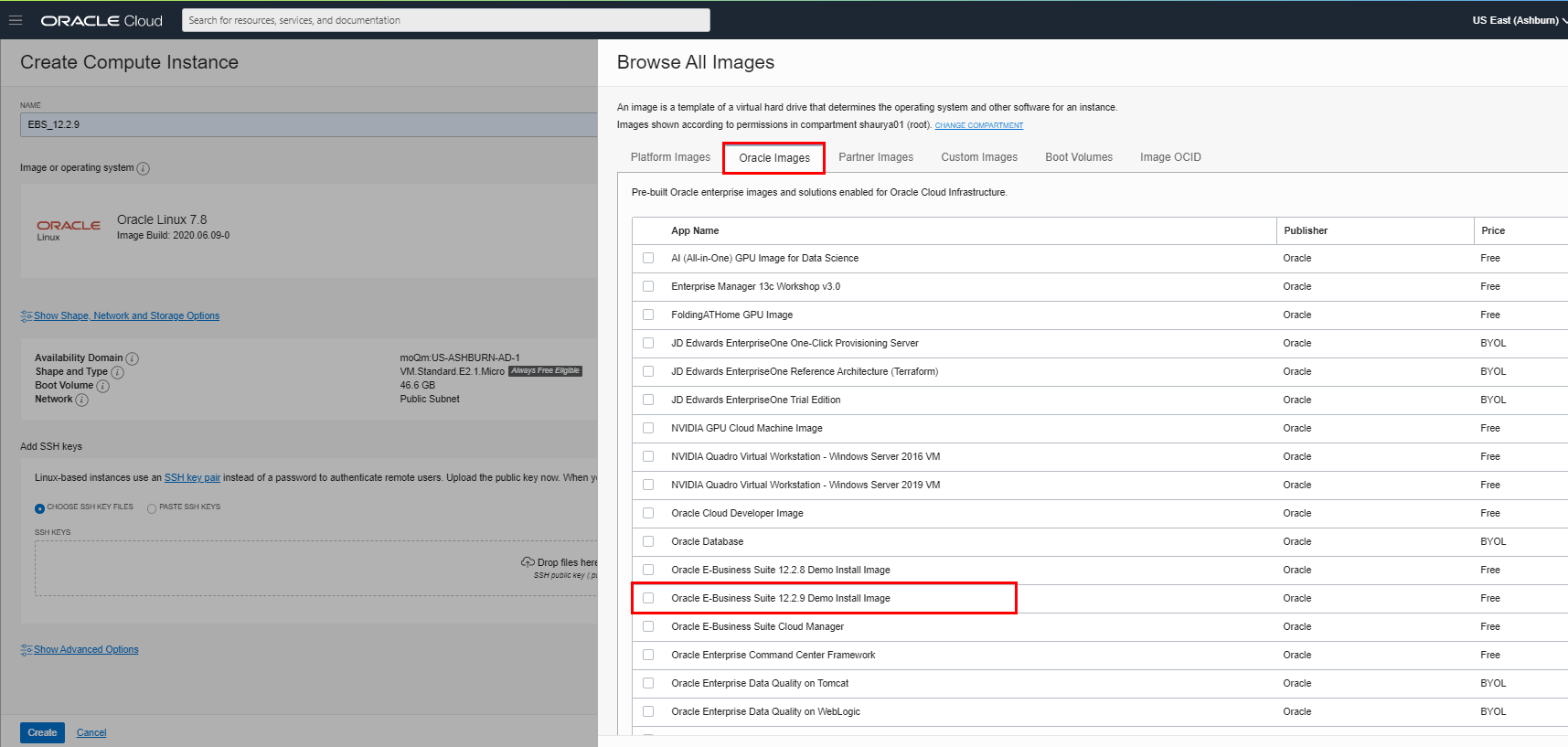
2) Click on “Change Image Source” and select “Oracle EBS 12.2.9”, under Oracle images
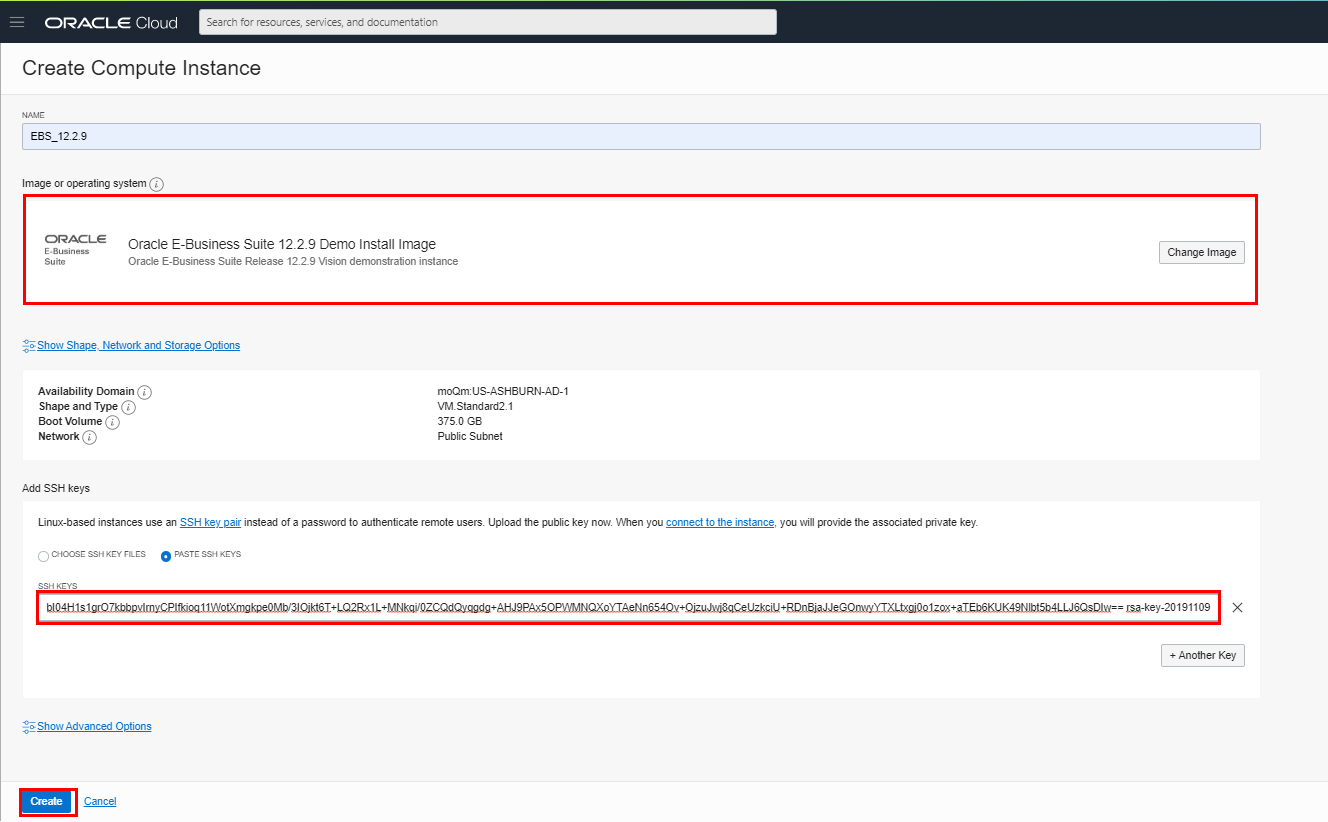
3) Then, paste the SSH public keys in the ‘Add SSH Keys Section”
Also Read: Our previous blog post on Oracle Apps DBA R12.
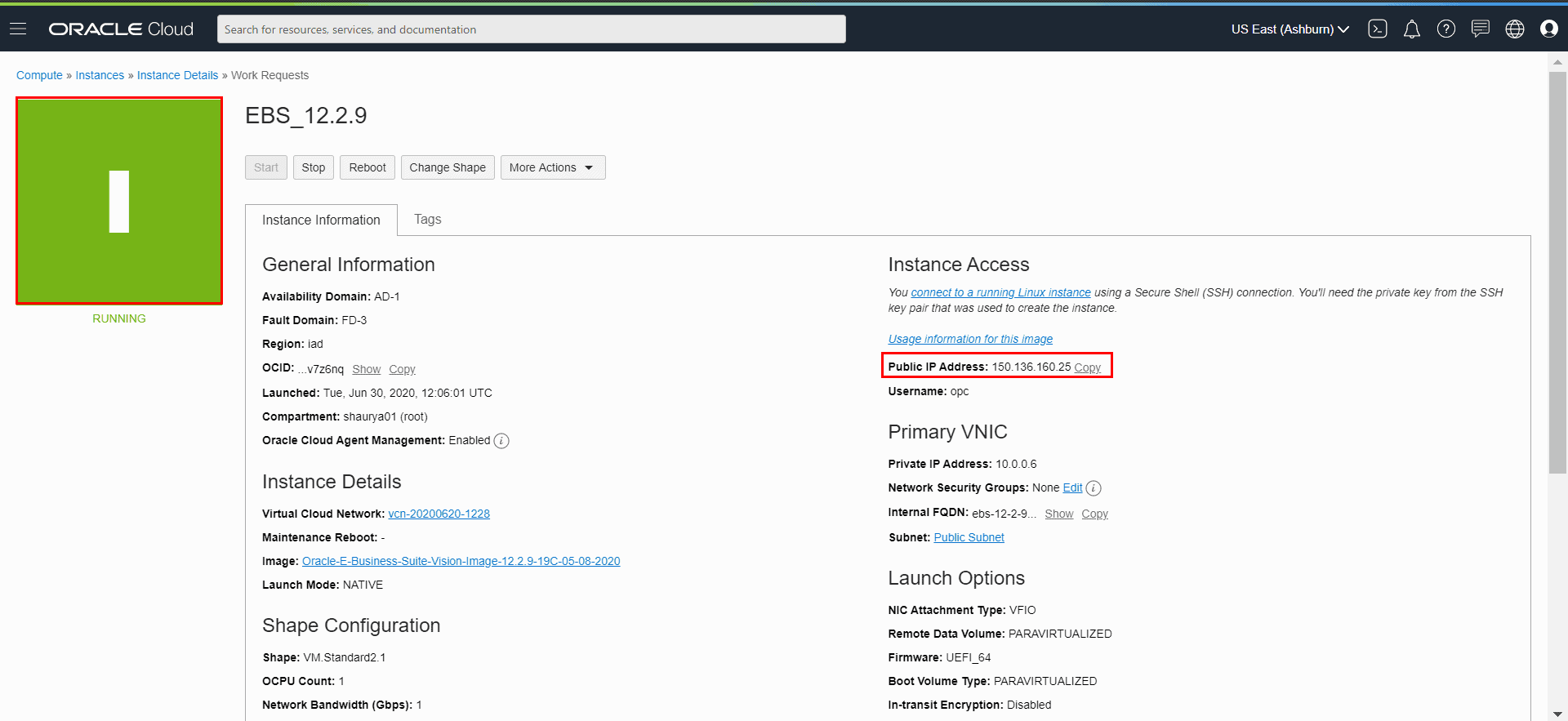
4) Now. Copy the Public IP address, it will be used to connect to the instance via putty.
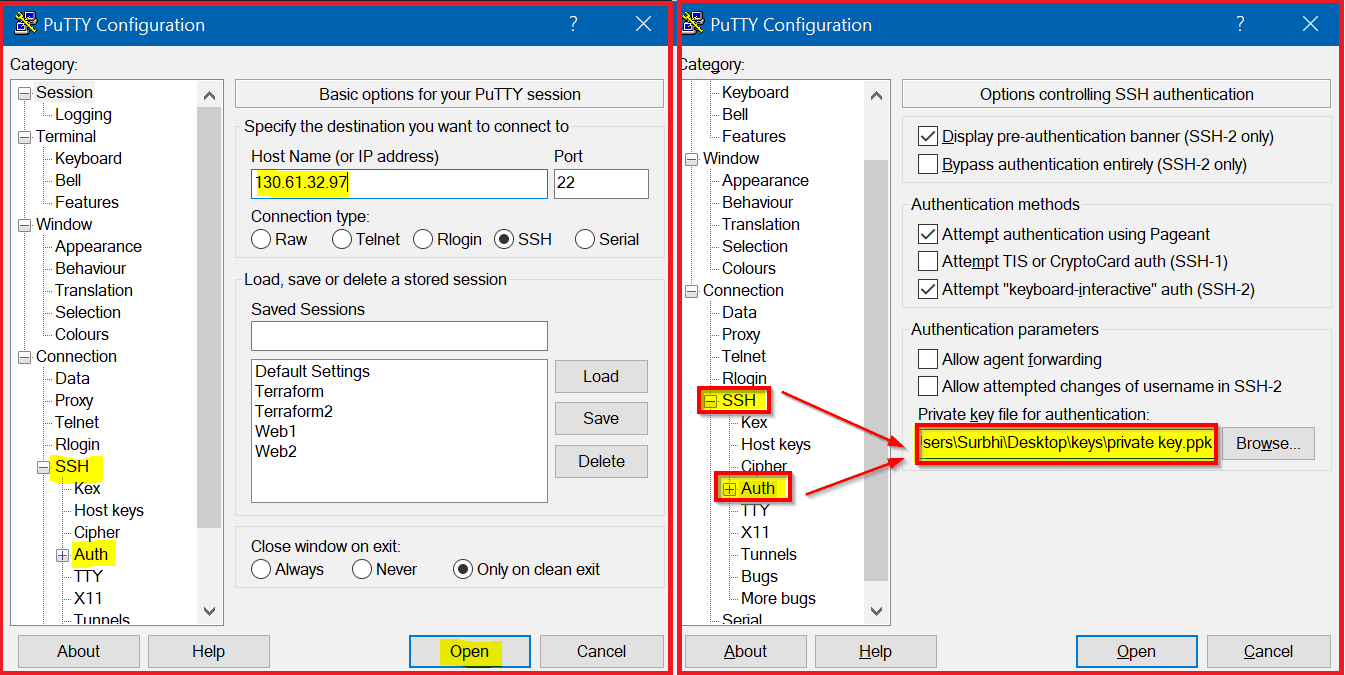
5) Enter the Public IP Address in the Hostname, then add the SSH Private key under SSH & then Auth. Click on Open.
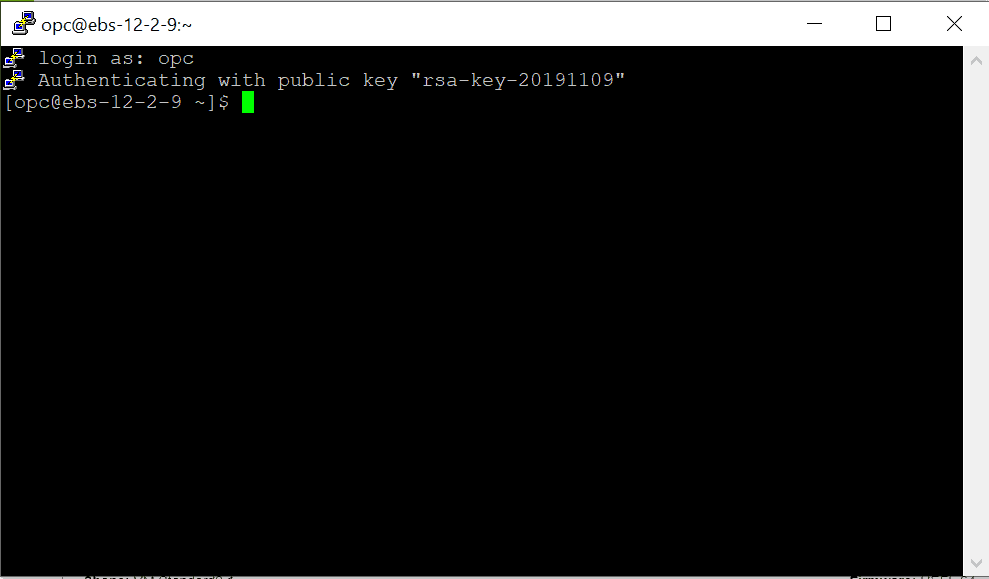
5) As you can see, your EBS R12.2.9 vision instance is launched now.
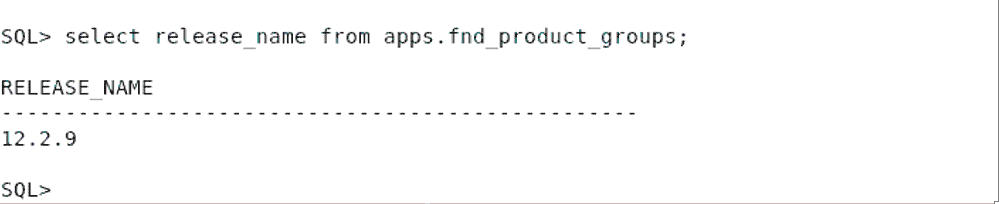
6) Now, check for the EBS version in your VM by following the steps:
connect to database–>sqlplus ‘/as sysdba’
SELECT RELEASE_NAME FROM FND_PRODUCT_GROUPS;
This post covered how can you launch an Oracle EBS R12.2.9 vision instance on the oracle cloud in 30 minutes.
Read More: About Oracle EBS 12.2 Upgrade.
Related Further Readings
- [1Z0-238] Oracle EBS R12 Certified Specialist Everything You Must Know About
- 19c Database In Oracle EBS R12: Everything You Must Know
- Steps to Download Oracle EBS R12 Software from edelivery site
- Oracle E-Business Suite (EBS) 12.2.9 Now Available & Its Upgrade Steps
- MOS ID 1581549.1 Best Practices for Minimizing Oracle E-Business Suite Release 12 Upgrade Downtime
- Oracle EBS R12.2 Upgrade Frequently Asked Questions Part – III
Next Task For You
Begin your journey towards becoming an Oracle EBS Upgrade R12.2 AppsDBA by joining our Training on Upgrade EBS R12/11i To R12.2
Click on the image below to join FREE Masterclass on Upgrade EBS R12/11i To R12.2:

![Microsoft Agentic AI Business Solutions Architect [AB-100] | K21 Academy](https://test.k21academy.com/wp-content/uploads/2025/11/Microsoft-Agentic-AI-Business-Solutions-Architect-AB-100-Exam-Overview1.png)


