



We have been getting lots of queries from our trainees on how to create Oracle ATP Connection.
In this blog, we are going to show you how to Create Oracle ATP Adapter/Connection in the Oracle Integration cloud service. The Oracle ATP Adapter is one of many predefined adapters included with Oracle Integration.
Autonomous Data Warehouse (ADW) & Autonomous Database Transaction Processing (ATP)
Oracle’s introduced groundbreaking innovation, Autonomous Data warehouse (ADW), and Autonomous Database Transaction processing (ATP), both are databases designed of different workload scenarios.
If you want to learn how to Create Oracle Autonomous Data Warehouse 19c on OCI and Create Database on OCI
Both ADW and ATP can be provisioned quickly from Oracle Cloud Infrastructure. To connect you must use Oracle SQL Developer, this tool can be used to run SQL statements.
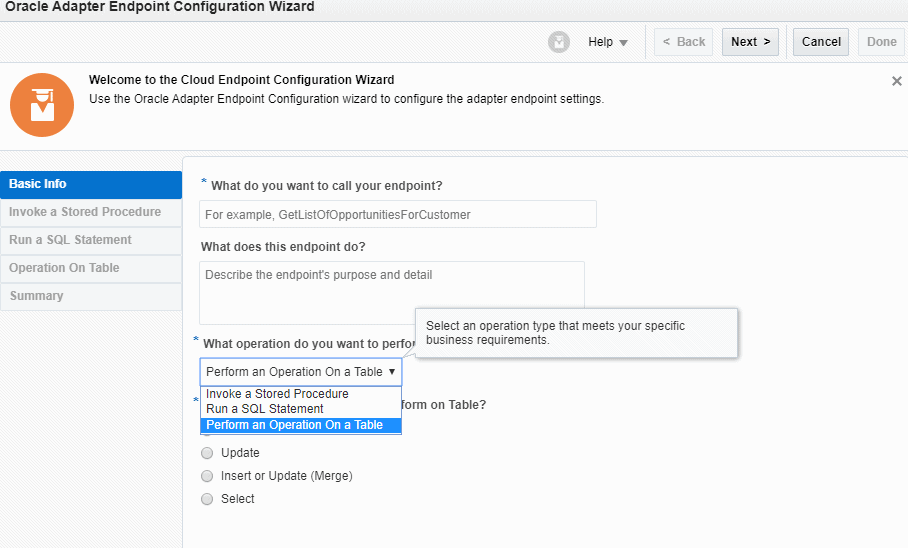
The Oracle ATP Adapter Provides The Following Benefits
- Invoke a stored procedure.
- Run SQL statements.
- Perform the below operation on a Table.
- Insert
- Update
- Insert or Update (Merge)
- Select
The Oracle ATP Adapter is one of many predefined adapters included with Oracle Integration. You can configure the Oracle ATP Adapter as a connection in integration in Oracle Integration.
Also read: Oracle OIC Services 1Z0-1042 Training: Step By Step Activity Guides/Hands-On Lab Exercise
Create Oracle ATP Connection
Oracle ATP adapter can be used to connect to both Autonomous Data warehouse (ADW) and Autonomous Database Transaction processing (ATP).
1. In OIC console go-to connection and create a new connection.
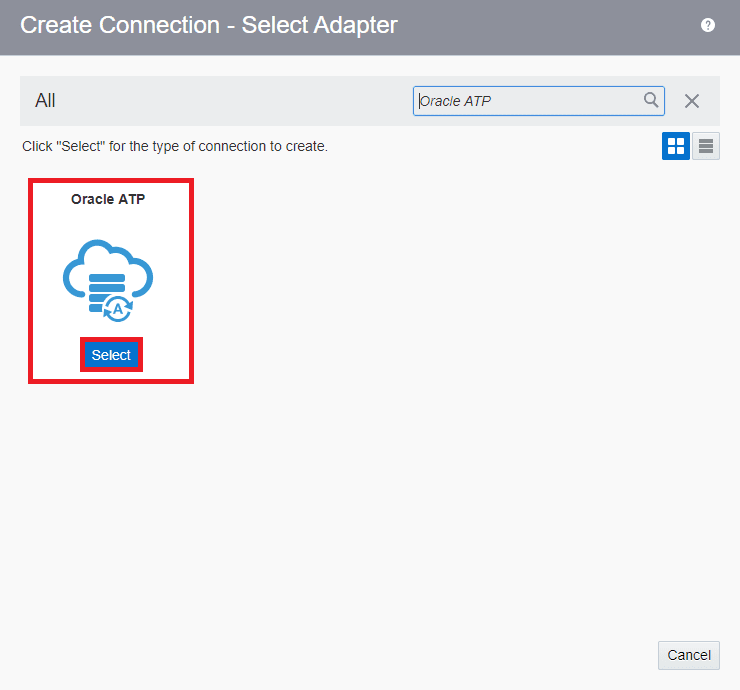
2. Search Oracle ATP Adapter and click on select.
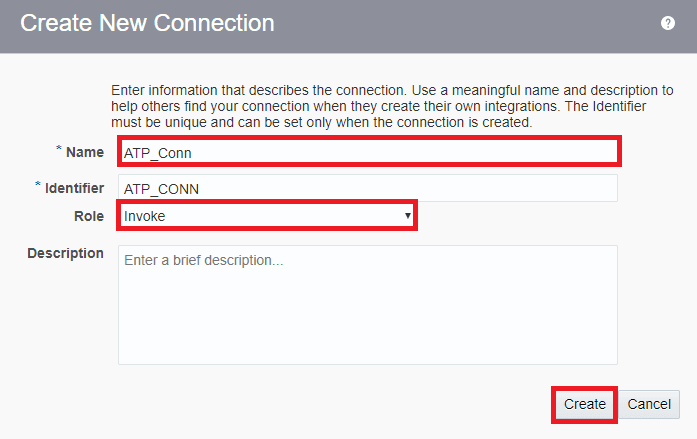
3. Provide a name to your connection, select the appropriate role then click on create.
Also Check: How To Create B2B In OIC.
4. Now to complete the connection you will need the wallet file of ATP/ADW. (the file and credentials will be provided by your Oracle Cloud Infrastructure Admin).
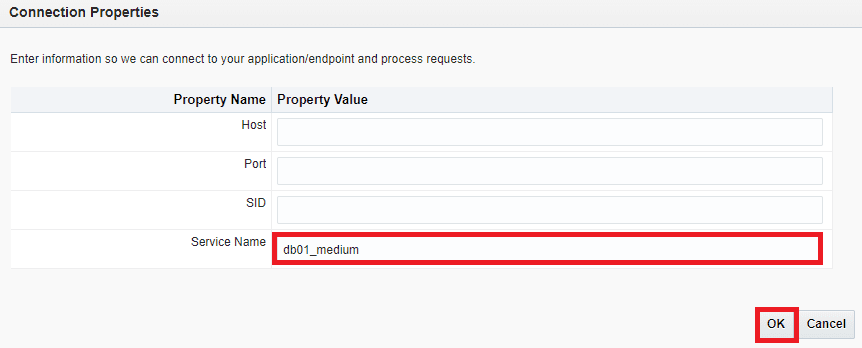
5. Click on Configure connectivity in Connection Property.
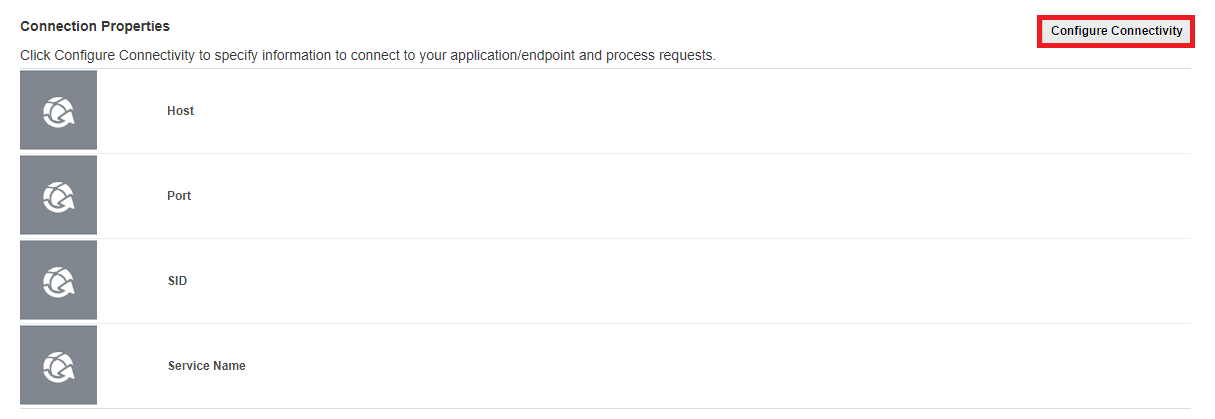
6. Provide appropriate Service name from the tnsnames.ora file. (included in Wallet ZIP).
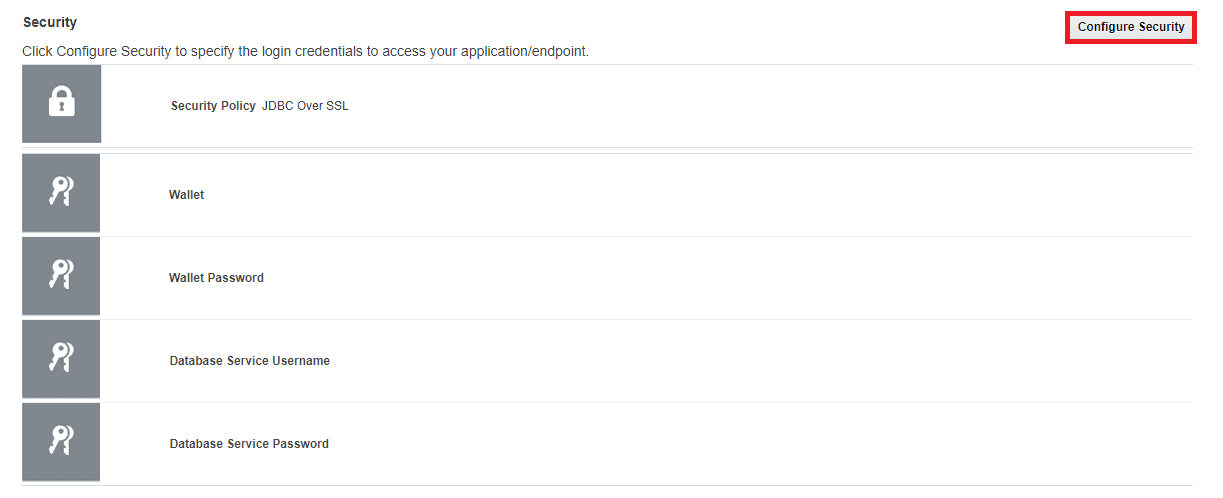
7. Click on Configure Security, hear you will provide the wallet file
Also Check: SOAP API vs Rest API, to know the major differences between them.
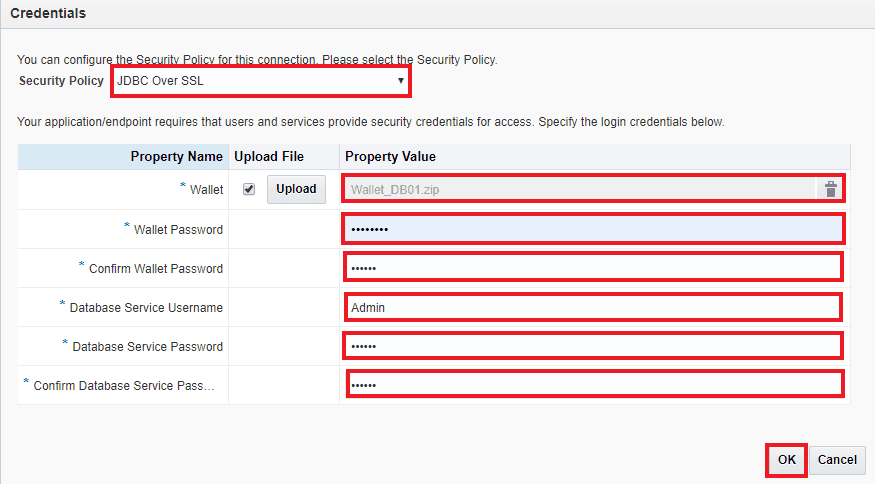
8. Select Policy JDBC Over SSL, Upload the wallet file, and provide the appropriate details in the respective fields. Click on OK.
9. Click on Test. (if the test fails then check the provided credentials)
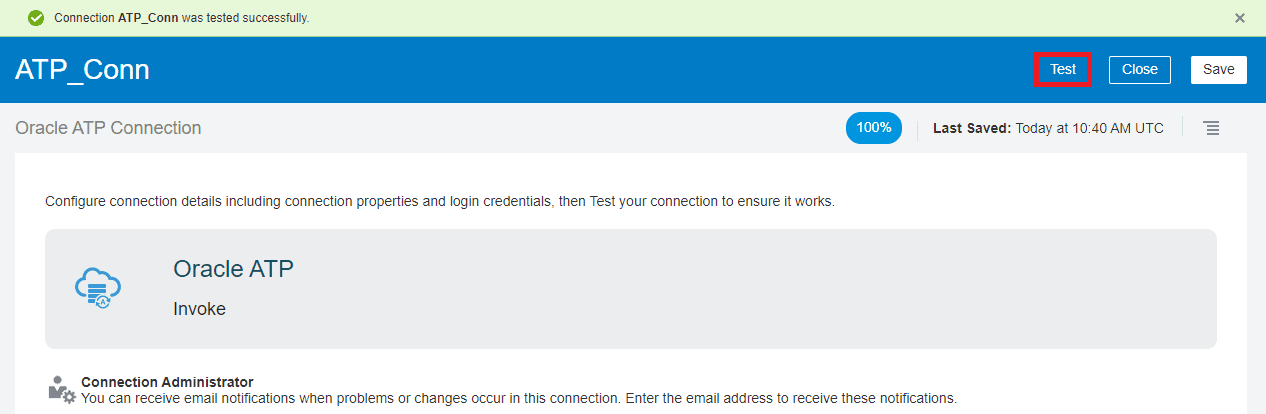
10. Save and close the connection.
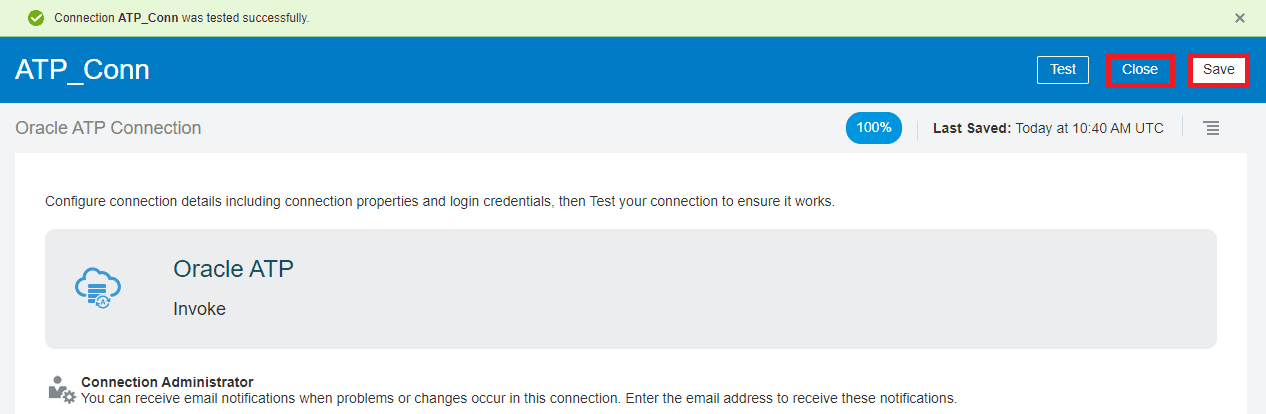
Congratulation you have successfully create an oracle ATP adapter for ATP/AWD connection.
Note: If you want to enhance your knowledge and become a certified Oracle Cloud Platform Application Integration 2021 Associate then check on the blog on the certification exam [1Z0-1042].
Related/References
- [Video] Oracle Autonomous Database Overview: ADW, ATP, Serverless & Dedicated Infrastructure
- [Video] Create Oracle Autonomous Data Warehouse 19c on OCI
- How To Create Database on Oracle’s Gen2 Cloud (OCI)
- Oracle Integration Cloud (OIC) For Beginners Overview
- 6 Docs Every Oracle Cloud Integrator Must Read
- Oracle Cloud Documentation Links: OIC | SOA-CS | OCI
Next Task For You
Do you want to learn more about Oracle and confuse where to start or which certification is right for you? Then, click on the register now button below to register for a Free Masterclass on Oracle [1Z0-1042] Certified Cloud Integration Expert, which will help you better understand and choose the right path and clear the certification exam.


![Microsoft Agentic AI Business Solutions Architect [AB-100] | K21 Academy](https://test.k21academy.com/wp-content/uploads/2025/11/Microsoft-Agentic-AI-Business-Solutions-Architect-AB-100-Exam-Overview1.png)


