



Data safe is a cloud service used to provide security over Data stored in various Databases in Oracle cloud. Oracle Database service offers many security features depending on the target Database type and edition.
In this post, we are going to:
- Overview of Data Safe in OCI
- Features of Data Safe
- Configuring Data Safe on Oracle Databases
Overview Of Oracle Data Safe
Oracle Autonomous Database provides various security features that are automatically implemented on the database (like network security, OS security, patches, and lot more).
Although the security of the Databases is a shared responsibility between Users and Providers (Oracle). Users have to manage things like User accounts, identifying sensitive data, recording user activities, and lot more.
Oracle Data Safe provides an integrated cloud-based center for users to manage and mitigate risks over Oracle databases. From here users can manage their part of securing sensitive data stored in databases.
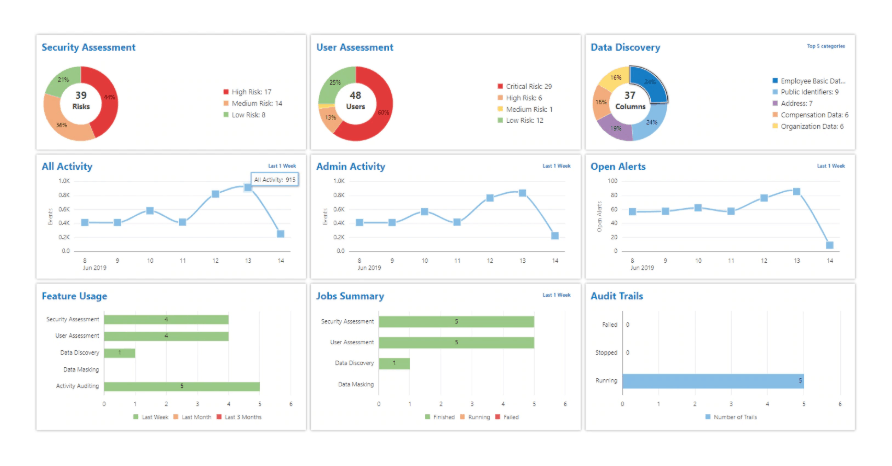
Note: Data Safe service is not available in a free trial account.
Features Of Oracle Data Safe
There are 5 key features of using Data Safe in OCI.
1) Security Assessment
Databases with loose configurations like weak password policies, over-privileged accounts, less activity monitoring, and so on need Security Assessments. Security Assessment provides an overall status of Database Security.
It filters and gives a report based on comprehensive assessments, security controls, user security, and security configuration.
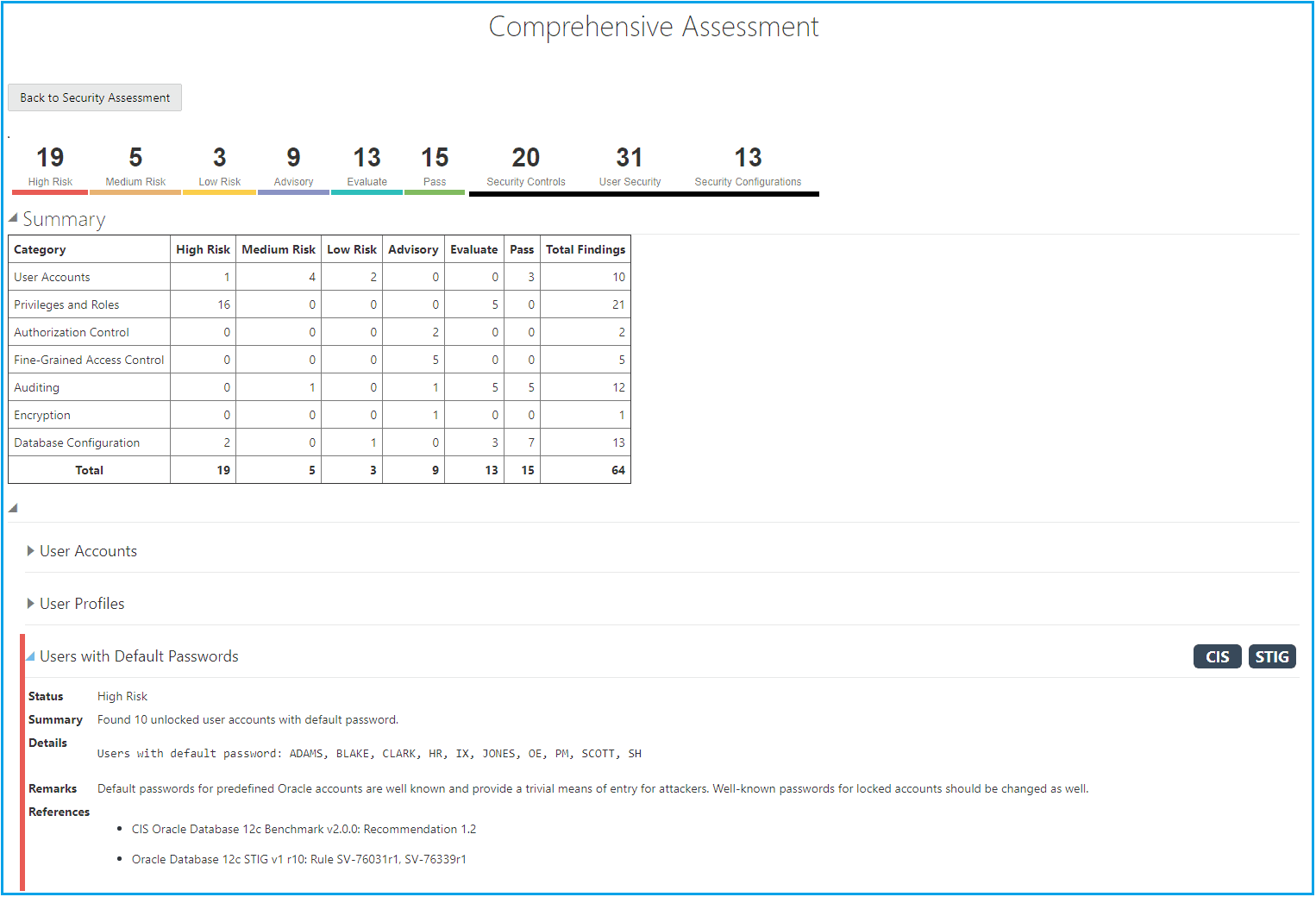
To know more about Security Assessment click here.
2) User Assessment
It is important to know which users have what kind of privileges and access to Oracle Databases to analyze and mitigate risks. It diversifies the users based on the measure of the impact made due to changes done by users on databases. User assessments keep an eye and calculate a risk score based on those users whose actions make a great impact on databases.
For eg: Hackers taking over user accounts to get access to databases, weak password policies, and passwords haven’t changed for a long time.
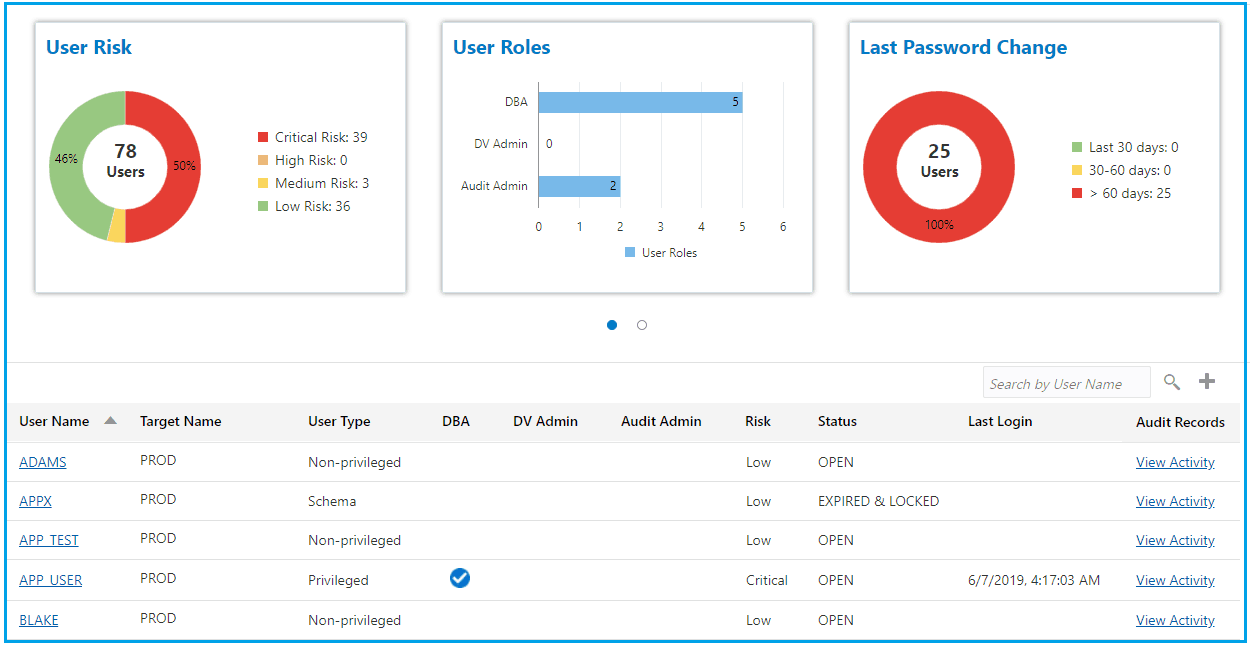
To know more about user assessment click here.
3) Data Discovery
It is necessary to analyze what types of data we have and what are the sensitive data. There are 125 predefined sensitive types against which we can check sensitive data in databases. These data can be categorized into identification, biographic, IT, financial, healthcare, employment, and academic information.
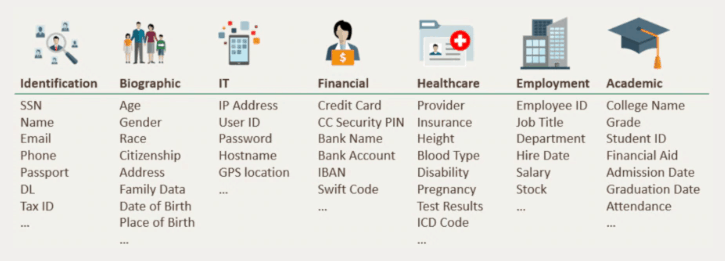
To know more about Data discovery click here.
4) Oracle Data Masking
Data masking is the process of hiding sensitive data behind fictitious looking data. It is used to replicate the data which is having similar characteristics that of original data.
Challenge: To limit the unnecessary spread and exposure of sensitive data.
Solution: Data masking can be used in scenarios where we don’t want to expose the actual sensitive data like in a non-productional environment and will expose the virtualized data having the same features as that of original data.
Oracle Data Masking provides:
- Masking sensitive data identified using the Sensitive Data Discovery feature.
- more than 50 predefined masking patterns
- Automatic format selection depending on the format type
- custom masking
- Generate masking reports
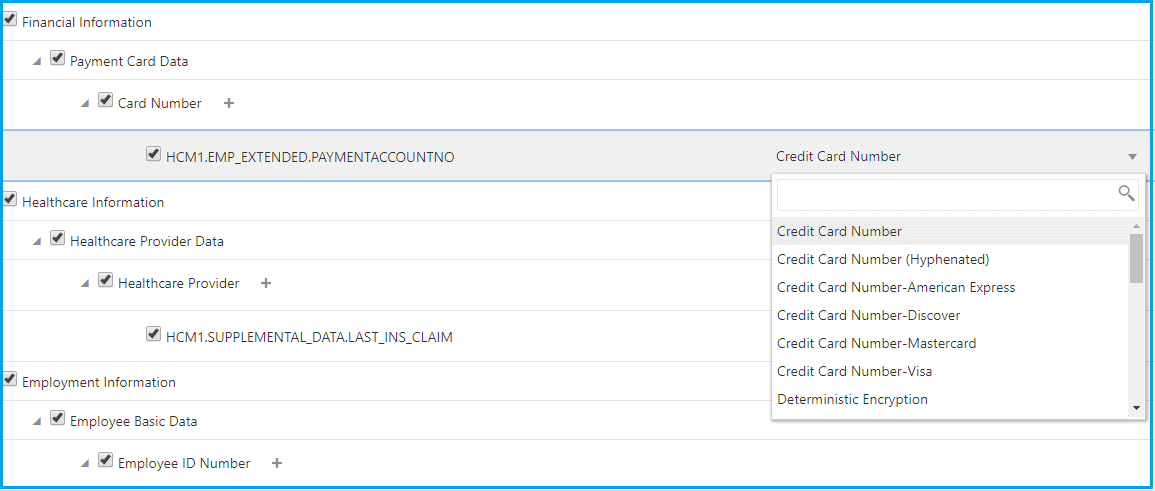
To know more about Oracle Data Masking click here.
5) Activity Auditing
It is used to track Database user activity and alert them from doing any risky actions on databases. This is done because there is always a chance that the user account can be compromised and misused.
User Activity Auditing lets us:
- Configure audit, compliance, and alert policies for any risky action.
- Collect audit data from databases, and track sensitive operations.
- View Audit Reports
- Interactive reports for forensics
- Summary and detailed reports
- Can download reports in pdf formats
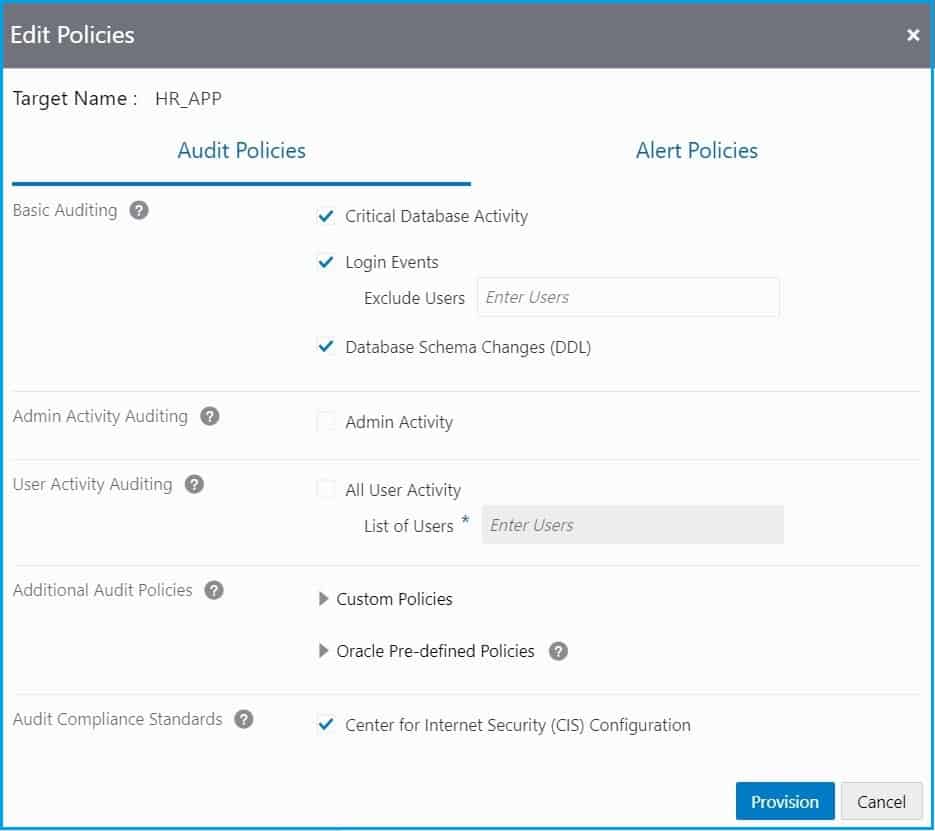
To know more about Activity Auditing click here.
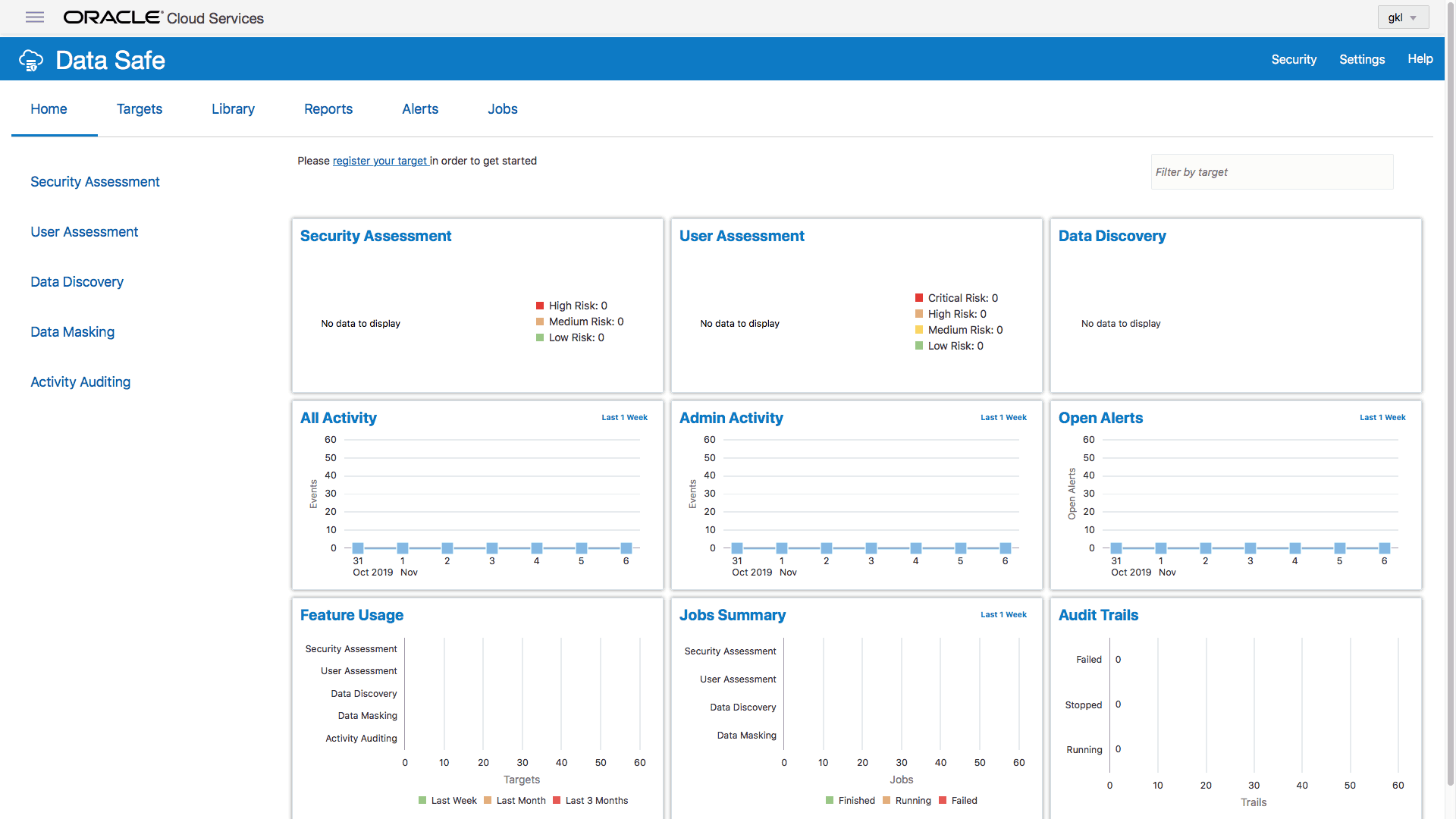
Configuring Data Safe On Oracle Databases
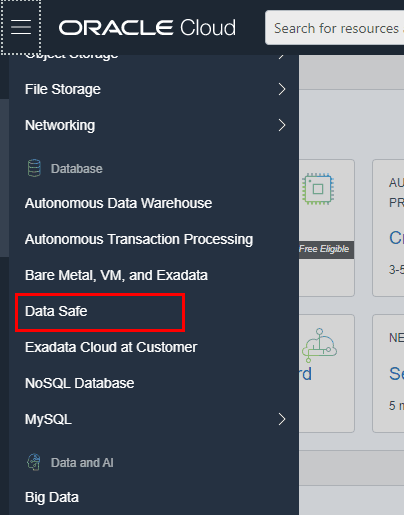
1) Enable Data Safe through Oracle Console.
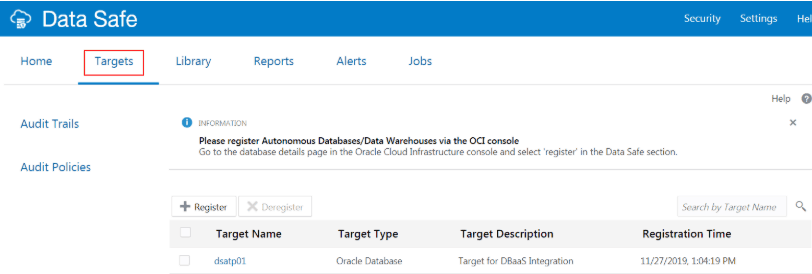
2) Registering target databases in Data safe.
3) Log on to oracle Data Safe console and use various features available for providing security to the oracle database.
Conclusion
The responsibility of securing data inside databases is divided between two bodies Providers(Oracle) and Users. For managing User’s part in OCI Data Safe have been used. In this post, I have covered the Overview of Data Safe, Features of Data Safe, and how to configure data safe in OCI. I hope it will help you understand the concept of Data Safe in OCI.
Oracle Data Safe is also covered in our OCI Architect Professional [1z0-997] Certification training. To know more about this training click here.
Related/Further Readings
- Oracle Cloud Infrastructure 2019 Architect Professional | 1Z0-997
- [1Z0-997]Oracle Cloud Infrastructure (OCI) Architect Professional Certification: Step by Step Hands-On Lab
- Data Safe FAQ
- KMS in OCI
- WAF in OCI
- Functions & Events in OCI
Next Task For You
In our OCI Architect Professional [1Z0-997] Certification training, we cover Data Safe in OCI in Design for Security & Compliance module. In this module, we also cover the Security Overview, Identity & Access Management (IAM), Web Application Firewall (WAF), KMS.
For the list of Hands-On guides click here.


![Microsoft Agentic AI Business Solutions Architect [AB-100] | K21 Academy](https://test.k21academy.com/wp-content/uploads/2025/11/Microsoft-Agentic-AI-Business-Solutions-Architect-AB-100-Exam-Overview1.png)


