



In this blog, I am going to show how to use REST Adapter with Multiple resources and verbs support in Oracle Integration Cloud(OIC).
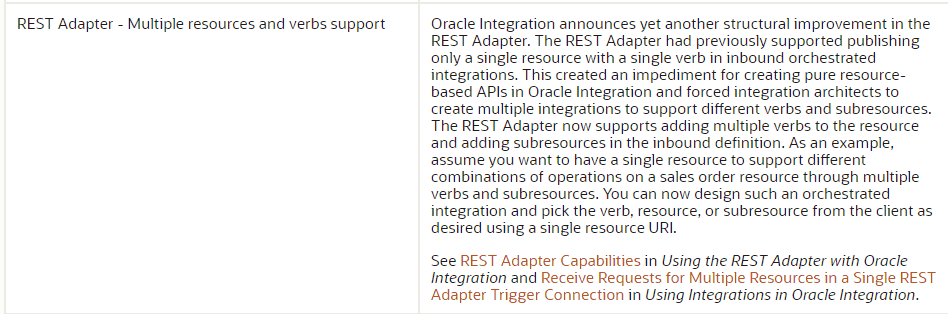
Oracle recently added this feature allows us to create only one Integration for Multiple REST API with different verbs.
REST (Representational State Transfer)
This was designed specifically for working with components such as media components, files, or even objects on a particular hardware device. Any web service that is defined on the principles of REST can be called a RestFul web service. A Restful service would use the normal HTTP verbs of GET, POST, PUT and DELETE for working with the required components.
Read More About New Homepage Of Oracle Integration Cloud.
Let’s Dive Into Integration & See How Can We Achieve This
- Create an App Driven Orchestration integration.
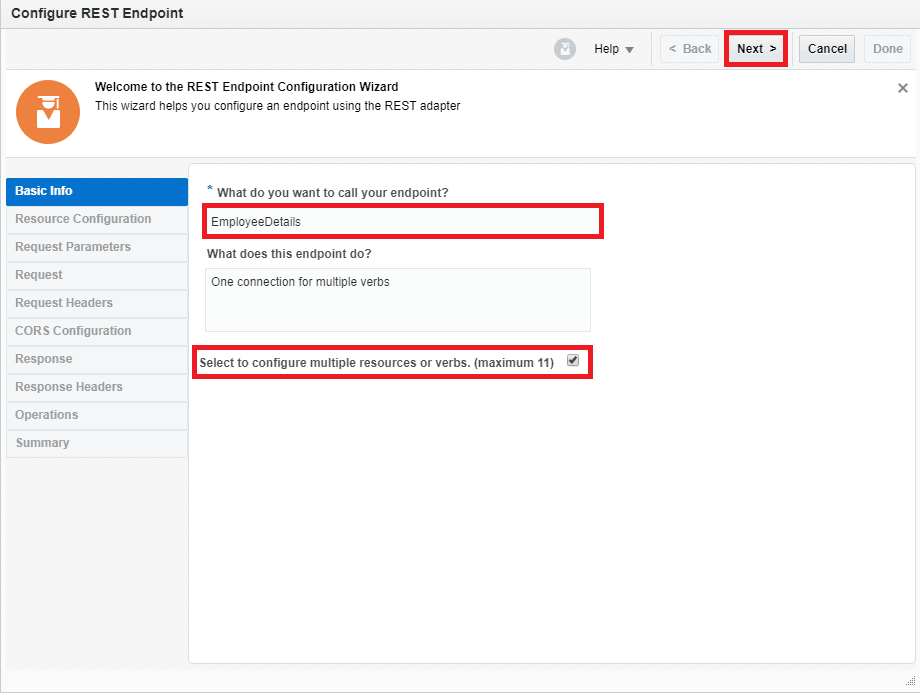
- Drop the REST connection as a trigger point, provide information as below and click the checkbox
- What do you want to call your endpoint?
- Enable multiple resources or verb checkbox
- Enter the below information and click Next.
- Name of the endpoint. (In our case we have named it EmployeeDetails)
- Select checkbox for configuring multiple resources or verb
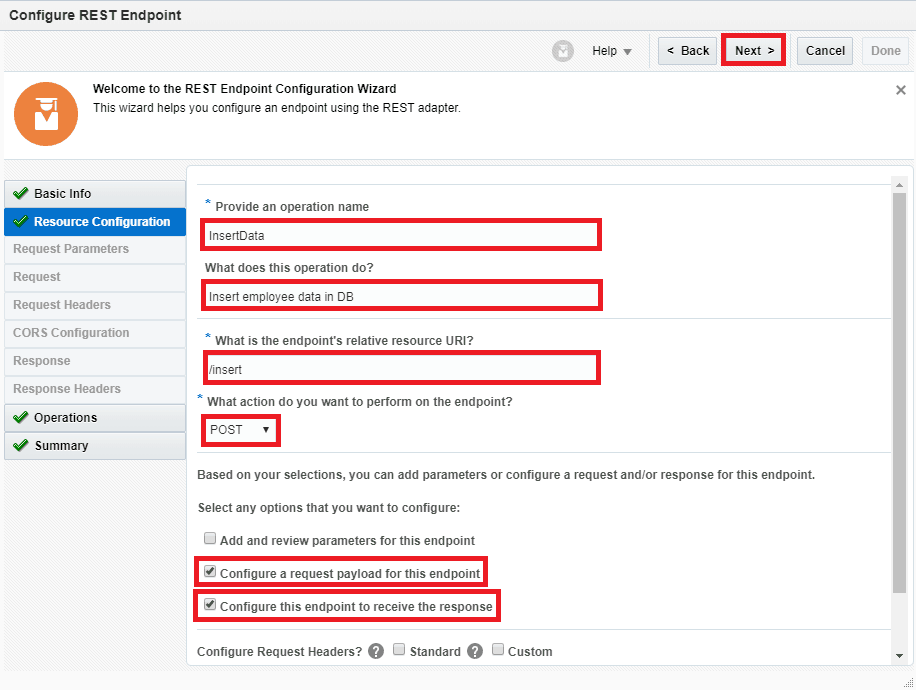
- Enter below information and Click
- Provide an operation Name (In our case it is InsertData)
- What does this operation do? (Provide a description)
- Relative URI(must start with /). (In our case it is /insert)
- What action do you want to perform on the endpoint: POST
- Configure a request payload for this endpoint: Select this checkbox (This option allows us to assign payload in the next step).
- Configure this endpoint to receive the response: Select this checkbox
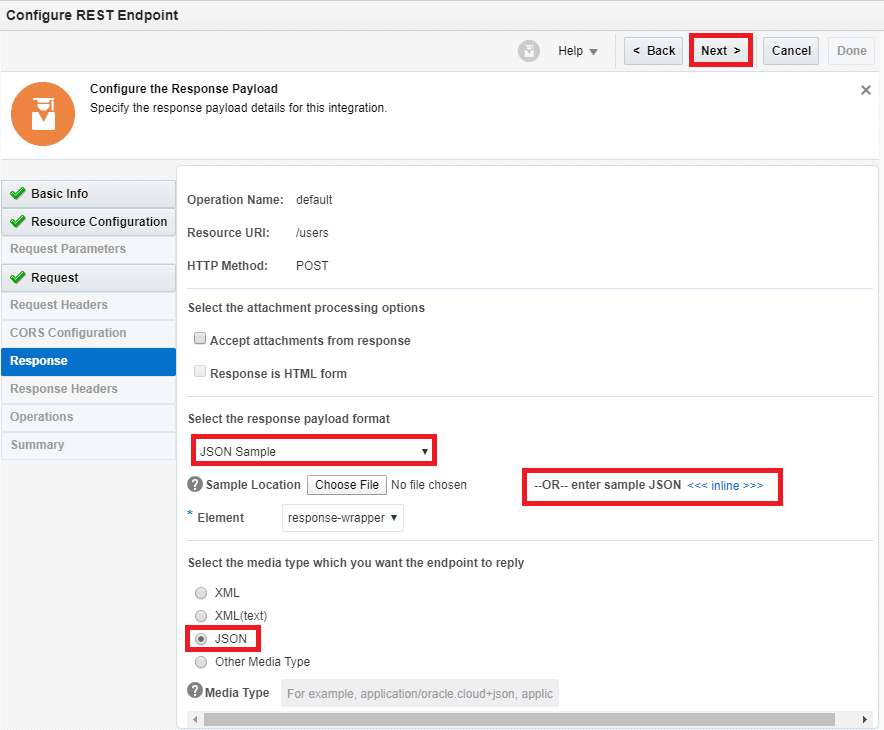
- Select the request payload format to choose JSON Sample: This option allows us to take input in JSON format. Select <<<inline>>> link to give sample payload.
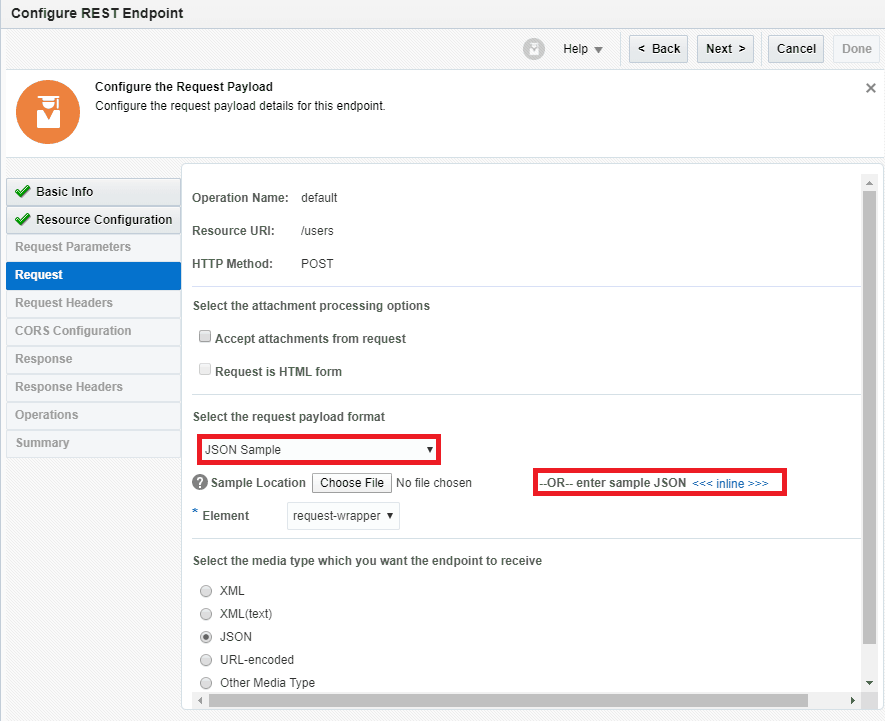
- Enter payload and click OK.{
“Users”:[{
“id”:””,
“FIRSTNAME”:””,
“LASTNAME”:””,
“DESIGNATION”:””,
“QUALIFICATION”:””
},{
“id”:””,
“FIRSTNAME”:””,
“LASTNAME”:””,
“DESIGNATION”:””,
“QUALIFICATION”:””
} ] }
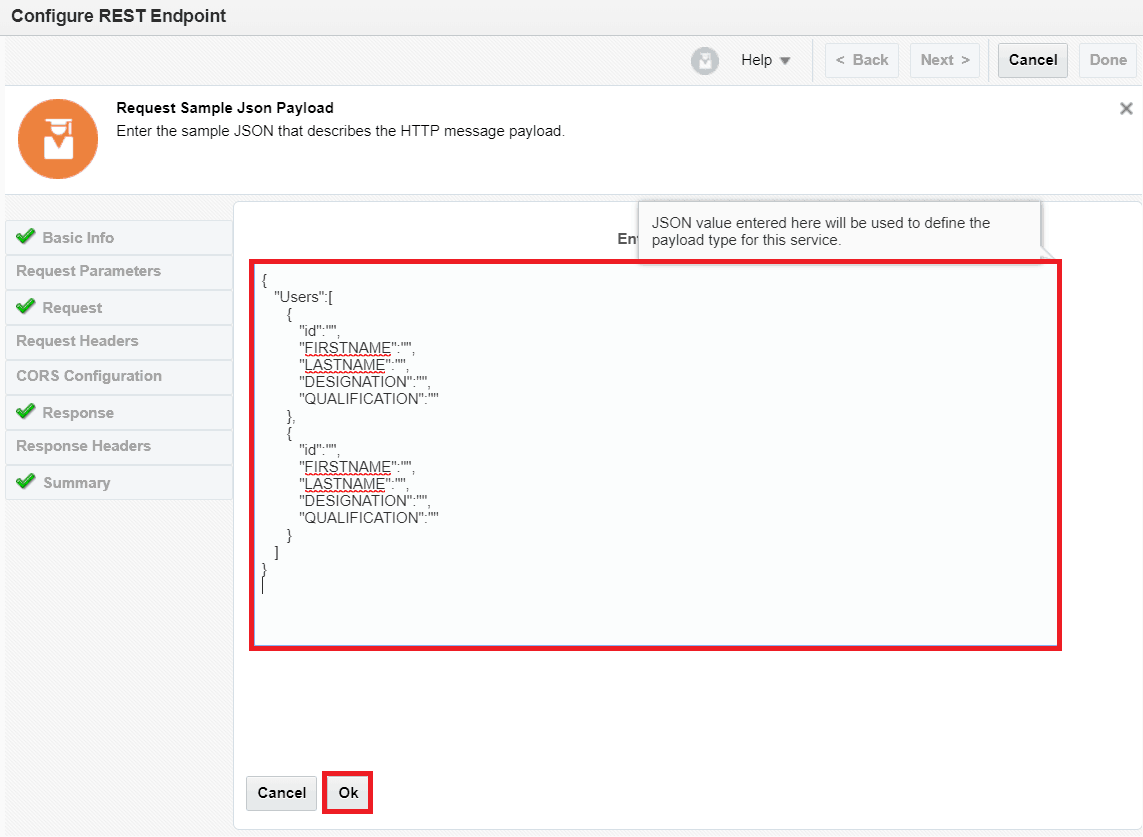
- Click Next.
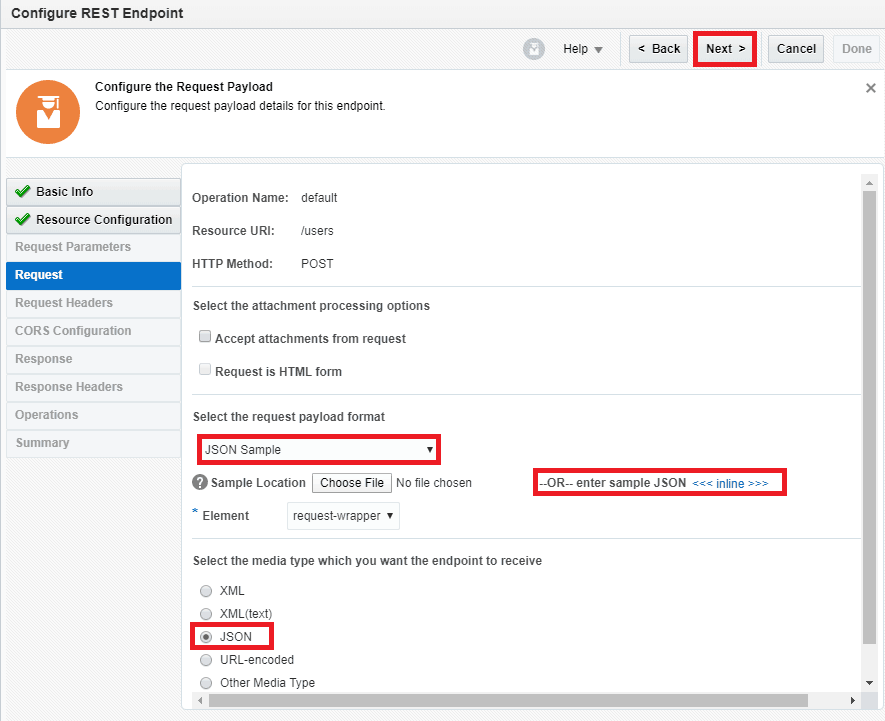
- Select the request payload format to choose JSON Sample: This option allows us to take input in JSON format. Select the inline link to give sample payload.
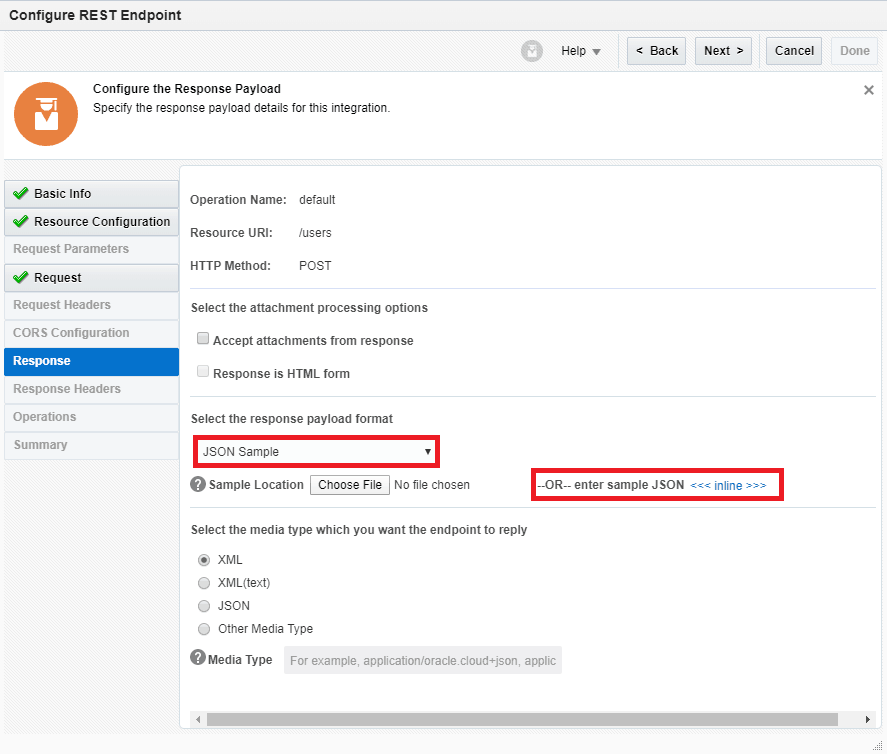
- Enter payload and click OK.
{
"status":""
}
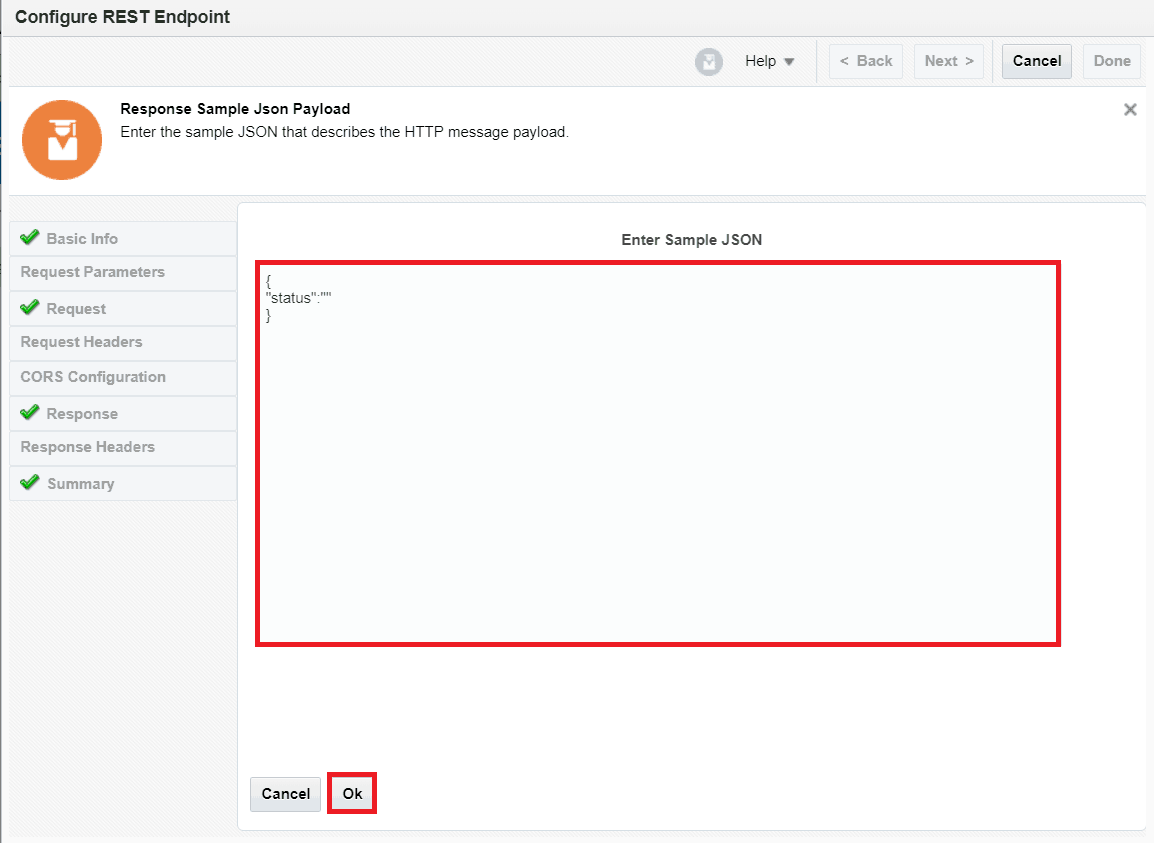
- Click Next.
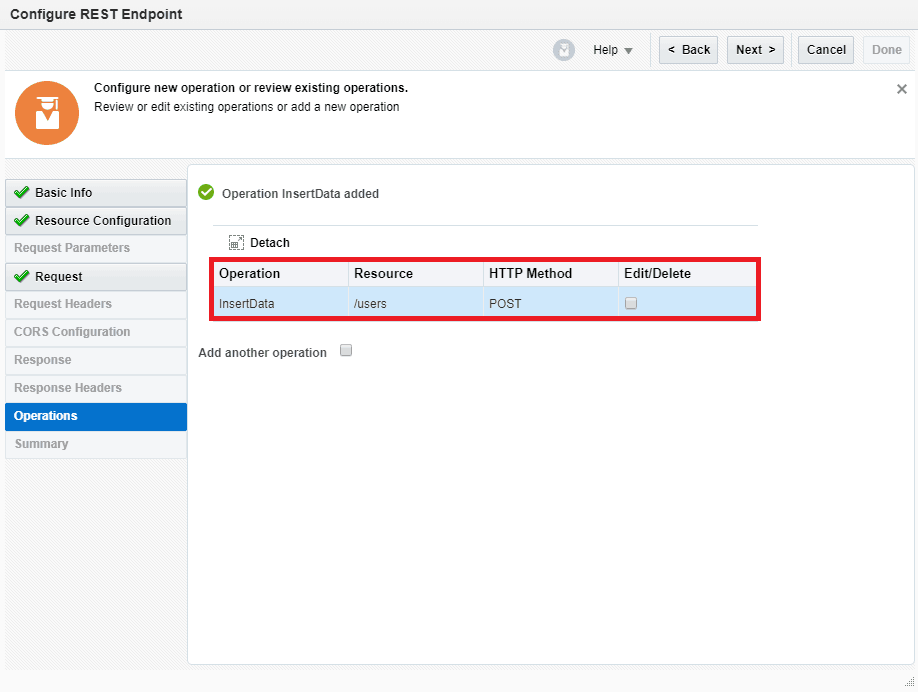
- Now the Operation InsertData has been added.
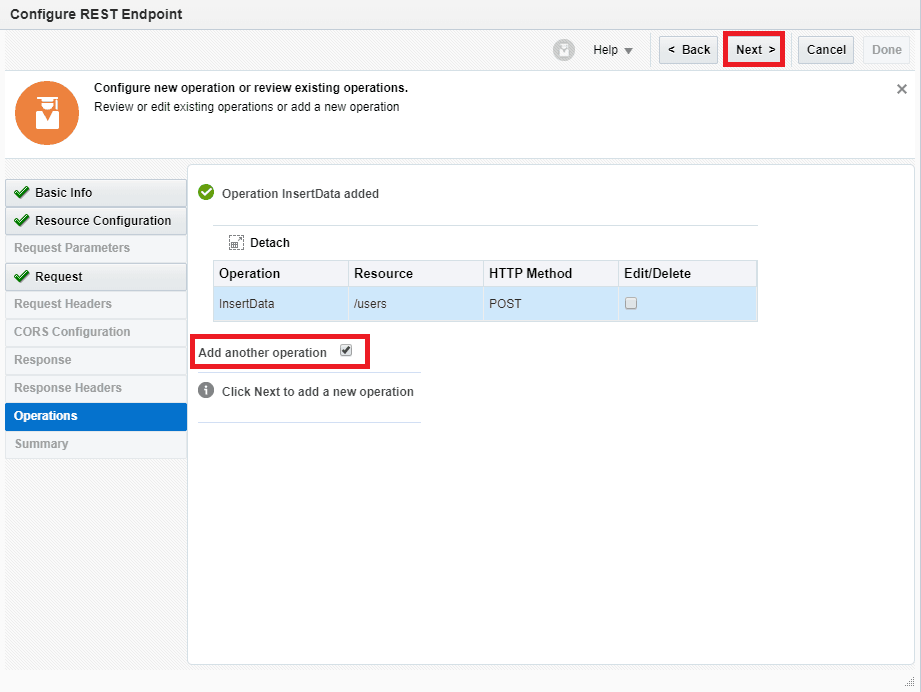
- Check the checkbox and click on Next for Add another operation.
- Enter below information and Click
- Provide an operation Name (In our case it is GetUsers)
- What does this operation do? (Provide a description)
- Relative URI(must start with /). (In our case it is /get users)
- Relative URI(must start with /). (In our case it is /users)
- What action do you want to perform on the endpoint: GET
- Configure this endpoint to receive the response: Select this checkbox
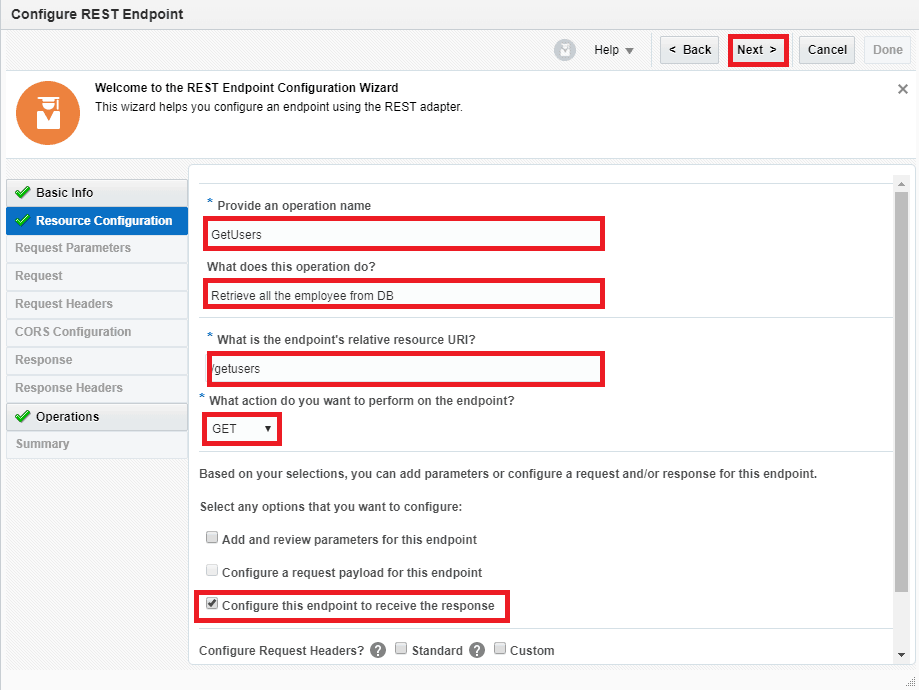
- Select Json Sample in the request payload format dropdown. This option allows us to take input in JSON Select <<< inline >>> link to give sample payload.
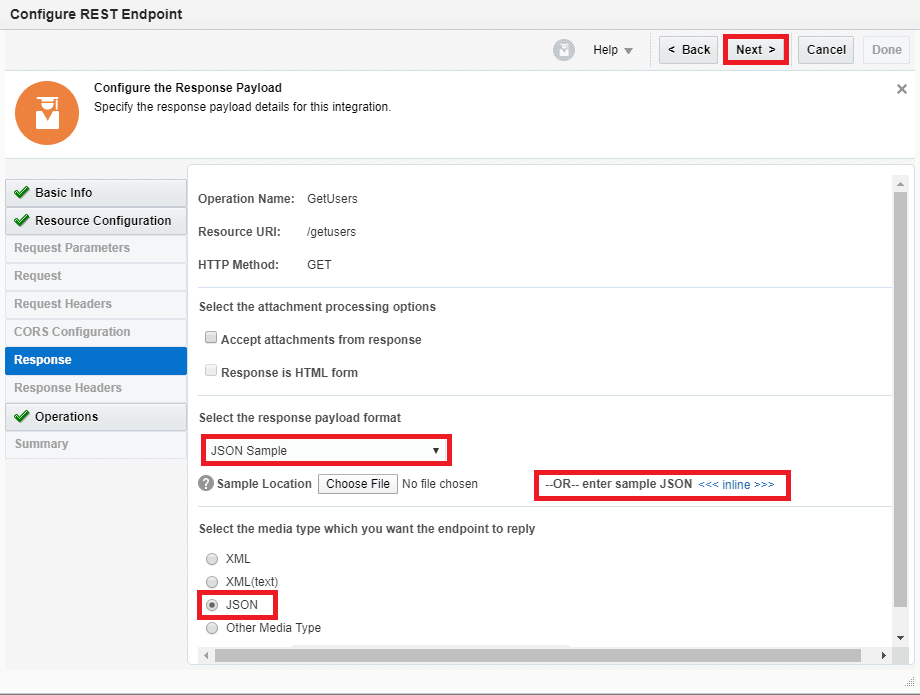
- Enter payload and click OK.{
“Users”:[{
“id”:””,
“FIRSTNAME”:””,
“LASTNAME”:””,
“DESIGNATION”:””,
“QUALIFICATION”:””
},{
“id”:””,
“FIRSTNAME”:””,
“LASTNAME”:””,
“DESIGNATION”:””,
“QUALIFICATION”:””
} ] }
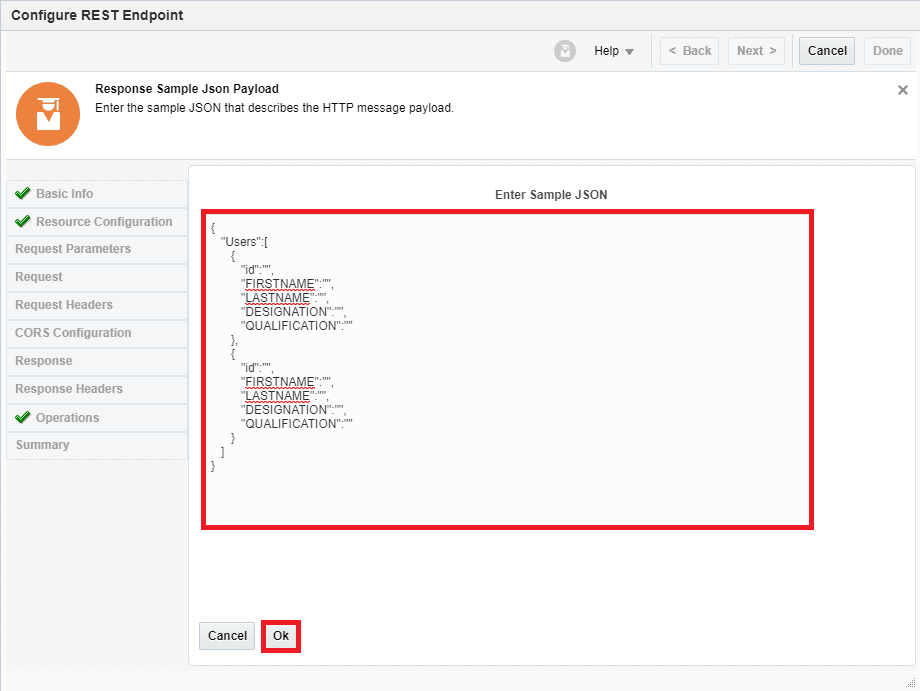
- Click Next.
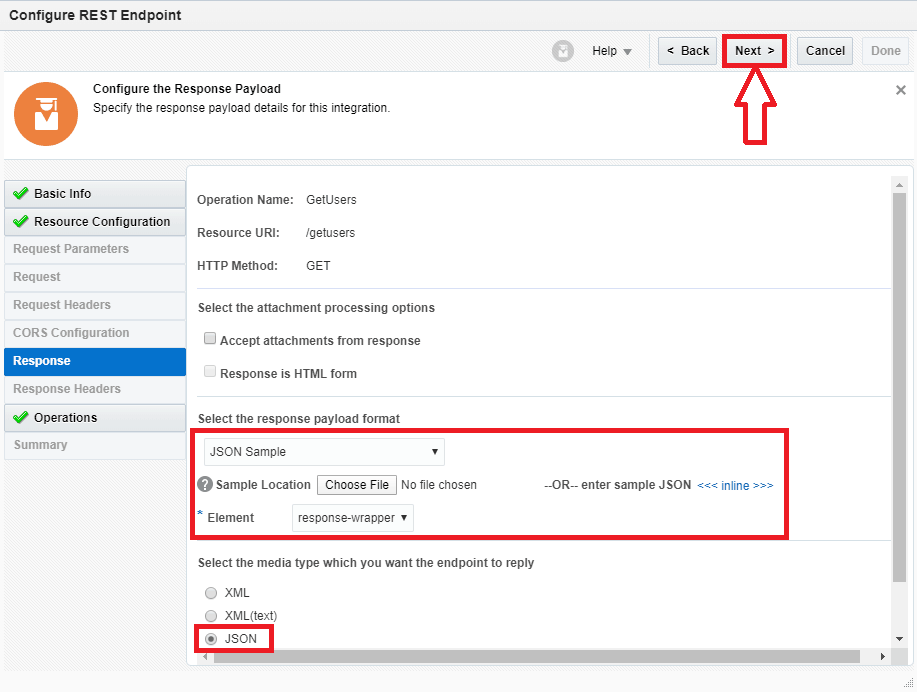
- Now the Operation GetUsers has been added
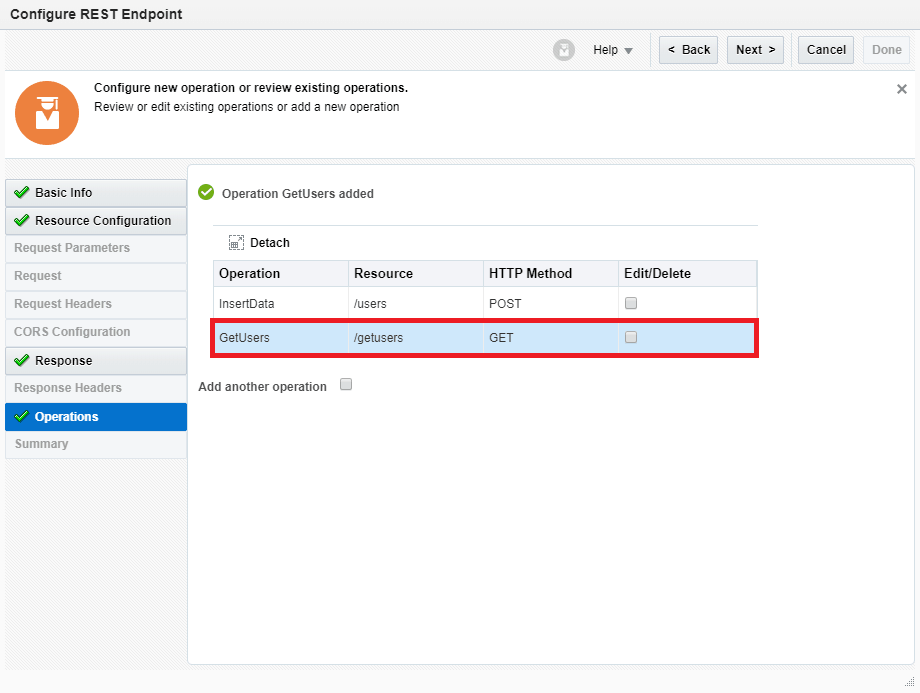
- Check the checkbox for Add another operation
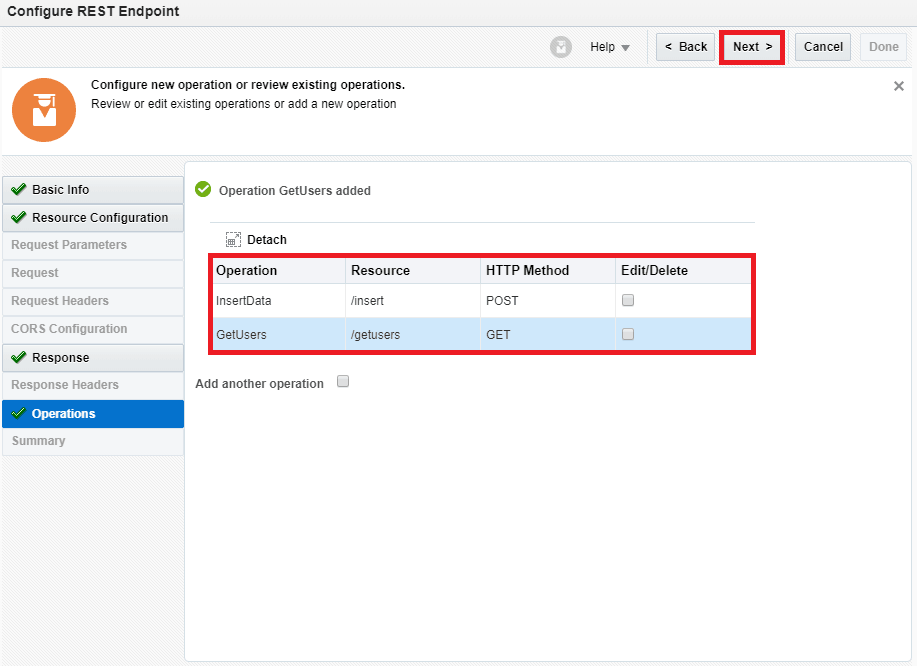
- Click on the Next button.
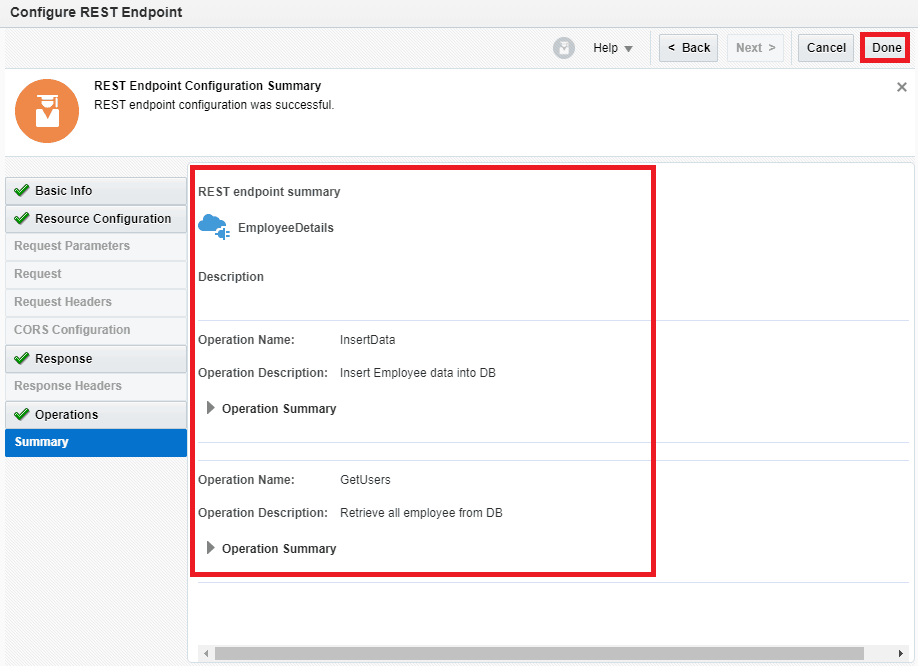
- Now your integration will look like this both the operations are branched from REST trigger EmployeeDetails
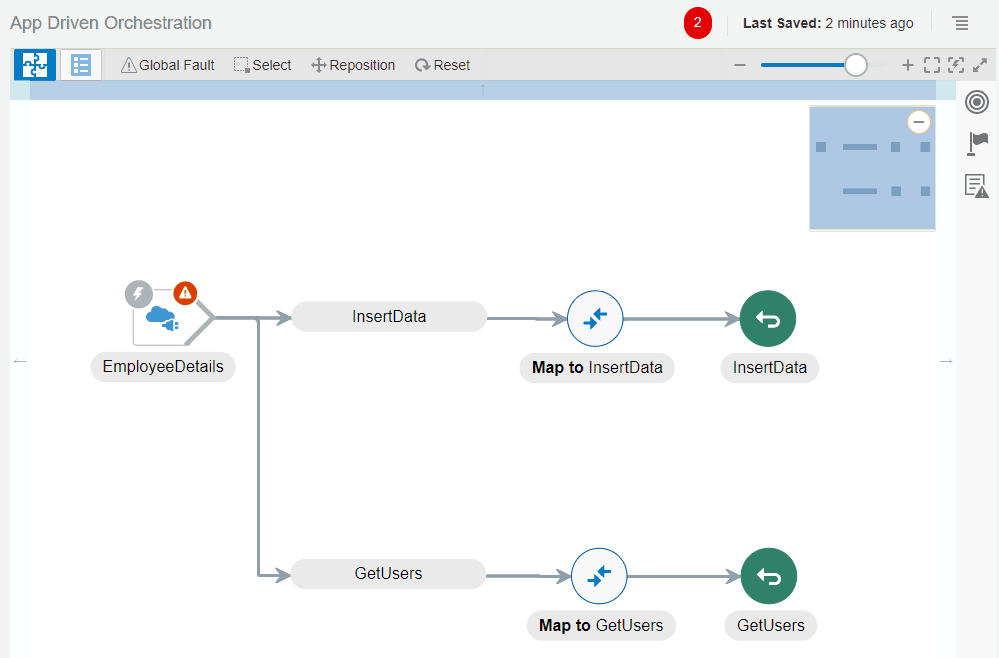
This now you can utilize the REST adapters Multiple resources and verbs support in Oracle Integration Cloud(OIC)
Note: If you want to enhance your knowledge and become a certified Oracle Cloud Platform Application Integration 2021 Associate then check on the blog on certification exam [1Z0-1042].
To Know More About B2B in OIC
Summary
This new feature of REST Adapter with Multiple resources and verbs support is very useful when multiple operations on the database are to be performed using the same REST connection. It allows for creating one integration for the operations instead of creating separate integration for all. Reduces clutter when monitoring integrations and reduces the time needed to create the integration.
Related/References:
- Oracle Integration Cloud (OIC) For Beginners Overview
- [Free Masterclass] Oracle Integration Cloud Services
- 6 Docs Every Oracle Cloud Integrator Must Read
- How to exporting Business Data and Visual Builder Cloud Service (VBCS)
- How Import Business Data in Visual Builder Cloud Service (VBCS)
- Process large file (above 10MB) in Oracle Integration Cloud(OIC)
- Oracle Integration: ICS to OIC Migration
Next Task For You
Do you want to learn more about Oracle and confuse where to start or which certification is right for you? Then, click on the register now button below to register for a Free Masterclass on Oracle [1Z0-1042] Certified Cloud Integration Expert, which will help you better understand and choose the right path and clear the certification exam.


![Microsoft Agentic AI Business Solutions Architect [AB-100] | K21 Academy](https://test.k21academy.com/wp-content/uploads/2025/11/Microsoft-Agentic-AI-Business-Solutions-Architect-AB-100-Exam-Overview1.png)


