



Sometimes, we come across scenarios where we need to track the change in the state of our OCI services and need to take immediate action for the same. For this Oracle has introduced Functions and Events in OCI
In this post, I am going to cover:
- Overview of Functions & Events.
- Steps to configure Functions and Events in OCI.
- Integration of Functions with Events.
- Use cases of Functions and Events.
Overview Of Functions
Oracle Functions is a Function-as-a-service Platform. Functions in oracle are used to perform multiple and sequential actions at a particular moment. In Oracle, we can code a Function in Java, Python, Node, Go, and Ruby. We can also integrate functions with Events which we will cover later in the blog.
Oracle Functions is based on Fn Project. Fn Project is an open-source, container-native, serverless platform that can be run anywhere (cloud or on-premises)
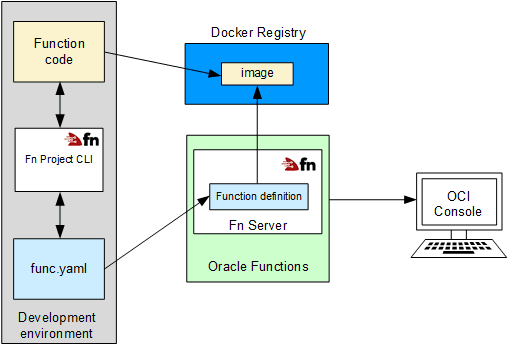
Note: Although, defining a function is a task for Oracle developers but its deployment and invocation in OCI is a task of OCI Architect.
Steps To Configure Functions
There are three ways to configure function in OCI:
- Cloud Shell Option
- Local Machine Option
- OCI compute Instance Option
In this post, we will be following the Cloud Shell option.
1) We need to specify some policies
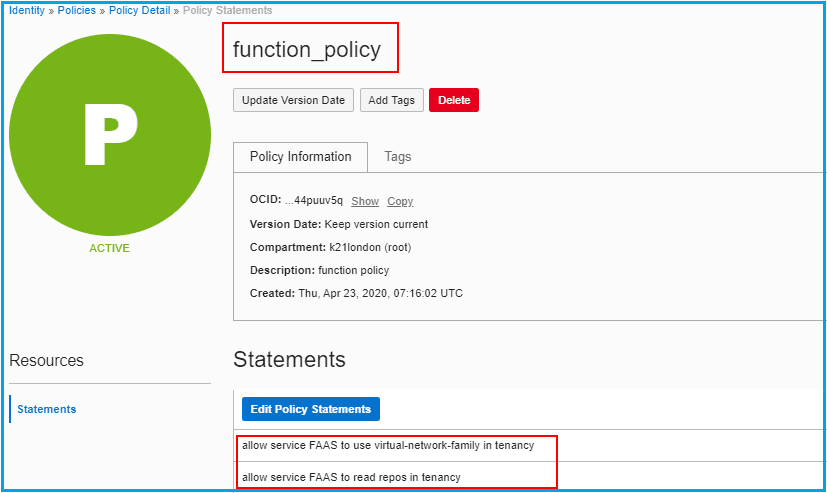
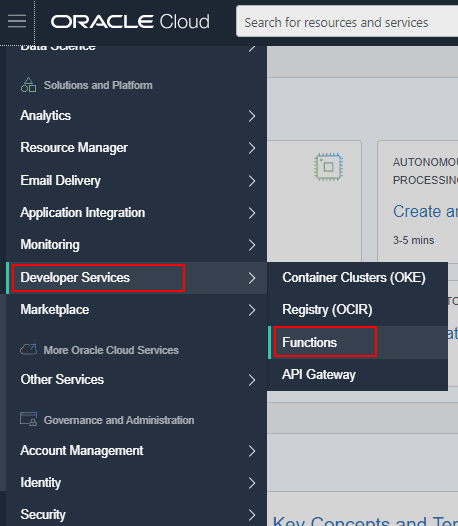
2) Navigate to Developer Services under Solutions and Platform, Click Functions.
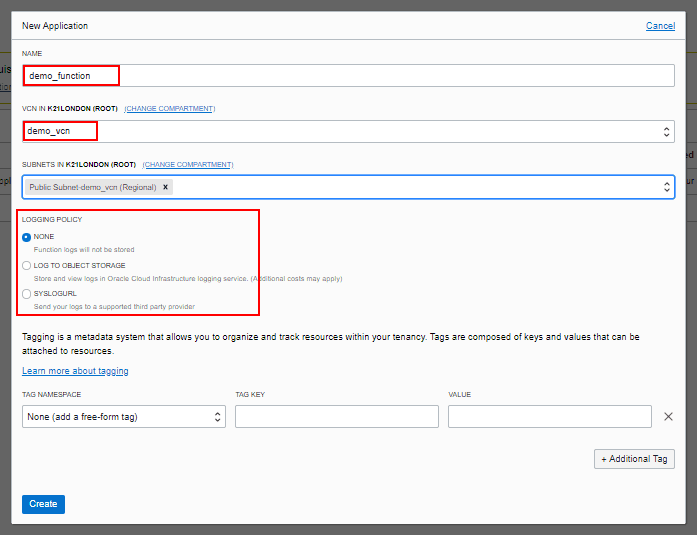
3) Click Create Application and add application details.
4) In the application created under Resources, click Getting Started and follow the steps listed
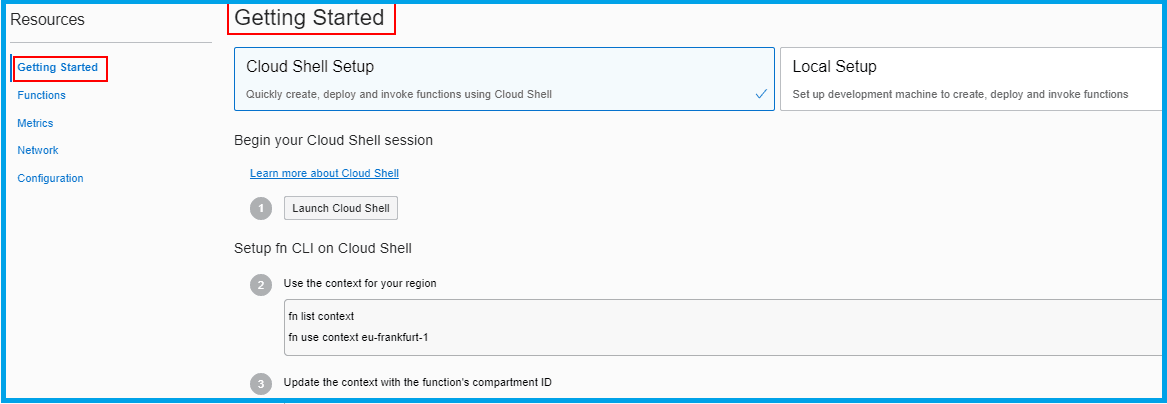
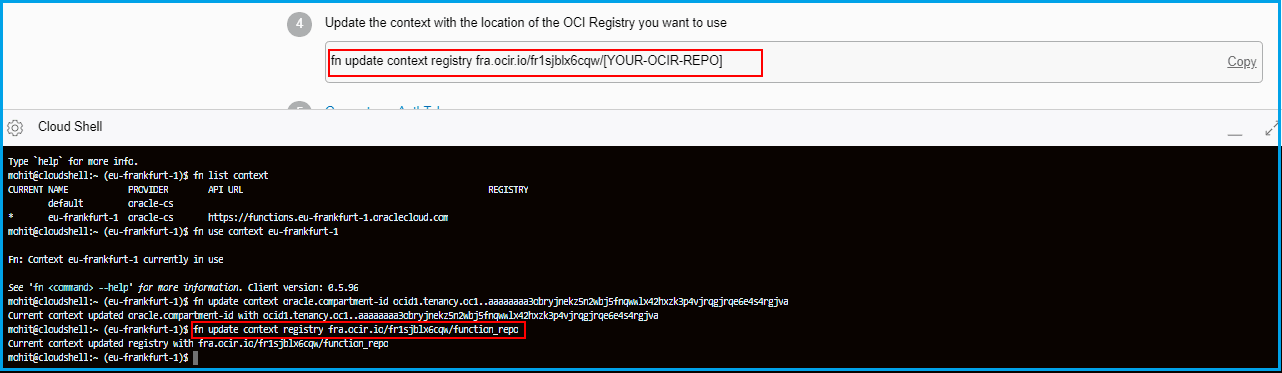
5) Here we need to specify the repository in which we want to create the image of the function.
To know more about OCIR click here.
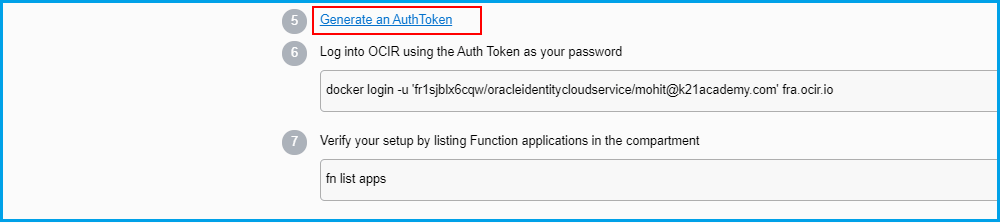
6) We need to generate an Auth Token which we will use as a password to login to OCIR.
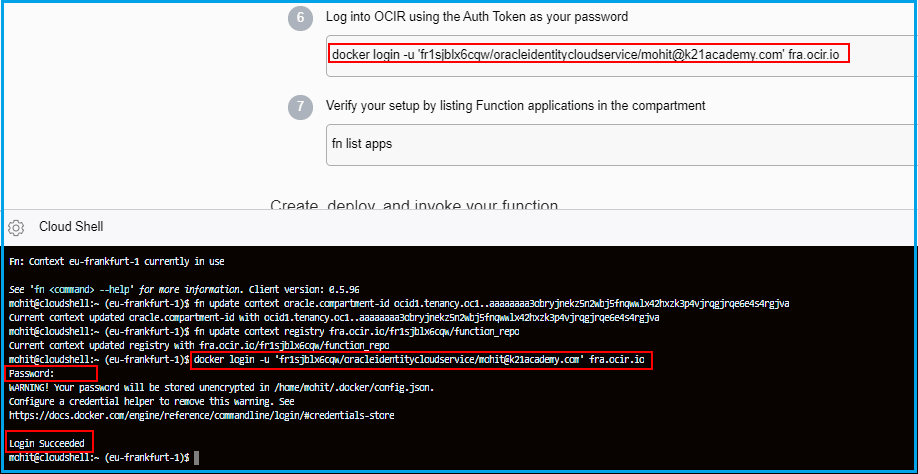
7) We will deploy the function in the application.
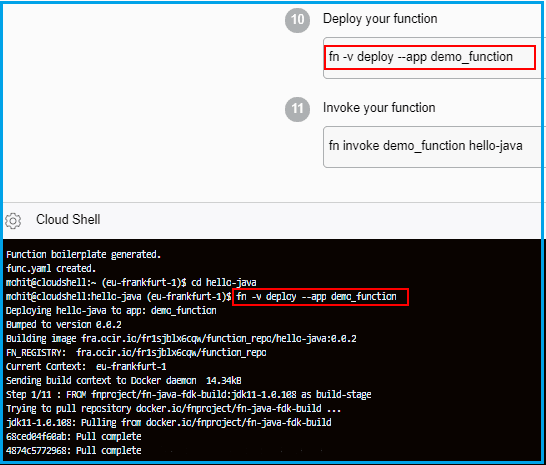
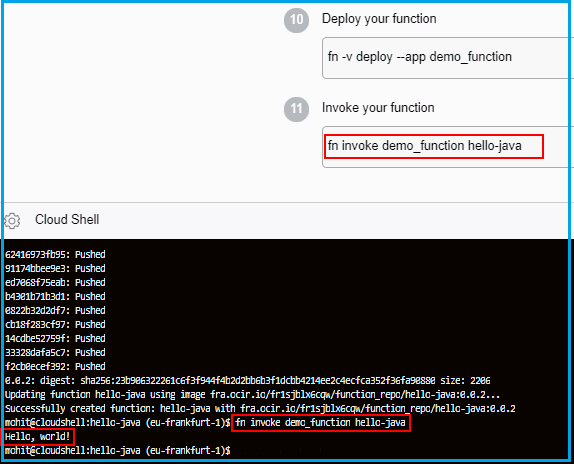
8) Now we will invoke the function. We can see that the “Hello, world” message is printed on the screen.
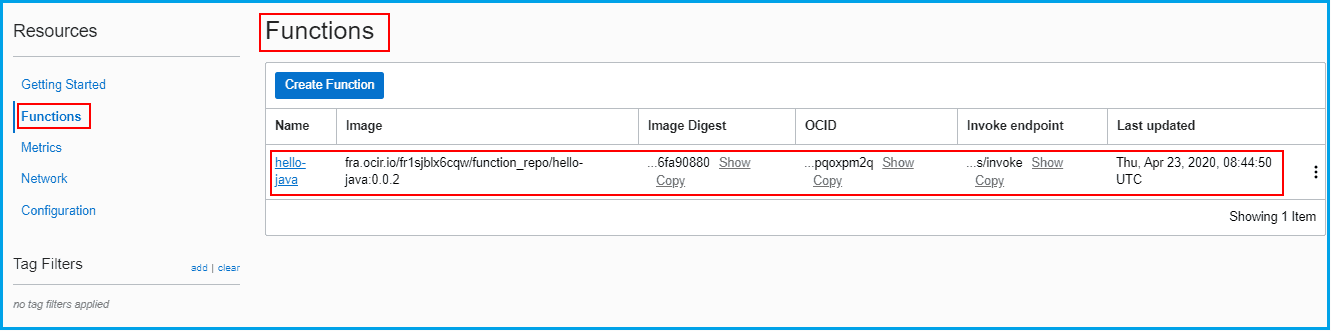
9) We can also see that the function has been deployed in the application through the console.
Note: To know how to deploy function using Local Machine and OCI compute instance click here.
Overview Of Events
The event is used to automate an action to a change in the state of services in OCI. The event triggers a message that specifies a change in the resources and decides immediately what action needs to be taken.
Action for an Event can be of three types:
- Notification: It will generate a message based on the topic and subscription(like email).
- Streaming: It stores the stream of data such as application logs, operational telemetry.
- Functions: Event trigger a specified function (integrating events with function).
Steps To Configure Events
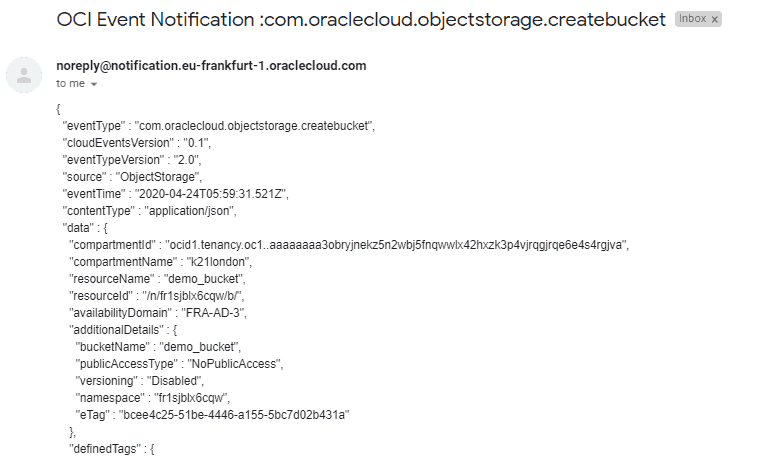
We are going to trigger a notification using an Event that will send an email with the details of the bucket created.
1) Navigate to the Application Integration under Solutions and Platform and click Notifications.
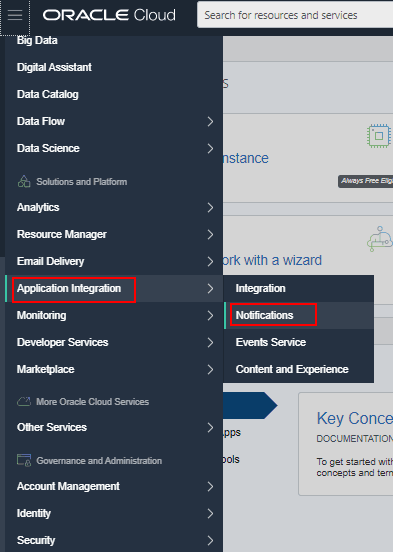
2) Create a Topic and Subscription for a notification.
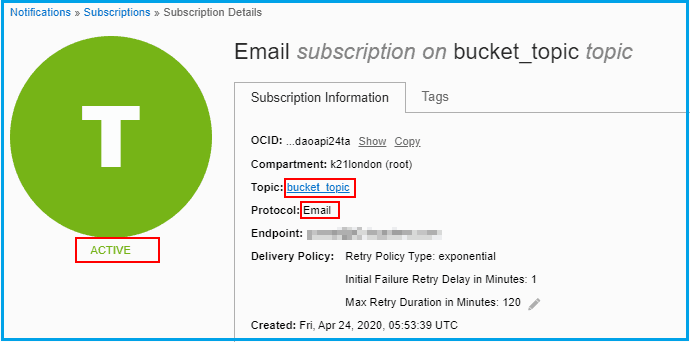
Note: while creating a subscription we need to confirm the subscription through the mail given in the subscription.
3) Navigate to the Application Integration under Solutions and Platform and click Events Services.
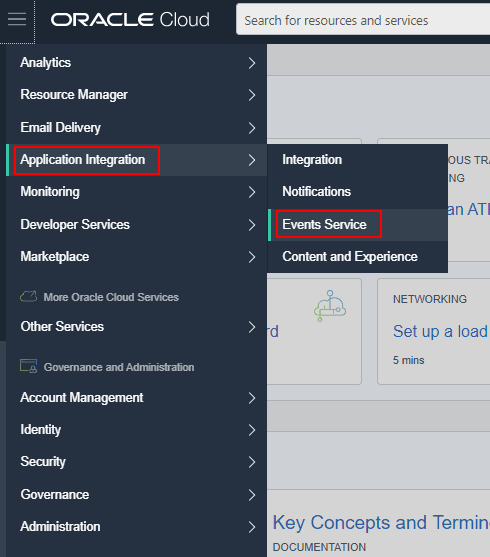
4) Create an Event with the following details.
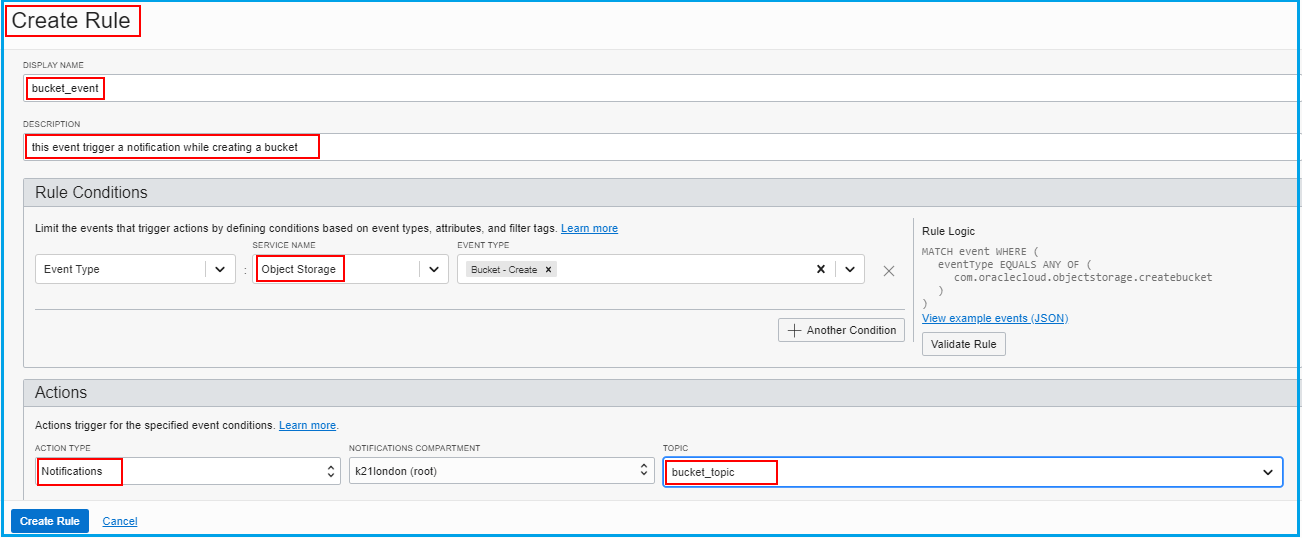
5) Now we will create a bucket and see that a mail has been generated with the details of the bucket created.
Integration Of Functions With Events
By Integrating Functions with Events we can track changes in our cloud environment and automatically act by running our infrastructure as code. All we need to do is to select the function which we want to trigger while configuring an Event (Topic).
For eg: We want to create a bucket whenever we create an instance.
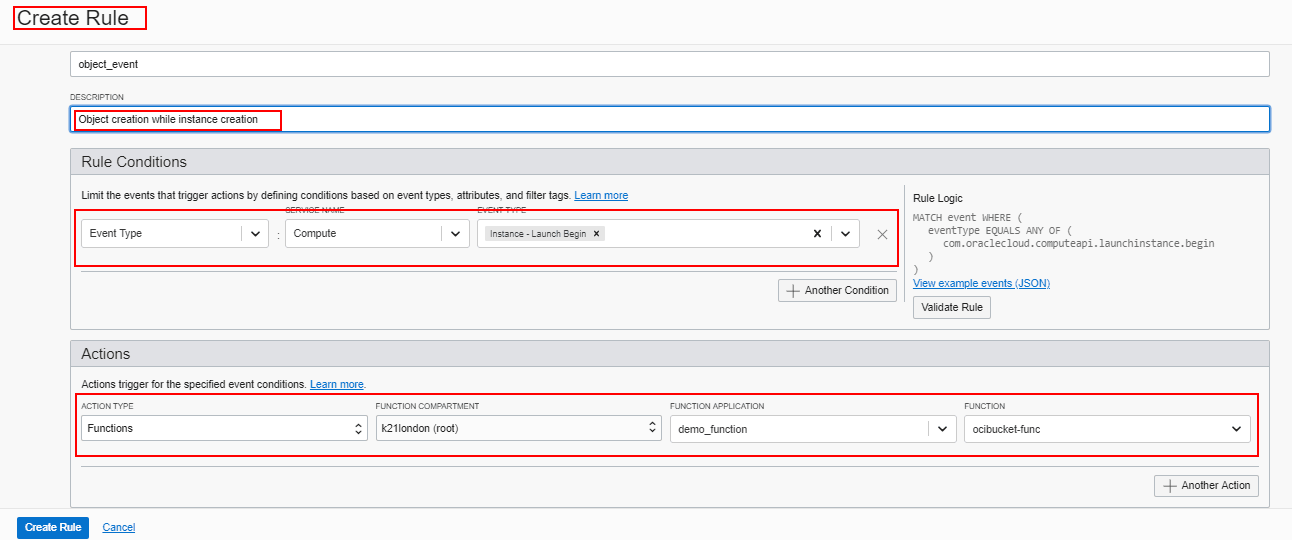
To follow the complete step click here.
Use Cases Of Functions & Events
- Perform cleanup tasks when resources are terminated.
- Analyze network logs when anomalies are detected in the network. Network logs can be uploaded to Oracle Cloud Infrastructure Object Storage or sent to third-party tools such as Splunk for further security analysis.
- Process a file immediately and automatically when new files are uploaded in an Object Storage bucket.
- Create an Object Storage when a new user is created.
- Archive all events in a specific compartment to a stream for later analysis.
- Trigger an action when long-lived tasks, such as a backup, are completed.
Related/Further Readings
- Oracle Cloud Infrastructure 2019 Architect Professional | 1Z0-997
- [1Z0-997]Oracle Cloud Infrastructure (OCI) Architect Professional Certification: Step by Step Hands-On Lab
- Web Application Firewall in OCI
- KMS in OCI
- Health checks in OCI
Next Task For You
In our OCI Architect Professional [1Z0-997] Certification training, we cover Functions & Events in Implement and Operate Solutions module. In this module, we also cover Streaming Services, Service Requests and SLAs, and Oracle Registry Service.
For the list of Hands-On guide click here.


![Microsoft Agentic AI Business Solutions Architect [AB-100] | K21 Academy](https://test.k21academy.com/wp-content/uploads/2025/11/Microsoft-Agentic-AI-Business-Solutions-Architect-AB-100-Exam-Overview1.png)


