



When we are working on an application or over a project on Oracle Cloud there are some Data that are confidential like API tokens, passwords, and more. This data is called Secret data.
For this, we need a centralized space in our Oracle Cloud Infrastructure (OCI) where we can store, manage, and access these Secrets.
In this blog, I will discuss Secret Management & Steps to configure it.
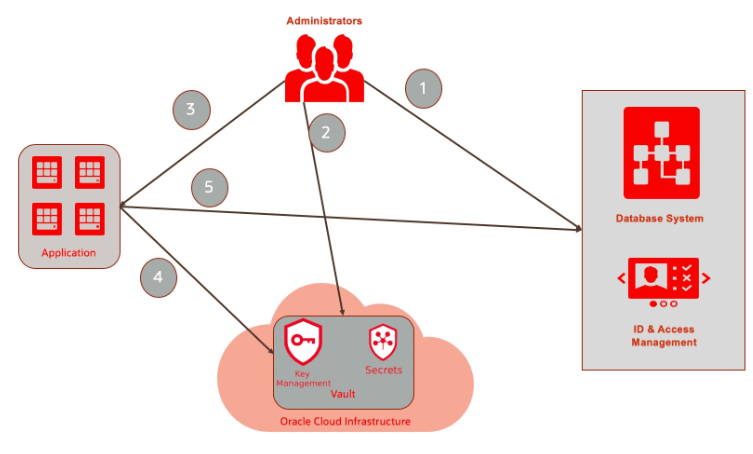 Overview Of Secret Management System
Recently a New Feature, Secrets has been introduced to the OCI Vaults Service. These Secrets are stored in a vault and applications can use them as needed. We have to create a vault and key before creating a secret. Secrets are stored in a vault and encrypted using the key that we choose while creating a secret.
To know in more detail about Vaults and keys and steps to configure KMS then click here.
Advantages Of Secrets
- You can centralize secrets management and only administrators will have Create, Update, and Delete permissions on secrets
- You can rotate/update secrets without any changes in the consumer application
Steps To Configure Secret In Vault
Oracle Vault is a logical grouping of Keys and Secrets. There are two types of Vaults: Private and Virtual, which have different levels of isolation, pricing, and computing.
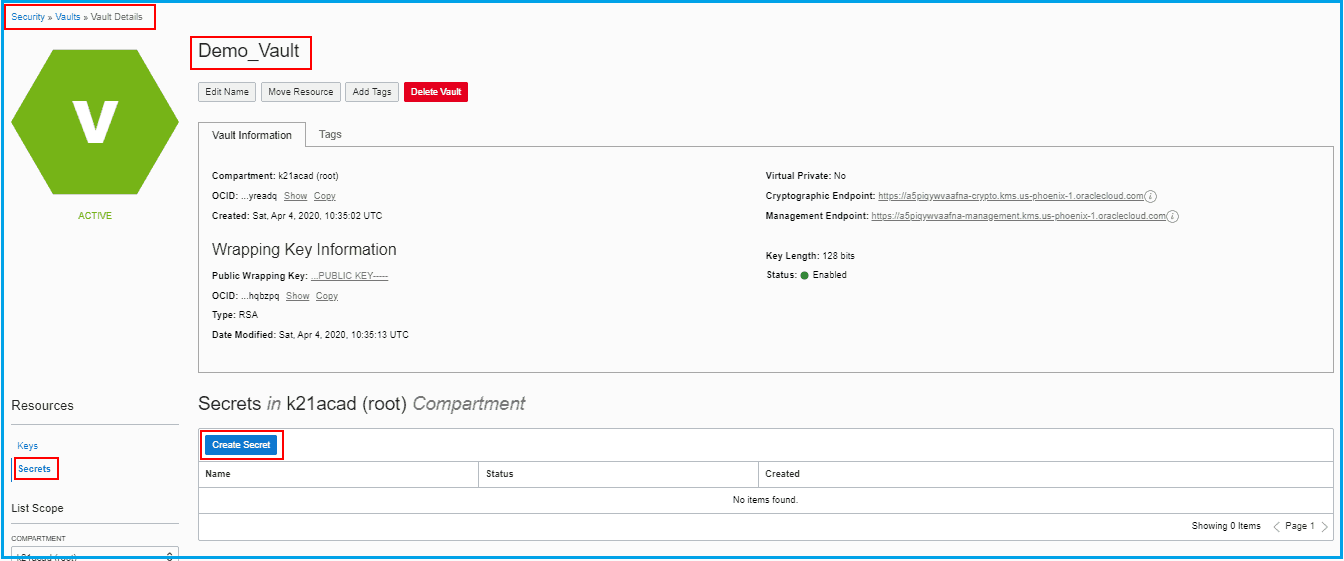
1) Navigate to the Vault in which we want to create Secret (Demo_Vault)
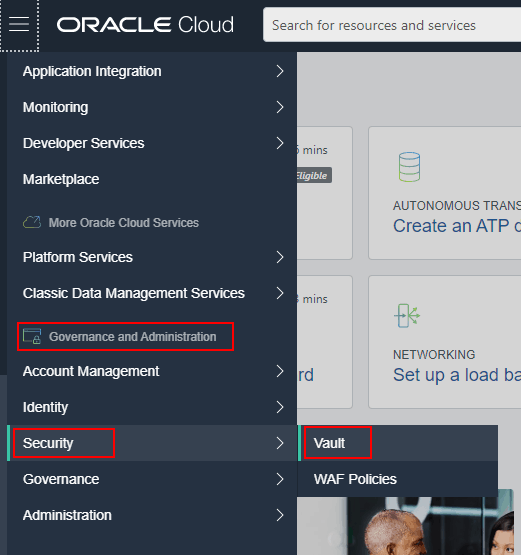
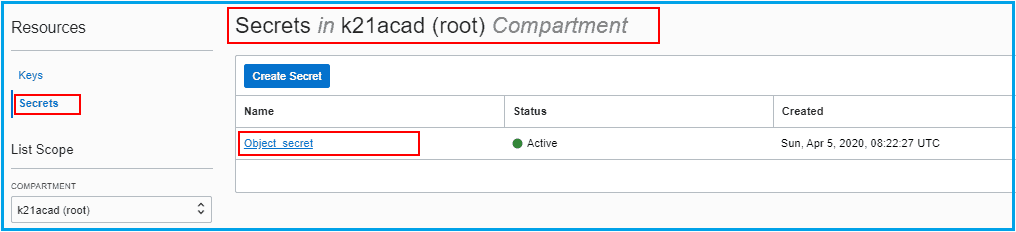
2) Click Secrets under Resources and then Click Create Secrets.
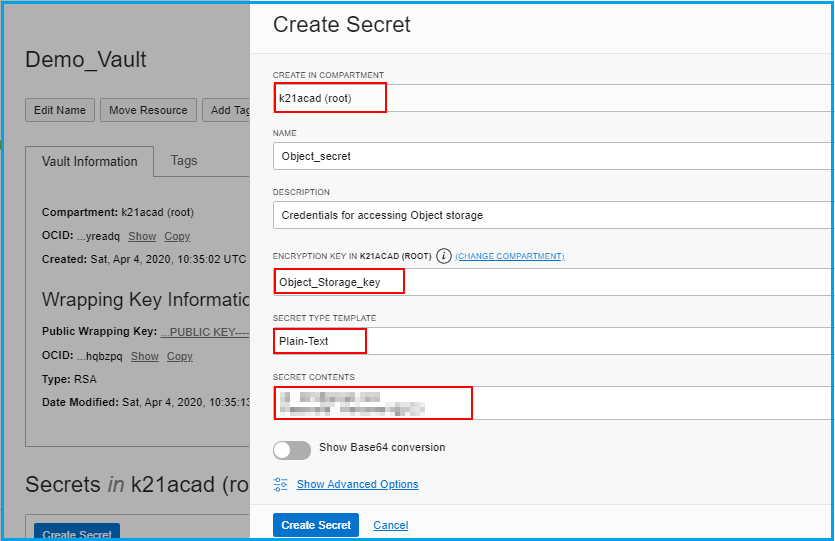
3) Enter the following information:
-
- Compartment: k21acad (root)
- Name : Object_secret
- Description:
- Select Encryption key: Object_Storage_key (created earlier)
- Secret Type Template: Plain-Text/Base64
- Secret Contents: The information (Secret) you want to encrypt
4) Click on the Secret created (Object_secret)
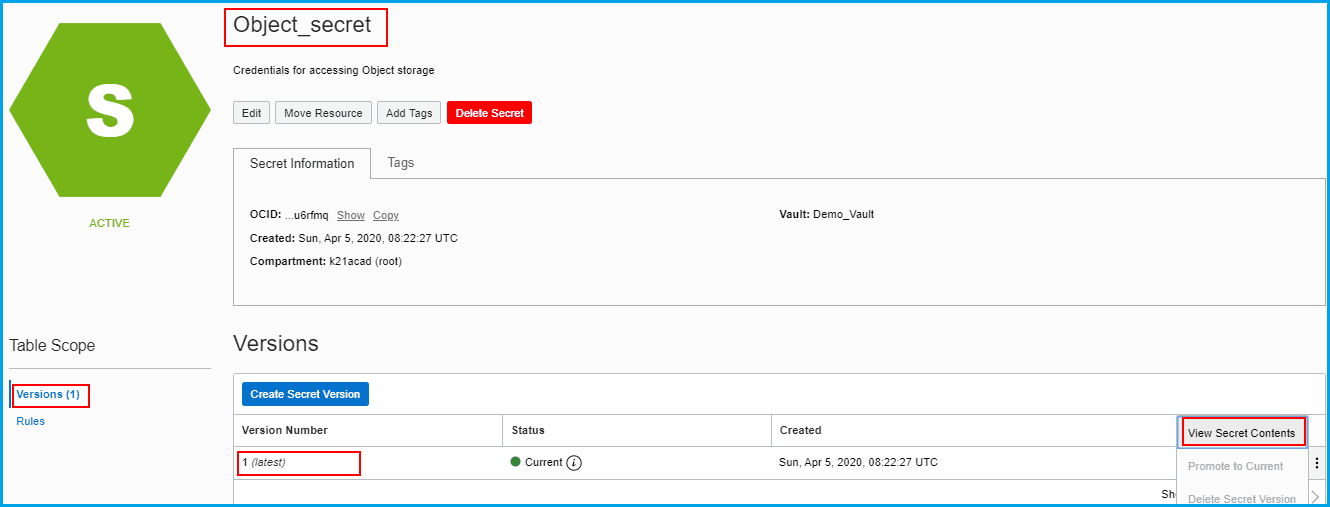
5) In the details of the Secret Created, Click on Versions and click on the Action icon(three dots) ahead of the version. Click View Secret Contents.
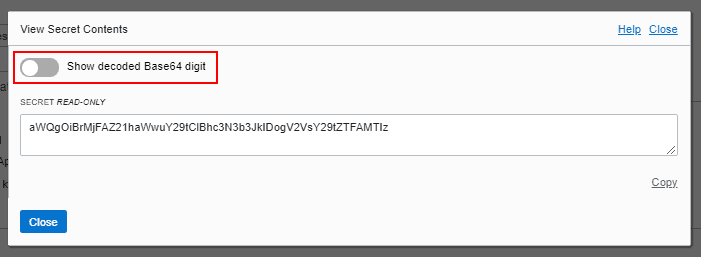
6) We will be able to see the Encrypted Secret content. Click on Show decoded Base64 digit.
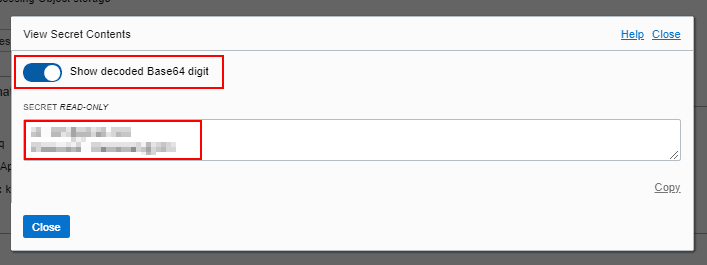
7) Now we will be able to see the secret content in plain-text.
To know more about Secrets Management in OCI click here.
Steps Of Rotating A Secret (Versioning)
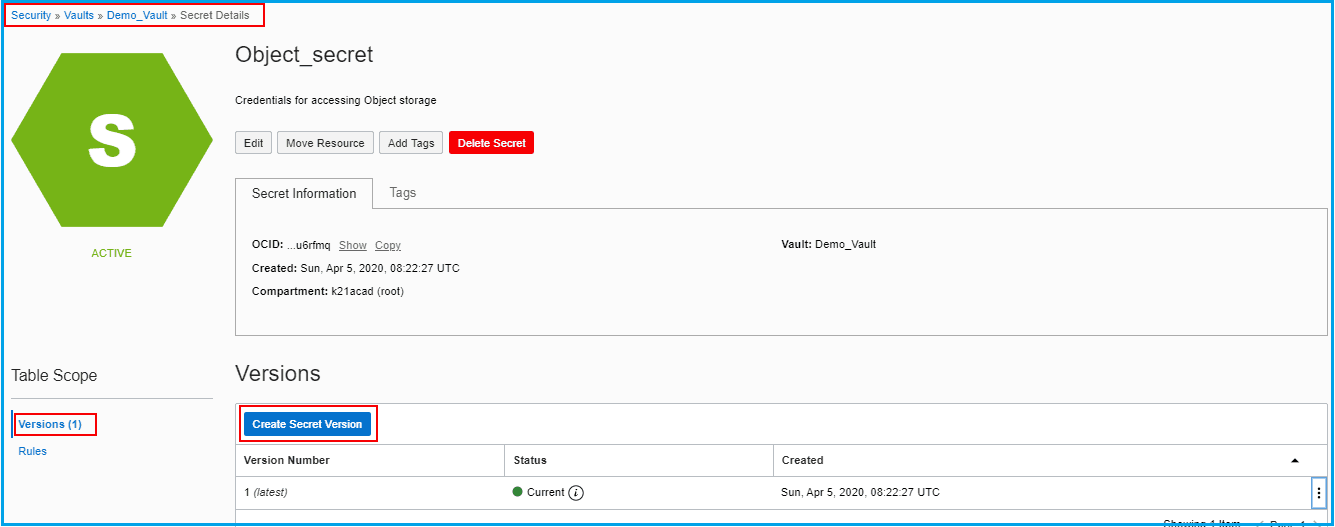
Once a Secret has created a default version of the secret is also created. If we want to update the content of the created secret we need to Rotate the version of the key. Once the new version is created we can see the status of the new version created as Current.
Follow the steps to rotate the secret version.
1) Navigate to the secret created, Under table scope click Versions and then click Create Secret Version.
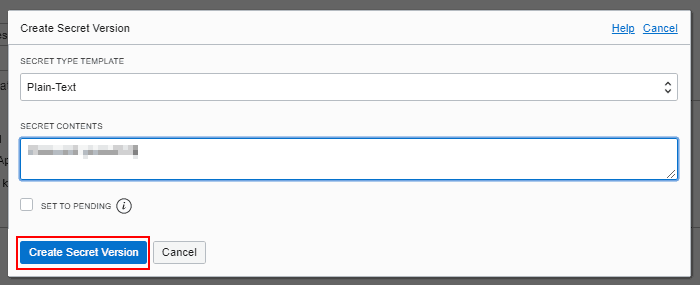
2) Add the updated content and click Create Secret Version.
3) We can see that the new version of Secret has created and status is also set to Current.

4) We can set any Version as current if we want to

Conclusion
We need a centralized & Secured place in OCI to store data like password, API tokens, and more that are needed frequently by an application developer. For this Oracle has introduces a feature Secrets in Vault Service of OCI. In this post, I have covered the overview of the Secret Management System and steps to configure and rotate the secret version in OCI. I hope it will help you understand the concept of Secrets in OCI.
KMS is also covered in our OCI Architect Professional [1z0-997] Certification training. To know more about this training click here.
Related/Further Readings
- Oracle Cloud Infrastructure 2019 Architect Professional | 1Z0-997
- [1Z0-997]Oracle Cloud Infrastructure (OCI) Architect Professional Certification: Step by Step Hands-On Lab
- SSL/TLS on Load Balancer
- Data Safe in OCI
- Functions & Events in OCI
Next Task For You
In our OCI Architect Professional [1Z0-997] Certification training, we cover KMS in OCI in Design for Security & Compliance module. In this module, we also cover the Security Overview, Identity & Access Management (IAM), Web Application Firewall (WAF), Data Safe.
For the list of Hands-On guide click here.


![Microsoft Agentic AI Business Solutions Architect [AB-100] | K21 Academy](https://test.k21academy.com/wp-content/uploads/2025/11/Microsoft-Agentic-AI-Business-Solutions-Architect-AB-100-Exam-Overview1.png)


