



Secure Sockets Layer (SSL) creates an encrypted link between a client and a server. SSL Certificate is bind to the confidential details of an organization in order to keep it secure throughout the transfer from client to server.
Generally, SSL is used to secure credit card transactions, data transfer, login credentials, and secure browsing of social media sites. We can configure SSL on Load Balancer in OCI so that the encrypted traffic coming from the source (like the internet) distributed between backend servers which make the transmission secure.
To know more about configuring SSL on LB click here.
In this post, I am going to cover:
- What is SSL?
- Generating an SSL certificate.
- Why we use SSL?
What Is SSL?
The data for an Organisation is the utmost priority. In order to keep it secure during the transmission between two endpoints, we use the SSL tool. In order to create an SSL configured networking between client and server, we need to create an SSL Certificate and add this certificate to the respective services in OCI.
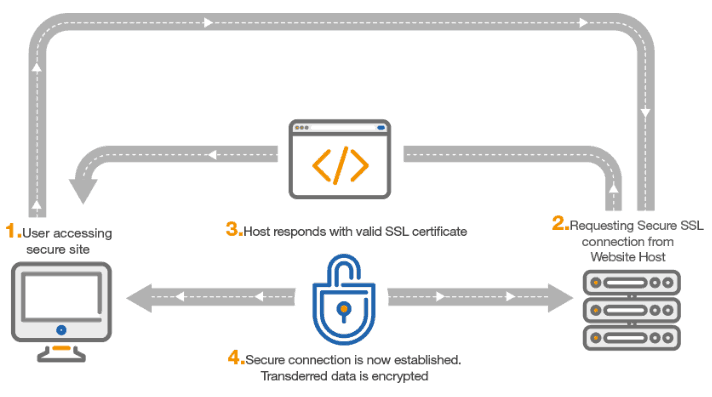 Why We Use SSL?
- For data encryption, data integrity, and authentication.
- Client Authentication by validating its certificates.
- Authenticating the server by verifying that it’s Distinguished Name (DN).
- Client and server exchange key information for establishing communication.
Generating An SSL Certification
To configure an SSL connection between servers we need to configure an SSL certificate on the service. It is done using OpenSSL
1) Create One Directory where we are going to save our certificate and Private key.
mkdir sslcerts

2) Enter the following Command To Generate Private Key.
openssl genrsa -des3 -out server.key 2048 pass
then
ls -ltrh
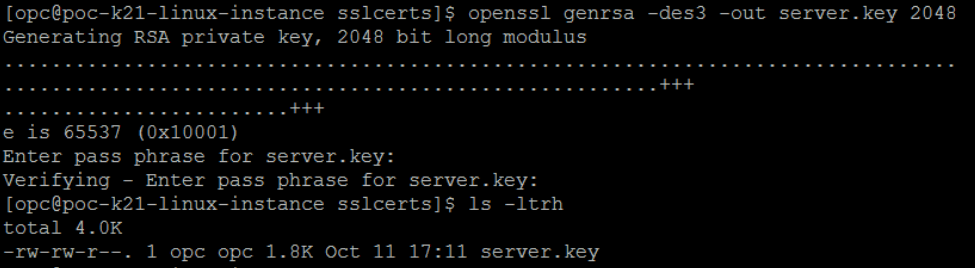
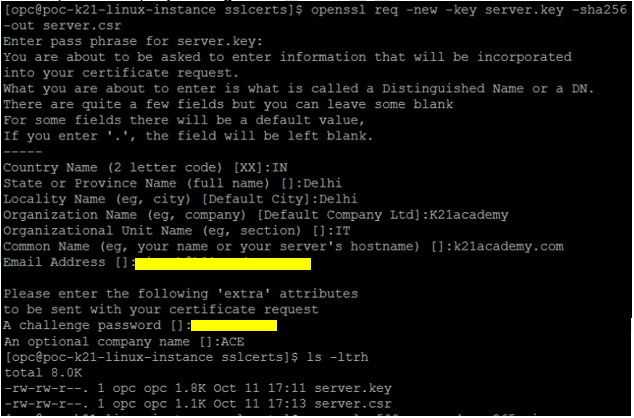
2) Use these Commands to generate CSR (Certificate Signing Request)
openssl req –new –key <private_key_file_name.key> -sha256 –out <csr_file_name.csr>
openssl req -new -key server.key -sha256 -out server.csr
then
ls -ltrh
Fill Asked Information
- Country Name (2 letter code) [xx]: IN
- State or Province Name (full name) [Full name]: Delhi
- Locality Name (eg, city) []: Delhi
- Organization Name (eg, company) [My Company Ltd]: k21academy
- Organizational Unit Name (eg, section) []:IT
- Common Name (eg, your name or your server’s hostname) []:k21academy.com
- Email Address []: <your email address>
Please enter the following ‘extra’ attributes to be sent with your certificate request
- A challenge password []: <password>
- An optional company name []: ACE
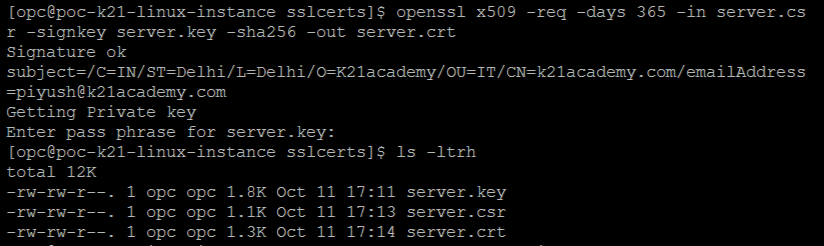
3) To generate a temporary certificate, which is good for 365 days, run the following command.
openssl x509 -req -days 365 -in server.csr -signkey server.key -sha256 -out server.crt
Then
ls -ltrh
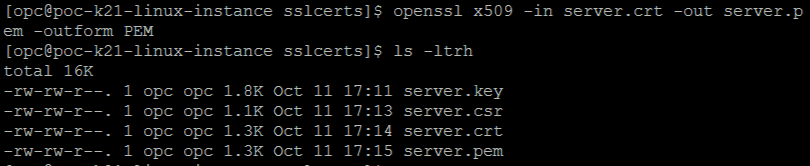
4) We need to convert the certificate created from crt to pem format. Run the following command to do so:
openssl x509 -in server.crt -out server.pem -outform PEM
then
ls -ltrh
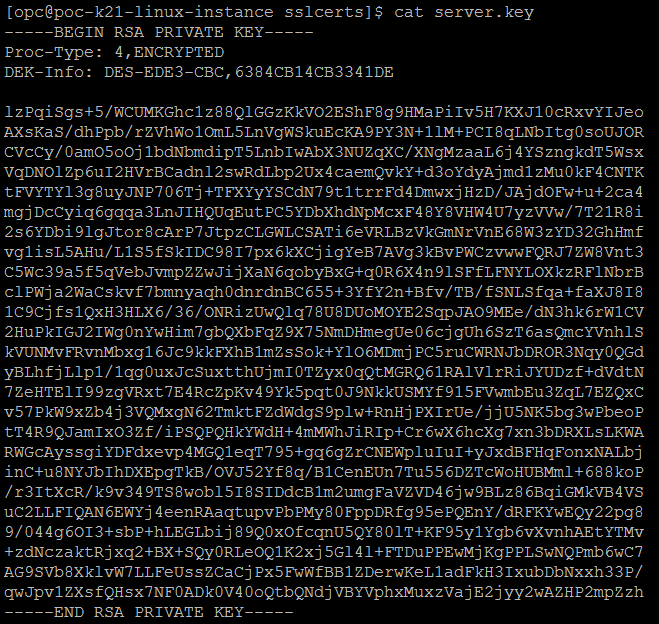
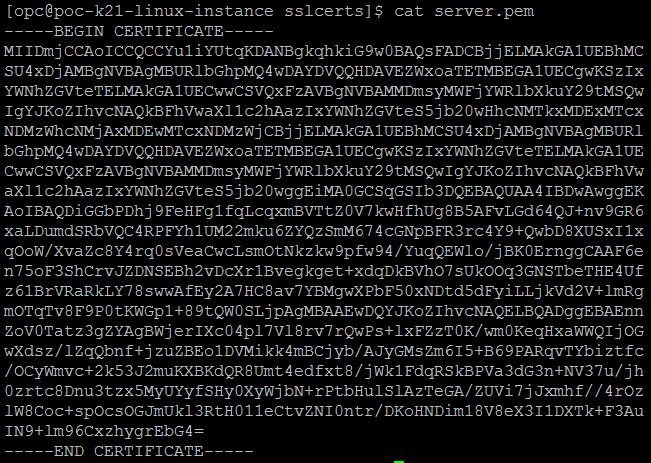
5) To check the Certificate and Private key.
cat server.key
cat server.pem
Conclusion
It is necessary to have a secured end to end transfer of requests. To implement the same we use SSL on various services in OCI, I have covered an Overview on SSL in OCI and Steps to create an SSL Certificate. I hope it will help you to understand the whole process.
SSL on LB is covered in our OCI Architect Professional [1z0-997] Certification training. To know more about this training click here.
Related/Further Readings
- Oracle Cloud Infrastructure 2019 Architect Professional | 1Z0-997
- [1Z0-997]Oracle Cloud Infrastructure (OCI) Architect Professional Certification: Step by Step Hands-On Lab
- Web Application Firewall in OCI
- Secret Management in OCI
- Data Safe in OCI
Next Task For You
In our OCI Architect Professional [1Z0-997] Certification training, we cover SSL on LB in Design for Hybrid Cloud Architecture module. In this module, we also cover Virtual Cloud Network, Load Balancer, Fast Connect, VPN Connect, DNS Traffic Management Steering Policies, DNS Zone Management.
For the list of Hands-On guide click here.


![Microsoft Agentic AI Business Solutions Architect [AB-100] | K21 Academy](https://test.k21academy.com/wp-content/uploads/2025/11/Microsoft-Agentic-AI-Business-Solutions-Architect-AB-100-Exam-Overview1.png)


