




This blog post gives a walk through of the Step-By-Step Activity Guides of [AZ-400] Microsoft Azure DevOps Engineer Expert training program that you must perform to learn this course.
You can use these exact steps to bring you and your team for integration with On-Premise & Cloud applications to implement, monitor, and maintain Microsoft Azure solutions.
This exam requires DevOps professionals who are capable of combining processes, people, and technologies for continuously delivering services and products that meet business objectives and user needs. The walk-through of the Step-By-Step Activity Guides of [AZ-400] Microsoft Azure DevOps Engineer Expert training program will prepare you thoroughly for the [AZ-400] Microsoft Azure DevOps Certification Exam.
- Register For A Free Azure Cloud Account
- Register For Azure DevOps Free Account
- Enable Parallelism in Azure DevOps
- Agile Planning and Portfolio Management with Azure Boards
- Create Virtual Machine
- Version Controlling with Git in Azure Repos
- Sharing Team Knowledge using Azure Project Wikis
- Configuring Agent Pools and Understanding Pipeline Styles
- Enabling continuous integration With Azure Pipelines
- Integrating Azure key vault with Azure DevOps
- Implement Github Actions for CI/CD
- Package Management with Azure Artifacts
- Using Azure monitor as a Release Gate
- Configuring pipelines as code with YAML
- Setting up and running functional tests
- Enable Dynamic Configuration And Feature Flags in Azure DevOps
- Azure deployments using Bicep templates
- Deploying Docker containers to Azure App Service web apps using CICD
- Monitor Application Performance with Azure Load Testing
- Implement security and compliance in Azure DevOps pipelines
- Managing technical debt with Azure DevOps and SonarCloud
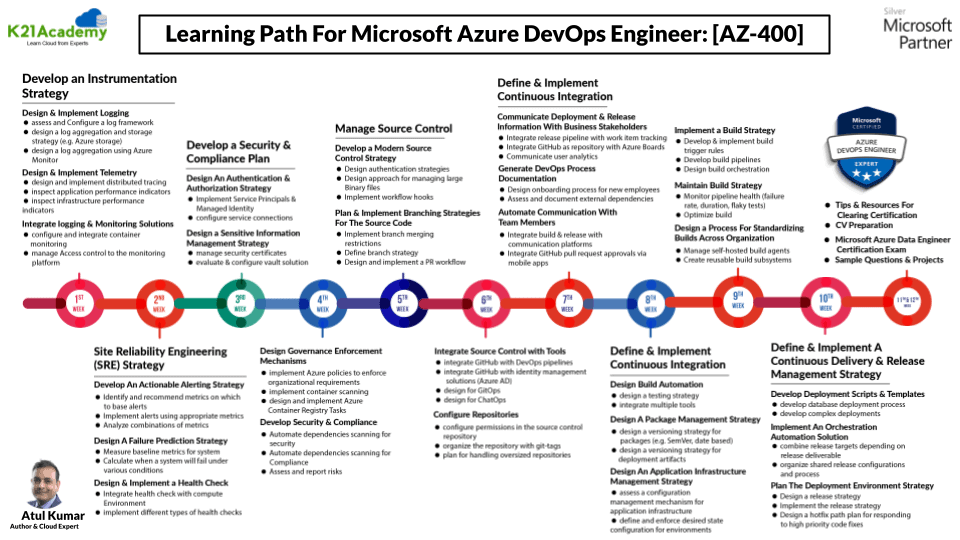
Learning Path For AZ-400 Certification :
Candidates should have a strong understanding of how to combine processes, people, and technologies for continuously delivering services and products that meet business objectives and user needs. The candidates also need to be familiar with Agile practices in software development before attempting for the Certification Exam.
Activity Guides:
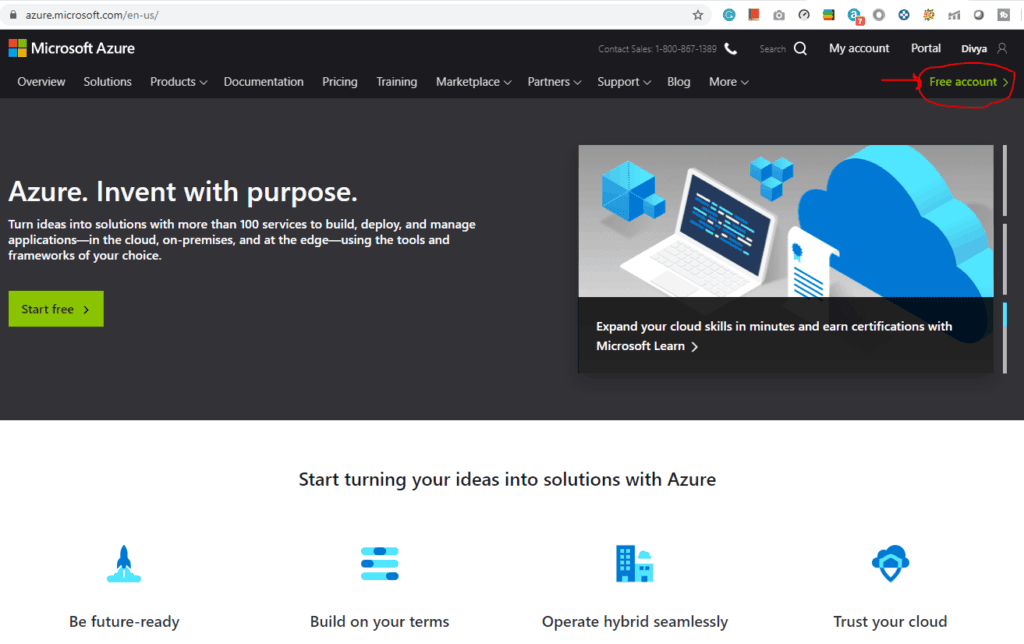
1. Register For A Free Azure Cloud Account
Creating an Azure free account is one way to access Azure services. When you start using Azure with a free account, you get USD2001 credit to spend in the first 30 days after you sign up. In addition, you get free monthly amounts of two groups of services: popular services, which are free for 12 months, and more than 25 other services that are free always.
2. Register For Azure DevOps Free Account
The first thing you must do is to get a FREE Account for Microsoft Azure DevOps.
Microsoft Azure is one of the top choices for any organization due to its freedom to build, manage, and deploy applications. Here, we will look at how to register for the Microsoft Azure DevOps FREE Trial Account.
After you register for Microsoft Azure DevOps Account, you should get an Email Like the below from Microsoft:

Also read: Comparison between Azure Pipelines vs Jenkins
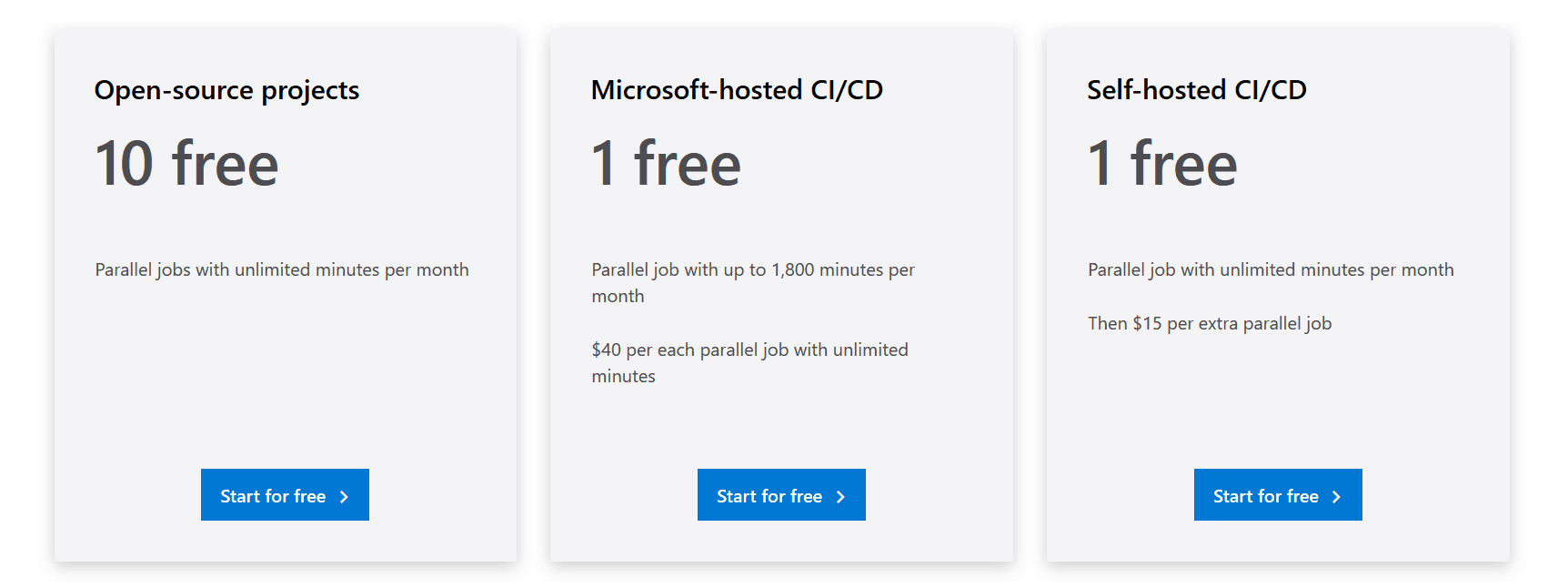
3. Enable Parallelism in Azure DevOps
Enabling parallelism in Azure DevOps is a powerful way to speed up your CI/CD pipeline by running multiple jobs simultaneously rather than sequentially. This can significantly reduce build and release times, improving overall efficiency. By configuring parallel jobs, you can break down your tasks into smaller chunks and execute them across different agents. Azure DevOps provides the flexibility to scale the number of parallel jobs based on your needs, making it easier to optimize performance and handle complex workflows. Whether you’re working with multiple environments, large codebases, or diverse testing scenarios, enabling parallelism helps accelerate development cycles and deliver faster results.
4. Agile Planning and Portfolio Management with Azure Boards
With the Azure Boards web service, teams can manage their software projects. It provides a rich set of capabilities including native support for Scrum and Kanban, customizable dashboards, and integrated reporting. These tools can scale as your business grows.
You can quickly and easily start tracking user stories, backlog items, tasks, features, and bugs associated with your project. You track work by adding work items based on the process and work item types available to your project. This guide provides apprehensive know-how on how to create Azure boards.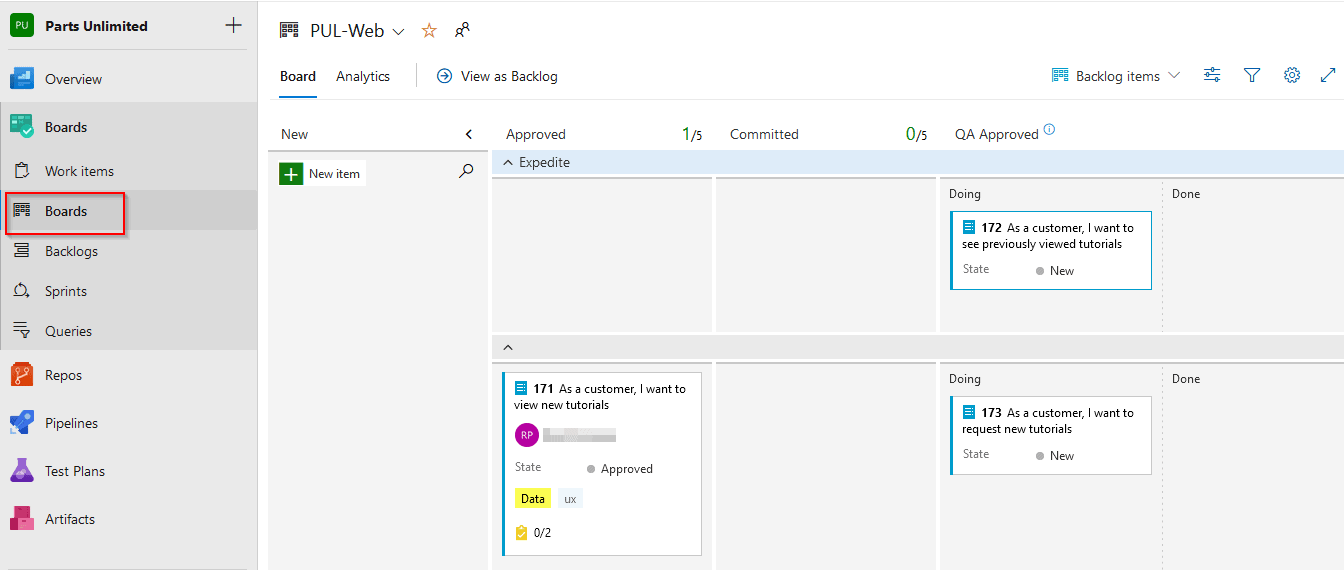
5. Create Virtual Machine
This lab guides you through the process of creating a Windows Virtual Machine (VM) in Azure, enabling you to deploy and manage virtualized workloads in the cloud.
Key Steps:
- Access the Azure portal and navigate to the “Create a resource” section to select “Virtual Machine.”
- Configure basic settings, including VM name, region, size, and the Windows operating system image.
- Set up administrative credentials and network settings for the VM.
- Review and create the VM, then validate its deployment.
By the end of this lab, you will have successfully created a Windows Virtual Machine in Azure, gaining practical experience in deploying and configuring virtualized environments.
6. Version Controlling with Git in Azure Repos
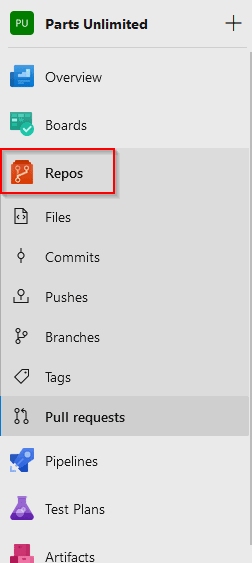
Azure DevOps has 2 types of Version Controlling Git and Team Foundation Version Control (TFVC). Git is always the default version control provider for every new project that is created in Azure DevOps.
Here, you’ll learn how to set up a Git repository locally, which in turn can be easily synchronized with a centralized Git repository located in Azure DevOps. You’ll also learn how to do Git Branching and Merging.
Also read: Our Previous Blog Post Azure Chatbot
7. Version Controlling with Git in Azure Repos
Sharing team knowledge using Azure Project Wikis is an effective way to centralize and collaborate on important documentation within your DevOps environment. Azure Project Wikis allow teams to create, edit, and organize content such as guidelines, best practices, troubleshooting steps, and more in a simple, accessible platform. This promotes knowledge sharing, reduces dependency on individual team members, and ensures that important information is always up to date and easy to find. With built-in version control, collaborative editing, and seamless integration into your Azure DevOps project, Wikis become a valuable tool for fostering transparency and enhancing team communication.

8. Configuring Agent Pools and Understanding Pipeline Styles
Configuring agent pools and understanding pipeline styles in Azure DevOps are essential for optimizing your CI/CD workflows. Agent pools are groups of machines (or agents) that execute tasks in your pipelines. By configuring agent pools, you can allocate specific agents for different types of jobs, ensuring efficient use of resources and better management of workload distribution. Understanding pipeline styles—whether YAML or Classic—helps you tailor your pipeline configuration to suit your team’s needs. YAML pipelines offer greater flexibility and version control, while Classic pipelines provide a more visual, drag-and-drop interface. Choosing the right style and configuring agent pools properly helps streamline automation, improves scalability, and ensures that your DevOps processes run smoothly across all environments.

9. Enabling continuous integration With Azure Pipelines
Azure Pipeline is a cloud service that is used to build and test code projects. Continuous Integration is the Process of Automating the Build.
In this guide, you’ll be creating your own Build Pipeline and later on, you’ll be invoking Continous Integration on the Build.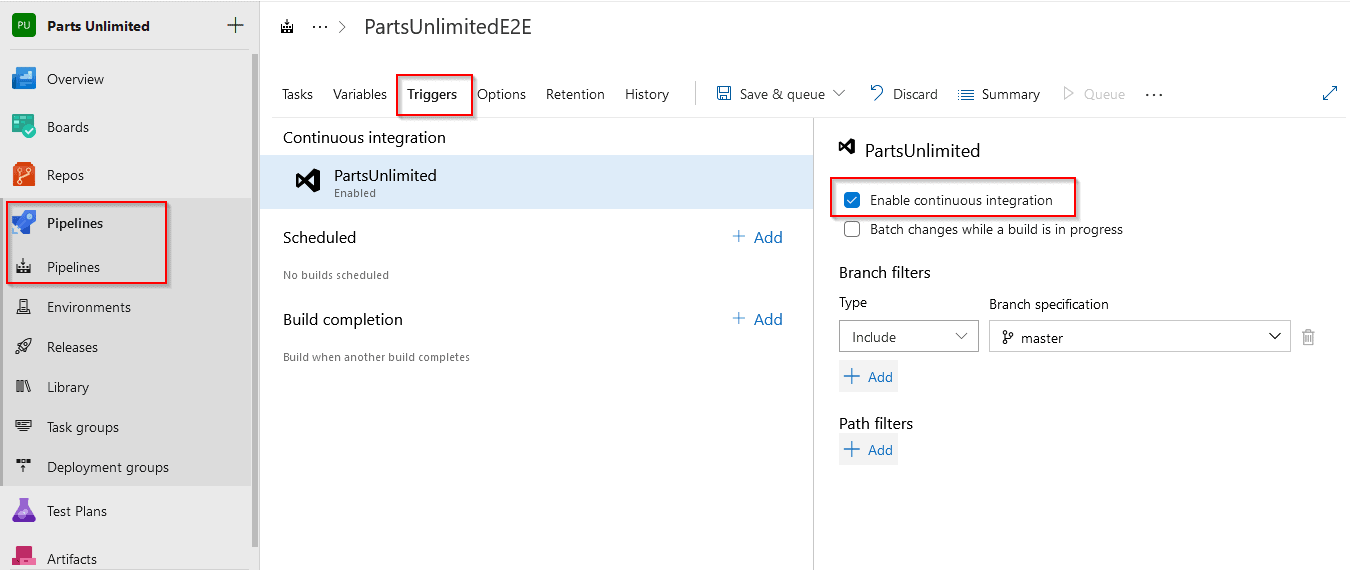
Also Check : Our Previous Blog On Azure Data Factory
10. Integrating Azure key vault with Azure DevOps
Azure Key Vault enables Microsoft Azure applications and users to store and use several types of secret/key data:
- Cryptographic keys: Supports multiple key types and algorithms.
- Secrets: Provides secure storage of secrets, such as passwords and database connection strings.
- Certificates: Supports certificates, which are built on top of keys and secrets, and adds an automated renewal feature.
- Azure Storage: Can manage keys of an Azure Storage account for you.
11. Implement Github Actions for CI/CD
By connecting your Azure DevOps project with GitHub.com repositories, you support linking between GitHub commits and pull requests to work items. You can use GitHub for software development while using Azure DevOps to plan and track your work.
In this guide, you’ll learn how to copy a pre-existing project in your GitHub account, how to use GitHub Marketplace, and how to use that Project to build a Pipeline in Azure DevOps.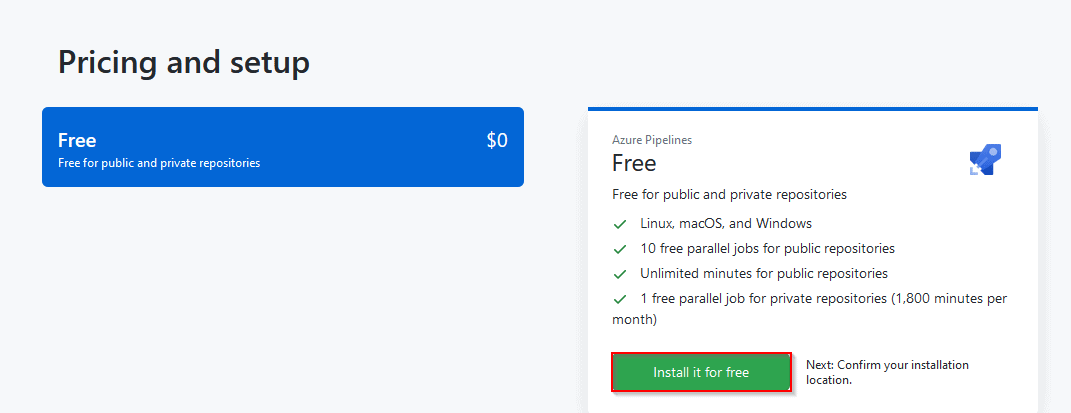
12. Package Management with Azure Artifacts
Azure Artifacts is an extension in Azure DevOps. The work of this extension is to simplify the process of discovering, installing, and publishing NuGet, npm, and Maven Packages in Azure DevOps.
Here, you’ll learn how to create a NuGet Package locally and then publishing it to the Azure DevOps Platform.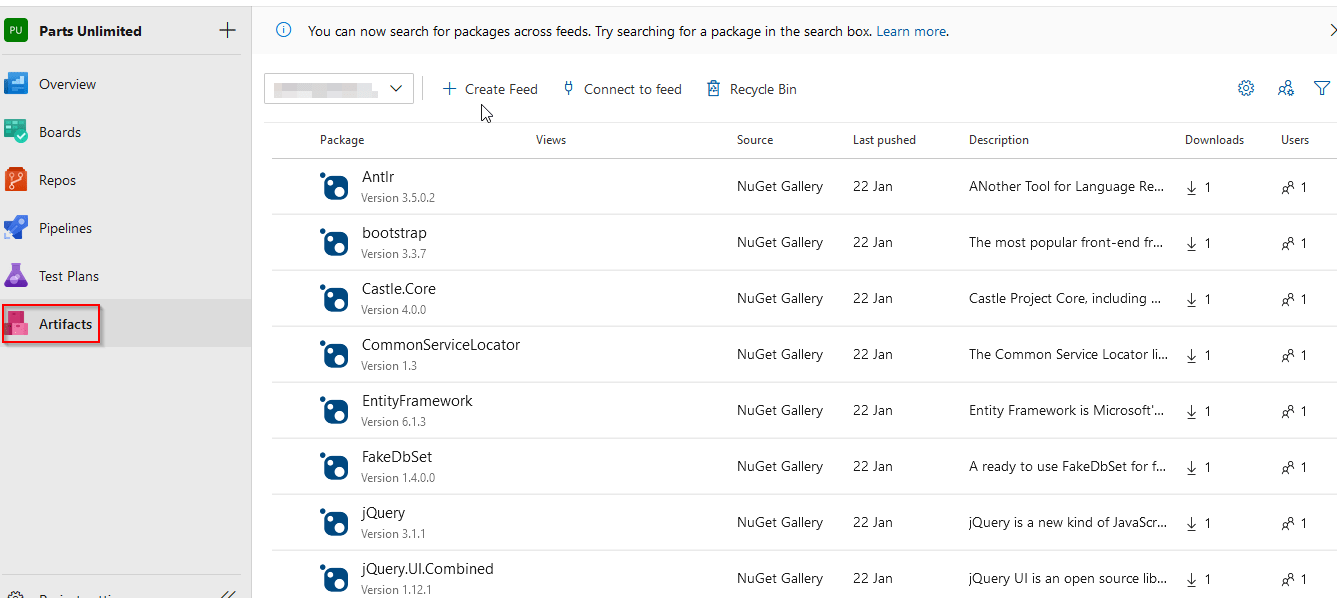
To Know More About azure certification click here
13. Using Azure Monitor as a Release Gate
Azure Monitor is a tool by which you can collect all the data of your all resources.
Here, you’ll learn how to use the Azure Monitor as a Release Gate in the Release Pipelines.

14. Configuring pipelines as code with YAML
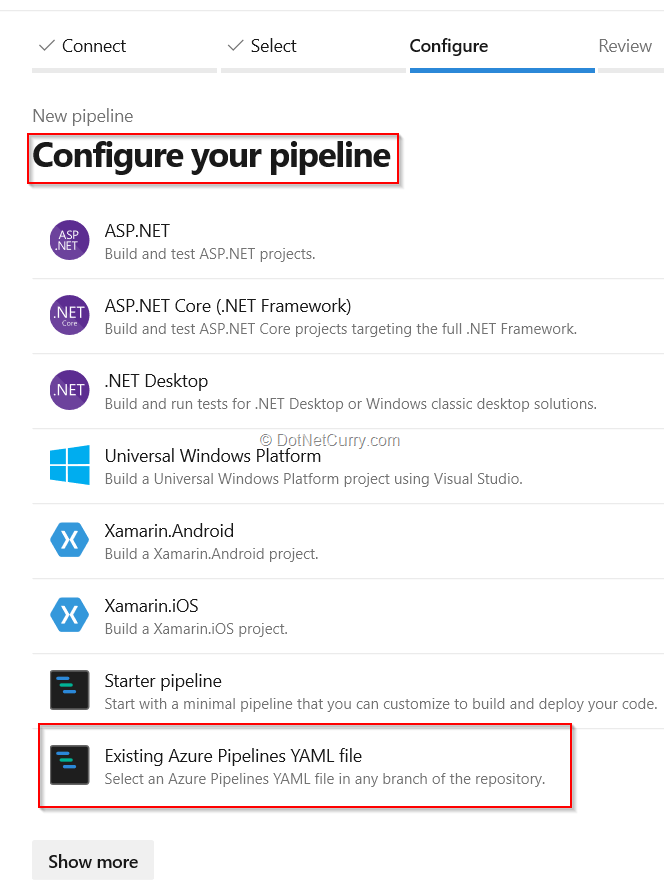
This guide explains to you how to build and release pipelines using YAML (Yet Another Markup Language). YAML allows them to access the same pipeline features as those using the visual designer, but with a markup file that can be managed like any other source file. YAML build definitions can be added to a project by simply adding their source file to the root of the repository.
15. Setting up and running Functional Tests
This guide explains how you can perform selenium test cases on a C# web application, as part of the Azure DevOps Release Pipeline.
Selenium is an open-source portable software-testing framework for web applications.
16. Setting up and running Functional Tests
Enabling dynamic configuration and feature flags in Azure DevOps allows teams to manage application settings and control feature rollouts without needing to deploy new code. Dynamic configuration enables you to modify application behavior on the fly by adjusting settings stored externally, such as in Azure App Configuration, without requiring a redeployment. Feature flags provide a way to toggle features on or off for specific users or environments, making it easier to perform gradual feature rollouts, A/B testing, or quick rollbacks. By incorporating these practices into your Azure DevOps pipelines, you can enhance flexibility, reduce deployment risks, and ensure more controlled and agile development processes.

17. Azure Deployments using Bicep Templates
Here, you’ll learn how to deploy resources on Azure portal by use of Bicep templates and deploying these Bicep templates using Azure pipelines for CI/CD.

18. Deploying Docker containers to Azure App Service web apps using CICD Pipeline
Deploying Docker containers to Azure App Service using a CI/CD pipeline in Azure DevOps automates the process of building, testing, and deploying containerized applications. The pipeline builds the Docker image from your code, pushes it to a container registry like Azure Container Registry, and then Azure App Service automatically pulls the image for deployment. This automation ensures consistent and reliable deployments, reduces manual errors, and allows for efficient scaling and management of your Dockerized applications.

19. Managing Technical Debt With Azure DevOps And SonarCloud
Azure Load Testing helps monitor and evaluate the performance of your application under various traffic conditions. By simulating real-world user traffic, it allows you to assess how well your application handles different loads, identify bottlenecks, and optimize performance before going live. Azure Load Testing provides detailed metrics, such as response times, throughput, and error rates, to help you pinpoint areas for improvement. This tool enables proactive monitoring and testing, ensuring that your application can scale efficiently and deliver a smooth user experience even under heavy usage.

20. Implement security and compliance in Azure DevOps pipelines
Here you’ll learn, how to create a project from scratch and add a pre-existing code in the repository of the Project and you’ll learn how to install the WhiteSource Bolt from the Azure DevOps Marketplace to make it available as a task and activate it. You’ll also learn how to add the WhiteSource Bolt as one of the build tasks and how to scan the project for security vulnerabilities and licensing compliance issues.
21. Managing Technical Debt With Azure DevOps And SonarCloud
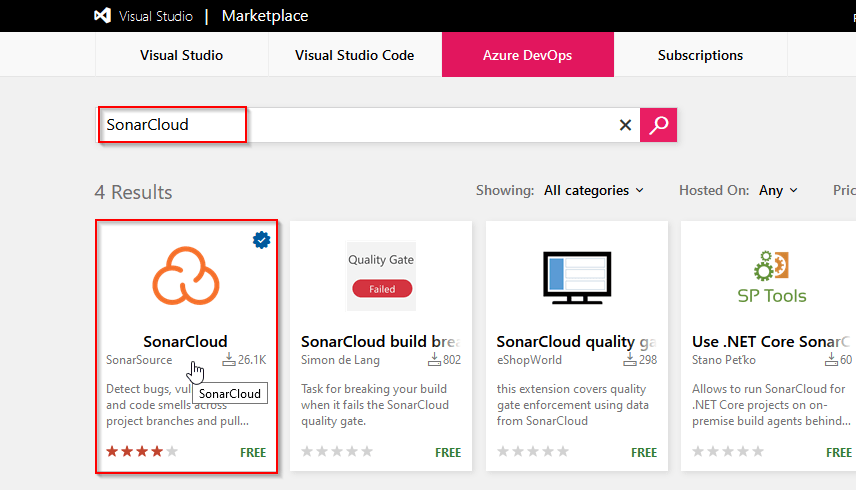
In this guide, you will be introduced to technical debt, how to configure your Azure Build definitions to use SonarCloud, how to understand the analysis results, and finally how to configure a quality profile to control the rule set used by SonarCloud for analyzing your project.
Technical debt is the set of problems in a development effort that makes forward progress on customer value inefficient. Technical debt saps productivity by making code hard to understand, fragile, time-consuming to change, difficult to validate, and creates unplanned work that blocks progress.
Related
- [AZ-400] Microsoft Azure DevOps Certification Exam: Everything You Need To Know
- [AZ-400] Azure DevOps For Beginners
- [AZ-400] Azure DevOps Certification Path
- [AZ-400] Roles And Responsibilities As An Azure DevOps Engineer
- Using Azure Key Vault Secrets In A Pipeline
- CI/CD Pipeline | Continuous Integration | Continuous Deployment
- [AZ-104] Microsoft Azure Administrator Training: Step By Step Activity Guides/Hands-On Lab Exercise
Next Task For You
Begin your journey toward Mastering Azure Cloud and landing high-paying jobs. Just click on the register now button on the below image to register for a Free Class on Mastering Azure Cloud: How to Build In-Demand Skills and Land High-Paying Jobs. This class will help you understand better, so you can choose the right career path and get a higher paying job.


![Microsoft Agentic AI Business Solutions Architect [AB-100] | K21 Academy](https://test.k21academy.com/wp-content/uploads/2025/11/Microsoft-Agentic-AI-Business-Solutions-Architect-AB-100-Exam-Overview1.png)


