





This post covers Steps by Step guide on how to register For Azure Free Account & how to get azure free trial subscription.
Important Note:
- When attempting to create a Free Azure account, there is a high likelihood of encountering issues or facing restrictions if the same email, phone number, IP address, or other identical details have been used in previous registrations.
- To ensure a smooth experience and prevent any potential complications, we recommend opting for a Pay-As-You-Go account.
- With a Pay-As-You-Go account, you will only be charged for the services you use, providing greater flexibility and eliminating the risk of account limitations.
- To avoid incurring unnecessary charges, we advise you to delete any resources that are no longer needed after completing your labs or tasks. This will help you manage your account efficiently while avoiding additional costs.
We will use this Microsoft Azure FREE account in the future for our upcoming videos on Azure Resources like Compute, Networking, Storage, Database, Web Services and etc.
This video will help you to understand what are the initial steps to follow in order to create an Azure free trial account.
Content:
- Prerequisite for Azure Free Account
- Azure Free Services
- Limited Time Free Azure Account
- Steps : How to Get Azure Free Subscription
- Cancel your Subscription
- Azure services that are free for 12 months?
- What Happens When an Account Goes Over the Spending Limits?
- Frequently Asked Questions(FAQs)
Prerequisite for Azure Free Account:
- You should have a Credit Card, an email address, and phone number.
- If you don’t have a Credit Card, you can register here using a valid student college email id to get Azure for Students account.
Azure Free Services
Azure Free Services are designed to help individuals, startups, and small to medium-sized businesses reduce the cost of cloud computing infrastructure. These services allow you to explore and test new applications while evaluating the benefits of cloud computing with minimal financial commitment.
When you sign up for an Azure free account, you receive $200 (or approximately €170) in credit that you can use within the first 30 days. This credit enables you to experiment with various Azure services without any upfront cost.
In addition to this credit, Azure offers two categories of free services:
-
Popular services free for 12 months: A selection of widely used Azure services available for free within monthly usage limits for the first year.
-
More than 40 services free always: A set of services that remain free indefinitely, regardless of your subscription status.
After your initial 30-day free credit expires, you will need to upgrade to a paid subscription to continue using paid services. However, the free monthly allowances for the eligible services will continue as long as you maintain your subscription. Note that service availability and offers may vary by region.
Related Readings: Azure Subscriptions : Overview
Limited Time Free Azure Account
Limited Time Azure Free Account is an awesome offer to try the Microsoft cloud services solution. Get popular services free for 12 month then continue to use it at 50% discount with Azure credit. Starting with USD200* Azure credit, you can build, deploy and scale your applications across different platforms including web apps, mobile back-ends and big data solutions.
Free for 12 months is a limited time offer that you can use to try paid Azure services without having to pay. With this offer, you can use any of the 40+ Azure services free for 12 months at no charge and receive USD200* on your first invoice.

Steps : How to Get Azure Free Subscription
1. Go to the Azure Home Page.
2. Click on Get started with Azure on the top right corner.

Also Check: Our blog post on Azure Bastion.
3. Click on Try Azure for Free.

4. Sign-in/Sign-up for a Microsoft account using an email address and password.
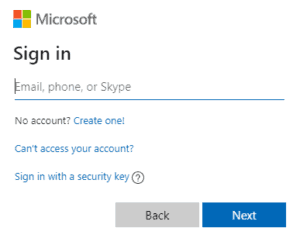
5. Enter your Country/Region and Date of Birth and click next.
6. Enter the verification code received on the email address and click next.
7. Type the captcha you see on your screen and click on next.
8. You’ll be redirected to the Azure Sign-up page. Enter your Region, Name, Phone number, Email address. Note: You should use the same email address for Azure sign-up and for the Microsoft account.
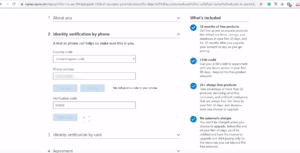
9. Verify your phone number by clicking Text Me or Call Me and enter the verification code received.
Also Check: Our blog post on Azure Managed Services.
10. Enter the payment details. Make sure you have a Master Card/American Express/ Visa Credit card and international payments should be enabled.
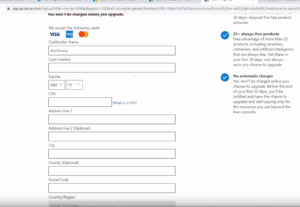
11. Check the Terms and Conditions and click Sign-up.
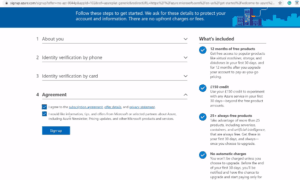
12. You have successfully created a Microsoft Azure free account and now have a lumpsum balance of $200.
13. Click on Portal on the top right corner of the screen. You’ll be redirected to the Azure portal.
14. If you have exhausted your free credit then you have to move to the Pay as you go subscription policy.
if you have crossed the limit or time limit then you will get “your subscription is disabled and cannot perform operations until its re-enabled”
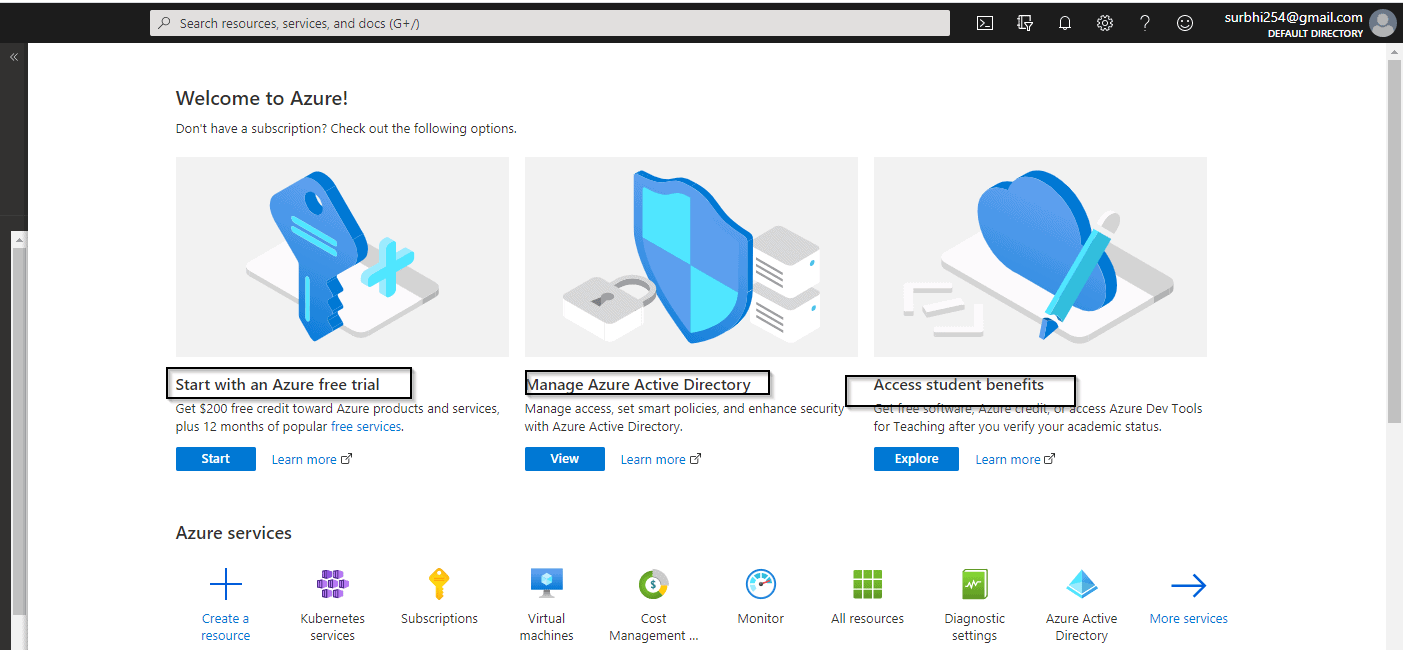
You can not create multiple Microsoft Azure free account or after one account expires to another account for free credit of 200$ using a single Credit card.
Related Readings: How to create and connect Windows Virtual Machine in Azure
Cancel your Subscription
In this topic, you will learn how to cancel your subscription if you run out of credit.
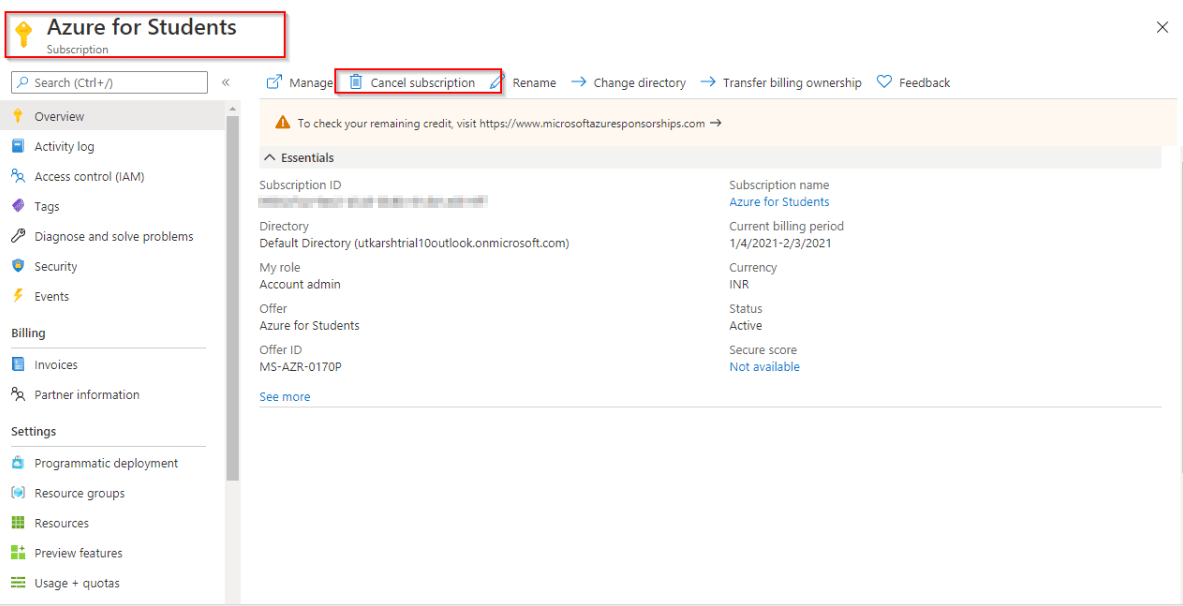
- Select your subscription from the azure portal account.
- Go to subscription and click on cancel your subscriptions.
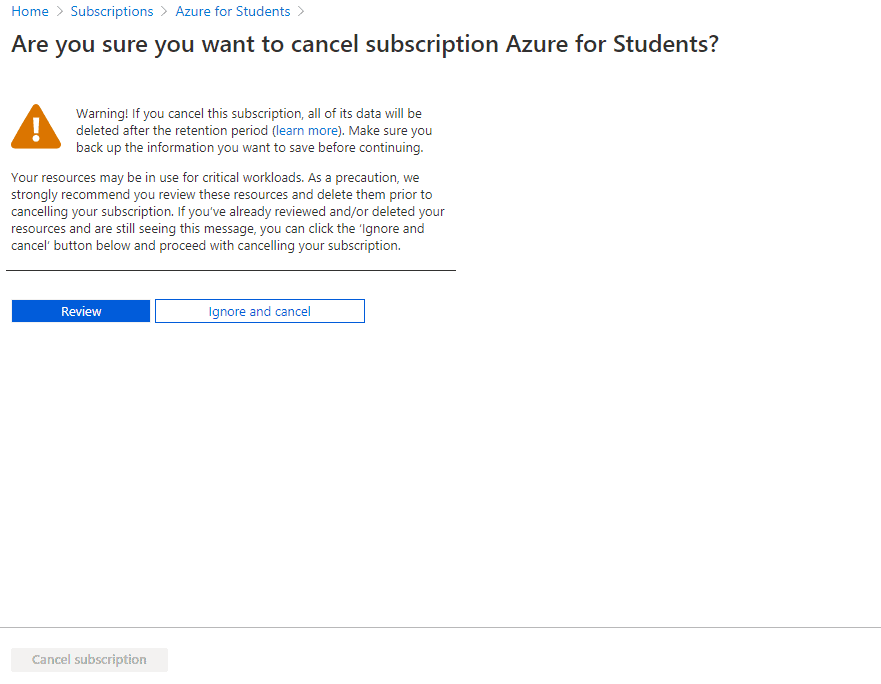
- Now, just confirm the subscription and click for cancellation
Azure services that are free for 12 months?
As part of the Azure Free Account, new customers can access the following services free for 12 months:
- Linux Virtual Machines: Create and deploy enterprise-grade open-source and community-driven software in seconds.
- Windows Virtual Machines: Get on-demand, highly scalable, and protected virtualized infrastructure with Windows VMs.
- Azure Disk Storage: High-performance, highly durable block storage for Azure Virtual Machines.
- Azure SQL Database: Build apps that scale with the pace of your business using a managed and intelligent SQL database in the cloud.
- VPN Gateway: Connect your infrastructure to the cloud securely.
- Container Registry: A registry for Docker and Open Container Initiative (OCI) images, with support for all OCI artifacts.
Services Free Always
In addition to the 12-month free services, Azure offers more than 40 services that are free always, subject to certain usage limits. These include:
- Azure Blob Storage: 5 GB of locally redundant storage (LRS) hot block with 20,000 read and 10,000 write operations.
- Azure Cosmos DB: 1,000 request units per second with 25 GB storage.
- Azure App Service: 10 web, mobile, or API apps with 1 GB storage.
- Azure Functions: 1 million requests per month.
- Azure Event Grid: 100,000 operations per month
Note: If you are a student and don’t have a credit card, then you can also register using your student ID.
What Happens When an Account Goes Over the Spending Limits?
When using an Azure free account, you can see a variety of helpful experiences that help you understand your spending and manage costs. There are no limits on how much you can use in your free account because you’re only charged for what you use. When you go over your spending limit, you’ll be informed by email that your subscription is being reduced to the Basic service tier. Once this change takes effect, some functionality will be turned off or reduced until the end of your billing period.’
Azure subscriptions with credit such as Free Trial and Visual Studio Enterprise have spending limits on them. You can only use services up to the included credit. When your usage reaches the spending limit, Azure disables your subscription for the rest of that billing period. Your subscription is disabled to protect you from accidentally incurring charges for usage beyond the credit included with your subscription. To remove your spending limit, see Remove the spending limit in the Azure portal.
Transitioning to Pay-As-You-Go
After the initial 30 days or once your $200 credit is used, you can transition to a Pay-As-You-Go subscription. This allows you to continue using Azure services beyond the free tiers, paying only for what you use. Your credit card will not be charged without your consent, and you can cancel your subscription at any time.

Frequently Asked Questions(FAQs)
Q1. How do I create a Azure free account for the second time?
To create an azure free account for second time you need to ask someone to create a free azure account for you who has not created free azure account with his debit/credit card with new email id.
Q2. Why can't i get a free Azure account?
If you can't create a free azure account then there can be multiple reasons such as:
- You might have already used phone number, card, email earlier to create one
- Your card might not be supported according to the guideline
- If everything is correct then contact microsoft for the support
Q3. Is Azure free for Students?
Yes but with the valid students id provided by their university or college. If the email id provided is accepted by Microsoft then you don't need a credit or debit card to get a free account.
Q4. Can I create free Azure account with debit card?
Yes you can create a free Azure account with debit card but remember that some of the debit card may not be supported which depends on bank to bank. So you need to check that if your debit card is supported or not.
Q5. Is Azure free for lifetime?
Unfortunately, Azure is not completely free for a lifetime as it is a cloud computing service offered by Microsoft. However, Azure does offer a free trial that allows users to access a limited amount of resources for up to 12 months. The free trial includes $200 worth of credits, which can be used to test out various Azure services and features without incurring additional charges. After the free trial period ends, users will need to upgrade to a paid subscription in order to continue using Azure.
Reference/Related
- Step-by-Step Azure Training and Hands-on Labs & Projects
- Microsoft Azure Certification Path
- Top 25+ Azure Data Engineer Interview Questions and Answers
- Top 25+ Azure Data Factory Interview Questions & Answers
- Top 50+ Microsoft Azure Interview Questions & Answers in 2024
Next Task For You
Begin your journey toward Mastering Azure Cloud and landing high-paying jobs. Just click on the register now button on the below image to register for a Free Class on Mastering Azure Cloud: How to Build In-Demand Skills and Land High-Paying Jobs. This class will help you understand better, so you can choose the right career path and get a higher paying job.


![Microsoft Agentic AI Business Solutions Architect [AB-100] | K21 Academy](https://test.k21academy.com/wp-content/uploads/2025/11/Microsoft-Agentic-AI-Business-Solutions-Architect-AB-100-Exam-Overview1.png)



