





Artificial Intelligence (AI) and Machine Learning (ML) are changing industries, making cloud-based solutions more popular. Google Cloud provides a strong platform for creating and running ML models, which many professionals and businesses rely on.
The Google Cloud Professional Machine Learning Engineer Certification proves you can effectively use Google Cloud’s tools for AI and ML. It’s a great certification for anyone who wants to grow their career in machine learning using Google Cloud.
In this blog, we’ll explore:
- What is the Google Cloud Professional Machine Learning Engineer Certification?
- Why Pursue the Google Cloud Professional Machine Learning Engineer Certification?
- Google Cloud Professional ML Engineer Certification Exam Details
- Understanding the Exam Structure
- Hands-on Labs
- How to Register for the Google Cloud ML Engineer Certification Exam?
- Tips for Passing the Exam
- Conclusion
What is the Google Cloud Professional Machine Learning Engineer Certification?
The Google Cloud Professional Machine Learning Engineer Certification validates your ability to build, deploy, and manage machine learning (ML) models on the Google Cloud Platform (GCP). It focuses on key areas such as data engineering, model development, training, deployment, and MLOps for managing models in production environments.

This certification is ideal for ML Engineers, Data Scientists, and AI Specialists who design and implement scalable ML solutions using GCP tools. It equips you with the skills to create efficient ML systems aligned with Google Cloud’s best practices.
The exam features multiple-choice questions that test your ability to solve real-world ML challenges using GCP’s capabilities. Managed by Google Cloud, the certification remains aligned with industry trends, making it a valuable benchmark for cloud-based ML expertise.
Achieving this certification demonstrates proficiency in working with data, training models, and using tools like Vertex AI, TensorFlow, and BigQuery to build effective ML solutions, enhancing your appeal to potential employers.
Why Pursue the Google Cloud Professional Machine Learning Engineer Certification?
Here are some reasons why this certification can be valuable for your career:
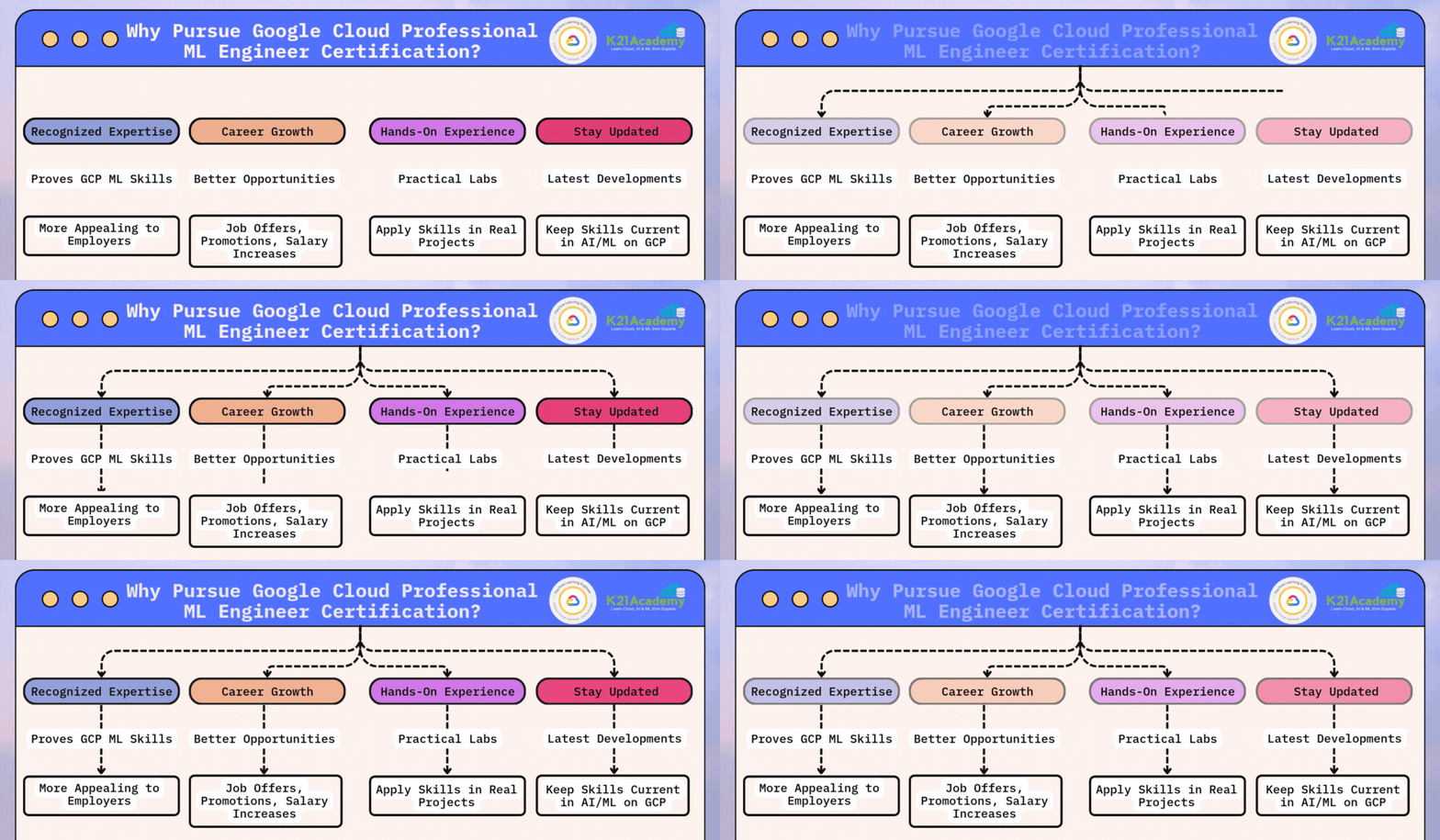
- Recognized Expertise: It proves you know how to use Google Cloud for machine learning, making you more appealing to employers.
- Career Growth: Certified professionals often get better job offers, promotions, and salary increases.
- Hands-On Experience: The certification emphasizes practical labs, ensuring that you can apply your skills in real projects.
- Stay Updated: It helps you keep up with the latest developments in AI/ML on Google Cloud, keeping your skills current.
Google Cloud Professional ML Engineer Certification Exam Details
Before you start preparing, it’s good to know the basics of the exam:
- Level: Professional certification
- Format: Multiple-choice and multiple-select questions
- Duration: 2 hours
- Cost: $200 (plus tax where applicable)
- Language: English
- Prerequisites: None
- Recommended Experience: 3+ years in the industry, including 1+ year of hands-on experience with Google Cloud
- Certification Validity: 2 years
- Certification Renewal: To keep your certification active, you need to recertify every two years. Unless noted otherwise in the exam details, all Google Cloud certifications are valid for two years from the certification date. To renew, you’ll need to retake the exam within the eligible recertification period and pass it. You can start recertifying 60 days before your certification expires.
Understanding the Exam Structure
The Google Cloud Machine Learning Engineer Certification exam is divided into key domains, each focusing on a specific area of expertise required for building, deploying, and managing ML models on Google Cloud. Each domain represents crucial skills and knowledge needed to succeed as a Machine Learning Engineer in the Google Cloud ecosystem. Here’s a breakdown of the six key domains for this certification:
- Architecting Low-Code ML Solutions (12%)
- Collaborating Within and Across Teams to Manage Data and Models (16%)
- Scaling Prototypes into ML Models (18%)
- Serving and Scaling Models (19%)
- Automating and Orchestrating ML Pipelines (21%)
- Monitoring ML Solutions (14%)
Section 1: Architecting Low-Code ML Solutions (~12% of the Exam)
1.1 Developing ML Models Using BigQuery ML
- Choose the right model for the problem, such as linear or binary classification, regression, or time-series.
- Use BigQuery ML for feature selection to improve model performance.
- Generate predictions using the models built with BigQuery ML.
1.2 Building AI Solutions with ML APIs
- Create applications using Google’s ML APIs like Cloud Vision, Natural Language, Speech, and Translation APIs.
- Use industry-specific APIs like Document AI or Retail API for specialized applications.
1.3 Training Models with AutoML
- Prepare data for AutoML by selecting features, labeling data, and using Tabular Workflows.
- Train models using various data types (e.g., text, images, videos).
- Use AutoML for building models with tabular data and forecasting.
- Configure and troubleshoot trained models.
Section 2: Collaborating Within and Across Teams to Manage Data and Models (~16% of the Exam)
2.1 Exploring and Preprocessing Data
- Organize various types of data (e.g., text, images) for better training results.
- Use tools like Vertex AI for managing datasets.
- Preprocess data using Dataflow, TFX, or BigQuery.
- Create features with Vertex AI Feature Store.
- Be mindful of privacy when handling sensitive data like PII or PHI.
2.2 Model Prototyping Using Jupyter Notebooks
- Select the right Jupyter environment on Google Cloud, like Vertex AI Workbench or Dataproc.
- Follow security best practices when using Vertex AI Workbench.
- Use Spark kernels and integrate with code repositories.
- Build models using frameworks like TensorFlow or PyTorch.
2.3 Tracking and Running ML Experiments
- Choose the right environment for experimentation (e.g., Vertex AI Experiments, Kubeflow Pipelines).
- Use tools like TensorBoard for monitoring model performance.
Section 3: Scaling Prototypes into ML Models (~18% of the Exam)
3.1 Building Models
- Pick the right ML framework and model architecture for your needs.
- Select modeling techniques based on how much interpretability is required.
3.2 Training Models
- Organize training data using Cloud Storage or BigQuery.
- Import data from different sources (e.g., CSV, JSON, images).
- Train models using tools like Vertex AI custom training or AutoML.
- Use distributed training methods for better performance.
- Fine-tune models through hyperparameter tuning and fix training issues.
3.3 Choosing Appropriate Hardware for Training
- Select the right compute resources like CPUs, GPUs, or TPUs.
- Use distributed training with TPUs or GPUs for faster training.
Section 4: Serving and Scaling Models (~19% of the Exam)
4.1 Serving Models
- Use batch or online methods for making predictions with tools like Vertex AI or Dataflow.
- Serve models using different frameworks like PyTorch or XGBoost.
- Organize model versions using a registry.
- Perform A/B testing on different model versions.
4.2 Scaling Online Model Serving
- Use Vertex AI Feature Store and set up public or private endpoints.
- Select the right hardware for serving models (e.g., CPU, GPU, TPU).
- Adjust the backend setup for optimal performance based on the expected traffic.
- Fine-tune models for better performance in production environments.
Section 5: Automating and Orchestrating ML Pipelines (~21% of the Exam)
5.1 Developing End-to-End ML Pipelines
- Validate data and models to ensure quality.
- Keep data processing consistent between training and serving.
- Host third-party pipelines like MLFlow on Google Cloud.
- Define key components and triggers for automation using Cloud tools.
- Use orchestration frameworks like Vertex AI Pipelines or Kubeflow.
5.2 Automating Model Retraining
- Set up a policy for when to retrain models.
- Use CI/CD tools like Cloud Build for automating deployments.
5.3 Tracking and Auditing Metadata
- Keep track of model versions and datasets using Vertex AI Experiments.
- Monitor model lineage for transparency and compliance.
Section 6: Monitoring ML Solutions (~14% of the Exam)
6.1 Identifying Risks to ML Solutions
- Build secure ML systems to protect against potential vulnerabilities.
- Follow Google’s Responsible AI practices to avoid bias in models.
- Check your model for fairness and data bias.
6.2 Monitoring, Testing, and Troubleshooting ML Solutions
- Set up continuous monitoring with tools like Vertex AI Model Monitoring.
- Watch for inconsistencies between training and serving data.
- Monitor changes in feature importance over time.
- Compare your model’s performance against benchmarks and past versions.
Hands-on Labs
To succeed in this certification, practical experience is crucial. Here are some hands-on labs that can help:
- Data Engineering on GCP: Explore Google Cloud’s BigQuery, Dataflow, and Cloud Storage for data preprocessing.
- Model Training with AI Platform: Learn how to use AI Platform to train and serve models at scale.
- End-to-End ML Pipeline: Build a complete pipeline using Vertex AI, including data ingestion, model training, evaluation, and deployment.
- MLOps with Vertex AI: Understand how to implement CI/CD for ML models, automate workflows, and monitor deployed models.
How to Register for the Google Cloud ML Engineer Certification Exam?
Registering for the certification is straightforward:
- Visit the Google Cloud Certification Website: Go to the Google Cloud Certification webpage.
- Select the Certification: Choose the Professional Machine Learning Engineer exam.
- Create a Webassessor Account: Sign up on the Webassessor platform, which handles Google’s exam registration and proctoring.
- Select Your Exam Format: Choose between an online proctored exam or an in-person exam at a test center.
- Schedule Your Exam: Pick a date and time that suits your availability.
- Pay the Exam Fee: The exam fee is $200 USD, payable during the registration process.
Tips for Passing the Exam
- Master Data Preprocessing: A significant portion of the exam focuses on data preparation, so ensure you understand how to clean, transform, and manage datasets using GCP tools.
- Understand MLOps Concepts: Be well-versed in MLOps principles, including model monitoring, versioning, and automated pipelines.
- Practice End-to-End ML Solutions: Focus on building complete ML workflows, from problem framing to model deployment.
- Utilize Google Cloud’s Resources: Leverage Google Cloud documentation, Qwiklabs, and community forums to enhance your knowledge.
- Time Management: During the exam, keep an eye on the time to ensure you have sufficient time for each question.
- Stay Calm and Confident: Trust in your preparation, read each question carefully, and eliminate incorrect answers.
Conclusion
Achieving the Google Cloud Professional Machine Learning Engineer Certification can open doors to exciting opportunities in the rapidly growing field of machine learning. With dedication, hands-on practice, and a strategic study plan, you can earn this certification and take a significant step forward in your career as a skilled ML engineer. Happy studying, and good luck on your certification journey!
Frequently Asked Questions (FAQs)
What is the Google Cloud Professional Machine Learning Engineer Certification?
This certification demonstrates your ability to design, build, and manage ML models using Google Cloud’s machine learning services. It validates your expertise in applying machine learning techniques to solve real-world problems while following Google Cloud best practices.
Who should take this certification?
he certification is designed for professionals who work in roles like Machine Learning Engineers, Data Scientists, AI Engineers, or anyone who designs and builds ML models on Google Cloud. It is also suited for individuals looking to enhance their cloud-based machine learning skills.
What is the format of the exam?
The exam consists of multiple-choice and multiple-select questions. You will have 2 hours to complete the exam, which can be taken online (proctored) or at an authorized test center.
How long should I prepare before taking the exam?
Preparation time varies depending on your experience with Google Cloud and ML concepts. Generally, candidates spend 2–3 months preparing by studying the exam topics, working through hands-on labs, and reviewing practice questions.
What happens if I don’t pass the exam?
If you don’t pass the exam on your first attempt, you can retake it after 14 days. If you fail a second time, the waiting period extends to 60 days. After the third attempt, you must wait 365 days before retaking the exam.
Do I need to pay the exam fee again if I fail?
Yes, if you fail the exam, you will need to pay the full exam fee of $200 USD (plus applicable taxes) each time you retake the exam.
What score do I need to pass the exam?
Google Cloud does not publicly disclose the passing score, but most candidates aim for a score of at least 70-75% based on available study guides and practice exams.
Related References
- Join Our Generative AI Whatsapp Community
- Introduction to Generative AI and Its Mechanisms
- Mastering Generative Adversarial Networks (GANs)
- Generative AI (GenAI) vs Traditional AI vs Machine Learning (ML) vs Deep Learning (DL)
Next Task For You
Don’t miss our EXCLUSIVE Free Training on Mastering GooGle AI/ML & GenAI. Master cutting-edge AI and Machine Learning technologies with Google tools. Join a growing community of learners ready to elevate their careers.
Click the image below to secure your spot!


![Microsoft Agentic AI Business Solutions Architect [AB-100] | K21 Academy](https://test.k21academy.com/wp-content/uploads/2025/11/Microsoft-Agentic-AI-Business-Solutions-Architect-AB-100-Exam-Overview1.png)


