



Are you looking to use the power of Azure Speech Services in your applications but want a faster, more automated way to get it set up? Enter Terraform—a powerful tool for Infrastructure as Code (IaC). By automating the deployment of Azure Speech Services, you can reduce manual errors, increase consistency, and easily manage changes in your infrastructure.
Azure Speech Services provide advanced features like Speech-to-Text, Text-to-Speech, and even speech translation, making it essential for AI-driven applications. Terraform helps you automate the deployment of these services, ensuring smooth and rapid setup.
In this blog, we will cover:
- Prerequisites
- Setting Up Terraform for Azure
- What is Azure Speech Service?
- Use Cases for Azure Speech Services
- Terraform Basics for Azure Speech Service Deployment
- Implement the Terraform code
- Deploying Azure Speech Service with Terraform
- Testing the Azure Speech Service Deployment
- Conclusion
- Frequently Asked Questions (FAQs)
Prerequisites
Before diving into the deployment, there are some prerequisites you need to set up:
Required Tools and Platforms
- Azure Subscription: Ensure you have an active subscription to access Azure resources.
- Terraform Installed: Terraform should be installed on your local machine.
- Azure CLI Installed: The Azure CLI is necessary for authenticating and managing Azure services from the command line.
Setting Up Terraform for Azure
Installing Terraform
To begin, ensure Terraform is installed. You can follow this blog to install Terraform.

To know more: Terraform Installation
Authenticating Terraform with Azure
Next, authenticate Terraform to communicate with Azure. Use the Azure CLI to log in by running the following command:
az login
Once logged in, Terraform can authenticate with Azure and start creating resources.
To Know More: Azure CLI
What is Azure Speech Service?
Azure Speech Service is a cloud-based service that provides speech recognition, speech synthesis, and custom speech model capabilities. It allows developers to add speech-enabled features to their applications, such as:
- Speech-to-Text: Converting spoken language into text.
- Text-to-Speech: Synthesizing text into natural-sounding speech.
- Custom Speech Models: Creating custom models for specific domains or accents.
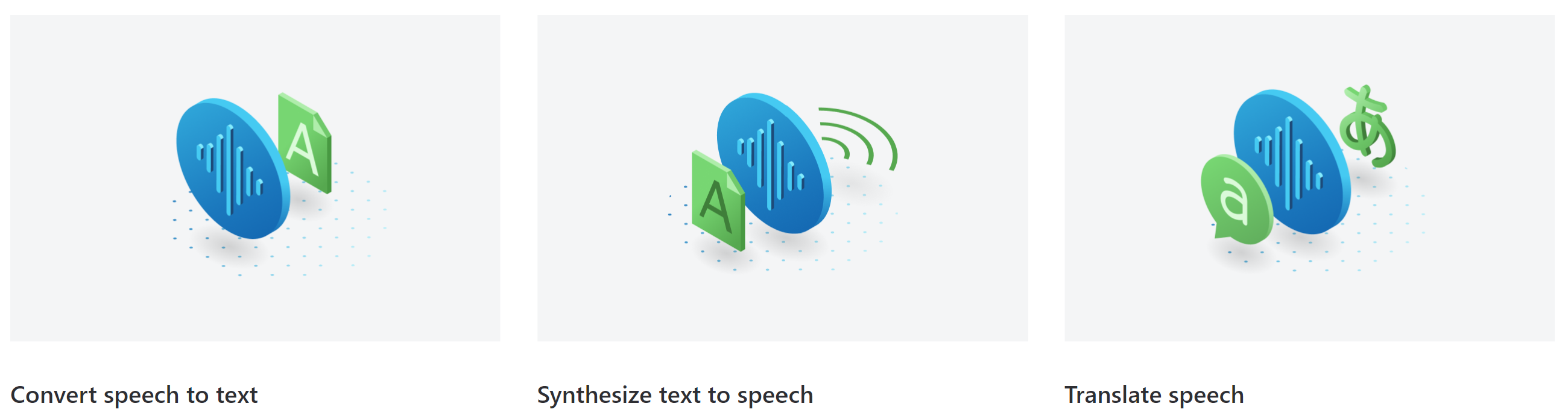
- Multiple languages and dialects: Support for a wide range of languages and dialects.
- Real-time transcription: Transcribing speech in real-time.
- Customizable voices: Selecting from a variety of customizable voices.
- Integration with other Azure services: Seamless integration with other Azure services, such as Cognitive Services and Bot Service.
- Scalability: Ability to handle large volumes of speech data.
Overall, Azure Speech Service is a powerful and versatile tool for developers who want to add speech-enabled features to their applications.
Use Cases for Azure Speech Services
Azure Speech AI Services offer various use cases, from customer service and accessibility to education and entertainment.
Here are some of the most common applications:
Customer Service:
- Virtual assistants: Creating intelligent virtual assistants that can understand and respond to customer inquiries.
- Call centers: Improving efficiency by automating call routing and transcription tasks.
- Self-service portals: Providing self-service options for customers through voice-enabled interfaces.
Accessibility:
- Speech-to-text: Enabling individuals with hearing impairments to communicate and access information.
- Text-to-speech: Assisting individuals with visual impairments in reading and understanding content.
Education:
- Language learning: Providing interactive language learning tools that use speech recognition and synthesis.
- Accessibility: Making educational materials more accessible to students with disabilities.
- Personalized learning: Creating personalized learning experiences based on student speech patterns.
Entertainment:
- Gaming: Enhancing gaming experiences with voice-controlled characters and environments.
- Video editing: Automating tasks such as transcription and subtitling in video editing.
- Content creation: Creating voice-over content for videos, podcasts, and other media.
Enterprise Applications:
- Document processing: Automating document processing tasks such as transcription and summarization.
- Data analysis: Analyzing large amounts of audio data to extract insights.
- IoT devices: Enabling voice control for IoT devices.
These are just a few examples of how Azure Speech AI Services can be used. The possibilities are endless, and the technology is constantly evolving.
Terraform Basics for Azure Speech Service Deployment
Terraform uses configuration files to define infrastructure. The key files include:
- main.tf: The primary configuration file where resources are declared.
- variables.tf: Contains all variables for flexible resource creation.
- output.tf: Stores output values, such as resource names or IDs.
Note: Always aim to write reusable and modular code. Breaking down your Terraform configuration into smaller, reusable modules will simplify management and scaling.
Implement the Terraform code
Defining Provider in Terraform
Start by defining the provider, which tells Terraform you’re working with Azure:
provider "azurerm" {
  features = {}
}
Creating Resource Group in Azure
Next, create a resource group where your Speech Service will reside:
resource "azurerm_resource_group" "example" {
  name     = "speech-service-rg"
  location = "East US"
}
Writing Code to Deploy Azure Speech Service
Now, define the Speech Service resource:
resource "azurerm_cognitive_account" "example" {
  name                = "speechservice"
  location            = azurerm_resource_group.example.location
  resource_group_name = azurerm_resource_group.example.name
  kind                = "SpeechServices"
  sku_name            = "S0"
}
Deploying Azure Speech Service with Terraform
Initializing Terraform
Before deploying, initialize Terraform in the directory containing your configuration files:
terraform init
Running Terraform Plan
Run the terraform plan command to see what changes Terraform will apply:
terraform plan -out main.tfplan
Key points:
- The
terraform plancommand helps you visualize the changes that will be made to your infrastructure. It’s a dry run without actually executing anything. - For added security, use the
-outparameter to save the plan. This ensures that the changes you review are exactly what will be applied.
Applying the Terraform Configuration
Finally, apply the configuration to deploy your resources:
terraform apply main.tfplan
Key points:
- The
terraform applycommand executes the changes outlined in your previously created plan. - Make sure to use the same filename for the plan that you used when creating it with
terraform plan -out main.tfplan. - If you didn’t save the plan, you can run
terraform applydirectly without specifying a file.
Testing the Azure Speech Service Deployment
Validating Speech Service Deployment in Azure Portal
- Navigate to the Azure portal.
- Locate your resource group.
- Verify the successful creation of the Speech Service.
Conclusion
Deploying Azure Speech Services with Terraform saves time and ensures consistency and scalability in your cloud infrastructure. From setting up basic configurations to automating with CI/CD pipelines, Terraform streamlines the entire process. Whether you’re building voice applications, chatbots, or intelligent assistants, Azure Speech Services paired with Terraform will help you manage your resources more efficiently.
Frequently Asked Questions (FAQs)
What is the Azure Speech Service pricing model?
Azure Speech Services pricing is based on the number of hours or transactions used, with tiered pricing for different levels of usage.
How long does it take to deploy Azure Speech Services with Terraform?
Deployment typically takes a few minutes, depending on the complexity of the configuration and the resources being created.
Can I customize Speech Service configurations using Terraform?
Yes, Terraform allows you to customize configurations like pricing tiers, locations, and resource groups for Azure Speech Services.
What kind of errors should I expect when using Terraform for Azure Speech Services?
Common errors include authentication issues, insufficient permissions, and syntax errors in Terraform files.
Is Terraform recommended for large-scale Azure service deployments?
Yes, Terraform is ideal for large-scale deployments due to its ability to automate and manage infrastructure at scale.
Related/References
- HashiCorp Infrastructure Automation Certification: Terraform Associate
- HashiCorp Certified Terraform Associate-Step By Step Activity Guides
- Install Terraform in Linux, Mac, Windows
- Why Terraform? Not Chef, Ansible, Puppet, CloudFormation?
- Terraform Providers Overview
- Terraform Variables – Terraform Variable Types
Join FREE Class
🚀 Master Terraform & DevOps to get High-Paying Jobs! 🔥 Join our EXCLUSIVE Free class! 🚀
Get your hands dirty with lots of projects and labs based on Terraform and DevOps in our Program.
Click on the below image to Register for Our FREE Class Now!


![Microsoft Agentic AI Business Solutions Architect [AB-100] | K21 Academy](https://test.k21academy.com/wp-content/uploads/2025/11/Microsoft-Agentic-AI-Business-Solutions-Architect-AB-100-Exam-Overview1.png)


