
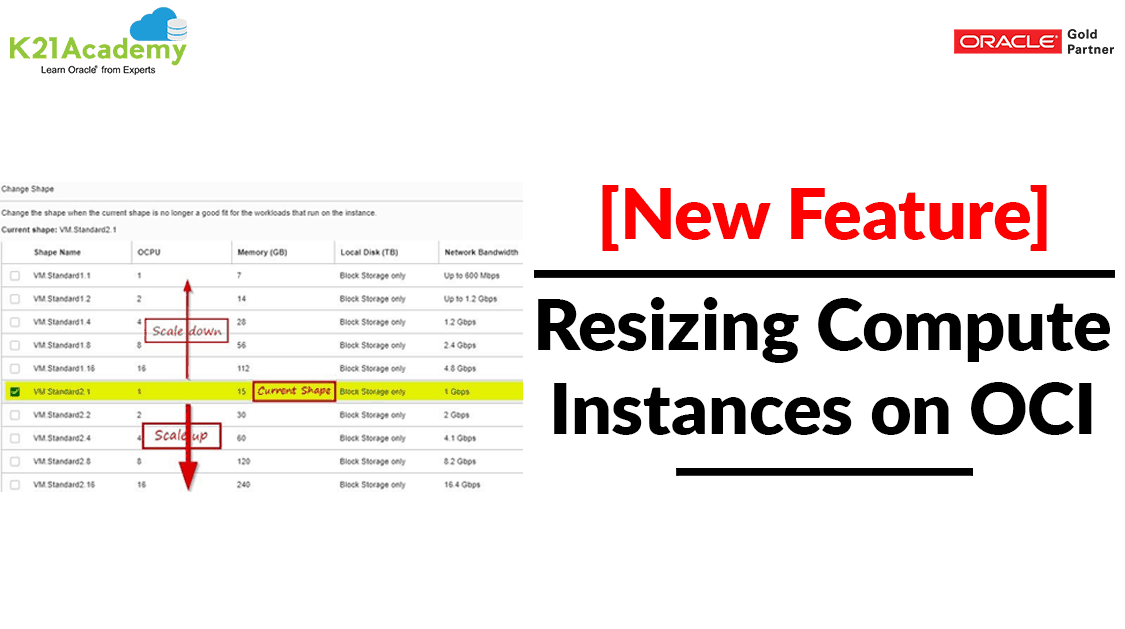



In this Blog Post, I have covered the OCI Compute Instance, supported and unsupported shapes steps to reshape a VM and limitations in the reshaping.
When you launch a Compute instance (VM), you specify a shape that determines the number of OCPUs, the amount of memory, and the network bandwidth for your workload.
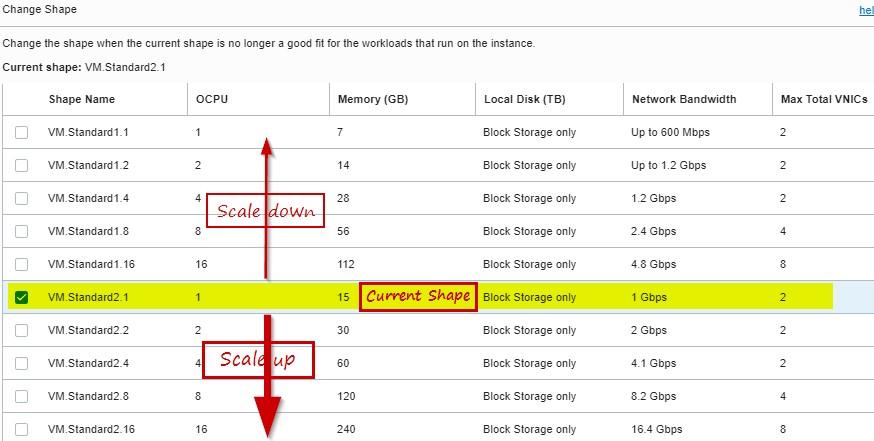
Until now, you had to choose a shape with enough room to support your future performance needs. If your workload increases, your only option was to launch a new instance and reconfigure your applications on the new instance. Now, you can reshape (Scale-Up and Scale-down) an existing instance with a single reboot while preserving your applications and the instance properties.
Read our blog to know more about Compute service in Oracle Cloud Infrastructure (OCI).
Supported Shapes
The shape series and image of the original shape determine which shapes you can select as a target shape.
- VM.Standard2, VM.Standard.B1, and VM.Standard1 series:
- For Linux images, the shape can be changed to any shape in the VM.Standard2, VM.Standard.B1, or VM.Standard1 series.
- For Windows images, the shape can be changed to a new shape only within the same series (eg: VM.Standard2.1 shape to a VM.Standard2.2 shape)
- VM.Standard.E2 series: Can be changed to any shape in the VM.Standard.E2 series.
- VM.GPU3 series: Can be changed to any shape in the VM.GPU3 series.
Shapes Cannot Be Changed
- VM.Standard.E2.1.Micro series
- VM.DenseIO1 series
- VM.DenseIO2 series
- VM.GPU2 series
- VM instances that run on dedicated virtual machine hosts
- Bare metal shapes
Check out: 1Z0-1072-22 to know everything about Oracle Cloud Infrastructure Architect Associate certification.
Steps Of Resizing A Compute Instance
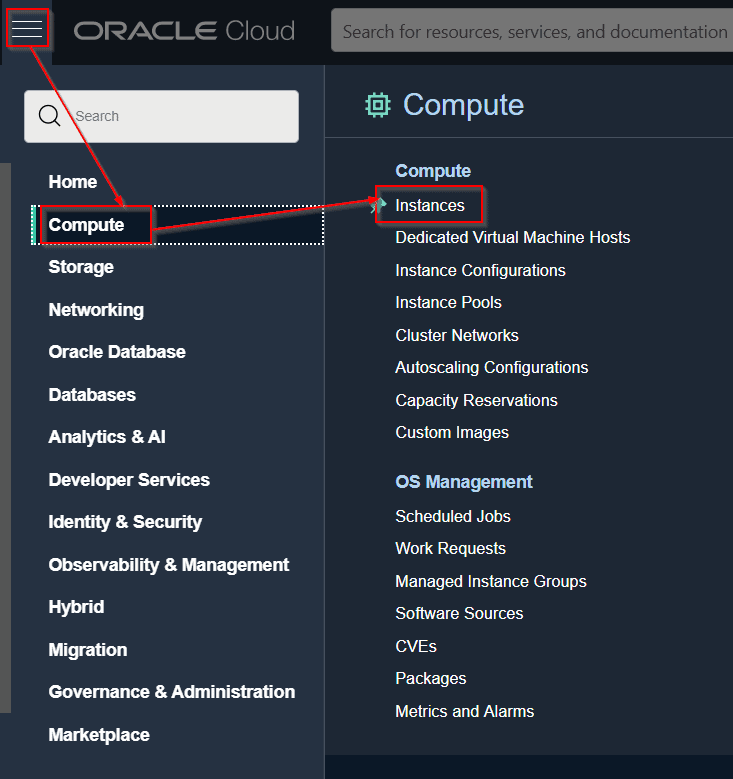
1) Open the navigation menu, go to Compute & click Instances.
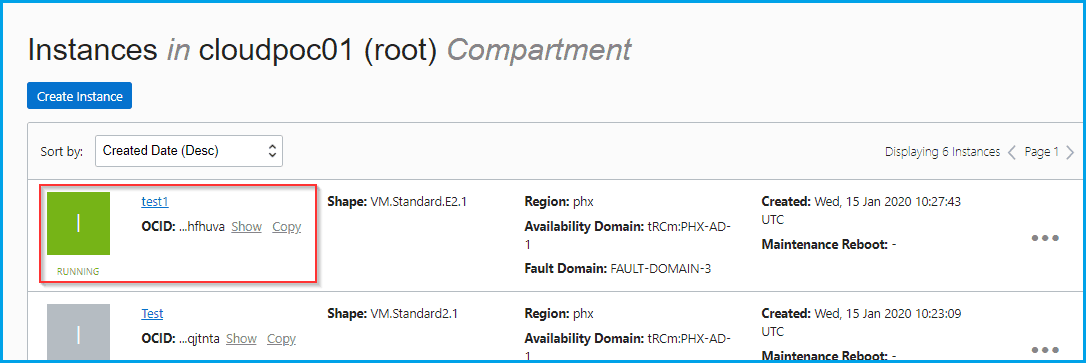
 2) Click the instance that you’re interested in.
3) Click More Actions, and then click, Edit and Change Shape.
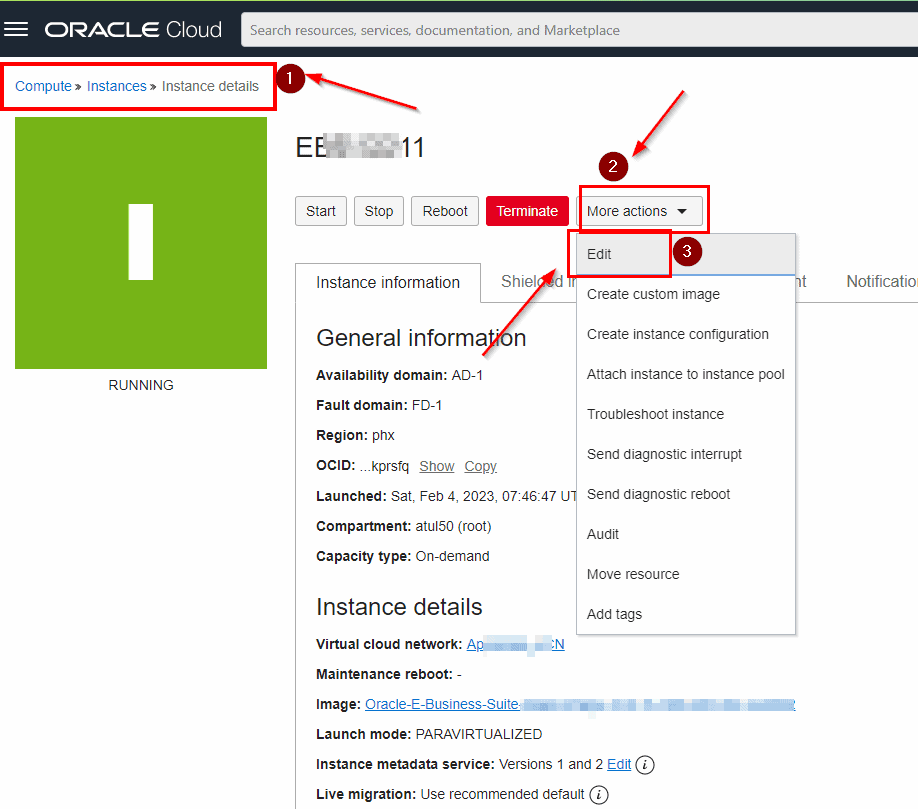
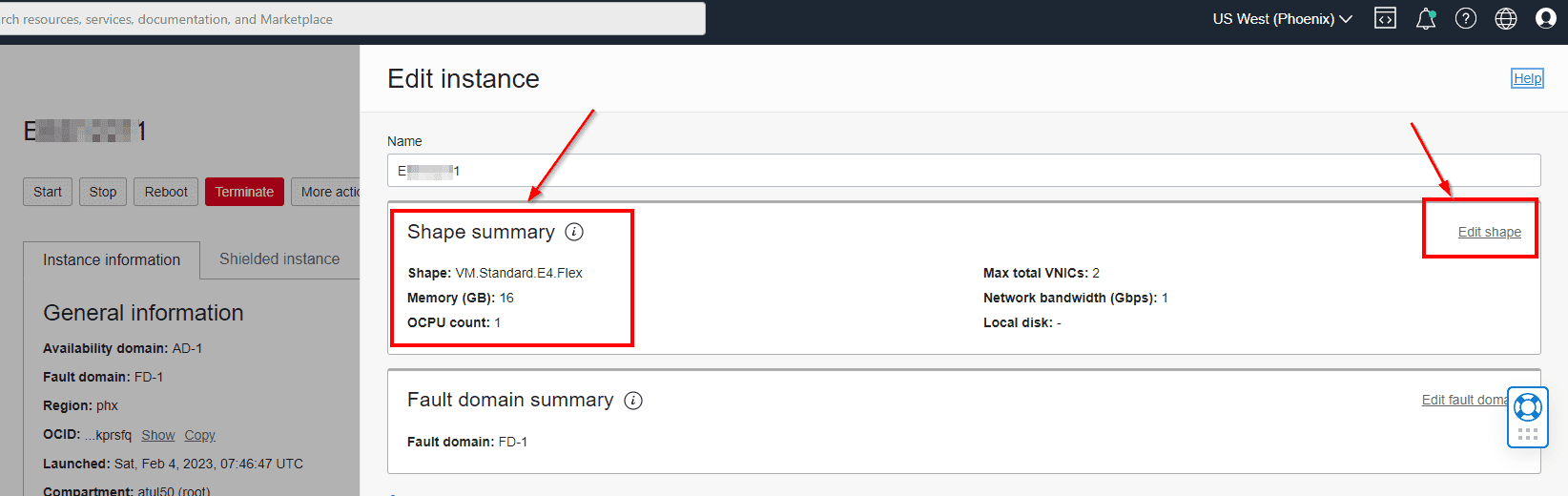
4) Select the checkbox next to the shape that you want to scale the instance to. Only the compatible shapes appear on the list and then click on change shape.
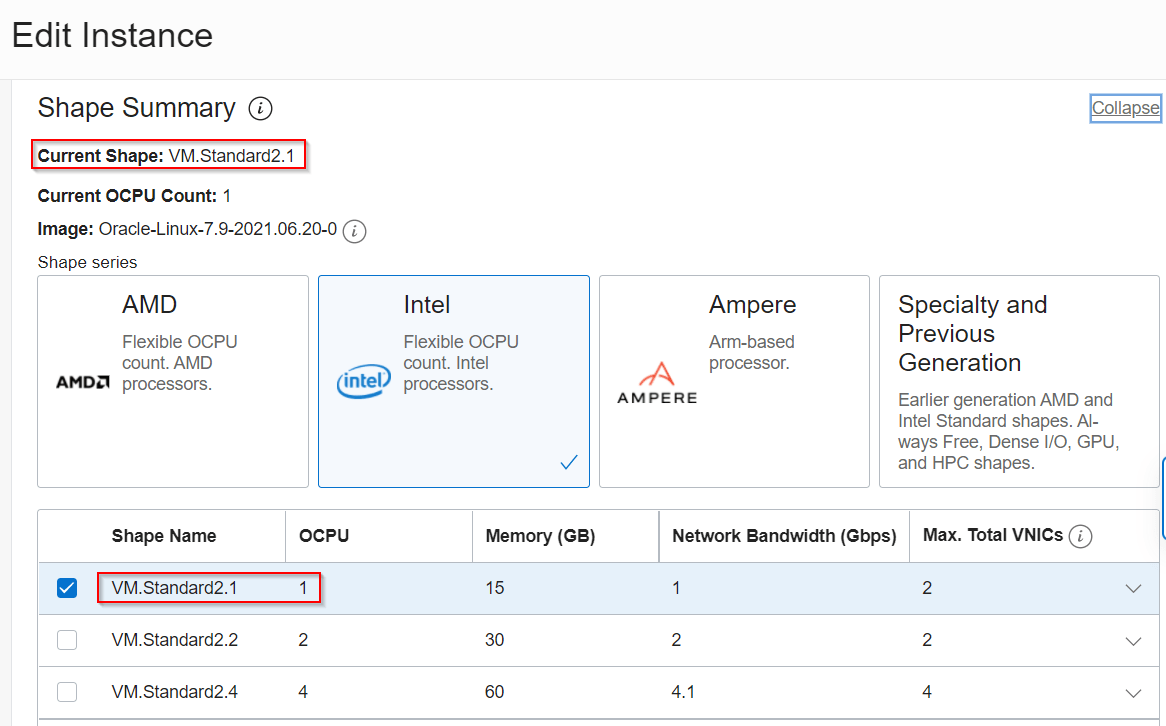
Save the changes once you edit the shape.
To know how to change the shape of a Virtual Machine (VM) using API operation click here.
Note: If the instance is running, it’s restarted. If you change the shape of a stopped instance, the shape is changed, but the instance remains stopped.
Limitations
- The image that’s used to launch the instance must be compatible with the new shape. To see which shapes are compatible do the following steps.
- On the Instance Details page, click the name of the image.
- Refer to the list of compatible shapes. (check Above)
- We must have sufficient Service limits for the new shape.
- When we resize within the same series, we are billed for the largest shape that we use in the hour.
- If the instance has secondary VNICs configured, we might need to reconfigure them after the instance is rebooted.
- If the applications that run on the instance take a long time to shut down while rebooting, they could be improperly stopped, resulting in data corruption. To know the method of avoiding this click here.
- When we change the shape from one hardware series to a different series, some hardware details such as the network interface name might change. This might cause problems for some OSs. If the OS fails to boot after we change the shape, then we should change the instance back to the original shape.
Conclusion
Oracle Cloud Infrastructure gives you the ability to manage a boot volume independently of the life cycle of an instance. This ability is the key to resizing your workloads. When you terminate an instance, you can keep the associated boot volume and use it to launch a new instance using a different compute shape.
Related/Further Readings
- Compute service in OCI
- Command Line Interface (CLI) in OCI
- Starting and Stopping an Instance
- What Is Region, Availability Domain (AD), Fault Domain (FD) & Realm In Oracle Cloud Infrastructure (OCI)
- Networking In Oracle Cloud (OCI): VCN, Subnet, Gateways, Peering, Transit Routing
- Gateways In OCI: Internet Gateway, NAT Gateway, Service Gateway, Dynamic Routing Gateway
- Storage In Oracle Cloud (OCI) – Block, Object (Standard & Archive), File & NVMe
- IAM In OCI – User, Groups, Compartment, Policy, Tags, Federation & MFA
Begin Your Cloud Journey
Begin your journey towards becoming an Oracle Cloud Expert and earn a lot more in 2024 by joining our FREE CLASS. You will also know more about the Roles and Responsibilities, Job opportunities for OCI Architects, Admins in the market, and what to study Including Hands-On labs you must perform to get the Higher Paying jobs.
Click on the below image to Register for Our FREE Class on MASTERING ORACLE CLOUD FOR DBAs, APPs DBAs, ARCHITECTS & SYS ADMINS


![Microsoft Agentic AI Business Solutions Architect [AB-100] | K21 Academy](https://test.k21academy.com/wp-content/uploads/2025/11/Microsoft-Agentic-AI-Business-Solutions-Architect-AB-100-Exam-Overview1.png)


