



In this blog post, we’ve discussed how to Connect an Autonomous Database using the In-Built SQL Developer Web and run PL/SQL Query.
Oracle SQL Developer Web Overview
To Connect to Autonomous Database, there are various Database tool options available like SQL Developer Web, SQL Developer Client, SQL*Plus, and SQLcl, etc.
Here, we are discussing the SQL Developer Web because it is a browser-based application that provides many administration features of desktop-based Oracle SQL Developer. SQL Developer Web is bundled with each Autonomous Data Warehouse instance.
To connect with the Oracle SQL Developer Web, you must create an Oracle Autonomous Database in Oracle Cloud, and the ADMIN user is pre-enabled for the SQL Developer Web.
The main features of SQL Developer Web are:
- Run SQL statements and scripts in the worksheet.
- Export the data.
- Design Data Modeler diagrams using the existing objects.
Connect With In-Built SQL Developer Web in ADB
1. Register for an Oracle Cloud account.
First, you should have an Account on Oracle Cloud and if you don’t have one, then you can register FREE using step-by-step video & guide that we discussed in episode 30. You can get it by visiting https://k21academy.com/30.
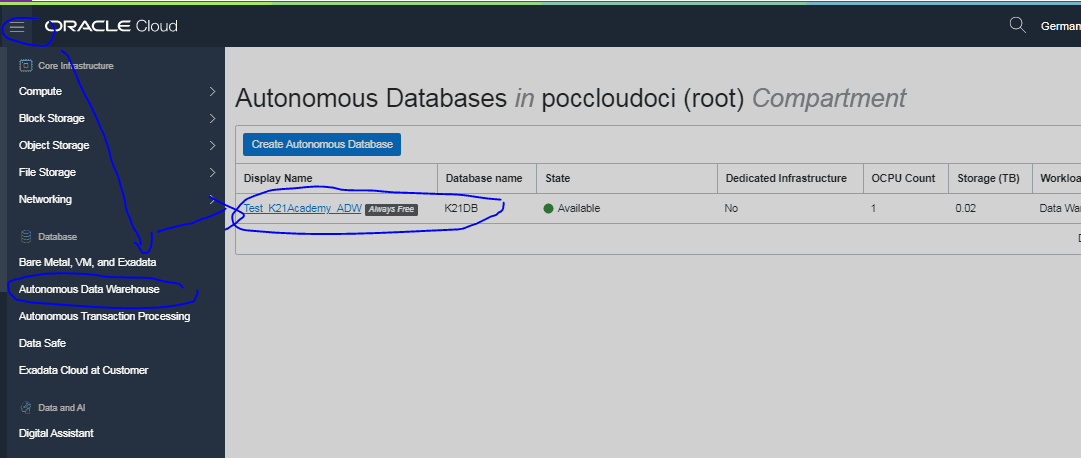
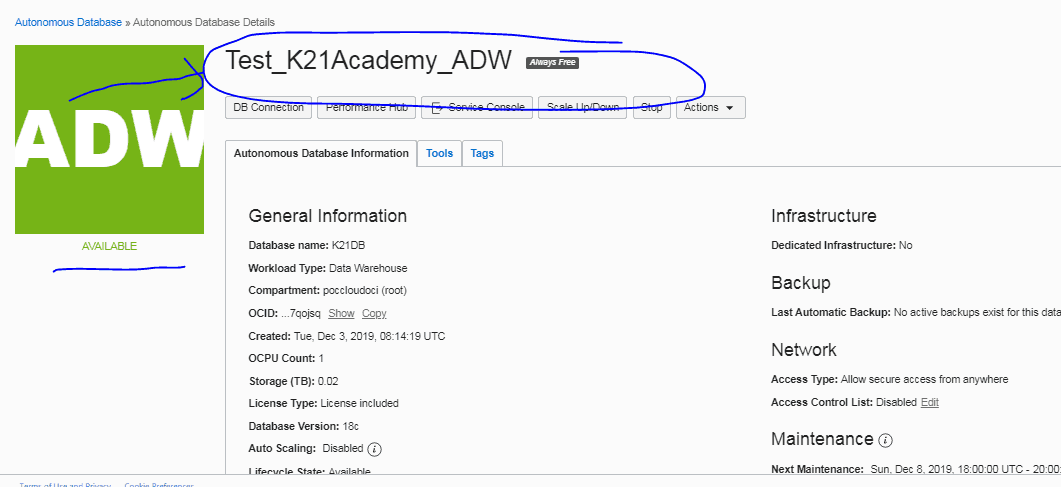
2. Create and Access to an instance of the Autonomous Data Warehouse.
Once you’ve your own Cloud account, create your first Autonomous Data Warehouse instance on Oracle Cloud Infrastructure (OCI), and if you don’t know how to create ADW Instance, you can check from HERE.
3. Access the SQL Developer Web as an ADMIN.
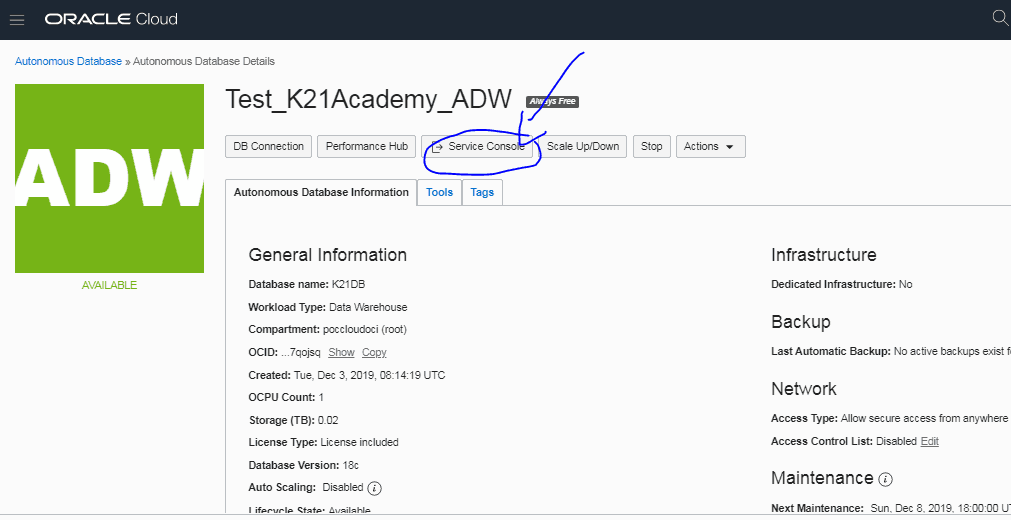
The third step is to access SQL Developer Web. You can use Oracle Cloud Infrastructure console or the Autonomous Data Warehouse Service Console.
To access SQL Developer Web from the Autonomous Data Warehouse Service Console:
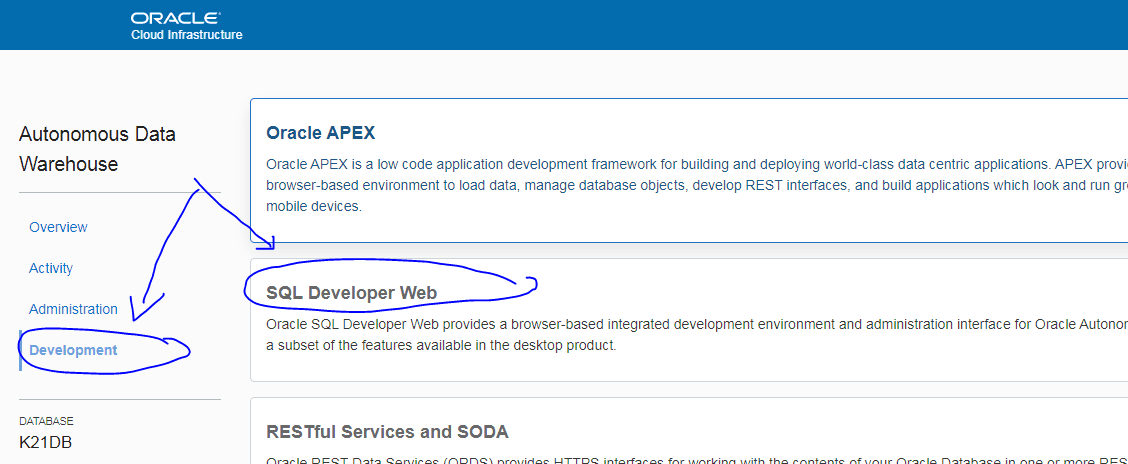
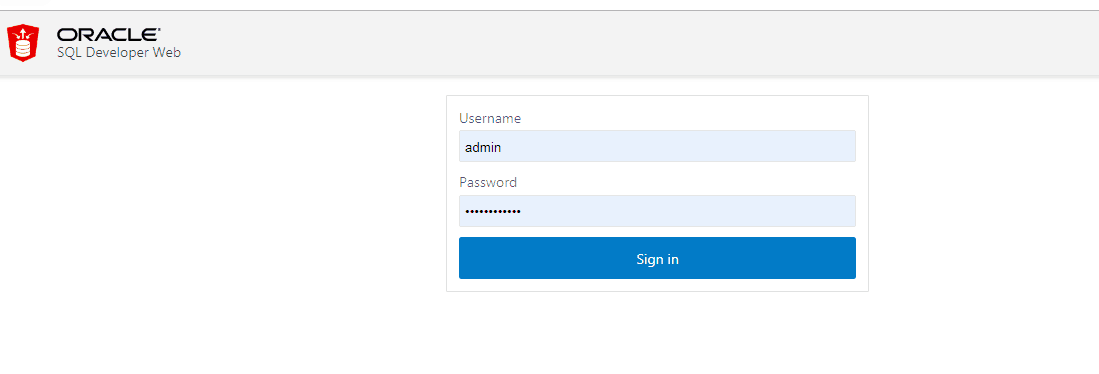
- On the SQL Developer Web Sign-in page, enter your Username and Password, and then Click on ‘Sign in’.
- This shows the SQL Developer Worksheet tab.

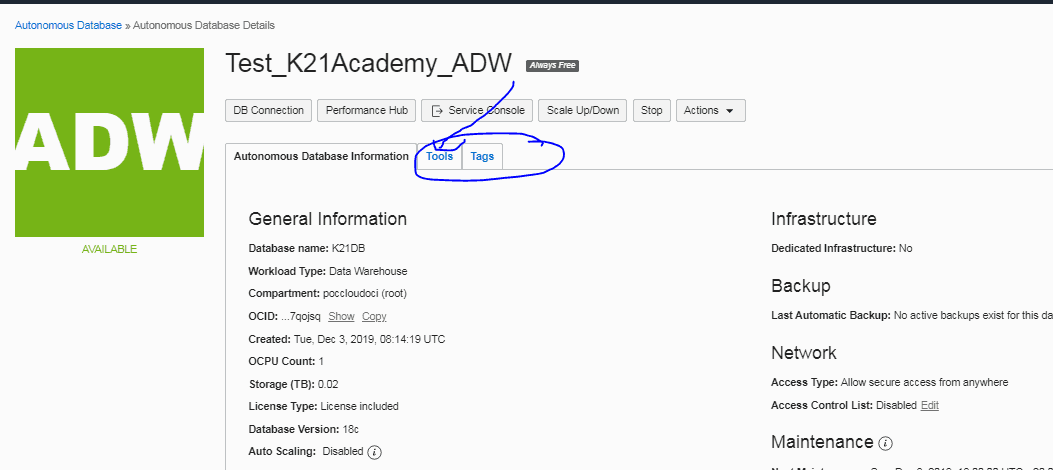
To access SQL Developer Web from the Oracle Cloud Infrastructure console:
- On the instance details page, click on the ‘Tools‘ tab.
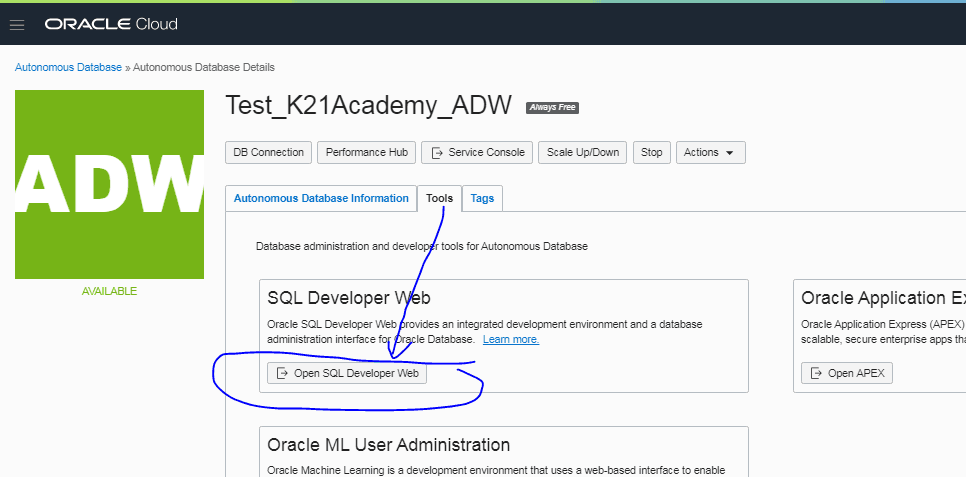
- In the SQL Developer Web area, click on ‘Open SQL Developer Web’.
- On the SQL Developer Web Sign-in page, enter your Username and Password.
- Click on ‘Sign in’.
Run SQL Query in SQL Developer Web.
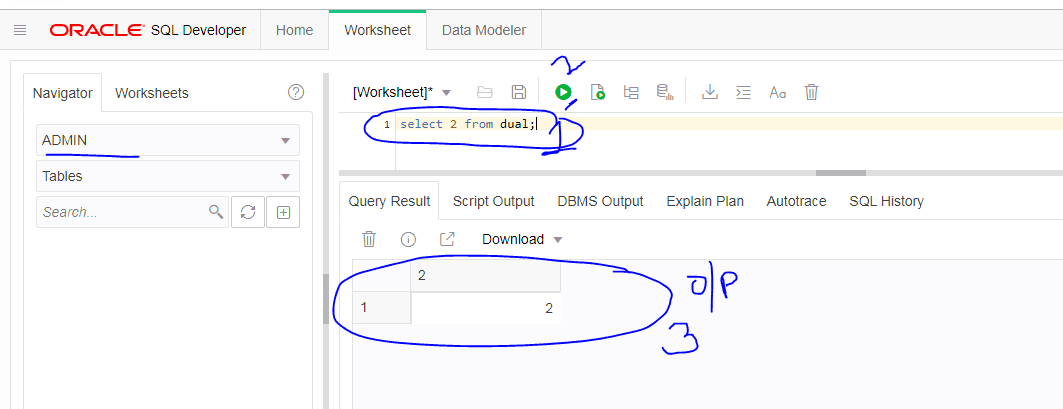
- Once you’ve successfully log in to the SQL Developer, run some query to check the connection is correct or not shown below:
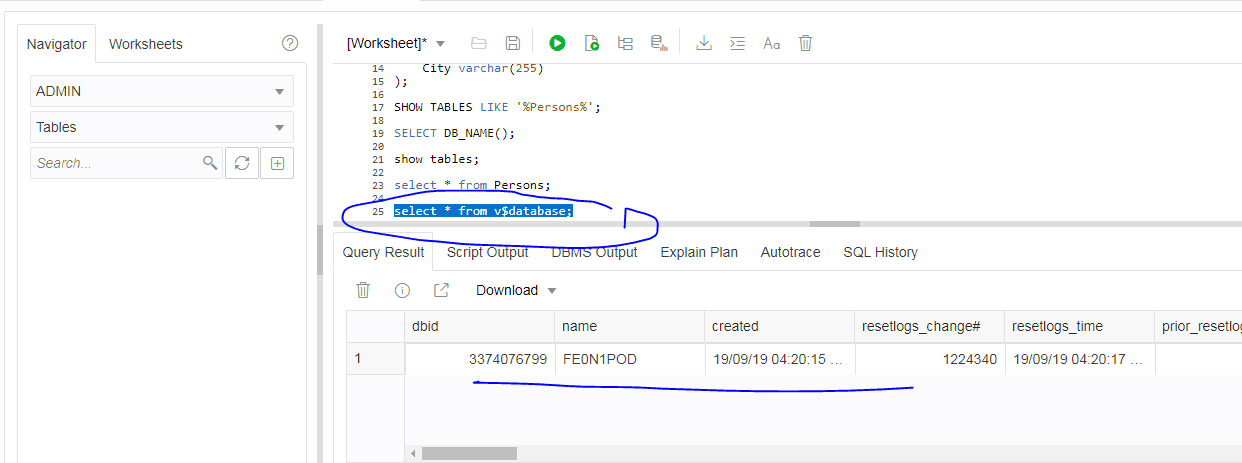
2. Check the ADB Database name.
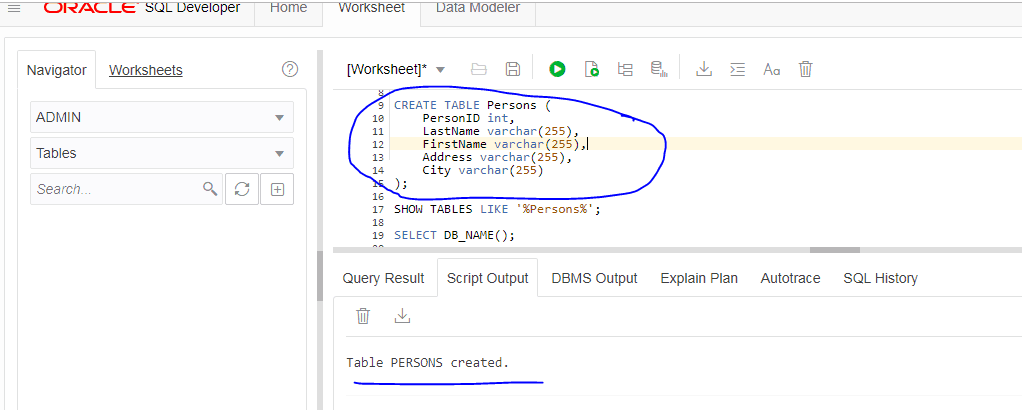
3. Try to create a table in the database.
SQL Developer Client Tool
SQL Developer client tool is another option to connect with Autonomous Database (ADB), but it’s a complete end-to-end development of your PL/SQL applications, a worksheet for running queries and scripts, etc. It will be used when you need SQL developer to Run on your PC or Local System (To download SQL Developer tool)
For more information on how to connect with SQL Developer client and how to install in your system, click HERE.
(Now it’s your turn to post your doubts in the comment section and let us know where you’re facing challenges while connecting to SQL Developer Web in ADB.)
Stay tuned for my next blog post on “How to Make Connection from Autonomous Data Warehouse (ADW) to Object Storage using SQL Developer Web”
Related/Further Readings
- [1Z0-931] Oracle Autonomous Database Cloud Certified Specialist Everything You Must Know About
- Difference between OCI vs OCI-C
- Oracle Cloud Database Options (VMDB, BMDB, ExaCS, ExaCS & Autonomous (ADW, ATP)
- Oracle Autonomous Database Overview: ADW, ATP, Serverless & Dedicated Infrastructure
- Create & Connect to Database on Oracle’s Gen2 Cloud (OCI)
- Connect to Autonomous database using SQL Developer Web
Next Task For You
In our DBA to Cloud DBA Training, We have a Dedicated module for Create & Connect to Autonomous database, this module will help you learn all about Autonomous database as well as will help to clear [1z0-931] Oracle Autonomous Database Cloud Certified Specialist Certification. To know more about this training program join our FREE masterclass.
Click on the below image to Register for the FREE Masterclass Now!

![Microsoft Agentic AI Business Solutions Architect [AB-100] | K21 Academy](https://test.k21academy.com/wp-content/uploads/2025/11/Microsoft-Agentic-AI-Business-Solutions-Architect-AB-100-Exam-Overview1.png)


