




What if I told you there’s a tool that can manage your infrastructure as code, making it more efficient and scalable? Enter Terraform, a powerful tool that’s reshaping how we think about infrastructure management. Whether you’re a newbie or a seasoned pro, understanding Terraform’s resources and attributes is essential for maximizing its potential.
In this blog we are going to cover:
- What are Terraform Resources?
- Terraform Resource Syntax
- Using Terraform Resources Documentation
- Common Terraform Resources
- Key Features of Terraform Resources
- Accessing Resource Attributes
- Meta-Arguments
- Best Practices for Terraform Resources
- Conclusion
- Frequently Asked Questions (FAQs)
What are Terraform Resources?
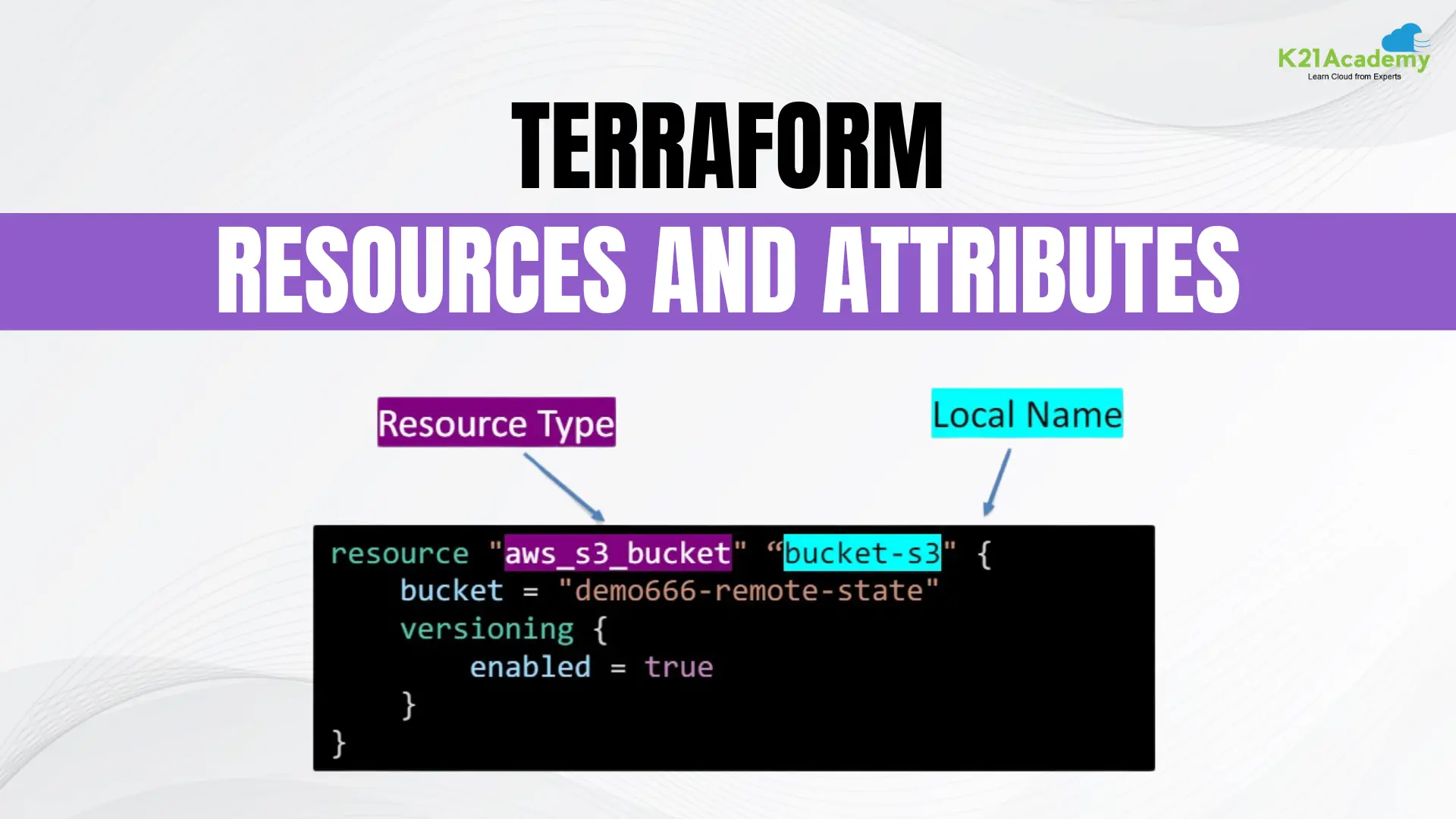
Terraform resources are the fundamental components within a Terraform configuration that represent various infrastructure objects or services to be managed. These resources define the desired state of different infrastructure elements, such as virtual machines, databases, and network security groups.
Terraform Resource Syntax
Defining a resource in Terraform follows a specific syntax:
resource "resource_type" "resource_name" {
  # Configuration settings for the resource
  attribute1 = value1
  attribute2 = value2
  # ...
}
- resource: This keyword declares a resource block.
resource_type: Specifies the type of resource you want to create (e.g.,aws_instancefor an AWS EC2 instance).resource_name: A user-defined name for the resource block, unique within your Terraform configuration.{}: The curly braces enclose the configuration settings for the resource.attribute1 = value1,attribute2 = value2: Define the attributes of the resource and their corresponding values.
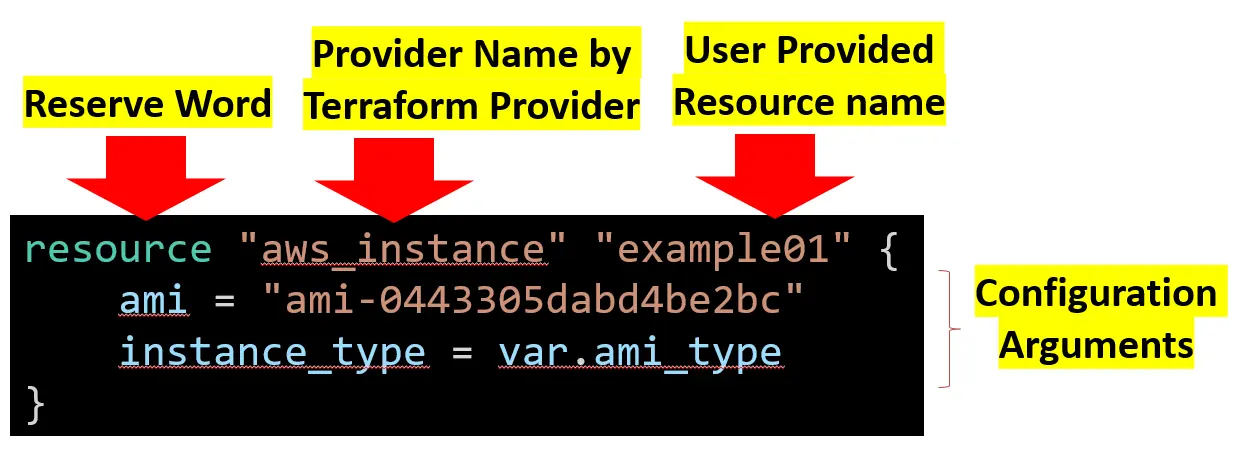
For example, creating an AWS resource group might look like this:
resource "aws_instance" "example01" {
ami = "ami-0443305dabd4be2bc"
instance_type = var.ami_type
}
Using Terraform Resources Documentation
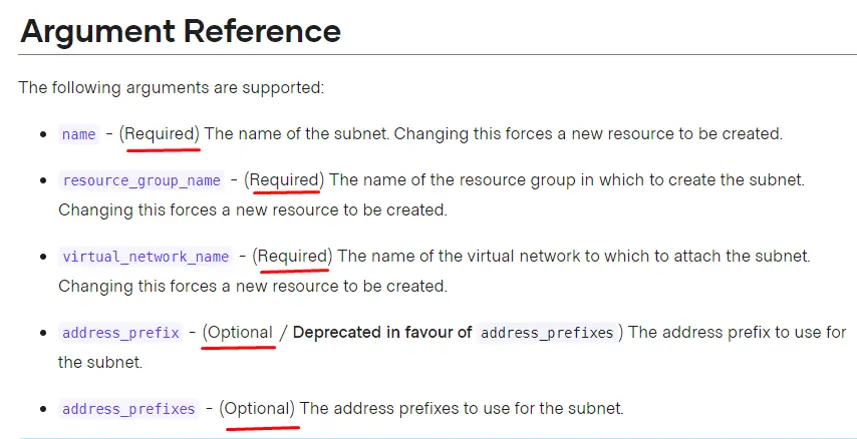
Utilizing Terraform’s resource documentation is crucial for understanding the available resource types, their attributes, and configuration options. Here’s how to navigate the documentation:
- Select a Provider: Choose the provider you are interested in (e.g., Azure).
- Browse the Resource List: View the list of resources available for that provider.
- Select a Resource: Each resource page includes configuration examples, available arguments, attributes, and any additional notes or warnings.
Common Terraform Resources
Different providers offer various resource types. Here are examples from popular providers:
- AWS S3 Bucket:

resource "aws_s3_bucket" "example" {
  bucket = "my-bucket"
  acl    = "private"
}
- Azure Storage Account:
resource "azurerm_storage_account" "example" {
  name                     = "examplestorage"
  resource_group_name      = "example-rg"
  location                 = "West Europe"
  account_tier             = "Standard"
  account_replication_type = "LRS"
}
- Google Cloud Storage Bucket:
resource "google_storage_bucket" "example" {
  name          = "example-bucket"
  location      = "US"
  storage_class = "STANDARD"
}
Understanding the behavior of Terraform resources helps in managing infrastructure effectively:
- Idempotency: Applying the same configuration multiple times should not have unintended side effects.
- Dependencies: Terraform determines the order of resource creation based on references in your configuration.
- Declarative Syntax: You specify the desired state, and Terraform handles achieving that state.
- State Management: Terraform maintains a state file tracking the current state of your infrastructure.
- Parallel Execution: Terraform can create, modify, or destroy multiple resources simultaneously.
- Resource Attributes: You can access resource attributes directly in other parts of your configuration.
Accessing Resource Attributes
To reference attributes from other resources, use the following syntax:
resource "azurerm_virtual_network" "example-vnet" {
  name                = "example-vnet"
  address_space       = ["10.0.0.0/16"]
  location            = azurerm_resource_group.example-rg.location
  resource_group_name = azurerm_resource_group.example-rg.name
}
Meta-Arguments
Meta-arguments customize resource behavior:
1. depends_on: Specifies explicit dependencies.
depends_on = [azurerm_resource_group.example-rg]
2. count: Creates multiple instances of a resource.
count = 3
3. for_each: Creates multiple instances based on a map.
for_each = {
web1 = "t2.micro"
web2 = "t2.micro"
db = "db.m3.medium"
}
instance_type = each.value
5. provider: Specifies which provider configuration to use.
provider = aws.us-west-1
6. lifecycle: Customizes how Terraform handles changes.
lifecycle {
ignore_changes = [tags]
}
Best Practices for Terraform Resources
- Modularize Code: Use reusable modules for better maintainability.
- Avoid Hardcoding: Use variables and data sources.
- Limit Conditional Logic: Simplify configurations by avoiding excessive conditional logic.
- Consistent Naming: Follow naming conventions for easier management.
- Regular Reviews: Periodically review and clean up unused resources.
Conclusion
By understanding resources and attributes, you can effectively write Terraform configurations to manage your infrastructure in a declarative and repeatable way. Resources define the building blocks, and attributes provide the details to configure them precisely. This powerful combination allows you to automate infrastructure provisioning and configuration, ensuring consistency and reducing manual errors.
Frequently Asked Questions (FAQs)
What's the difference between a resource and an attribute in Terraform?
A resource is a fundamental infrastructure element you want to manage, like a VM or database. An attribute provides details about that resource, either the configuration options you specify (arguments) or details retrieved after creation (read-only attributes).
How do resource names work in Terraform?
Each resource needs a unique name within its scope (usually a module). This name allows you to reference the resource later in your configuration.
Where can I find a list of available resource types?
The specific resource types depend on the provider you're using. Each provider typically has its own documentation listing available resources.
How do I access attributes within my Terraform configuration?
You can use dot notation (.) or square bracket notation to access attributes of a resource.
Are there any limitations on attribute names?
Yes, attribute names are case-sensitive and must follow specific naming conventions depending on the resource type. Refer to the provider documentation for details.
Related/References
- Terraform Installation Overview
- HashiCorp Infrastructure Automation Certification: Terraform Associate
- Resource Manager In Oracle Cloud Infrastructure
- HashiCorp Certified Terraform Associate
- How to Provision AWS Infrastructure with Terraform?
- Terraform Cheat Sheet
- Why Choose Terraform Over Chef, Ansible, Puppet or CloudFormation?
Join FREE Class
🚀 Master Terraform & DevOps to get High-Paying Jobs! 🔥 Join our EXCLUSIVE Free class! 🚀
Get your hands dirty with lots of projects and labs based on Terraform and DevOps in our Program. Click on the below image to Register for Our FREE Class Now!


![Microsoft Agentic AI Business Solutions Architect [AB-100] | K21 Academy](https://test.k21academy.com/wp-content/uploads/2025/11/Microsoft-Agentic-AI-Business-Solutions-Architect-AB-100-Exam-Overview1.png)