



This post covers an Error encountered while Creating Database Adapter/Connection as part of our Hands-On-Lab Exercise for Module 4 (Create Database Adapters in OIC) from our Oracle Integration Cloud Services (OIC) Training Program.
If you are new to Oracle Integration Cloud (OIC), then check out our blogs below as these contain all the key points that a beginner should know about Oracle Integration Cloud (OIC), creating Oracle Integration Instance and Consoles walkthrough.
- Oracle Integration Cloud (OIC) For Beginners Overview
- Create Oracle Integration Cloud Instance: Step-by-Step
- Console Walkthrough of Oracle Integration Cloud (OIC) Service
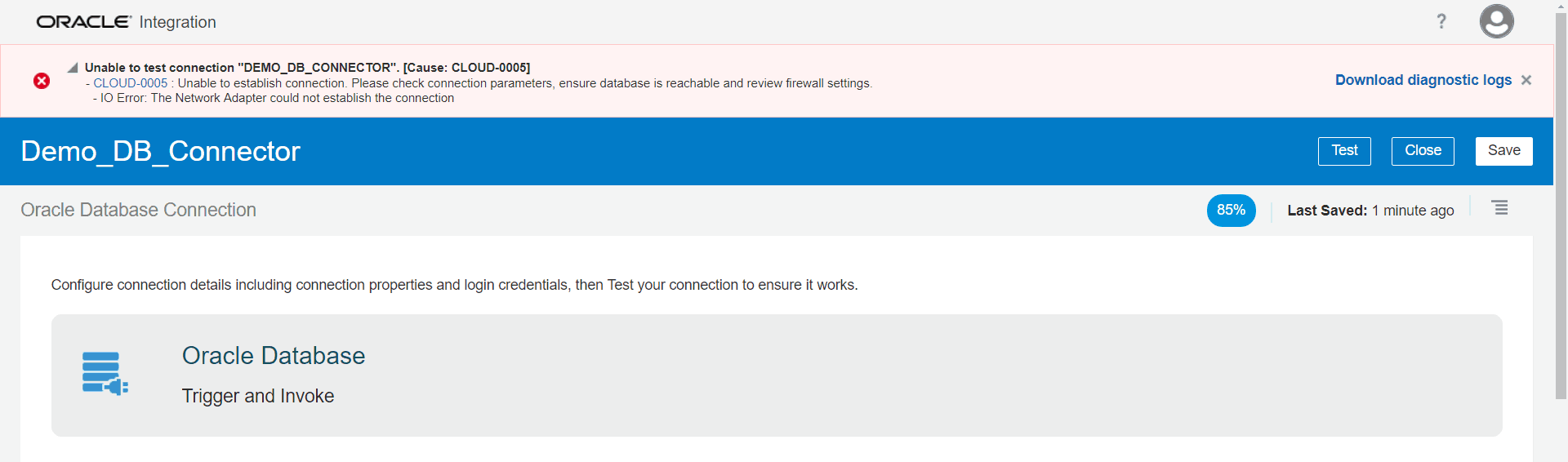
Error: CLOUD-0005: Unable To Establish Connection
Check Out : New Homepage Of Oracle Integration cloud.
There are many reasons for this error to occur, Let’s start with the pre-checks you should follow to pinpoint the error.
PRE-CHECKS
- Check the provided hostname.
- Port 1521 may not be open.
- Connectivity Agents could be down.
- Database Might be down.
Check 1. The Provided Hostname Is Invalid
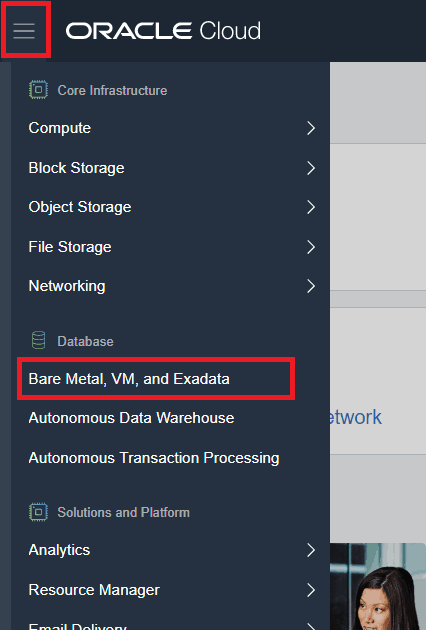
1. Click on the hamburger menu and go to Bare Metal, VM, and Exadata.
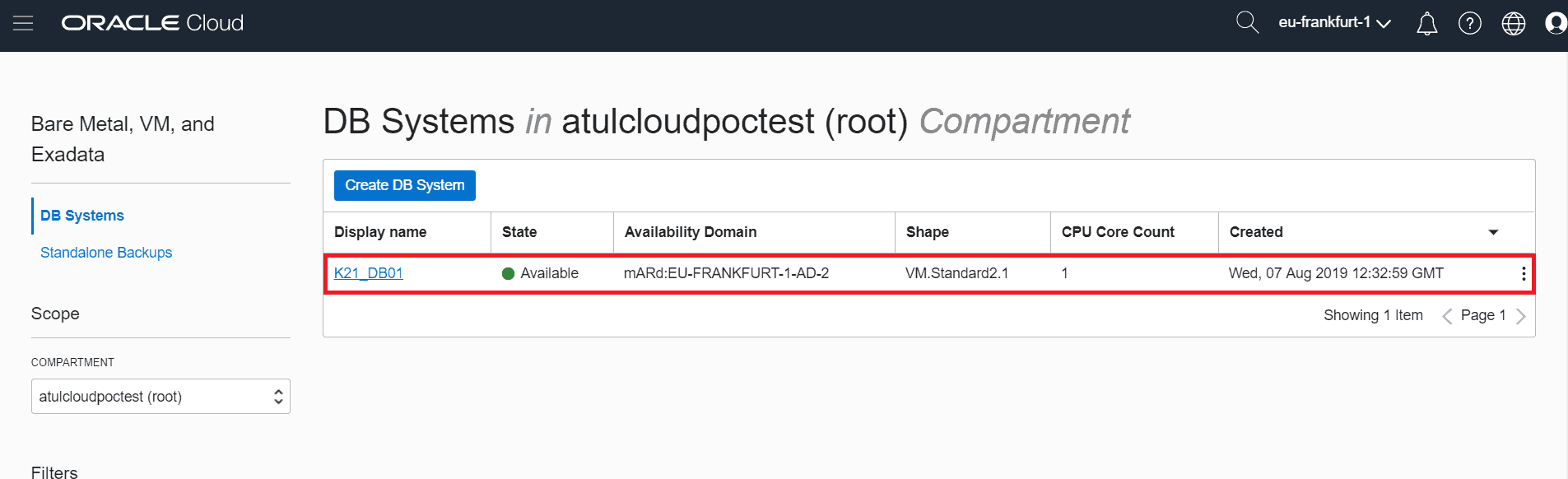
2. Click on the DB system that you have created.
3. Make sure you have used the Scan DNS Name in Host, not Host Domain Name.
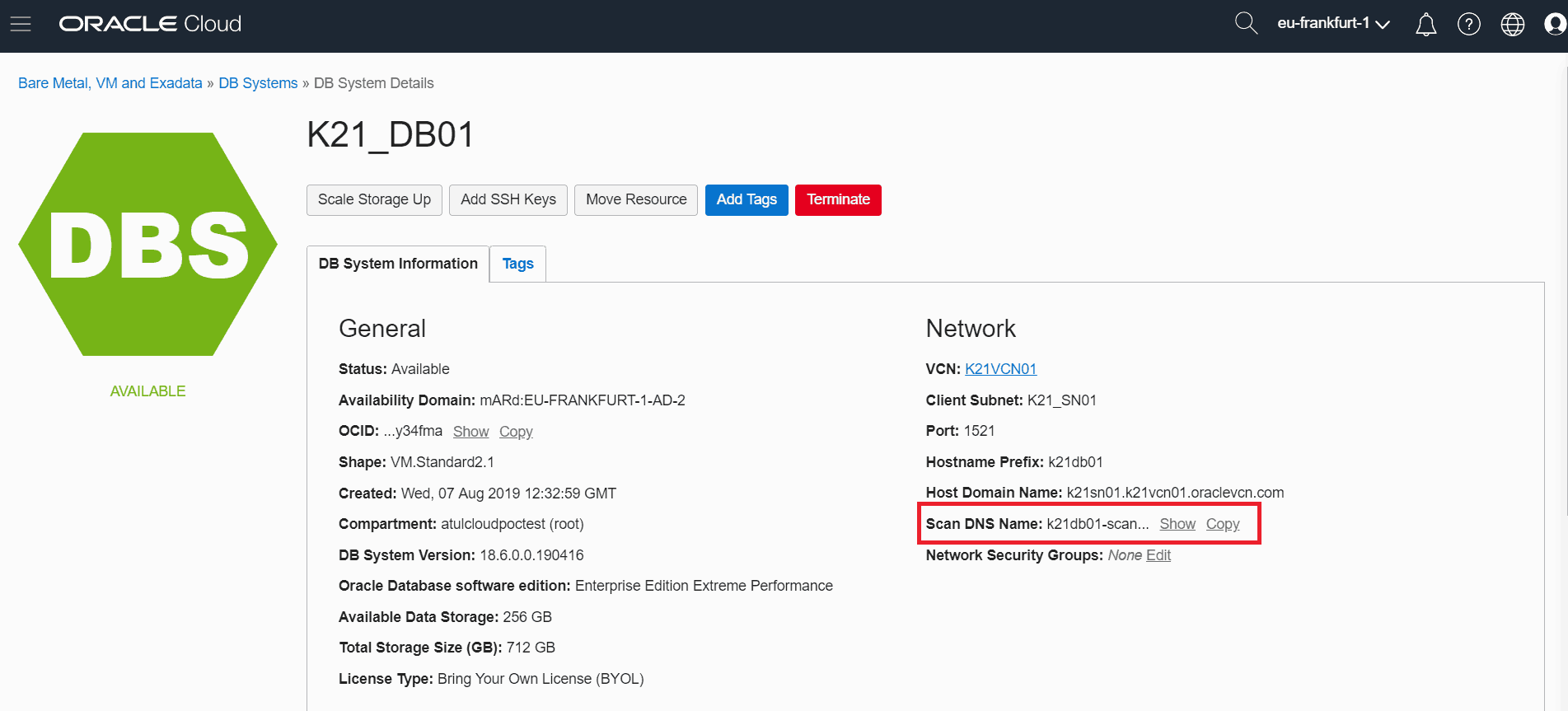
4. If your host is correct the try using the IP Address of DB instead of Scan DNS Name.
5. Click on Nodes and copy the Public IP Address and use it in Host for DB connection.
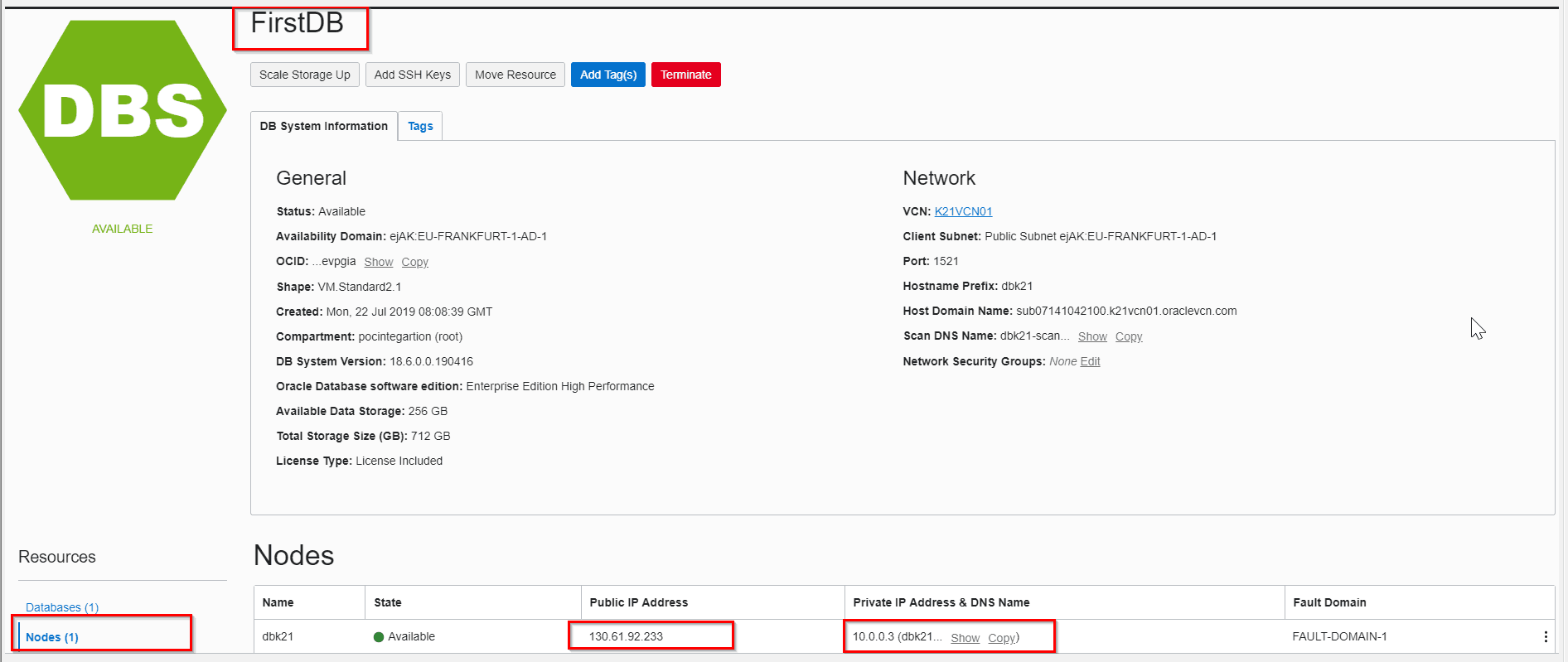
6. Now test the connection again If it fails again then there might be something else that may be causing this error.
Check 2. Port 1521 Must Be Closed
By default, the port 1521 is not open in Oracle Cloud and it has to be opened manually.
Steps To Check If Port 1521 Is Accessible Or Not
1. Open CMD
2. Enter command telnet followed by Public IP of your DB then followed by port 1521.
telnet 129.146.165.110 1521
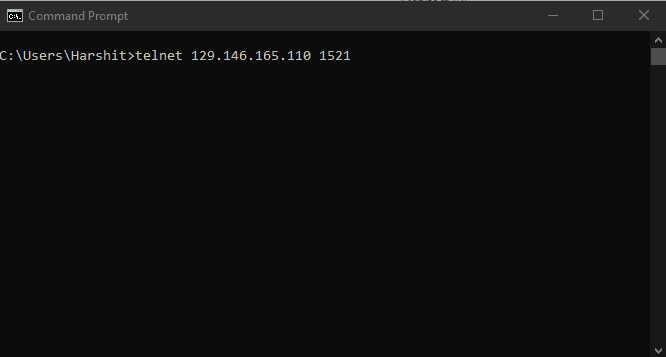
3. Now the Command line will get clear and you will be able to see that the telnet command is a success.
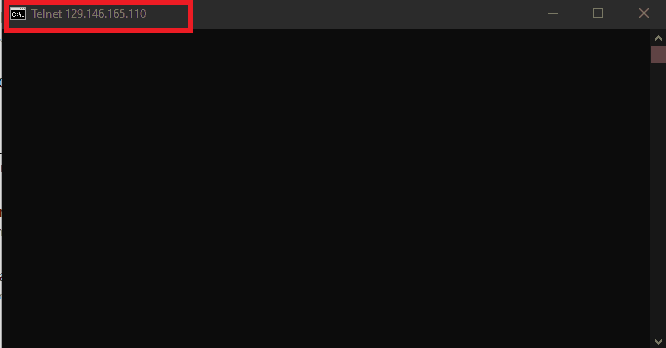
4. If the telnet fails then you need to open port 1521.

Steps To Open Port 1521
1. Click on the hamburger menu and go to Bare Metal, VM, and Exadata.
2. Click on the DB system that you have created.
3. Click on VCN.
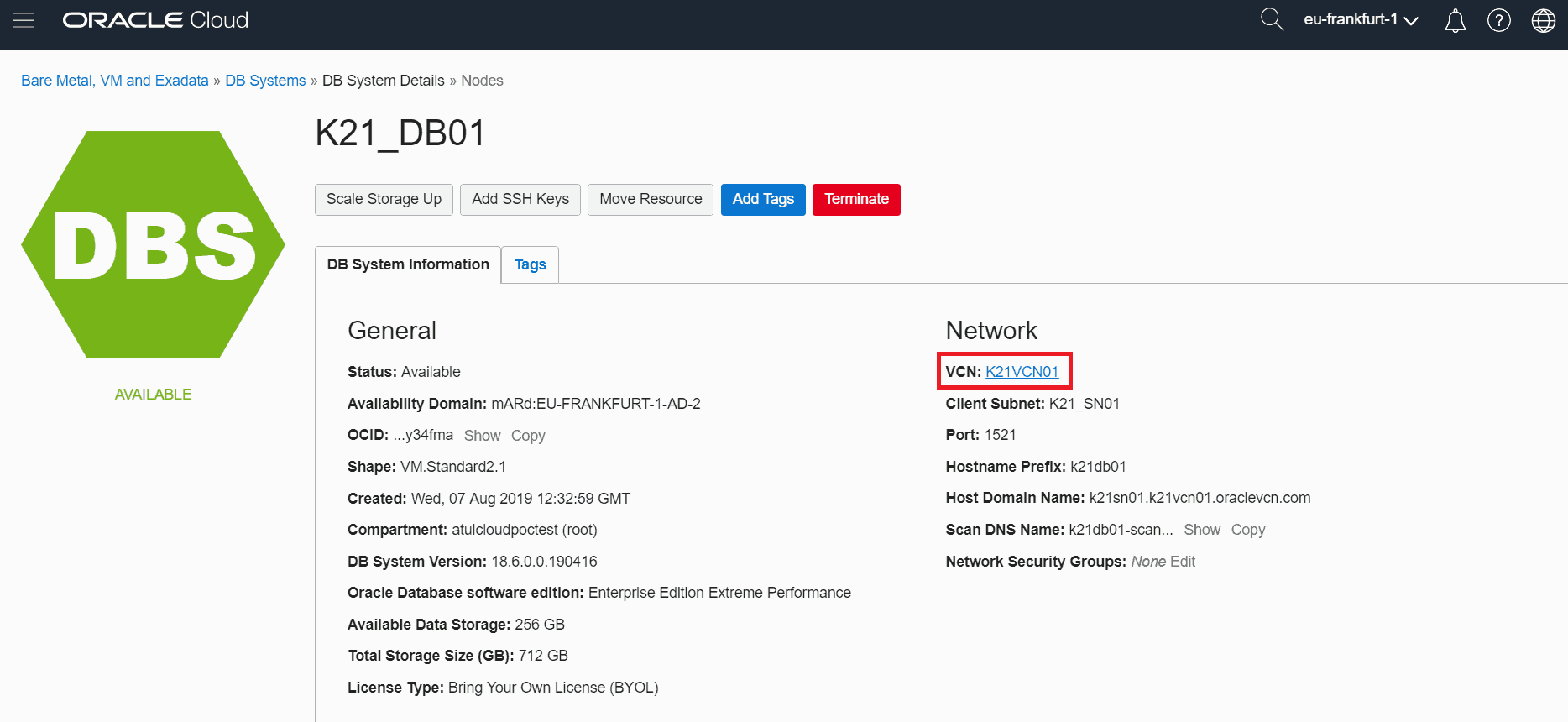
4. Click on Security Lists from Resources which is associated with your VCN.
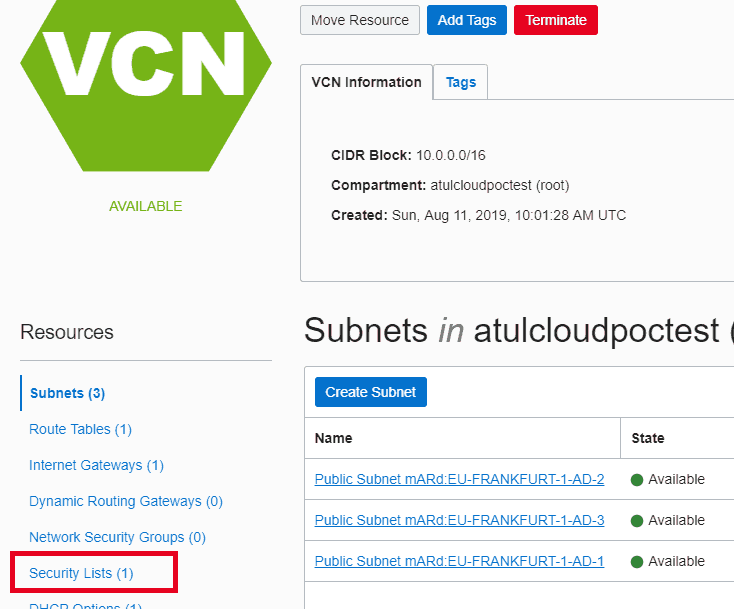
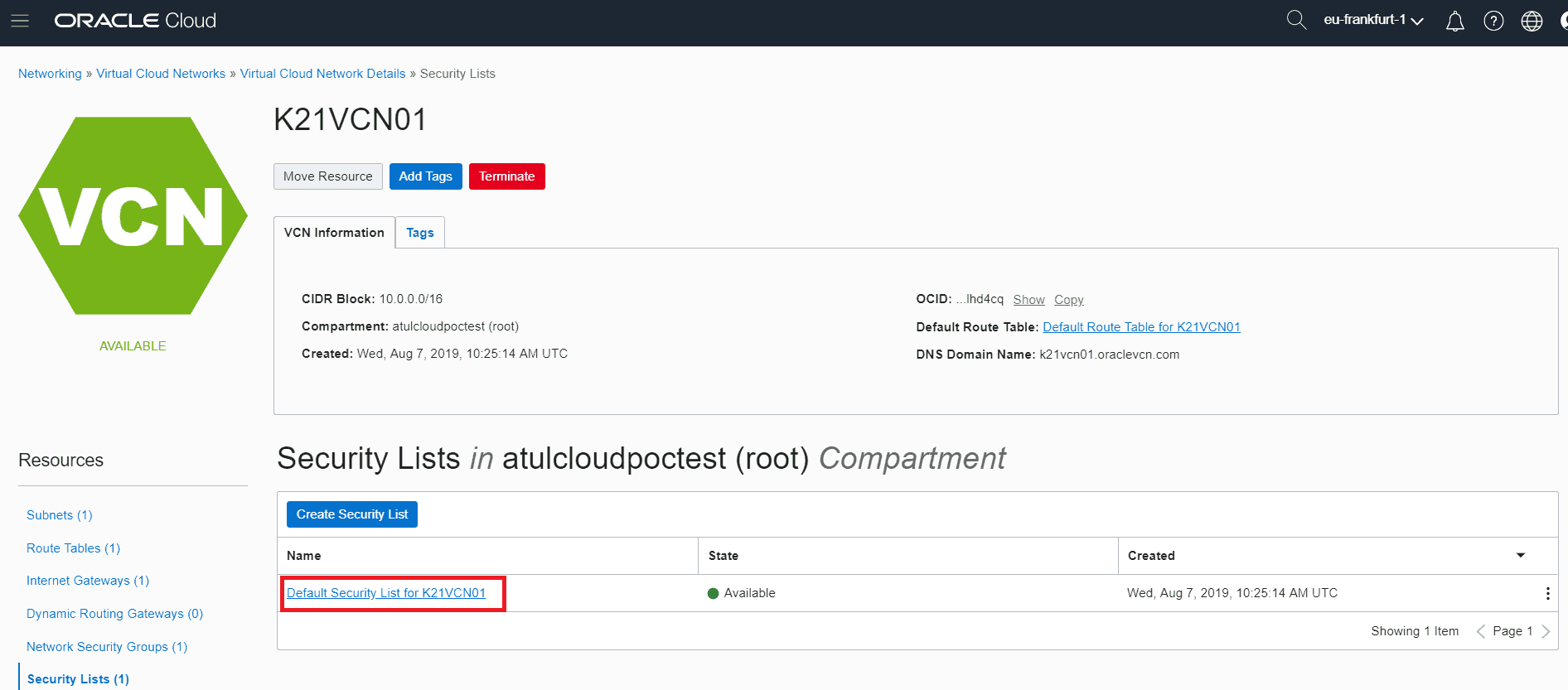
5. Click on Default Security List
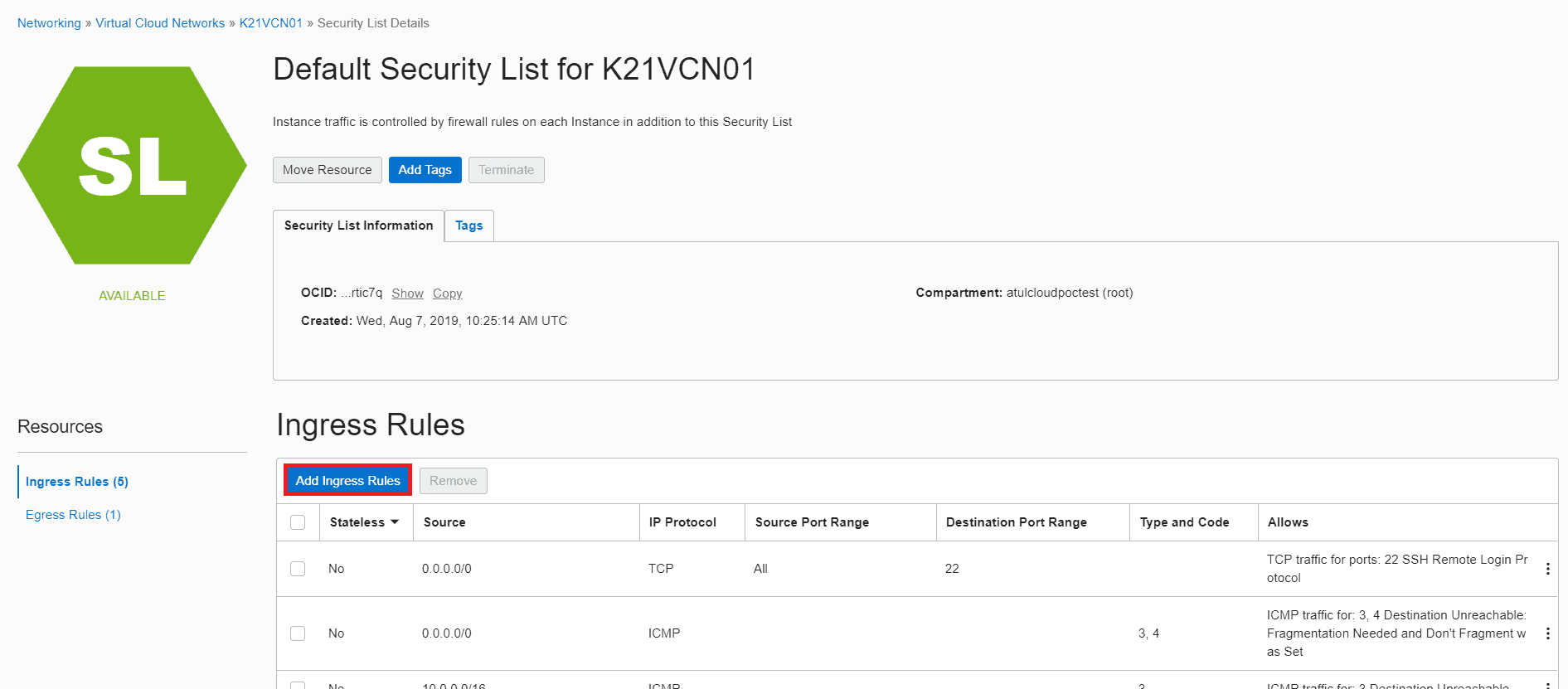
6. Check if there is an ingress rule for port 1521 if not then click on Add Ingress Rule.
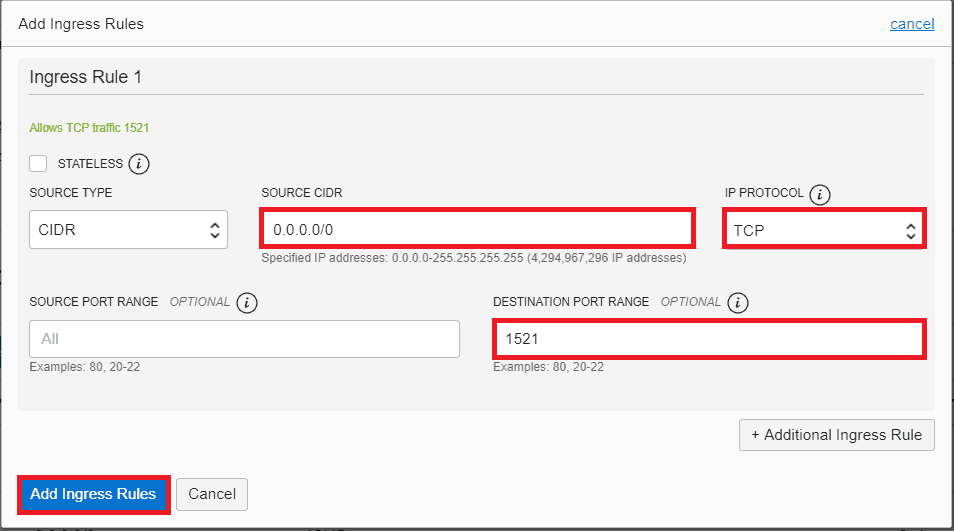
7. Enter the below details and click on Add Ingress Rules
a) Source CIDR 0.0.0.0/0
b) IP Protocol TCP
c) Destination Port Range 1521
8. Now you can see an ingress rule is added
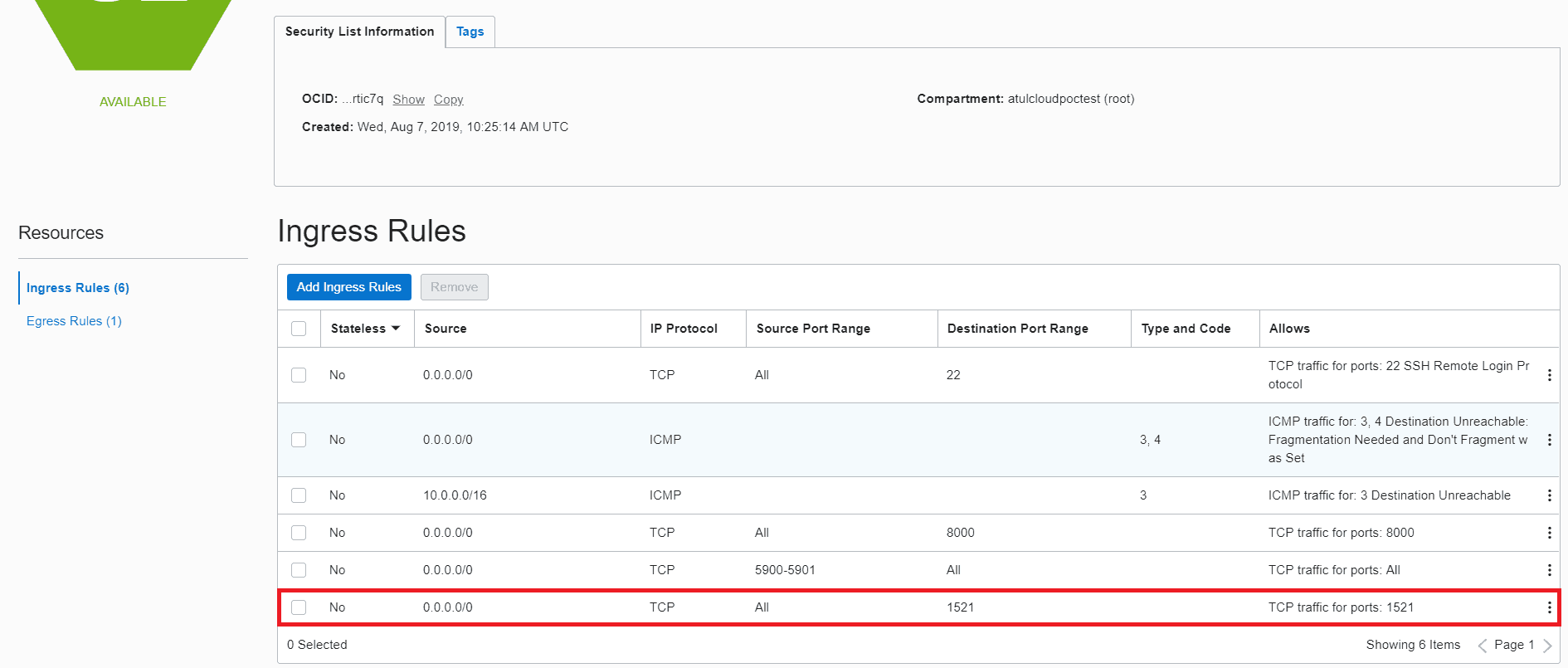
9. Now Test the connection again.
Check 3. Ensure That Your Connectivity Agent Is Up And Running
1. Open you DB VM in Putty
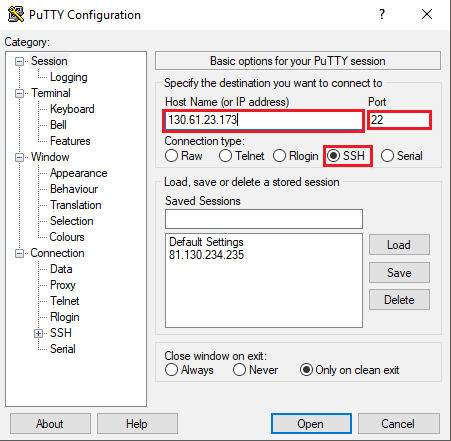
2. Go to the directory where the agent is located.
3. Start you, connectivity agent, using command Java -jar connectivityagent.jar
4. If your Connectivity Agent is down then you will get this message saying Agent started successfully...Now available for new messages…

5. If your agent was up and running then you will get a message saying Agent is already running for this particular instance!!!

Check 4. The DataBase Should Be Up And Running
1. Open your DB VM using putty.
2. Switch user to Oracle
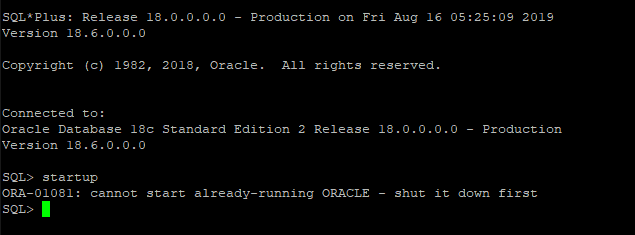
3. Login into sqlplus using command sqlplus / as sysdba
4. Type command startup to start the database.
5. If your DB is already up and running then you will get an error message and it rules out this case.
This blog is part of our Oracle Integration Cloud (OIC) blog series stay tuned for our future posts where we will troubleshoot more issues like this.
Conclusion
This blog resolved the cause if Error CLOUD-0005: Unable To Establish Connection by using a systematic checklist to rule out what is causing this error and how to resolve it.
Related/References
- Oracle Integration Cloud (OIC) For Beginners Overview
- [Free Masterclass] Oracle Integration Cloud Services
- 6 Docs Every Oracle Cloud Integrator Must Read
- Oracle Integration Cloud (OIC) Instance Edition, Message Pricing, and License Types
- Oracle Cloud Documentation Links: OIC | SOA-CS | OCI
- Enabling Clone Utility On OIC-C (Doc ID 2481520.1)
- Oracle Documentation: Clone an Integration
Next Task For You
Do you want to learn more about Oracle and confuse where to start or which certification is right for you? Then, click on the register now button below to register for a Free Masterclass on Oracle [1Z0-1042] Certified Cloud Integration Expert, which will help you better understand and choose the right path and clear the certification exam.


![Microsoft Agentic AI Business Solutions Architect [AB-100] | K21 Academy](https://test.k21academy.com/wp-content/uploads/2025/11/Microsoft-Agentic-AI-Business-Solutions-Architect-AB-100-Exam-Overview1.png)


