



This post covers the sixth video of my Multi-Part Video Series on “Oracle Exadata Cloud Service for DBAs & APPS DBAs”. In this post, I’ll be discussing the Networking of Exadata Cloud Service (ExaCS) focusing on IPs, VCN and Subnets.
(Be the first one to receive updates on Oracle Exadata Database, On-Premise & On-Cloud, Subscribe to Our Newsletters)
In order to provision an instance of Exadata On-Cloud, one needs to create a Virtual Cloud Network (VCN) and two Subnets.
Virtual Cloud Network (VCN)
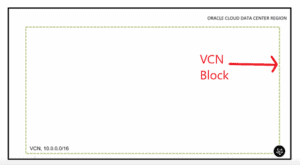
While creating an instance of Exadata On-Cloud one should create a VCN first. A VCN is a contiguous block of IP addresses, represented in a CIDR format. These IP addresses make up the network.
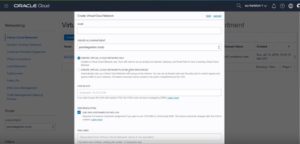
While creating a VCN there are two options available:
- Create VCN only
- Create VCN with related resources i.e. VCN with Subnets, Route Table, Subnets, Security Lists, etc.
Note: It is suggested we choose Create VCN only and create other resources manually.
Note: Learn how to create VCN, Subnets, Internet Gateway, Security List & Dynamic Routing Gateway on Oracle Cloud.
Also read: our blog on Exadata vs Database Appliance
Subnets
A VCN can further be divided into smaller parts called Subnets. For an Exadata on-Cloud, there are two subnets that are required:
- Client Subnet
- Backup Subnet
Note: It is advisable to Create Regional Subnets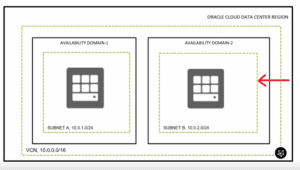
Client Subnet
A client subnet can either be public or private. All the clients connect to Exadata on-Cloud using the IP addresses assigned in this subnet.
Backup Subnet
A backup subnet is a private. While creating a backup of the database, it uses the IP addresses assigned in this subnet.
The Requirement of IP Addresses
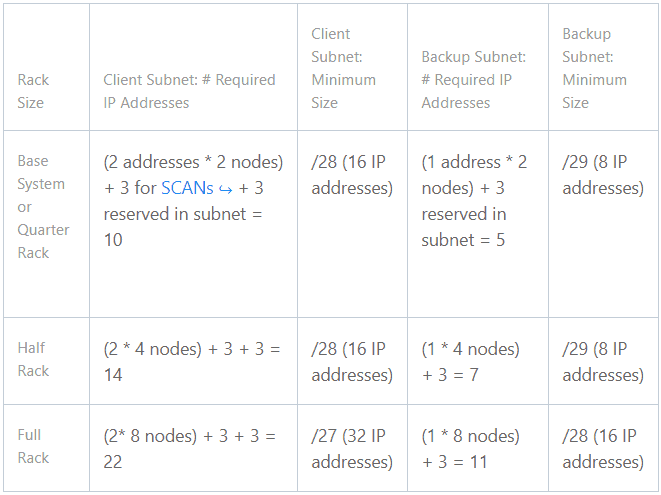
We can choose the number of IP addresses we require in each subnet, depending on the configuration of the system. For client subnet, a minimum of 2 IP addresses per node with 3 SCAN IP addresses is required for the functioning of the rack. And for the backup subnet, a minimum of 1 IP address for each node of the rack is required. Additionally, 3 reserve IP addresses are required for both client and backup subnet.
Note: Read about the Oracle Exadata Cloud Service Configurations
 Related/References
- Check out the Overview of Oracle Exadata Cloud Service
- Read about Oracle Exadata Cloud Service Architecture
- Learn more about Oracle Exadata Deployment Options
- Know more about Oracle Exadata Cloud Service Storage Options
Next Task for You
Begin your journey towards becoming a Cloud DBA Expert by joining the FREE MasterClass.
Click on the below image to Register for the FREE Masterclass Now!


![Microsoft Agentic AI Business Solutions Architect [AB-100] | K21 Academy](https://test.k21academy.com/wp-content/uploads/2025/11/Microsoft-Agentic-AI-Business-Solutions-Architect-AB-100-Exam-Overview1.png)


