





Choosing the right NoSQL database on AWS is a critical decision that can have a significant impact on your application’s performance and scalability. In this DynamoDB and DocumentDB exploration, we’ll unravel the complexities of these two powerful solutions, assisting you in navigating the nuances and making an informed decision based on your project requirements.
In this blog, we will be comparing the two AWS Database based on the following:
- Understanding the basics
- Key feature of the database
- Use case consideration for database
- Making the right choice of database
- Comparison b/w Dynamodb vs DocumentDB
- Pricing of database
- Frequently Asked Questions
Understanding the Basics
DynamoDB: A Simplicity Dynamo
Amazon DynamoDB is a fully managed NoSQL database service that is ideal for high-performance applications that require low-latency data access. It uses a key-value pair and document data model to provide a simple approach to data storage. The ability of DynamoDB to provide fast and predictable performance is one of its key strengths, making it a favorite for gaming, ad tech, and IoT applications.
 DocumentDB: MongoDB’s Cloud Echo
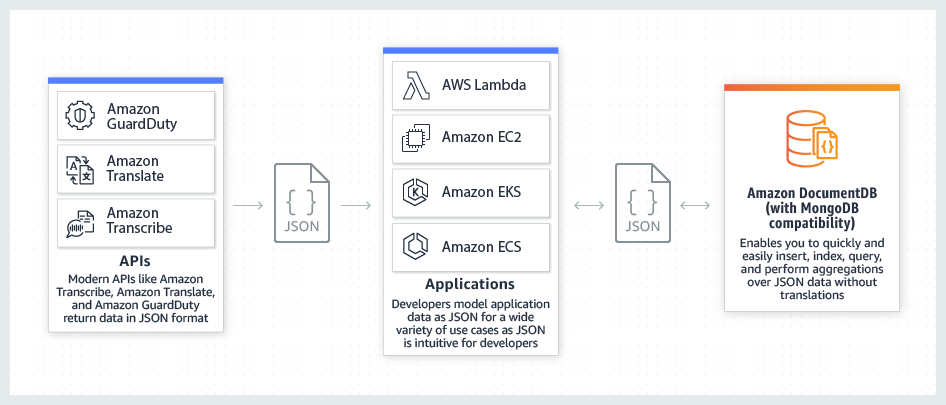
Amazon DocumentDB, on the other hand, is a fully managed MongoDB-compatible document database service. It replicates MongoDB’s performance, scalability, and flexibility, making it an appealing choice for applications that are already using or migrating from MongoDB. DocumentDB supports BSON documents with a JSON-like structure and retains the indexing and querying capabilities of MongoDB.
Key Features of Amazon Databases
1. Data Modeling: The Simplicity of DynamoDB vs the Versatility of DocumentDB
- DynamoDB: With its key-value pair model, DynamoDB simplifies data storage and retrieval. It performs exceptionally well in scenarios requiring high-speed, low-latency performance. It may not, however, be the best choice for projects with complex nested structures.
- DocumentDB: Provides a more flexible data model that supports complex nested structures. This is useful for applications where the data schema evolves over time or where intricate document structures are required.
2. Scalability: Auto Magic in DynamoDB vs Horizontal Growth in DocumentDB
- DynamoDB: Provides scalability by automatically partitioning and distributing data. It can adapt to changing workloads dynamically, ensuring consistent performance even during traffic spikes.
- DocumentDB: To handle read-heavy workloads, DocumentDB scales horizontally by adding read replicas. While write scalability is impressive, it is limited to the primary node.
3. Performance: Predictable DynamoDB Speed vs DocumentDB MongoDB Compatibility
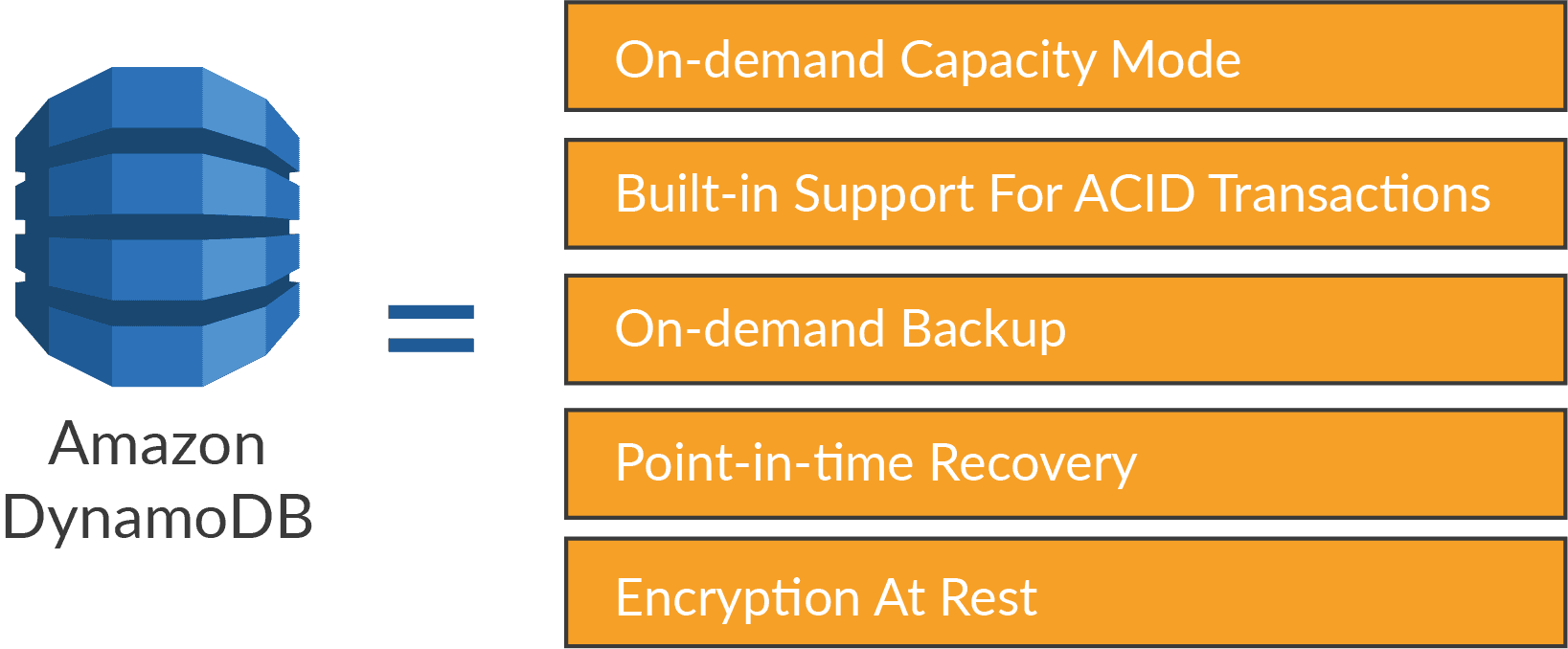
- DynamoDB: Provides low-latency, predictable read and write performance. Its architecture is designed for high-throughput scenarios, making it ideal for high-performance applications.
- DocumentDB: Its performance is similar to that of MongoDB, making it an excellent choice for applications looking to migrate seamlessly from MongoDB. However, there may be minor differences in MongoDB features.
4. Pricing: Flexible Billing in DynamoDB vs. Reserved Assurance in DocumentDB
- DynamoDB: Uses a pay-as-you-go pricing model, in which you only pay for the read and write capacity that you use. For applications with variable workloads, this flexibility can be cost-effective.
- DocumentDB: Adds the option of reserved instances, which allows you to commit to a one- or three-year term for predictable pricing. This is advantageous for applications with consistent workloads and resource requirements.
Use Case Considerations of Databases
When to Use DynamoDB:
- Low-Latency Imperative: If your application requires consistent low-latency access, especially in gaming or real-time analytics, DynamoDB shines.
- Simple Data Model: DynamoDB’s simplicity simplifies development for projects with simple key-value or document storage requirements.
When to Use DocumentDB:
- MongoDB Harmony: If your application was built on MongoDB or is in the process of migrating, DocumentDB guarantees a smooth transition with minimal code changes.
- Schema Flexibility: DocumentDB’s support for nested arrays and documents is a significant advantage for projects where data structures are intricate, evolving, or involve nested documents.

Making the Right Choice of Database
There is no universal answer to the DynamoDB vs DocumentDB debate. Your selection should be based on your specific use case, development preferences, and existing infrastructure.
Select DynamoDB if:
- For high-performance scenarios, your application requires low-latency access.
- Data modeling simplicity aligns with the needs of your project.
Select DocumentDB if:
- Your application’s compatibility with MongoDB is critical.
- Your project requires a flexible schema as well as complex data structures.
Comparison Between AWS DynamoDB & DocumentDB
| Feature | AWS DynamoDB | AWS DocumentDB |
|---|---|---|
| Primary Use Case | NoSQL database for key-value and document data | Document-oriented database compatible with MongoDB |
| Data Model | Key-Value and Document (supports JSON-like documents) | Document-oriented (JSON-like BSON format) |
| Schema | Flexible schema (attributes can vary per item) | Flexible schema (documents within a collection) |
| Scaling | Automatic scaling based on demand | Manual scaling with read and write capacity units |
| Query Language | AWS SDK or Query API for querying and scanning data | MongoDB query language (compatible with MongoDB APIs) |
| Indexing | Automatic indexing with options for custom indexes | Automatic indexing with support for compound indexes |
| Transactions | ACID-compliant transactions | ACID-compliant transactions (MongoDB-like) |
| Data Consistency | Supports eventual consistency and strongly consistent reads | Supports eventual consistency and strongly consistent reads |
| Secondary Indexes | Global and Local Secondary Indexes for flexible querying | Supports secondary indexes for improved query performance |
| Data Encryption | Encrypted at rest and in transit (default encryption) | Encrypted at rest and in transit (SSL/TLS encryption) |
| Backup and Restore | On-demand and continuous backups with point-in-time recovery | Automated backups and manual snapshots for data recovery |
| Geospatial Data | Basic support for geospatial data using Geo Library | Limited support; not a native geospatial database |
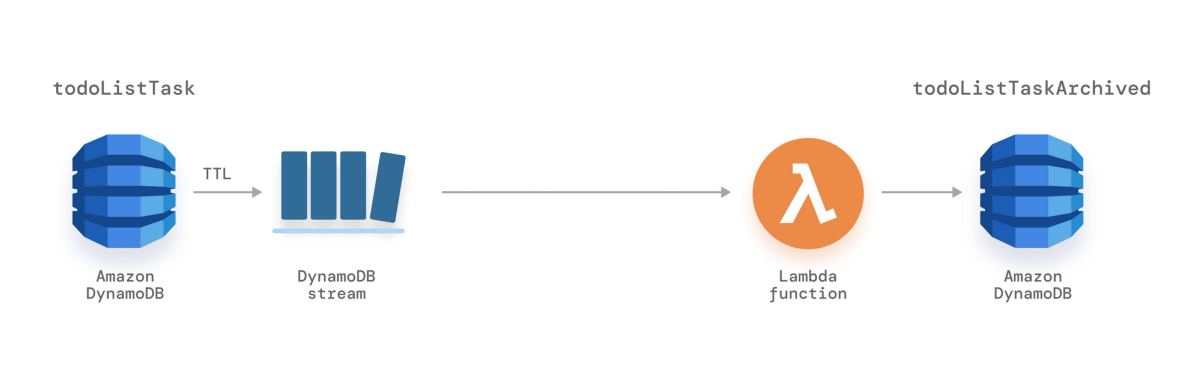
| Triggers and Streams | DynamoDB Streams for capturing and reacting to changes | Change Streams for capturing changes in the database |
| Query Performance | Highly scalable with low-latency performance | High performance with efficient query optimization |
| Multi-Region Replication | Global Tables for automatic multi-region replication | Cross-region replication (manual setup) |
| Deployment Flexibility | Suitable for both serverless and traditional deployments | Requires provisioned instances; no serverless option |
| Community Support | Strong community support with extensive documentation | Growing community with MongoDB compatibility |
AWS DynamoDB and DocumentDB Pricing
Both AWS DynamoDB and DocumentDB are NoSQL database services, but their pricing models and cost structures differ significantly. Here’s a breakdown:
DynamoDB:
- Pay-per-use: You only pay for the resources you use, including read/write capacity units (RCUs/WCUs), storage, and data transfers. This is ideal for applications with variable workloads.
- Provisioned vs. On-demand: Choose between provisioned capacity for predictable performance or on-demand capacity for cost-efficiency with bursty workloads.
- No upfront costs: You don’t pay for instances or reserved capacity.
- Simple billing: Your bill reflects your actual usage across the four dimensions: RCUs, WCUs, storage, and data transfers.
DocumentDB:
- Pay-per-use: You pay for on-demand compute instances, database I/O, storage, and backup storage. This can be less predictable than DynamoDB’s billing.
- Two configurations: Choose between Standard (pay-per-use I/O) for dynamic workloads and I/O-Optimized (included I/O) for predictable costs and I/O-intensive applications.
- Instance cost: You pay for the number and type of compute instances used in your cluster, even if they are underutilized.
- More complex billing: Your bill can vary depending on your chosen configuration, instance usage, I/O, storage, and backup requirements.
Here’s a table summarizing the key differences:
| Feature | DynamoDB | DocumentDB |
|---|---|---|
| Pricing model | Pay-per-use | Pay-per-use |
| Resource cost | RCUs, WCUs, storage, data transfers | Compute instances, I/O, storage, backup storage |
| Capacity options | Provisioned, on-demand | On-demand |
| Upfront costs | No | No |
| Billing complexity | Simple | More complex |
| Ideal for | Variable workloads, cost-efficiency | Predictable workloads, high-performance, I/O-intensive applications |
Additional considerations:
- Free tier: Both services offer a free tier for limited usage.
- Discounts: Committed use discounts are available for both services.
- Data transfer: DynamoDB has free data transfer within the same region, while DocumentDB charges for all data transfers.
Both databases boast strengths in their respective domains, and AWS facilitates easy migration between them, allowing you to adapt to evolving project needs. As you embark on your AWS NoSQL journey, consider the distinct advantages of DynamoDB and DocumentDB to ensure a seamless and optimized database experience.
Frequently Asked Questions
Is there any restriction to using DynamoDB?
Transactions in DynamoDB: The following restrictions apply to DynamoDB transactional API operations: A transaction cannot include more than 100 distinct items. A transaction can't have more than 4 MB of data in it. No two actions in the same transaction can be performed on the same item in the same table.
What is the maximum size of the partition in DynamoDB?
A physical DynamoDB partition still has a maximum size of 10GB but an item-collection (items which share the same partition key) can span multiple partitions which means there is no size limit. A physical DynamoDB partition can still be up to 10GB in size, but an item-collection (items with the same partition key) can span multiple partitions, so there is no size limit.
What is DocumentDB built on?
Amazon DocumentDB is built on AWS' Aurora platform, which has traditionally been used to host relational databases. This has implications for scalability and the future addition of more native MongoDB features.
DocumentDB is it a relational database?
A document database is a non-relational database that stores and queries data as JSON-like documents.
Related Links/References
- AWS Free Tier Limits
- AWS Free Tier Account Details
- How to create a free tier account in AWS
- AWS Certified Solutions Architect Associate SAA-CO3
- What is SNS in AWS? Types, Pricing, and Configuration
- AWS Application Services: Lambda, SES, SNS, SQS, SWF
- AWS Free Tier Account Services
Next Task For You
Begin your journey towards an AWS Cloud by joining our FREE Informative Class on Amazon Cloud Free Class by clicking on the below image.


![Microsoft Agentic AI Business Solutions Architect [AB-100] | K21 Academy](https://test.k21academy.com/wp-content/uploads/2025/11/Microsoft-Agentic-AI-Business-Solutions-Architect-AB-100-Exam-Overview1.png)



