



This post covers How to check the number of Connection Licenses in Boomi Account.
If you are new to Dell Boomi, there are some concepts that you should be known of, for that check our post Terminologies Every Dell Boomi Developer Must Know here
The topic covered in this post is a part of our Dell Boomi Training, there are a lot more topics that are discussed in our live training session.
Please check one of our live session Dell Boomi Training: Day 1 Review/Introduction & Q/As
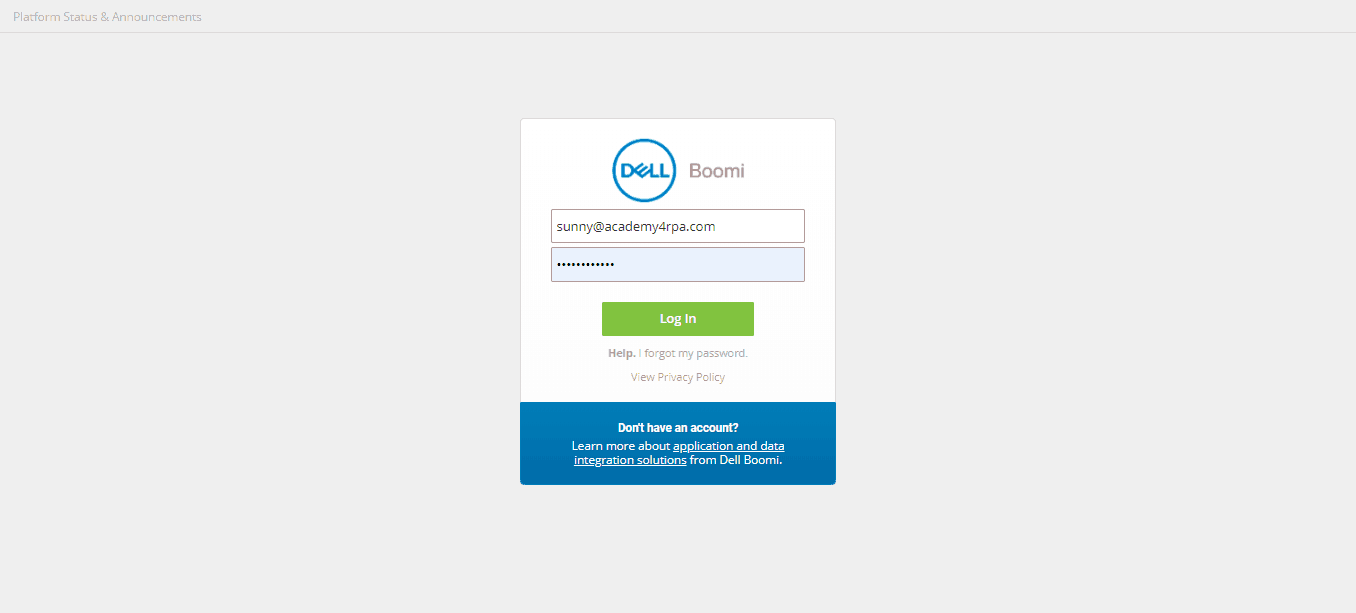
Step 1: Login Dell Boomi Atomsphere Platform
To know more about the Dell Boomi platform check our post Unique Features of Dell Boomi Platform
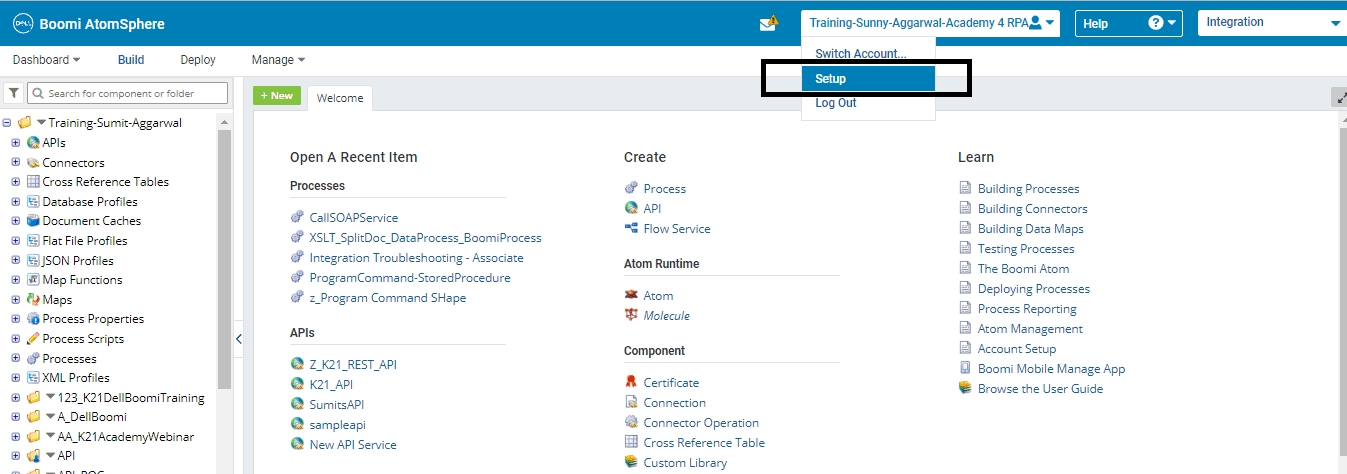
Step 2: Go to Setup as shown below:
You can also check our previous post on Four Key Points About Dell Boomi AtomSphere Platform here
Step 3: Select the Licensing menu from the left pane
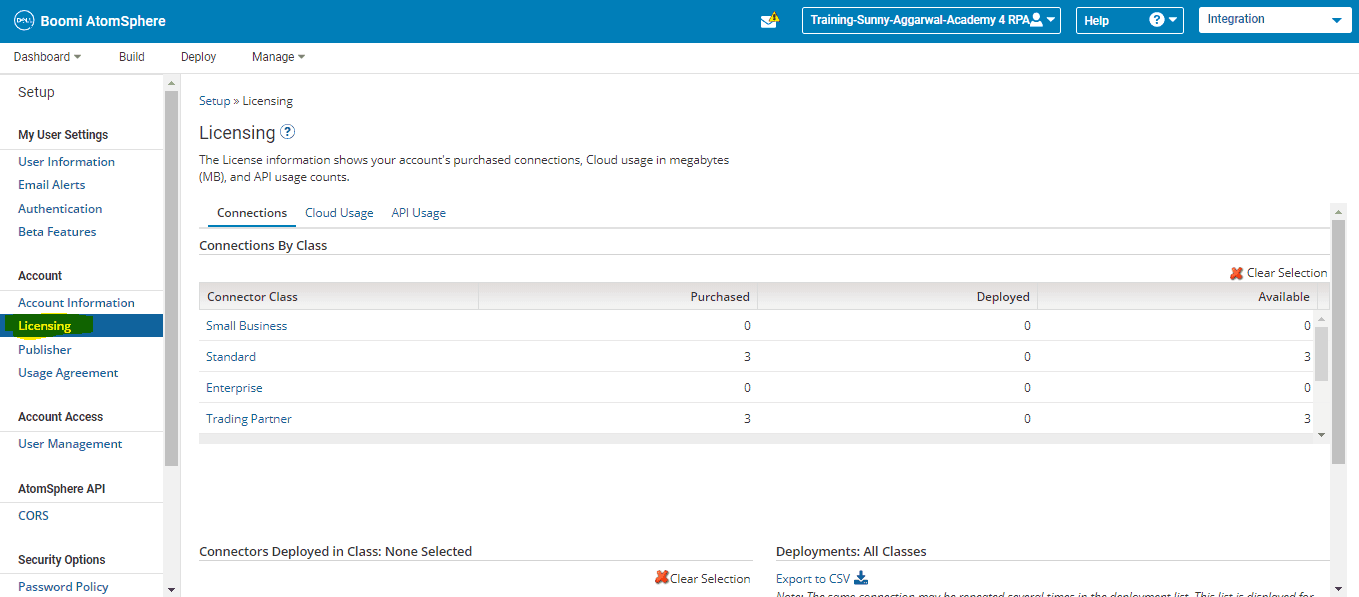
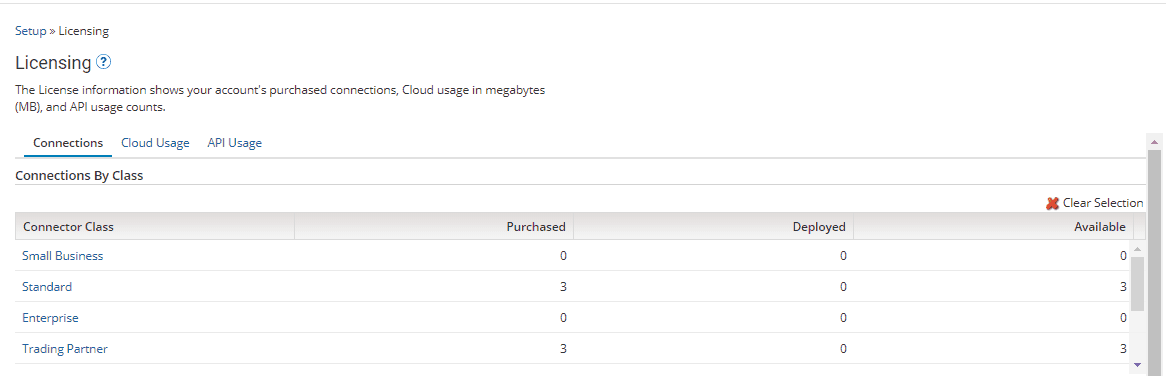
Step 4: Under Connection, we can find the connection details for PROD and TEST environment
- PROD Connections
- Test Connections
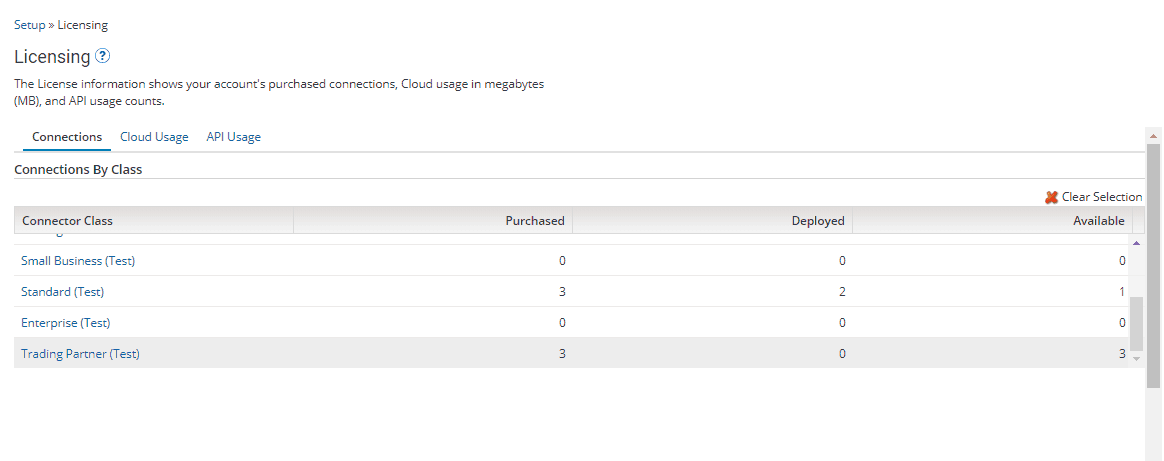 Here we have three classifications:
- Purchased: It specifies an overall number of connections purchased for prod and test environments by an individual organization.
- Deployed: It specifies an overall number of connections consumed for prod and test environments by an individual organization.
- Available: It specifies an overall number of connections available for prod and test environments within an account.
Step 5: Scroll down on the same page to know the details of the process, atom, connection type and connector name where the connections have been consumed.
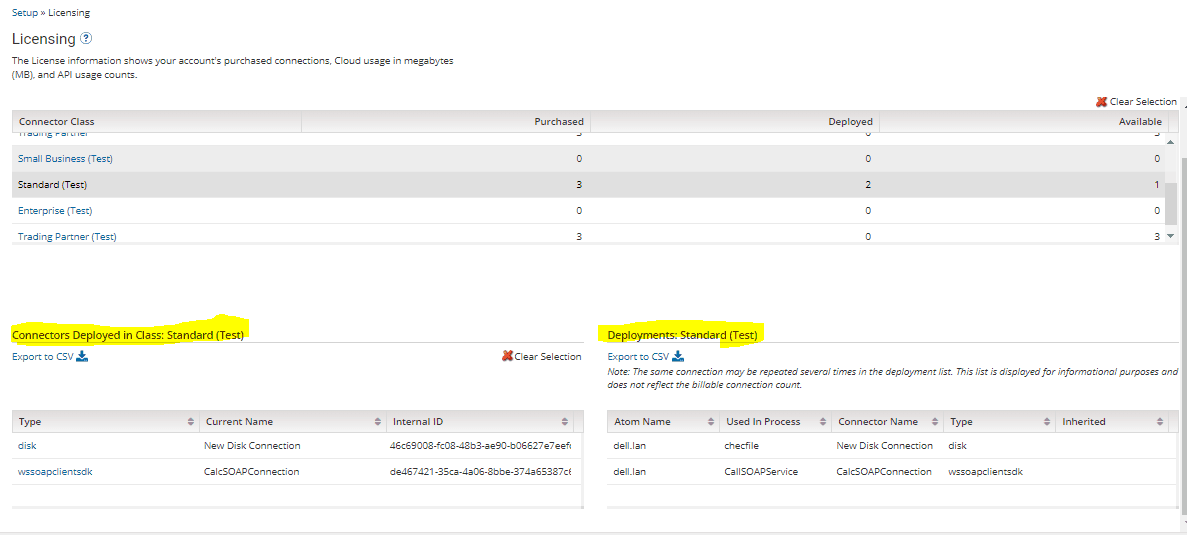
We need to select the classification of connectors for which we are seeking the above-mentioned info from the top table, accordingly below tables get populated with the detailed information about the consumed connections.
Note: Dell Boomi classifies environments into a) PROD b) TEST.
There is no classification called “dev”. In case one wants to create a dev environment that can be done by consuming the connections available in TEST classification itself.
Related Posts
- Terminologies Every Dell Boomi Developer Must Know
- Four Key Points About Dell Boomi AtomSphere Platform
- Unique Features of Dell Boomi Platform
- Dell Boomi Training: Day 1 Review/Introduction & Q/As
NEXT Task For You!
If you have not downloaded the FREE eBook – 6 Docs Every Dell Boomi Developer Must Read yet, kindly Register and Get a copy in your Email inbox.

Did You Find this Blog useful?

![Microsoft Agentic AI Business Solutions Architect [AB-100] | K21 Academy](https://test.k21academy.com/wp-content/uploads/2025/11/Microsoft-Agentic-AI-Business-Solutions-Architect-AB-100-Exam-Overview1.png)


