



This post covers recent enhancement in Oracle Autonomous Database on 26th April 2019 which is the introduction of the Access Control List.
If you are new to Autonomous Database, I would suggest you check my previous post, where I covered in detail about Autonomous Database & steps to creating an Autonomous Database in Oracle cloud
Access Control List in Autonomous Database
- With the introduction of the Access Control List, now you can only allow the particular IP address to access your Autonomous Database and by this functionality, you will be adding an extra layer of security to your Autonomous Database.
- Initially, when you create an Autonomous Database On Oracle Cloud, you don’t have any active Access Control List, however, after it gets created successfully you can either use Oracle Cloud Infrastructure console, API, or CLI to create an ACL for your Autonomous Database database by adding a minimum of one entry to the list.
- An Access Control List entry can be a comma-separated list of CIDR blocks or public IP addresses.
- To know what is CIDR check here
Steps To Restrict Access To Your autonomous Database Using ACL
1. Open the navigation menu. Under Database, click Autonomous Transaction Processing or Autonomous Data Warehouse.
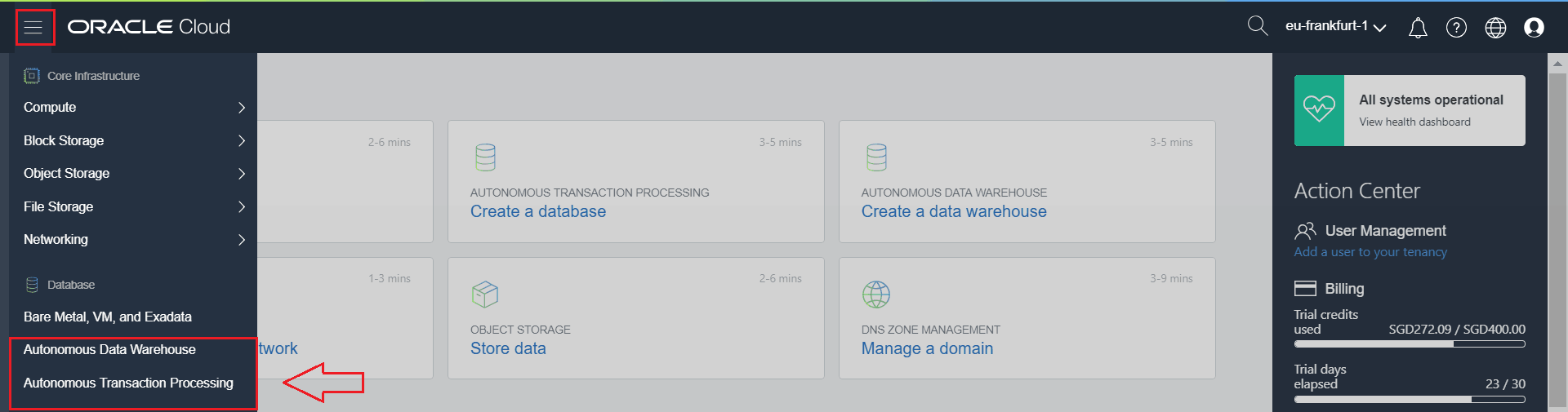
2. Choose your Compartment & Select your Autonomous Database
To know more about Compartment check here
Note: ACL is applicable for Both ATP & ADW

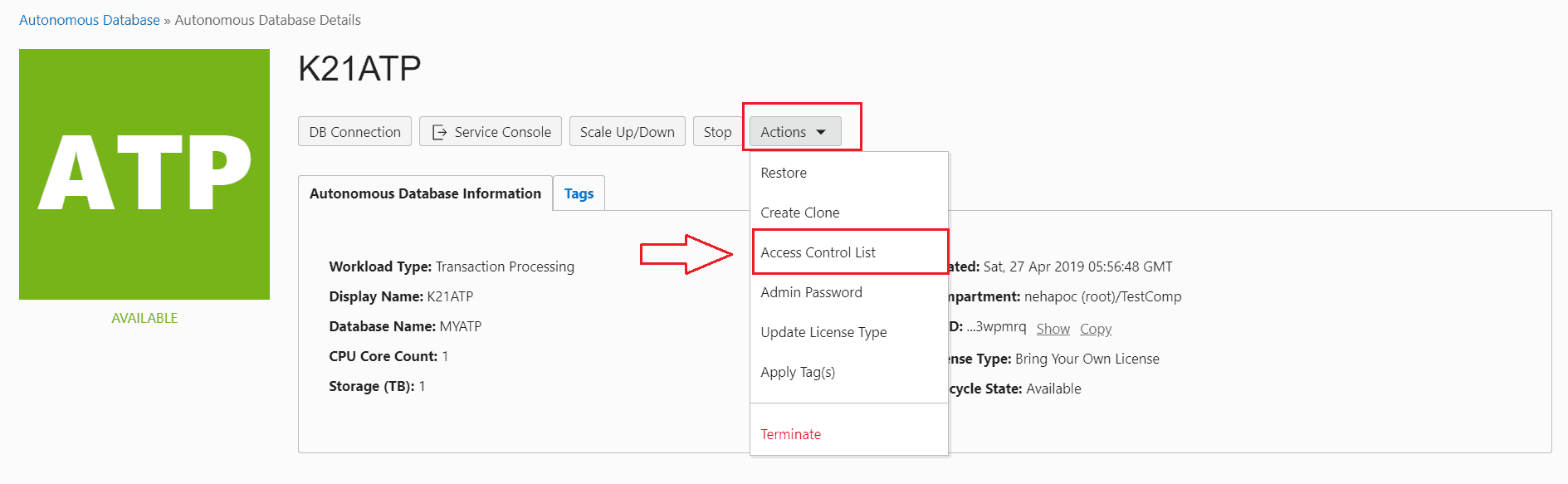
3. In the list of Autonomous Databases, click on the display name of the database you wish to administer

4. Hover over the Actions button, and then click Access Control List.
5. Add or modify entries, as applicable.
To add CIDR blocks or public IP addresses of clients that can access the database, click + Additional Entry, and then select the IP notation type and enter a comma-separated list of values.
To remove the ACL, simply delete all entries in the list. This action allows all clients to connect to the database.
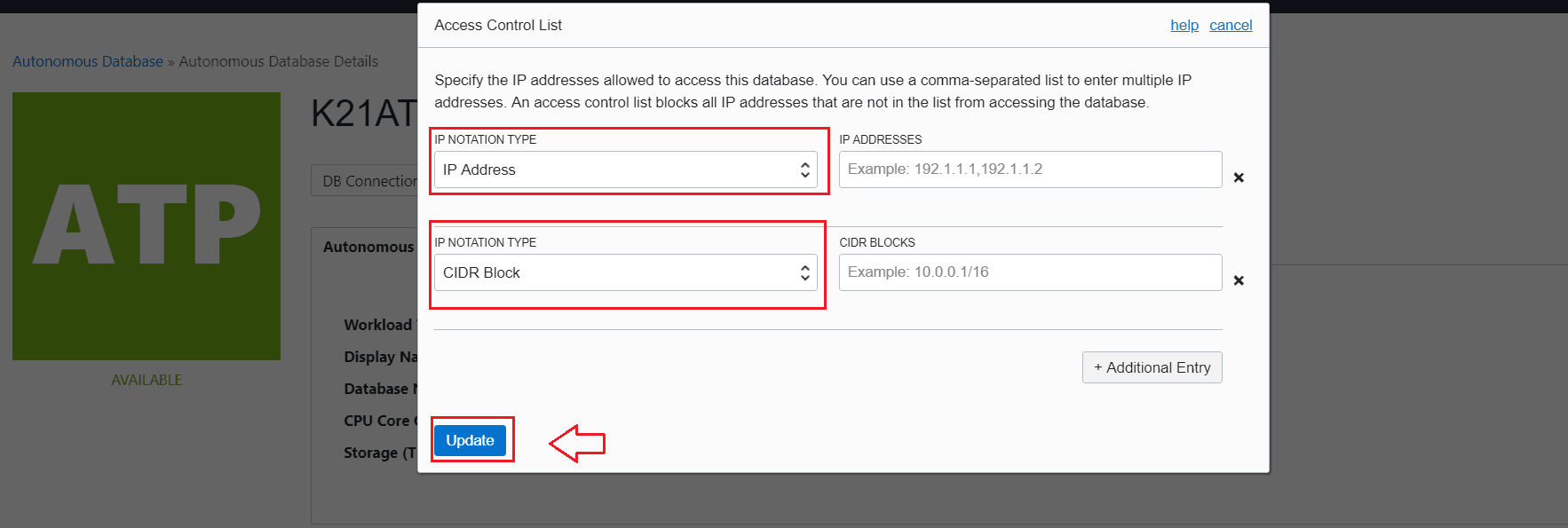
6. Click Update
Hope you find this blog a good source of learning in Autonomous Database, stay tuned for my upcoming post where I will be discussing more on Autonomous Database.
Related/Further Readings
- Create Oracle Autonomous Data Warehouse 18c on OCI
- How to Connect to an Autonomous Database on Oracle Cloud
- Oracle Autonomous Database Cloud Specialist: 1Z0-931 Training
Next Task For You:
You can start learning Oracle Cloud for DBA by registering for our FREE Masterclass. By Clicking the image below.
 FREE Community
![Microsoft Agentic AI Business Solutions Architect [AB-100] | K21 Academy](https://test.k21academy.com/wp-content/uploads/2025/11/Microsoft-Agentic-AI-Business-Solutions-Architect-AB-100-Exam-Overview1.png)


