



This post is Part 2 from my FREE 5 Part Video Series On Networking in Oracle’s Gen 2 Cloud for beginners in which I have covered 3 Ways to Connect to Oracle Cloud
If you have not watched part 1 or completed task given in the first video then I suggest you to first check the Part 1
- [Video 1 of 5] Networking in Cloud: Who Should Learn & Why
- Register for Free series at here
- Create Cloud Trial Account using FREE Step by Step Guide
- Confirm you created or already have Cloud trial account by leaving a comment in the community
3 Ways to Connect to Oracle Cloud
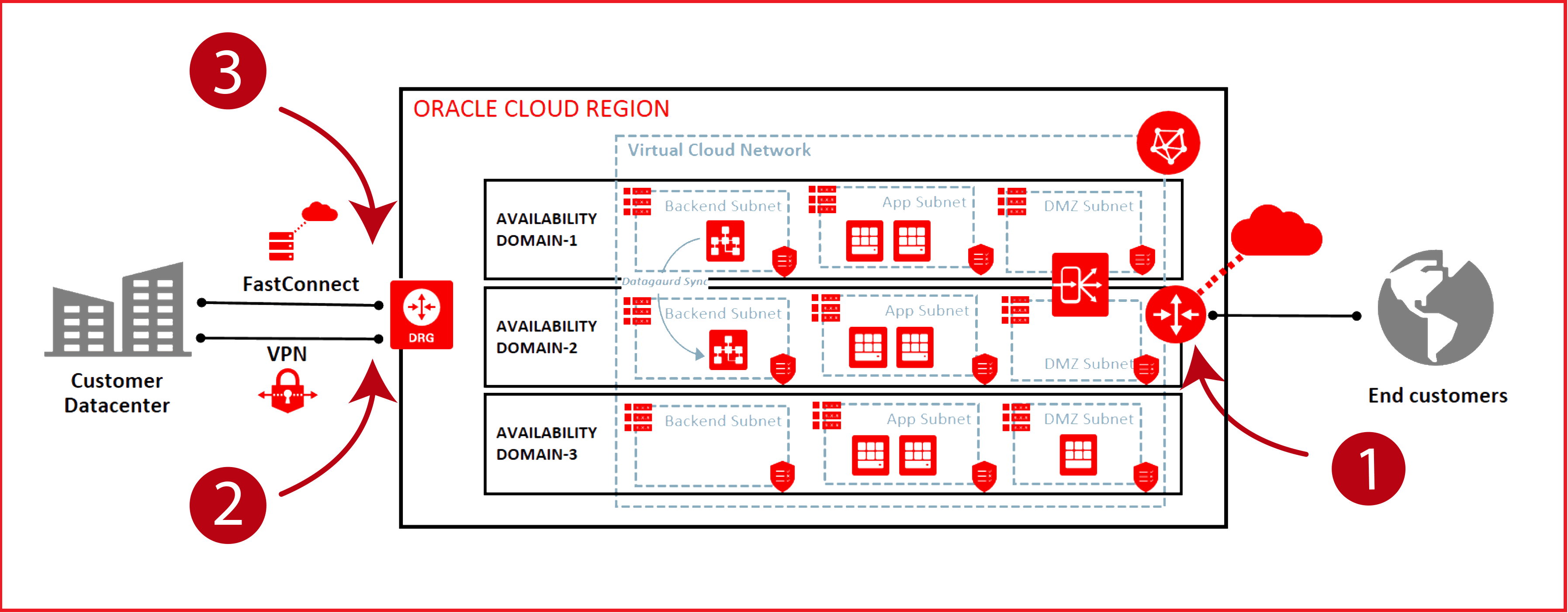
1) Public IP:
A public IP address is an IPv4 address that is reachable from the internet. If a resource in your tenancy needs to be directly reachable from the internet, it must have a public IP address. Depending on the type of resource, there might be other requirements.
You can assign a public IP address to an instance to enable communication with the internet. The instance is assigned a public IP address from the Oracle Cloud Infrastructure address pool.
There are two types of public IPs:
- Ephemeral: Think of it as temporary and existing for the lifetime of the instance.
- Reserved: Think of it as persistent and existing beyond the lifetime of the instance it’s assigned to
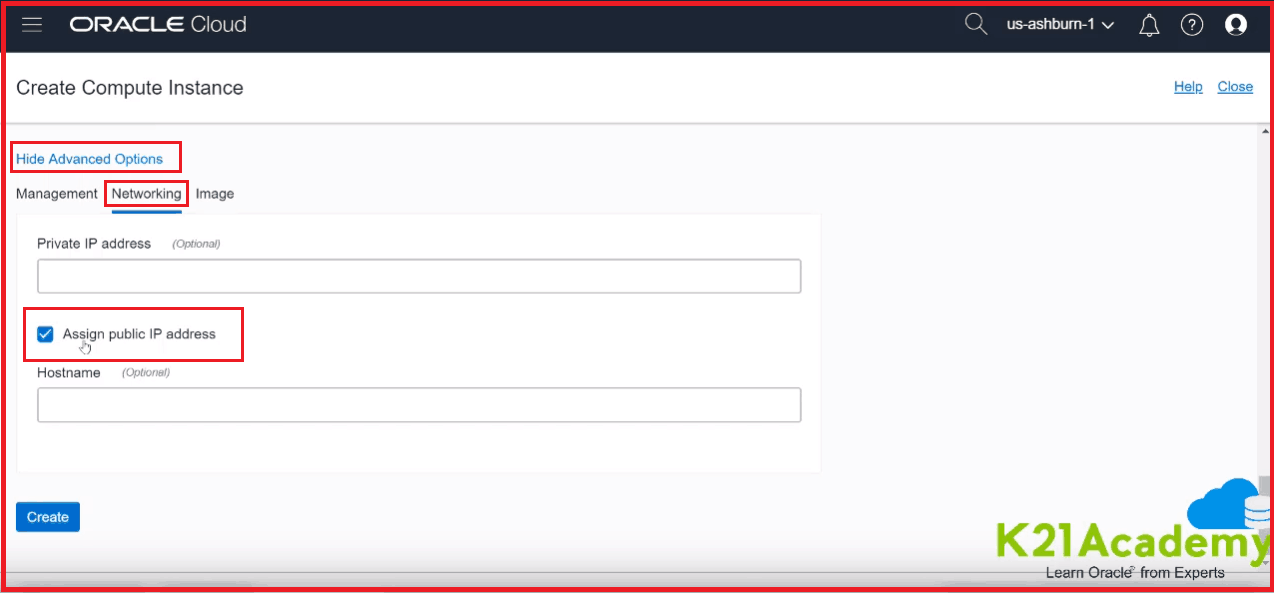
Note: When you are creating an instance, make sure you create that inside Public Subnet. It will automatically be assigned to Public IP, or just go to the Advance options & under Networking make sure you have assigned Public IP
Quiz Question:
Question: How did you differentiate that a particular IP is a Public IP or Private IP by just looking at that IP Address?
[Hint]: Check out RFC1918
Post your Answer in the comment box or in our Private Facebook Community
2) IPSec VPN Tunnel:
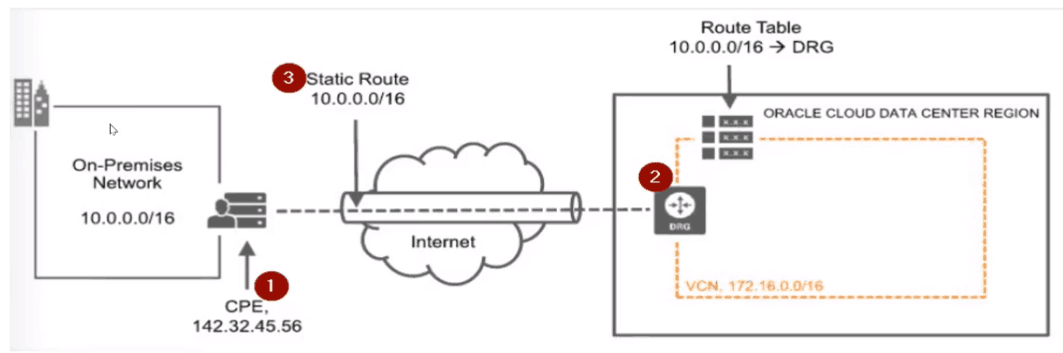
The second way to connect is using IP Sec VPN Tunnel and typically used to extend OCI Network (i.e. VCN) as if this is an extension to your On-Premise Network so that your users in On-Premise Network can connect to Cloud using Secure Tunnel over the Internet but on Internal (or non -public IP).
If you look at the diagram over here you have one network with CIDR 10.0 /16 on Premise while other as 172.16 /16 on OCI. One end of this VPN Tunnel will be connected using CPE and another end using DRG (so you must know what is DRG).
I’ll cover this in part 3 of this video series. If you have not yet registered for this FREE 5 part video series then do so here
3) FastConnect
FastConnect is the most expensive solution whereas connecting over IPSec VPN Tunnel is the most common method. Connecting via Public is more common when you just testing out to see connectivity.
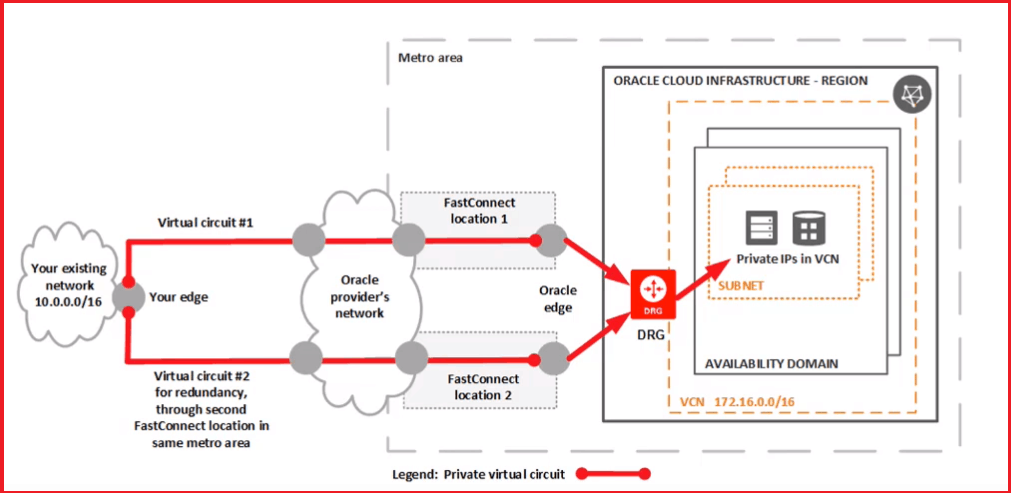
Well that’s it for today and in the next video I’ll cover basic connectivity concepts like Virtual Cloud Network (VCN), Subnet, Firewalls, DRG, IGW, Routing Table etc
Action Plan For You
- If you don’t have an Oracle Cloud Public Account then create one by using Step by Step Activity Guide (Register For Free)
- Log in to Oracle Cloud Trial Account that you created in Part 1 of this series
- Create a Network (VCN) this is the first thing you do before you perform any task.
- Create a Linux Machine by going to Compute or Database to going to Database on VM, make sure you select Public IP (as we are going to use the first method to connect)
- Once done check you can connect using putty (22) for Linux machine you created.
- Note: For accessing database port like 1521 from your laptop, you will need to open port from Security list that we are going to cover in part 3 of this video series
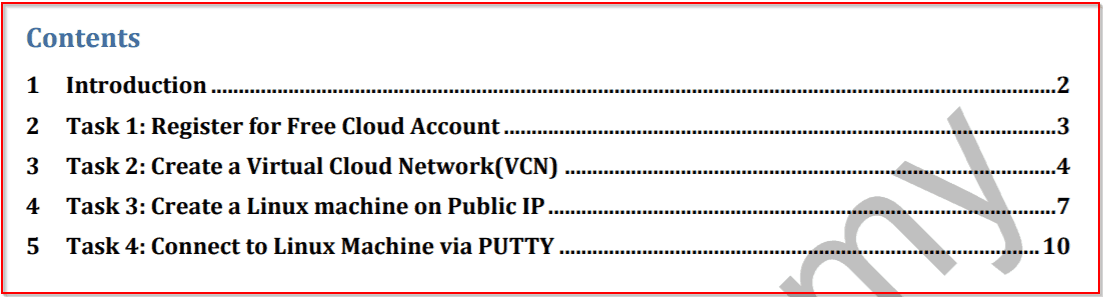
Get the copy of Action Plan Guide by clicking on the below Image


![Microsoft Agentic AI Business Solutions Architect [AB-100] | K21 Academy](https://test.k21academy.com/wp-content/uploads/2025/11/Microsoft-Agentic-AI-Business-Solutions-Architect-AB-100-Exam-Overview1.png)


