



Azure DevOps is a Microsoft cloud-based collaboration platform that provides a set of services for managing your software development process. It offers tools for version control, continuous integration and deployment, project management, and more. It helps teams to collaborate effectively, automate processes, and deliver high-quality software products faster.
This video will help you to understand what are the initial steps to follow in order to create an Azure DevOps account.
This blog post covers Steps by Step guide on how to create an Azure DevOps Account
We will cover:
- What are Azure DevOps services?
- Pre-Requisites
- Register For a Free Microsoft Azure DevOps Account
- Create Project
- Conclusion
What are Azure DevOps services?
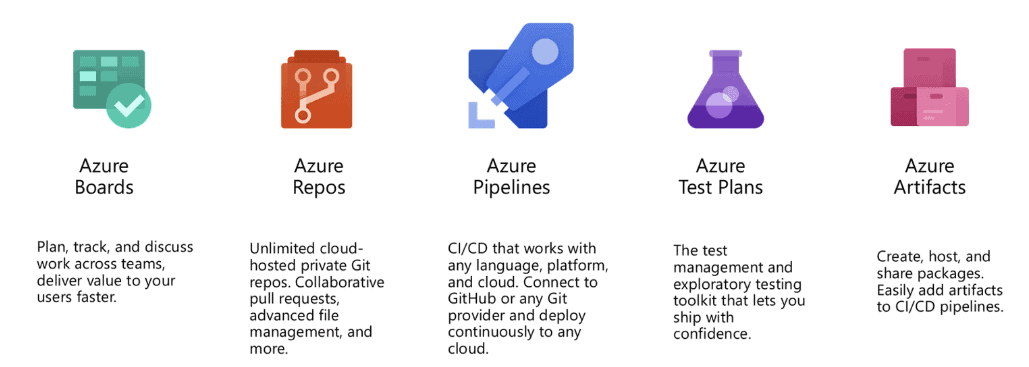
Learn more about Azure DevOps
Pre-Requisites
You need to have an Active Azure Account (Paid or Free).
Note: If you don’t have an Azure account, click here for a complete guide to creating one.

Register For a Free Microsoft Azure DevOps Account
1. Open the My Azure DevOps Organizations (https://aex.dev.azure.com/ ) in your web browser.
2. Now, enter the credentials of the Microsoft account that you used to create the Azure cloud account.
Note: You don’t need a credit card or debit card to create a Microsoft account, and we are not creating an Azure account at this time.

3. So, in this step, we need to create an organization. Please select Create New Organization
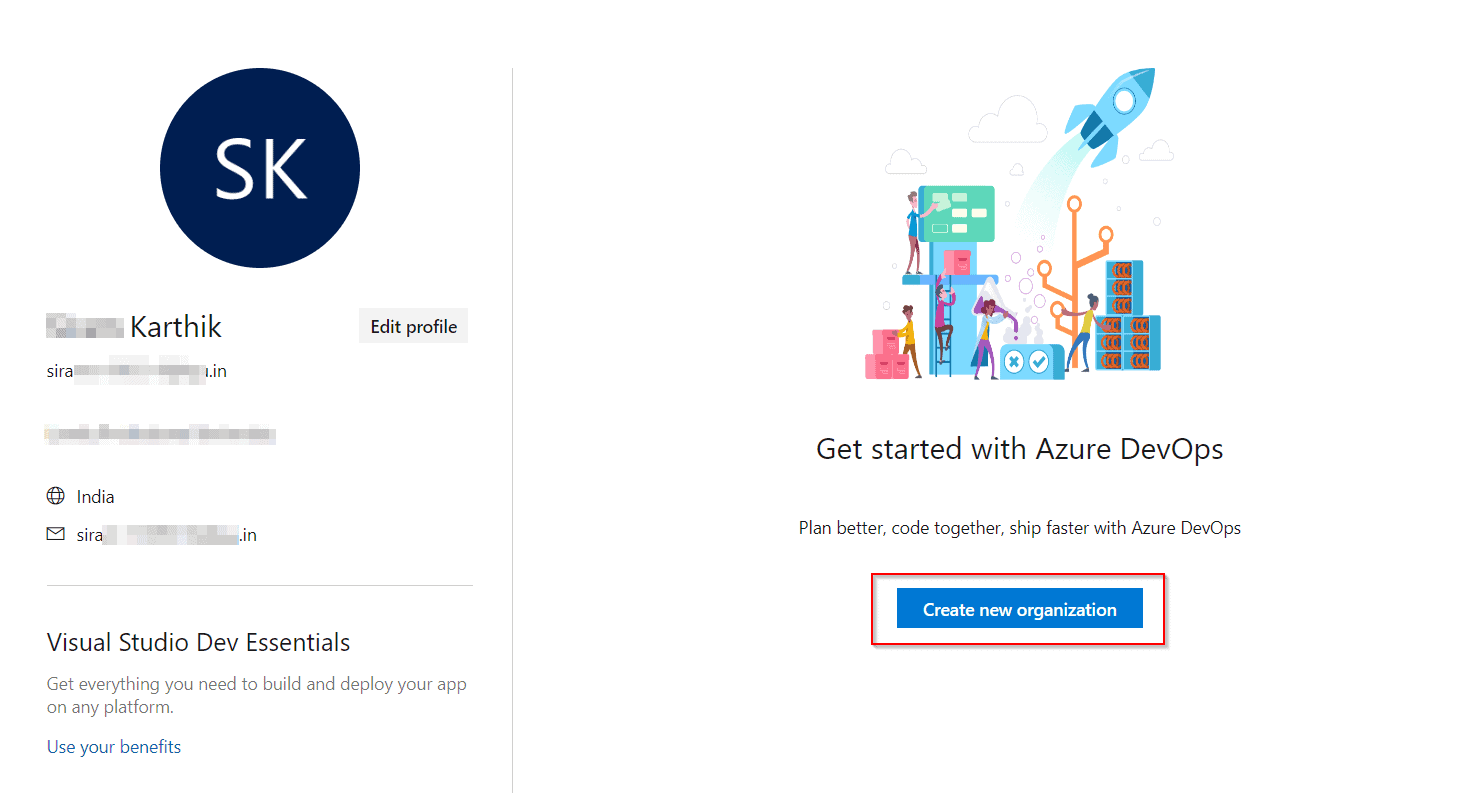
4. To get started with Azure DevOps, select Continue
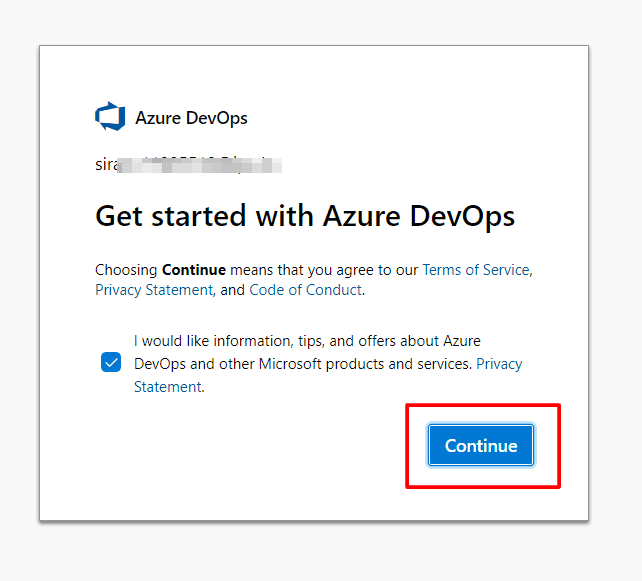
5. If you want, you can rename the organization name. Otherwise, leave the default value as it is, enter the captcha, and click Continue

6. Now, click on Organization Settings located at the bottom left of the page.
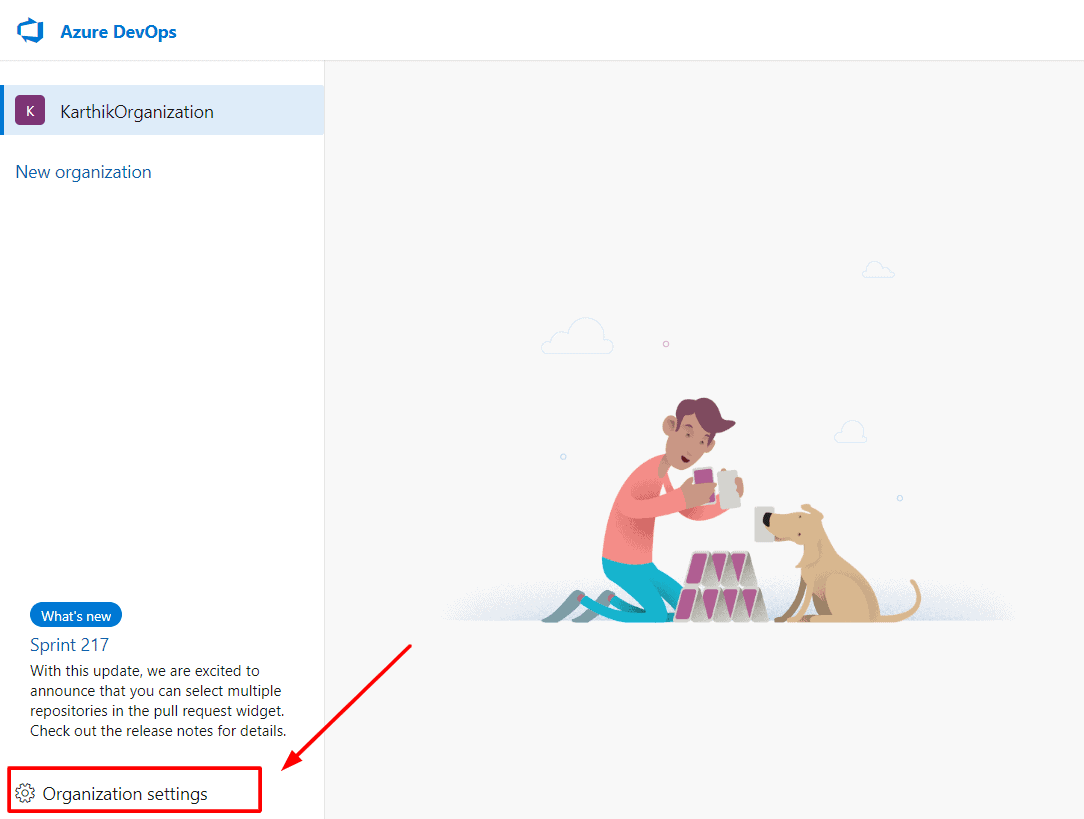
7. On the Organization Settings page, please select Azure Active Directory from the General section.
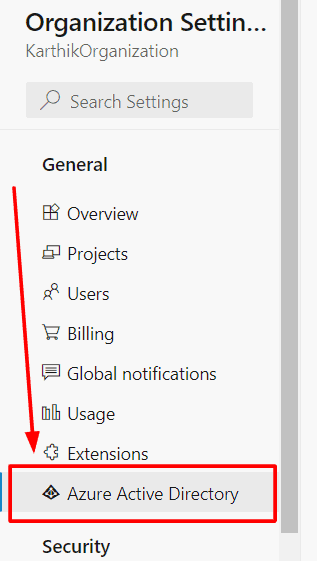
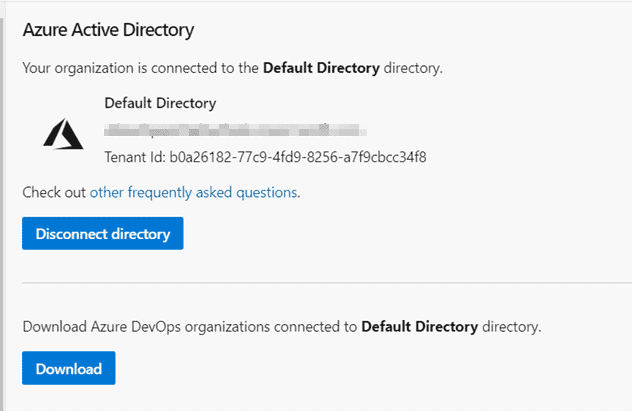
8. On the Azure Active Directory page, select Connect Directory

9. On the Azure Active Directory Connection page, select Default Directory from the drop-down list and click on Connect.

10. Now you have successfully connected your Azure AD with the DevOps Organization.
Create Project
Now that you have an organization, you can create a project. A project is a container for your code, work items, and other artifacts related to your software development process.
To create a project, follow these steps:
1. To create a new project in Azure DevOps, go to your organization’s homepage, enter a name and visibility level (public or private) , and click on the Create project button.
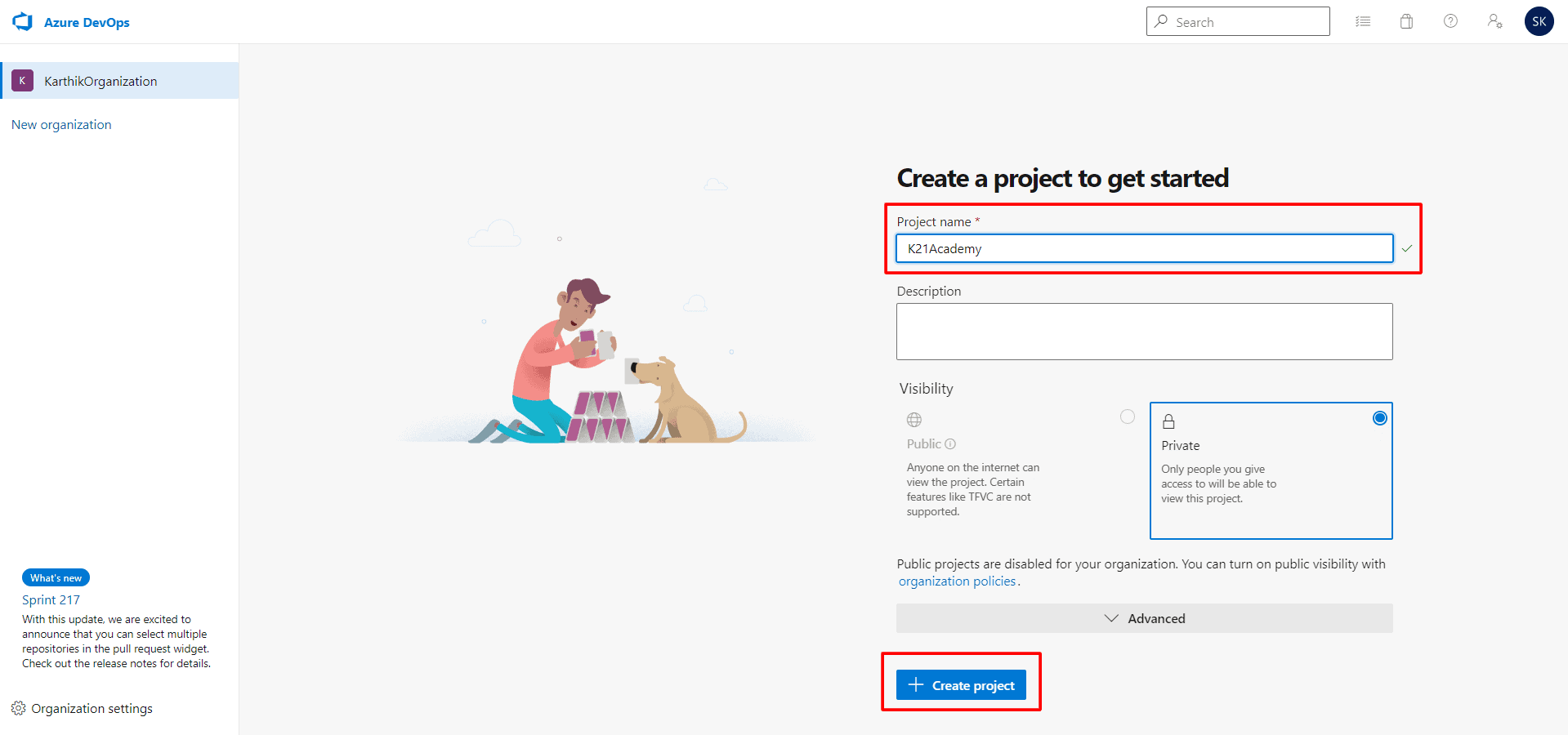
2. Click on Start your project and that’s it – your account is now ready to use. After creating a project in your organization, the page will look similar to this.

Conclusion:
In conclusion, creating an Azure DevOps account is a straightforward process that involves signing up for Azure, creating an organization, creating a project, and inviting team members. With Azure DevOps, you can streamline your software development process and improve collaboration among your team members.
Related/References
- [AZ-400] Microsoft Azure DevOps Certification Exam: Everything You Need To Know
- [AZ-400] Azure DevOps Certification Path
- [DOFD] Jenkins Overview and Installation Pre-requisites.
- CI/CD Pipeline | Continuous Integration | Continuous Deployment
- [AZ-400] Roles And Responsibilities As An Azure DevOps Engineer
- [AZ-400] Microsoft Azure DevOps Training: Step By Step Activity Guides/Hands-On Lab Exercise
- [AZ-400] Azure DevOps Services for Beginners
- Azure DevOps Environments | How To Setup DevOps Environment | Approval Checks | Azure DevOps Pipeline
- Branching Strategy DevOps | Git Branching Model | Git Branch Policy | Restoring A Deleted Branch
- SonarCloud Azure DevOps | Integrating SonarCloud In Azure
Next Task For You
Begin your journey toward Mastering Azure Cloud and landing high-paying jobs. Just click on the register now button on the below image to register for a Free Class on Mastering Azure Cloud: How to Build In-Demand Skills and Land High-Paying Jobs. This class will help you understand better, so you can choose the right career path and get a higher paying job.

![Microsoft Agentic AI Business Solutions Architect [AB-100] | K21 Academy](https://test.k21academy.com/wp-content/uploads/2025/11/Microsoft-Agentic-AI-Business-Solutions-Architect-AB-100-Exam-Overview1.png)