
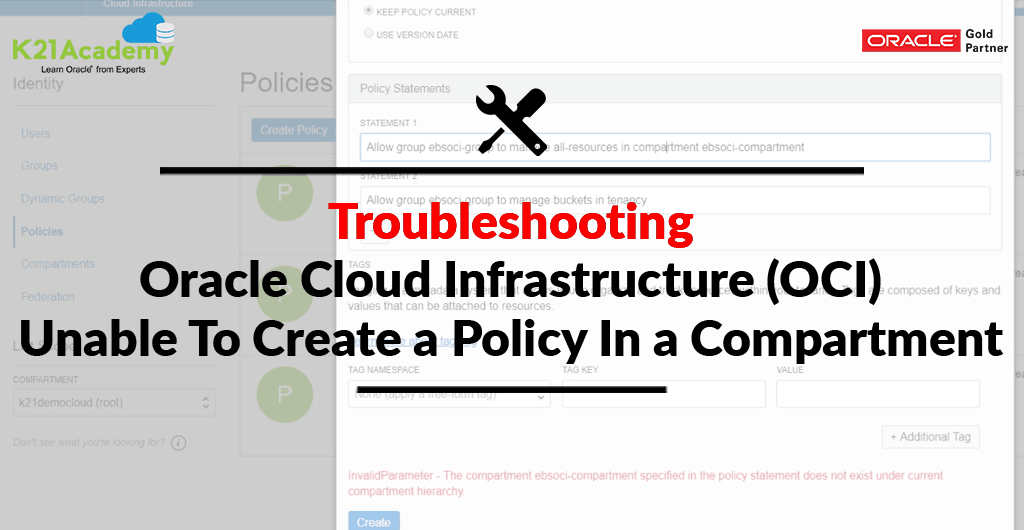



This post covered an issue encountered by a lot of our trainees While Creating Policy in a compartment in Oracle Cloud Infrastructure(OCI). Also, we have covered things you must know about the components of IAM (Identity & Access Management) which are Policy & Compartment.
Join free masterclass on How To Become Oracle Certified Cloud Architect Associate in 8 Weeks
The compartment is the first thing you will be selected when creating any resource in OCI like Compute, Storage, Network/VCN, etc so it is very important to understand compartment in OCI.
This blog discusses the symptoms, the root cause (Unable To Create a Policy Under a Compartment) and the fix of this prevalent issue.
(Note: If you are just starting on Oracle Cloud or new to Oracle Cloud Infrastructure (OCI), then I would suggest you check our previous post on Oracle Cloud Infrastructure (OCI) which covers the basic concepts i.e. Region, AD, Tenancy, Compartment, VCN, IAM, Compute, Storage Service, etc)
Before moving into the Issue & its Fix, Lets first understand the Overview of Compartment & Policy.
Overview of Compartment
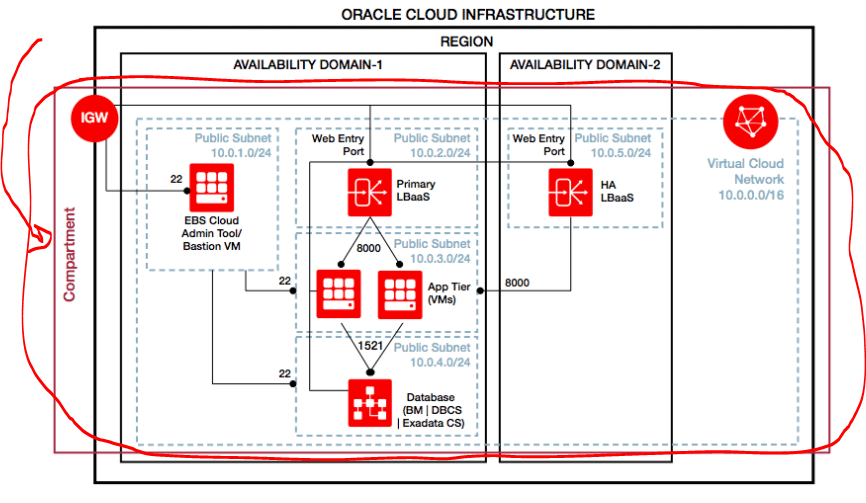
A compartment is a logical container within your account used to store Oracle Cloud Infrastructure (OCI) Resources created within that compartment (such as compute, storage, and network) and you impose some policies to that compartment, which restricts who can use the resources created within than compartment other than administrators of your account.
To know more about Compartments, please check our blog, here
You can create subcompartments in compartments to create hierarchies that are six levels deep.

Quick Facts About Compartment
- The logical container used to organize and isolate cloud resources; each resource is in exactly one compartment
- Compartments are hierarchical; permissions in a parent compartment are inherited by child compartments
- Compartments are global and logical; distinct from physical containers like Regions and Availability Domains
- Resources can be connected/shared across compartments
Overview of Policy In Oracle Cloud Infrastructure (OCI)
A policy specifies who can access which Oracle Cloud Infrastructure Resources (Compute, VCN, Object Storage, Database etc). A policy allows a group to work in certain ways with specific types of resources under a particular compartment
- Policies are comprised of one or more statements.
- It specifies which groups can access what resources. Also, it plays a role in the level of access users have in a particular group.
- Policy, attached to a group defines who can access what under a Tenancy or Compartment.
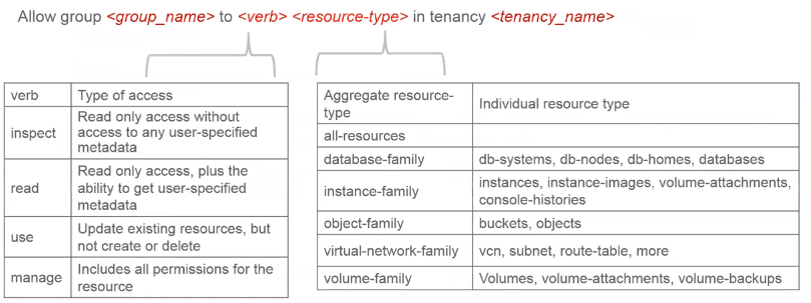
Policies are written in human-readable format:
- Allow group <group_name> to <verb> <resource-type> in tenancy.
- Allow group <group_name> to <verb> <resource-type> in compartment <compartment_name> [where <conditions>]
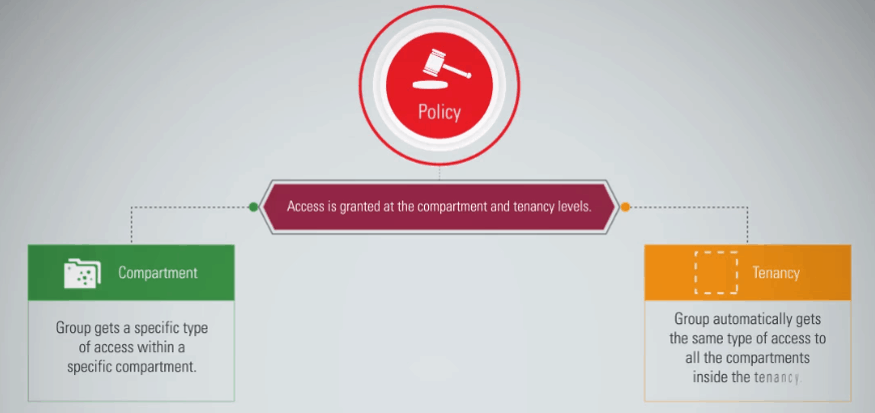
When you create a policy you must attach it to a compartment (or the tenancy, which is the root compartment). Where you attach it controls who can then modify it or delete it.
Issue & Fix
Issue: Error: InvalidParameter – The compartment CompartmentX specified in the policy statement does not exist under the current compartment hierarchy
While creating a policy, hitting with the below issue:
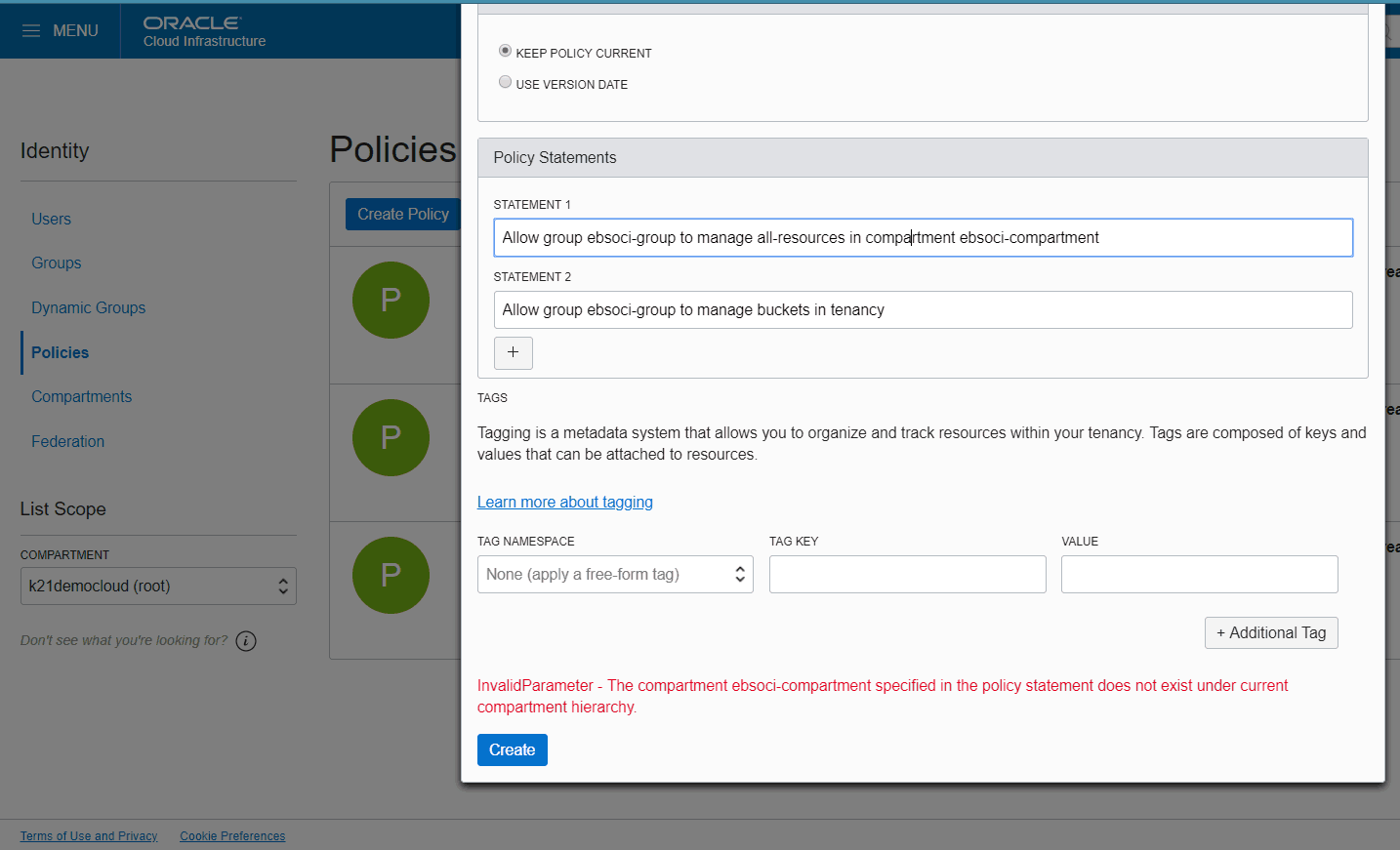
Cause:
It could be through a number of reasons like, You have selected the Wrong Compartment or a Typo.
Cause 1: You have selected the wrong Compartment while creating the policy, which means if you are given access at compartment level, you have to be in that compartment for which you are giving them the access.
Cause 2: While creating a policy, make sure you have mentioned a compartment which exists, means if you have created a compartment with name Test & you are mentioning Tests (with an “s”)
FIX:
Resources/policies created in one compartment are not visible/accessible in other compartments.
Policies can be created in either the tenancy (root compartment) for all users or under a specific compartment (for assigned users). Ensure you select the correct compartment where the policy should be created. When the command is executed under the correct compartment, this policy was successfully created.
To know more on Compartment In Oracle Cloud Infrastructure (OCI)
Now it’s your turn to post your doubts in the comment section and let us know where you are facing challenges in Oracle Cloud Infrastructure
This post is from our Course “Oracle Cloud Infrastructure Architect Associate” with 1 Year On-Job Support and 1-year Unlimited FREE Retakes (If you need to know more about this program then reach out to our team at contact@k21academy.com)
Reference
Related/Further Readings
Begin Your Cloud Journey
Begin your journey towards becoming an Oracle Cloud Expert and earn a lot more in 2024 by joining our FREE CLASS. You will also know more about the Roles and Responsibilities, Job opportunities for OCI Architects, Admins in the market, and what to study Including Hands-On labs you must perform to get the Higher Paying jobs.
Click on the below image to Register for Our FREE Class on MASTERING ORACLE CLOUD FOR DBAs, APPs DBAs, ARCHITECTS & SYS ADMINS


![Microsoft Agentic AI Business Solutions Architect [AB-100] | K21 Academy](https://test.k21academy.com/wp-content/uploads/2025/11/Microsoft-Agentic-AI-Business-Solutions-Architect-AB-100-Exam-Overview1.png)


