





In this post, we are going to cover What is REST in SOA 12c and Steps to Create REST in SOA 12c which is one of the new features in SOA 12c. For those who are new, REST stands for Representational State Transfer.
What is REST in SOA 12c:
REST is an Architectural style in which a web service can only be treated as a RESTful service if it follows the constraints of being
- Client-Server
- Stateless
- Cacheable
- Layered System
- Uniform Interface
In SOA 12c we can develop and integrate external REST API’s that supports XML, JSON and URL-encoded GET/POST data support.
Steps to create a REST Service in SOA 12c:
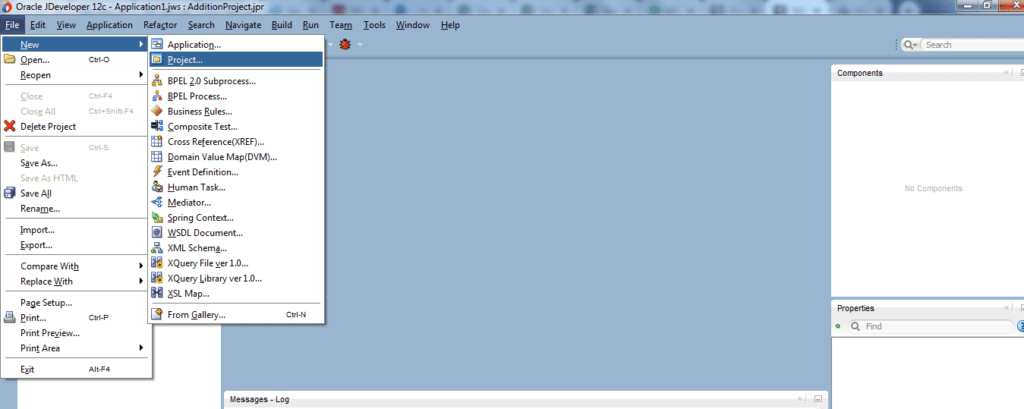
Step 1: Create a new Project in Jdeveloper. Go to File—>New —>Project
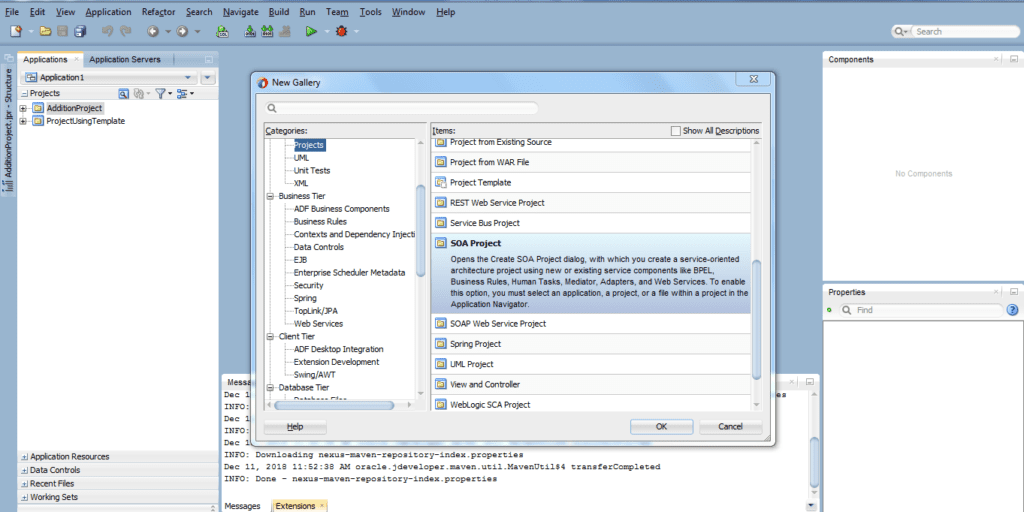
Step 2: Select SOA Project and Click Ok.
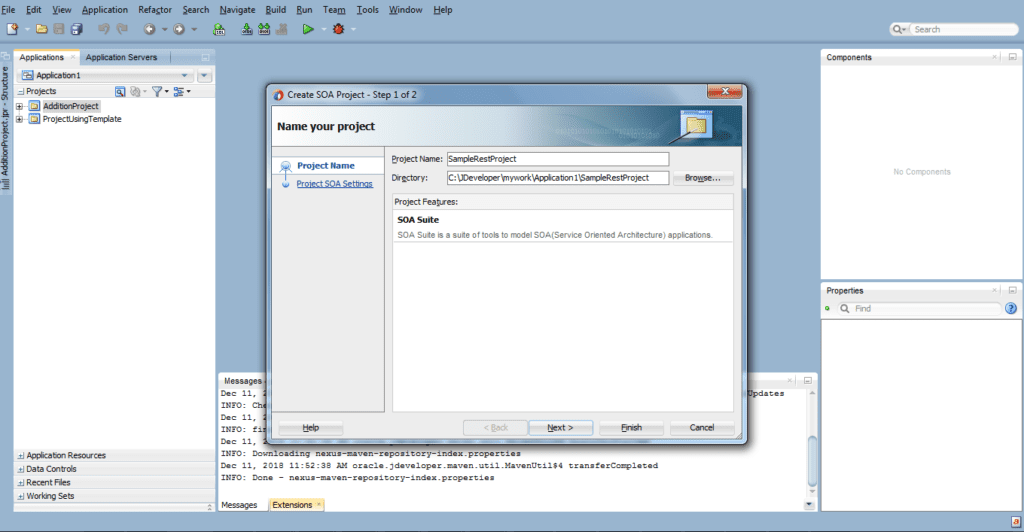
Step 3: Name the project as per your context and hit finish button.
Step 4: Right click on Components lane and select the component BPEL Process.
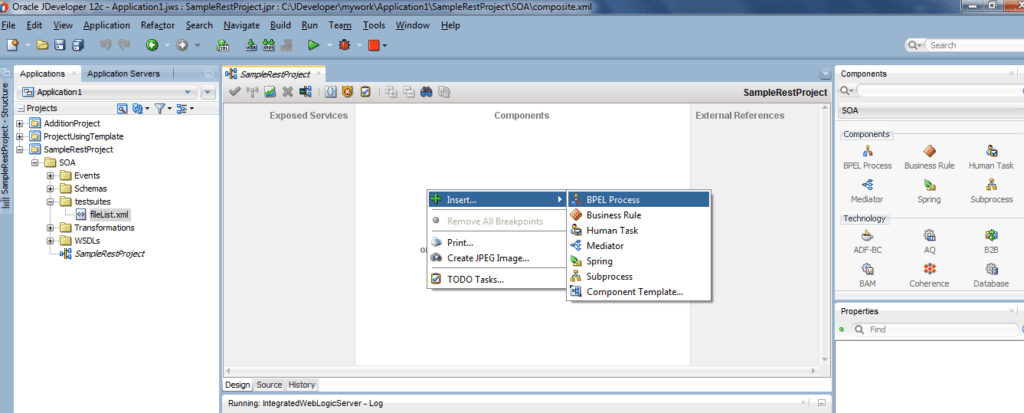
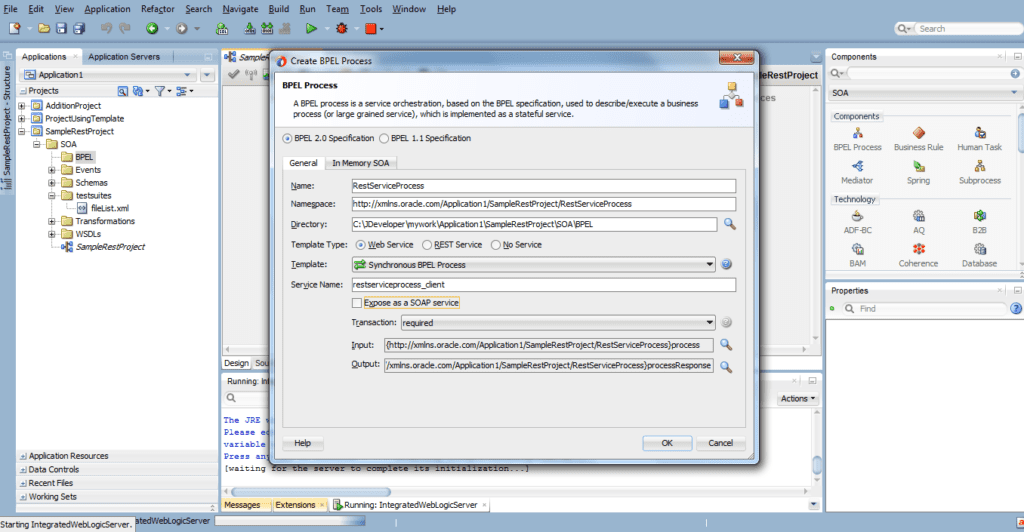
Step 5: Give the appropriate name to the BPEL Process and enter following details:
- Template Type: Web Service
- Uncheck Expose as a SOAP Service Radio button
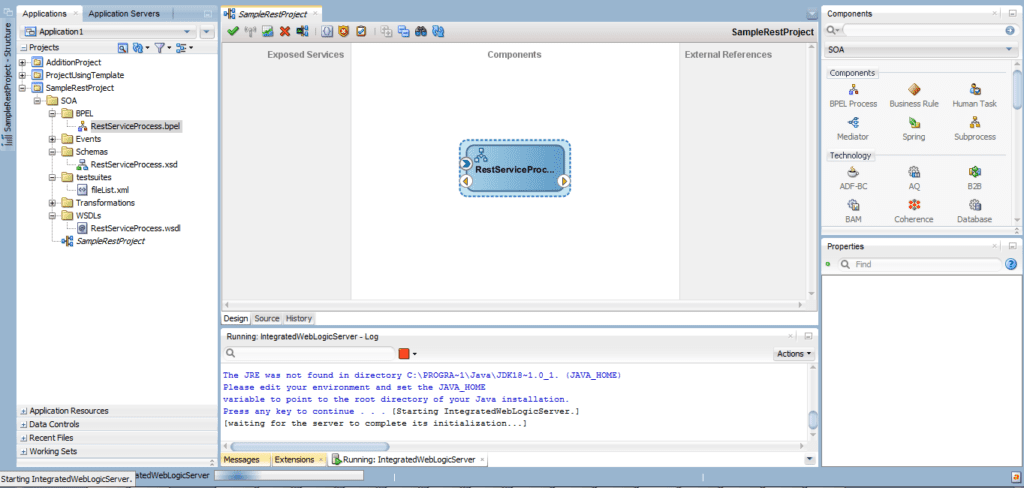
Step 6: BPEL component gets configured.
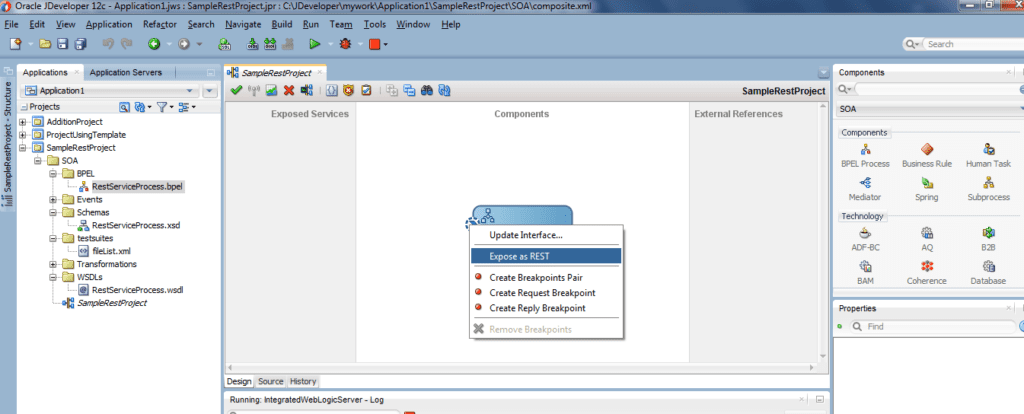
Step 7: Right Click on the inbound arrow on the bpel and choose the option Expose as REST
Step 8: Name the REST binding as per convention. Click on Next.
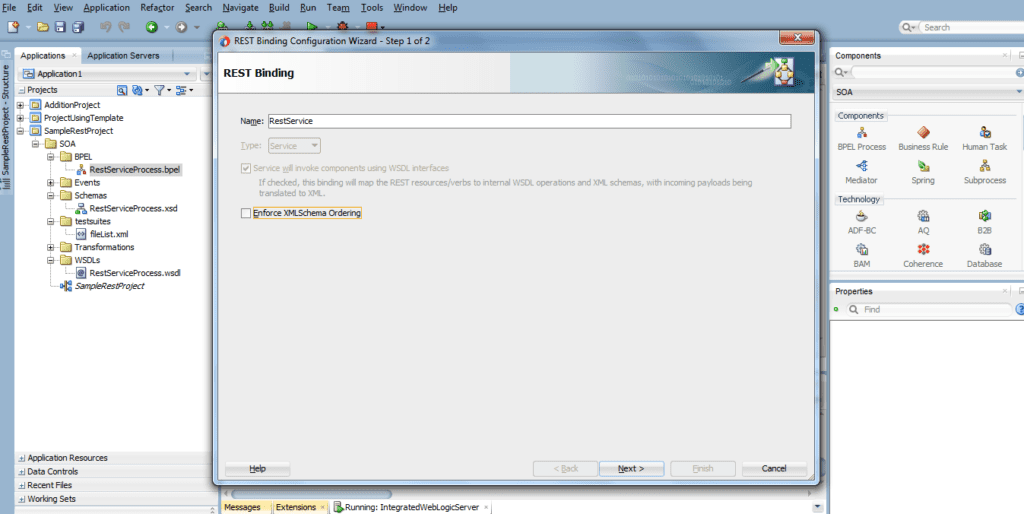
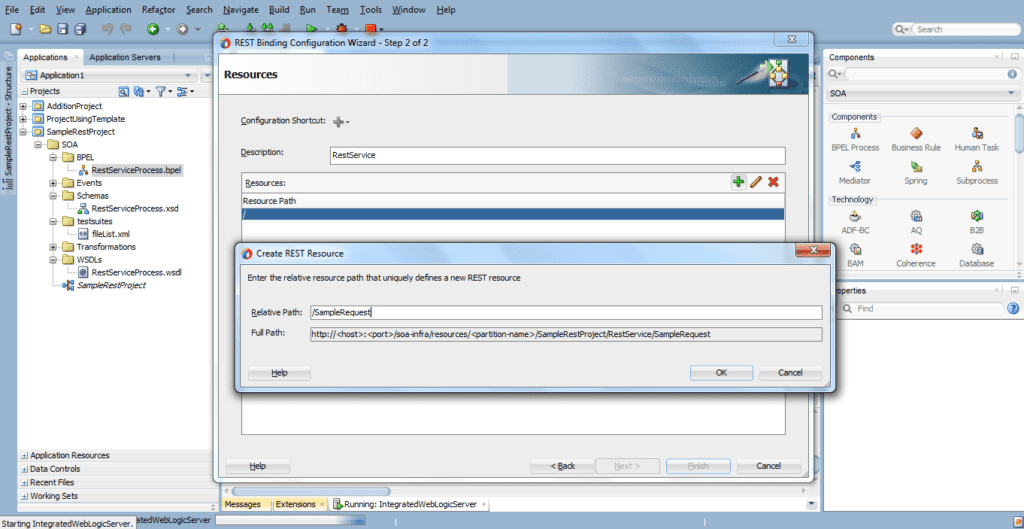
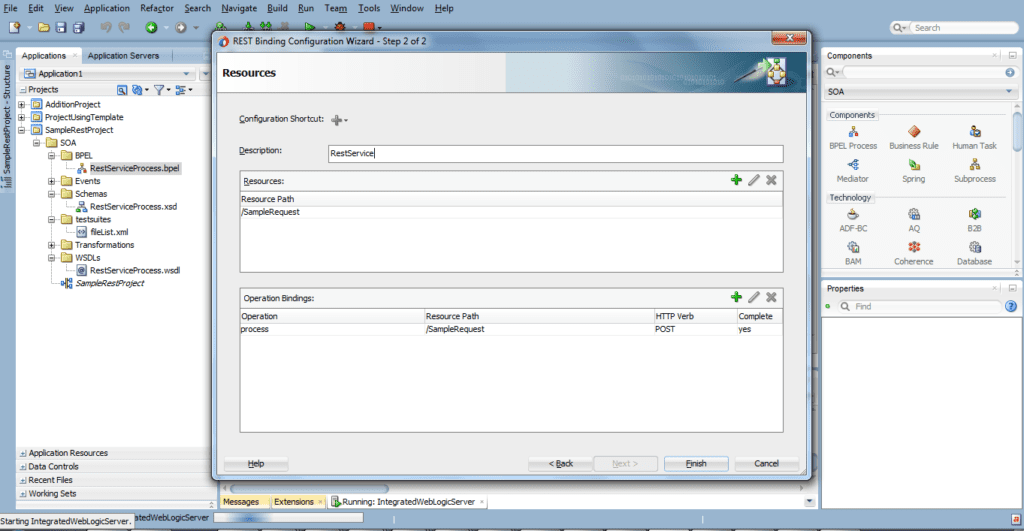
Step 9: Configure the Resources. In the Resource Path click on edit button and enter resource name as shown below and click on ok.
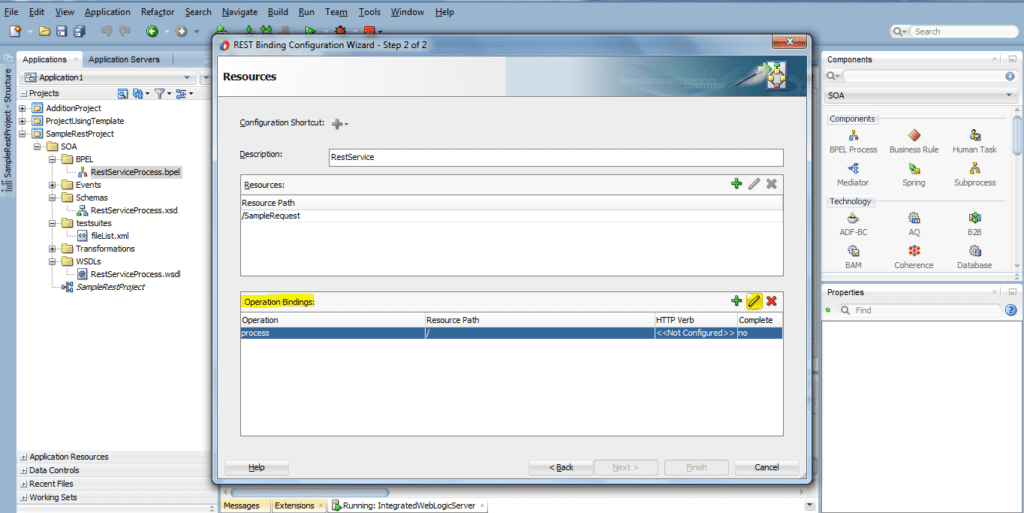
Step 10: Click on edit button on Operation Bindings.
Step 11: Select POST as HTTP Verb and XML as payload. Click on ok.
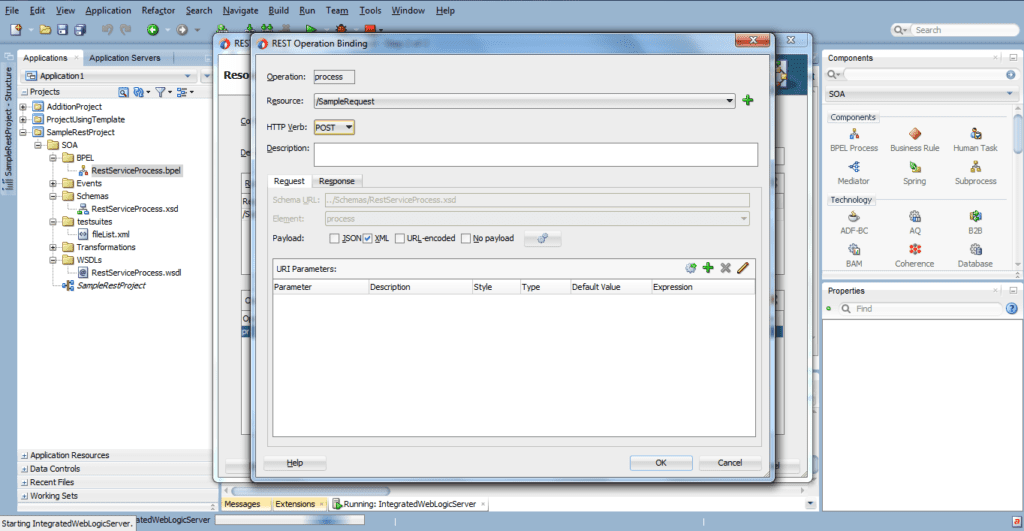
Step 12: Resources and Operation Bindings gets configured. Click finish button.
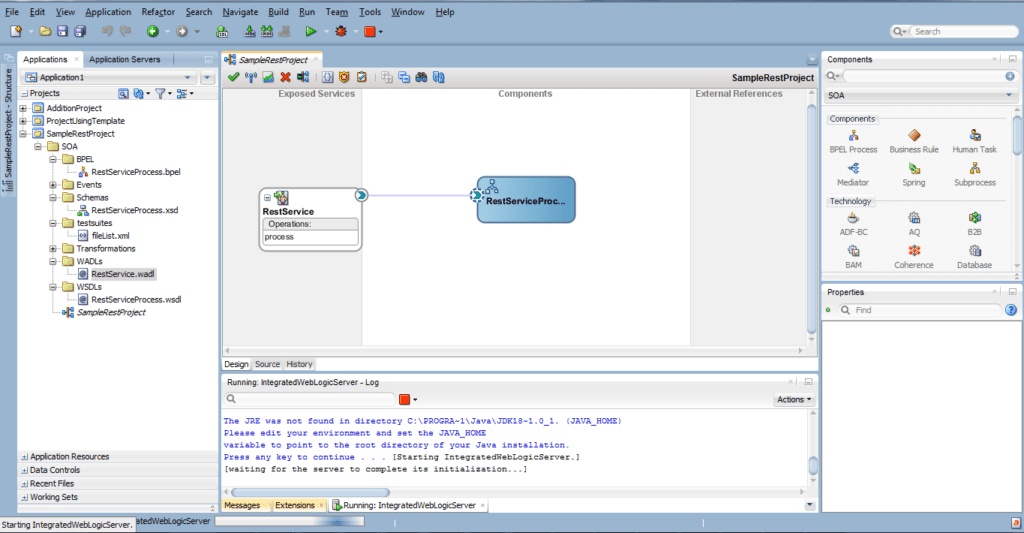
Step 13: BPEL component gets exposed as REST Service.
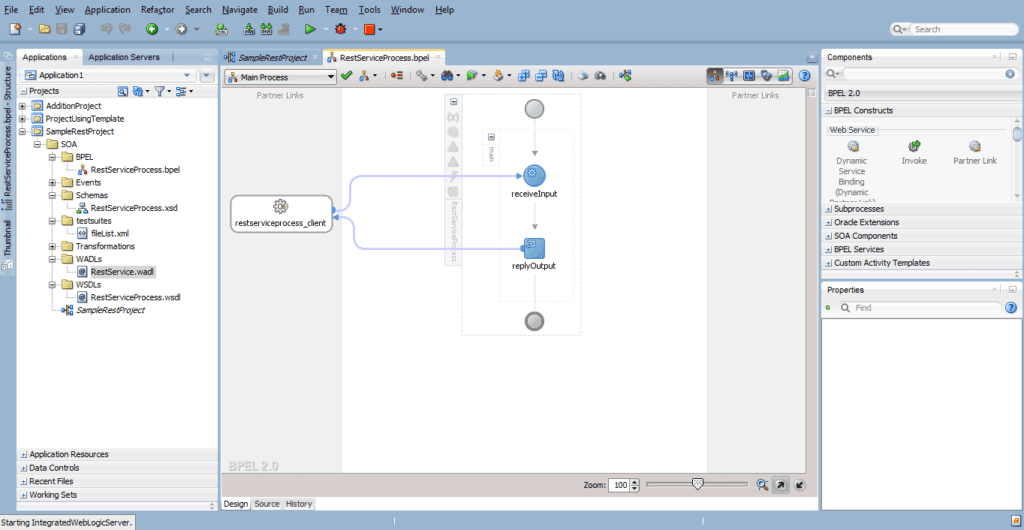
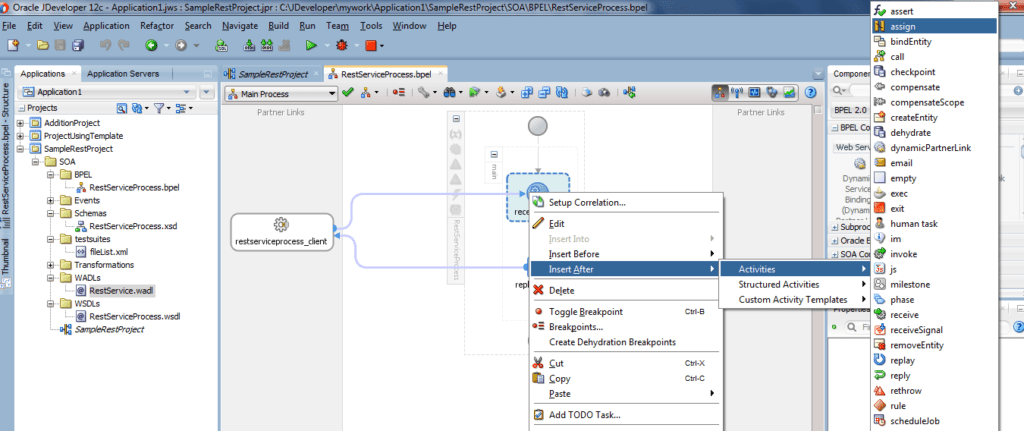
Step 14: Double click on the bpel component and add an assign activity after
Step 15: Double click on assign activity and perform mapping between output variable element and input variable element. Click on Apply and Ok.
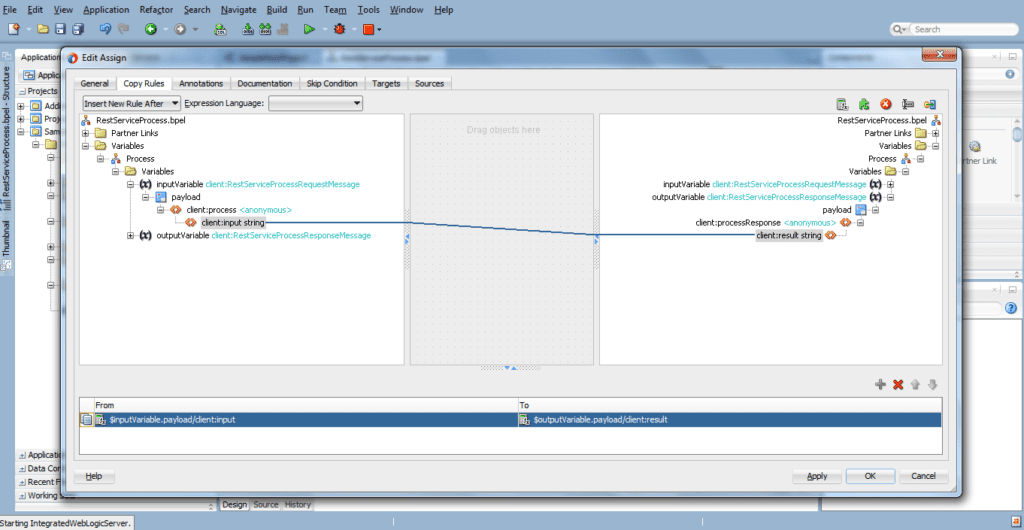
Step 16: Deploy the project and test it on em console or postman.
So, this is all about the What is REST in SOA 12c and Steps to create REST in SOA 12c .
We cover this in one of the modules of our Oracle SOA Dev where we also cover Develop SOA Composite, Orchestration, Managing and Monitoring Composite Applications, Fault Handling, DVM & MDS, JCA Adapters, Mediator, Business Rule Component and much more interesting and latest features in SOA 12C.
Did You Find this Blog useful?
Leave a Comment.
Some Interesting Topics in SOA Dev:
- [Video] Oracle SOA Suite Development: Meta Data Service (MDS) Click here
- [Video] Oracle SOA Suite Development: Domain Value Map (DVM) Click here
- [Blog]Error Hospital in Oracle SOA Suite 12C Click here
- Enterprise Manager Partition in Oracle SOA Suite 12c/11g Click here
- Subprocess in Oracle SOA Suite 12C Click here
- Templates in SOA 12c Click here
If You’ve not looked at Our Oracle SOA Suite Development Workshop & want to check what we cover in the Workshop then check here & Step By Step Hands-On Activity Guide we cover in Training.
If You’ve not a part of our Oracle SOA Suite Development Workshop & want to check what we cover in the Workshop then check here & Step By Step Hands-On Activity Guide we cover in Training.
Next Task for you:
Want to move ahead in your career and want to get a higher Earning Job?
Get 7+ Courses for DBAs & Apps DBA in a bundle program and learn from the Industry’s best Experts.


![Microsoft Agentic AI Business Solutions Architect [AB-100] | K21 Academy](https://test.k21academy.com/wp-content/uploads/2025/11/Microsoft-Agentic-AI-Business-Solutions-Architect-AB-100-Exam-Overview1.png)



