





Oracle Integration enables you to securely connect any application. Oracle Integration offers prebuilt connection to SaaS and on-premises systems, run-ready process automation templates, and a simple visual application builder for developing web and mobile apps.
In this blog we are going to describe about the best practices of integration. In order to know the best practices while integrating the integrations we need to understand the integration creation including the integration styles, common integration pitfalls and understand trigger and invoke connections.
Understand Integration Styles
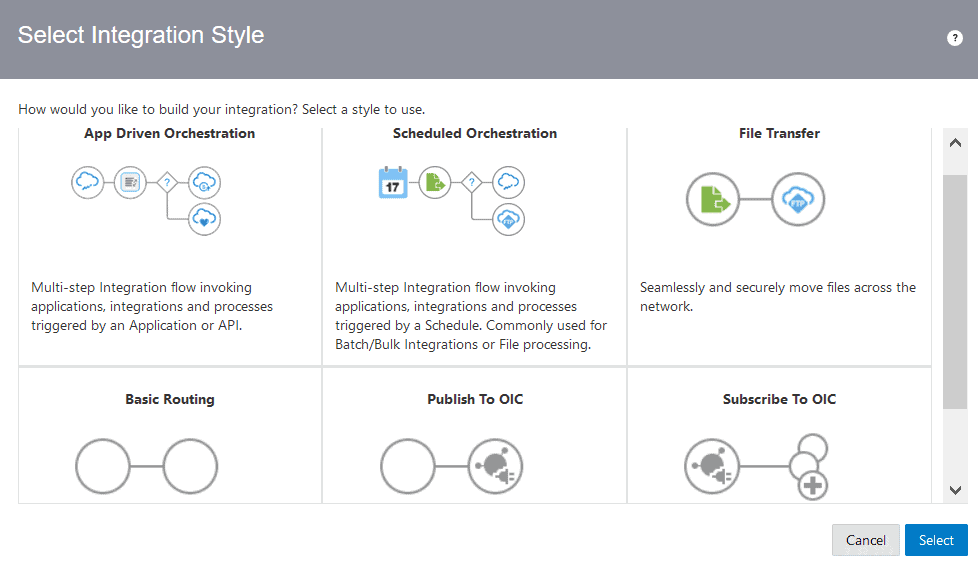
You may choose integration style among the multiple styles from then select integration style window.
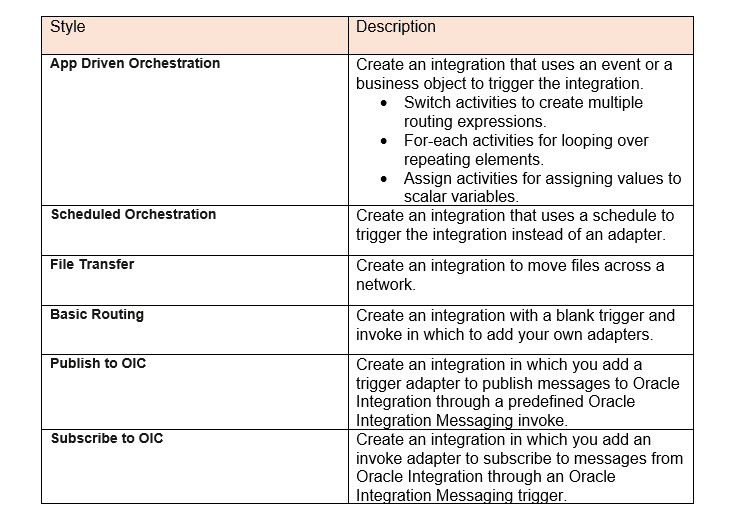
The list of the Integration styles and it’s description.
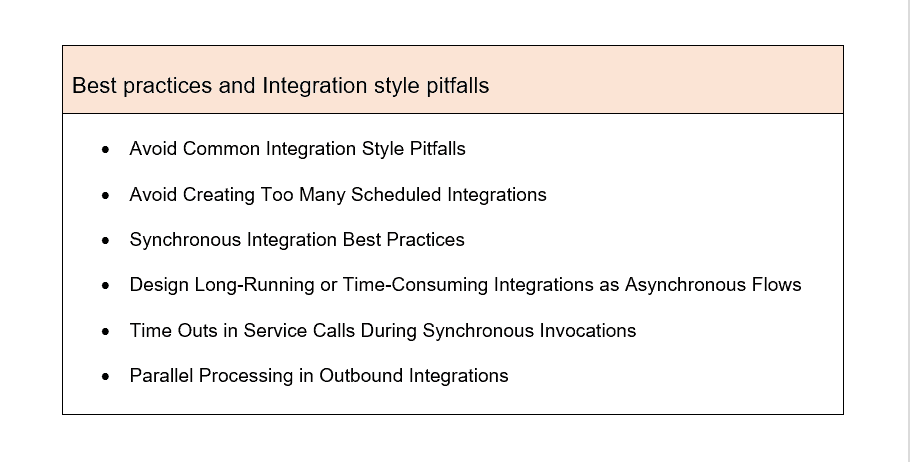
Common Integration Style Pitfalls and Design Best Practices
When designing an integration, best practices and integration style pitfalls should be avoided.
Understand Trigger and Invoke Connections
When designing an integration, You enter the integration by dragging trigger (source) and invoke (target) adapter connections. The connection already has the information needed to connect to the application.
Trigger Connections
The trigger (source) connection communicates with Oracle Integration. The adapter connections listed below can be used as integration triggers.
Invoke Connections
Oracle Integration communicates with the invoked (target) connection by sending requests or information. In an integration, you can declare the following adapter connections as invokes. here are few adapters listed.
Best Practices when designing an Integration
- Best Practices of Synchronous Integration
- Long-running or time-consuming integrations should be designed as asynchronous flows.
- Service Call Time Outs During Synchronous Invocations
- Parallel Processing in Outbound Integrations
Best Practices of Synchronous Integration
A synchronous integration that communicates with any asynchronous request response service:
- It is permissible to call asynchronous fire and forget (one-way).
- Oracle Integration presently does not support modelling an asynchronous request response service. However, all scheduled orchestration patterns implement an asynchronous request response internally. As a result, synchronous integration through scheduled orchestration is an anti-pattern.
Oracle WebLogic Server reports a stuck thread when a synchronous integration calls numerous services for more than 5 minutes.
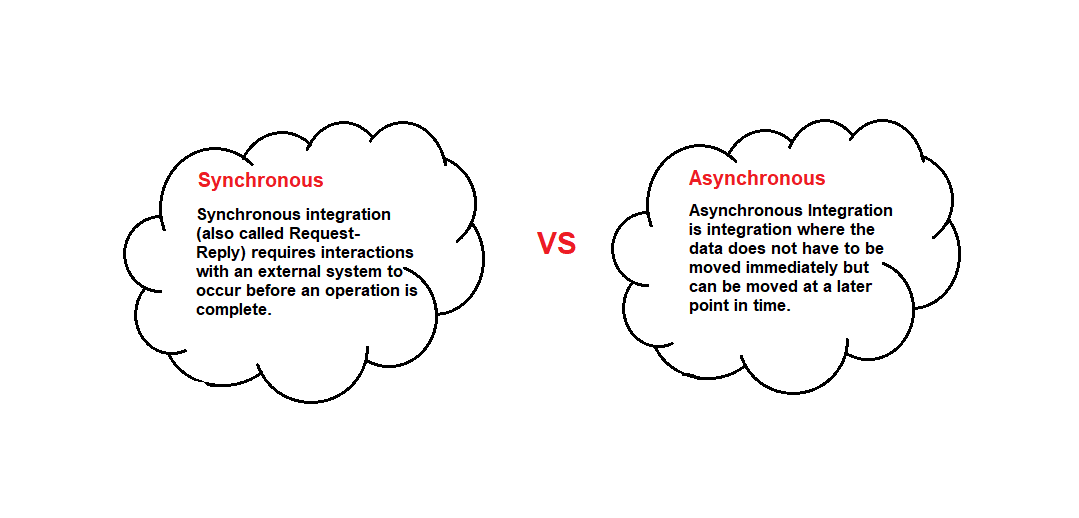
Long-running or time-consuming integrations should be designed as asynchronous flows.
Long-running or time-consuming integrations should not be exposed as synchronous flows. This action may cause client apps (as well as other integrations) to time out. A server-side time out is also present in synchronous integrations. Model any synchronous integration that takes more than two minutes as an asynchronous flow.
Service Call Time Outs During Synchronous Invocations
You may encounter instances in which synchronous Oracle Integration invocations (including calls to other integrations) are blocking calls that must be completed within 300 seconds.
Because the call may involve one or more proxies, each proxy may have a time out that is comparable. The default proxy on Oracle Public Cloud, for example, has a time out value of 120 seconds. If the call is to an on-premises service that is protected by a firewall, the proxy configured may have its own time out value.
When multiple layers of time outs are established, the service invocation fails at the initial time out.
Parallel Processing in Outbound Integrations
While there is no particular integration architecture that allows an outbound integration to deliver data to many third-party systems at the same time, there are integration design techniques that allow for this scenario.
Divide the integration into many integrations:
- Create a primary parent integration that only receives and processes data.
- To perform the different outbound REST invocations, create distinct child integrations.
What is Outbound Integrations?
Outbound integrations enable business process authored in Process Designer to interact with other systems, such as a web service, a content management system, or an external database.
These are the Best Practices for an Integration, when designing an integration.
Related / References Links:
- [Oracle Integration Cloud] ICS, PCS, VBCS Console Walkthrough
- 6 Oracle Integration Cloud Docs Every Oracle Cloud Integrator Must Read
- Oracle Integration Cloud Create Instance: Step-by-Step
- Autonomous Transaction Processing (ATP) Adapter in OIC
- Oracle Integration 3 Introduction
Next Task For You
Do you want to learn more about Oracle and confuse where to start or which certification is right for you? Then, click on the register now button below to register for a Free Masterclass on Oracle [1Z0-1042] Certified Cloud Integration Expert, which will help you better understand and choose the right path and clear the certification exam.


![Microsoft Agentic AI Business Solutions Architect [AB-100] | K21 Academy](https://test.k21academy.com/wp-content/uploads/2025/11/Microsoft-Agentic-AI-Business-Solutions-Architect-AB-100-Exam-Overview1.png)



