





You can extend the Kubernetes API to get the desired outcomes by using Kubernetes CustomResourceDefinitions (CRDs). In this blog, we are going to learn what exactly CRDs are and how they work.
We will discuss:
- What are CRDs?
- Why CRDs?
- How to create a CRD?
- Create custom objects
- How to delete a CRD?
- CRD vs ConfigMap
- Conclusion
What Are CRDs?
To understand what CRD is, we must first review a couple of Kubernetes concepts:
- A resource is an endpoint in the k8s API that allows you to store any type of API object.
- A custom resource enables you to create your own API objects and define your own type, similar to Pod, Deployment, ReplicaSet, and so on.
Custom Resources enable you to extend Kubernetes’ capabilities by incorporating any type of API object useful for your application. Custom Resource Definition is the method for defining a Custom Resource. This is a powerful way to go beyond the default Kubernetes installation.
Why CRDs?
The ability to extend the Kubernetes API with custom resource definitions is a fantastic feature that allows you to do amazing things. It gives you the ability to tell Kubernetes to manage more than just containers.
What makes that so special? Because CRDs in conjunction with Kubernetes operators provide nearly limitless possibilities. You can configure Kubernetes to manage older components of your infrastructure. If done correctly, you will be able to avoid bottlenecks and easily modernize things that would otherwise require lengthy and costly redesigns.
How to create a CRD?
The Kubernetes API Server creates a new RESTful resource path for each version you specify when you create a new CustomResourceDefinition (CRD)(1). The custom resource created from a CRD object can be namespaced or cluster-scoped, depending on the spec.scope field of the CRD. Similarly to deleting existing built-in objects, deleting a namespace removes all custom objects from that namespace. CustomResourceDefinitions are non-namespaced and accessible to all namespaces.
The manifest below shows an example CRD resourcedefinition.yaml:
apiVersion: apiextensions.k8s.io/v1
kind: CustomResourceDefinition
metadata:
  # name must match the spec fields below, and be in the form: <plural>.<group>
  name: crontabs.stable.example.com
spec:
  # group name to use for REST API: /apis/<group>/<version>
  group: stable.example.com
  # list of versions supported by this CustomResourceDefinition
  versions:
    - name: v1
      # Each version can be enabled/disabled by Served flag.
      served: true
      # One and only one version must be marked as the storage version.
      storage: true
      schema:
        openAPIV3Schema:
          type: object
          properties:
            spec:
              type: object
              properties:
                cronSpec:
                  type: string
                image:
                  type: string
                replicas:
                  type: integer
  # either Namespaced or Cluster
  scope: Namespaced
  names:
    # plural name to be used in the URL: /apis/<group>/<version>/<plural>
    plural: crontabs
    # singular name to be used as an alias on the CLI and for display
    singular: crontab
    # kind is normally the CamelCased singular type. Your resource manifests use this.
    kind: CronTab
    # shortNames allow shorter string to match your resource on the CLI
    shortNames:
    - ct
Source: Kubernetes Docs
To create it, run:
kubectl apply -f resourcedefinition.yaml
A new namespaced RESTful API endpoint is created at /apis/stable.example.com/v1/namespaces/*/crontabs/…
After that, the endpoint URL can be used to create and manage custom objects. According to the spec of the CustomResourceDefinition object, you created above, the type of these objects will be CronTab.
The endpoint may take a few seconds to be created. You can keep an eye on the Established condition of your CustomResourceDefinition or the API server’s discovery information for your resource to appear.
Create custom objects
You can create custom objects after the CustomResourceDefinition object has been created. Custom fields can be added to custom objects. These fields may contain any JSON. The cronSpec and image custom fields are set in a custom object of type CronTab in the following example. CronTab is derived from the spec of the CustomResourceDefinition object you created earlier.
For example, we have my-crontab.yaml:
apiVersion: "stable.example.com/v1"
kind: CronTab
metadata:
  name: my-new-cron-object
spec:
  cronSpec: "* * * * */5"
  image: my-awesome-cron-image
Create & view the custom object:
kubectl apply -f my-crontab.yaml
kubectl get crontab
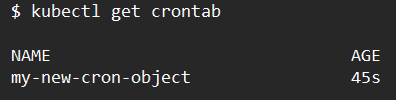
Resource names are not case-sensitive, and you can use any short names in addition to the singular or plural forms specified in the CRD.
How to delete a CRD?
The server will remove the RESTful API endpoint and all custom objects stored in it when you delete a CustomResourceDefinition.
Run the below command to remove a CRD and the resources we created.
kubectl delete -f resourcedefinition.yaml
CRD vs ConfigMap
You might notice some similarities between CRDs and ConfigMap, a Kubernetes built-in object. Additionally, CRDs might actually accomplish the same thing if you use them in place of a custom controller. Both of them can be used to keep individual configurations. But there are observable distinctions between them.
First of all, ConfigMaps are created with the intention of configuring your pods. They can be mounted into the pod as files or environment variables. If you have well-defined configuration files, such as the Apache or MySQL config, they function well.
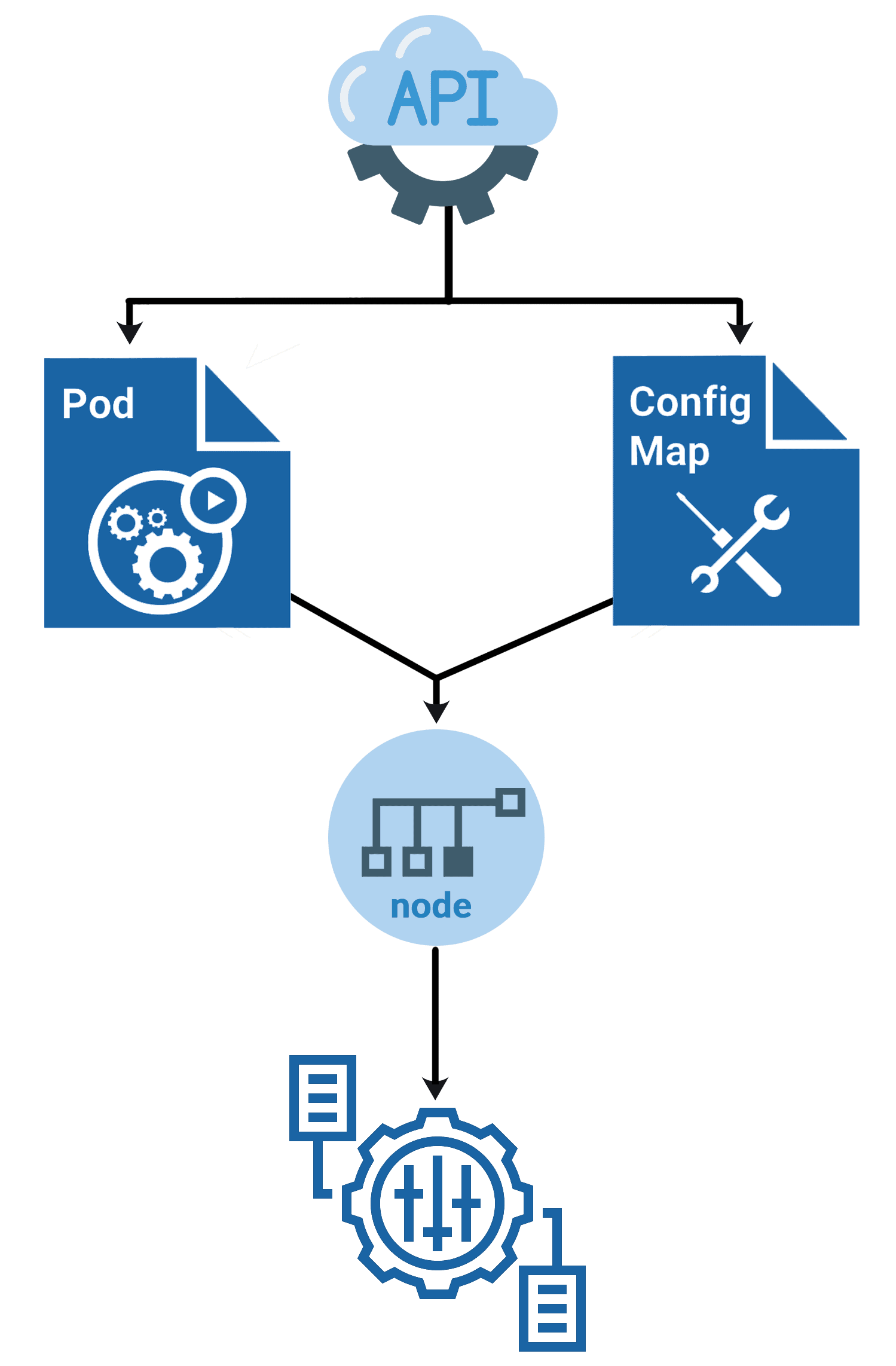
Pods can consume CRDs as well, but only after making a call to the Kubernetes API. Simply put, they serve a different function than ConfigMaps. They are not intended to be used to configure your pods, but rather to expand the Kubernetes API in order to create specialized automation.
Learn more about K8s ConfigMaps
Conclusion
One of the reasons Kubernetes is so successful is because of its flexibility. With your own Kubernetes objects, you can now take advantage of this flexibility. The options are practically endless, and how you use CRDs is entirely up to you.
Related/References
- Visit our YouTube channel “K21Academy”
- Certified Kubernetes Application Developer (CKAD) Certification Exam
- Certified Kubernetes Administrator (CKA) Certification Exam
- (CKA) Certification: Step By Step Activity Guides/Hands-On Lab Exercise & Learning Path
- (CKAD) Certification: Step By Step Activity Guides/Hands-On Lab Exercise & Learning Path
- Create AKS Cluster: A Complete Step-by-Step Guide
- Container (Docker) vs Virtual Machines (VM): What Is The Difference?
- How To Setup A Three Node Kubernetes Cluster For CKA: Step By Step
Join FREE Masterclass
Discover the Power of Kubernetes, Docker & DevOps – Join Our Free Masterclass. Unlock the secrets of Kubernetes, Docker, and DevOps in our exclusive, no-cost masterclass. Take the first step towards building highly sought-after skills and securing lucrative job opportunities. Click on the below image to Register Our FREE Masterclass Now!


![Microsoft Agentic AI Business Solutions Architect [AB-100] | K21 Academy](https://test.k21academy.com/wp-content/uploads/2025/11/Microsoft-Agentic-AI-Business-Solutions-Architect-AB-100-Exam-Overview1.png)



