






In this post, we are going to look at Subprocess in SOA 12C which is one of the new features introduced in SOA 12C which mainly focuses on reusability of the code with much ease within the BPEL or across different bpel within the same composite.
Subprocess in SOA 12C:
Subprocess is one of the new features in SOA 12c and as the name suggests, It is a piece of code which is embedded with the BPEL or outside BPEL component that can be reused across.
There are two types of Subprocess:
- Inline Subprocess
- Standalone Subprocess
Inline Subprocess:
- It is part of the BPEL which allows the same code to be reused within the same BPEL.
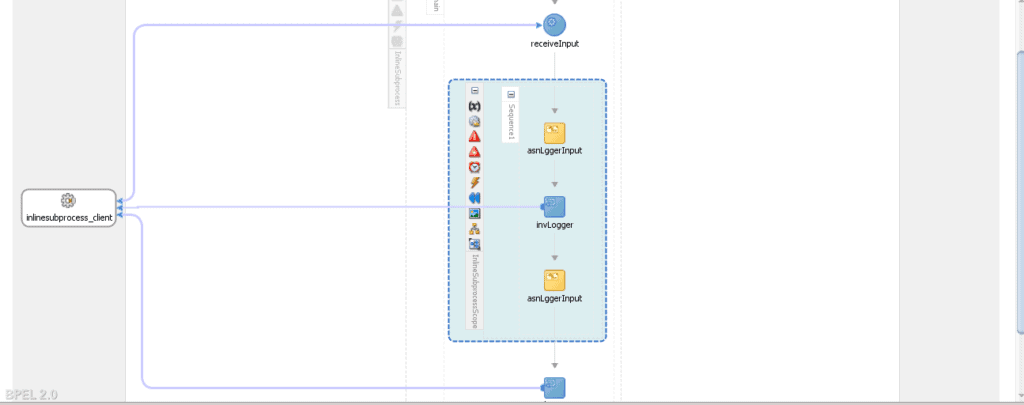
- Whenever we identify some set of activities being used multiple times within a particular BPEL, we can add those activities in a scope. Then we right click on the scope to convert this reusable piece into subprocess.
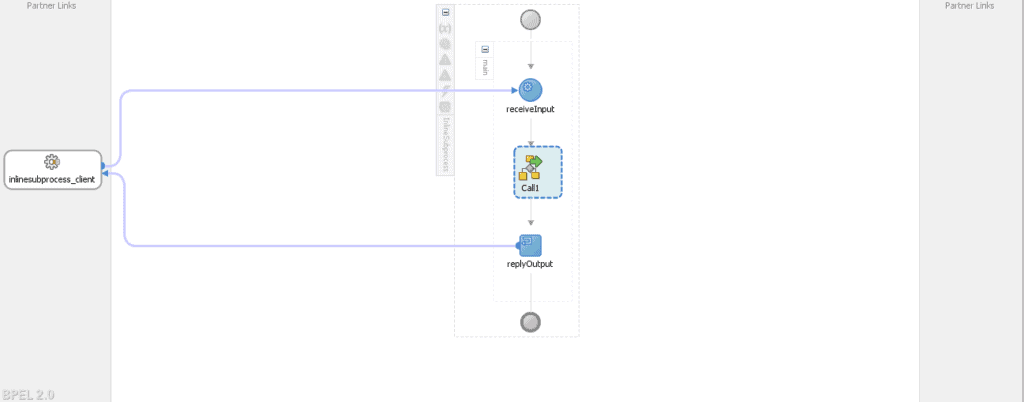
- This scope is replaced by a call shape and the set of activities become a reusable asset within the same BPEL process which can be called multiple times leveraging the call shape.
Steps to create an Inline Subprocess:
1. Identify the reusable piece of code and push it into a scope.
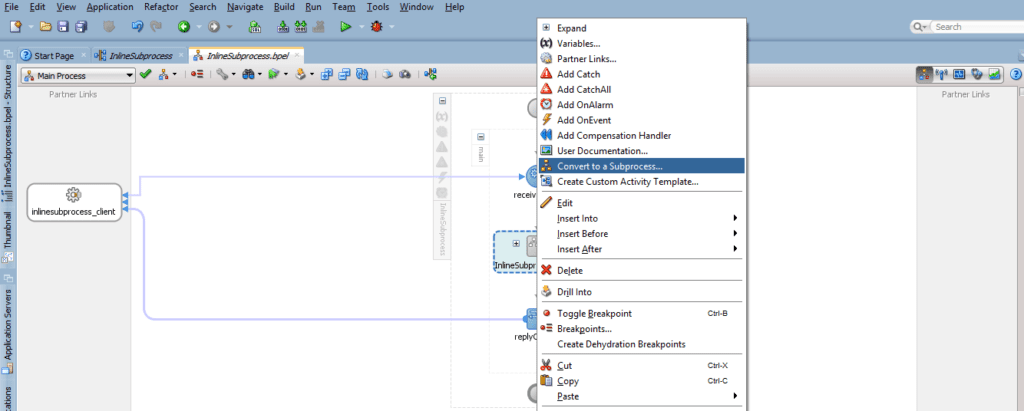
2. Right click on the scope and select the option “convert it into a subprocess“.
3. Scope is replaced by a call shape and an inline subprocess is created.
Standalone Subprocess:
- It is part of the BPEL which allows the same code to be reused across different BPEL components within the same composite.
- Whenever we identify some set of activities being used multiple times across different BPEL components within the same composite, we can add those activities in a standalone subprocess.
- This subprocess can be called from different BPEL components.
Steps to create a Standalone subprocess:
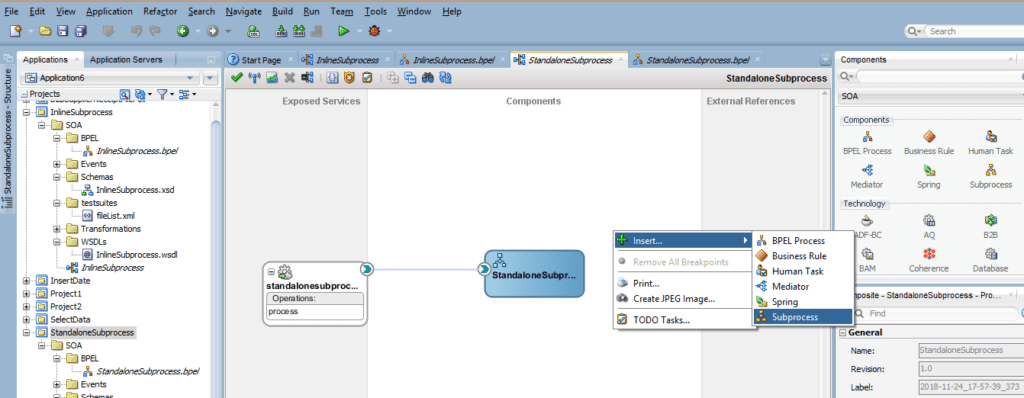
1. Right click on the service component lane in the composite and select the subprocess option to configure a standalone.
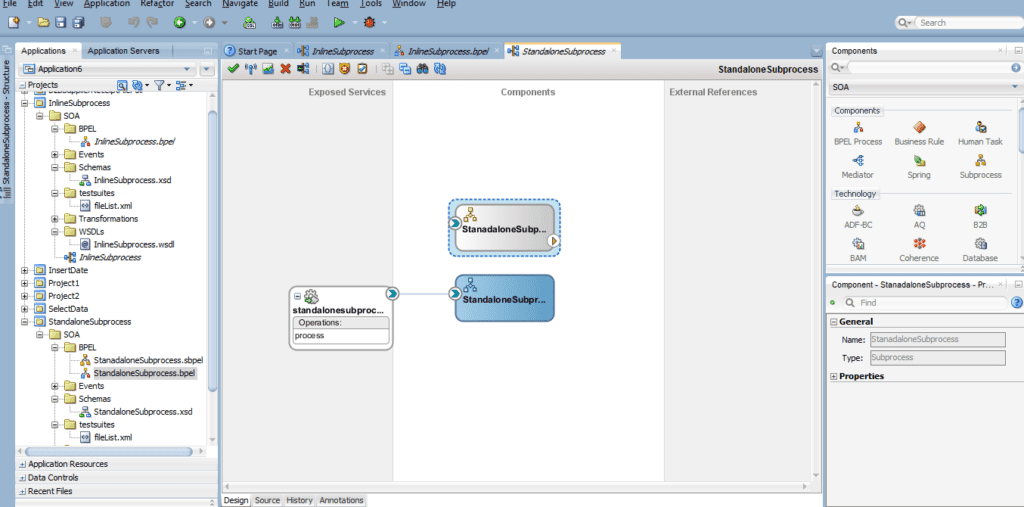
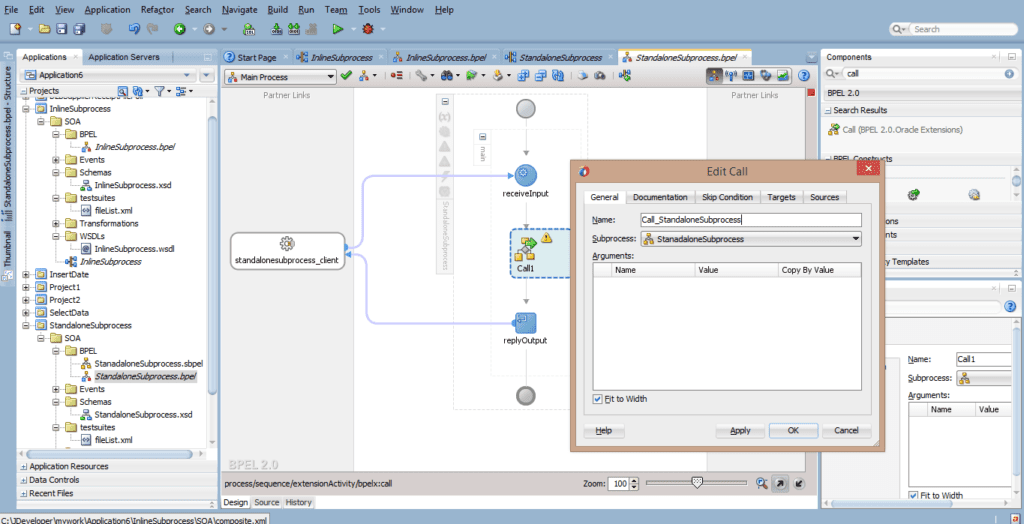
2. Open the BPEL component where you want to reuse the standalone subprocess. Insert a call shape and select the standalone subprocess which is required to be reused.
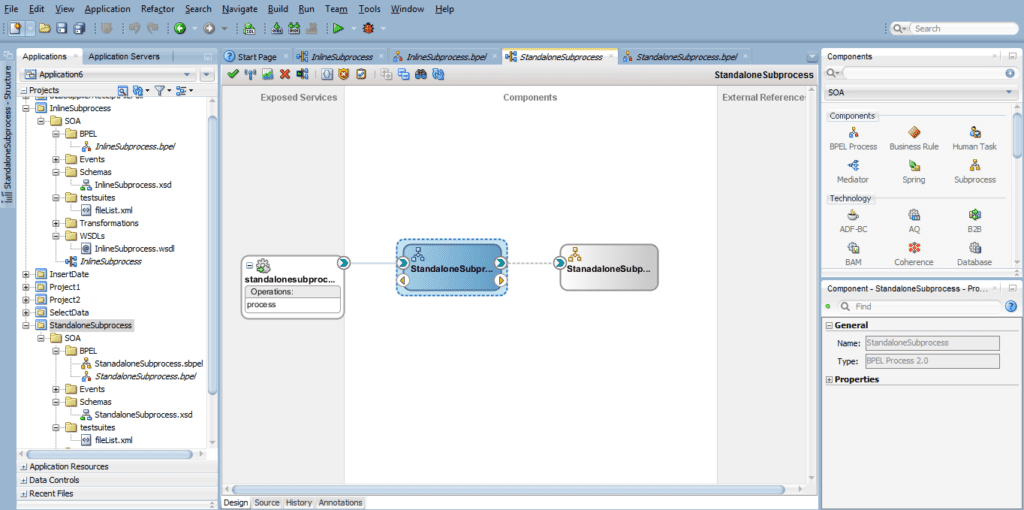
So, this is about the Subprocess and all about the Subprocesses in SOA 12C.
We cover this in one of the modules of our Oracle SOA Dev where we also cover Develop SOA Composite, Orchestration, Managing and Monitoring Composite Applications, Fault Handling, DVM & MDS, JCA Adapters, Mediator, Business Rule Component and much more interesting and latest features in SOA 12C.
Did You Find this Blog useful?
Leave a Comment.
Some Interesting Topics in SOA Dev:
- [Video] Oracle SOA Suite Development: Meta Data Service (MDS) Click here
- [Video] Oracle SOA Suite Development: Domain Value Map (DVM) Click here
If You’ve not a part of our Oracle SOA Suite Development Workshop & want to check what we cover in the Workshop then check here & Step By Step Hands-On Activity Guide we cover in Training.
Next Task for you:
Want to move ahead in your career and want to get a higher Earning Job?
Get 7+ Courses for DBAs & Apps DBA in a bundle program and learn from the Industry’s best Experts.


![Microsoft Agentic AI Business Solutions Architect [AB-100] | K21 Academy](https://test.k21academy.com/wp-content/uploads/2025/11/Microsoft-Agentic-AI-Business-Solutions-Architect-AB-100-Exam-Overview1.png)



