
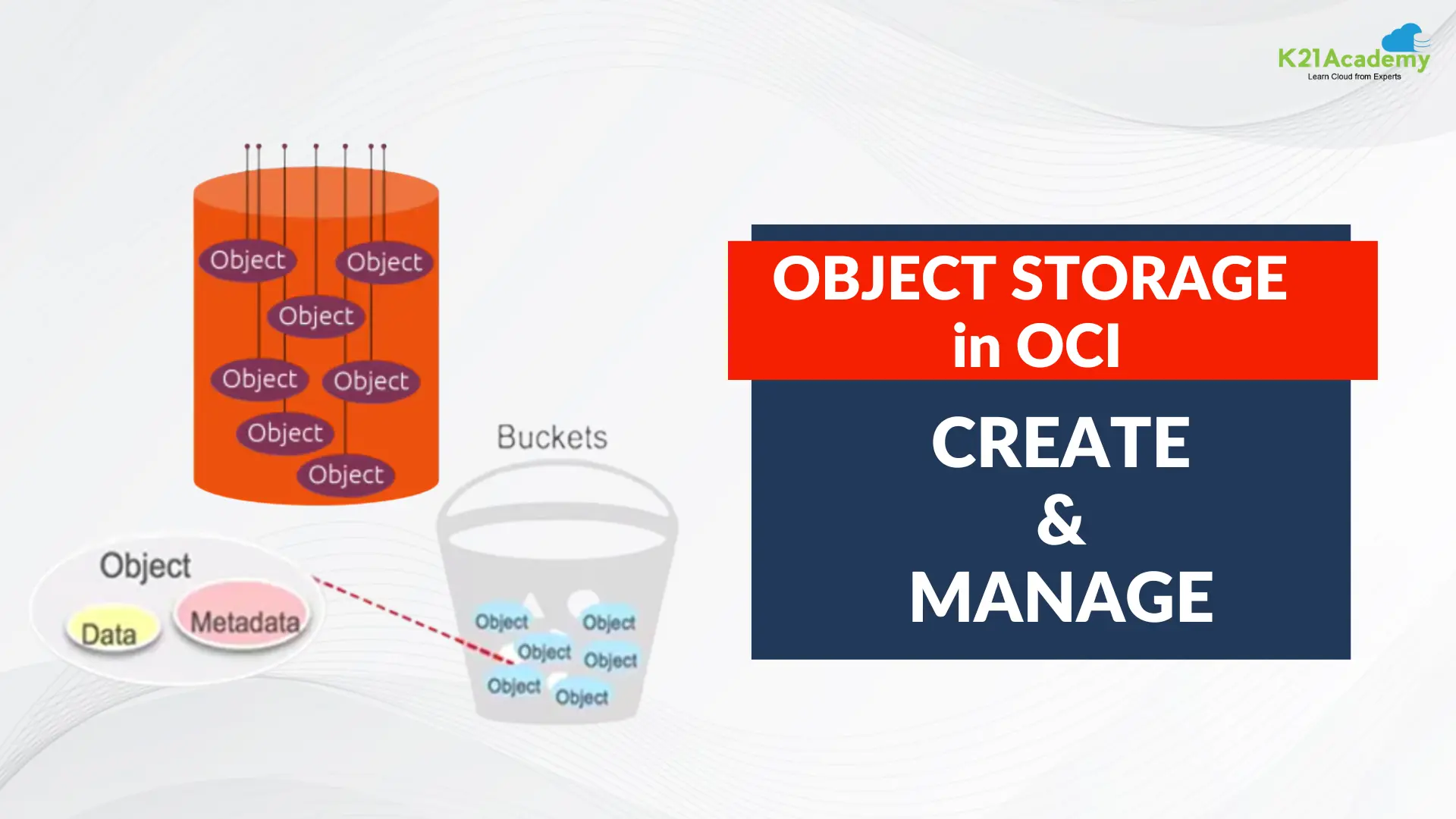





In today’s ever-evolving digital landscape, data storage plays a pivotal role in businesses’ operations. Oracle Cloud Infrastructure (OCI) stands as a formidable contender in the cloud services arena, offering a wide array of solutions to meet modern data storage needs. In this post, we are going to cover about the Object Storage Service in Oracle Cloud Infrastructure and will talk about How to Manage Buckets & Objects in the Object Storage.
In this blog, we will cover
- Overview of Object storage
- What is Object Storage services ?
- Common Object Storage Scenarios
- Object Storage Key Resources
- How to Create and Manage Buckets & Objects in the Object Storage
Overview of Object Storage
Object Storage is a modern data storage approach that organizes and stores data as discrete units known as objects. These objects encapsulate data, metadata (descriptive information about the data), and are uniquely identified within the storage system. This architecture facilitates efficient data retrieval and management, as each object exists independently within the storage infrastructure, enabling scalable and agile handling of diverse datasets without the constraints imposed by folder or directory-based systems.
- Use Object Storage for data to which you need fast, immediate, and frequent access. Data accessibility and performance justifies a higher price point to store data in the Object Storage tier.
- Use Archive Storage for data to which you seldom or rarely access, but that must be retained and preserved for long periods of time. The cost efficiency of the Archive Storage tier offsets the long lead time required to access the data

What is Object Storage Service?
Oracle’s Object Storage Service (OSS) within Oracle Cloud Infrastructure (OCI) is meticulously crafted to tackle the complexities associated with handling extensive volumes of unstructured data, all while ensuring the utmost security, durability, and availability of stored information. It stands as a scalable and adaptable platform, equipped with a suite of functionalities specifically designed to meet the diverse and intricate demands of enterprises, irrespective of their size or industry verticals.
Common Object Storage Scenarios
- Big Data/Hadoop Support:
- Use as a primary data repository for big data
- HDFS connector provides connectivity to various big data analytics engines like Apache Spark and MapReduce
- Content Repository:
- Highly available and durable content repository for data, images, logs, and video etc.
- Archive/Backup:
- Use of object storage for preserving data for longer periods of time
- Log Data:
- Application log data for analysis and debugs/troubleshooting
- Large Data Sets:
- Large data e.g. pharmaceutical trials data, genome data, and Internet of Things (IoT)
Object Storage Key Resources
- Object
- All data, regardless of content type, is managed as objects.
- Each Object is composed of the object itself and metadata of the object
- Bucket
- A logical container for storing objects
- Each object is stored in a bucket
- Namespace
- Each tenant is associated in one default namespace that spans all compartments
- Buckets names within a namespace are unique
- Buckets and objects exist in a flat hierarchy
- Compartment
- Buckets can only exist in a one compartment
How to Create and Manage Buckets & Objects in the Object Storage
1. Create Object Storage
1.1 Open the navigation Under Core Infrastructure, go to Storage and click Object Storage

1.2 Select Compartment PoCCompartment and Click on Create Bucket.

1.3 In the Create Bucket dialog


1.4 Once, your Object Bucket is created then will display the below screen

2. Manage Buckets & Objects
Note: In the OCI Object Storage service, an object is a file or unstructured data you upload to a bucket within an Object Storage
2.1 Open the navigation menu. Under Core Infrastructure, go to Storage and click Object Storage.

2.2 Select Compartment PoCCompartment and Select your Bucket

2.3 Select Object under Resource and click on Upload

2.4 In Upload Objects dialog

2.5 You can check your Object in Objects

Conclusion
OCI’s Object Storage offers robust, scalable, and secure data storage solutions. With flexible bucket management, file uploads, access controls, and metadata utilization, it serves as a cornerstone for streamlined cloud data operations. Its adaptability caters to various needs, establishing OCI Object Storage as a fundamental asset within Oracle Cloud Infrastructure for efficient and secure data management.
Frequently Asked Questions
Can I upload files to OCI Object Storage?
Yes, via OCI Console, CLI, or API within the chosen bucket.
What access controls are available for OCI Object Storage buckets?
Fine-grained control via IAM policies for users/groups.
What is OCI Object Storage used for?
Storing diverse data types securely within Oracle Cloud Infrastructure.
How can I manage lifecycle policies?
Create policies for automated object management tasks.
Is there a limit to object sizes in OCI Object Storage?
Supports large files, with a maximum limit of several terabytes.
What security measures are in place?
Encryption, access controls, auditing, and integrations for security.
How can I create a bucket in OCI Object Storage?
Use OCI Console, CLI, or API to create, specifying name and settings.
Related/Further Readings
- Overview of Storage Gateway(Oracle doc)
- [Video]: Oracle Cloud Infrastructure (OCI) | Storage Object, Block | File Storage, Data Transfer Service|
- 1Z0-1072 | Oracle Cloud Infrastructure 2023 Architect Associate
- OCI Mount Storage using s3fs fuse
Begin Your Cloud Journey
Begin your journey towards becoming an Oracle Cloud Expert and earn a lot more in 2024 by joining our FREE CLASS. You will also know more about the Roles and Responsibilities, Job opportunities for OCI Architects, Admins in the market, and what to study Including Hands-On labs you must perform to get the Higher Paying jobs.
Click on the below image to Register for Our FREE Class on MASTERING ORACLE CLOUD FOR DBAs, APPs DBAs, ARCHITECTS & SYS ADMINS


![Microsoft Agentic AI Business Solutions Architect [AB-100] | K21 Academy](https://test.k21academy.com/wp-content/uploads/2025/11/Microsoft-Agentic-AI-Business-Solutions-Architect-AB-100-Exam-Overview1.png)



