



In this post, I am going to share some quick tips, including Q/A’s and useful links from Azure Solutions Architect Day 2 Training of our recently launched new batch of Microsoft Azure Solutions Architect(AZ-305), in which we have 25+ hands-on labs of AZ-305 in the course.
On our Day 1 Live Session, we covered Azure Active Directory, Azure AD Concepts, Azure AD Join, Azure AD Connect, Azure Identity Protection, Azure Conditional Access, Azure Multi-Factor Authentication(MFA).
In this post, I have covered concepts like Hybrid Identity, Password hash synchronization (PHS), Pass-through authentication (PTA), AD FS, Azure AD Health, Azure Networking for Beginners, IP Addressing, Azure Virtual Network, VNet Peering RBAC,Azure policy, Azure blueprints, Azure Bastion, VPN Gateway, Express route.
Privileged Identity Management
It is a feature provided by Azure Active Directory (Azure AD).Azure AD Privileged Identity Management enables corporations manage, control, and screen get right of entry to to privileged roles in Azure sources and Microsoft 365 services.
With Azure PIM, you can:
Discover and manage privileged roles: Identify and manage the privileged roles within your organization, such as Global Administrator or SharePoint Administrator. Assign just-in-time access: Assign time-bound access to privileged roles, reducing the exposure of privileged access and enforcing just-in-time (JIT) principles.
Require approval for privileged role activation: Implement an approval workflow to ensure that requests for privileged access are reviewed and approved by designated approvers.
Monitor privileged role usage: Gain insights into the usage of privileged roles and detect any suspicious or unauthorized activities.
Enforce multi-factor authentication (MFA): Enable MFA for users with privileged roles to add an extra layer of security. Azure PIM helps organizations minimize the risks associated with excessive or unnecessary privileged access, enhance security controls, and ensure compliance with regulatory requirements.
Q. If you already have Azure AD premium P2. What is the Aditional guestimated cost for using PIM?
Ans. To use Privileged Identity Management (PIM) in Azure Active Directory (Azure AD), you need either a Microsoft Entra ID Governance or a Microsoft Azure AD Premium P2 subscription. These licenses are required for both the tenant and the administrators and users who will be using PIM.
The estimated additional cost for using PIM depends on the specific licensing details and pricing for Microsoft Entra ID Governance and Azure AD Premium P2 subscriptions. Unfortunately, the provided information does not include the exact pricing for these subscriptions.
Q. Is Service principle and azure application ID is same thing ?
Ans. Service principal and Azure application ID are not the same thing. an Azure Application ID is a unique identifier assigned to an application during registration, while a service principal is an identity object that represents the application within a specific Azure AD tenant. The service principal allows the application to authenticate, obtain access tokens, and interact with resources in that tenant.
Role-Based Access Control (RBAC)
RBAC allows you to grant appropriate permissions to users, groups, or applications based on their assigned roles, rather than managing permissions directly for each individual. In Azure RBAC, there are three key components:
 Role Definitions: Azure provides built-in roles with pre-defined sets of permissions, such as Owner, Contributor, and Reader. These roles encompass different levels of access to Azure resources. Additionally, you can create custom roles to suit specific requirements.
Assignments: Role assignments associate a role with a user, group, or service principal. By assigning a role to a user or group, you grant them the permissions associated with that role.
Scope: RBAC can be applied at different levels of the Azure resource hierarchy. Scopes can include subscriptions, resource groups, or individual resources. Assignments made at a higher scope, such as a subscription, can be inherited by resources within that scope.
Key benefits of Azure RBAC include:
Granular access control: RBAC allows you to define fine-grained access control based on roles, minimizing the risk of granting excessive privileges.
Simplified management: By assigning roles to users or groups, you can manage access to multiple resources collectively, rather than managing permissions individually. Security and compliance: RBAC helps enforce the principle of least privilege and enables organizations to adhere to security and compliance requirements.
Flexibility: Azure RBAC provides a range of built-in roles and the ability to create custom roles, allowing you to tailor access control to specific needs. Overall, RBAC in Azure provides a robust and flexible framework for managing access to Azure resources, ensuring that users have the right level of permissions to perform their tasks while maintaining security and governance.
Azure Policy
Azure Policy helps organizations maintain consistent configurations, enforce security and compliance standards, and ensure adherence to best practices across their Azure resources. It provides a centralized mechanism for governance and helps achieve a well-managed and controlled Azure environment.
Azure Initiative
In Azure, an initiative is a grouping or container for a set of related Azure Policy definitions. It allows you to organize and manage multiple policies together as a single entity. Initiatives simplify the process of deploying and managing policy definitions across your Azure environment by providing a cohesive approach to governance.
Here are key aspects of Azure initiatives:
1. Grouping of Policies: An initiative enables you to group multiple Azure Policy definitions into a single logical unit. This allows you to manage and assign policies collectively, making it easier to enforce a specific set of policies for compliance or regulatory requirements.
2. Hierarchical Structure: Initiatives can have a hierarchical structure, with multiple levels of initiative definitions. This structure allows you to create nested initiatives, making it possible to organize policies based on different categories, departments, or application-specific requirements.
3. Policy Assignments: Similar to individual policy definitions, you can assign initiatives to specific scopes within your Azure environment, such as management groups, subscriptions, or resource groups. When an initiative is assigned, all the policies within that initiative are automatically applied to the assigned scope.
4. Compliance Tracking: Azure initiatives provide consolidated compliance tracking for all the policies included in the initiative. You can view compliance reports at the initiative level, which show the overall compliance status of the policies within the initiative across your Azure environment.
5. Simplified Deployment: Initiatives simplify the deployment process by providing a single entity that includes all the policies required for a specific scenario. This makes it easier to deploy a comprehensive set of policies, especially when dealing with complex governance requirements.
6. Versioning and Updates: Initiatives support versioning, allowing you to update or modify the set of policies included in an initiative over time. You can create new versions of an initiative and deploy the updated version to reflect changes in your governance requirements.
Azure Blueprints
 Azure Blueprints is a provider furnished with the aid of using Microsoft Azure that permits cloud architects and crucial IT agencies to outline a repeatable set of Azure resources. It allows organizations to implement and adhere to their standards, patterns, and requirements when building and deploying environments in Azure. Azure Blueprints provides a declarative way to orchestrate the deployment of various resource templates and artifacts, including role assignments, policy assignments, Azure Resource Manager templates (ARM templates), and resource groups
Q. Can we say Azure Blue Print is an automating tool?
Ans. Yes, Azure Blueprints can be considered an automating tool. Azure Blueprints is a service provided by Microsoft Azure that enables cloud architects and IT teams to define a repeatable set of Azure resources and configurations that implement an organization’s standards, patterns, and requirements. It allows for the automation and orchestration of the deployment process, making it easier to create and manage Azure environments consistently and at scale.
>Hybrid Identity
Hybrid identity creates a common user identity for authentication and authorization to all resources, regardless of location. One of three authentication methods can be used to achieve a hybrid identity with Azure AD, depending on your scenarios.
- Pass-through authentication (PTA)
- Password hash synchronization (PHS)
- Federation (AD FS)
➝Read more about the Hybrid Identity.

>Azure AD Pass-through Authentication
Azure AD Pass-through Authentication allows your users to sign in to both on-premises and cloud-based applications using the same passwords. When users sign in using Azure AD, this feature validates users’ passwords directly against your on-premises Active Directory.

Q1: Does Conditional Access work with Pass-through Authentication?
Ans: Yes, All Conditional Access capabilities, including Azure AD Multi-Factor Authentication, work with Pass-through Authentication.
>Password hash synchronization with Azure AD
Password hash synchronization is one of the sign-in methods used to accomplish hybrid identity. Azure AD Connect synchronizes a hash of a user’s password from an on-premises Active Directory instance to a cloud-based Azure AD instance.
You can use this feature to sign in to Azure AD services like Microsoft 365. You sign in to the service using the same password you use to sign in to your on-premises Active Directory instance.

Q2: Can admin overwrite synchronized passwords in Password hash synchronization?
Ans: Yes, An administrator can manually reset your password by using Windows PowerShell. The new password overrides your synchronized password, and all password policies defined in the cloud are applied to the new password.
If you change your on-premises password again, the new password is synchronized to the cloud, and it overrides the manually updated password.
>AD FS (Active Directory Federation Services)
AD FS (Active Directory Federation Services) provides simplified, secured identity federation and Web single sign-on (SSO) capabilities. Federation with Azure AD or O365 enables users to authenticate using on-premises credentials and access all resources in the cloud. As a result, it becomes important to have a highly available AD FS infrastructure to ensure access to resources both on-premises and in the cloud.
Advantages of deploying AD FS in Azure:
- High Availability
- Easy to Scale
- Cross-Geo Redundancy
➝Read more about the AD FS(Azure Directory Federation Services).

Q3. What are third-party multi-factor authentication providers available for AD FS?
Ans: AD FS provides an extensible mechanism for third party MFA providers to integrate. The list of vendors that have notified Microsoft is published at MFA providers for AD FS.
Some Famous offerings are Akamai MFA, a persona Adaptive Multi-Factor Authentication for Microsoft ADFS SSO, Microsoft Azure MFA, SecureMFA OTP Provider and many more.
>Choosing between PHS vs PTA vs AD FS
At the end of the day, choosing a hybrid identity authentication method starts with understanding the needs of the business. Check below comparison for selecting between PHS, PTA and AD FS.

>Azure AD Connect Health
Azure Active Directory (Azure AD) Connect Health provides robust monitoring of your on-premises identity infrastructure. It enables you to maintain a reliable connection to Microsoft 365 and Microsoft Online Services.
The information is presented in the Azure AD Connect Health portal. Use the Azure AD Connect Health portal to view alerts, performance monitoring, usage analytics, and other information.
➝Read more about the Azure AD Connect Health.

Q4: What firewall ports do I need to open for the Azure AD Connect Health Agent to work?
Ans: The agent requires the following firewall ports to be open so that it can communicate with the Azure AD Connect Health service endpoints:
- TCP port 443
- TCP port 5671
The latest version of the agent doesn’t require port 567; check more requirements for using Azure AD Connect Health.
Azure Networking For Beginners
The networking services in Azure provide a variety of networking capabilities that can be used together or separately. These services provide connectivity between Azure resources, connectivity from an on-premises network to Azure resources, and the branch to branch connectivity in Azure – Virtual Network (VNet), ExpressRoute, VPN Gateway, Virtual WAN, Virtual Network NAT Gateway, Azure DNS, Azure Peering service, and Azure Bastion.
➝Read more about Azure Networking.

>Azure Virtual Network
Azure Virtual Network (VNet) is the fundamental building block for your private network in Azure. Virtual Network enables many types of Azure resources, such as Azure Virtual Machines (VM), to securely communicate with each other, the internet, and on-premises networks.

Q5: What are the different ways to create Virtual Networks?
Ans. You can create a Virtual Network in Azure using any of the following:
1. Using Azure portal: Azure portal is a web-based, unified console that provides an alternative to command-line tools. With the Azure portal, you can manage your Azure subscription using a graphical user interface.

2. PowerShell: Azure PowerShell is a module you add to Windows PowerShell or PowerShell Core that enables you to connect to your Azure subscription and manage resources.

3. Azure CLI: Azure CLI is a cross-platform command-line program that connects to Azure and executes administrative commands on Azure resources.

Q.6 Are Virtual Networks Secure in Azure?
Ans. Virtual Networks are isolated from one another in the Azure cloud and have their own set of properties. Network Security Groups (NSGs) can be used to restrict inbound or outbound traffic flow. You can also deploy a virtual firewall from multiple vendors through the Azure Marketplace.

>IP Addressing
An Internet Protocol Address is a numerical label assigned to each device connected to a computer network that uses the Internet Protocol for communication. An IP Address serves two main functions: host or network interface identification and local addressing.

Q7: Why is Azure assigning IP 10.0.0.4 rather than 10.0.0.1?
Ans. Because x.x.x.0, x.x.x.1, x.x.x.2, x.x.x.3, x.x.x.255 IPs are reserved by Azure. So, these IP addresses are never assigned.
x.x.x.0: Network address
x.x.x.1: Reserved by Azure for the default gateway
x.x.x.2, x.x.x.3: Reserved by Azure to map the Azure DNS IPs to the VNet space
x.x.x.255: Network broadcast address
>Subnets
A subnet is a range of IP addresses in the virtual Network. You can divide a virtual network into multiple subnets for organization and security. Each Network interface card connected in a virtual machine is connected to one subnet only.

Azure Bastion
Azure Bastion is a completely controlled carrier furnished through Microsoft that permits steady and seamless RemoteDesktop Protocol (RDP) and Secure Shell (SSH) access to virtual machines (VMs) in the Azure cloud. It acts as a jump server or a gateway between your local machine and Azure VMs, providing a secure and convenient way to access them without exposing them to the public internet.
Q8: Can we change the address space of the subnet after creation?
Ans: If no resources are deployed within the subnet, you can change the address range. If any resources exist in the subnet, you must either move the resources to another subnet or delete them from the subnet first.
 Q9: Is there a limit to the number of subnets in my Virtual Network?
Ans: Yes, there is a limit to the number of subnets per single virtual Network. The current limit of Subnets per virtual Network is 3000.

>Virtual Network Peering
Virtual Network Peering in Azure allows the traffic of one virtual Network to communicate to another virtual network. It is used for database failover, disaster recovery, or cross-region data replication. After creating virtual networks, we moved towards configuring Virtual Network Peering using the Azure portal.
➝Read more about the Virtual Network Peering.

Q10: Virtual Networking Peering connection is unidirectional or bidirectional?
Ans: Virtual Network peering connection is bidirectional. Suppose if you have one-directional Virtual Network peering and try reaching out to the Virtual Machines in the other Virtual Network, it will not work. The other Virtual Network doesn’t know how to reach you as you haven’t created the peering for the second Virtual Networking.
 Q11: Can one Virtual Network do peering with more than one Virtual Network?
Ans: Yes, A single Virtual Network can peer with multiple Virtual Networks. Currently, the limit of Virtual network peering’s per virtual Network is 500. The networks can belong to the same subscription, different deployment models in the same subscription, or different subscriptions.
 Q12: Are there any bandwidth limitations for peering connections?
Ans: No, Virtual Network peering, whether local or global, does not impose any bandwidth restrictions. Bandwidth is only limited by the Virtual Machine or the compute resource.
➝Read more about the Bandwidth limitations for peering connections.
Q13: How much do Virtual Network peering links cost?
Ans: There is no charge for creating a Virtual Network peering connection. Data transfer across peering connections is charged. Inbound and outbound traffic is charged at both ends of the peered networks. Virtual Network Peering within the same region is less costly than Global Virtual Network Peering.
➝Read more about the Virtual Network Peering Cost.

VPN Gateway
A VPN Gateway is a networking component in Azure that enables secure communication between your on-premises network and virtual networks in the Azure cloud. It acts as a bridge, allowing you to extend your on-premises network into Azure and establish a secure connection over the internet.
 Here are key aspects and features of Azure VPN Gateway:
1. Secure Connectivity: Azure VPN Gateway supports both Site-to-Site (S2S) VPN and Point-to-Site (P2S) VPN connections. S2S VPN allows you to establish a secure connection between your on-premises network and Azure virtual networks. P2S VPN enables individual clients or remote users to connect securely to Azure virtual networks.
2. Protocols and Encryption: Azure VPN Gateway supports industry-standard VPN protocols such as Internet Protocol Security (IPsec) and Secure Socket Tunneling Protocol (SSTP). It uses encryption algorithms to ensure data privacy and integrity during transmission.
3. High Availability: Azure VPN Gateway offers high availability and redundancy by automatically replicating gateway resources in different Azure regions. This ensures that your VPN connection remains accessible even in the event of a regional outage.
4. Scalability: Azure VPN Gateway can scale to handle large-scale deployments. You can increase the number of VPN connections and bandwidth to meet the demands of your network traffic.
5. Integration with Virtual Networks: VPN Gateway integrates seamlessly with Azure virtual networks. You can connect multiple virtual networks using VPN Gateway and establish network-to-network connectivity.
6. Security and Monitoring: Azure VPN Gateway provides features such as network traffic filters, user-defined routing, and diagnostics logs for monitoring and troubleshooting VPN connections. It also integrates with Azure Monitor to gain insights into the performance and health of the VPN Gateway.
Azure VPN Gateway is commonly used for scenarios such as connecting on-premises data centers to Azure, providing remote access to Azure resources for individual users or remote offices, and creating a secure hybrid network architecture.
By leveraging Azure VPN Gateway, organizations can establish secure and reliable connections between their on-premises networks and Azure, enabling seamless communication and extending their network capabilities into the cloud.
Azure ExpressRoute?
Azure ExpressRoute is a Microsoft service that provides a private and dedicated connection between your on-premises network and Azure cloud services. It offers a high-bandwidth, low-latency link that bypasses the public internet, providing a more secure and reliable connection for accessing Azure resources.
Quiz Time (Sample Exam Questions)!
With our Microsoft Azure Solutions Architect training program, we cover 220+ [AZ305]sample exam questions to help you prepare for the certification AZ-305.
Note: Download the 25 Sample Exam Questions of Microsoft Azure Solutions Architect from here.
Check out one of the questions and see if you can crack this…
Ques. There is a requirement to ensure that virtual machines hosted in Virtual Networks can communicate across both virtual networks by using their private IP address. Which of the following can be used to fulfil this requirement?
A. Virtual Network Peering
B. VPN Gateway
C. Local Gateway
D. ExpressRoute
The right answer will be revealed in my next week’s blog.
Here is the answer to the question shared last week (Scroll down at the end of this post for the question).
Ques: What is a tenant in Azure AD?
A. A Tenant represents an entire organization.
B. A Tenant represents a user in an organization.
C. A Tenant represents a geographic location in an organization.
Answer: A
Explanation: A tenant represents an organization in Azure Active Directory. An organisation receives and owns a dedicated Azure AD service instance when it signs up for a Microsoft cloud service such as Azure, Microsoft Intune, or Microsoft 365.
Feedback
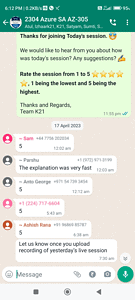
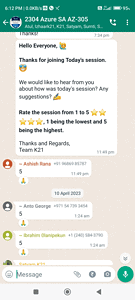
We always urge to improvise and be the best version of ourselves from the previous session; hence constantly ask for feedback from our attendees.
Here’s the feedback that we received from our trainees who had attended the session…
Related/References
- Design Authentication and Authorization Solutions [Microsoft Azure Solutions Architect Expert] [AZ-305]: [Recap] Day 1
- AZ-305: Azure Solutions Architect Certification Overview
- Microsoft Azure Architect Design Step By Step Activity Guides (Hands-On Labs)
- Azure Compute Options: What is Azure Computing?
- Exam AZ-305: Azure Solutions Architect Expert Certification
Next Task For You
Begin your journey toward Mastering Azure Cloud and landing high-paying jobs. Just click on the register now button on the below image to register for a Free Class on Mastering Azure Cloud: How to Build In-Demand Skills and Land High-Paying Jobs. This class will help you understand better, so you can choose the right career path and get a higher paying job.


![Microsoft Agentic AI Business Solutions Architect [AB-100] | K21 Academy](https://test.k21academy.com/wp-content/uploads/2025/11/Microsoft-Agentic-AI-Business-Solutions-Architect-AB-100-Exam-Overview1.png)


