



This blog post will go through some quick tips, including Q/A and related blog posts on the topics that we covered in the Azure DevOps Engineer Day 3 Live Session, which will help you gain a better understanding and make it easier for you to
This week’s Day 3 Live Session started with Module 3- Implement Continuous Integration and Module 4- Implement Dependency Management. We covered topics like Why Key vault ,Difference Between IAAS and PAAS ,What is Compute, Storage and Network, Action Repository ,NuGet Package ,NuGet ,Azure Artifact ,Artifacts Feeds ,Azure Pipelines.
Why Key vault
It offers a secure and centralized storage for managing and protecting sensitive information such as passwords, connection strings, API keys, certificates, and encryption keys.
Here are some reasons why Key Vault is commonly used:
1. Key Management: Key Vault simplifies key management tasks by providing a secure and scalable solution. It allows you to create, import, store, and manage cryptographic keys used for data encryption, signing, and authentication.
2. Secret Storage: Key Vault enables secure storage and management of application secrets. Instead of storing sensitive information directly in code or configuration files, you can securely store secrets in Key Vault and retrieve them programmatically when needed. This helps prevent accidental exposure of secrets and improves security posture.
3. Centralized Control: Key Vault offers a central location to manage access policies and permissions for keys and secrets. It allows you to control who can access and manage sensitive information, providing granular access control and auditing capabilities.
4. Hardware Security Modules (HSM): Key Vault integrates with Azure Dedicated HSM, which provides FIPS 140-2 Level 3 validated hardware security modules. HSMs offer enhanced protection for cryptographic keys by securely storing them within tamper-resistant hardware.
5. Integration with Azure Services: Key Vault seamlessly integrates with various Azure services, including Virtual Machines, Azure Functions, Azure App Service, Azure Kubernetes Service (AKS), and more. It allows these services to securely access keys and secrets without exposing sensitive information in their configurations.
6. Compliance and Auditing: Key Vault helps organizations meet regulatory and compliance requirements. It provides logging and auditing capabilities, allowing you to track key and secret operations for compliance reporting.
Overall, Azure Key Vault is a valuable tool for securely managing cryptographic keys and secrets, providing enhanced security, centralized control, and seamless integration with Azure services.
Difference Between IAAS and PAAS
Infrastructure as a Service (IaaS) and Platform as a Service (PaaS) are both cloud computing models that offer different levels of abstraction and service capabilities.
1. Definition:
–IaaS: Infrastructure as a Service provides virtualized services over the Internet.. It offers virtualized hardware resources such as servers, storage, and networking components.
– PaaS: Platform as a Service provides a platform and environment for developing, deploying, and managing applications over the internet. It includes a preconfigured computing platform, operating system, and development tools.
2. Resource Control:
– IaaS: With IaaS, users have more control over the underlying infrastructure. They can manage and control the operating systems, applications, and configurations on the provided virtual machines.
– PaaS: PaaS abstracts the underlying infrastructure, allowing users to focus more on application development and deployment. Users have less control over the underlying infrastructure and can only control the deployment and configuration of their applications.
3. Scalability:
– IaaS: IaaS allows for horizontal scalability, where users can scale their infrastructure up or down by adding or removing virtual machines or resources.
– PaaS: PaaS provides both horizontal and vertical scalability. Users can scale their applications by adding more resources within the platform or by replicating the application across multiple instances.
4. Development Focus:
– IaaS: IaaS is suitable for users who require complete control over the infrastructure and need flexibility to install and configure their own software stack. It is commonly used by developers who want to build and manage their own applications.
– PaaS: PaaS is designed for developers who want to focus on coding and application development without worrying about the underlying system.. It provides a platform with prebuilt components and services, making it easier to develop, deploy, and scale applications.
5. Maintenance and Management:
– IaaS: Users are responsible for managing the operating systems, applications, security patches, and backups of the virtual machines.
– PaaS: The provider manages the underlying infrastructure, including operating system updates, security patches, and backups. Users are responsible for managing their applications and data.
In summary, IaaS provides virtualized infrastructure resources, giving users more control and flexibility, while PaaS offers a platform for application development and deployment, abstracting the infrastructure and allowing users to focus on their code. The choice between IaaS and PaaS depends on specific requirements, control needs, and the level of focus on application development.
What is Compute, Storage and Network
Compute: In Azure, compute refers to the resources responsible for running applications and executing code. Azure provides various compute options to cater to different needs:
Virtual Machines (VMs): Azure VMs are similar to physical computers but are virtualized in the cloud. They allow you to run applications on Windows or Linux operating systems with full control over the virtual machine configuration.
Azure Functions: Azure Functions is a serverless compute service that enables you to run code in the form of small, stateless functions. It automatically scales based on the incoming workload and charges you only for the actual execution time.
Azure App Service: App Service is a platform-as-a-service (PaaS) offering that allows you to host and manage web applications without managing the underlying infrastructure.
Azure Container Instances (ACI): ACI allows you to run containers on Azure without managing the underlying container orchestration infrastructure. It provides a quick and simple way to deploy and manage containers.
Azure Kubernetes Service (AKS): AKS is a container management service that simplifies the deployment, management, and evaluation of containers using Kubernetes.
Storage: Azure offers a range of storage services to store and manage data:
Azure Blob Storage: Blob Storage provides scalable object storage for unstructured data such as images, videos, documents, and backups.
Azure File Storage: File Storage offers fully managed network file shares that can be accessed using the standard Server Message Block (SMB) protocol. It is suitable for shared file storage across multiple VMs.
Azure Queue Storage: Queue Storage provides a messaging queue for reliable messaging between components of an application, allowing asynchronous communication.
Azure Table Storage: Table Storage is a NoSQL key-value store suitable for storing structured data in a schema-less format.
Azure Disk Storage: Disk Storage provides managed disks for attaching to Azure VMs. It offers both standard and premium performance options.
Network: Azure provides various networking services for connecting and securing your applications:
Virtual Network (VNet): VNet allows you to create isolated private networks in Azure. It provides a foundation for deploying VMs, containers, and services securely.
Azure Load Balancer: Load Balancer distributes incoming network traffic across multiple VMs or services to improve availability and scalability.
Azure Application Gateway: Application Gateway is a web traffic load balancer that provides advanced application delivery and routing capabilities for web applications.
Azure VPN Gateway: VPN Gateway enables secure connectivity between on-premises networks and Azure VNets over the public internet or private connections like Azure ExpressRoute.
Github Action
It allows you to automate various tasks, such as building, testing, and deploying software applications, directly from your GitHub repositories. GitHub Actions enable you to define custom workflows using YAML syntax, which can be triggered by events like code pushes, pull requests, or scheduled intervals.
Here are some key features and concepts related to GitHub Actions:
Workflows: Workflows are a set of configurable automated tasks that are executed based on specified events or triggers. Workflows are defined in YAML files stored within your repository.
Actions: Actions are the individual tasks that make up a workflow. They can be predefined actions provided by the GitHub community or custom actions created by you. Actions are reusable units of code and can perform tasks like building code, running tests, deploying applications, or sending notifications.
Events: Workflows can be triggered by various events, such as pushing code changes, creating or closing pull requests, or scheduling a specific time.
Workflow Execution: When an event occurs that matches the defined triggers, GitHub will automatically execute the associated workflow. Workflows run on GitHub-hosted virtual machines or self-hosted machines and can perform operations within the repository, access external APIs, or interact with other GitHub repositories.
Workflow Syntax: Workflows are defined using YAML syntax, which allows you to specify the sequence of steps and actions to be executed. The syntax includes defining jobs, steps, and actions, along with conditions, dependencies, and outputs.
Workflow Visualization: GitHub provides a visual representation of your workflow, showing the sequence of jobs, their status, and any dependencies between them. This helps you understand the execution flow and identify issues if any step fails.
Integration with the GitHub Ecosystem: GitHub Actions seamlessly integrates with other GitHub features and services. For example, you can trigger workflows based on pull request events, use environment variables and secrets to securely store sensitive information, and publish artifacts or release assets directly to your repository.
Repository

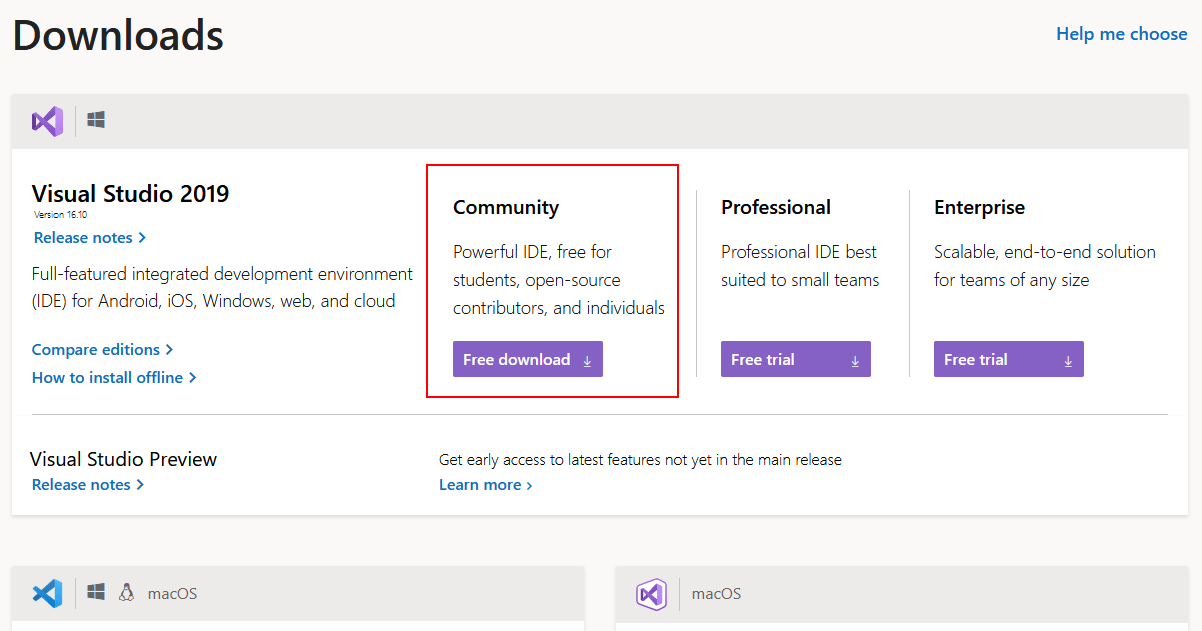
NuGet Package
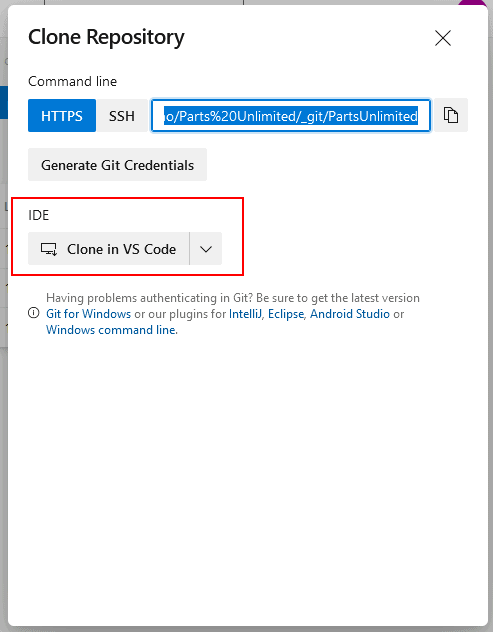
Question 1: How does Package interact with code repo like Github or Azure Repo?
NuGet
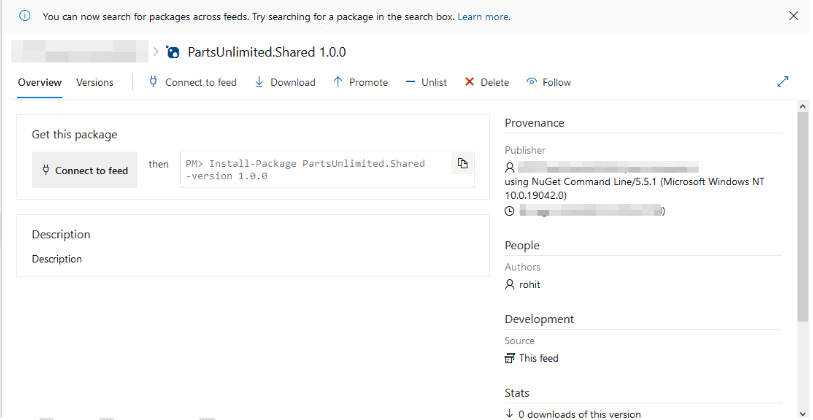 Question 3: What if this custom package has a dependency on some other NuGet packages?
Azure Artifact
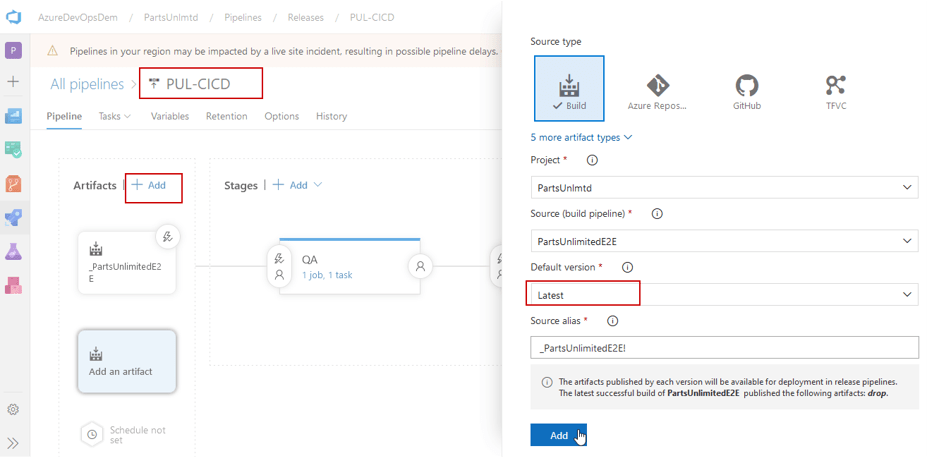
Artifacts Feeds
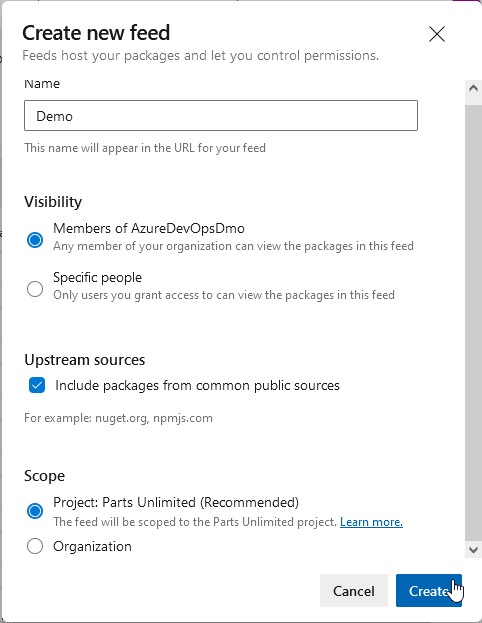
Artifacts Feeds are organizational constructs that allow you to store, manage, and group your packages and control who to share it with. Feeds are not package-type dependent. You can store all the following package types in a single feed: npm, NuGet, Maven, Python, and Universal packages.
In Public feeds, you can share your packages publicly with anyone on the Internet. Anyone who isn’t part of your organization can also access the package, and also they don’t need to have an Azure DevOps Account to access the package.

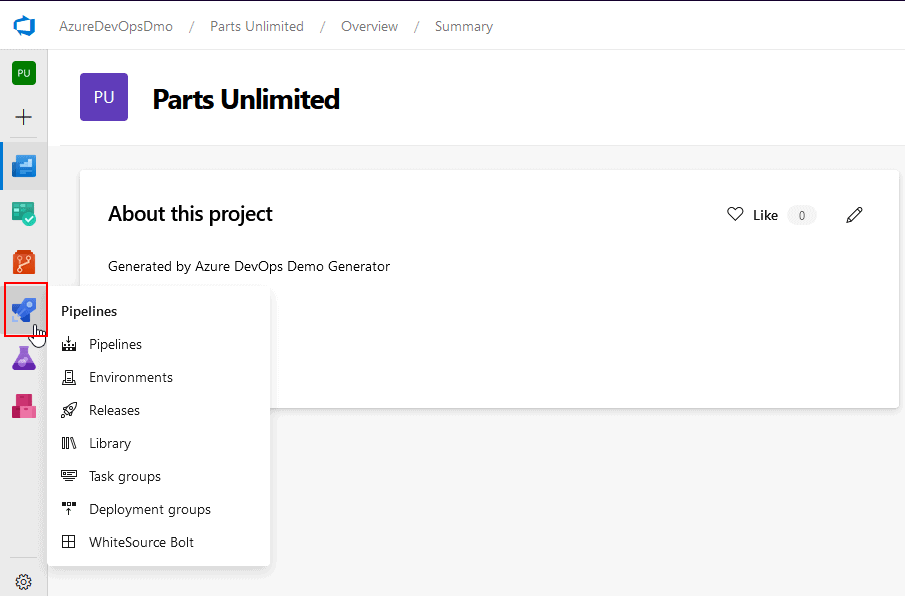
Azure Pipelines
Quiz Time (Sample Exam Questions)!
References
- [AZ-400] Microsoft Azure DevOps Certification Exam: Everything You Need To Know
- [AZ-400] Microsoft Azure DevOps Training: Step By Step Activity Guides/Hands-On Lab Exercise
- Microsoft Azure DevOps Engineer (AZ-400) Q/A: Day1 Live Session Review
- Day 2 [AZ-400] Azure DevOps Engineer Live Session Recap and Q/A: Source Control, Azure Repos, Migrating from TFVC to Git, Pull Requests, Git Hooks, Git Versioning
- Branching Strategy DevOps | Git Branching Model | Git Branch Policy | Restoring A Deleted Branch
- [AZ-400] Microsoft Azure DevOps Solutions: Artifacts
- Creating Azure CI CD Pipeline with DevOps Starter
Next Task For You
Begin your journey toward Mastering Azure Cloud and landing high-paying jobs. Just click on the register now button on the below image to register for a Free Class on Mastering Azure Cloud: How to Build In-Demand Skills and Land High-Paying Jobs. This class will help you understand better, so you can choose the right career path and get a higher paying job.


![Microsoft Agentic AI Business Solutions Architect [AB-100] | K21 Academy](https://test.k21academy.com/wp-content/uploads/2025/11/Microsoft-Agentic-AI-Business-Solutions-Architect-AB-100-Exam-Overview1.png)


